
ANSTEN Q40
ANSTEN Q40 Bluetooth Sport Headphones
ഉപയോക്തൃ മാനുവൽ
മോഡൽ: ക്യു 40
ആമുഖം
This manual provides detailed instructions for the ANSTEN Q40 Bluetooth Sport Headphones. Please read this manual carefully before using the product to ensure proper operation and to maximize its lifespan. Keep this manual for future reference.
ബോക്സിൽ എന്താണുള്ളത്
- 1 x ചാർജിംഗ് കേസ്
- 2 x Open Ear Headphones (Left and Right)
- 1 x യുഎസ്ബി-സി ചാർജിംഗ് കേബിൾ
- 1 x ഉപയോക്തൃ മാനുവൽ

Image: The ANSTEN Q40 open-ear headphones shown inside their charging case, which features a digital battery display. The headphones are a metallic purple color.
ഉൽപ്പന്ന സവിശേഷതകൾ
Open Ear Clip Design
The ANSTEN Q40 headphones feature a true open-ear design, allowing you to perceive ambient sounds while listening to music. This enhances safety, especially during activities like driving, walking, or cycling, by keeping you aware of your surroundings.

Image: A woman wearing the ANSTEN Q40 open-ear clip headphones, demonstrating how they sit comfortably on the ear without covering the ear canal. Text overlay indicates "OPEN EAR CLIP" and "Comfortable Pressure-free".
ലൈറ്റ്വെയ്റ്റ് കംഫർട്ട്
Designed for extended wear, these clip-on headphones are lightweight and feature a flexible earbud strap that conforms to the contours of the human ear. This ensures a secure fit without discomfort, preventing them from falling or shifting during movement. Each earbud weighs approximately 4 grams.

Image: Two ANSTEN Q40 earbuds, depicted as lightweight and floating amidst feathers, emphasizing their comfortable and feather-light design. Text overlay states "LIGHTWEIGHT COMFORT" and "Weighing only 4g, enjoy feather-light comfort".
High-Quality Sound and Call Clarity
Equipped with 11mm drivers, the Q40 headphones deliver 360° Hi-Fi stereo sound. They utilize a unique directional sound transmission technology to minimize sound leakage and protect privacy. For calls, the dual-microphone noise reduction feature filters out external noise, ensuring clearer conversations.

Image: A woman wearing the ANSTEN Q40 headphones, with an overlaid diagram illustrating the concept of directional sound transmission compared to non-directional sound, highlighting clear calls and reduced sound leakage.
Automatic Pairing and Touch Control
Featuring a Bluetooth 5.4 chip, the Q40 headphones offer a stable and fast automatic connection. A multi-function touch button on each earbud allows for easy control of music playback, volume, calls, and voice assistants.

ചിത്രം: ഒരു ക്ലോസ്-അപ്പ് view of an ANSTEN Q40 earbud, highlighting the touch-sensitive control area with a fingerprint icon, indicating its single-touch functionality for quick and easy operation.
IPX7 വാട്ടർപ്രൂഫ് റേറ്റിംഗ്
With an IPX7 waterproof standard, these wireless headphones are protected against sweat, rain, and dust. This makes them suitable for various activities such as running, hiking, intense workouts, or travel, allowing use in diverse weather conditions.
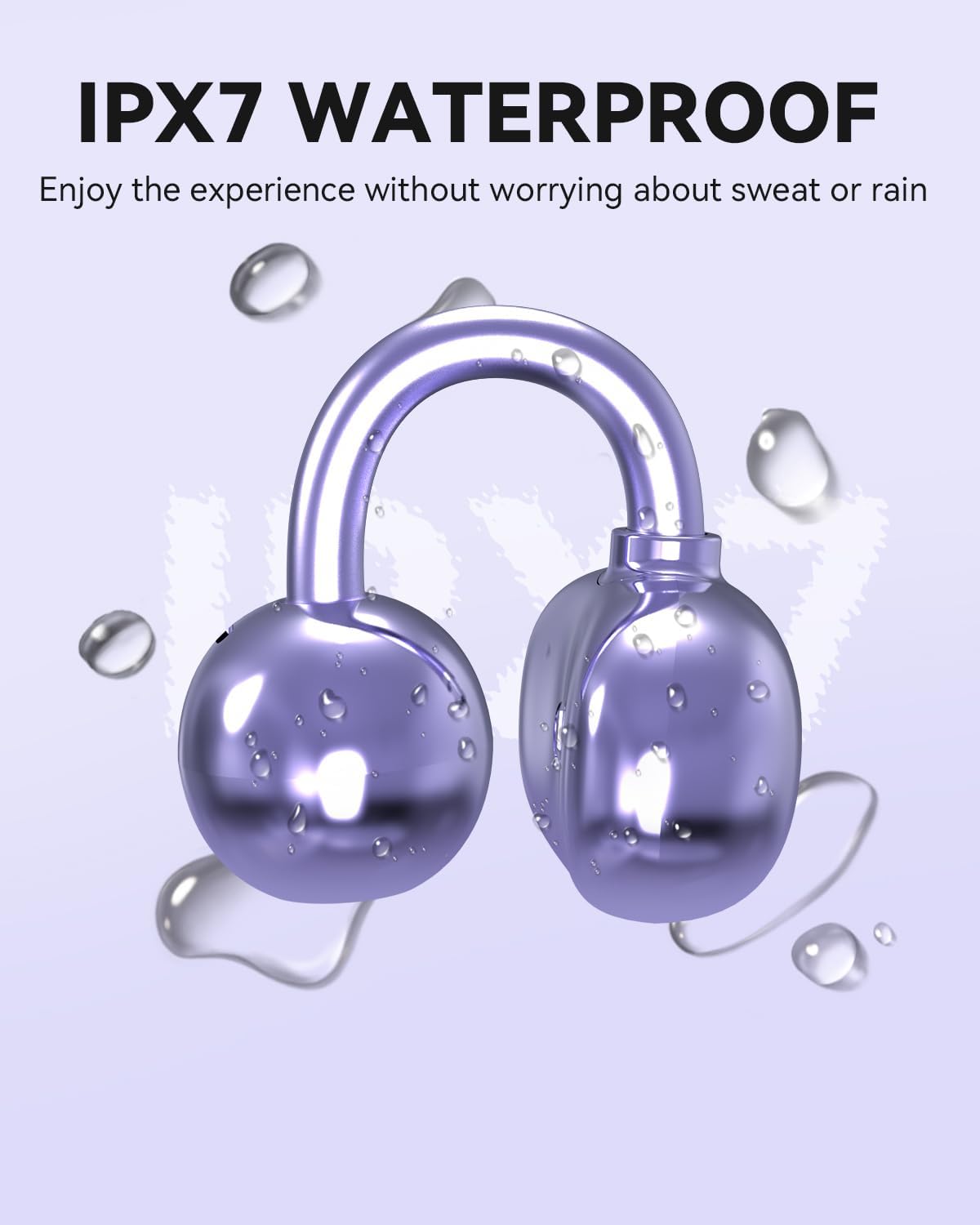
Image: An ANSTEN Q40 earbud covered in water droplets, visually representing its IPX7 waterproof capability, ensuring durability against sweat and rain.
നീണ്ട ബാറ്ററി ലൈഫ്
The headphones offer an extended playback time. Each earbud provides up to 6 hours of listening on a single charge, and the charging case extends the total playback time to approximately 18 hours.

Image: The ANSTEN Q40 headphones in their charging case, surrounded by a clock-like graphic, illustrating the long battery life. Text indicates "Headset life time: 6 hours" and "Charging case duration: 18 hours".
Stable Fit for Active Lifestyles
The ergonomic design ensures the headphones remain stable and secure during intense physical activities, making them ideal for running, yoga, cycling, and daily work use.

Image: A four-panel collage showing individuals engaged in different activities (running, yoga, cycling, working) while wearing the ANSTEN Q40 headphones, demonstrating their stable and secure fit for active use.
സജ്ജീകരണ ഗൈഡ്
1. ഹെഡ്ഫോണുകളും കേസും ചാർജ് ചെയ്യുന്നു
Before first use, fully charge the ANSTEN Q40 headphones and their charging case.
- രണ്ട് ഇയർബഡുകളും ചാർജിംഗ് കേസിൽ വയ്ക്കുക. അവ ശരിയായി സ്ഥാപിച്ചിട്ടുണ്ടെന്ന് ഉറപ്പാക്കുക.
- USB-C ചാർജിംഗ് കേബിൾ കേസിലെ ചാർജിംഗ് പോർട്ടിലേക്കും മറ്റേ അറ്റം ഒരു USB പവർ സ്രോതസ്സിലേക്കും (ഉദാ: കമ്പ്യൂട്ടർ USB പോർട്ട്, വാൾ അഡാപ്റ്റർ) ബന്ധിപ്പിക്കുക.
- ചാർജിംഗ് കെയ്സിലെ ഡിജിറ്റൽ ഡിസ്പ്ലേ ബാറ്ററി ശതമാനം കാണിക്കും.tage. The earbuds will also indicate charging status (usually via an LED light).
- പൂർണ്ണമായി ചാർജ് ചെയ്തുകഴിഞ്ഞാൽ, ചാർജിംഗ് കേബിൾ വിച്ഛേദിക്കുക.
2. നിങ്ങളുടെ ഉപകരണവുമായി ജോടിയാക്കുന്നു
- നിങ്ങളുടെ ഉപകരണത്തിന്റെ ബ്ലൂടൂത്ത് ഓണാക്കിയിട്ടുണ്ടെന്ന് ഉറപ്പാക്കുക.
- Open the charging case. The headphones will automatically enter pairing mode (indicated by flashing LED lights on the earbuds).
- On your device, search for Bluetooth devices. Select "ANSTEN Q40" from the list of available devices.
- Once connected, the earbud LEDs will stop flashing, and your device will confirm the connection.
- ഉപകരണത്തിൽ ബ്ലൂടൂത്ത് പ്രവർത്തനക്ഷമമാക്കിയിട്ടുണ്ടെങ്കിൽ, കേസിൽ നിന്ന് പുറത്തെടുക്കുമ്പോൾ ഹെഡ്ഫോണുകൾ അവസാനം ജോടിയാക്കിയ ഉപകരണവുമായി യാന്ത്രികമായി വീണ്ടും കണക്റ്റുചെയ്യും.
പ്രവർത്തന നിർദ്ദേശങ്ങൾ
ടച്ച് നിയന്ത്രണങ്ങൾ
The ANSTEN Q40 headphones feature intuitive touch controls on each earbud. The specific functions are as follows:
| ആക്ഷൻ | ഫംഗ്ഷൻ |
|---|---|
| ഒറ്റ ടാപ്പ് (ഇടത്/വലത് ഇയർബഡ്) | സംഗീതം പ്ലേ ചെയ്യുക/താൽക്കാലികമായി നിർത്തുക, കോൾ ചെയ്യുക/അവസാനിപ്പിക്കുക |
| ഡബിൾ ടാപ്പ് (വലത് ഇയർബഡ്) | അടുത്ത ട്രാക്ക് |
| ഡബിൾ ടാപ്പ് (ഇടത് ഇയർബഡ്) | മുമ്പത്തെ ട്രാക്ക് |
| ട്രിപ്പിൾ ടാപ്പ് (ഇടത്/വലത് ഇയർബഡ്) | വോയ്സ് അസിസ്റ്റന്റ് സജീവമാക്കുക (സിരി, ഗൂഗിൾ അസിസ്റ്റന്റ്, മുതലായവ) |
| Long Press (Left/Right Earbud, 2 seconds) | ഇൻകമിംഗ് കോൾ നിരസിക്കുക |
| Long Press (Left Earbud, 3 seconds) | വോളിയം ഡൗൺ |
| Long Press (Right Earbud, 3 seconds) | വോളിയം കൂട്ടുക |
പവർ ഓൺ/ഓഫ്
- പവർ ഓൺ: The headphones will automatically power on when removed from the charging case.
- പവർ ഓഫ്: Place the headphones back into the charging case and close the lid. They will automatically power off and begin charging.
മെയിൻ്റനൻസ്
To ensure the longevity and optimal performance of your ANSTEN Q40 headphones, follow these maintenance guidelines:
- വൃത്തിയാക്കൽ: Regularly wipe the earbuds and charging case with a soft, dry, lint-free cloth. Do not use abrasive cleaners, alcohol, or chemical solvents.
- ജല പ്രതിരോധം: While the headphones are IPX7 waterproof, they are not designed for swimming or prolonged submersion. Ensure they are dry before placing them back in the charging case to prevent damage.
- സംഭരണം: When not in use, store the headphones in their charging case to protect them from dust and physical damage. Store in a cool, dry place away from extreme temperatures.
- ചാർജിംഗ്: Use the provided USB-C cable for charging. Avoid using damaged cables or chargers.
ട്രബിൾഷൂട്ടിംഗ്
If you encounter issues with your ANSTEN Q40 headphones, refer to the following common solutions:
- ഹെഡ്ഫോണുകൾ ജോടിയാക്കുന്നില്ല/കണക്റ്റ് ചെയ്യുന്നില്ല:
- നിങ്ങളുടെ ഉപകരണത്തിൽ ബ്ലൂടൂത്ത് പ്രവർത്തനക്ഷമമാക്കിയിട്ടുണ്ടെന്ന് ഉറപ്പാക്കുക.
- ഹെഡ്ഫോണുകൾ പൂർണ്ണമായി ചാർജ്ജ് ചെയ്തിട്ടുണ്ടെന്ന് ഉറപ്പാക്കുക.
- Place the headphones back in the case, close the lid, wait a few seconds, then open the lid again to re-enter pairing mode.
- Forget "ANSTEN Q40" from your device's Bluetooth settings and try pairing again.
- ഉപകരണ-നിർദ്ദിഷ്ട പ്രശ്നങ്ങൾ ഒഴിവാക്കാൻ മറ്റൊരു ഉപകരണവുമായി ജോടിയാക്കാൻ ശ്രമിക്കുക.
- ഒന്നോ രണ്ടോ ഇയർബഡുകളിൽ നിന്ന് ശബ്ദമില്ല:
- നിങ്ങളുടെ ഉപകരണത്തിലും ഹെഡ്ഫോണുകളിലും വോളിയം ലെവൽ പരിശോധിക്കുക.
- ഇയർബഡുകൾ നിങ്ങളുടെ ചെവിയിൽ ശരിയായി ഘടിപ്പിച്ചിട്ടുണ്ടെന്ന് ഉറപ്പാക്കുക.
- നിങ്ങളുടെ ഉപകരണത്തിലേക്ക് ഹെഡ്ഫോണുകൾ വീണ്ടും ബന്ധിപ്പിക്കുക.
- വ്യത്യസ്തമായ ഒരു ആപ്ലിക്കേഷനിൽ നിന്നോ ഉറവിടത്തിൽ നിന്നോ ഓഡിയോ പ്ലേ ചെയ്യാൻ ശ്രമിക്കുക.
- ചാർജിംഗ് പ്രശ്നങ്ങൾ:
- ചാർജിംഗ് കേബിൾ കേസിലേക്കും പവർ സ്രോതസ്സിലേക്കും സുരക്ഷിതമായി ബന്ധിപ്പിച്ചിട്ടുണ്ടെന്ന് ഉറപ്പാക്കുക.
- മറ്റൊരു USB-C കേബിളും കൂടാതെ/അല്ലെങ്കിൽ പവർ അഡാപ്റ്ററും പരീക്ഷിച്ചുനോക്കൂ.
- ഇയർബഡുകളിലെയും കേസിന്റെ ഉള്ളിലെയും ചാർജിംഗ് കോൺടാക്റ്റുകൾ ഉണങ്ങിയ കോട്ടൺ സ്വാബ് ഉപയോഗിച്ച് വൃത്തിയാക്കുക.
- മോശം കോൾ നിലവാരം:
- മൈക്രോഫോൺ തടസ്സപ്പെട്ടിട്ടില്ലെന്ന് ഉറപ്പാക്കുക.
- സിഗ്നൽ ശക്തി മെച്ചപ്പെടുത്താൻ നിങ്ങളുടെ കണക്റ്റ് ചെയ്ത ഉപകരണത്തിന് അടുത്തേക്ക് നീങ്ങുക.
- Check for environmental noise that might be affecting the call.
സ്പെസിഫിക്കേഷനുകൾ
| ഫീച്ചർ | വിശദാംശങ്ങൾ |
|---|---|
| ബ്രാൻഡ് | ആൻസ്റ്റെൻ |
| മോഡൽ | Q40 |
| കണക്റ്റിവിറ്റി ടെക്നോളജി | വയർലെസ്സ് (ബ്ലൂടൂത്ത് 5.4) |
| ചെവി പ്ലേസ്മെൻ്റ് | Open Ear / Clip-on |
| ജല പ്രതിരോധ നില | IPX7 (Impermeabile) |
| ഹെഡ്ഫോൺ പ്ലേടൈം | 6 മണിക്കൂർ വരെ |
| ആകെ പ്ലേടൈം (കേസിനൊപ്പം) | 18 മണിക്കൂർ വരെ |
| ചാർജിംഗ് സമയം | Approx. 1.5 - 2 hours (for full charge) |
| നിയന്ത്രണ തരം | ടച്ച് നിയന്ത്രണം |
| മൈക്രോഫോൺ | Dual microphone with noise reduction |
| ഭാരം (ഓരോ ഇയർബഡിനും) | ഏകദേശം 4 ഗ്രാം |
| മെറ്റീരിയൽ | അക്രിലോണിട്രൈൽ ബ്യൂട്ടാഡീൻ സ്റ്റൈറൈൻ (എബിഎസ്) |
| ഫ്രീക്വൻസി പ്രതികരണം | 20 ഹെർട്സ് - 20,000 ഹെർട്സ് |
| പ്രതിരോധം | 14.2 ഓം |
വാറൻ്റിയും പിന്തുണയും
ANSTEN products are designed and manufactured to the highest quality standards. For any questions, technical support, or warranty claims, please contact ANSTEN customer service through the retailer where you purchased the product or visit the official ANSTEN webബന്ധപ്പെടാനുള്ള വിവരങ്ങൾക്കുള്ള സൈറ്റ്.
വാറന്റി ആവശ്യങ്ങൾക്കായി നിങ്ങളുടെ വാങ്ങിയതിന്റെ തെളിവ് സൂക്ഷിക്കുക.
Ask a question about this manual
Ask about setup, troubleshooting, compatibility, parts, safety, or missing instructions. Manuals+ will review the question and use this page’s manual context to help answer it.