
1. ആമുഖം
Thank you for choosing the Digitek DFL-220 Handheld TTL Flash Speedlite. This powerful and versatile flash unit is designed to provide professional-quality lighting for various photography scenarios, both indoors and outdoors. Featuring a 200W power output, 5600K color temperature, and advanced modes like TTL, Manual, and Multi-flash, the DFL-220 offers precise control and high-speed synchronization for capturing dynamic moments.
Please read this manual carefully before using the product to ensure proper operation and to maximize its performance and lifespan. Keep this manual for future reference.
2 സുരക്ഷാ വിവരങ്ങൾ
- Do not disassemble or modify the flash unit. Repairs should only be performed by authorized service personnel.
- Keep the unit dry. Do not expose it to rain, moisture, or high humidity.
- Avoid direct eye exposure to the flash light, especially at close range, as it can cause temporary vision impairment.
- കുട്ടികൾക്ക് ലഭ്യമാകാതെ സൂക്ഷിക്കുക.
- Use only the specified battery and charger. Improper use can lead to fire, explosion, or electric shock.
- Ensure the flash is securely mounted to prevent accidental drops.
3. പാക്കേജ് ഉള്ളടക്കം
നിങ്ങളുടെ പാക്കേജിൽ എല്ലാ ഇനങ്ങളും ഉണ്ടെന്ന് ഉറപ്പാക്കുക:
- 1 x Digitek TTL Flash Speedlite DFL-220 (with included Li-ion Battery)
- 1 x ചാർജർ
- 1 x Flash Holder
- 1 x സംരക്ഷണ ബാഗ്
- 1 x ഉപയോക്തൃ മാനുവൽ
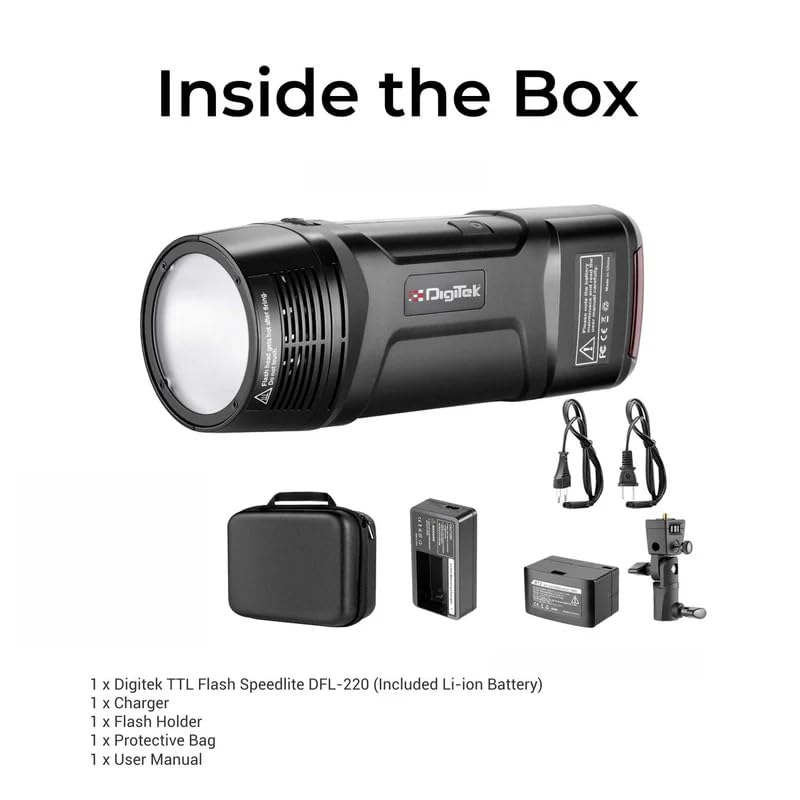
Figure 3.1: Digitek DFL-220 Package Contents
4. ഉൽപ്പന്നം കഴിഞ്ഞുview
Familiarize yourself with the main components and controls of the DFL-220 flash unit:
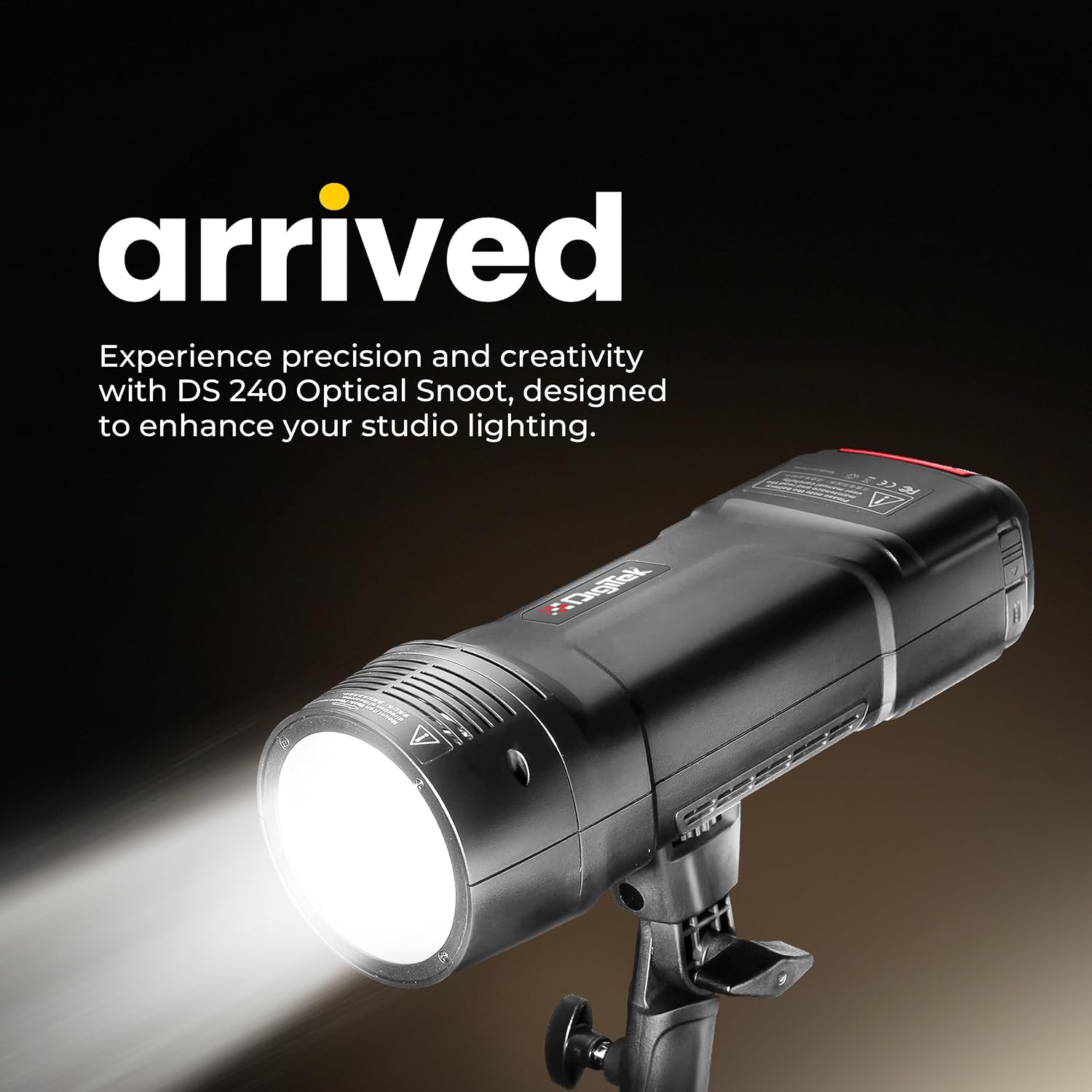
Figure 4.1: Digitek DFL-220 Front View

Figure 4.2: DFL-220 Controls and Components
പ്രധാന ഘടകങ്ങൾ:
- ഫ്ലാഷ് ട്യൂബ്: Emits the main flash light.
- എൽഇഡി മോഡലിംഗ് എൽamp: മുമ്പത്തേതിന് തുടർച്ചയായ പ്രകാശം നൽകുന്നുviewലൈറ്റിംഗ് ഇഫക്റ്റുകൾ ഉപയോഗിക്കുന്നു.
- Lampshade Bayonet: For attaching light modifiers like reflectors.
- പ്രതിഫലനം: Directs and shapes the light.
- Reflector Release Button: For detaching the reflector.
- Photo Cell: Detects other flashes for slave mode operation.
- 2.5mm Sync Port: For wired synchronization with cameras or triggers.
നിയന്ത്രണ പാനൽ:
- മോഡലിംഗ് എൽamp ബട്ടൺ: Activates/deactivates the modeling lamp.
- Confirmation Button (OK): തിരഞ്ഞെടുക്കലുകൾ സ്ഥിരീകരിക്കുന്നു.
- ക്രമീകരണ ഡയൽ: Navigates menus and adjusts settings (e.g., power output, channel).
- Test Flash Button: ഒരു ടെസ്റ്റ് ഫ്ലാഷ് പ്രവർത്തിപ്പിക്കുന്നു.
- Channel / Group Setting: Accesses wireless channel and group settings.
- Flash Mode Selection: Cycles through TTL, Manual, and Multi modes.
- മെനു ബട്ടൺ: അധിക ക്രമീകരണങ്ങൾ ആക്സസ് ചെയ്യുന്നു.
5. ബാറ്ററി ഇൻസ്റ്റാളേഷനും ചാർജിംഗും
5.1 ബാറ്ററി ഇൻസ്റ്റാളേഷൻ
- ഫ്ലാഷ് യൂണിറ്റിൽ ബാറ്ററി കമ്പാർട്ട്മെന്റ് കണ്ടെത്തുക.
- Insert the provided Li-ion battery, ensuring correct polarity.
- ബാറ്ററി കമ്പാർട്ട്മെൻ്റ് കവർ സുരക്ഷിതമായി അടയ്ക്കുക.
5.2 ബാറ്ററി ചാർജ് ചെയ്യുന്നു
The DFL-220 uses a high-performance Li-ion battery. Use the dedicated charger provided.
- ഒരു പവർ ഔട്ട്ലെറ്റിലേക്ക് ചാർജർ ബന്ധിപ്പിക്കുക.
- Place the battery into the charger. The indicator light on the charger will show the charging status (e.g., red for charging, green for fully charged).
- ഒരു പൂർണ്ണ ചാർജ് സാധാരണയായി ഏകദേശം 2 മണിക്കൂർ എടുക്കും.

Figure 5.1: Battery Charging Process
6. സജ്ജീകരണവും മൗണ്ടിംഗും
6.1 Mounting on a Camera Hot Shoe
The DFL-220 is compatible with Nikon, Canon, and Sony cameras equipped with a hot shoe mount.
- Slide the flash unit's hot shoe foot into the camera's hot shoe slot.
- Tighten the locking mechanism (if present) on the flash unit to secure it to the camera.
6.2 Using the Flash Holder
For off-camera use, attach the DFL-220 to the provided flash holder, which can then be mounted on a light stand.
7 ഓപ്പറേറ്റിംഗ് മോഡുകൾ
7.1 പവർ ഓൺ/ഓഫ്
Press and hold the power button to turn the flash unit on or off.
7.2 Mode Selection (TTL / Manual / Multi)
അമർത്തുക ഫ്ലാഷ് മോഡ് തിരഞ്ഞെടുക്കൽ button to cycle through the available flash modes:
- TTL Auto Flash Mode: The flash automatically adjusts its output for correct exposure based on camera metering.
- Manual Flash Mode: Allows you to manually set the flash power output from 1/256 to 1/1 in 1/3-stop increments using the Adjustment Dial.
- Multi (Stroboscopic) Flash Mode: Fires a series of rapid flashes during a single exposure to capture multiple movements of a subject.

Figure 7.1: Multi and Stroboscopic Flash Capabilities
7.3 ഹൈ-സ്പീഡ് സിങ്ക് (HSS)
The DFL-220 supports High-Speed Sync up to 1/18000s, allowing you to use flash at shutter speeds faster than your camera's native sync speed. This is ideal for freezing fast action or using wide apertures in bright conditions.

Figure 7.2: High-Speed Sync in Action
7.4 2.4G Wireless Remote Trigger System
The integrated 2.4G wireless system offers 32 channels and 5 groups for reliable communication and flexible positioning of multiple flash units. Use the Channel / Group Setting button to configure wireless parameters.
7.5 മോഡലിംഗ് എൽamp
അമർത്തുക മോഡലിംഗ് എൽamp ബട്ടൺ to activate the LED modeling lamp, which helps in visualizing the light's direction and shadows before taking a shot.
8. വിപുലമായ ക്രമീകരണങ്ങൾ
8.1 Consistent Color Temperature
The DFL-220 maintains a consistent color temperature of 5600K (+/-100K) across its entire power range, ensuring natural and accurate color balance in your images.

Figure 8.1: Consistent Color Output
9 സ്പെസിഫിക്കേഷനുകൾ
| ഫീച്ചർ | സ്പെസിഫിക്കേഷൻ |
|---|---|
| ബ്രാൻഡ് | ഡിജിടെക് |
| മോഡൽ നമ്പർ | DFL-220 |
| പവർ ഔട്ട്പുട്ട് | 200W |
| വർണ്ണ താപനില | 5600K (+/- 100K) |
| റീസൈക്കിൾ സമയം | ഏകദേശം. 2 സെക്കൻഡ് |
| ഫ്ലാഷ് സമന്വയ വേഗത | Up to 1/18000s (High-Speed Sync) |
| വയർലെസ് ടെക്നോളജി | 2.4GHz |
| ചാനലുകൾ | 32 |
| ഷൂട്ടിംഗ് മോഡുകൾ | TTL Auto Flash, Manual, Multi |
| പവർ റേഞ്ച് | 1/256 to 1/1 (in 1/3-stop increments) |
| അനുയോജ്യമായ മൗണ്ടിംഗുകൾ | Nikon, Canon, Sony (Hotshoe) |
| ഇനത്തിൻ്റെ അളവുകൾ (D x W x H) | 12D x 5W x 6H സെന്റീമീറ്ററുകൾ |
| ഇനത്തിൻ്റെ ഭാരം | 400 ഗ്രാം |
| മാതൃരാജ്യം | ചൈന |

Figure 9.1: DFL-220 Portability and Dimensions
10. പരിപാലനവും പരിചരണവും
- വൃത്തിയാക്കൽ: ഫ്ലാഷ് യൂണിറ്റ് വൃത്തിയാക്കാൻ മൃദുവായതും ഉണങ്ങിയതുമായ ഒരു തുണി ഉപയോഗിക്കുക. കഠിനമായ അഴുക്കിന്, അല്പം ഡി.amp cloth can be used, followed by a dry one. Do not use solvents or abrasive cleaners.
- സംഭരണം: When not in use for extended periods, remove the battery and store the flash unit in a cool, dry place, preferably in its protective bag.
- ബാറ്ററി കെയർ: Recharge the battery periodically even if not in use to maintain its health. Avoid fully discharging the battery frequently.
- ആഘാതം ഒഴിവാക്കുക: Protect the flash from strong impacts or drops, which can damage internal components.
11. പ്രശ്നപരിഹാരം
| പ്രശ്നം | സാധ്യമായ കാരണം | പരിഹാരം |
|---|---|---|
| ഫ്ലാഷ് കത്തുന്നില്ല. | Battery low or not inserted correctly. Flash not powered on. Incorrect camera settings. | Check battery level and insertion. Turn on flash. Ensure camera flash settings are correct (e.g., external flash enabled). |
| ഫ്ലാഷ് ഔട്ട്പുട്ട് വളരെ ദുർബലമാണ്/ശക്തമാണ്. | Incorrect power setting in Manual mode. TTL metering issue. | Adjust power output in Manual mode. Check camera's exposure compensation or flash exposure compensation. |
| വയർലെസ്സ് ട്രിഗർ പ്രവർത്തിക്കുന്നില്ല. | Incorrect channel/group settings. Distance too far. Interference. | Ensure flash and trigger (if external) are on the same channel and group. Reduce distance. Change channels to avoid interference. |
| Long recycle time. | Battery low. High power output setting. | Recharge or replace battery. Reduce flash power output. |
12. വാറൻ്റിയും പിന്തുണയും
12.1 വാറൻ്റി വിവരങ്ങൾ
The Digitek DFL-220 Handheld TTL Flash Speedlite comes with a 1 മാസ വാറൻ്റി വാങ്ങിയ തീയതി മുതൽ. വാറന്റി തെളിവായി നിങ്ങളുടെ വാങ്ങൽ രസീത് സൂക്ഷിക്കുക.
12.2 ഉപഭോക്തൃ പിന്തുണ
For any technical assistance, warranty claims, or product inquiries, please contact Digitek customer support:
- ടോൾ ഫ്രീ നമ്പർ: 1800-123-544-444
- ഇമെയിൽ: support@digitek.net.in
- നിർമ്മാതാവ് / ഇറക്കുമതിക്കാരൻ: IMS Mercantiles Pvt. Ltd., 704, 7th floor, Ring Road Mall, Sec-3, Rohini, Delhi 110085.