
ആമുഖം
Thank you for choosing Grundig True Wireless Bluetooth Earbuds. These earbuds are designed to provide a superior audio experience with the convenience of wireless connectivity. This manual will guide you through the setup, operation, and maintenance of your new earbuds to ensure optimal performance and longevity.
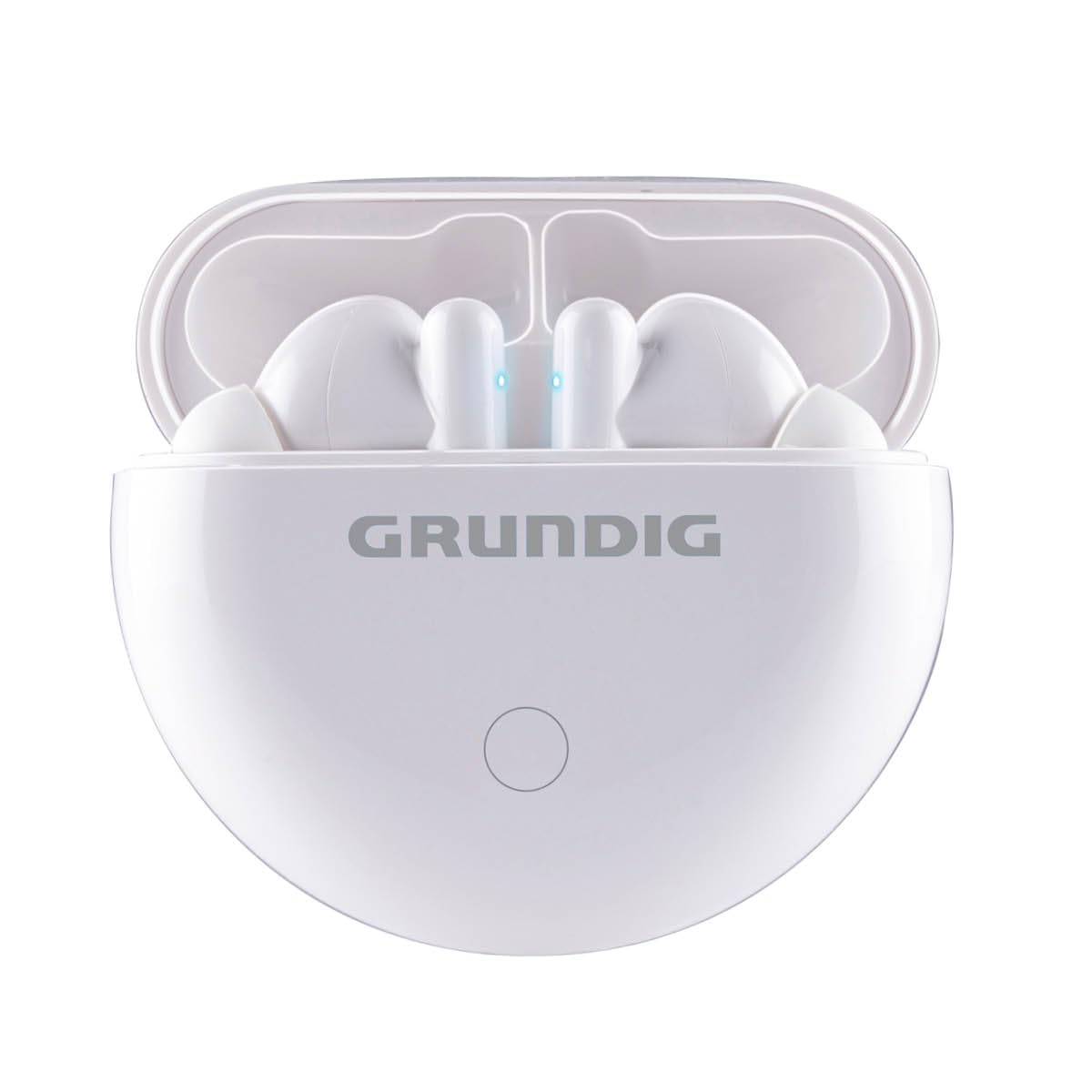
Image: The Grundig True Wireless Bluetooth Earbuds shown with their charging case.
ബോക്സിൽ എന്താണുള്ളത്
എല്ലാ ഇനങ്ങളും ഉണ്ടെന്ന് ഉറപ്പാക്കാൻ പാക്കേജ് ഉള്ളടക്കങ്ങൾ പരിശോധിക്കുക:
- 1x Pair of Grundig True Wireless Bluetooth Earbuds
- 1x ചാർജിംഗ് കേസ്
- 1x യുഎസ്ബി ടൈപ്പ്-സി ചാർജിംഗ് കേബിൾ
- 1x ഉപയോക്തൃ മാനുവൽ (ഈ പ്രമാണം)
സജ്ജമാക്കുക
1. ഇയർബഡുകളും കേസും ചാർജ് ചെയ്യുന്നു
ആദ്യമായി ഉപയോഗിക്കുന്നതിന് മുമ്പ്, ഇയർബഡുകളും ചാർജിംഗ് കേസും പൂർണ്ണമായും ചാർജ് ചെയ്യുക.
- ഇയർബഡുകൾ ചാർജിംഗ് കേസിൽ വയ്ക്കുക. അവ ശരിയായി സ്ഥാപിച്ചിട്ടുണ്ടെന്ന് ഉറപ്പാക്കുക.
- Connect the USB Type-C cable to the charging port on the case and the other end to a USB power source (e.g., wall adapter, computer USB port).
- The indicator lights on the case and/or earbuds will show the charging status. Refer to the indicator light section for details.
- Charging time for the case is approximately 2 hours. Earbuds charge within the case.
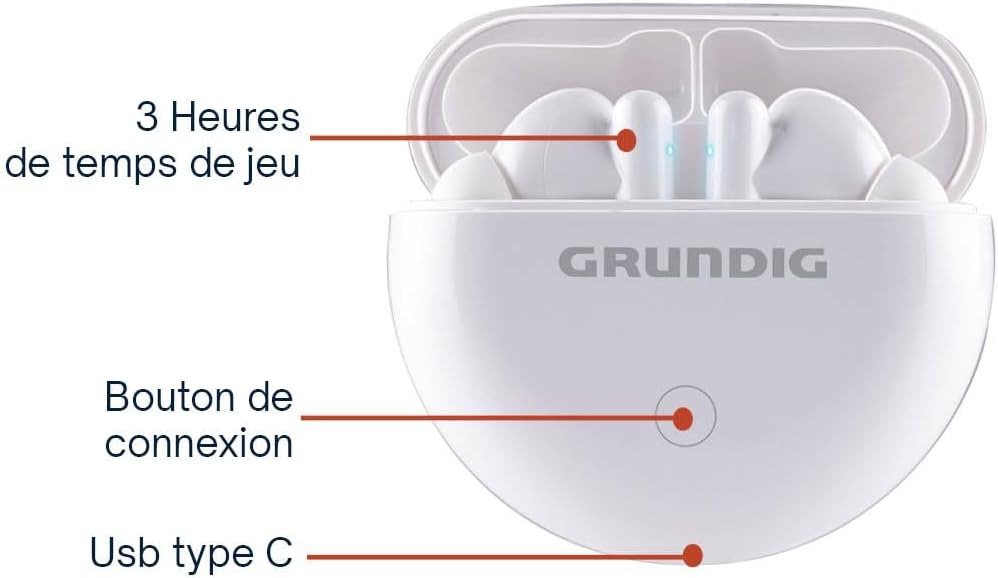
Image: The charging case showing the connection button and USB Type-C charging port.
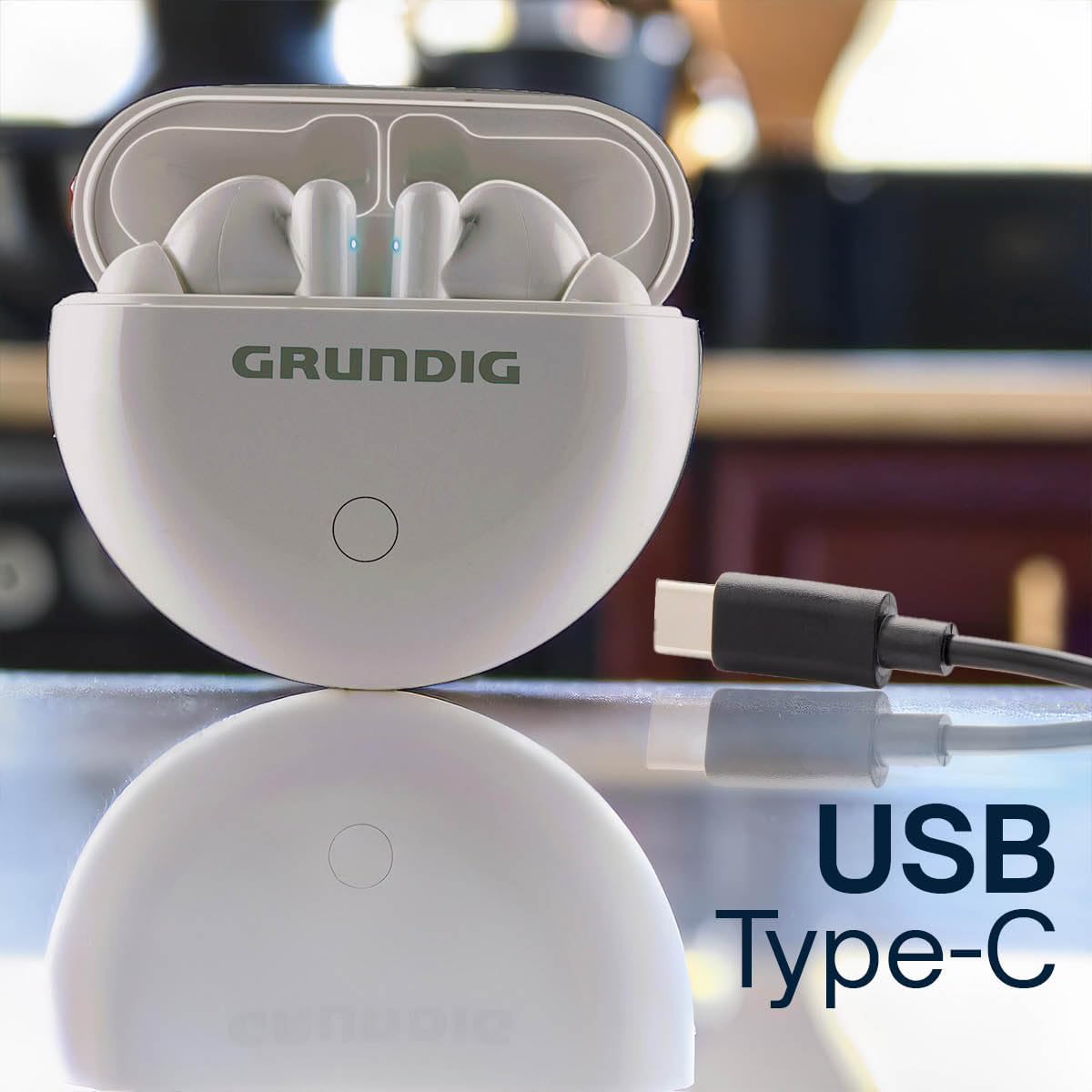
Image: The charging case with a USB Type-C cable connected for charging.
2. ബ്ലൂടൂത്ത് ഉപകരണവുമായി ജോടിയാക്കുന്നു
To connect your earbuds to your smartphone or other Bluetooth-enabled device:
- Ensure both earbuds are charged and inside the charging case.
- Open the charging case lid. The earbuds will automatically enter pairing mode, indicated by flashing LED lights on the earbuds.
- നിങ്ങളുടെ ഉപകരണത്തിൽ, Bluetooth ക്രമീകരണങ്ങളിലേക്ക് പോയി Bluetooth ഓണാക്കുക.
- ഇതിനായി തിരയുക available devices. Select "Grundig Earbuds" (or similar name) from the list.
- കണക്റ്റ് ചെയ്തുകഴിഞ്ഞാൽ, ഇയർബഡ് ഇൻഡിക്കേറ്റർ ലൈറ്റുകൾ മിന്നുന്നത് നിർത്തും, നിങ്ങൾ ഒരു സ്ഥിരീകരണ ടോൺ കേൾക്കും.

Image: A person enjoying music with Grundig earbuds, demonstrating Bluetooth connectivity.
3. ഇയർബഡുകൾ ധരിക്കുന്നു
Gently insert the earbuds into your ears. Adjust them for a comfortable and secure fit. The ergonomic design ensures they stay in place during various activities.
പ്രവർത്തന നിർദ്ദേശങ്ങൾ
Your Grundig earbuds feature intuitive touch controls for easy management of music and calls.

Image: A person wearing an earbud, illustrating the ease of touch control.
ടച്ച് നിയന്ത്രണങ്ങൾ:
| ഫംഗ്ഷൻ | ആക്ഷൻ |
|---|---|
| പവർ ഓൺ | Open the charging case lid, or long press touch area for 3 seconds. |
| പവർ ഓഫ് | Place earbuds back into the charging case and close the lid, or long press touch area for 5 seconds. |
| സംഗീതം പ്ലേ ചെയ്യുക/താൽക്കാലികമായി നിർത്തുക | ഇയർബഡുകളിൽ ഏതെങ്കിലുമൊന്നിൽ ഒറ്റ ടാപ്പ് ചെയ്യുക. |
| അടുത്ത ട്രാക്ക് | വലതുവശത്തെ ഇയർബഡിൽ രണ്ടുതവണ ടാപ്പ് ചെയ്യുക. |
| മുമ്പത്തെ ട്രാക്ക് | ഇടതുവശത്തെ ഇയർബഡിൽ രണ്ടുതവണ ടാപ്പ് ചെയ്യുക. |
| ഉത്തരം / കോൾ അവസാനിപ്പിക്കുക | ഇൻകമിംഗ് കോൾ വരുമ്പോൾ ഏത് ഇയർബഡിലും ഒറ്റ ടാപ്പ് ചെയ്യുക. |
| കോൾ നിരസിക്കുക | ഇൻകമിംഗ് കോൾ വരുമ്പോൾ ഇയർബഡുകളിൽ ഏതെങ്കിലുമൊന്നിൽ 2 സെക്കൻഡ് ദീർഘനേരം അമർത്തിപ്പിടിക്കുക. |
| വോയ്സ് അസിസ്റ്റൻ്റ് സജീവമാക്കുക | ഇയർബഡുകളിൽ ഏതെങ്കിലുമൊന്നിൽ മൂന്ന് തവണ ടാപ്പ് ചെയ്യുക. |
ബാറ്ററി ലൈഫ്: Enjoy up to 3 hours of continuous playback on a single charge. The charging case provides an additional 6 hours of battery life, extending total usage to 9 hours.

Image: A person enjoying music, highlighting the 3 hours of playtime per charge.

Image: Infographic detailing 3 hours of playtime, 2 hours of charging time, and USB Type-C charging.
മെയിൻ്റനൻസ്
ശരിയായ അറ്റകുറ്റപ്പണി നിങ്ങളുടെ ഇയർബഡുകളുടെ ദീർഘായുസ്സും മികച്ച പ്രകടനവും ഉറപ്പാക്കുന്നു.
- വൃത്തിയാക്കൽ: ഇയർബഡുകളും ചാർജിംഗ് കെയ്സും മൃദുവായതും ഉണങ്ങിയതും ലിന്റ് രഹിതവുമായ തുണി ഉപയോഗിച്ച് പതിവായി വൃത്തിയാക്കുക. അബ്രാസീവ് ക്ലീനറുകളോ ലായകങ്ങളോ ഉപയോഗിക്കരുത്.
- ചാർജിംഗ് കോൺടാക്റ്റുകൾ: ശരിയായ ചാർജിംഗ് നിലനിർത്താൻ ഇയർബഡുകളിലെയും കേസിലെയും ചാർജിംഗ് കോൺടാക്റ്റുകൾ വൃത്തിയുള്ളതും അവശിഷ്ടങ്ങളില്ലാത്തതുമാണെന്ന് ഉറപ്പാക്കുക.
- സംഭരണം: ഉപയോഗത്തിലില്ലാത്തപ്പോൾ, പൊടിയിൽ നിന്നും കേടുപാടുകളിൽ നിന്നും സംരക്ഷിക്കാൻ ഇയർബഡുകൾ അവയുടെ ചാർജിംഗ് കേസിൽ സൂക്ഷിക്കുക. തണുത്തതും വരണ്ടതുമായ സ്ഥലത്ത് സൂക്ഷിക്കുക.
- ജല പ്രതിരോധം: The earbuds are moisture-resistant. Avoid submerging them in water or exposing them to heavy rain.
ട്രബിൾഷൂട്ടിംഗ്
നിങ്ങളുടെ ഇയർബഡുകളിൽ എന്തെങ്കിലും പ്രശ്നങ്ങൾ നേരിടുകയാണെങ്കിൽ, ഇനിപ്പറയുന്ന പൊതുവായ പരിഹാരങ്ങൾ പരിശോധിക്കുക:
- ഇയർബഡുകൾ ജോടിയാക്കുന്നില്ല:
- രണ്ട് ഇയർബഡുകളും ചാർജ്ജ് ചെയ്തിട്ടുണ്ടെന്ന് ഉറപ്പാക്കുക.
- Place earbuds back into the case, close the lid, then open it again to re-enter pairing mode.
- നിങ്ങളുടെ ഉപകരണത്തിൽ ബ്ലൂടൂത്ത് ഓഫാക്കി ഓണാക്കുക.
- Forget/delete "Grundig Earbuds" from your device's Bluetooth list and try pairing again.
- ഒരു ഇയർബഡിൽ നിന്ന് ശബ്ദമില്ല:
- രണ്ട് ഇയർബഡുകളും ചാർജ്ജ് ചെയ്തിട്ടുണ്ടെന്ന് ഉറപ്പാക്കുക.
- രണ്ട് ഇയർബഡുകളും ചാർജിംഗ് കെയ്സിലേക്ക് തിരികെ വയ്ക്കുക, ലിഡ് അടയ്ക്കുക, തുടർന്ന് അവ വീണ്ടും പുറത്തെടുക്കുക.
- ബാലൻസ് മധ്യത്തിലാണെന്ന് ഉറപ്പാക്കാൻ നിങ്ങളുടെ ഉപകരണത്തിന്റെ ഓഡിയോ ക്രമീകരണങ്ങൾ പരിശോധിക്കുക.
- ഇയർബഡുകൾ ചാർജ് ചെയ്യുന്നില്ല:
- ചാർജിംഗ് കേബിൾ കേസിലേക്കും പവർ സ്രോതസ്സിലേക്കും സുരക്ഷിതമായി ബന്ധിപ്പിച്ചിട്ടുണ്ടെന്ന് ഉറപ്പാക്കുക.
- ഇയർബഡുകളിലെയും കേസിനുള്ളിലെയും ചാർജിംഗ് കോൺടാക്റ്റുകൾ വൃത്തിയുള്ളതാണോയെന്ന് പരിശോധിക്കുക.
- മറ്റൊരു USB Type-C കേബിളോ പവർ അഡാപ്റ്ററോ പരീക്ഷിച്ചുനോക്കൂ.
- മോശം ശബ്ദ നിലവാരം:
- നല്ല സീലിംഗിനായി ഇയർബഡുകൾ നിങ്ങളുടെ ചെവിയിൽ ശരിയായി ഘടിപ്പിച്ചിട്ടുണ്ടെന്ന് ഉറപ്പാക്കുക.
- തടസ്സങ്ങൾ ഒഴിവാക്കാൻ നിങ്ങളുടെ കണക്റ്റുചെയ്ത ഉപകരണത്തിന് അടുത്തേക്ക് നീങ്ങുക.
- Clean the earbud grilles to remove any wax or debris.
സ്പെസിഫിക്കേഷനുകൾ
| ഫീച്ചർ | വിശദാംശങ്ങൾ |
|---|---|
| ബ്രാൻഡ് | ഗ്രണ്ടിഗ് |
| മോഡലിൻ്റെ പേര് | യഥാർത്ഥ വയർലെസ് ബ്ലൂടൂത്ത് ഇയർബഡുകൾ |
| കണക്റ്റിവിറ്റി ടെക്നോളജി | വയർലെസ് (ബ്ലൂടൂത്ത്) |
| ബ്ലൂടൂത്ത് പതിപ്പ് | 5.3 |
| വയർലെസ് ശ്രേണി | 10 മീറ്റർ വരെ (33 അടി) |
| ഇയർബഡ് പ്ലേടൈം | 3 മണിക്കൂർ വരെ |
| ആകെ പ്ലേടൈം (കേസിനൊപ്പം) | 9 മണിക്കൂർ വരെ |
| ചാർജിംഗ് സമയം (കേസ്) | ഏകദേശം 2 മണിക്കൂർ |
| ചാർജിംഗ് പോർട്ട് | യുഎസ്ബി ടൈപ്പ്-സി |
| ഡ്രൈവർ വലിപ്പം | 13 മി.മീ |
| ഫ്രീക്വൻസി റേഞ്ച് | 20 Hz - 20 kHz |
| നിയന്ത്രണ രീതി | സ്പർശിക്കുക |
| ജല പ്രതിരോധ നില | ഈർപ്പം പ്രതിരോധം |
| ചെവി പ്ലേസ്മെൻ്റ് | ഇൻ-ഇയർ |
| അനുയോജ്യമായ ഉപകരണങ്ങൾ | Smartphones, Laptops, Tablets, Fitness Trackers, Smartwatches, Mobile Phones |
വാറൻ്റി
This Grundig product comes with a 2 വർഷത്തെ വാറൻ്റി from the date of purchase. This warranty covers manufacturing defects and material faults under normal use. It does not cover damage caused by misuse, accidents, unauthorized modifications, or normal wear and tear. Please retain your proof of purchase for warranty claims.
പിന്തുണ
For further assistance, technical support, or warranty inquiries, please contact Grundig customer service through their official website or the retailer where you purchased the product. Please have your product model name and proof of purchase ready when contacting support.
You can visit the Grundig store for more information: Grundig Store