
1. പ്രധാന സുരക്ഷാ നിർദ്ദേശങ്ങൾ
Please read all instructions carefully before using the AMEIFU PC450A Dehumidifier. Retain this manual for future reference.
- പവർ അഡാപ്റ്റർ നിങ്ങളുടെ ലോക്കൽ വോള്യവുമായി പൊരുത്തപ്പെടുന്നുണ്ടെന്ന് ഉറപ്പാക്കുക.tage (100-240V AC, 50/60Hz).
- ഡീഹ്യൂമിഡിഫയർ, പവർ കോർഡ്, പ്ലഗ് എന്നിവ വെള്ളത്തിലോ മറ്റ് ദ്രാവകങ്ങളിലോ മുക്കരുത്.
- വൃത്തിയാക്കുന്നതിനോ അറ്റകുറ്റപ്പണികൾ നടത്തുന്നതിനോ മുമ്പ് എല്ലായ്പ്പോഴും യൂണിറ്റ് അൺപ്ലഗ് ചെയ്യുക.
- താപ സ്രോതസ്സുകൾ, നേരിട്ടുള്ള സൂര്യപ്രകാശം, കത്തുന്ന വസ്തുക്കൾ എന്നിവയിൽ നിന്ന് യൂണിറ്റ് അകറ്റി നിർത്തുക.
- Do not block the air inlet or outlet. Ensure proper ventilation around the unit.
- ഈ ഉപകരണം, അവരുടെ സുരക്ഷയ്ക്ക് ഉത്തരവാദിയായ ഒരു വ്യക്തി ഉപകരണത്തിൻ്റെ ഉപയോഗത്തെ സംബന്ധിച്ച മേൽനോട്ടമോ നിർദ്ദേശമോ നൽകിയിട്ടില്ലെങ്കിൽ, ശാരീരികമോ ഇന്ദ്രിയപരമോ മാനസികമോ ആയ കഴിവുകൾ കുറഞ്ഞതോ അനുഭവത്തിൻ്റെയും അറിവിൻ്റെയും അഭാവം ഉള്ള വ്യക്തികൾക്ക് (കുട്ടികൾ ഉൾപ്പെടെ) ഉപയോഗിക്കാൻ ഉദ്ദേശിച്ചുള്ളതല്ല.
- Only use the original power adapter provided with the unit.
- പവർ കോർഡിന് കേടുപാടുകൾ സംഭവിച്ചാൽ, അപകടം ഒഴിവാക്കാൻ നിർമ്മാതാവ്, അതിന്റെ സേവന ഏജന്റ് അല്ലെങ്കിൽ സമാനമായ യോഗ്യതയുള്ള വ്യക്തികൾ അത് മാറ്റിസ്ഥാപിക്കേണ്ടതാണ്.
2. ഉൽപ്പന്നം കഴിഞ്ഞുview
The AMEIFU PC450A Dehumidifier utilizes advanced semiconductor technology to efficiently remove excess moisture from the air, creating a more comfortable environment. It features a 135 oz (4000 ml) water tank and is suitable for areas up to 900 sq.ft.
പാക്കേജ് ഉള്ളടക്കം:
- AMEIFU PC450A Dehumidifier x 1
- വാട്ടർ ടാങ്ക് x 1
- പവർ അഡാപ്റ്റർ x 1
- ഉപയോക്തൃ മാനുവൽ x 1
യൂണിറ്റ് ഘടകങ്ങൾ:
Familiarize yourself with the main parts of your dehumidifier.
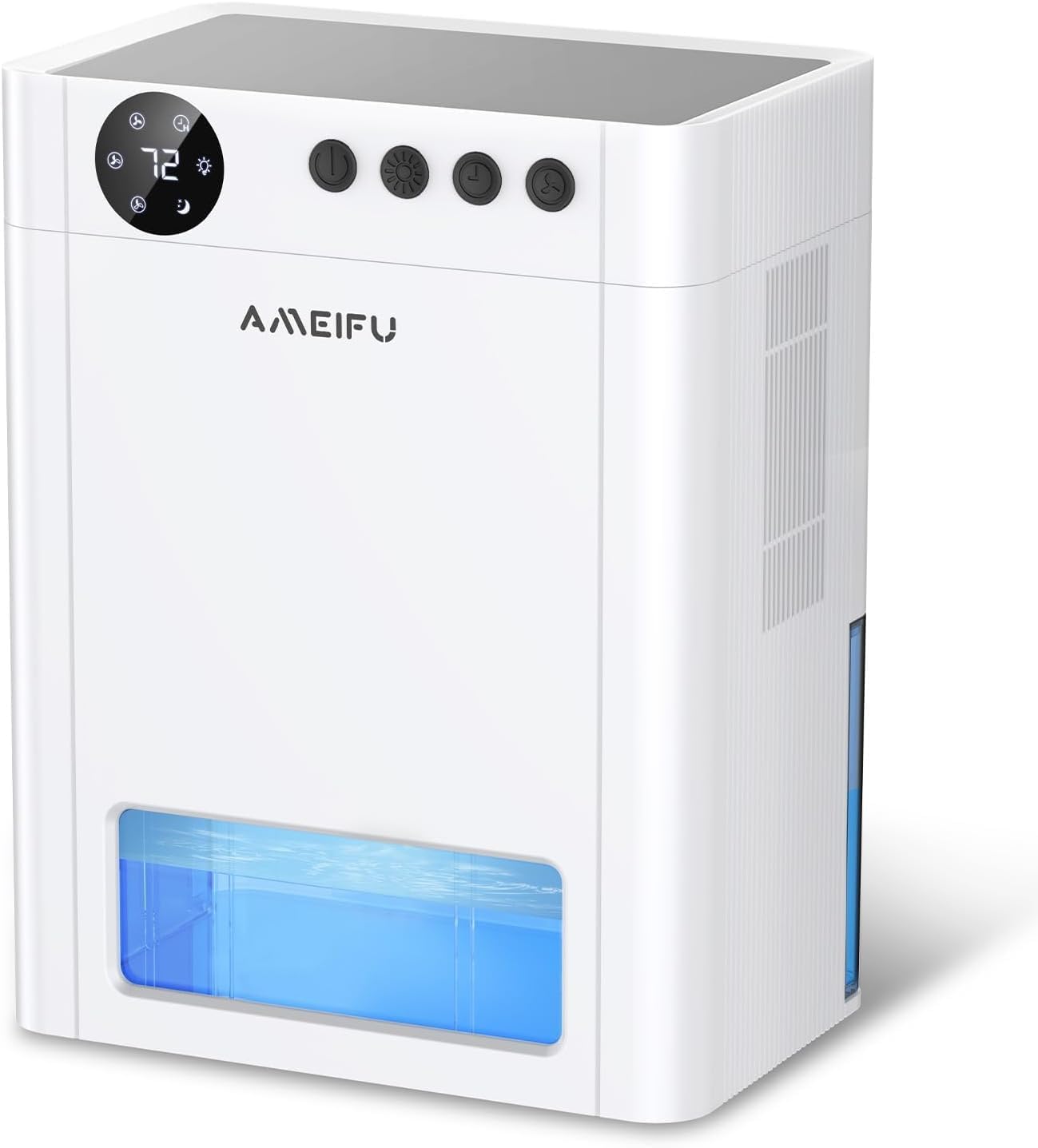
ചിത്രം 2.1: ഫ്രണ്ട് view of the AMEIFU PC450A Dehumidifier, showing the digital display, control buttons, and the transparent water tank.

ചിത്രം 2.2: An internal diagram illustrating the dual semiconductor components responsible for efficient moisture removal.
നിയന്ത്രണ പാനൽ:
The control panel is located on the top of the unit and features a digital display and several buttons for easy operation.

ചിത്രം 2.3: വിശദമായി view of the control panel, indicating the Power, Night Light, Timer, and Speed buttons, along with their respective functions and display indicators.
- പവർ ബട്ടൺ: യൂണിറ്റ് ഓണാക്കുകയോ ഓഫാക്കുകയോ ചെയ്യുന്നു.
- രാത്രി ലൈറ്റ് ബട്ടൺ: Activates or deactivates the 7-color LED ambient light. Long press to turn off the light.
- ടൈമർ ബട്ടൺ: Sets the operating timer for 1H, 2H, 4H, 8H, 12H, 24H, 48H, or 72H.
- സ്പീഡ് ബട്ടൺ: Adjusts the fan speed between 1-speed (low), 2-speed (medium), and 3-speed (high) modes.
- സ്ലീപ്പ് മോഡ് സൂചകം: നിശബ്ദ പ്രവർത്തന മോഡ് സജീവമാക്കുന്നു.
- ഹ്യുമിഡിറ്റി ഡിസ്പ്ലേ: Shows the current humidity level.
3. സജ്ജീകരണം
അൺബോക്സിംഗ്:
- Carefully remove the dehumidifier and all accessories from the packaging.
- യൂണിറ്റിന് എന്തെങ്കിലും കേടുപാടുകൾ സംഭവിച്ചിട്ടുണ്ടോ എന്ന് പരിശോധിക്കുക. കേടുപാടുകൾ സംഭവിച്ചിട്ടുണ്ടെങ്കിൽ, അത് പ്രവർത്തിപ്പിക്കരുത്, കൂടാതെ ഉപഭോക്തൃ പിന്തുണയുമായി ബന്ധപ്പെടുക.
- Remove any protective films or packaging materials from the unit.
പ്ലേസ്മെൻ്റ്:
For optimal performance, place the dehumidifier in an area where humidity is highest and air circulation is good. Ensure there is at least 8 inches (20 cm) of space around the air inlet and outlet for unrestricted airflow.
- Recommended Locations: Basements, bedrooms, bathrooms, closets, RVs, kitchens, cabinets, garages.
- Avoid placing the unit near sources of water splashes or in direct sunlight.
- Place the unit on a flat, stable surface to prevent tipping and ensure proper water collection.
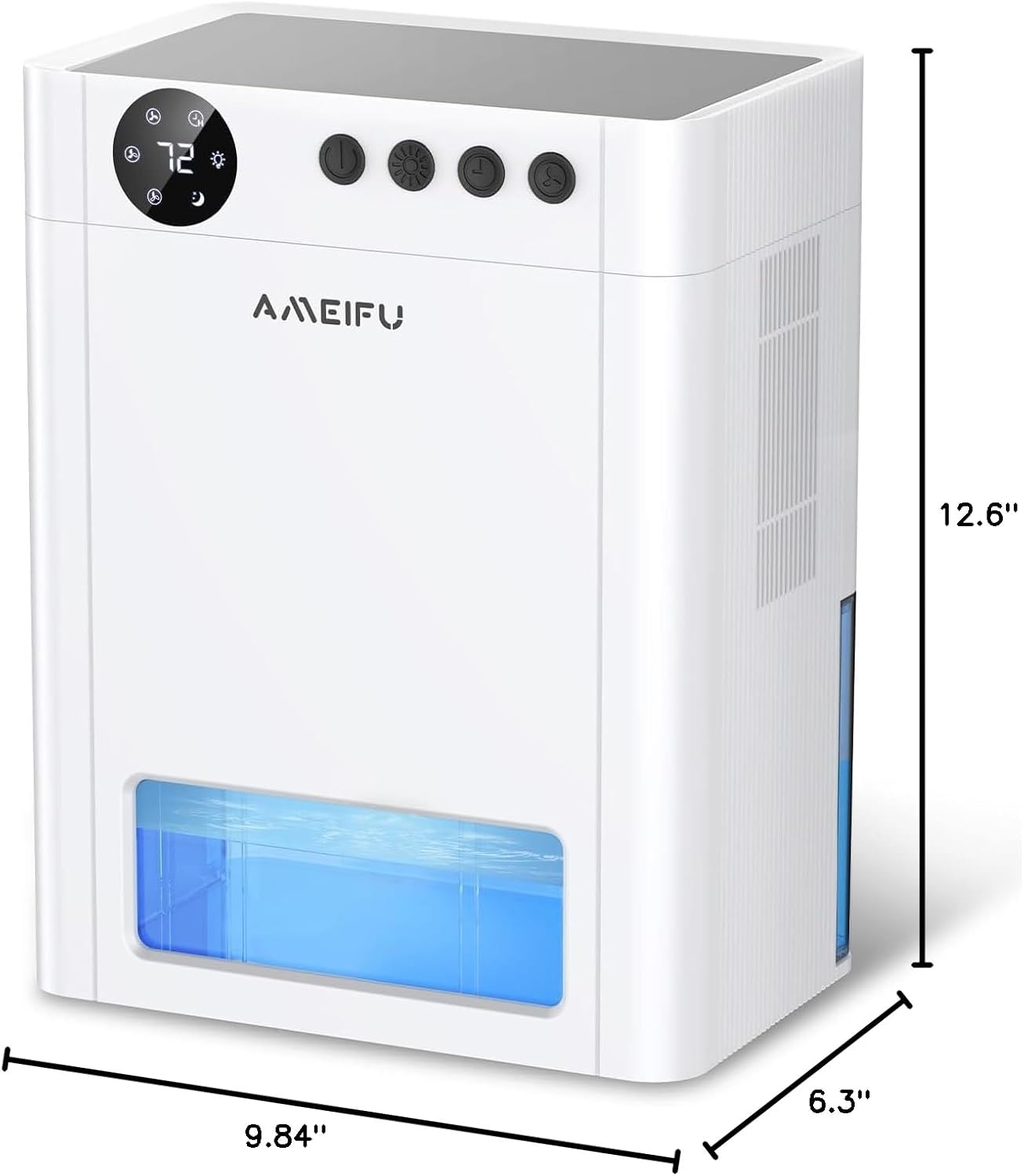
ചിത്രം 3.1: The physical dimensions of the dehumidifier, measuring 6.3 inches deep, 9.84 inches wide, and 12.6 inches high, useful for planning placement.
പവർ കണക്ഷൻ:
- യൂണിറ്റിൽ വാട്ടർ ടാങ്ക് ശരിയായി ചേർത്തിട്ടുണ്ടെന്ന് ഉറപ്പാക്കുക.
- Connect the power adapter to the power input port on the dehumidifier.
- Plug the power adapter into a suitable electrical outlet. The unit will enter standby mode.
4. ഓപ്പറേഷൻ
പവർ ഓൺ/ഓഫ്:
- അമർത്തുക പവർ ബട്ടൺ once to turn the dehumidifier on. The display will light up, and the fan will start operating.
- അമർത്തുക പവർ ബട്ടൺ യൂണിറ്റ് ഓഫ് ചെയ്യാൻ വീണ്ടും.
Adjusting Fan Speed (Operating Modes):
The dehumidifier offers different fan speeds to suit your needs.
- അമർത്തുക സ്പീഡ് ബട്ടൺ to cycle through the available fan speeds: 1-speed (low), 2-speed (medium), and 3-speed (high).
- സ്ലീപ്പ് മോഡ്: The unit features a quiet sleep mode (approximately 35dB) for undisturbed operation during rest or study. This mode is typically activated by selecting the lowest fan speed or a dedicated sleep mode setting if available on the control panel.
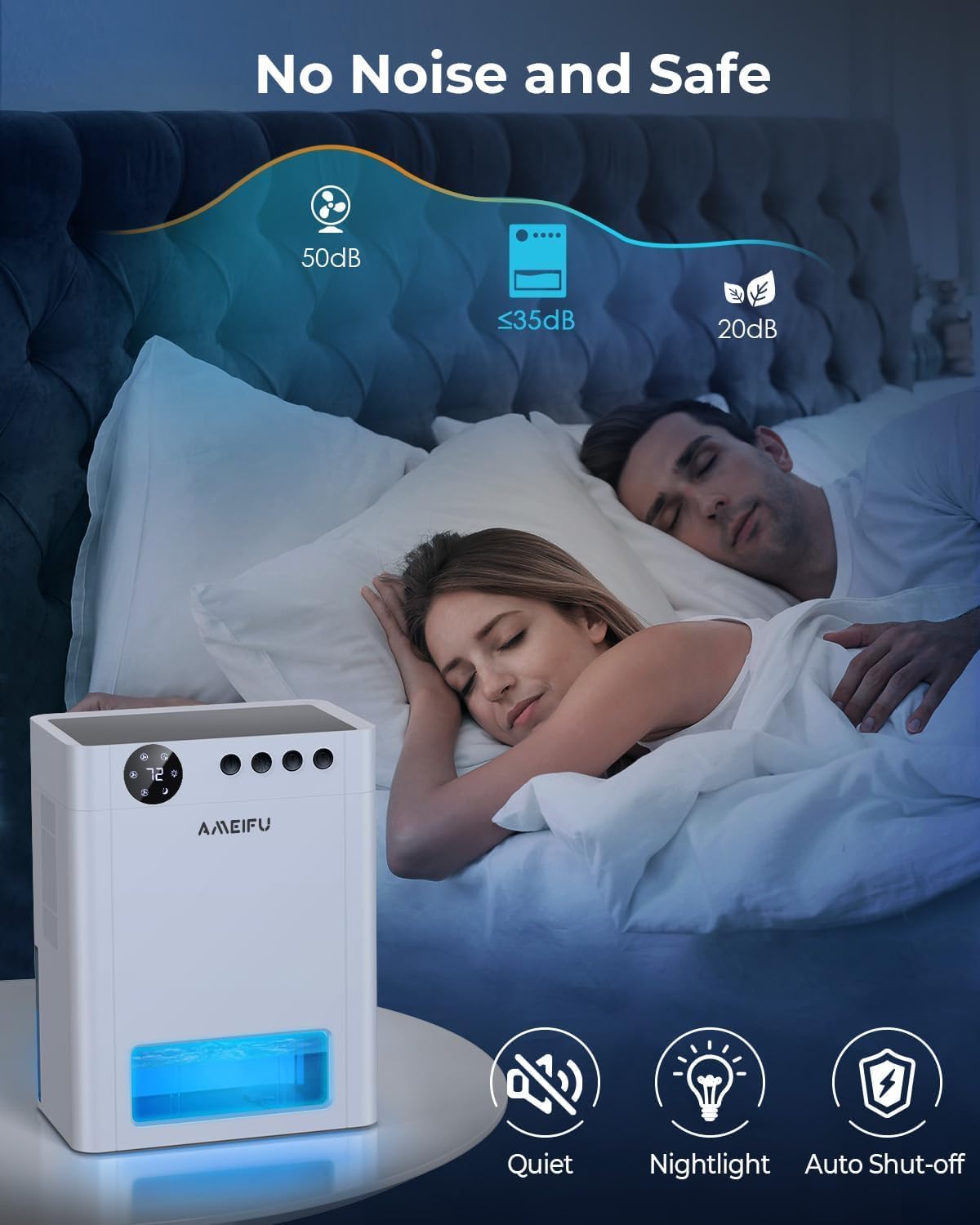
ചിത്രം 4.1: The dehumidifier operating quietly in a bedroom, demonstrating its suitability for sleep environments with noise levels below 35dB.
ടൈമർ ക്രമീകരിക്കുന്നു:
Use the timer function to set a specific operating duration.
- അമർത്തുക ടൈമർ ബട്ടൺ repeatedly to select the desired operating time: 1H, 2H, 4H, 8H, 12H, 24H, 48H, or 72H.
- നിശ്ചിത സമയം കഴിഞ്ഞാൽ യൂണിറ്റ് യാന്ത്രികമായി ഓഫാകും.
LED ആംബിയൻ്റ് ലൈറ്റ്:
The dehumidifier includes a 7-color LED light feature.
- അമർത്തുക രാത്രി ലൈറ്റ് ബട്ടൺ to cycle through the 7 available colors or to set it to auto-cycle.
- ദീർഘനേരം അമർത്തുക രാത്രി ലൈറ്റ് ബട്ടൺ to turn the LED light off.
യാന്ത്രിക ഷട്ട്-ഓഫ്:
For safety and convenience, the unit is equipped with an automatic shut-off feature.
- When the water tank is full, the dehumidifier will automatically turn off to prevent overflow.
- A red indicator light will flash to alert you that the tank needs to be emptied.
- The unit will resume operation once the water tank has been emptied and reinserted correctly.

ചിത്രം 4.2: Visual representation of the dehumidifier operating with a partially filled water tank (left) and the automatic shut-off state when the tank is full, indicated by a red warning (right).
ഓട്ടോമാറ്റിക് ഡിഫ്രോസ്റ്റ്:
The dehumidifier includes an automatic defrost function to prevent frost accumulation on the internal components, ensuring continuous and efficient operation, especially in cooler environments.
5. പരിപാലനം
Regular maintenance ensures the longevity and optimal performance of your dehumidifier.
വാട്ടർ ടാങ്ക് ശൂന്യമാക്കൽ:
- When the water tank is full, the unit will automatically shut off, and the red indicator light will flash.
- Carefully pull out the water tank from the front of the dehumidifier.
- ശേഖരിച്ച വെള്ളം ഒഴിക്കുക.
- ഒഴിഞ്ഞ വാട്ടർ ടാങ്ക് അതിന്റെ സ്ഥാനത്ത് ക്ലിക്കായി വരുന്നത് വരെ യൂണിറ്റിലേക്ക് തിരികെ സ്ലൈഡ് ചെയ്യുക. ഡീഹ്യുമിഡിഫയർ പ്രവർത്തനം പുനരാരംഭിക്കും.
യൂണിറ്റ് വൃത്തിയാക്കൽ:
- Always unplug the dehumidifier before cleaning.
- ഒരു സോഫ്റ്റ്, ഡി ഉപയോഗിച്ച് യൂണിറ്റിൻ്റെ പുറംഭാഗം തുടയ്ക്കുകamp തുണി. ഉരച്ചിലുകളുള്ള ക്ലീനറുകളോ ലായകങ്ങളോ ഉപയോഗിക്കരുത്.
- Clean the air inlet and outlet grilles regularly to prevent dust buildup, which can impede airflow. Use a soft brush or vacuum cleaner attachment.
- Clean the water tank with mild soap and water periodically to prevent mold or mildew growth. Rinse thoroughly and dry before reinserting.
ഫിൽട്ടർ മെയിന്റനൻസ്:
While this model is designed with semiconductor technology for dehumidification, it may include a basic dust filter to protect internal components. If your unit has a removable filter, it is typically located behind the air inlet grille. Gently remove and clean it with a soft brush or vacuum. If you are unable to locate a removable filter or require further assistance, please refer to the troubleshooting section or contact customer support.
6. പ്രശ്നപരിഹാരം
If you encounter any issues with your dehumidifier, please refer to the following common problems and solutions:
| പ്രശ്നം | സാധ്യമായ കാരണം | പരിഹാരം |
|---|---|---|
| ഡീഹ്യൂമിഡിഫയർ ഓണാക്കുന്നില്ല. | No power supply; Power adapter not connected; Water tank full or incorrectly inserted. | Check power connection and outlet; Ensure power adapter is securely plugged in; Empty and correctly reinsert the water tank. |
| യൂണിറ്റ് പ്രവർത്തിക്കുന്നുണ്ട്, പക്ഷേ വെള്ളം ശേഖരിക്കുന്നില്ല. | Ambient humidity is too low; Room temperature is too low; Air inlet/outlet blocked. | Dehumidifiers are most effective in environments with relative humidity above 40% and temperatures above 50°F (10°C); Ensure proper clearance around the unit; Clean any obstructions. |
| യൂണിറ്റ് ശബ്ദമയമാണ്. | Unit not on a flat surface; Fan speed set too high. | Place the unit on a stable, flat surface; Select a lower fan speed (e.g., Sleep Mode). |
| Red indicator light flashing. | വാട്ടർ ടാങ്ക് നിറഞ്ഞു. | വാട്ടർ ടാങ്ക് ശൂന്യമാക്കി ശരിയായി വീണ്ടും ചേർക്കുക. |
| Unpleasant odor from the unit. | Water tank needs cleaning; Dust buildup. | Clean the water tank thoroughly; Clean the air inlet/outlet and any accessible filters. |
If the problem persists after trying these solutions, please contact AMEIFU customer support for further assistance.
7 സ്പെസിഫിക്കേഷനുകൾ
| ഫീച്ചർ | വിശദാംശങ്ങൾ |
|---|---|
| ബ്രാൻഡ് | AMEIFU |
| മോഡലിൻ്റെ പേര് | 135OZ Dehumidifier |
| ഇനം മോഡൽ നമ്പർ | PC450A |
| കവറേജ് ഏരിയ | 900 ചതുരശ്ര അടി വരെ |
| വാട്ടർ ടാങ്ക് കപ്പാസിറ്റി | 135 ദ്രാവക ഔൺസ് (ഏകദേശം 4000 മില്ലി) |
| ഉൽപ്പന്ന അളവുകൾ (D x W x H) | 6.3"D x 9.84"W x 12.6"H |
| ഇനത്തിൻ്റെ ഭാരം | 6.74 പൗണ്ട് |
| മെറ്റീരിയൽ | അക്രിലോണിട്രൈൽ ബ്യൂട്ടാഡീൻ സ്റ്റൈറൈൻ (എബിഎസ്) |
| ഓപ്പറേഷൻ മോഡ് | തുടർച്ചയായി |
| പ്രത്യേക സവിശേഷതകൾ | Quiet Operation (35dB), Sleep Mode, Automatic Shutoff, Automatic Defrost, Timing settings, 7 Color LED Light |
| ശുപാർശ ചെയ്യുന്ന ഉപയോഗങ്ങൾ | Home, Bedroom, Basement, Bathroom, Closet, RV |
8. വാറൻ്റിയും പിന്തുണയും
Your AMEIFU PC450A Dehumidifier comes with a manufacturer's warranty. Please refer to the warranty card included in your packaging or contact AMEIFU customer support for specific details regarding warranty coverage and terms.
ഉപഭോക്തൃ പിന്തുണ:
For any questions, technical assistance, or warranty claims, please contact AMEIFU customer support through the retailer where the product was purchased or visit the official AMEIFU webബന്ധപ്പെടാനുള്ള വിവരങ്ങൾക്കുള്ള സൈറ്റ്.
Please have your model number (PC450A) and purchase details ready when contacting support.