1. ആമുഖം
Thank you for choosing the Hy C8 PRO Multifunctional AI Bluetooth Smart Glasses. These innovative smart glasses combine stylish design with advanced technology, offering a seamless blend of audio, communication, and AI-powered features. Designed for convenience and performance, they allow you to listen to music, make calls, access AI assistants, and even translate languages, all while keeping your hands free.
Please read this manual carefully before using your new smart glasses to ensure proper operation and to maximize your user experience.
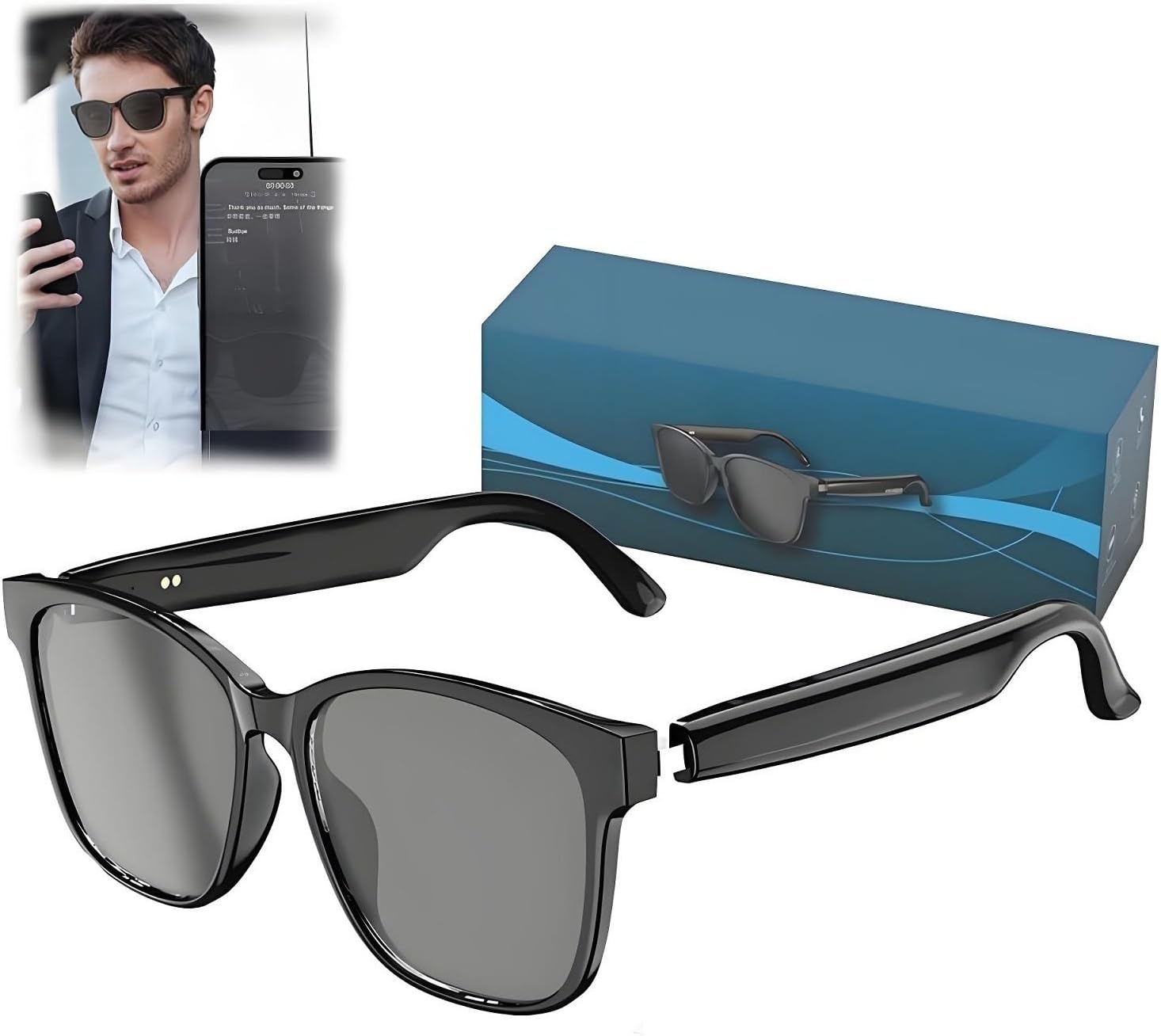
Image 1.1: The Hy C8 PRO Smart Glasses with their packaging, showcasing മിനുസമാർന്ന കറുത്ത ഡിസൈൻ.
2. ബോക്സിൽ എന്താണുള്ളത്?
- Hy C8 PRO Multifunctional AI Bluetooth Smart Glasses (Black)
- ചാർജിംഗ് കേബിൾ
- സംരക്ഷണ സഞ്ചി/കേസ്
- ഉപയോക്തൃ മാനുവൽ (ഈ പ്രമാണം)
3. സജ്ജീകരണം
3.1 ഗ്ലാസുകൾ ചാർജ് ചെയ്യുന്നു
Before first use, fully charge your Hy C8 PRO Smart Glasses. Locate the charging port on one of the temples (arms) of the glasses. Connect the provided charging cable to the glasses and the other end to a compatible USB power source (e.g., computer USB port, wall adapter). A charging indicator light will typically show the charging status.
The glasses offer an extended battery life of up to 9 hours of continuous playtime on a full charge.
3.2 ബ്ലൂടൂത്ത് ജോടിയാക്കൽ
To connect your smart glasses to your smartphone or other Bluetooth-enabled device:
- Ensure the smart glasses are charged and powered on.
- നിങ്ങളുടെ സ്മാർട്ട്ഫോണിലോ ഉപകരണത്തിലോ ബ്ലൂടൂത്ത് സജീവമാക്കുക.
- ഇതിനായി തിരയുക available Bluetooth devices. The glasses should appear as "Hy C8 PRO" or a similar name.
- Select the glasses from the list to initiate pairing.
- Once paired, you will hear an audio confirmation, and the glasses will be ready for use.
The glasses feature seamless Bluetooth 5.4 connectivity for stable and efficient pairing.
4. പ്രവർത്തന നിർദ്ദേശങ്ങൾ
4.1 Basic Controls (Touch Controls)
The Hy C8 PRO Smart Glasses feature intuitive touch controls located on the temples. Specific gestures allow you to manage various functions:
- സംഗീത പ്ലേബാക്ക്: Tap to play/pause, swipe forward/backward for next/previous track.
- വോളിയം നിയന്ത്രണം: Swipe up/down on the temple to adjust volume.
- കോൾ മാനേജ്മെൻ്റ്: കോളുകൾക്ക് മറുപടി നൽകാൻ/അവസാനിപ്പിക്കാൻ ടാപ്പ് ചെയ്യുക, കോളുകൾ നിരസിക്കാൻ ദീർഘനേരം അമർത്തുക.
- വോയ്സ് അസിസ്റ്റന്റ് സജീവമാക്കൽ: Specific gesture (e.g., double-tap or long press) to activate your device's AI voice assistant.
Refer to the quick start guide included in the box for detailed touch gesture commands.
4.2 AI Features and Voice Interaction
The glasses are equipped with advanced AI capabilities for enhanced interaction:
- AI Voice Conversation: Engage in natural language conversations with the integrated AI. The system uses advanced speech recognition and semantic understanding to provide accurate and natural responses.
- AI അസിസ്റ്റന്റ്: Access over 200 built-in applications for creation, office tasks, learning, and more. Simply ask the AI Assistant for assistance with tasks like copywriting, Excel formula editing, or general information.
- AI സംഗീതം: Utilize AI to manage and discover music.
- AI ചാറ്റ്: Engage in chat conversations with the AI.
- വിവർത്തനം: The glasses support translation for 75 languages, enabling real-time communication across language barriers.

Image 4.2.1: Demonstrating the AI Voice Dialogue feature, allowing users to converse naturally with the AI.

ചിത്രം 4.2.2: കഴിഞ്ഞുview of the AI Assistant's capabilities, including integration with various applications for productivity.
4.3 Integrated Camera and Recording
The Hy C8 PRO Smart Glasses include integrated photo-taking capabilities. You can capture moments instantly. The glasses also support instant recording upon startup, with network-free operation and intelligent encryption for data security. Media interviews and small meetings can be accurately recorded without wearing headphones, and the phone can be turned on and activated to start live recording on the associated application.

Image 4.3.1: Illustration of the on-site meeting recording feature, showing real-time transcription and translation.
4.4 ഓഡിയോ പ്രകടനം
Experience premium sound quality with high-fidelity speakers that deliver crystal-clear audio for music, phone calls, and voice assistants. The design ensures comfortable wear while providing exceptional audio experiences.
വീഡിയോ 4.4.1: ഒരു ഓവർview of the Hy C8 PRO Smart Glasses, demonstrating unboxing, key features like touch controls, charging, and audio quality for calls and music.
5. പരിപാലനം
- വൃത്തിയാക്കൽ: Use a soft, lint-free cloth to clean the lenses and frame. Avoid abrasive materials or harsh chemicals.
- സംഭരണം: Store the glasses in the provided protective pouch/case when not in use to prevent scratches and damage.
- ജല പ്രതിരോധം: Avoid exposing the glasses to excessive moisture or submerging them in water.
- താപനില: Do not expose the glasses to extreme temperatures (hot or cold) as this may affect battery life and electronic components.
6. പ്രശ്നപരിഹാരം
| പ്രശ്നം | സാധ്യമായ കാരണം | പരിഹാരം |
|---|---|---|
| Glasses not turning on | കുറഞ്ഞ ബാറ്ററി | ഗ്ലാസുകൾ പൂർണ്ണമായും ചാർജ് ചെയ്യുക. |
| ബ്ലൂടൂത്ത് വഴി ജോടിയാക്കാൻ കഴിയില്ല | Bluetooth not enabled on device; glasses not in pairing mode; too far from device | Ensure Bluetooth is on, restart glasses, move closer to device, try re-pairing. |
| No audio during calls/music | Volume too low; not connected; audio output not set to glasses | Increase volume, check Bluetooth connection, ensure glasses are selected as audio output on your device. |
| AI സവിശേഷതകൾ പ്രതികരിക്കുന്നില്ല | No internet connection (for some features); app not running; incorrect voice command | Check internet connection, ensure companion app is open, speak clearly, refer to app for specific commands. |
7 സ്പെസിഫിക്കേഷനുകൾ
| ഫീച്ചർ | വിശദാംശങ്ങൾ |
|---|---|
| മോഡലിൻ്റെ പേര് | INLLAASAB-BLACK |
| ബ്രാൻഡ് | ജനറിക് |
| നിറം | കറുപ്പ് |
| കണക്റ്റിവിറ്റി ടെക്നോളജി | ബ്ലൂടൂത്ത് 5.4 |
| ഇനത്തിൻ്റെ ഭാരം | 150 ഗ്രാം (ഏകദേശം 5.3 ഔൺസ്) |
| ബാറ്ററി ലൈഫ് | Up to 9 hours continuous playtime |
| AI സവിശേഷതകൾ | AI Voice Conversation, AI Assistant (200+ apps), AI Music, AI Chat |
| Translation Support | 75 ഭാഷകൾ |
| ക്യാമറ | Integrated photo-taking capabilities, instant recording |
| നിയന്ത്രണങ്ങൾ | അവബോധജന്യമായ ടച്ച് നിയന്ത്രണങ്ങൾ |
| അനുയോജ്യമായ ഉപകരണങ്ങൾ | സ്മാർട്ട്ഫോൺ |
| ആകൃതി | ദീർഘചതുരം |
| ഡിസ്പ്ലേ തരം | അനലോഗ് |
8. വാറൻ്റിയും പിന്തുണയും
For warranty information and customer support, please refer to the documentation included with your purchase or contact the manufacturer directly. Keep your proof of purchase for any warranty claims.
For further assistance, please visit the official product website or contact customer service at [Insert Manufacturer Contact Information Here, if available, otherwise omit].


