
ആമുഖം
This manual provides detailed instructions for the setup, operation, and maintenance of your Noble Audio FoKus Mystique True Wireless Stereo in-ear headphones. Please read this manual thoroughly before using your device to ensure optimal performance and longevity.
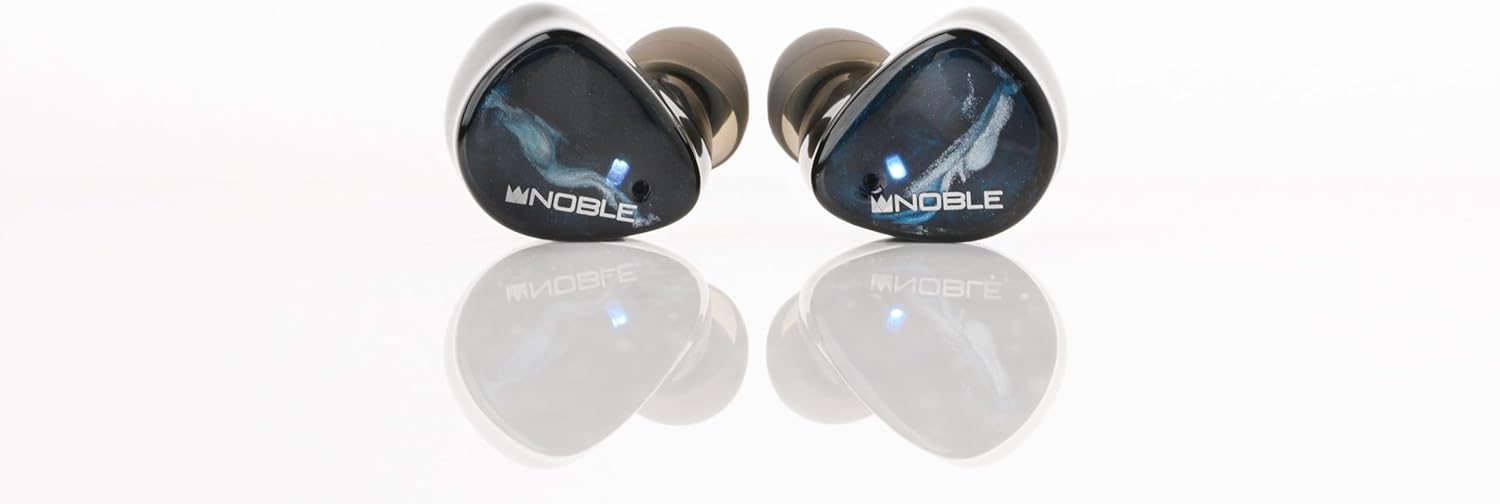
Image: The Noble FoKus Mystique True Wireless Earbuds, showcasing their design and compact form factor.
വീഡിയോ: ഒരു ഉദ്യോഗസ്ഥൻview of the Noble FoKus Mystique True Wireless Stereo earbuds, highlighting key features and design elements.
പാക്കേജ് ഉള്ളടക്കം
താഴെ ലിസ്റ്റ് ചെയ്തിരിക്കുന്ന എല്ലാ ഇനങ്ങളും നിങ്ങളുടെ ഉൽപ്പന്ന പാക്കേജിംഗിൽ ഉൾപ്പെടുത്തിയിട്ടുണ്ടെന്ന് ഉറപ്പാക്കുക:
- Noble Audio FoKus Mystique Earphones (1 pair)
- ചാർജിംഗ് കേസ് (1 യൂണിറ്റ്)
- യുഎസ്ബി ചാർജിംഗ് കേബിൾ (1 യൂണിറ്റ്)
- Ear Tips (6 pairs)
- Pouch (1 unit)
- ഇൻസ്ട്രക്ഷൻ മാനുവൽ (1 യൂണിറ്റ്)
സജ്ജമാക്കുക
1 ഉപകരണം ചാർജ് ചെയ്യുന്നു
Before initial use, fully charge the FoKus Mystique earbuds and their charging case. The charging case has a 500mAh battery, providing approximately 4 additional charges for the earbuds.
- ഇയർബഡുകൾ ചാർജിംഗ് കേസിൽ വയ്ക്കുക, അവ ശരിയായി ഇട്ടിട്ടുണ്ടെന്ന് ഉറപ്പാക്കുക.
- Connect the USB charging cable to the charging case and a compatible USB power source.
- ചാർജിംഗ് കെയ്സിലെ എൽഇഡി ഇൻഡിക്കേറ്ററുകൾ ചാർജിംഗ് സ്റ്റാറ്റസ് കാണിക്കുന്നതിനായി പ്രകാശിക്കും. എല്ലാ എൽഇഡികളും സോളിഡ് ആകുമ്പോൾ പൂർണ്ണ ചാർജ്ജ് സൂചിപ്പിച്ചിരിക്കുന്നു.
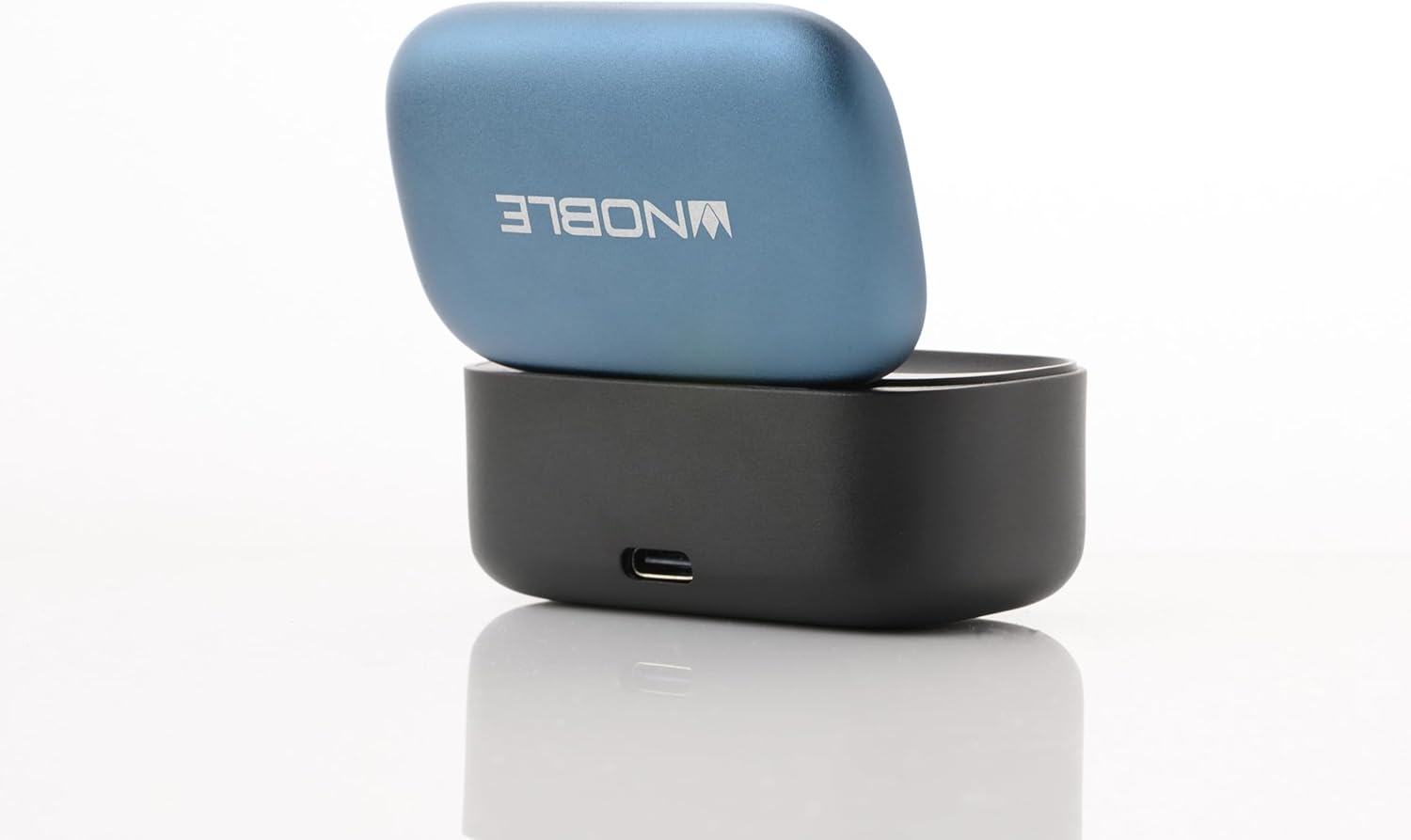
Image: The Noble FoKus Mystique charging case with the lid open, showing the earbuds inside and LED indicators.
2. ബ്ലൂടൂത്ത് ഉപകരണവുമായി ജോടിയാക്കുന്നു
The FoKus Mystique earbuds utilize Bluetooth 5.2 for stable wireless connectivity.
- ഇയർബഡുകൾ ചാർജ് ചെയ്തിട്ടുണ്ടെന്നും ചാർജിംഗ് കെയ്സിനുള്ളിൽ വച്ചിട്ടുണ്ടെന്നും ഉറപ്പാക്കുക.
- Open the lid of the charging case. The earbuds will automatically enter pairing mode, indicated by flashing LED lights on the earbuds.
- നിങ്ങളുടെ ബ്ലൂടൂത്ത് പ്രാപ്തമാക്കിയ ഉപകരണത്തിൽ (സ്മാർട്ട്ഫോൺ, ടാബ്ലെറ്റ് മുതലായവ), ബ്ലൂടൂത്ത് ക്രമീകരണങ്ങളിലേക്ക് നാവിഗേറ്റ് ചെയ്യുക.
- ഇതിനായി തിരയുക available devices and select "Noble FoKus Mystique" from the list.
- Once connected, the LED indicators on the earbuds will stop flashing or change to a solid color, depending on the model.
പ്രവർത്തന നിർദ്ദേശങ്ങൾ
1. Basic Controls (Touch Sensor)
The FoKus Mystique earbuds feature an embedded touch sensor on the faceplate for various functions:

ചിത്രം: ഒരു ക്ലോസ്-അപ്പ് view of a Noble FoKus Mystique earbud, highlighting the touch-sensitive faceplate.
- ഒറ്റ ടാപ്പ്: ഓഡിയോ പ്ലേ ചെയ്യുക/താൽക്കാലികമായി നിർത്തുക, കോൾ സ്വീകരിക്കുക/അവസാനിപ്പിക്കുക.
- രണ്ടുതവണ ടാപ്പ് ചെയ്യുക (വലത് ഇയർബഡ്): അടുത്ത ട്രാക്ക്.
- രണ്ടുതവണ ടാപ്പ് ചെയ്യുക (ഇടത് ഇയർബഡ്): മുമ്പത്തെ ട്രാക്ക്.
- ട്രിപ്പിൾ ടാപ്പ്: വോയ്സ് അസിസ്റ്റന്റ് (സിരി, ഗൂഗിൾ അസിസ്റ്റന്റ്) സജീവമാക്കുക.
- ലോംഗ് പ്രസ്സ്: ഇൻകമിംഗ് കോൾ നിരസിക്കുക.
2 ആംബിയൻ്റ് മോഡ്
The Ambient Mode allows you to hear your surroundings without removing the earbuds. This feature is enabled by the improved microphone placement on the faceplate.
- To activate Ambient Mode, perform a specific touch gesture (refer to the app or quick start guide for exact gesture, typically a long press or specific tap sequence).
- Repeat the gesture to deactivate Ambient Mode.
3. Noble FoKus App
Enhance your listening experience with the FREE "Noble FoKus" app, available on Google Play and Apple's App Store.
- 10-ബാൻഡ് ഇക്വലൈസർ: നിങ്ങളുടെ സൗണ്ട് പ്രോ ഇഷ്ടാനുസൃതമാക്കുകfile with various presets or create your own.
- Hearing Test Function: Personalize EQ settings based on your individual hearing profile for an optimized audio experience.
മെയിൻ്റനൻസ്
1. വൃത്തിയാക്കൽ
പതിവായി വൃത്തിയാക്കുന്നത് ശബ്ദ നിലവാരവും ശുചിത്വവും നിലനിർത്താൻ സഹായിക്കുന്നു.
- മൃദുവായതും ഉണങ്ങിയതും ലിന്റ് രഹിതവുമായ ഒരു തുണി ഉപയോഗിച്ച് ഇയർബഡുകളും ചാർജിംഗ് കെയ്സും സൌമ്യമായി തുടയ്ക്കുക.
- ചെവിയുടെ അറ്റം നീക്കം ചെയ്ത് നേരിയ സോപ്പും വെള്ളവും ഉപയോഗിച്ച് പ്രത്യേകം വൃത്തിയാക്കുക, തുടർന്ന് വീണ്ടും ഘടിപ്പിക്കുന്നതിന് മുമ്പ് നന്നായി ഉണക്കുക.
- അബ്രാസീവ് ക്ലീനറുകൾ, ആൽക്കഹോൾ, കെമിക്കൽ ലായകങ്ങൾ എന്നിവ ഉപയോഗിക്കരുത്.
2. സംഭരണം
ഉപയോഗത്തിലില്ലാത്തപ്പോൾ, ഇയർബഡുകൾ സംരക്ഷിക്കുന്നതിനും അവ ചാർജ് ചെയ്തിട്ടുണ്ടെന്ന് ഉറപ്പാക്കുന്നതിനും ചാർജിംഗ് കേസിൽ സൂക്ഷിക്കുക.
- തീവ്രമായ ഊഷ്മാവ്, ഈർപ്പം അല്ലെങ്കിൽ നേരിട്ടുള്ള സൂര്യപ്രകാശം എന്നിവയിലേക്ക് ഉപകരണം എക്സ്പോഷർ ചെയ്യുന്നത് ഒഴിവാക്കുക.
- കുട്ടികൾക്കും വളർത്തുമൃഗങ്ങൾക്കും ലഭ്യമാകാതെ സൂക്ഷിക്കുക.
ട്രബിൾഷൂട്ടിംഗ്
If you encounter issues with your FoKus Mystique earbuds, refer to the common solutions below:
| പ്രശ്നം | പരിഹാരം |
|---|---|
| ഇയർബഡുകൾ പവർ ഓൺ ആകുന്നില്ല. | Ensure the earbuds and charging case are fully charged. Place earbuds in the case and close the lid, then open again. |
| ഒരു ഉപകരണവുമായി ജോടിയാക്കാൻ കഴിയില്ല. |
|
| ശബ്ദമില്ല അല്ലെങ്കിൽ ഇടയ്ക്കിടെയുള്ള ശബ്ദമില്ല. |
|
| ചാർജിംഗ് കേസ് ചാർജ് ചെയ്യുന്നില്ല. |
|
സ്പെസിഫിക്കേഷനുകൾ
| ഫീച്ചർ | വിശദാംശങ്ങൾ |
|---|---|
| മോഡലിൻ്റെ പേര് | FoKus Mystique |
| കണക്റ്റിവിറ്റി ടെക്നോളജി | വയർലെസ് (ബ്ലൂടൂത്ത്) |
| ബ്ലൂടൂത്ത് പതിപ്പ് | 5.2 |
| ഓഡിയോ കോഡെക്കുകൾ പിന്തുണയ്ക്കുന്നു | SBC, AAC, APTX, APTX adaptive |
| ഓഡിയോ ഡ്രൈവർ തരം | Hybrid Driver (8.2mm dynamic + 2 Knowles balanced armature) |
| ശബ്ദ നിയന്ത്രണം | സൗണ്ട് ഐസൊലേഷൻ |
| പ്രത്യേക സവിശേഷതകൾ | Ambient Mode, Personalized EQ via Hearing Test (via app) |
| നിയന്ത്രണ രീതി | സ്പർശിക്കുക |
| ബാറ്ററി ലൈഫ് (ഇയർബഡുകൾ) | ഏകദേശം. 7.5 മണിക്കൂർ (50% വോളിയത്തിൽ) |
| ചാർജിംഗ് കേസ് ബാറ്ററി | 500mAh (provides 4 extra charges) |
| മെറ്റീരിയൽ | മെറ്റൽ, പ്ലാസ്റ്റിക് |
| ഇനത്തിൻ്റെ ഭാരം | 8.3 ഔൺസ് |
| ജല പ്രതിരോധ നില | വാട്ടർ റെസിസ്റ്റൻ്റ് അല്ല |
| അനുയോജ്യമായ ഉപകരണങ്ങൾ | Smartphones, Tablets, Laptops, Desktops, Smart Speakers, Telephones |
വാറൻ്റിയും പിന്തുണയും
Noble Audio products are manufactured with high-quality standards. For information regarding warranty coverage, please refer to the warranty card included in your product packaging or visit the official Noble Audio webസൈറ്റ്.
For technical support, troubleshooting assistance beyond this manual, or service inquiries, please contact Noble Audio customer support through their official channels.