
1. ആമുഖം
This manual provides essential instructions for the safe and effective use of your Sigma 56mm f/1.4 DC DN Contemporary Lens for RF Mount. This high-performance prime lens is designed for APS-C-format RF-mount mirrorless cameras, offering an 89.6mm equivalent focal length, ideal for portraiture and general photography. Key features include a Special Low Dispersion (SLD) element for reduced chromatic aberrations, a stepping AF motor for fast and quiet autofocus, and a rounded nine-blade diaphragm for pleasinജി ബൊക്കെ.
2. പാക്കേജ് ഉള്ളടക്കം
താഴെ ലിസ്റ്റ് ചെയ്തിരിക്കുന്ന എല്ലാ ഇനങ്ങളും നിങ്ങളുടെ പാക്കേജിൽ ഉൾപ്പെടുത്തിയിട്ടുണ്ടെന്ന് ഉറപ്പാക്കുക. ഏതെങ്കിലും ഇനങ്ങൾ നഷ്ടപ്പെട്ടിട്ടുണ്ടെങ്കിലോ കേടായിട്ടുണ്ടെങ്കിലോ, ദയവായി നിങ്ങളുടെ റീട്ടെയിലറെ ബന്ധപ്പെടുക.
- Sigma 56mm f/1.4 DC DN Contemporary Lens for RF Mount
- ലെൻസ് ഹുഡ്
- ഫ്രണ്ട് ലെൻസ് ക്യാപ്
- പിൻ ലെൻസ് തൊപ്പി
- Essential Cleaning Kit (includes lens cleaning paper, wet/dry wipes, cleaning solution, brush, cotton swabs, microfiber cloth, carrying pouch)
- Hurricane Blower

Image 2.1: The Sigma 56mm f/1.4 DC DN Contemporary Lens shown with its full accessory bundle, including lens caps, lens hood, cleaning kit, and a hurricane blower.
3. ഭാഗങ്ങൾ തിരിച്ചറിയൽ
Familiarize yourself with the different parts of your lens:
- ഫോക്കസ് റിംഗ്: മാനുവൽ ഫോക്കസിംഗിനായി ഉപയോഗിക്കുന്നു.
- Lens Mount Index: Align with the camera's mount index for proper attachment.
- ലെൻസ് മൗണ്ട്: The part that connects to the camera body.
- Lens Hood Attachment Mark: Indicates where to align the lens hood.
- ത്രെഡ് ഫിൽട്ടർ ചെയ്യുക: Located at the front of the lens for attaching filters.

ചിത്രം 3.1: മുൻഭാഗം view of the lens, showing the focus ring and filter thread.
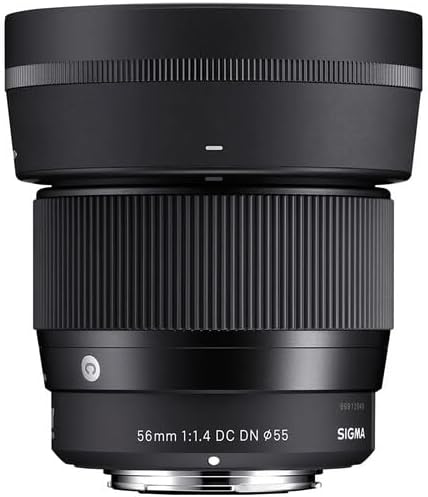
ചിത്രം 3.2: വശം view of the lens, highlighting the lens mount index and lens mount.
4. സജ്ജീകരണം
4.1 ലെൻസ് ഘടിപ്പിക്കൽ
- ലെൻസിൽ നിന്ന് പിൻ ലെൻസ് കാപ്പും ക്യാമറയിൽ നിന്ന് ബോഡി കാപ്പും നീക്കം ചെയ്യുക.
- Align the lens mount index mark on the lens with the corresponding index mark on your camera body.
- Insert the lens into the camera mount and rotate it clockwise (for RF mount) until it clicks into place. Do not force the lens.
4.2 ലെൻസ് വേർപെടുത്തൽ
- While holding the lens release button on your camera body, rotate the lens counter-clockwise until it stops.
- ക്യാമറ ബോഡിയിൽ നിന്ന് ലെൻസ് ശ്രദ്ധാപൂർവ്വം നീക്കം ചെയ്യുക.
- പൊടിയിൽ നിന്നും കേടുപാടുകളിൽ നിന്നും സംരക്ഷിക്കുന്നതിന് പിൻ ലെൻസ് കാപ്പ് ലെൻസിലും ബോഡി കാപ്പ് ക്യാമറയിലും ഘടിപ്പിക്കുക.
4.3 ലെൻസ് ഹുഡ് ഘടിപ്പിക്കൽ
The included lens hood helps to block stray light, reducing flare and ghosting, and provides some physical protection to the front element.
- Align the lens hood attachment mark on the lens hood with the corresponding mark on the front of the lens.
- Push the hood onto the lens and rotate it clockwise until it locks into place.
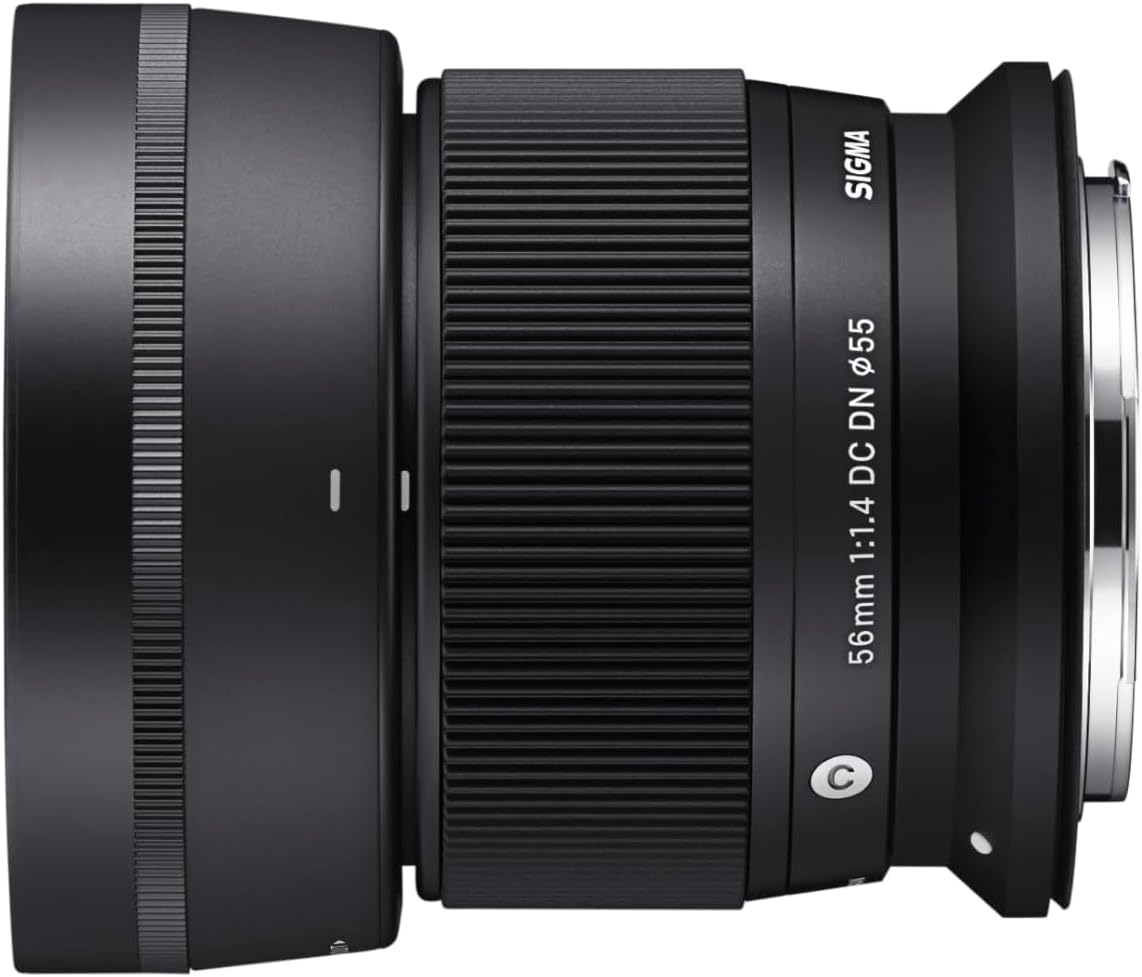
Image 4.1: The lens with its dedicated lens hood properly attached.
5. ലെൻസ് പ്രവർത്തിപ്പിക്കൽ
5.1 ഓട്ടോഫോക്കസ് (AF)
This lens features a stepping AF motor, providing fast, precise, and near-silent autofocus performance. The autofocus mode is typically controlled via your camera body's settings. Refer to your camera's instruction manual for details on selecting AF modes (e.g., Single AF, Continuous AF).
5.2 മാനുവൽ ഫോക്കസ് (എംഎഫ്)
To use manual focus, set your camera to MF mode. Rotate the focus ring on the lens to adjust focus. Your camera may offer focus peaking or magnification aids to assist with precise manual focusing.
5.3 അപ്പർച്ചർ നിയന്ത്രണം
The aperture (f/1.4 to f/16) is controlled electronically through your camera body. Adjust the aperture setting on your camera to control depth of field and exposure.
6. പരിപാലനം
ശരിയായ പരിചരണവും പരിപാലനവും നിങ്ങളുടെ ലെൻസിന്റെ ദീർഘായുസ്സും ഒപ്റ്റിമൽ പ്രകടനവും ഉറപ്പാക്കും.
6.1 ലെൻസ് വൃത്തിയാക്കൽ
- ലെൻസ് ഘടകങ്ങൾ: Use the hurricane blower to remove dust and loose particles. For smudges or fingerprints, use a clean, soft microfiber cloth with a small amount of lens cleaning solution. Wipe gently in a circular motion from the center outwards. Avoid touching the lens surface with your fingers.
- ലെൻസ് ബോഡി: Wipe the lens body with a soft, dry cloth. Do not use organic solvents like thinner or benzene.
- ലെൻസ് മൗണ്ട്: Keep the lens mount clean and free of dust. Avoid touching the electronic contacts.

Image 6.1: Components of a typical lens cleaning kit, including cloths, wipes, and brushes.

Image 6.2: A hurricane blower, used for safely removing dust from lens surfaces.
6.2 സംഭരണം
- ലെൻസ് ഉപയോഗത്തിലില്ലാത്തപ്പോൾ എല്ലായ്പ്പോഴും മുന്നിലെയും പിന്നിലെയും ലെൻസ് ക്യാപ്പുകൾ ഘടിപ്പിക്കുക.
- Store the lens in a cool, dry, and well-ventilated place, away from direct sunlight and high humidity.
- Avoid storing the lens with mothballs or chemicals that may damage coatings.
7. പ്രശ്നപരിഹാരം
നിങ്ങളുടെ ലെൻസിൽ പ്രശ്നങ്ങൾ നേരിടുകയാണെങ്കിൽ, ഇനിപ്പറയുന്ന പൊതുവായ പ്രശ്നങ്ങളും പരിഹാരങ്ങളും പരിശോധിക്കുക:
- ക്യാമറയിൽ ലെൻസ് ഘടിപ്പിക്കാത്തത്: Ensure the lens mount index marks are aligned correctly and rotate until a click is heard. Check for any obstructions on the lens mount or camera body.
- ഓട്ടോഫോക്കസ് പ്രവർത്തിക്കുന്നില്ല: Verify that the camera is set to an autofocus mode. Ensure the lens is securely attached. Check camera settings for any focus area restrictions.
- ചിത്രങ്ങൾ മങ്ങിയതാണ്: Check if the lens is in focus (autofocus or manual focus). Ensure the shutter speed is appropriate to prevent camera shake. Clean the lens elements if smudges are present.
- ക്യാമറയ്ക്ക് ലെൻസ് തിരിച്ചറിയാൻ കഴിഞ്ഞില്ല: Detach and reattach the lens. Clean the electronic contacts on both the lens and camera body with a dry, clean cloth. Ensure your camera's firmware is up to date.
If problems persist, consult your camera's manual or contact Sigma customer support.
8 സ്പെസിഫിക്കേഷനുകൾ
| ഫീച്ചർ | സ്പെസിഫിക്കേഷൻ |
|---|---|
| മോഡൽ നമ്പർ | 351972 |
| ഫോക്കൽ ലെങ്ത് | 56mm (APS-C-യിൽ 89.6mm തത്തുല്യം) |
| പരമാവധി അപ്പേർച്ചർ | f/1.4 |
| മിനിമം അപ്പർച്ചർ | f/16 |
| ലെൻസ് മൗണ്ട് | കാനൻ RF |
| ലെൻസ് തരം | മിറർലെസ്സ് ക്യാമറ ലെൻസ് |
| ഒപ്റ്റിക്കൽ ഡിസൈൻ | Includes Special Low Dispersion (SLD) elements |
| ഓട്ടോഫോക്കസ് മോട്ടോർ | Stepping AF motor |
| ഡയഫ്രം ബ്ലേഡുകൾ | 9, Rounded |
| ഉൽപ്പന്ന അളവുകൾ | 2.34 x 2.62 x 2.62 ഇഞ്ച് |
| നിർമ്മാതാവ് | സിഗ്മ |
9. വാറൻ്റിയും പിന്തുണയും
This Sigma lens comes with a 4-Year USA Warranty when purchased from an authorized dealer. Please retain your proof of purchase for warranty claims.
For technical support, service, or warranty inquiries, please contact Sigma customer service or visit the official Sigma website. Ensure you have your lens model number and purchase details available.
Sigma Global Webസൈറ്റ്: www.sigma-global.com