
1. ആമുഖം
വാങ്ങിയതിന് നന്ദി.asing the sainlogic S-M-1 Video Baby Monitor. This device is designed to provide a secure and reliable way to monitor your baby. Featuring a 1080P FHD 5-inch display, two-way audio, night vision, and temperature monitoring, it offers comprehensive surveillance for your peace of mind. Please read this manual thoroughly before use to ensure proper operation and safety.
2 സുരക്ഷാ വിവരങ്ങൾ
- കഴുത്ത് ഞെരിച്ച് കൊല്ലുന്ന അപകടം: Keep all cables out of reach of children (at least 1 meter / 3 feet away). Never place the camera or monitor within reach of the baby's crib or playpen.
- ശ്വാസംമുട്ടൽ അപകടം: This product contains small parts. Keep them away from children.
- ഊർജ്ജ സ്രോതസ്സ്: Use only the provided power adapters. Using unauthorized adapters may damage the device and void the warranty.
- ജലവും ഈർപ്പവും: Do not expose the product to water or moisture. Do not use near bathtubs, sinks, or other wet areas.
- താപ സ്രോതസ്സുകൾ: Keep the product away from heat sources such as radiators, heat registers, stoves, or other heat-producing appliances.
- വെൻ്റിലേഷൻ: ശരിയായ വായുസഞ്ചാരം ഉറപ്പാക്കുക. വായുസഞ്ചാര ദ്വാരങ്ങളൊന്നും തടയരുത്.
- ഇടപെടൽ: This product operates on 2.4 GHz FHSS technology. Avoid placing it near other 2.4 GHz devices (e.g., Wi-Fi routers, microwaves) to prevent interference.
- മുതിർന്നവരുടെ മേൽനോട്ടം: This product is intended to assist in monitoring your baby and should not replace proper adult supervision.
3. പാക്കേജ് ഉള്ളടക്കം
Please check the package contents. If any items are missing or damaged, contact your retailer.
- Baby Monitor Unit (Parent Unit)
- Baby Camera Unit (Baby Unit)
- മോണിറ്ററിനുള്ള പവർ അഡാപ്റ്റർ
- Power Adapter for Camera
- ഉപയോക്തൃ മാനുവൽ
- വാൾ മൗണ്ട് കിറ്റ് (ഓപ്ഷണൽ, ഉൾപ്പെടുത്തിയിട്ടുണ്ടെങ്കിൽ)
4. ഉൽപ്പന്നം കഴിഞ്ഞുview
4.1 പേരന്റ് യൂണിറ്റ് (മോണിറ്റർ)
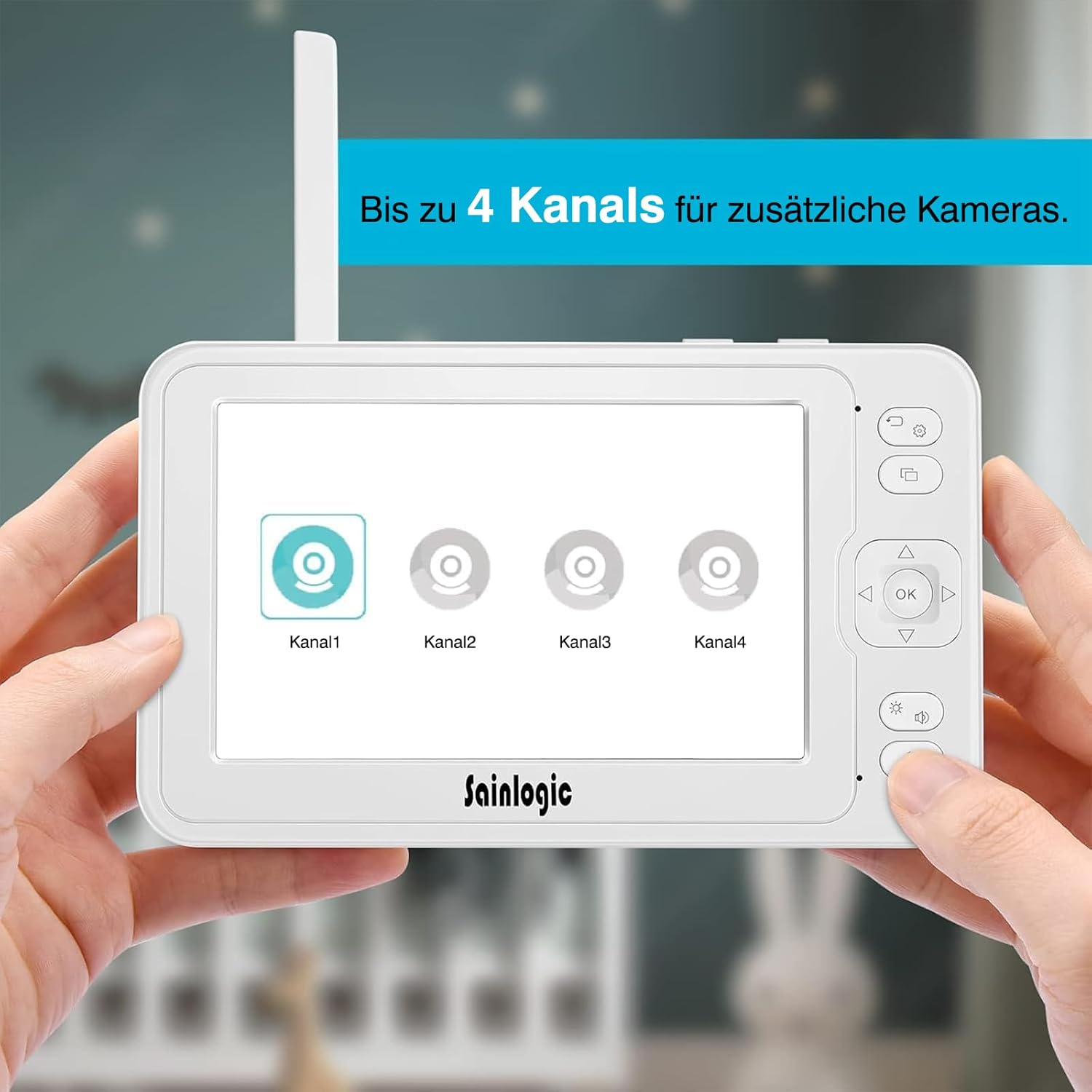
ചിത്രം 4.1: The parent unit (monitor) displaying options for connecting up to four camera channels.
- 5-inch HD LCD Screen: Displays live video feed from the camera.
- ആൻ്റിന: വയർലെസ് സിഗ്നൽ സ്വീകരണത്തിനായി.
- പവർ ബട്ടൺ: മോണിറ്റർ ഓൺ/ഓഫ് ചെയ്യുന്നു.
- മെനു ബട്ടൺ: Accesses monitor settings and features.
- നാവിഗേഷൻ ബട്ടണുകൾ (മുകളിലേക്ക്/താഴേക്ക്/ഇടത്/വലത്): For menu navigation and camera pan/tilt control.
- ശരി ബട്ടൺ: തിരഞ്ഞെടുക്കലുകൾ സ്ഥിരീകരിക്കുന്നു.
- സംവാദ ബട്ടൺ: Activates two-way intercom.
- വോളിയം ബട്ടണുകൾ: Adjusts monitor speaker volume.
- മൈക്രോഫോൺ: For two-way communication.
- സ്പീക്കർ: Outputs audio from the baby unit.
- പവർ ഇൻപുട്ട്: പവർ അഡാപ്റ്ററുമായി ബന്ധിപ്പിക്കുന്നു.
- മൈക്രോ എസ്ഡി കാർഡ് സ്ലോട്ട്: For video recording storage (MicroSD card not included).
4.2 ബേബി യൂണിറ്റ് (ക്യാമറ)

ചിത്രം 4.2: The baby unit (camera) providing a clear 1080P Full HD view of a baby, demonstrating high-quality image capture.
- ക്യാമറ ലെൻസ്: വീഡിയോ ക്യാപ്ചർ ചെയ്യുന്നു.
- ഇൻഫ്രാറെഡ് LED-കൾ: For night vision.
- ലൈറ്റ് സെൻസർ: ഓട്ടോമാറ്റിക് നൈറ്റ് വിഷൻ ആക്ടിവേഷനായി ആംബിയന്റ് ലൈറ്റ് കണ്ടെത്തുന്നു.
- മൈക്രോഫോൺ: Picks up sounds from the baby's room.
- സ്പീക്കർ: Outputs audio from the parent unit (lullabies, two-way talk).
- താപനില സെൻസർ: Monitors room temperature.
- ജോടി ബട്ടൺ: For pairing the camera with the monitor.
- പവർ ഇൻപുട്ട്: പവർ അഡാപ്റ്ററുമായി ബന്ധിപ്പിക്കുന്നു.
- മൗണ്ടിംഗ് ഹോൾ: മതിൽ കയറുന്നതിന്.
5. സജ്ജീകരണം
5.1 ബേബി യൂണിറ്റ് (ക്യാമറ) പവർ ചെയ്യുന്നു
- ബേബി യൂണിറ്റ് വ്യക്തമായ ഒരു സ്ഥലത്ത് സ്ഥാപിക്കുക view of your baby. Ensure it is at least 1 meter (3 feet) away from the baby's crib or playpen to prevent strangulation hazards from the power cable.
- Connect the small plug of the camera power adapter to the camera's power input.
- പവർ അഡാപ്റ്ററിന്റെ മറ്റേ അറ്റം അനുയോജ്യമായ ഒരു ഇലക്ട്രിക്കൽ ഔട്ട്ലെറ്റിലേക്ക് പ്ലഗ് ചെയ്യുക.
- The camera will automatically power on.
5.2 Powering the Parent Unit (Monitor)
- Connect the small plug of the monitor power adapter to the monitor's power input.
- പവർ അഡാപ്റ്ററിന്റെ മറ്റേ അറ്റം അനുയോജ്യമായ ഒരു ഇലക്ട്രിക്കൽ ഔട്ട്ലെറ്റിലേക്ക് പ്ലഗ് ചെയ്യുക.
- Press and hold the Power button on the monitor for a few seconds to turn it on.
- The monitor has a built-in rechargeable battery for portable use. Charge it fully before initial use.
5.3 Pairing the Camera and Monitor
The baby unit and parent unit are pre-paired at the factory. If you lose connection or add additional cameras, follow these steps:
- ക്യാമറയും മോണിറ്ററും ഓണാക്കിയിട്ടുണ്ടെന്ന് ഉറപ്പാക്കുക.
- മോണിറ്ററിൽ, അമർത്തുക മെനു ബട്ടൺ.
- എന്നതിലേക്ക് നാവിഗേറ്റ് ചെയ്യുക ക്യാമറ or ക്യാമറ ചേർക്കുക option and select it.
- Choose an available channel (e.g., Camera 1, Camera 2).
- The monitor will display a message indicating it is searching for a camera.
- 10 സെക്കൻഡിനുള്ളിൽ, അമർത്തിപ്പിടിക്കുക ജോടിയാക്കുക button on the back of the baby unit until the monitor displays the video feed.
- Once paired, the video feed will appear on the monitor.

ചിത്രം 5.3: The monitor interface illustrating the capability to connect and switch between up to four camera channels for expanded monitoring.
6. പ്രവർത്തന നിർദ്ദേശങ്ങൾ
6.1 അടിസ്ഥാന നിരീക്ഷണം
Once the camera and monitor are powered on and paired, the monitor will automatically display the live video feed from the camera. Adjust the volume using the വോളിയം buttons on the side of the monitor.
6.2 Camera Control (Pan/Tilt/Zoom)
- ഉപയോഗിക്കുക നാവിഗേഷൻ buttons (Up/Down/Left/Right) on the monitor to remotely pan (355° horizontally) and tilt (90° vertically) the camera lens to get the desired view.
- To zoom in/out, press the സൂം ചെയ്യുക button (often integrated with a navigation button or a dedicated button, refer to monitor button layout).
6.3 ടു-വേ ഇന്റർകോം
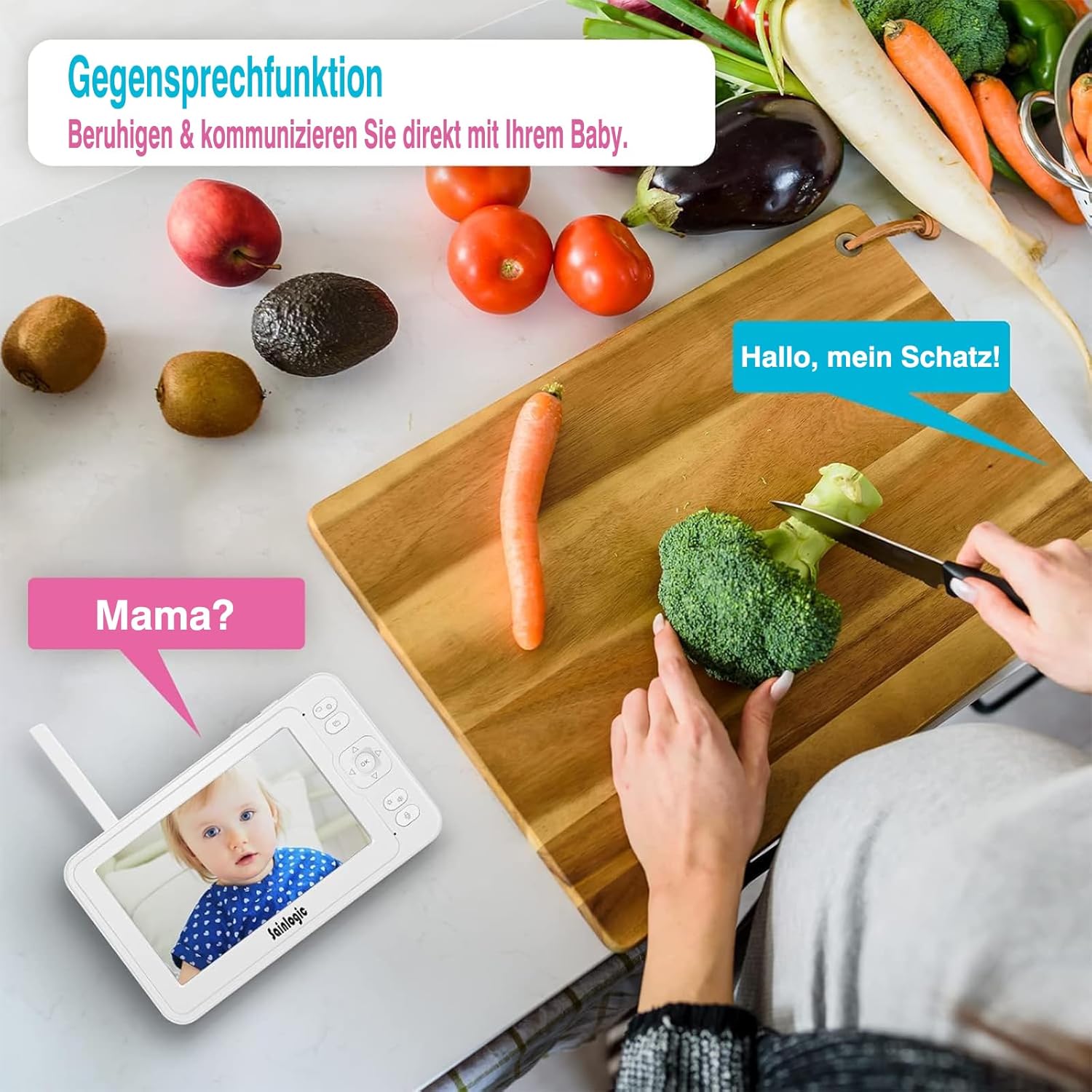
ചിത്രം 6.3: Demonstrating the two-way intercom function, allowing a parent to speak to their baby through the monitor.
നിങ്ങളുടെ കുഞ്ഞിനോട് സംസാരിക്കാൻ, അമർത്തിപ്പിടിക്കുക സംസാരിക്കുക button on the monitor. Release the button to hear your baby's sounds.
6.4 VOX ഫംഗ്ഷൻ (വോയ്സ് ഓപ്പറേറ്റഡ് എക്സ്ചേഞ്ച്)

ചിത്രം 6.4: The monitor displaying a crying baby, indicating the activation of the sound detection alarm via integrated VOX technology and auto-wake feature.
The VOX function automatically activates the monitor screen and sound when it detects noise above a certain level in the baby's room. You can adjust the VOX sensitivity level in the monitor's menu settings.
- ഉയർന്ന സംവേദനക്ഷമത: Detects even soft sounds.
- കുറഞ്ഞ സംവേദനക്ഷമത: Only activates for louder sounds.
6.5 ലാലേട്ടൻ
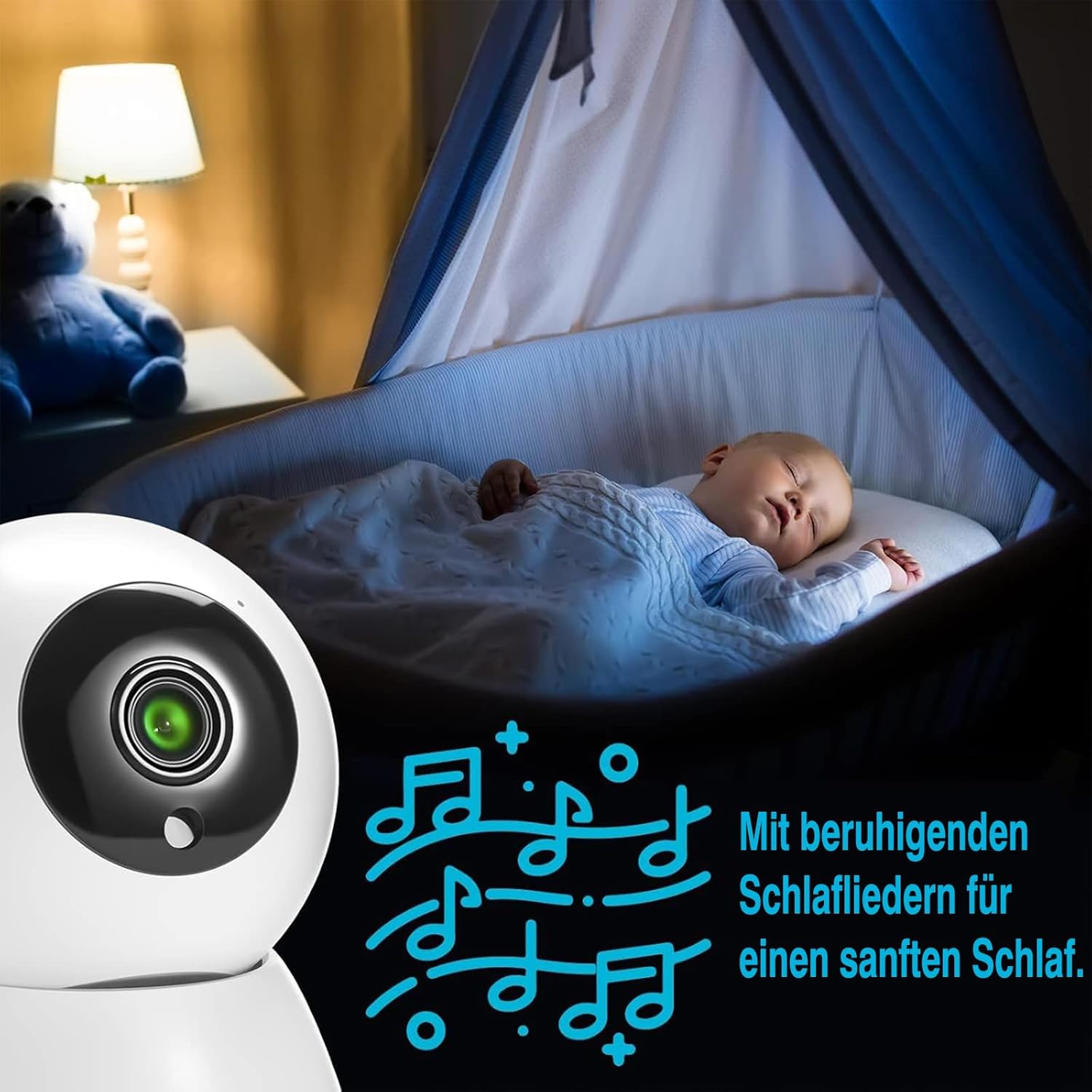
ചിത്രം 6.5: A baby sleeping soundly, accompanied by musical notes, illustrating the monitor's lullaby feature for soothing sleep.
The monitor includes 8 soothing lullabies. To play a lullaby, access the menu, navigate to the ലാലേട്ടൻ option, and select your desired tune. You can also set a timer for how long the lullaby plays.
6.6 താപനില നിരീക്ഷണം

ചിത്രം 6.6: The baby monitor displaying a baby, with an overlay indicating both temperature and sound alarms, ensuring a safe environment.
The baby unit has a built-in temperature sensor that displays the room temperature on the parent unit. You can set high and low temperature alerts in the menu to be notified if the room becomes too hot or too cold.
6.7 Feeding Reminders
Set up feeding reminders through the monitor's menu. This feature allows you to schedule alerts to help maintain your baby's feeding schedule.
6.8 MicroSD Recording
Insert a MicroSD card (not included) into the designated slot on the monitor to record video footage. Access recording options and playback through the monitor's menu.
6.9 മെനു നാവിഗേഷൻ

ചിത്രം 6.9: The monitor screen displaying a range of menu icons, including options for cameras, feeding reminders, sound alarms, temperature alarms, lullabies, display settings, recording, playback, system settings, and language.
അമർത്തുക മെനു പ്രധാന മെനുവിൽ പ്രവേശിക്കുന്നതിനുള്ള ബട്ടൺ. ഉപയോഗിക്കുക നാവിഗേഷൻ buttons to scroll through options and the OK button to select. Common menu options include:
- ക്യാമറ ക്രമീകരണങ്ങൾ: Add/delete cameras, switch camera views.
- VOX ക്രമീകരണങ്ങൾ: Adjust sensitivity, enable/disable.
- അലാറം ക്രമീകരണങ്ങൾ: Temperature alerts, feeding reminders.
- ലാലബികൾ: Select and play melodies.
- ഡിസ്പ്ലേ ക്രെമീകരണങ്ങൾ: Brightness, sleep mode.
- സിസ്റ്റം ക്രമീകരണങ്ങൾ: Time, date, language, factory reset.
7. പരിപാലനം
- വൃത്തിയാക്കൽ: Clean the monitor and camera with a soft, dry cloth. Do not use cleaning agents or solvents.
- ബാറ്ററി കെയർ: For optimal battery life, avoid fully discharging the monitor's battery frequently. Charge it regularly.
- സംഭരണം: If storing the device for an extended period, ensure the battery is partially charged and store it in a cool, dry place.
8. പ്രശ്നപരിഹാരം
| പ്രശ്നം | സാധ്യമായ കാരണം | പരിഹാരം |
|---|---|---|
| No picture/sound on monitor. |
|
|
| Picture is blurry or distorted. |
|
|
| VOX not working or too sensitive. |
|
|
| Two-way talk not functioning. |
|
|
9 സ്പെസിഫിക്കേഷനുകൾ
| മോഡൽ നമ്പർ | എസ്എം-1 |
| ബ്രാൻഡ് | sainlogic |
| സ്ക്രീൻ വലിപ്പം | 5-ഇഞ്ച് എച്ച്ഡി എൽസിഡി |
| വീഡിയോ റെസല്യൂഷൻ | 1080P FHD (Recording and Effective Video Resolution) |
| കണക്റ്റിവിറ്റി പ്രോട്ടോക്കോൾ | FHSS 2.4 GHz (No Wi-Fi required) |
| പവർ ഇൻപുട്ട് | 5 വോൾട്ട്, 10 വാട്ട്സ് |
| മോണിറ്റർ ബാറ്ററി | 1 Non-standard battery (rechargeable) |
| ഉൽപ്പന്ന അളവുകൾ (L x W x H) | 16 x 1.5 x 10 സെ.മീ |
| ഉൽപ്പന്ന ഭാരം | 830 ഗ്രാം |
| മൗണ്ടിംഗ് തരം | മതിൽ മൗണ്ട് |
| അലേർട്ട് തരങ്ങൾ | Audio and Motion, Temperature |
| തമാശകൾ | 8 built-in melodies |
| മൾട്ടി-ക്യാമറ പിന്തുണ | 4 ക്യാമറകൾ വരെ |
| ഉപയോഗ പരിസ്ഥിതി | ഇൻഡോർ |
| GTIN/UPC | 734257140072 |
10. വാറൻ്റിയും പിന്തുണയും
For warranty information or technical support, please refer to the warranty card included in your package or visit the official sainlogic webസൈറ്റ്. വാങ്ങിയതിന്റെ തെളിവായി നിങ്ങളുടെ വാങ്ങൽ രസീത് സൂക്ഷിക്കുക.