
ആമുഖവും അവസാനിച്ചുview
The Badabulle Audio Baby Monitor B014011 is an intuitive, easy-to-use, and affordable device designed to help you monitor your baby while they sleep. It allows you to stay connected with your little one, providing peace of mind as you go about your daily activities. With a reliable range and essential features, this monitor ensures you are alerted to your baby's needs.
This manual provides detailed instructions for setting up, operating, and maintaining your Badabulle Audio Baby Monitor. Please read it carefully before first use and keep it for future reference.
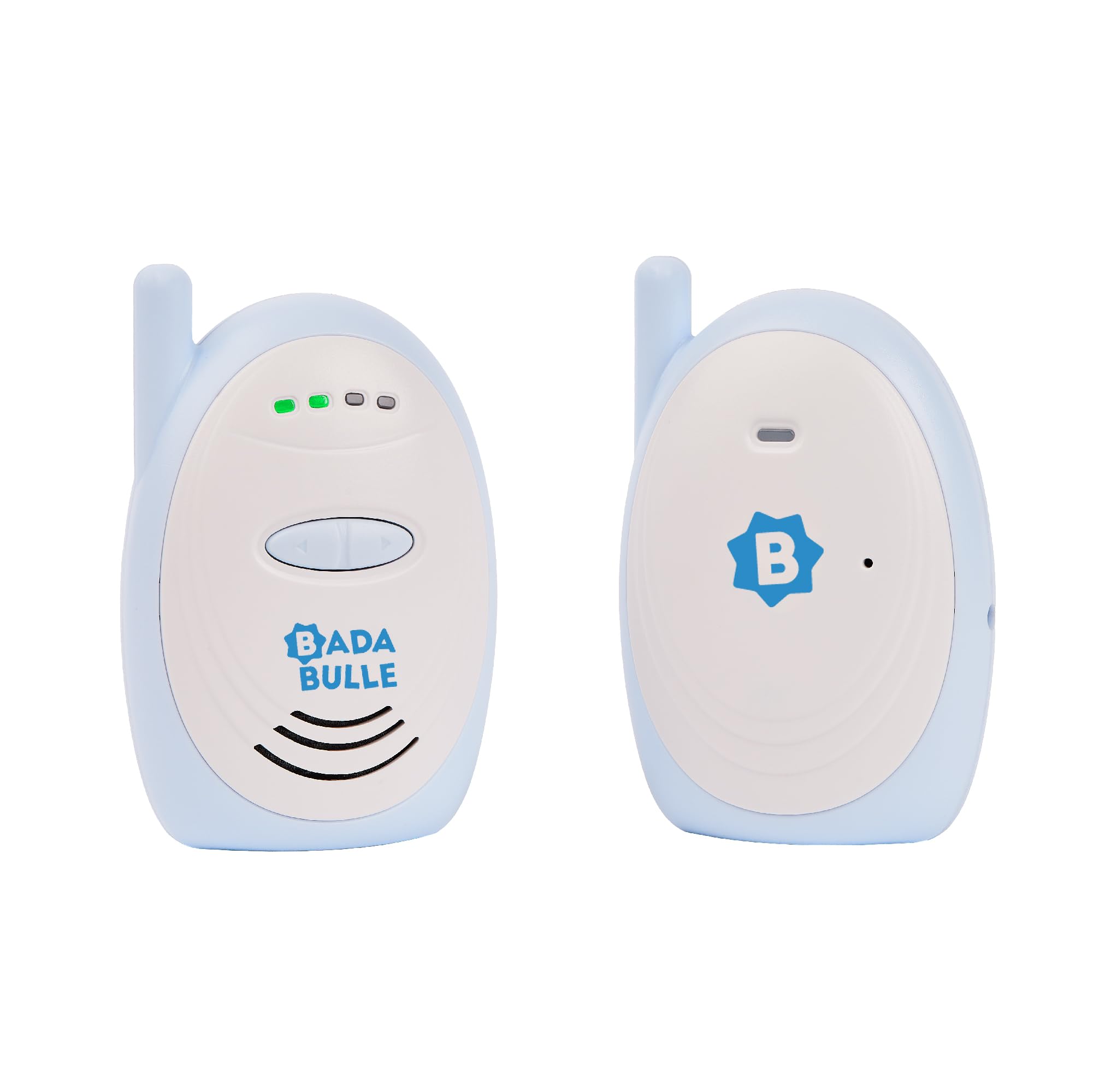
Image: The baby unit of the Badabulle Audio Baby Monitor, plugged into a power outlet and placed on a wooden surface next to a baby crib.
പ്രധാന സവിശേഷതകൾ
- Intuitive and Easy to Use: Simple design for straightforward operation.
- വിപുലീകരിച്ച ശ്രേണി: Up to 300 meters in open fields and 90 meters indoors, allowing flexibility around your home.
- Visual and Auditory Alarms: Alerts you to your baby's sounds through both light indicators and sound.
- പരിധിക്ക് പുറത്തുള്ള അലാറം: Notifies you if the connection between units is lost.
- കുറഞ്ഞ ബാറ്ററി സൂചകം: Provides a warning when the parent unit's batteries need recharging or replacement.
- ക്രമീകരിക്കാവുന്ന വോളിയം: Customize the sound level on the parent unit to suit your environment.
- ഒതുക്കമുള്ളതും ഭാരം കുറഞ്ഞതും: Easy to carry and transport.
- ബെൽറ്റ് ക്ലിപ്പ്: Conveniently attach the parent unit to your clothing for hands-free monitoring.
- ഫ്ലെക്സിബിൾ പവർ ഓപ്ഷനുകൾ: Both units can be powered by mains electricity, and the parent unit also supports 3 AAA batteries (not included).
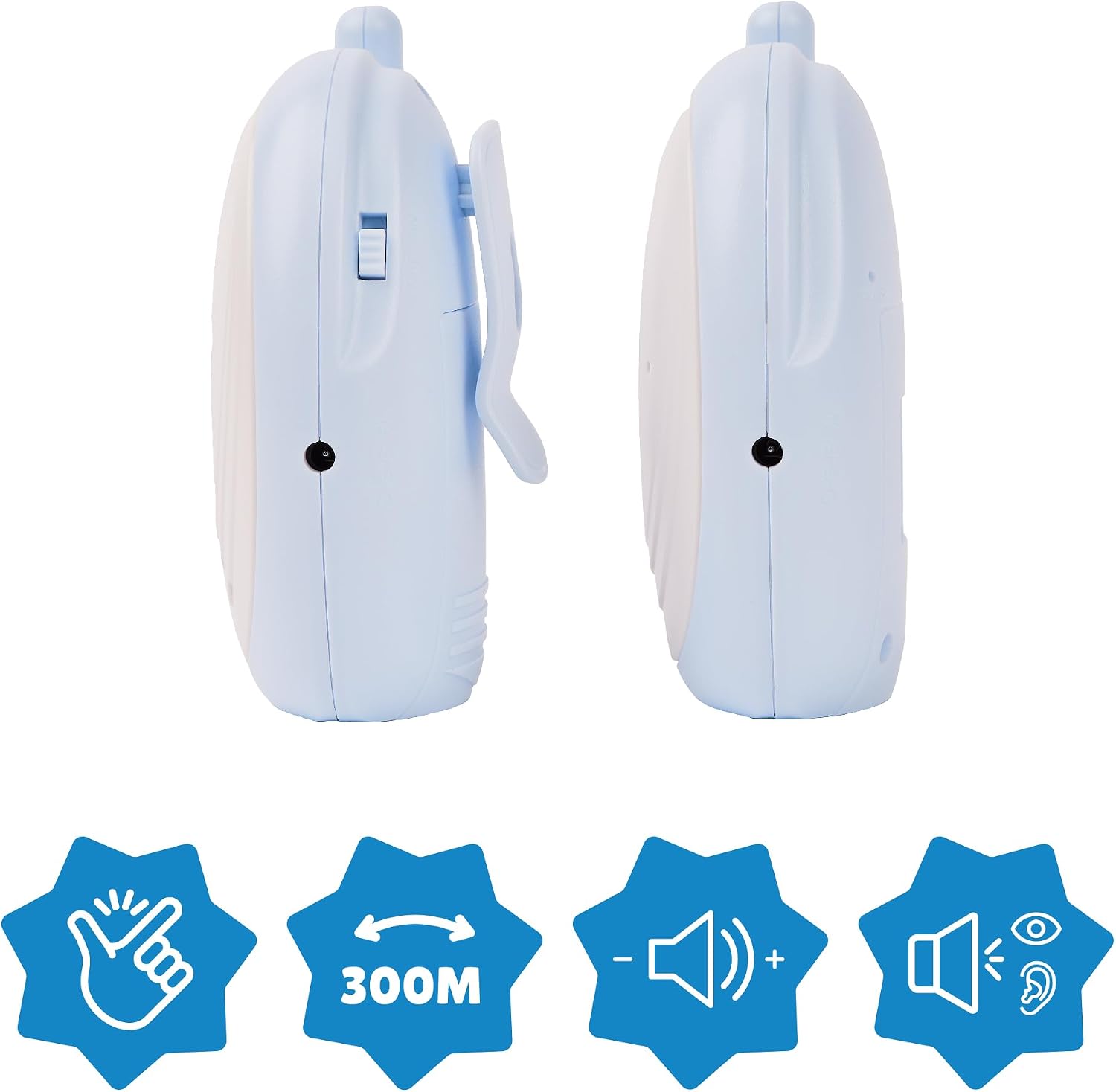
Image: A visual representation of the Badabulle Audio Baby Monitor units highlighting key features such as easy handling, 300m range, adjustable volume, and visual/auditory alerts.
പാക്കേജ് ഉള്ളടക്കം
താഴെ പറയുന്ന എല്ലാ ഇനങ്ങളും നിങ്ങളുടെ പാക്കേജിൽ ഉൾപ്പെടുത്തിയിട്ടുണ്ടോ എന്ന് ദയവായി പരിശോധിക്കുക:
- 1 x Baby Unit (Transmitter)
- 1 x Parent Unit (Receiver)
- 2 x Jack Cables (for power)
- 1 x പവർ അഡാപ്റ്റർ
- നിർദ്ദേശ മാനുവൽ (ഈ പ്രമാണം)
കുറിപ്പ്: 3 x AAA batteries are required for the parent unit's portable operation and are ഉൾപ്പെടുത്തിയിട്ടില്ല.

Image: The Badabulle Audio Baby Monitor package contents, showing both the baby and parent units, two jack cables, and a power adapter.
സജ്ജമാക്കുക
1. Powering the Baby Unit (Transmitter)
- Connect one of the provided jack cables to the power input port on the baby unit.
- Connect the other end of the jack cable to the power adapter.
- Plug the power adapter into a standard electrical outlet. The baby unit will automatically power on.
2. Powering the Parent Unit (Receiver)
The parent unit can be powered by mains electricity or 3 AAA batteries.
പ്രധാന ശക്തി:
- Connect the second provided jack cable to the power input port on the parent unit.
- Connect the other end of the jack cable to the power adapter.
- പവർ അഡാപ്റ്റർ ഒരു സാധാരണ ഇലക്ട്രിക്കൽ ഔട്ട്ലെറ്റിലേക്ക് പ്ലഗ് ചെയ്യുക.
Battery Power (for portability):
- Open the battery compartment on the back of the parent unit.
- Insert 3 x AAA batteries (not included), ensuring correct polarity (+/-).
- ബാറ്ററി കമ്പാർട്ട്മെൻ്റ് സുരക്ഷിതമായി അടയ്ക്കുക.

Image: A user inserting AAA batteries into the parent unit and connecting a power adapter to one of the units.
3. Placement of Units
- Place the baby unit within 1 to 2 meters of your baby's crib, ensuring it is out of reach of the baby.
- Position the parent unit in a location where you can easily hear and see its indicators.
- Ensure both units are within the operational range (up to 300m in open areas, 90m indoors) and away from other electronic devices that might cause interference.
പ്രവർത്തന നിർദ്ദേശങ്ങൾ
1. ഓൺ/ഓഫ് ചെയ്യുന്നു
- ബേബി യൂണിറ്റ്: The baby unit powers on automatically when connected to mains electricity. There is no separate on/off switch.
- മാതൃ യൂണിറ്റ്: Use the ON/OFF switch located on the side of the parent unit to turn it on or off.
2. വോളിയം ക്രമീകരിക്കുന്നു
- On the parent unit, use the + ഒപ്പം - ശ്രവണശബ്ദം കൂട്ടാനോ കുറയ്ക്കാനോ ഉള്ള ബട്ടണുകൾ.
- The LED indicators on the parent unit will show the current volume level.

Image: A close-up of the Badabulle Audio Baby Monitor parent unit, showing the volume adjustment buttons and LED indicators for sound detection and connection status.
3. Monitoring Your Baby
- When your baby makes a sound, the baby unit will transmit it to the parent unit.
- The parent unit will emit an audible sound, and its LED indicators will light up, providing a visual alert to the sound level.

Image: A parent holding the Badabulle Audio Baby Monitor parent unit, demonstrating its compact size and portability for active use around the home.
4. Belt Clip Functionality
The parent unit features a convenient belt clip on its back. This allows you to attach the unit to your belt or clothing, keeping it close at hand while you move freely around your home.

Image: A person wearing the Badabulle Audio Baby Monitor parent unit clipped to their jeans, showing the practical belt clip feature.
മെയിൻ്റനൻസ്
- വൃത്തിയാക്കൽ: Wipe both units with a soft, damp cloth. Do not use abrasive cleaners or solvents. Ensure units are completely dry before use.
- ബാറ്ററി കെയർ: If using batteries in the parent unit, remove them if the unit will not be used for an extended period to prevent leakage.
- സംഭരണം: നേരിട്ടുള്ള സൂര്യപ്രകാശവും കടുത്ത താപനിലയും ഏൽക്കാത്ത ഒരു തണുത്തതും വരണ്ടതുമായ സ്ഥലത്ത് മോണിറ്റർ സൂക്ഷിക്കുക.
ട്രബിൾഷൂട്ടിംഗ്
| പ്രശ്നം | സാധ്യമായ കാരണം | പരിഹാരം |
|---|---|---|
| No sound or very low sound from parent unit. | Volume too low; units out of range; baby unit not powered; parent unit batteries low. | Increase volume on parent unit. Move units closer. Ensure baby unit is plugged in. Replace/recharge parent unit batteries. |
| സ്റ്റാറ്റിക് അല്ലെങ്കിൽ ഇടപെടൽ. | Units too close to other electronic devices (Wi-Fi routers, cordless phones, microwaves). | Move the baby monitor units away from other electronic devices. |
| Out-of-range alarm sounds. | Units are too far apart. | പാരന്റ് യൂണിറ്റ് ബേബി യൂണിറ്റിന് അടുത്തേക്ക് നീക്കുക. യൂണിറ്റുകൾക്കിടയിലുള്ള തടസ്സങ്ങൾ കുറയ്ക്കുക. |
| Parent unit not turning on or losing power. | Batteries are dead or incorrectly inserted; mains power not connected or faulty. | Check battery polarity and replace if necessary. Ensure power adapter is securely connected and outlet is working. |
സ്പെസിഫിക്കേഷനുകൾ
- മോഡൽ: B014011
- മെറ്റീരിയൽ: എബിഎസ്
- പ്രവർത്തന ശ്രേണി: Up to 300 meters (open field), up to 90 meters (indoors)
- ആവൃത്തി: 2402 മെഗാഹെട്സ് - 2480 മെഗാഹെട്സ്
- എമിഷൻ പവർ: 9.87 ഡിബിഎം
- Baby Unit Power Supply: Mains electricity (via included jack cable and adapter)
- Parent Unit Power Supply: Mains electricity (via included jack cable and adapter) or 3 x AAA batteries (not included)
- പ്രത്യേക സവിശേഷതകൾ: Long range, visual and auditory alarms, low battery indicator, adjustable volume, belt clip.
- അളവുകൾ (മാതൃ യൂണിറ്റ്): Approximately 9 cm (Height) x 6 cm (Width) x 5 cm (Depth)
- ഉൽപ്പന്ന ഭാരം: 360 ഗ്രാം

Image: The Badabulle Audio Baby Monitor parent unit with its approximate dimensions: 9 cm height, 6 cm width, and 5 cm depth.
വാറൻ്റിയും പിന്തുണയും
The Badabulle Audio Baby Monitor B014011 comes with a ആജീവനാന്ത വാറൻ്റി. This warranty reflects our commitment to quality and durability.
For full terms and conditions of the warranty, and for any further support or inquiries, please visit the official Badabulle webസൈറ്റ്.
Video: An official Badabulle product video showcasing the features and benefits of the Audio Baby Monitor, including its range, alarms, and power options.