
1. ഉൽപ്പന്നം കഴിഞ്ഞുview
The PHIXERO P10PRO is a high-performance external NVMe Solid State Drive designed for rapid data transfer and reliable storage. It features a USB 3.2 Gen2 interface, offering speeds up to 1050MB/s read and 1040MB/s write. Its compact and durable design ensures portability and data protection across various devices and operating systems.
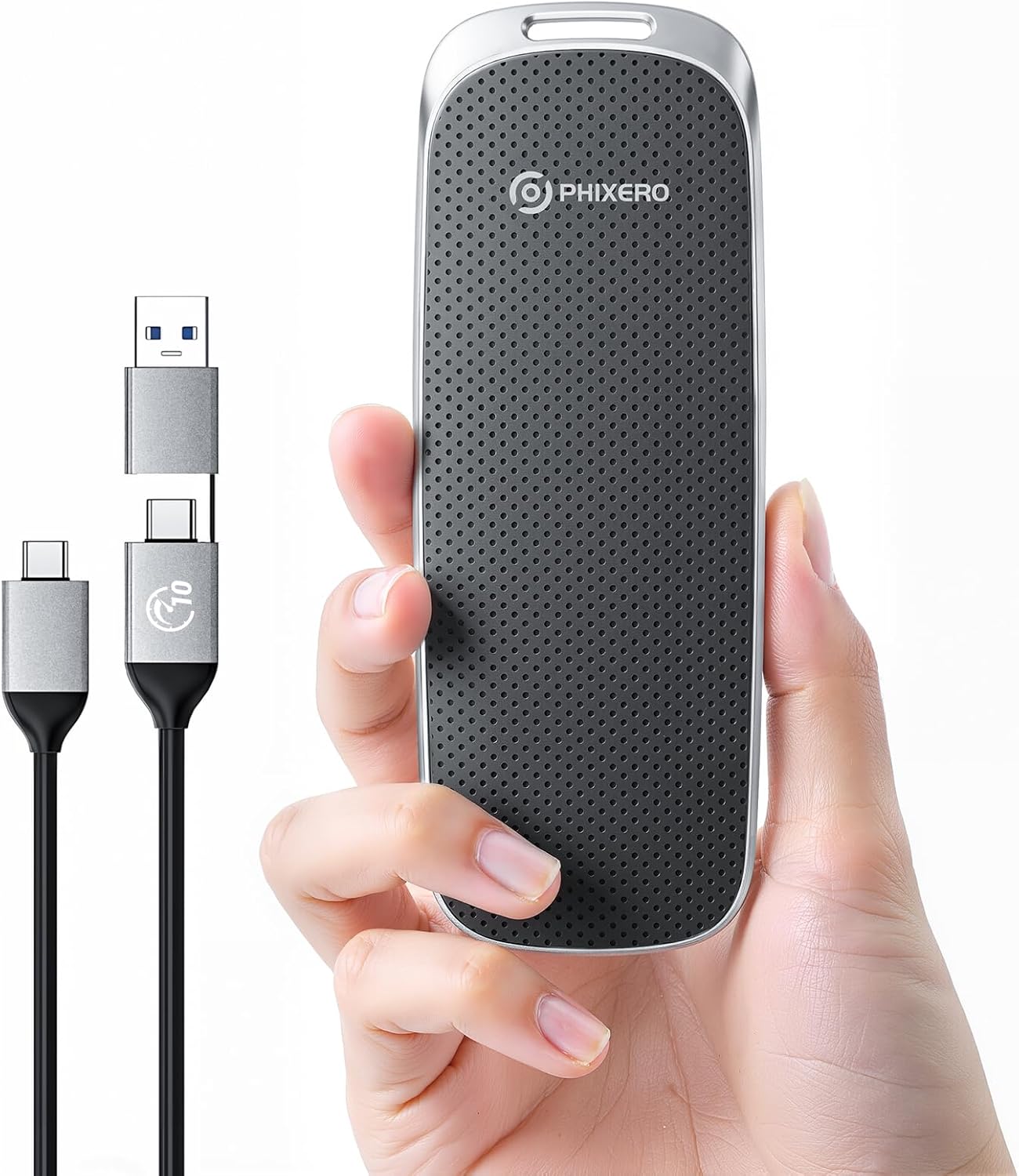
Figure 1: PHIXERO P10PRO External NVMe SSD and its versatile 2-in-1 USB cable.
2. പാക്കേജ് ഉള്ളടക്കം
നിങ്ങളുടെ പാക്കേജിൽ എല്ലാ ഇനങ്ങളും ഉണ്ടെന്ന് ദയവായി പരിശോധിക്കുക:
- PHIXERO P10PRO External NVMe SSD
- 1 x 2-in-1 USB C to USB C & USB A Cable (0.3m)
- ഉപയോക്തൃ മാനുവൽ
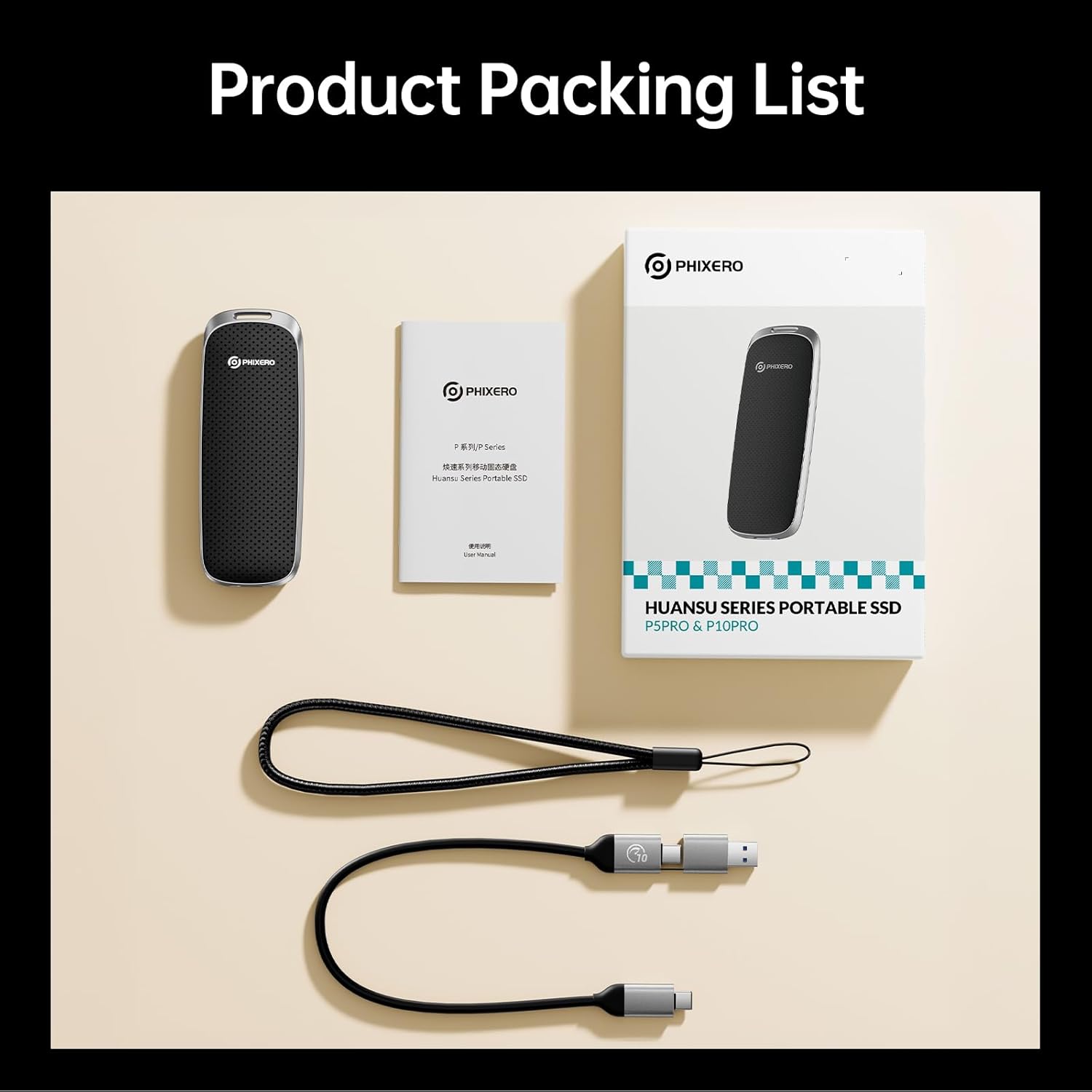
Figure 2: Product Packing List showing the SSD, cable, and documentation.
3. സജ്ജീകരണവും കണക്ഷനും
The PHIXERO P10PRO SSD is designed for plug-and-play functionality across a wide range of devices.
3.1 നിങ്ങളുടെ ഉപകരണത്തിലേക്ക് കണക്റ്റുചെയ്യുന്നു
- Identify the appropriate port on your device: USB-C or USB-A.
- Use the provided 2-in-1 USB C to USB C & USB A cable. For USB-A ports, attach the USB-A adapter to the USB-C end of the cable.
- Connect the USB-C end of the cable to the PHIXERO P10PRO SSD.
- Connect the other end of the cable (USB-C or USB-A) to your computer, smartphone, tablet, or other compatible device.
- The device should automatically recognize the SSD. No drivers are typically required for Windows, Mac OS, Linux, Android, or iPhone 15/16/17 Series.

Figure 3: The versatile 2-in-1 USB cable for broad compatibility.
3.2 Initializing the SSD (If Necessary)
In some cases, particularly with new drives or specific operating systems, the SSD may need to be initialized and formatted before use. Refer to your operating system's disk management tools for instructions on how to initialize and format a new storage device.
- വിൻഡോസ്: Open Disk Management, locate the SSD, initialize it (MBR or GPT), and create a new simple volume.
- മാക് ഒഎസ്: Use Disk Utility to erase and format the drive (e.g., APFS or Mac OS Extended).
4. SSD പ്രവർത്തിപ്പിക്കൽ
The PHIXERO P10PRO SSD offers high-speed data transfer for various applications.
4.1 ഡാറ്റ കൈമാറ്റം
കൈമാറാൻ files, simply drag and drop them to and from the SSD, or use your device's copy/paste functions. The USB 3.2 Gen2 interface enables rapid transfers, ideal for large files such as 4K videos, game libraries, and extensive business documents.

Figure 4: High-speed data transfer from a laptop to the P10PRO SSD.
4.2 അനുയോജ്യത
The SSD is compatible with a wide range of devices and operating systems:
- ഓപ്പറേറ്റിംഗ് സിസ്റ്റങ്ങൾ: Windows, Mac OS, Linux, Android, iOS (iPhone 15/16/17 Series and above).
- ഉപകരണങ്ങൾ: Laptops, tablets, smartphones, cameras, gaming consoles (e.g., PS5, Xbox), Smart TVs.

Figure 5: Universal compatibility across multiple platforms and devices.
4.3 വീഡിയോ പ്രദർശനം
Video 1: A demonstration of the PHIXERO P10PRO external NVMe SSD's features, including its compact design, high-speed data transfer capabilities, and compatibility with various devices like laptops and smartphones. The video shows the SSD being connected and used for file മാനേജ്മെൻ്റ്.
5. പരിപാലനവും പരിചരണവും
To ensure the longevity and optimal performance of your PHIXERO P10PRO SSD, follow these guidelines:
- ശാരീരിക സംരക്ഷണം: The SSD features a durable Zinc alloy and plastic shell, providing shock resistance, drop resistance, and dustproof capabilities. While robust, avoid excessive force or extreme impacts.
- താപനില: Operate and store the SSD within recommended temperature ranges (typically 0°C to 70°C for operation, -40°C to 85°C for storage).
- വൃത്തിയാക്കൽ: Use a soft, dry cloth to clean the exterior. Avoid liquid cleaners or abrasive materials.
- സുരക്ഷിതമായ എജക്ഷൻ: Always safely eject the SSD from your device before disconnecting it to prevent data corruption.

Figure 6: The rugged design of the P10PRO SSD, built for durability.
6. പ്രശ്നപരിഹാരം
If you encounter issues with your PHIXERO P10PRO SSD, consider the following common solutions:
6.1 ഉപകരണം തിരിച്ചറിഞ്ഞിട്ടില്ല
- കേബിൾ കണക്ഷൻ പരിശോധിക്കുക: Ensure the 2-in-1 USB cable is securely connected to both the SSD and your device. A loose connection can prevent recognition.
- Try a Different Port: Connect the SSD to another USB port on your device.
- കേബിൾ സമഗ്രത പരിശോധിക്കുക: If possible, test with a different, known-good USB 3.2 Gen2 compatible cable. Some cables may not support the full speed or stable connection required.
- ഉപകരണം പുനരാരംഭിക്കുക: ചിലപ്പോൾ നിങ്ങളുടെ കമ്പ്യൂട്ടറിന്റെയോ സ്മാർട്ട്ഫോണിന്റെയോ ലളിതമായ പുനരാരംഭം തിരിച്ചറിയൽ പ്രശ്നങ്ങൾ പരിഹരിക്കും.
- Check Disk Management (Windows) / Disk Utility (Mac): Ensure the drive is initialized and formatted correctly (refer to Section 3.2).
6.2 സ്ലോ ട്രാൻസ്ഫർ വേഗത
- Use USB-C Port: For optimal performance, connect the SSD to a USB-C port on your device that supports USB 3.2 Gen2 (10Gbps). Using a USB-A port or an older USB standard (e.g., USB 2.0, USB 3.0/3.1 Gen1) will result in lower speeds.
- കേബിൾ നിലവാരം: Ensure you are using the provided high-quality 2-in-1 cable. Lower quality or longer cables may degrade performance.
- ഉപകരണ പ്രകടനം: The actual transfer speed can be affected by your device's hardware, operating system, and the type of fileകൾ കൈമാറ്റം ചെയ്യപ്പെടുന്നു.
- Avoid Simultaneous Transfers: Transferring multiple large files simultaneously can reduce overall speed.
6.3 ഡാറ്റ അഴിമതി
- സുരക്ഷിതമായ എജക്ഷൻ: Always safely eject the SSD before disconnecting it. Unplugging without proper ejection can lead to data loss or corruption.
- വൈദ്യുതി വിതരണം: Ensure your device has sufficient power when connected to the SSD, especially for sustained operations.
7 സ്പെസിഫിക്കേഷനുകൾ
Detailed technical specifications for the PHIXERO P10PRO External NVMe SSD:
| ഫീച്ചർ | സ്പെസിഫിക്കേഷൻ |
|---|---|
| ബ്രാൻഡ് | PHIXERO |
| മോഡൽ നമ്പർ | P10PRO |
| ഡിജിറ്റൽ സ്റ്റോറേജ് കപ്പാസിറ്റി | 2 TB (as per current model) |
| ഹാർഡ് ഡ്രൈവ് ഇൻ്റർഫേസ് | USB 3.0 (Note: Connectivity Technology is USB3.2 Gen 2 NVME 10Gbps) |
| കണക്റ്റിവിറ്റി ടെക്നോളജി | USB3.2 Gen 2 NVME 10Gbps |
| വായനാ വേഗത (പരമാവധി) | 1050MB/s വരെ |
| എഴുത്ത് വേഗത (പരമാവധി) | 1040MB/s വരെ |
| ഹാർഡ്വെയർ പ്ലാറ്റ്ഫോം | ലിനക്സ്, മാക്, പിസി |
| അനുയോജ്യമായ ഉപകരണങ്ങൾ | Camera, Gaming Console, Laptop, Smartphone, Tablet |
| പ്രത്യേക സവിശേഷതകൾ | Dust Resistant, LED Light, Portable, Shock Resistant |
| ഇനത്തിൻ്റെ ഭാരം | 4.2 ഔൺസ് |
| ഉൽപ്പന്ന അളവുകൾ | 2.36 x 1.97 x 0.79 ഇഞ്ച് |
| നിറം | കറുപ്പ് (നിലവിലെ മോഡൽ അനുസരിച്ച്) |
8. വാറൻ്റിയും പിന്തുണയും
PHIXERO stands behind the quality of its products.
- വാറൻ്റി: The PHIXERO P10PRO Portable SSD is backed by 5 years of worry-free support.
- ഉപഭോക്തൃ പിന്തുണ: For any technical assistance, troubleshooting, or warranty claims, please contact PHIXERO customer support through the official channels provided at the time of purchase or on the PHIXERO webസൈറ്റ്.