
1. ആമുഖം
This manual provides detailed instructions for the installation, operation, and maintenance of your BrosTrend AX900 USB WiFi 6 Adapter. The AX900 is designed to upgrade your desktop PC or laptop with high-speed, dual-band WiFi 6 connectivity, offering enhanced performance and reliability.
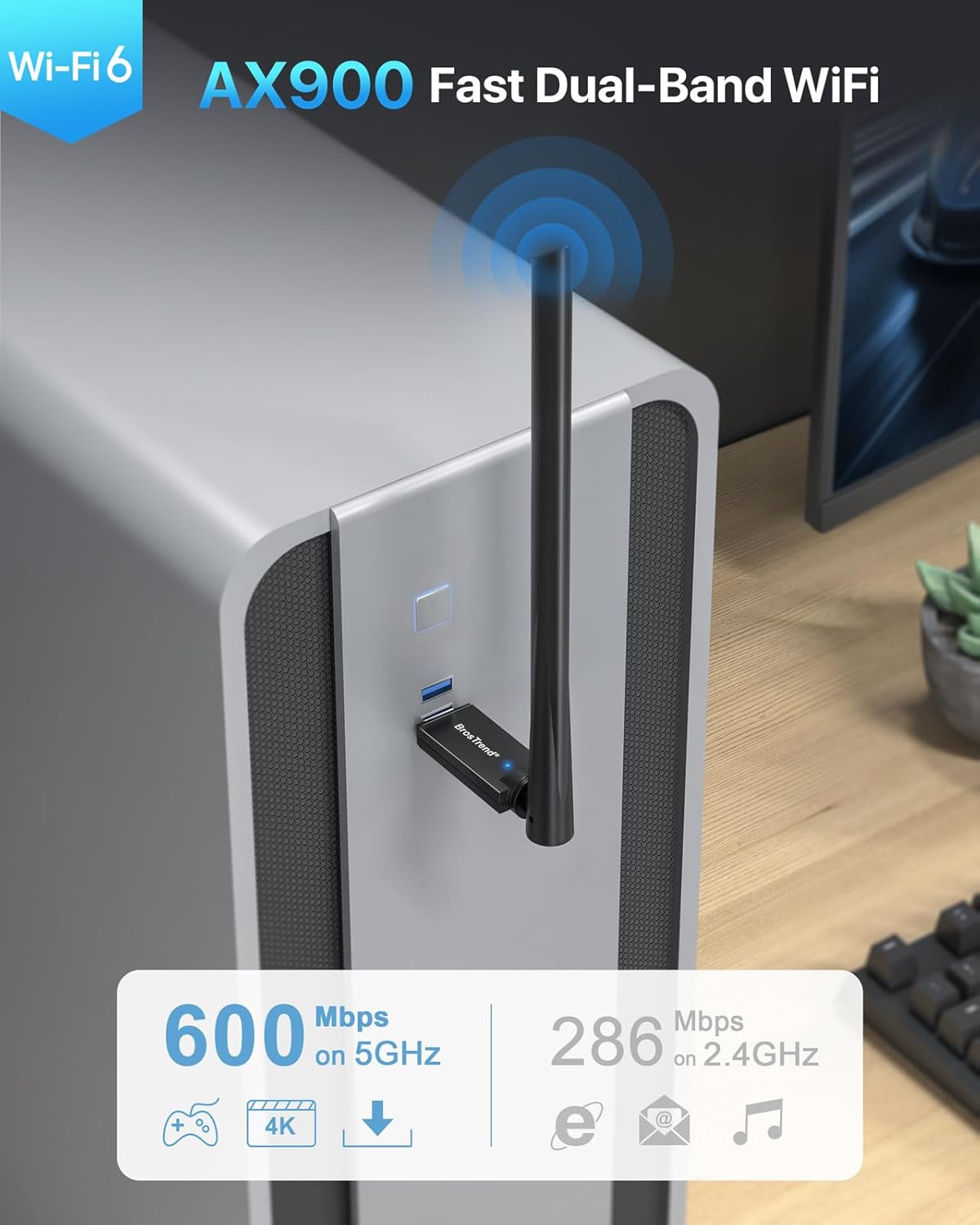
Figure 1: BrosTrend AX900 USB WiFi 6 Adapter
പ്രധാന സവിശേഷതകൾ:
- Dual-band WiFi 6: Supports 5GHz (up to 600Mbps) and 2.4GHz (up to 286Mbps) for flexible and fast connections.
- 6dBi ഉയർന്ന ഗെയിൻ ആന്റിന: Enhances signal reception and extends wireless range.
- നൂതന സാങ്കേതികവിദ്യകൾ: Incorporates OFDMA, MU-MIMO, and 1024-QAM for efficient and lag-free performance.
- തടസ്സരഹിത സജ്ജീകരണം: Pre-loaded drivers for Windows 11/10/7, eliminating the need for CD installation or downloads.
- സുരക്ഷിത കണക്ഷൻ: Supports WPA2 encryption for enhanced network security.
2. പാക്കേജ് ഉള്ളടക്കം
നിങ്ങളുടെ പാക്കേജിൽ ഇനിപ്പറയുന്ന ഇനങ്ങൾ അടങ്ങിയിട്ടുണ്ടെന്ന് പരിശോധിക്കുക:
- 1 x BrosTrend AX900 USB WiFi 6 Adapter
- 1 x ദ്രുത ഇൻസ്റ്റലേഷൻ ഗൈഡ്
3. സജ്ജീകരണ ഗൈഡ്
Follow these steps to install and configure your BrosTrend AX900 USB WiFi 6 Adapter.
3.1. അഡാപ്റ്റർ ബന്ധിപ്പിക്കുക
Insert the BrosTrend AX900 USB WiFi 6 adapter into an available USB port on your computer. For optimal performance, use a USB 3.0 port if available, although it is compatible with USB 2.0.

Figure 2: Connecting the USB WiFi 6 Adapter
3.2. ഡ്രൈവർ ഇൻസ്റ്റാൾ ചെയ്യുക
The driver software for Windows 11, Windows 10, and Windows 7 is pre-loaded in the USB WiFi 6 adapter. A CD-ROM reader is not needed. The latest driver is also available for download from the BrosTrend webസൈറ്റ്.
- After plugging in the adapter, an auto-play window may appear. If not, open 'This PC' or 'My Computer' and locate the 'WiFi 6 USB' drive.
- Double-click the 'Setup.exe' file to run the driver installation.
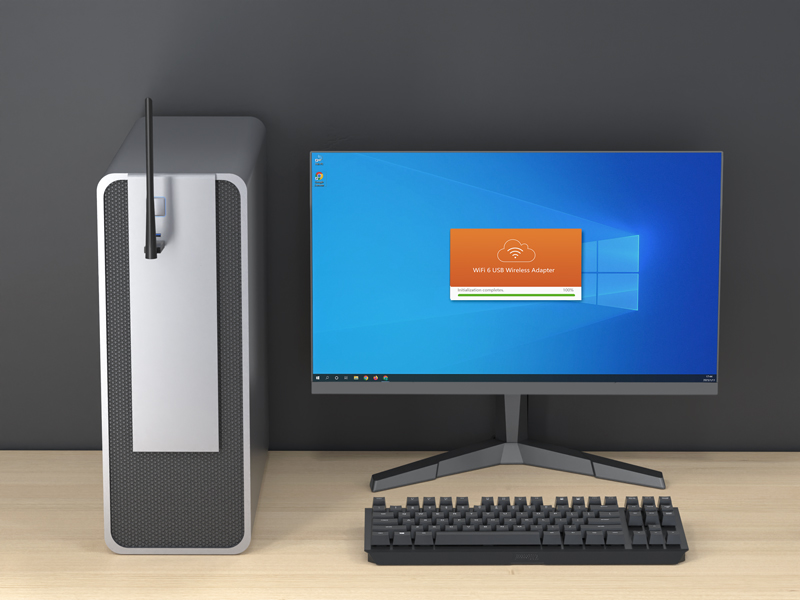
Figure 3: Running the Driver Setup
- ഇൻസ്റ്റാളേഷൻ പൂർത്തിയാക്കാൻ ഓൺ-സ്ക്രീൻ നിർദ്ദേശങ്ങൾ പാലിക്കുക.
- Once the driver is installed successfully, please restart your computer.
3.3. നിങ്ങളുടെ വൈഫൈ നെറ്റ്വർക്കിൽ ചേരുക
After restarting your computer, it will be able to join a WiFi network using the BrosTrend AX900 adapter.
- Click the network icon on the taskbar (usually in the bottom-right corner).
- Select the WiFi network you want to join from the list and click ബന്ധിപ്പിക്കുക.
- Enter the WiFi password when prompted and click അടുത്തത്.
- After a short while, the network status will change to ബന്ധിപ്പിച്ചു.
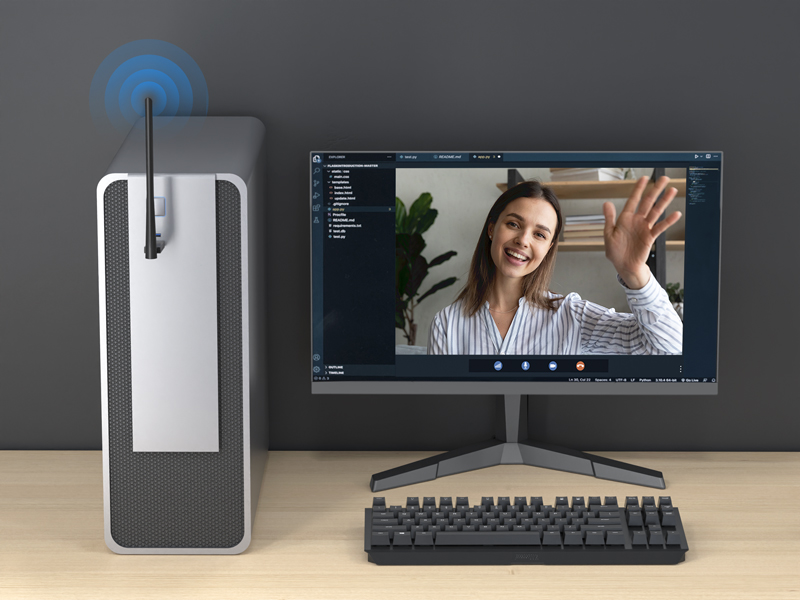
Figure 4: Successfully Connected to WiFi
3.4. ആൻ്റിന ക്രമീകരിക്കുന്നു
The 6dBi high-gain antenna can be adjusted to optimize signal reception. You can swivel it 180 degrees horizontally and 90 degrees vertically. Position the antenna towards your WiFi router for the best signal strength.
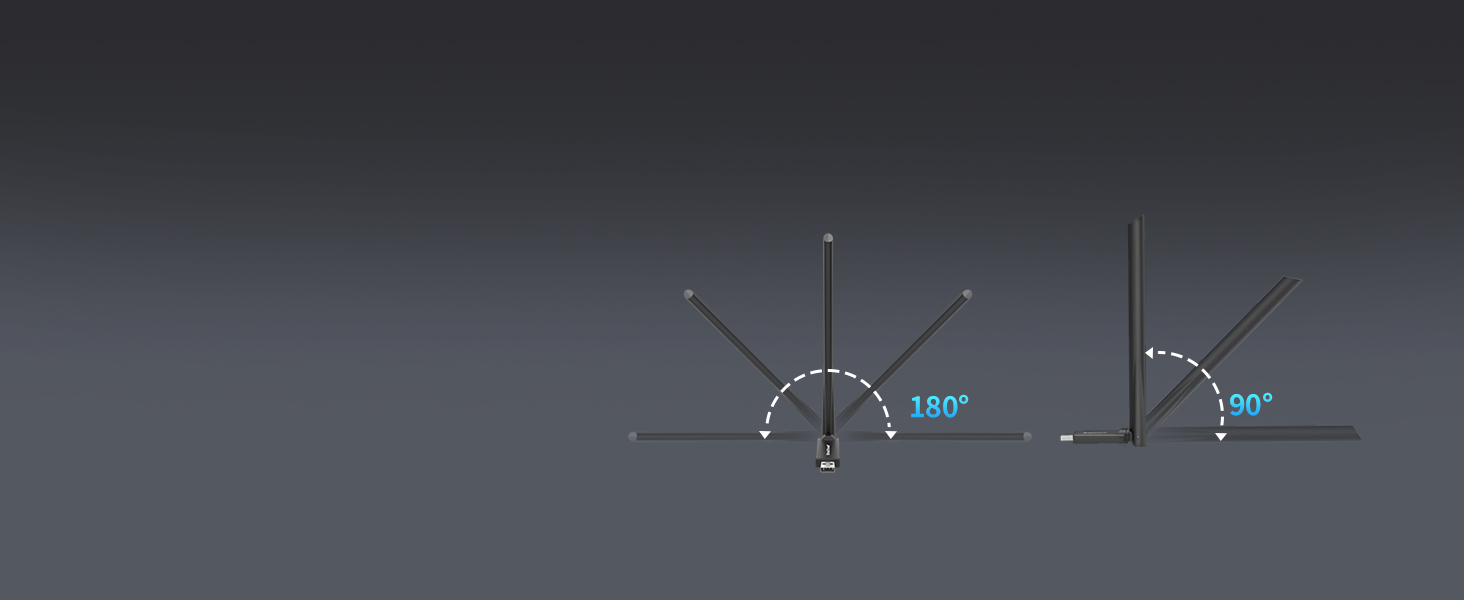
Figure 5: Adjustable Antenna for Enhanced Signal
3.5. Setup Videos
Video 1: Introducing AX900 WiFi 6 USB Adapter. This video provides an overview ഉൽപ്പന്നത്തിന്റെ സവിശേഷതകളും ഗുണങ്ങളും.
Video 2: AX900 WiFi 6 USB Adapter Setup Guide. This video demonstrates the step-by-step installation process.
4. പ്രവർത്തന നിർദ്ദേശങ്ങൾ
The BrosTrend AX900 adapter provides a seamless wireless experience with its advanced features.
4.1. Dual-Band Flexibility
The adapter operates on both 5GHz and 2.4GHz bands. The 5GHz band offers higher speeds (up to 600Mbps) and is ideal for bandwidth-intensive tasks like streaming 4K video and online gaming. The 2.4GHz band provides a wider range and is suitable for general internet browsing and everyday tasks (up to 286Mbps).

Figure 6: Dual-Band Speed Capabilities
4.2. Enhanced Performance with WiFi 6 Technologies
The AX900 utilizes advanced WiFi 6 (802.11ax) technologies to deliver a superior wireless experience:
- OFDMA (ഓർത്തോഗണൽ ഫ്രീക്വൻസി ഡിവിഷൻ മൾട്ടിപ്പിൾ ആക്സസ്): Allows multiple devices to share a single channel, improving efficiency and reducing latency in busy networks.
- MU-MIMO (മൾട്ടി-യൂസർ, മൾട്ടിപ്പിൾ-ഇൻപുട്ട്, മൾട്ടിപ്പിൾ-ഔട്ട്പുട്ട്): Enables the router to communicate with multiple devices simultaneously, increasing network capacity and speed.
- 1024-QAM (ക്വാഡ്രേച്ചർ Ampലിറ്റ്യൂഡ് മോഡുലേഷൻ): Packs more data into each signal, leading to higher theoretical speeds.
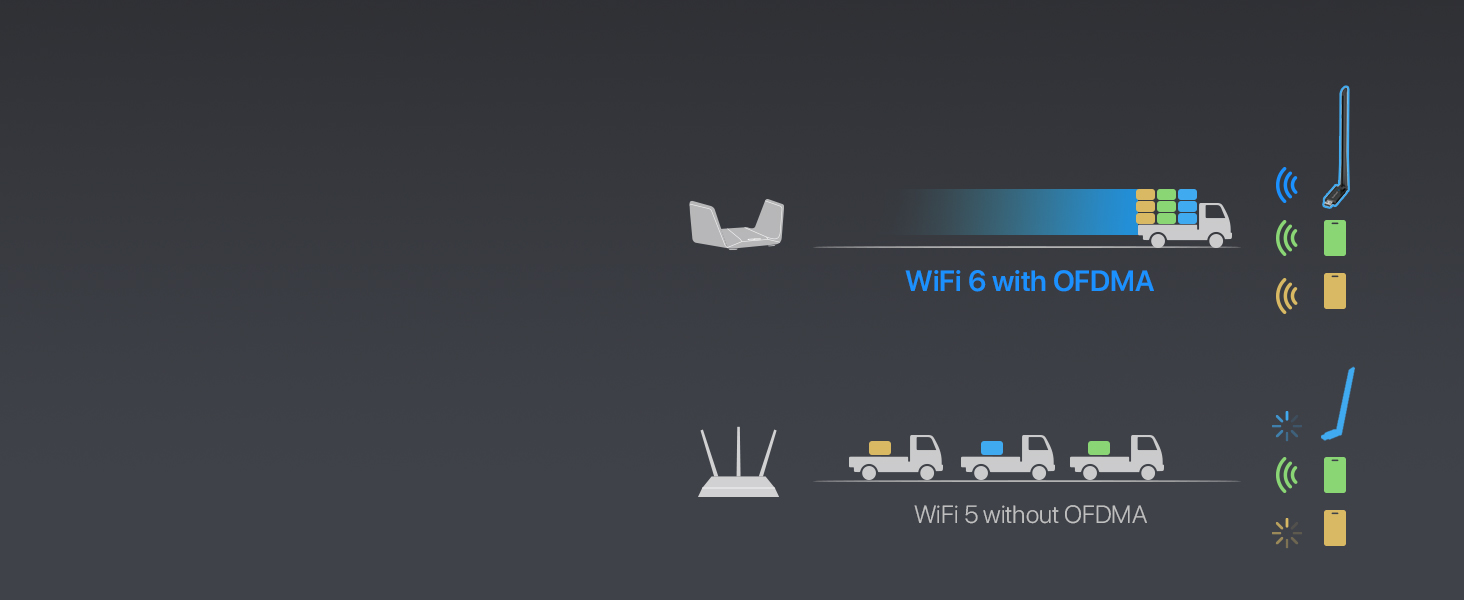
Figure 7: OFDMA for Simultaneous Data Transfer
4.3. Secure WiFi Connection
The adapter supports WPA2 encryption, ensuring your wireless connection is secure and protected from unauthorized access.

Figure 8: WPA2 Encryption Support
5. പരിപാലനം
നിങ്ങളുടെ BrosTrend AX900 USB WiFi 6 അഡാപ്റ്ററിന്റെ ദീർഘായുസ്സും ഒപ്റ്റിമൽ പ്രകടനവും ഉറപ്പാക്കാൻ, ഇനിപ്പറയുന്ന അറ്റകുറ്റപ്പണി നുറുങ്ങുകൾ പരിഗണിക്കുക:
- ഡ്രൈവറുകൾ അപ്ഡേറ്റ് ചെയ്യുക: ബ്രോസ്ട്രെൻഡ് ഉദ്യോഗസ്ഥനെ ഇടയ്ക്കിടെ പരിശോധിക്കുക website for the latest driver updates to ensure compatibility and performance improvements.
- ശരിയായ സ്ഥാനം: Avoid placing the adapter in enclosed spaces or near obstructions that could block the signal or cause overheating.
- സൌമ്യമായി വൃത്തിയാക്കുക: If necessary, gently clean the adapter with a soft, dry cloth. Avoid using liquid cleaners or abrasive materials.
- നാശത്തിൽ നിന്ന് സംരക്ഷിക്കുക: Handle the adapter with care to prevent physical damage to the USB connector or antenna.
6. പ്രശ്നപരിഹാരം
If you encounter issues with your BrosTrend AX900 adapter, refer to the following common problems and solutions:
- വൈഫൈ കണക്ഷൻ ഇല്ല:
- അഡാപ്റ്റർ ഒരു യുഎസ്ബി പോർട്ടിലേക്ക് സുരക്ഷിതമായി പ്ലഗ് ചെയ്തിട്ടുണ്ടെന്ന് ഉറപ്പാക്കുക.
- Verify that the driver was installed correctly and your computer was restarted.
- Check if your WiFi network is visible and you are entering the correct password.
- Slow Connection Speeds:
- Ensure your router supports WiFi 6 (802.11ax) for peak performance.
- Adjust the adapter's antenna towards your router to improve signal strength.
- Minimize interference from other electronic devices or physical obstructions.
- Try connecting to the 5GHz band for higher speeds if your router supports it.
- ഇടവിട്ടുള്ള കണക്ഷൻ:
- Check for potential sources of interference (e.g., microwaves, cordless phones).
- Ensure the adapter's drivers are up to date.
- നിങ്ങളുടെ കമ്പ്യൂട്ടറിൽ മറ്റൊരു USB പോർട്ട് പരീക്ഷിക്കുക.
7 സ്പെസിഫിക്കേഷനുകൾ
| ഫീച്ചർ | വിവരണം |
|---|---|
| ബ്രാൻഡ് | BrosTrend |
| മോഡൽ നമ്പർ | AX900 (3312821011) |
| ഹാർഡ്വെയർ ഇന്റർഫേസ് | USB 2.0 (USB 3.0 ന് അനുയോജ്യം) |
| നിറം | കറുപ്പ് |
| അനുയോജ്യമായ ഉപകരണങ്ങൾ | പിസി, കമ്പ്യൂട്ടർ, ഡെസ്ക്ടോപ്പ്, ലാപ്ടോപ്പ് |
| ഉൽപ്പന്ന അളവുകൾ (L x W x H) | 2.99" x 0.83" x 8.15" |
| ഡാറ്റ ലിങ്ക് പ്രോട്ടോക്കോൾ | IEEE802.11ax/ac/n/a 5 GHz, IEEE802.11ax/b/g/n 2.4GHz |
| ഡാറ്റ കൈമാറ്റ നിരക്ക് | Up to 900 Megabits Per Second (600Mbps on 5GHz, 286Mbps on 2.4GHz) |
| ഇനത്തിൻ്റെ ഭാരം | 25.7 ഗ്രാം |
| അനുയോജ്യമായ ഓപ്പറേറ്റിംഗ് സിസ്റ്റം കുടുംബം | വിൻഡോസ് (11/10/7) |
8. വാറൻ്റി വിവരങ്ങൾ
BrosTrend offers a one-time replacement for accidental damage within one year of purchase for your AX900 WiFi 6 USB adapter. You can also register for a 2-Year Warranty to extend your coverage.
For more details on warranty terms and registration, please visit the official BrosTrend webസൈറ്റ്.
9. ഉപഭോക്തൃ പിന്തുണ
If you require any assistance or have questions regarding your BrosTrend AX900 USB WiFi 6 Adapter, please do not hesitate to contact our support team.
ഇമെയിൽ പിന്തുണ: Please send an email to our support email address (not provided in data). We aim to reply to all inquiries within 24 hours.
For additional resources and FAQs, visit the official BrosTrend webസൈറ്റ്.