
cellularline PBULTRON10000D
Cellularline Ultron 10000 Portable Power Bank User Manual
Model: PBULTRON10000D
1. ആമുഖം
The Cellularline Ultron 10000 is a versatile and powerful portable power bank designed to keep your devices charged on the go. Featuring a 10000mAh capacity, multiple fast-charging ports, and an intuitive LCD display with additional functions, it is an ideal companion for smartphones, tablets, and other compatible electronics. This manual provides detailed instructions for safe and efficient use of your Ultron 10000 power bank.

Image: The Cellularline Ultron 10000 Power Bank, showcasing its compact design and LCD display.
2 പ്രധാന സവിശേഷതകൾ
- ശേഷി: 10000mAh for extended power.
- ഔട്ട്പുട്ട്: Max 30W Power Delivery (PD).
- തുറമുഖങ്ങൾ: Two USB-C ports (30W each) and one USB-A port (22.5W).
- LCD ഡിസ്പ്ലേ: Real-time charge input/output, battery percentage, remaining hours, alarm, stopwatch, countdown, and thermometer.
- അനുയോജ്യത: Universal compatibility with various smartphones and tablets.
- ഡിസൈൻ: Ultra-compact and portable for easy carrying.

Image: The Ultron 10000 power bank highlighting its three charging ports (2x USB-C, 1x USB-A) and their respective power outputs for fast charging efficiency.

Image: The Ultron 10000 power bank with text indicating its 10000 mAh capacity and providing up to 72 extra hours of battery life.

Image: A close-up of the Ultron 10000's smart LCD display, showing various functions like remaining battery percentage, input/output charge, remaining battery hours, stopwatch, countdown, alarm, and indoor thermometer.
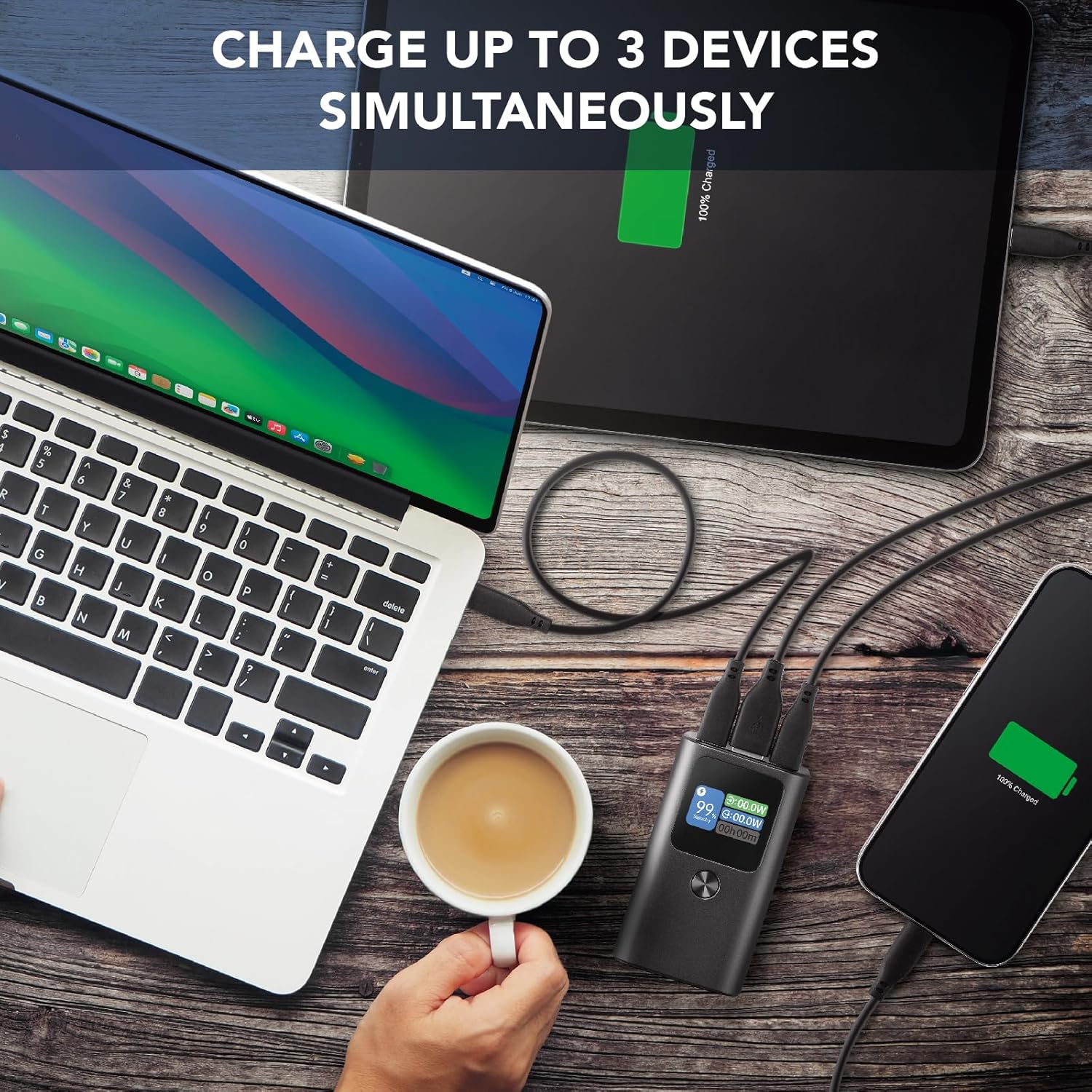
Image: The Ultron 10000 power bank charging a laptop, tablet, and smartphone simultaneously, demonstrating its multi-device charging capability.

Image: The Ultron 10000 power bank surrounded by various smartphones and tablets, illustrating its high compatibility with different devices.

Image: A person holding the Ultron 10000 power bank while using a smartphone, emphasizing its ultra-compact and portable design for on-the-go use.
3. പാക്കേജ് ഉള്ളടക്കം
പാക്കേജിൽ എല്ലാ ഇനങ്ങളും ഉണ്ടെന്ന് ഉറപ്പാക്കുക:
- Cellularline Ultron 10000 Portable Power Bank
- യുഎസ്ബി-സി മുതൽ യുഎസ്ബി-സി വരെ ചാർജിംഗ് കേബിൾ
- ഇൻസ്ട്രക്ഷൻ മാനുവൽ
4. സജ്ജീകരണ ഗൈഡ്
4.1 പ്രാരംഭ ചാർജ്
- Before first use, fully charge the Ultron 10000 power bank.
- നൽകിയിരിക്കുന്ന USB-C മുതൽ USB-C വരെ കേബിൾ പവർ ബാങ്കിലെ USB-C ഇൻപുട്ട്/ഔട്ട്പുട്ട് പോർട്ടുകളിൽ ഒന്നിലേക്ക് ബന്ധിപ്പിക്കുക.
- കേബിളിന്റെ മറ്റേ അറ്റം അനുയോജ്യമായ ഒരു USB-C വാൾ ചാർജറുമായി ബന്ധിപ്പിക്കുക (ഉൾപ്പെടുത്തിയിട്ടില്ല).
- The LCD display will show the charging status and battery percentage. Charging is complete when the display shows 100%.
4.2 ഉപകരണങ്ങൾ ബന്ധിപ്പിക്കുന്നു
- To charge a device, connect your device's charging cable to the appropriate port (USB-C or USB-A) on the Ultron 10000.
- കേബിളിന്റെ മറ്റേ അറ്റം നിങ്ങളുടെ ഉപകരണവുമായി ബന്ധിപ്പിക്കുക.
- The power bank will automatically begin charging your device. The LCD display will show the output wattage.
5. പ്രവർത്തന നിർദ്ദേശങ്ങൾ
5.1 ബാറ്ററി നില പരിശോധിക്കുന്നു
The LCD display on the Ultron 10000 shows the current battery percentage. Briefly press the power button to activate the display and view ബാറ്ററി നില.
5.2 Using Display Functions
The LCD display offers several additional functions:
- Real-time Input/Output: Shows the power (in Watts) being drawn by the power bank during charging (input) or delivered to a device (output).
- Remaining Battery Hours: Estimates the remaining operational time based on current usage.
- അലാറം: Set a custom alarm time.
- സ്റ്റോപ്പ് വാച്ച്: Use as a standard stopwatch.
- കൗണ്ട്ഡൗൺ: ഒരു കൗണ്ട്ഡൗൺ ടൈമർ സജ്ജീകരിക്കുക.
- തെർമോമീറ്റർ: ആംബിയന്റ് താപനില പ്രദർശിപ്പിക്കുന്നു.
Navigate through these functions using the power button or dedicated function button (if present) as indicated on the device or quick start guide.
5.3 ഒന്നിലധികം ഉപകരണങ്ങൾ ചാർജ് ചെയ്യുന്നു
The Ultron 10000 can charge up to three devices simultaneously using its two USB-C ports and one USB-A port. The power bank will intelligently distribute power to connected devices.
6. പരിചരണവും പരിപാലനവും
- പവർ ബാങ്ക് വെള്ളം, ഈർപ്പം, കടുത്ത താപനില എന്നിവയിൽ നിന്ന് അകറ്റി നിർത്തുക.
- ശക്തമായ ആഘാതങ്ങൾക്ക് പവർബാങ്ക് വീഴ്ത്തുകയോ വിധേയമാക്കുകയോ ചെയ്യരുത്.
- മൃദുവായതും ഉണങ്ങിയതുമായ തുണി ഉപയോഗിച്ച് പവർ ബാങ്ക് വൃത്തിയാക്കുക. കഠിനമായ രാസവസ്തുക്കളോ ഉരച്ചിലുകളോ ഉള്ള വസ്തുക്കൾ ഉപയോഗിക്കരുത്.
- ഉപയോഗത്തിലില്ലാത്തപ്പോൾ തണുത്തതും വരണ്ടതുമായ സ്ഥലത്ത് പവർ ബാങ്ക് സൂക്ഷിക്കുക. ദീർഘകാല സംഭരണത്തിനായി, ബാറ്ററിയുടെ ആരോഗ്യം സംരക്ഷിക്കുന്നതിന് ഓരോ മൂന്ന് മാസത്തിലും ഏകദേശം 50% ചാർജ് ചെയ്യുക.
- Do not attempt to disassemble or repair the power bank yourself. This will void the warranty and may cause damage or injury.
7. പ്രശ്നപരിഹാരം
| പ്രശ്നം | സാധ്യമായ കാരണം | പരിഹാരം |
|---|---|---|
| പവർ ബാങ്ക് ചാർജ് ചെയ്യുന്നില്ല | Cable or charger issue; power bank fully charged; faulty port. | Try a different cable or wall charger. Ensure the power bank is not already at 100%. Try a different input port. |
| പവർ ബാങ്കിൽ നിന്ന് ഉപകരണം ചാർജ് ചെയ്യുന്നില്ല | Cable issue; device fully charged; power bank depleted; incompatible device. | Ensure the power bank is charged. Try a different charging cable. Verify device compatibility. |
| LCD ഡിസ്പ്ലേ പ്രവർത്തിക്കുന്നില്ല | Power bank off; low battery; malfunction. | Press the power button to activate. Charge the power bank. If the issue persists, contact customer support. |
| സ്ലോ ചാർജിംഗ് | Cable quality; device input limit; multiple devices connected. | Use a high-quality cable. Ensure your device supports fast charging. Charging multiple devices may reduce individual charging speeds. |
8 സാങ്കേതിക സവിശേഷതകൾ
| ഫീച്ചർ | വിശദാംശങ്ങൾ |
|---|---|
| ബ്രാൻഡ് | സെല്ലുലാർലൈൻ |
| മോഡൽ | PBULTRON10000D |
| ശേഷി | 10000 മില്ലിampഎറോറ (എംഎഎച്ച്) |
| പരമാവധി ഔട്ട്പുട്ട് | 30W PD |
| USB-C പോർട്ടുകൾ | 2 (30W each) |
| USB-A പോർട്ട് | 1 (22.5W) |
| അനുയോജ്യമായ ഉപകരണങ്ങൾ | സ്മാർട്ട്ഫോണുകൾ |
| ബാറ്ററി സെൽ കോമ്പോസിഷൻ | ലിഥിയം അയോൺ |
| അളവുകൾ | 17.5 x 11 x 4.3 സെ.മീ |
| ഭാരം | 30 ഗ്രാം |
| നിറം | കറുപ്പ് |
9. വാറൻ്റിയും പിന്തുണയും
Cellularline products are manufactured to the highest quality standards. This product is covered by a standard manufacturer's warranty against defects in materials and workmanship from the date of purchase. Please refer to the warranty card included in your package for specific terms and conditions.
For technical support, troubleshooting assistance, or warranty claims, please contact Cellularline customer service through their official webനിങ്ങളുടെ ഉൽപ്പന്ന പാക്കേജിംഗിൽ നൽകിയിരിക്കുന്ന വെബ്സൈറ്റ് അല്ലെങ്കിൽ കോൺടാക്റ്റ് വിവരങ്ങൾ. വാറന്റി സാധൂകരണത്തിനായി നിങ്ങളുടെ വാങ്ങിയതിന്റെ തെളിവ് സൂക്ഷിക്കുക.
Ask a question about this manual
Ask about setup, troubleshooting, compatibility, parts, safety, or missing instructions. Manuals+ will review the question and use this page’s manual context to help answer it.