
എസ് 190
X10 Bone Conduction Swimming Headphones User Manual
മോഡൽ: S190 | ബ്രാൻഡ്: ജനറിക്
ആമുഖം
Welcome to the user manual for your new X10 Bone Conduction Swimming Headphones. These headphones are designed for active lifestyles, offering wireless audio with bone conduction technology, 32GB internal memory, and a digital display. They are waterproof and sweatproof, making them suitable for various activities including swimming, running, and gym workouts. This manual provides essential information on setup, operation, maintenance, and troubleshooting to ensure optimal performance and longevity of your device.
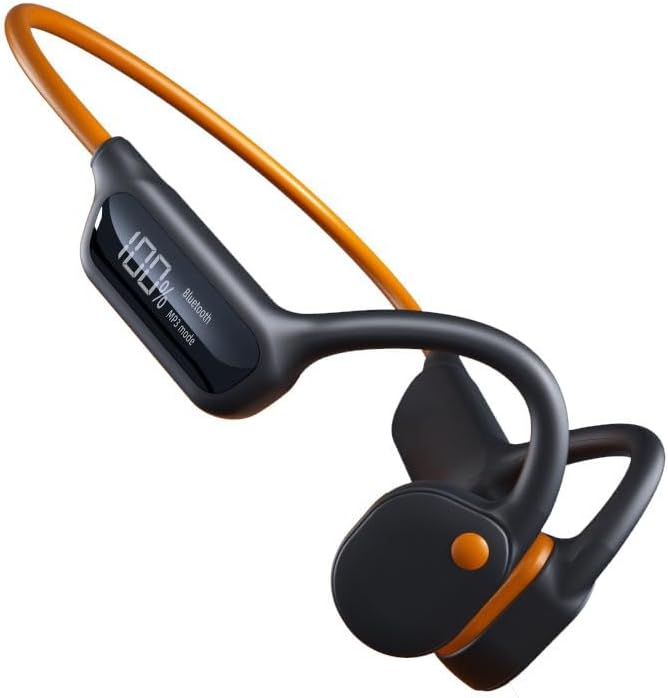
Image: The X10 Bone Conduction Swimming Headphones, featuring a black body with an orange neckband and ear hooks, showcasing the digital display.
ഉൽപ്പന്ന സവിശേഷതകൾ
- അസ്ഥി ചാലക സാങ്കേതികവിദ്യ: Delivers sound directly to your inner ear, keeping your ears open to ambient sounds.
- 32GB ഇന്റേണൽ മെമ്മറി: Store thousands of songs directly on the device for offline playback.
- ഡിജിറ്റൽ ഡിസ്പ്ലേ: Provides real-time information on battery level, playback mode (Bluetooth/MP3), and track details.
- IPX8 വാട്ടർപ്രൂഫ് റേറ്റിംഗ്: Designed to withstand submersion, making them ideal for swimming.
- ബ്ലൂടൂത്ത് 5.3 കണക്റ്റിവിറ്റി: Ensures stable and fast wireless connection to compatible devices.
- നീണ്ട ബാറ്ററി ലൈഫ്: 8 മണിക്കൂർ വരെ തുടർച്ചയായി സംഗീതം പ്ലേബാക്ക്.
- ടച്ച് നിയന്ത്രണങ്ങൾ: Intuitive controls for managing music and calls.

Image: The X10 headphones partially submerged in water, with text overlays indicating "Super waterproof," "Three modes," "32GB RAM," and "It doesn't hurt to wear for a long time."
സജ്ജമാക്കുക
1. ഹെഡ്ഫോണുകൾ ചാർജ് ചെയ്യുന്നു
Before first use, fully charge your X10 headphones. A full charge takes approximately 2 മണിക്കൂർ.
- ഹെഡ്ഫോണുകളിലെ ചാർജിംഗ് പോർട്ടിലേക്ക് ചാർജിംഗ് കേബിൾ ബന്ധിപ്പിക്കുക.
- കേബിളിന്റെ മറ്റേ അറ്റം ഒരു USB പവർ അഡാപ്റ്ററുമായി (ഉൾപ്പെടുത്തിയിട്ടില്ല) അല്ലെങ്കിൽ ഒരു കമ്പ്യൂട്ടറിന്റെ USB പോർട്ടുമായി ബന്ധിപ്പിക്കുക.
- The digital display will show the charging progress. Once fully charged, the display will indicate 100%.
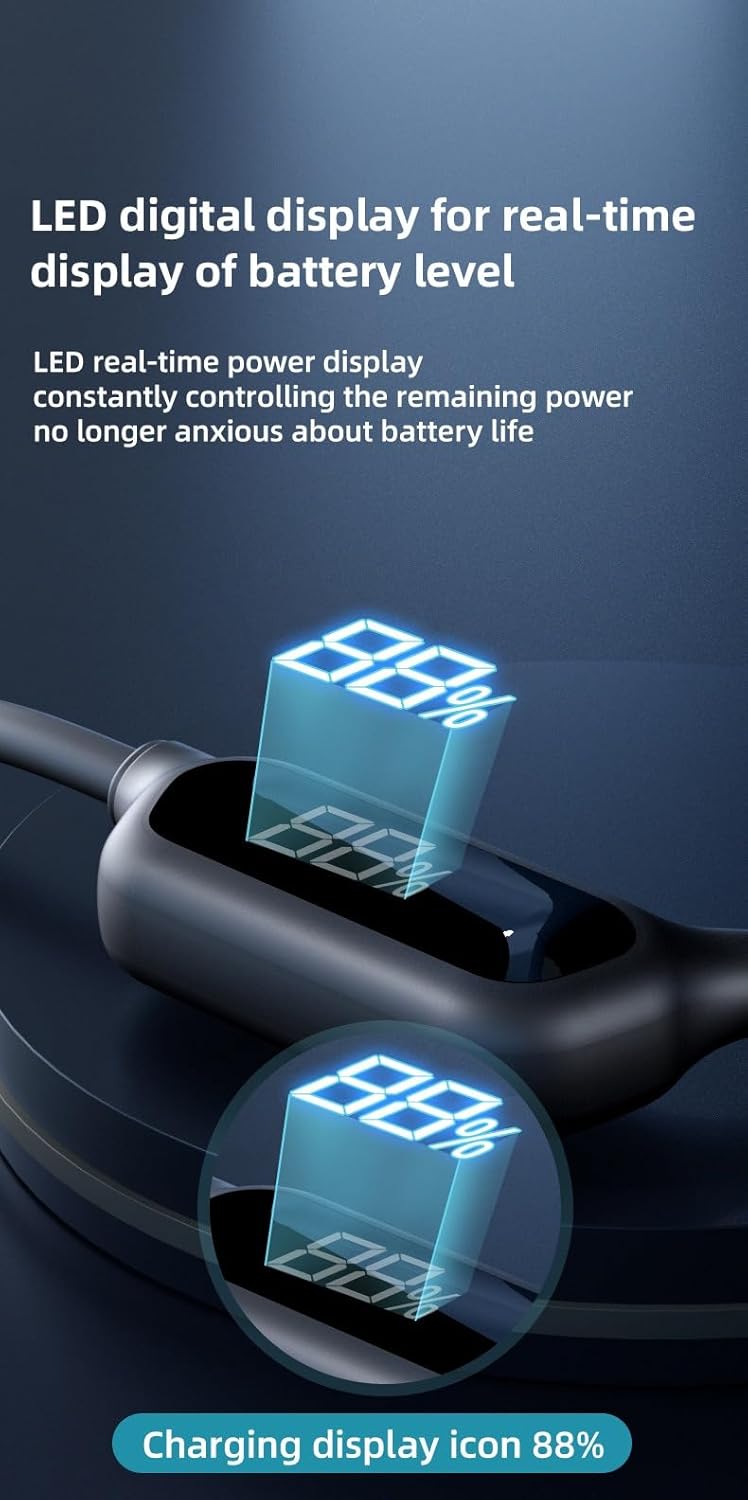
Image: A close-up of the headphone's LED digital display, showing a battery percentage (e.g., 88%) and indicating charging status.
2. ബ്ലൂടൂത്ത് ജോടിയാക്കൽ
നിങ്ങളുടെ ഹെഡ്ഫോണുകൾ ബ്ലൂടൂത്ത് പ്രവർത്തനക്ഷമമാക്കിയ ഉപകരണവുമായി ബന്ധിപ്പിക്കാൻ:
- ഹെഡ്ഫോണുകൾ ഓഫാണെന്ന് ഉറപ്പാക്കുക.
- Press and hold the power button until the digital display shows "Bluetooth" and the indicator light flashes, indicating pairing mode.
- നിങ്ങളുടെ ഉപകരണത്തിൽ (സ്മാർട്ട്ഫോൺ, ടാബ്ലെറ്റ്, ലാപ്ടോപ്പ്), ബ്ലൂടൂത്ത് ക്രമീകരണങ്ങളിലേക്ക് പോയി ബ്ലൂടൂത്ത് ഓണാക്കുക.
- ഇതിനായി തിരയുക available devices and select "X10 Headphones" (or similar name) from the list.
- Once connected, the display will show "Bluetooth" steadily, and you will hear a confirmation tone.

Image: An internal diagram of the X10 headphones highlighting the Bluetooth 5.3 chip and 32GB memory, emphasizing fast and stable connectivity.
3. Loading Music to Internal Memory (MP3 Mode)
The X10 headphones feature 32GB of built-in memory for storing music directly.
- Connect the headphones to your computer using the provided USB cable.
- നിങ്ങളുടെ കമ്പ്യൂട്ടറിൽ നീക്കം ചെയ്യാവുന്ന ഡിസ്ക് ഡ്രൈവായി ഹെഡ്ഫോണുകൾ ദൃശ്യമാകും.
- നിങ്ങൾക്ക് ആവശ്യമുള്ള ഓഡിയോ വലിച്ചിടുക files (e.g., MP3, WAV) into the headphone's storage folder.
- Safely eject the device from your computer before disconnecting the cable.
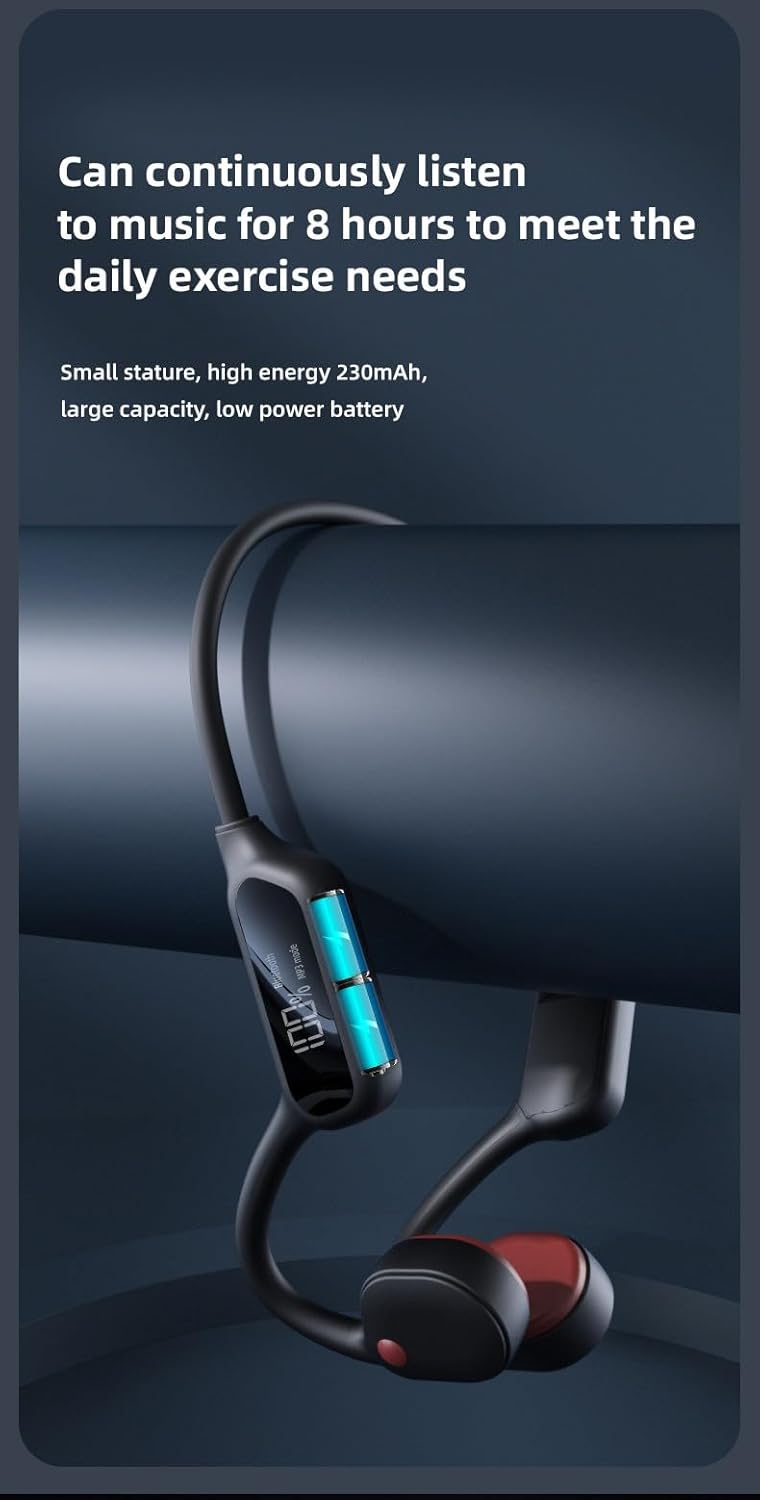
Image: A visual representation of the X10 headphones emphasizing the 32GB built-in memory, capable of storing thousands of songs.
പ്രവർത്തന നിർദ്ദേശങ്ങൾ
നിയന്ത്രിക്കുന്നുview
The X10 headphones feature intuitive physical buttons for easy control.
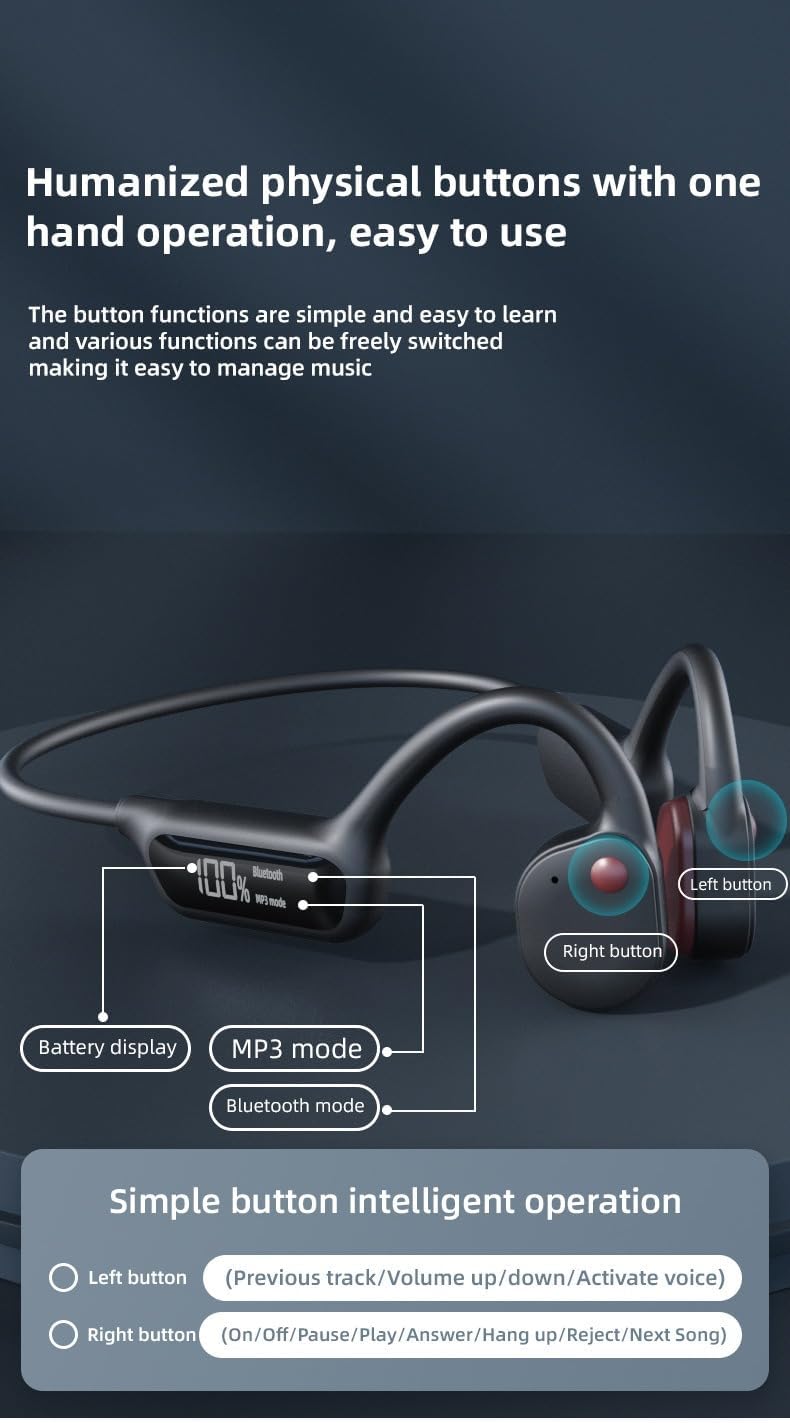
Image: A diagram illustrating the location of the left and right buttons on the X10 headphones, along with the digital display showing battery, Bluetooth, and MP3 modes.
| ബട്ടൺ | ഫംഗ്ഷൻ |
|---|---|
| ഇടത് ബട്ടൺ | Previous track / Volume up/down / Activate voice assistant |
| വലത് ബട്ടൺ | Power On/Off / Pause/Play / Answer/Hang up call / Reject call / Next Song |
Switching Modes (Bluetooth / MP3)
The headphones support both Bluetooth streaming and internal MP3 playback. Use the appropriate button (refer to the control diagram) to switch between "Bluetooth" and "MP3 Mode" as indicated on the digital display.

Image: A close-up of the headphone's "AI Smart Screen" digital display, showing battery percentage, Bluetooth icon, and MP3 mode indicator.
വാട്ടർപ്രൂഫ് ഉപയോഗം
With an IPX8 waterproof rating, these headphones are designed for use in water, including swimming. Ensure all ports are securely closed before submersion.

Image: A man wearing the X10 headphones while swimming, demonstrating their waterproof capability. The text "Take it for a swim No problem! IPX8 waterproof design can be worn for swimming" is overlaid.
മെയിൻ്റനൻസ്
വൃത്തിയാക്കൽ
- After use, especially after swimming or intense workouts, rinse the headphones with clean fresh water.
- മൃദുവായതും വൃത്തിയുള്ളതുമായ ഒരു തുണി ഉപയോഗിച്ച് അവ തുടച്ചു ഉണക്കുക.
- ഉരച്ചിലുകളുള്ള ക്ലീനറുകളോ ലായകങ്ങളോ ഉപയോഗിക്കരുത്.
സംഭരണം
- നേരിട്ടുള്ള സൂര്യപ്രകാശത്തിൽ നിന്നും കടുത്ത താപനിലയിൽ നിന്നും മാറി തണുത്തതും വരണ്ടതുമായ സ്ഥലത്ത് ഹെഡ്ഫോണുകൾ സൂക്ഷിക്കുക.
- Avoid storing them in humid environments.
ബാറ്ററി കെയർ
- ബാറ്ററി ലൈഫ് വർദ്ധിപ്പിക്കാൻ, ഹെഡ്ഫോണുകൾ ഇടയ്ക്കിടെ പൂർണ്ണമായും ഡിസ്ചാർജ് ചെയ്യുന്നത് ഒഴിവാക്കുക.
- Charge the headphones regularly, even if not in use for extended periods.
- The headphones provide up to 8 hours of continuous music playback on a full charge.

Image: The X10 headphones displayed next to a large battery icon, indicating "Can continuously listen to music for 8 hours to meet the daily exercise needs."
ട്രബിൾഷൂട്ടിംഗ്
| പ്രശ്നം | സാധ്യമായ കാരണം | പരിഹാരം |
|---|---|---|
| ശക്തിയില്ല | ബാറ്ററി തീർന്നു. | ഹെഡ്ഫോണുകൾ പൂർണ്ണമായും ചാർജ് ചെയ്യുക. |
| ബ്ലൂടൂത്ത് വഴി ജോടിയാക്കാൻ കഴിയില്ല | ഹെഡ്ഫോണുകൾ ജോടിയാക്കൽ മോഡിൽ ഇല്ല; ഉപകരണം ബ്ലൂടൂത്ത് ഓഫാണ്; ഉപകരണത്തിൽ നിന്ന് വളരെ അകലെയാണ്. | Ensure headphones are in pairing mode; turn on device Bluetooth; keep devices within 10 meters; try restarting both devices. |
| ഹെഡ്ഫോണുകളിൽ നിന്ന് ശബ്ദമില്ല | Volume too low; incorrect mode selected (Bluetooth/MP3); audio file ഇഷ്യൂ. | Increase volume; switch to correct mode; check audio file സമഗ്രത. |
| കൈമാറാൻ കഴിയില്ല files to 32GB memory | Headphones not connected properly to computer; driver issue. | Ensure USB cable is securely connected; try a different USB port or computer; ensure headphones are recognized as a removable disk. |
സ്പെസിഫിക്കേഷനുകൾ
| ഫീച്ചർ | വിശദാംശങ്ങൾ |
|---|---|
| മോഡലിൻ്റെ പേര് | എസ് 190 |
| കണക്റ്റിവിറ്റി ടെക്നോളജി | ബ്ലൂടൂത്ത് 5.3 |
| ആന്തരിക മെമ്മറി | 32 ജിബി |
| ജല പ്രതിരോധ നില | IPX8 വാട്ടർപ്രൂഫ് |
| ചാർജിംഗ് സമയം | ഏകദേശം 2 മണിക്കൂർ |
| തുടർച്ചയായ പ്ലേബാക്ക് സമയം | 8 മണിക്കൂർ വരെ |
| നിയന്ത്രണ തരം | Touch Control / Physical Buttons |
| മെറ്റീരിയൽ | പ്ലാസ്റ്റിക് |
| ചെവി പ്ലേസ്മെൻ്റ് | In Ear (Bone Conduction) |
| ശുപാർശ ചെയ്യുന്ന ഉപയോഗങ്ങൾ | Sports (Swimming, Running) |
| നിർമ്മാതാവ് | Guangzhou Changhong Huixin Technology Co., Ltd. |
ബോക്സിൽ എന്താണുള്ളത്
- X10 ബോൺ കണ്ടക്ഷൻ സ്വിമ്മിംഗ് ഹെഡ്ഫോണുകൾ
- യുഎസ്ബി ചാർജിംഗ് കേബിൾ
- ഉപയോക്തൃ മാനുവൽ (ഈ പ്രമാണം)
വാറൻ്റിയും പിന്തുണയും
This product comes with a standard manufacturer's warranty. For specific warranty details, please refer to the product packaging or contact your retailer. For technical support or further assistance, please contact the manufacturer or your point of purchase.
വാറൻ്റി ക്ലെയിമുകൾക്കായി നിങ്ങളുടെ വാങ്ങിയതിൻ്റെ തെളിവ് സൂക്ഷിക്കുക.
Ask a question about this manual
Ask about setup, troubleshooting, compatibility, parts, safety, or missing instructions. Manuals+ will review the question and use this page’s manual context to help answer it.