
EAZYRC FMS FCX10 1/10 RC Crawler LC80 PRO V2 Instruction Manual
Model: FCX10 LC80 PRO V2
ബ്രാൻഡ്: EAZYRC
1. ആമുഖം
This manual provides essential information for the safe and efficient operation, maintenance, and troubleshooting of your EAZYRC FMS FCX10 1/10 RC Crawler LC80 PRO V2. Please read this manual thoroughly before operating the vehicle to ensure optimal performance and longevity.
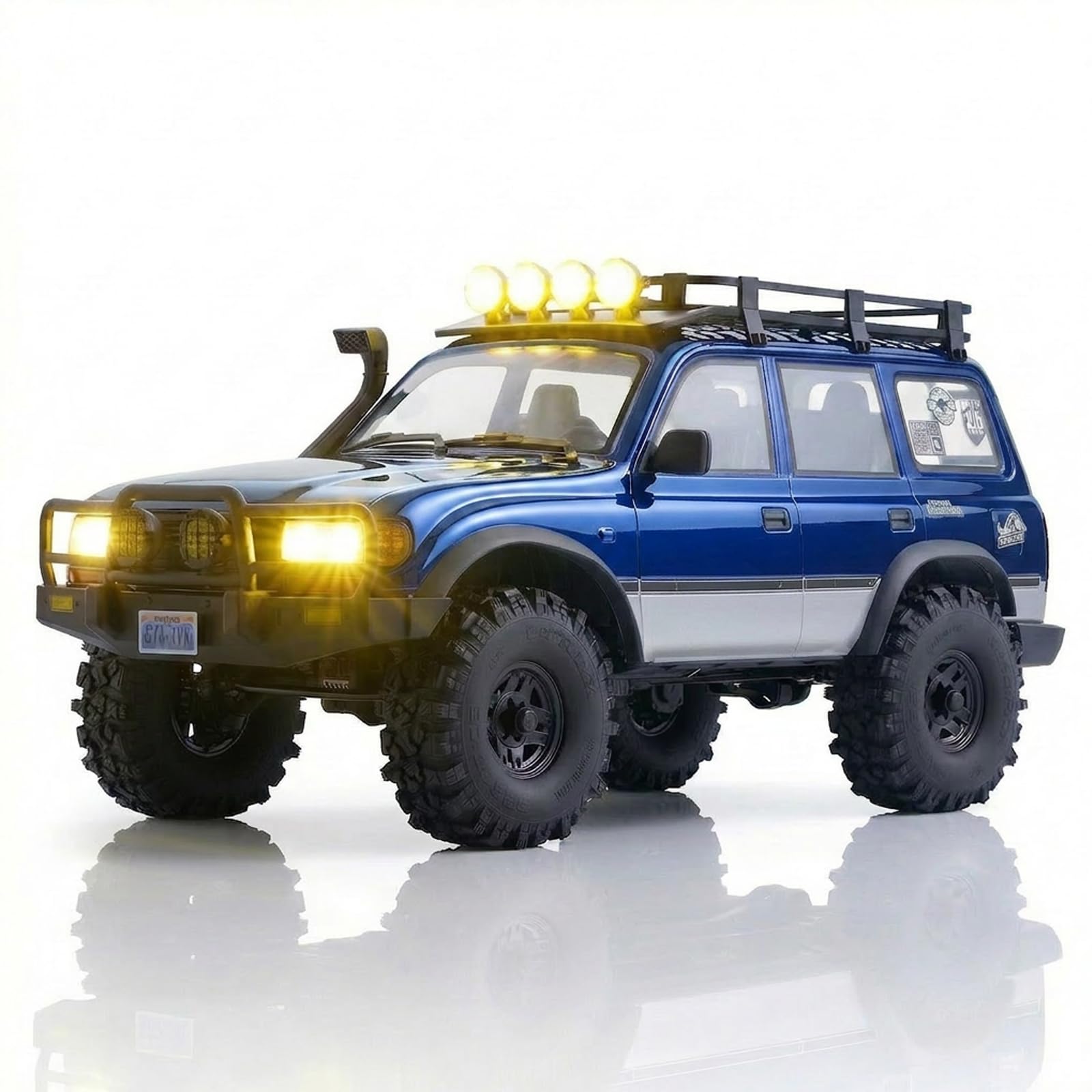
Image: The EAZYRC FMS FCX10 LC80 PRO V2 RC Crawler in blue, showcasing its detailed exterior and off-road capabilities.
2 സുരക്ഷാ വിവരങ്ങൾ
Always operate the RC crawler in a safe and responsible manner. Failure to do so may result in injury or damage to the product or property. Observe the following safety guidelines:
- ചലിക്കുന്ന ഭാഗങ്ങളിൽ നിന്ന് കൈകൾ, മുടി, അയഞ്ഞ വസ്ത്രങ്ങൾ എന്നിവ സൂക്ഷിക്കുക.
- ആളുകൾ, വളർത്തുമൃഗങ്ങൾ, തടസ്സങ്ങൾ എന്നിവയ്ക്ക് സമീപം പ്രവർത്തിക്കരുത്.
- Avoid operating in wet conditions unless specifically designed for it (this model features a waterproof motor).
- Ensure batteries are charged correctly and handled safely.
- 16 വയസ്സിന് താഴെയുള്ള ഉപയോക്താക്കൾക്ക് മുതിർന്നവരുടെ മേൽനോട്ടം ശുപാർശ ചെയ്യുന്നു.
3. സജ്ജീകരണം
3.1 അൺബോക്സിംഗും പരിശോധനയും
Carefully remove all components from the packaging. Verify that all items listed in the "What's in the Box" section are present. Inspect the vehicle for any visible damage from shipping.
3.2 ബാറ്ററി ഇൻസ്റ്റാളേഷനും ചാർജിംഗും
The EAZYRC FMS FCX10 LC80 PRO V2 requires Lithium-Ion Polymer batteries. While batteries are required, they are not included with the product. Ensure you use a compatible charger for LiPo batteries.
- Locate the battery compartment on the vehicle.
- Connect the battery to the vehicle's power connector.
- Secure the battery within the compartment to prevent movement during operation.
- Charge the battery fully before first use according to your charger's instructions.
3.3 വിദൂര നിയന്ത്രണ സജ്ജീകരണം
The vehicle comes with a remote control. Ensure the remote control batteries are installed (not included). Power on the remote control first, then the vehicle. Follow the binding instructions in the remote control's manual if the vehicle does not respond.
Video: This video demonstrates the FMS FCX10P LC80Pro V2 in action, showcasing its features and handling. It highlights the vehicle's performance and design.
4. പ്രവർത്തിക്കുന്നു
4.1 അടിസ്ഥാന നിയന്ത്രണങ്ങൾ
- ത്രോട്ടിൽ: Controls forward and reverse movement. Gently increase throttle for smooth acceleration.
- സ്റ്റിയറിംഗ്: Controls left and right turns. Use precise movements for optimal control, especially in challenging terrain.
4.2 ഡ്രൈവിംഗ് ടിപ്പുകൾ
The FCX10 LC80 PRO V2 is designed for high-performance off-road crawling. Its metal chassis and portal axle structure provide excellent ground clearance and durability.
- രണ്ട് സ്പീഡ് ട്രാൻസ്മിഷൻ: Utilize the two-speed transmission for different terrains. Low gear provides maximum torque for crawling, while high gear offers faster speeds on flatter surfaces.
- ഡിഫറൻഷ്യൽ ലോക്കുകൾ: The front and rear differential locks enhance traction and stability on slippery or uneven terrains. Engage them for maximum grip when needed.
- Realistic LED Lighting: The vehicle features functioning LED headlights, turn signals, roof lights, and reverse lights. These lights improve visibility and add to the realistic driving experience.

Image: The EAZYRC FMS FCX10 LC80 PRO V2 RC Crawler navigating a rocky outdoor terrain, demonstrating its robust suspension and high ground clearance.
5. പരിപാലനം
5.1 വൃത്തിയാക്കൽ
After each use, especially in dirty or wet conditions, clean your RC crawler. Use a soft brush or compressed air to remove dirt and debris. A damp cloth can be used for the body, but avoid excessive moisture near electronic components.
5.2 Component Inspection
- ചേസിസും സസ്പെൻഷനും: Regularly check the metal chassis, links, and gears for any signs of wear or damage. Ensure all screws are tight.
- ടയറുകൾ: Inspect tires for cuts or excessive wear. Ensure they are securely mounted to the wheels.
- ഇലക്ട്രോണിക്സ്: Keep electronic components clean and dry. Check wiring for any fraying or loose connections.
5.3 ബാറ്ററി കെയർ
- Always store LiPo batteries in a cool, dry place, away from direct sunlight and extreme temperatures.
- ബാറ്ററികൾ അമിതമായി ചാർജ് ചെയ്യുകയോ ഡിസ്ചാർജ് ചെയ്യുകയോ ചെയ്യരുത്.
- If a battery becomes damaged or swollen, discontinue use immediately and dispose of it properly.
6. പ്രശ്നപരിഹാരം
If you encounter issues with your RC crawler, refer to the following common problems and solutions:
| പ്രശ്നം | സാധ്യമായ കാരണം | പരിഹാരം |
|---|---|---|
| വാഹനം പ്രതികരിക്കുന്നില്ല | Low battery (vehicle/remote), not bound, power switch off | Charge batteries, re-bind remote, check power switches |
| മോശം ട്രാക്ഷൻ | Differential locks disengaged, worn tires, unsuitable terrain | Engage diff locks, replace worn tires, choose appropriate terrain |
| മോട്ടോർ അമിത ചൂടാക്കൽ | Continuous heavy load, incorrect gearing | Allow motor to cool, check gearing, reduce continuous heavy use |
പ്രശ്നം നിലനിൽക്കുകയാണെങ്കിൽ, ദയവായി ഉപഭോക്തൃ പിന്തുണയുമായി ബന്ധപ്പെടുക.
7 സ്പെസിഫിക്കേഷനുകൾ
- ബ്രാൻഡ്: EAZYRC
- മോഡലിൻ്റെ പേര്: FMS FCX10P LC80
- സ്കെയിൽ: 1:10 സ്കെയിൽ
- ഊർജ്ജ സ്രോതസ്സ്: Battery Powered (Lithium-Ion Polymer batteries required, not included)
- പ്രവർത്തന രീതി: റിമോട്ട് കൺട്രോൾ
- മെറ്റീരിയൽ തരം: നൈലോൺ
- ഇനത്തിൻ്റെ ഭാരം: 5.85 കിലോഗ്രാം
- ഇനത്തിൻ്റെ അളവുകൾ: 13 x 24 x 13 ഇഞ്ച്
- അധിക സവിശേഷതകൾ: Adjustable, Realistic, Official Licensed, Detailed, Powerful, Lighting
- നിർമ്മാതാവിൻ്റെ കുറഞ്ഞ പ്രായം: 192 മാസം (16 വർഷം)
8. വാറൻ്റി
Please refer to the product packaging or the EAZYRC official website for detailed warranty information. Keep your proof of purchase for any warranty claims.
9. പിന്തുണ
For further assistance, technical support, or spare parts, please visit the official EAZYRC Store or contact their customer service directly. You can find more information at: EAZYRC Store on Amazon.