
ടോപ്ട്രോ TR23
TOPTRO TR23 Mini Projector User Manual
മോഡൽ: TR23
1. ആമുഖം
The TOPTRO TR23 Mini Projector is a portable and versatile device designed for high-quality visual and audio experiences. Its compact size, durable metal body, and ergonomic handle make it easy to transport for various uses, from home entertainment to outdoor events. Featuring 1080P support, 5G WiFi, Bluetooth 5.2, and intuitive touch controls, the TR23 delivers clear images and immersive sound.
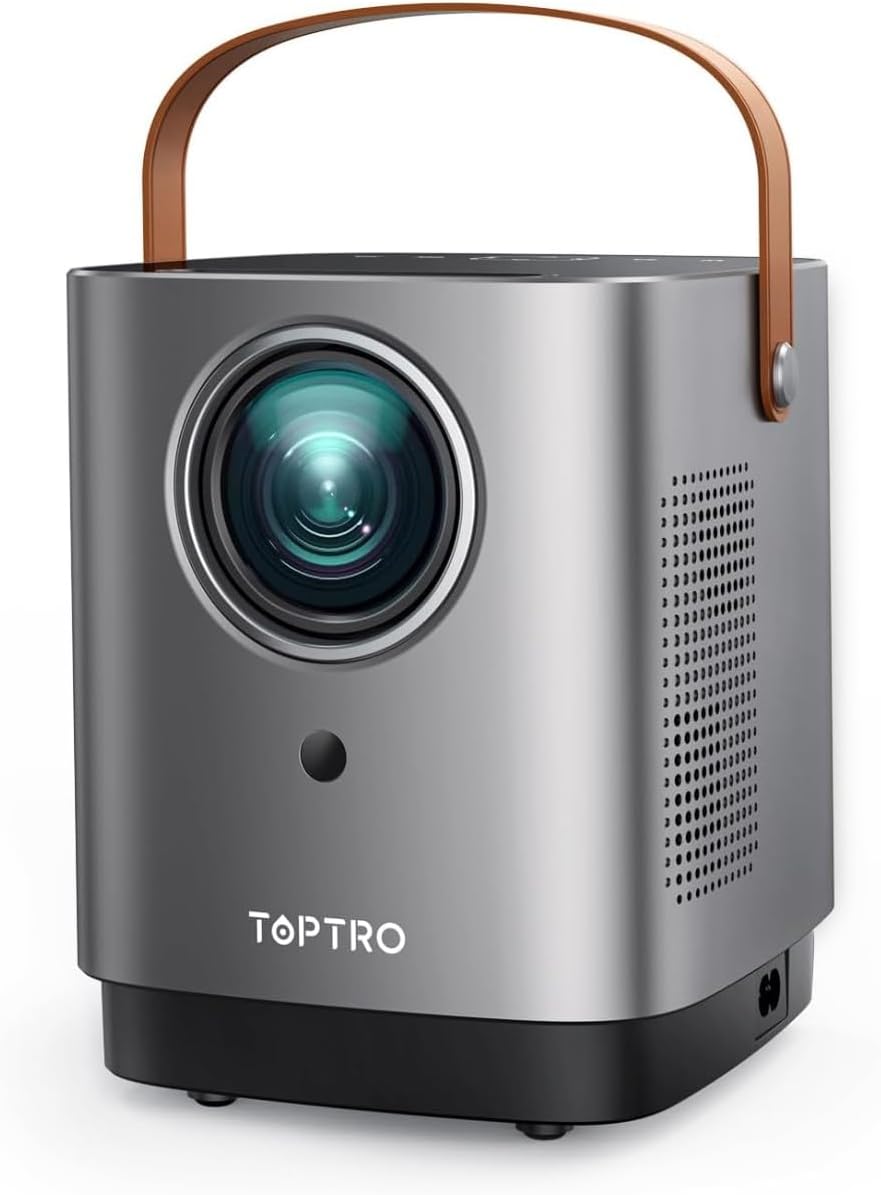
Figure 1.1: TOPTRO TR23 Mini Projector with its unique handle design.
2. ബോക്സിൽ എന്താണുള്ളത്?
Upon unboxing your TOPTRO TR23 Mini Projector, please ensure all the following items are included:
- 1* TR23 Projector
- പവർ കോർഡ്
- റിമോട്ട് കൺട്രോൾ
- HDMI കേബിൾ
3 സ്പെസിഫിക്കേഷനുകൾ
| ഫീച്ചർ | വിവരണം |
|---|---|
| ബ്രാൻഡ് | ടോപ്ട്രോ |
| മോഡൽ നമ്പർ | TR23 |
| ഡിസ്പ്ലേ റെസല്യൂഷൻ | Native 1280 x 720 (Supports 1080P Full HD) |
| കണക്റ്റിവിറ്റി ടെക്നോളജി | Bluetooth 5.2, 5G Wi-Fi, HDMI, USB, AV, 3.5mm Audio Jack |
| തെളിച്ചം | Upgraded 50% (2025 model) |
| NTSC Color Gamut | 98% |
| കോൺട്രാസ്റ്റ് റേഷ്യോ | 20000:1 |
| സ്പീക്കർ | Built-in 2*6W Hi-Fi Speakers with SRS sound system |
| ശബ്ദ നില | 35dB-ൽ താഴെ |
| ഭാരം | 2 പൗണ്ട് |
| അളവുകൾ | 8 x 6 x 3.5 ഇഞ്ച് |
| മൗണ്ടിംഗ് ഓപ്ഷനുകൾ | Front/Rear/Ceiling (360° image flip) |
4. സജ്ജീകരണം
4.1 പ്രാരംഭ പ്ലേസ്മെന്റ്
Place the projector on a stable, flat surface. Consider the desired screen size and projection distance. The TR23 supports a 1.33:1 projection ratio, allowing for large images even in smaller spaces.

Figure 4.1: The portable design with an ergonomic handle makes placement flexible.
4.2 പവർ കണക്ഷൻ
Connect the provided power cord to the projector's power input and then to a wall outlet. The projector will power on or enter standby mode.
4.3 ഇമേജ് ഫോക്കസ് ചെയ്യുന്നു
The TR23 features a precision manual focus system. Rotate the focus ring on the projector lens until the projected image appears sharp and clear on your screen or wall.

Figure 4.2: Achieve crystal-clear image quality with manual focus.
4.4 മൗണ്ടിംഗ് ഓപ്ഷനുകൾ
The projector supports front, rear, and ceiling mounting. Utilize the 360° image flip feature in the settings to adjust the projection orientation as needed for your chosen setup.
5. പ്രവർത്തന നിർദ്ദേശങ്ങൾ
5.1 Intuitive Touch Control
The projector features a sleek mirrored touch panel with LED backlighting for easy navigation, even in low-light conditions. Use the touch controls or the provided remote control to access menus and settings.

Figure 5.1: The touch screen provides effortless control.
5.2 Wireless Connectivity (5G Wi-Fi & Bluetooth)
The TR23 supports ultra-fast 5G Wi-Fi for seamless screen casting and Bluetooth 5.2 for audio output.
- 5G Wi-Fi Screen Mirroring: Connect your iOS (AirPlay) or Android/Windows (Miracast) device to the projector's 5G Wi-Fi network for low-latency screen mirroring. This is ideal for sharing photos, videos, and presentations from your mobile device.
- ബ്ലൂടൂത്ത് ഓഡിയോ: Pair the projector with external Bluetooth speakers or headphones for an enhanced audio experience. The built-in 2*6W Hi-Fi speakers with SRS sound system also provide rich, cinema-quality sound.

Figure 5.2: Enjoy seamless screen mirroring with 5G Wi-Fi.

Figure 5.3: Connect to external Bluetooth speakers for immersive audio.
5.3 വയർഡ് കണക്റ്റിവിറ്റി
The projector is equipped with USB, HDMI, AV, and audio ports for wide compatibility:
- എച്ച്ഡിഎംഐ: Connect TV Sticks, TV Boxes, Chromecast, laptops, PCs, PS5, and other HDMI-enabled devices.
- USB: ഒരു USB ഫ്ലാഷ് ഡ്രൈവിൽ നിന്ന് നേരിട്ട് മീഡിയ പ്ലേ ചെയ്യുക.
- ഓഫ്: ഒരു AV കേബിൾ ഉപയോഗിച്ച് പഴയ ഉപകരണങ്ങൾ ബന്ധിപ്പിക്കുക.
- 3.5mm ഓഡിയോ ജാക്ക്: Connect wired external speakers or headphones.
5.4 മീഡിയ പ്ലേബാക്ക്
The projector supports various media formats. Navigate through the media browser using the remote or touch controls to select and play your desired content.
Video 5.1: Real-shot high-definition image quality demonstration from the TOPTRO TR23 projector.
വീഡിയോ 5.2: കഴിഞ്ഞുview of the TOPTRO TR23 projector's features and design.
6. പരിപാലനം
6.1 ലെൻസ് വൃത്തിയാക്കൽ
Gently wipe the projector lens with a soft, lint-free cloth designed for optical surfaces. Avoid using abrasive cleaners or excessive force, which can scratch the lens.
6.2 പൊടി പ്രതിരോധം
The TR23 features a full-sealed optical engine to minimize dust accumulation. However, regularly clean the exterior of the projector with a dry, soft cloth to prevent dust from entering ventilation areas.
6.3 താപ വിസർജ്ജനം
The projector is equipped with an intelligent temperature control chip and an upgraded fan for efficient heat dissipation, ensuring reliable performance and extending device lifespan. Ensure adequate ventilation around the projector and do not block the air vents.
7. പ്രശ്നപരിഹാരം
7.1 No Picture / Black Screen
- പവർ പരിശോധിക്കുക: പവർ കോർഡ് സുരക്ഷിതമായി ബന്ധിപ്പിച്ചിട്ടുണ്ടെന്നും പ്രൊജക്ടർ ഓണാക്കിയിട്ടുണ്ടെന്നും ഉറപ്പാക്കുക.
- ഇൻപുട്ട് ഉറവിടം: Verify that the correct input source (HDMI, USB, AV, Screen Mirroring) is selected.
- കേബിൾ കണക്ഷൻ: If using HDMI or AV, ensure the cables are firmly connected to both the projector and the source device.
7.2 Screen Mirroring Issues (Netflix, Prime Video, Disney+)
Due to copyright compatibility issues, direct screen mirroring from apps like Netflix, Prime Video, and Disney+ is not supported and may result in a black screen with sound only. This is not a malfunction.
- പരിഹാരം: To stream content from these platforms, use an external streaming device such as a Fire TV Stick, Roku, or Chromecast connected to the projector's HDMI port.
- Laptop Connection: For Windows laptops, connect via an HDMI cable. For Mac laptops, you may need a Type-C to HDMI adapter in addition to an HDMI cable to view content from these apps.
7.3 മങ്ങിയ ചിത്രം
- ഫോക്കസ് ക്രമീകരിക്കുക: Use the manual focus ring on the lens to sharpen the image.
- പ്രൊജക്ഷൻ ദൂരം: Ensure the projector is within the optimal projection distance for your desired screen size.
7.4 ശബ്ദമില്ല
- വോളിയം നില: പ്രൊജക്ടറിന്റെ വോളിയം ക്രമീകരണങ്ങൾ പരിശോധിച്ച് അത് നിശബ്ദമാക്കിയിട്ടില്ലെന്ന് ഉറപ്പാക്കുക.
- ബാഹ്യ ഓഡിയോ: If using external Bluetooth speakers, ensure they are properly paired and their volume is adjusted. If using wired external speakers, check the cable connection.
- ഉറവിട ഉപകരണം: Verify the audio output settings on your source device.
8. വാറൻ്റിയും പിന്തുണയും
TOPTRO provides a 2 വർഷത്തെ വിൽപ്പനാനന്തര സേവനം for your peace of mind. For any inquiries, technical assistance, or support, please contact the TOPTRO team:
ഇമെയിൽ: service@toptro.com
The support team is available 24/7 to assist you.
Ask a question about this manual
Ask about setup, troubleshooting, compatibility, parts, safety, or missing instructions. Manuals+ will review the question and use this page’s manual context to help answer it.