
1. ആമുഖം
This manual provides essential information for setting up, operating, maintaining, and troubleshooting your Samsung Galaxy S25 Ultra 5G AI Smartphone. Please read this manual carefully to ensure proper use and to maximize the device's capabilities.

Image: The Samsung Galaxy S25 Ultra 5G AI Smartphone, showcasing its sleek design and multi-camera system.
2. സജ്ജീകരണം
2.1 ബോക്സിൽ എന്താണുള്ളത്
നിങ്ങളുടെ ഉൽപ്പന്ന പാക്കേജിംഗിൽ എല്ലാ ഇനങ്ങളും ഉണ്ടെന്ന് ഉറപ്പാക്കുക:
- Samsung Galaxy S25 Ultra Smartphone
- Data Cable (Type C-to-C)
- സിം എജക്ഷൻ പിൻ
- S Pen Stylus

Image: An illustration showing the smartphone, USB-C cable, and SIM ejection pin included in the box.
2.2 സിം കാർഡ് ഇൻസ്റ്റാളേഷൻ
- നിങ്ങളുടെ ഉപകരണത്തിന്റെ വശത്ത് സിം കാർഡ് ട്രേ കണ്ടെത്തുക.
- Insert the SIM ejection pin into the small hole next to the tray and press firmly until the tray ejects.
- Place your Nano-SIM card(s) onto the tray with the gold contacts facing down. This device supports Dual SIM.
- ഉപകരണത്തിലേക്ക് ട്രേ ശ്രദ്ധാപൂർവ്വം വീണ്ടും ചേർക്കുക.
2.3 പ്രാരംഭ പവർ ഓണും സജ്ജീകരണവും
- സാംസങ് ലോഗോ ദൃശ്യമാകുന്നതുവരെ പവർ ബട്ടൺ അമർത്തിപ്പിടിക്കുക.
- Follow the on-screen prompts to select your language, connect to Wi-Fi, and set up your Google and Samsung accounts.
- Configure security features such as fingerprint recognition or face unlock.
3. നിങ്ങളുടെ ഉപകരണം പ്രവർത്തിപ്പിക്കുന്നു
3.1 അടിസ്ഥാന നാവിഗേഷൻ
The Galaxy S25 Ultra features a responsive touchscreen with intuitive gestures. Swipe up from the bottom to access the app drawer, swipe down for notifications and quick settings, and use pinch-to-zoom for images and web പേജുകൾ.
3.2 ഗാലക്സി AI സവിശേഷതകൾ
Your device is equipped with advanced AI capabilities to enhance your daily experience.
- ഇപ്പോൾ ചുരുക്കത്തിൽ: Provides personalized briefings including your schedule, reminders, battery status, and Energy Score. Access it via the One UI interface.

Image: A visual representation of the 'Now Brief' feature displaying daily summaries and information.
- ജെമിനി ലൈവ്: Engage in real-time conversations, attach images, and receive adaptive responses for various tasks.
- Google ഉപയോഗിച്ച് തിരയാനുള്ള സർക്കിൾ: Circle any object on your screen to instantly search for information about it.

Image: A demonstration of the 'Circle to Search' feature, highlighting an object on the screen for a quick search.
3.3 ക്യാമറ ഉപയോഗം
The Galaxy S25 Ultra features a powerful 200MP camera system with an AI-enhanced ProVisual Engine.
- High-Resolution Photography: Utilize the 200MP wide-angle lens for detailed shots.
- നൈറ്റോഗ്രാഫി: Capture clear and vibrant photos in low-light conditions.
- Zoom Capabilities: Benefit from 5x optical zoom and 10x optical quality zoom with the telephoto lenses, and up to 100x digital zoom.
- Object Aware Engine: Automatically recognizes subjects and adjusts lighting for optimal results.

ചിത്രം: ഒരു ക്ലോസ്-അപ്പ് view of the Galaxy S25 Ultra's advanced multi-lens camera system.
3.4 എസ് പേനയുടെ പ്രവർത്തനങ്ങൾ
The included S Pen offers enhanced productivity and creativity:
- എഴുത്തും വരയും: Use the S Pen for precise notes and sketches.
- എയർ കമാൻഡ്: Access quick S Pen features by hovering the pen over the screen and pressing the button.
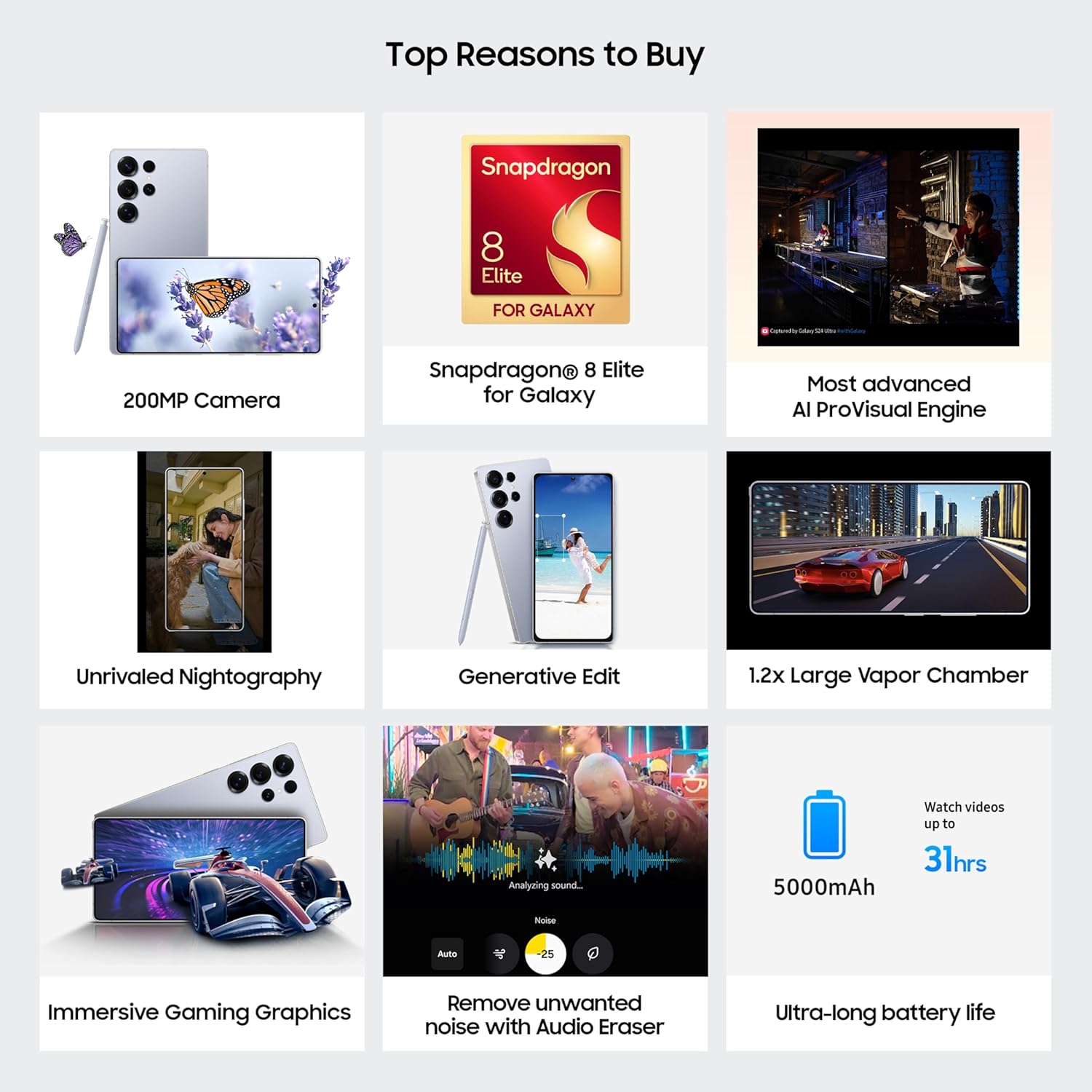
Image: The Samsung Galaxy S25 Ultra alongside its S Pen, illustrating its integrated design.
3.5 സുരക്ഷാ സവിശേഷതകൾ
- നോക്സ് സുരക്ഷ: Safeguard your data with defense-grade security features.
- വിരലടയാള തിരിച്ചറിയൽ: Unlock your device securely using the in-display ultrasonic fingerprint sensor.

Image: The Samsung Knox Vault logo, representing the device's enhanced security features.
3.6 ബാറ്ററി മാനേജ്മെൻ്റ്
The device is powered by a 5000 mAh battery, offering extended usage times.
- ഫാസ്റ്റ് ചാർജിംഗ്: Supports 45W wired fast charging for quick power-ups.
- വയർലെസ് ചാർജിംഗ്: Supports 15W wireless charging.

Image: An illustration highlighting the 5000 mAh battery capacity, capable of providing up to 31 hours of video viewing.
4. പരിപാലനം
4.1 സോഫ്റ്റ്വെയർ അപ്ഡേറ്റുകൾ
മികച്ച പ്രകടനം, സുരക്ഷ, പുതിയ സവിശേഷതകളിലേക്കുള്ള ആക്സസ് എന്നിവ ഉറപ്പാക്കാൻ സോഫ്റ്റ്വെയർ അപ്ഡേറ്റുകൾ പതിവായി പരിശോധിച്ച് ഇൻസ്റ്റാൾ ചെയ്യുക. ഇതിലേക്ക് നാവിഗേറ്റ് ചെയ്യുക ക്രമീകരണങ്ങൾ > സോഫ്റ്റ്വെയർ അപ്ഡേറ്റ് > ഡൗൺലോഡ് ചെയ്ത് ഇൻസ്റ്റാൾ ചെയ്യുക.
4.2 ഉപകരണം വൃത്തിയാക്കുന്നു
Use a soft, lint-free cloth to clean your device. Avoid abrasive materials or harsh chemicals. For the screen, a screen cleaner designed for electronics can be used.
4.3 വെള്ളത്തിനും പൊടിക്കും പ്രതിരോധം
The Galaxy S25 Ultra has an IP68 rating, meaning it is resistant to dust and can be submerged in up to 1.5 meters of freshwater for up to 30 minutes. Avoid exposing the device to saltwater, chlorinated water, or other liquids. Ensure all ports are dry before charging.

Image: Visuals highlighting the device's ultra-strong titanium frame, durable Corning Gorilla Glass Armor 2, and IP68 water and dust resistance.
4.4 ബാറ്ററി കെയർ
To prolong battery life, avoid extreme temperatures, do not leave the device fully charged or fully discharged for extended periods, and use only Samsung-approved chargers.
5. പ്രശ്നപരിഹാരം
നിങ്ങളുടെ ഉപകരണത്തിൽ പ്രശ്നങ്ങൾ നേരിടുകയാണെങ്കിൽ, ഇനിപ്പറയുന്ന പൊതുവായ ട്രബിൾഷൂട്ടിംഗ് ഘട്ടങ്ങൾ പരീക്ഷിക്കുക:
- ഉപകരണം പ്രതികരിക്കുന്നില്ല: Press and hold the Power button and Volume Down button simultaneously for more than 7 seconds to restart the device.
- ആപ്പ് ക്രാഷിംഗ്: Clear the app's cache (Settings > Apps > [App Name] > Storage > Clear cache) or reinstall the app.
- കണക്റ്റിവിറ്റി പ്രശ്നങ്ങൾ: Toggle Wi-Fi or Bluetooth off and on, or restart your device. For mobile data, ensure your SIM card is properly inserted and your plan is active.
- ബാറ്ററി ഡ്രെയിൻ: Check battery usage in Settings to identify power-hungry apps. Adjust screen brightness, disable unnecessary features, and use power-saving modes.
For more detailed troubleshooting, refer to the Samsung support webസൈറ്റ് അല്ലെങ്കിൽ ഉപഭോക്തൃ സേവനവുമായി ബന്ധപ്പെടുക.
6 സ്പെസിഫിക്കേഷനുകൾ
| ഫീച്ചർ | സ്പെസിഫിക്കേഷൻ |
|---|---|
| ബ്രാൻഡ് | സാംസങ് |
| മോഡൽ | Galaxy S25 Ultra |
| ഓപ്പറേറ്റിംഗ് സിസ്റ്റം | ആൻഡ്രോയിഡ് 15.0 |
| പ്രോസസ്സർ | Snapdragon 8 Elite (4.47 GHz) |
| റാം | 12 ജിബി |
| ആന്തരിക സംഭരണം | 256 ജിബി |
| പ്രദർശിപ്പിക്കുക | 6.9 Inches AMOLED, 3120 x 1440 Resolution, 120Hz Refresh Rate |
| പിൻ ക്യാമറ | 200MP Wide, 50MP Ultra-Wide, 10MP Telephoto (3x), 50MP Telephoto (5x) |
| മുൻ ക്യാമറ | 12 എം.പി |
| ബാറ്ററി ശേഷി | 5000 മില്ലിamp മണിക്കൂറുകൾ |
| കണക്റ്റിവിറ്റി | 5G, Bluetooth 5.3, NFC, USB Type-C, Wi-Fi |
| സിം കാർഡ് സ്ലോട്ട് | ഡ്യുവൽ സിം (നാനോ) |
| ജല പ്രതിരോധം | IP68 |
| അളവുകൾ | 8 x 78 x 163 മില്ലിമീറ്റർ |
| ഭാരം | 218 ഗ്രാം |
7. വാറൻ്റി വിവരങ്ങൾ
Your Samsung Galaxy S25 Ultra comes with a 1 Year Manufacturer Warranty for the device ഒപ്പം 6 Months for in-box accessories. വാറന്റി ക്ലെയിമുകൾക്കായി നിങ്ങളുടെ വാങ്ങിയതിന്റെ തെളിവ് സൂക്ഷിക്കുക. സാധാരണ ഉപയോഗ സാഹചര്യങ്ങളിൽ നിർമ്മാണ വൈകല്യങ്ങൾ വാറന്റി ഉൾക്കൊള്ളുന്നു.
8. പിന്തുണ
For further assistance, technical support, or service inquiries, please contact Samsung customer support:
- ഇമെയിൽ: support.india@samsung.com
- നിർമ്മാതാവിൻ്റെ വിലാസം: Samsung India Electronics Pvt ltd, 6th Floor, DLF Centre, Sansad Marg, New Delhi - 110001.
- ഓൺലൈൻ പിന്തുണ: ഔദ്യോഗിക സാംസങ് പിന്തുണ സന്ദർശിക്കുക website for FAQs, software downloads, and service center locations.


