
1. ആമുഖം
The ENERMAX Revolution III is a state-of-the-art, fully modular power supply designed to meet the demands of high-performance computing systems. This 1000W unit supports the Intel ATX 3.1 standard and features PCIe 5.1 compatibility, making it suitable for modern gaming PCs, workstations, and creative applications. With an 80 PLUS Gold certification, it delivers high efficiency, reducing energy consumption and heat generation. The power supply incorporates a high-quality 120mm FDB (Fluid Dynamic Bearing) fan for reliable cooling and 100% Japanese industrial-grade capacitors for exceptional durability and stable performance.

ചിത്രം 1.1: കഴിഞ്ഞുview of the ENERMAX Revolution III 1000W Power Supply.
2 സുരക്ഷാ വിവരങ്ങൾ
- പവർ സപ്ലൈ യൂണിറ്റ് തുറക്കരുത്. ഉയർന്ന വോളിയംtages ഉള്ളിൽ ഉണ്ട്, ഇത് വൈദ്യുതാഘാതത്തിന് കാരണമാകും.
- Ensure the power supply is installed in a well-ventilated area to prevent overheating.
- ഈ പവർ സപ്ലൈയിൽ നൽകിയിരിക്കുന്ന മോഡുലാർ കേബിളുകൾ മാത്രം ഉപയോഗിക്കുക. പൊരുത്തപ്പെടാത്ത കേബിളുകൾ ഉപയോഗിക്കുന്നത് യൂണിറ്റിനോ ബന്ധിപ്പിച്ചിരിക്കുന്ന ഘടകങ്ങൾക്കോ കേടുവരുത്തിയേക്കാം.
- Connect the power supply to a grounded electrical outlet.
- This power supply features an optimized safety design with a 6-way protection circuit and is certified for use up to 5,000 meters altitude.
- യൂണിറ്റ് വെള്ളം, ഈർപ്പം, കടുത്ത താപനില എന്നിവയിൽ നിന്ന് അകറ്റി നിർത്തുക.
3. പാക്കേജ് ഉള്ളടക്കം
പാക്കേജിൽ എല്ലാ ഇനങ്ങളും ഉണ്ടെന്ന് ഉറപ്പാക്കുക:
- ENERMAX Revolution III 1000W Power Supply Unit
- Modular Cable Set (including 24-pin ATX, 4+4-pin CPU, 6+2-pin PCIe, 12V-2x6 PCIe 5.1, SATA, Molex)
- എസി പവർ കോർഡ്
- മൗണ്ടിംഗ് സ്ക്രൂകൾ
- ഉപയോക്തൃ മാനുവൽ (ഈ പ്രമാണം)
- Cable Combs (for sleeved cables)
4. സജ്ജീകരണവും ഇൻസ്റ്റാളേഷനും
Follow these steps to install your ENERMAX Revolution III power supply:
- തയ്യാറാക്കൽ: Ensure your computer is powered off and unplugged from the wall outlet. Open your PC case.
- പൊതുമേഖലാ സ്ഥാപനം മൌണ്ട് ചെയ്യുന്നു: Carefully place the power supply into the designated PSU bay in your PC case. Secure it with the provided mounting screws.
- മോഡുലാർ കേബിളുകൾ ബന്ധിപ്പിക്കുന്നു: Due to the fully modular design, connect only the necessary cables to the power supply first. Refer to the labels on the PSU for correct port identification.

ചിത്രം 4.1: പിൻഭാഗം view of the power supply showing modular cable ports.

Image 4.2: Detailed diagram of the modular connector layout.
- Motherboard Connection: 24-പിൻ ATX കേബിൾ നിങ്ങളുടെ മദർബോർഡിലേക്ക് ബന്ധിപ്പിക്കുക.
- സിപിയു പവർ: Connect the 4+4-pin or 8-pin CPU power cable(s) to your motherboard.
- ജിപിയു പവർ: For modern graphics cards, use the native 12V-2x6 (600W) cable. For other GPUs, use the 6+2-pin PCIe cables. Ensure all required power connectors for your graphics card(s) are securely attached.
- പെരിഫറൽ പവർ: നിങ്ങളുടെ സ്റ്റോറേജ് ഡ്രൈവുകളിലേക്ക് (SSD-കൾ, HDD-കൾ) SATA പവർ കേബിളുകളും അവ ആവശ്യമുള്ള മറ്റ് പെരിഫെറലുകളുമായി Molex കേബിളുകളും ബന്ധിപ്പിക്കുക.
- കേബിൾ മാനേജുമെന്റ്: Utilize the flexible, sleeved cables and included cable combs to organize your wiring for optimal airflow and aesthetics.
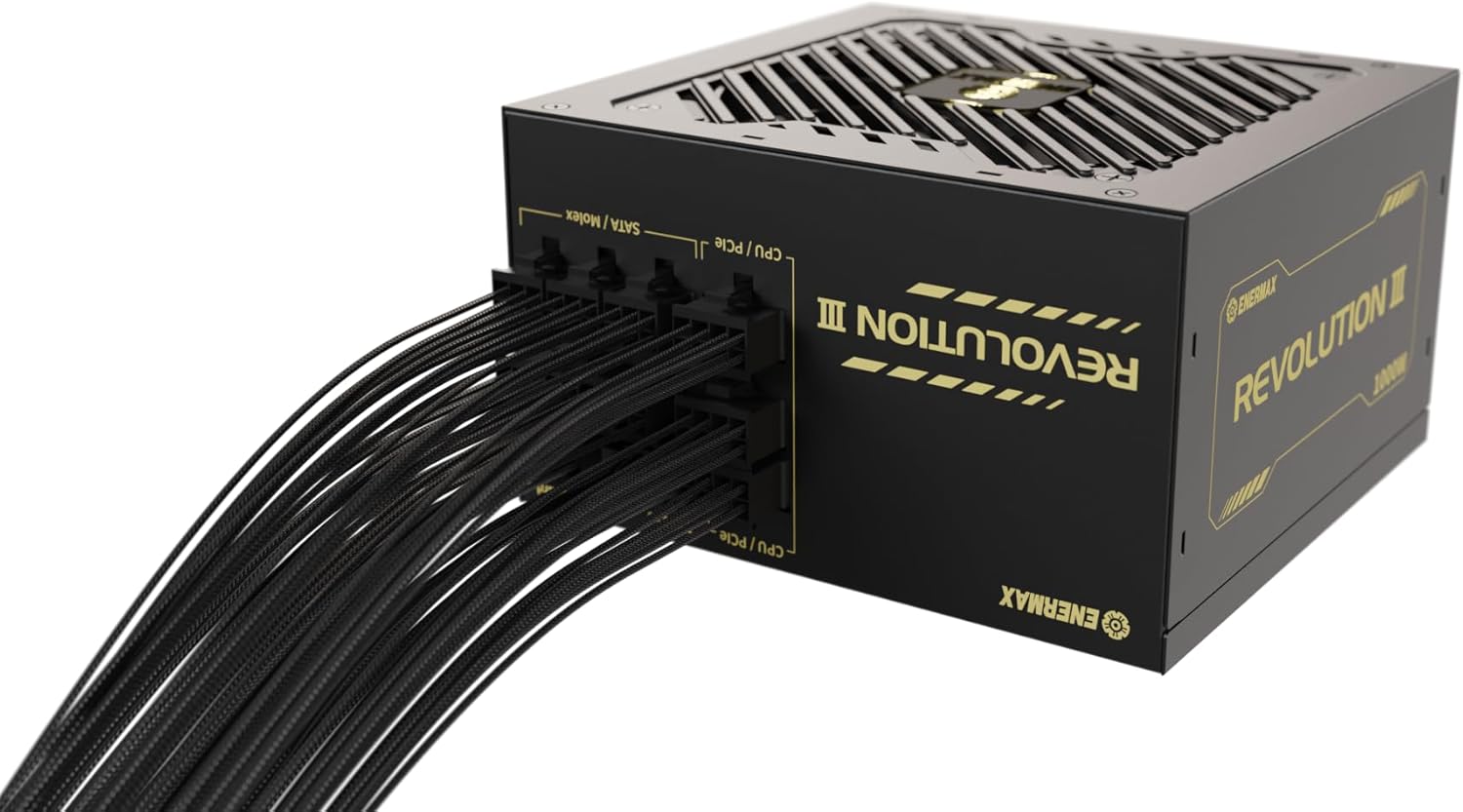
ചിത്രം 4.3: വശം view of the power supply with modular cables connected, demonstrating cable management potential.
- അന്തിമ പരിശോധന: Double-check all connections to ensure they are firm and correctly seated. Close your PC case.
- പവർ ഓൺ: Connect the AC power cord to the power supply and then to a wall outlet. Flip the power switch on the PSU to the 'ON' position.
5. പ്രവർത്തന നിർദ്ദേശങ്ങൾ
The ENERMAX Revolution III power supply is designed for straightforward operation. Once installed and connected, simply power on your computer system. The unit's 80 PLUS Gold certification ensures efficient power delivery, converting over 90% of AC power into usable DC power under typical loads, thereby minimizing wasted energy and heat.
The integrated 120mm FDB fan operates to maintain optimal internal temperatures. While designed for quiet operation, the fan speed adjusts based on the power supply's load and temperature to ensure stable and reliable performance.

Image 5.1: 80 PLUS Gold efficiency curve showing high efficiency across various loads.
6. പരിപാലനം
ശരിയായ അറ്റകുറ്റപ്പണി നിങ്ങളുടെ വൈദ്യുതി വിതരണത്തിന്റെ ദീർഘായുസ്സും മികച്ച പ്രകടനവും ഉറപ്പാക്കുന്നു:
- പൊടി നീക്കം: Periodically clean the exterior of the power supply and the fan grille to prevent dust buildup. Use compressed air to gently clear dust from the fan blades and internal components. Ensure the system is powered off and unplugged before cleaning.
- എയർ ഫ്ലോ: പിസി കേസിൽ ആവശ്യത്തിന് വായുസഞ്ചാരം ഉണ്ടെന്നും പവർ സപ്ലൈയുടെ ഫാൻ ഇൻടേക്കും എക്സ്ഹോസ്റ്റും തടസ്സപ്പെട്ടിട്ടില്ലെന്നും ഉറപ്പാക്കുക.
- കേബിൾ സമഗ്രത: Occasionally check that all modular cables are securely connected and not damaged.
7. പ്രശ്നപരിഹാരം
നിങ്ങളുടെ വൈദ്യുതി വിതരണത്തിൽ പ്രശ്നങ്ങൾ നേരിടുകയാണെങ്കിൽ, ഇനിപ്പറയുന്ന ട്രബിൾഷൂട്ടിംഗ് ഘട്ടങ്ങൾ പരിഗണിക്കുക:
- ശക്തിയില്ല:
- എസി പവർ കോർഡ് പവർ സപ്ലൈയിലും വാൾ ഔട്ട്ലെറ്റിലും സുരക്ഷിതമായി പ്ലഗ് ചെയ്തിട്ടുണ്ടോയെന്ന് പരിശോധിക്കുക.
- പൊതുമേഖലാ സ്ഥാപനത്തിന്റെ പിൻഭാഗത്തുള്ള പവർ സ്വിച്ച് 'ഓൺ' സ്ഥാനത്താണെന്ന് ഉറപ്പാക്കുക.
- Verify that all modular cables (24-pin ATX, CPU, PCIe) are correctly and firmly connected to both the PSU and the respective components.
- വാൾ ഔട്ട്ലെറ്റ് മറ്റൊരു ഉപകരണം ഉപയോഗിച്ച് പരിശോധിച്ച് അത് വൈദ്യുതി നൽകുന്നുണ്ടെന്ന് ഉറപ്പാക്കുക.
- സിസ്റ്റം അസ്ഥിരത/ക്രാഷുകൾ:
- നിങ്ങളുടെ പവർ സപ്ലൈയുടെ വാട്ട് ഉറപ്പാക്കുകtage is sufficient for all your system components, especially the graphics card and CPU.
- അയഞ്ഞ കേബിൾ കണക്ഷനുകൾ പരിശോധിക്കുക.
- ഘടകങ്ങൾ അമിതമായി ചൂടാകുന്നില്ലെന്ന് ഉറപ്പാക്കാൻ സിസ്റ്റം താപനില നിരീക്ഷിക്കുക.
- അസാധാരണമായ ശബ്ദം:
- A slight fan noise is normal, especially under load. If the noise is excessive or unusual (e.g., grinding, ticking), ensure no cables are obstructing the fan.
- If the noise persists and is disruptive, contact customer support.
If these steps do not resolve the issue, please refer to the Support Information section for further assistance.
8 സ്പെസിഫിക്കേഷനുകൾ
| ഫീച്ചർ | സ്പെസിഫിക്കേഷൻ |
|---|---|
| ബ്രാൻഡ് | എനെർമാക്സ് |
| മോഡലിൻ്റെ പേര് | വിപ്ലവം III |
| മോഡൽ നമ്പർ | ERV1000G-AHG-MAC പോർട്ടബിൾ |
| ഔട്ട്പുട്ട് പവർ | 1000 വാട്ട്സ് |
| ഫോം ഫാക്ടർ | ATX |
| ATX സ്റ്റാൻഡേർഡ് | 3.1 |
| PCIe സ്റ്റാൻഡേർഡ് | 5.1 (with native 12V-2x6 connector) |
| കാര്യക്ഷമതാ സർട്ടിഫിക്കേഷൻ | 80 പ്ലസ് സ്വർണം |
| തണുപ്പിക്കൽ രീതി | 120 എംഎം എഫ്ഡിബി ഫാൻ |
| കപ്പാസിറ്ററുകൾ | 100% Japanese Industrial-Grade 105°C |
| അളവുകൾ (L x W x H) | 14 x 15 x 8.6 സെ.മീ |
| ഭാരം | 1.9 കിലോഗ്രാം |
| അനുയോജ്യമായ ഉപകരണങ്ങൾ | PC gaming, workstation, high-performance computer |
| സുരക്ഷാ സവിശേഷതകൾ | 6-way protection circuit, certified for use up to 5,000m altitude |

Image 8.1: ATX 3.1 and PCIe 5.1 readiness of the power supply.
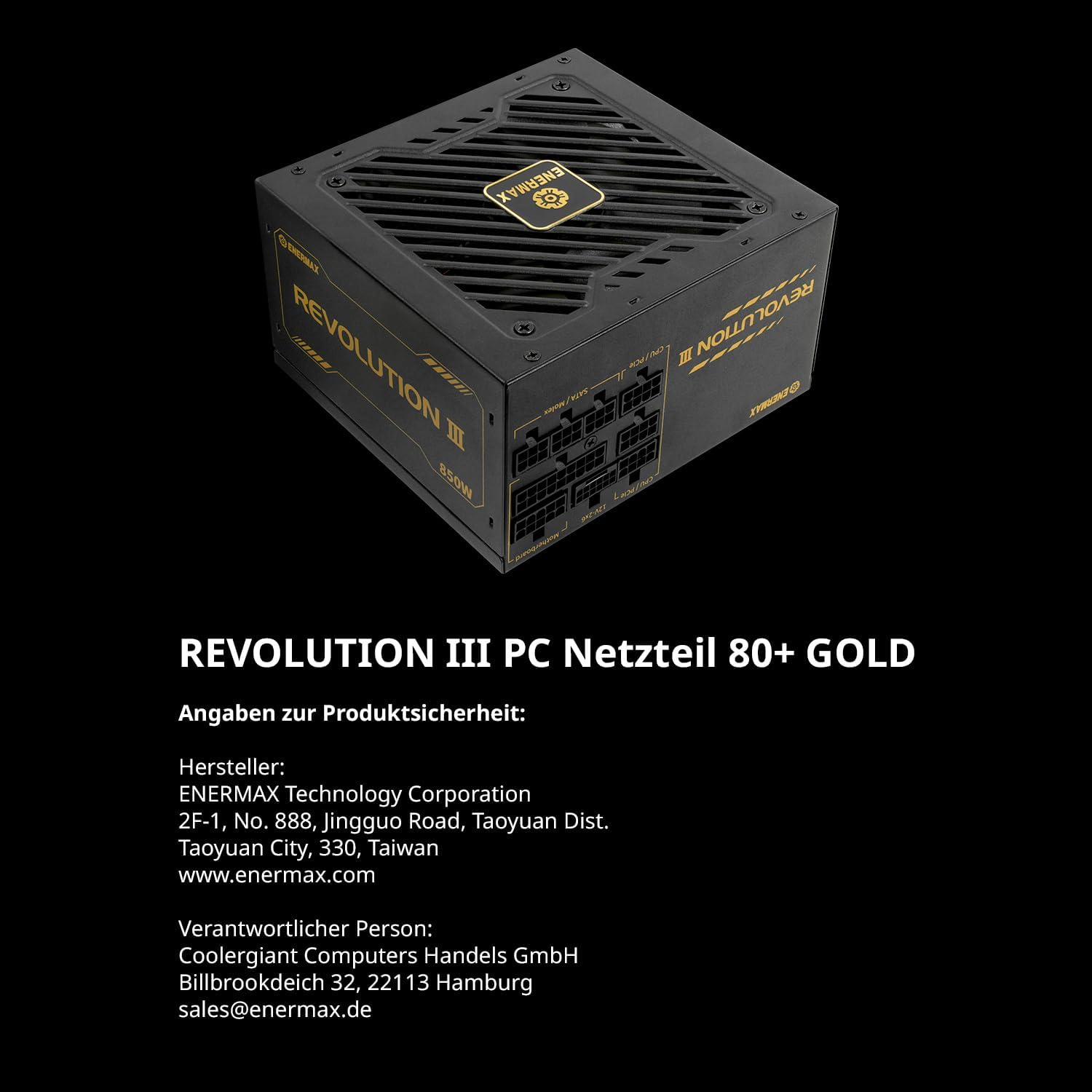
Image 8.2: Highlighting the use of 100% Japanese industrial-grade capacitors for reliability.
9. വാറൻ്റി വിവരങ്ങൾ
ENERMAX provides a manufacturer's warranty for the Revolution III power supply. In Europe, this product is covered by a 7-year manufacturer's warranty from the date of purchase. For specific terms and conditions, including warranty claims and regional variations, please refer to the official ENERMAX webസൈറ്റ് ചെയ്യുക അല്ലെങ്കിൽ നിങ്ങളുടെ പ്രാദേശിക റീട്ടെയിലറെ ബന്ധപ്പെടുക.
10. പിന്തുണാ വിവരങ്ങൾ
For technical support, product inquiries, or warranty claims, please contact ENERMAX through the following channels:
- നിർമ്മാതാവ്: ENERMAX ടെക്നോളജി കോർപ്പറേഷൻ
2F-1, No. 888, Jingguo Road, Taoyuan Dist.
Taoyuan City, 330, Taiwan
www.enermax.com - യൂറോപ്യൻ കോൺടാക്റ്റ്: Coolergigant Computers Handels GmbH
Billbrookdeich 32, 22113 Hamburg, Germany
ഇമെയിൽ: sales@enermax.de
Please have your product model number (ERV1000G-AHG-MAC) and proof of purchase ready when contacting support.