
1. ആമുഖം
വാങ്ങിയതിന് നന്ദി.asing the AGPTEK A02XT MP3 Player. This device is designed to provide a high-quality audio experience with its HIFI lossless sound and Bluetooth 5.3 connectivity. It features a compact design, button operation, and various functions including FM radio, voice recording, and a pedometer. This manual will guide you through the setup, operation, and maintenance of your new MP3 player.

Figure 1.1: AGPTEK A02XT MP3 Player with accessories.
2. ഉൽപ്പന്നം കഴിഞ്ഞുview
2.1 പാക്കേജ് ഉള്ളടക്കം
- AGPTEK A02XT MP3 Player (1)
- USB-C ചാർജിംഗ് കേബിൾ (1)
- ഉപയോക്തൃ മാനുവൽ (1)
- Earphones (1 pair) - May vary by region/package

Figure 2.1: Contents of the AGPTEK A02XT package.
2.2 ഉപകരണ ലേഔട്ടും നിയന്ത്രണങ്ങളും
Familiarize yourself with the buttons and ports on your A02XT MP3 player.

ചിത്രം 2.2: മുൻഭാഗം view of the A02XT MP3 Player.
- സ്ക്രീൻ: Displays menus, music information, and settings.
- എം ബട്ടൺ: Menu/Back button. Long press to lock/unlock the screen.
- പ്ലേ/താൽക്കാലികമായി നിർത്തുക ബട്ടൺ: പ്ലേബാക്ക് ആരംഭിക്കുകയോ താൽക്കാലികമായി നിർത്തുകയോ ചെയ്യുന്നു.
- മുമ്പത്തെ/അടുത്ത ബട്ടണുകൾ: Navigates through tracks or menu options.
- VOL ബട്ടൺ: വോളിയം നിയന്ത്രണം.
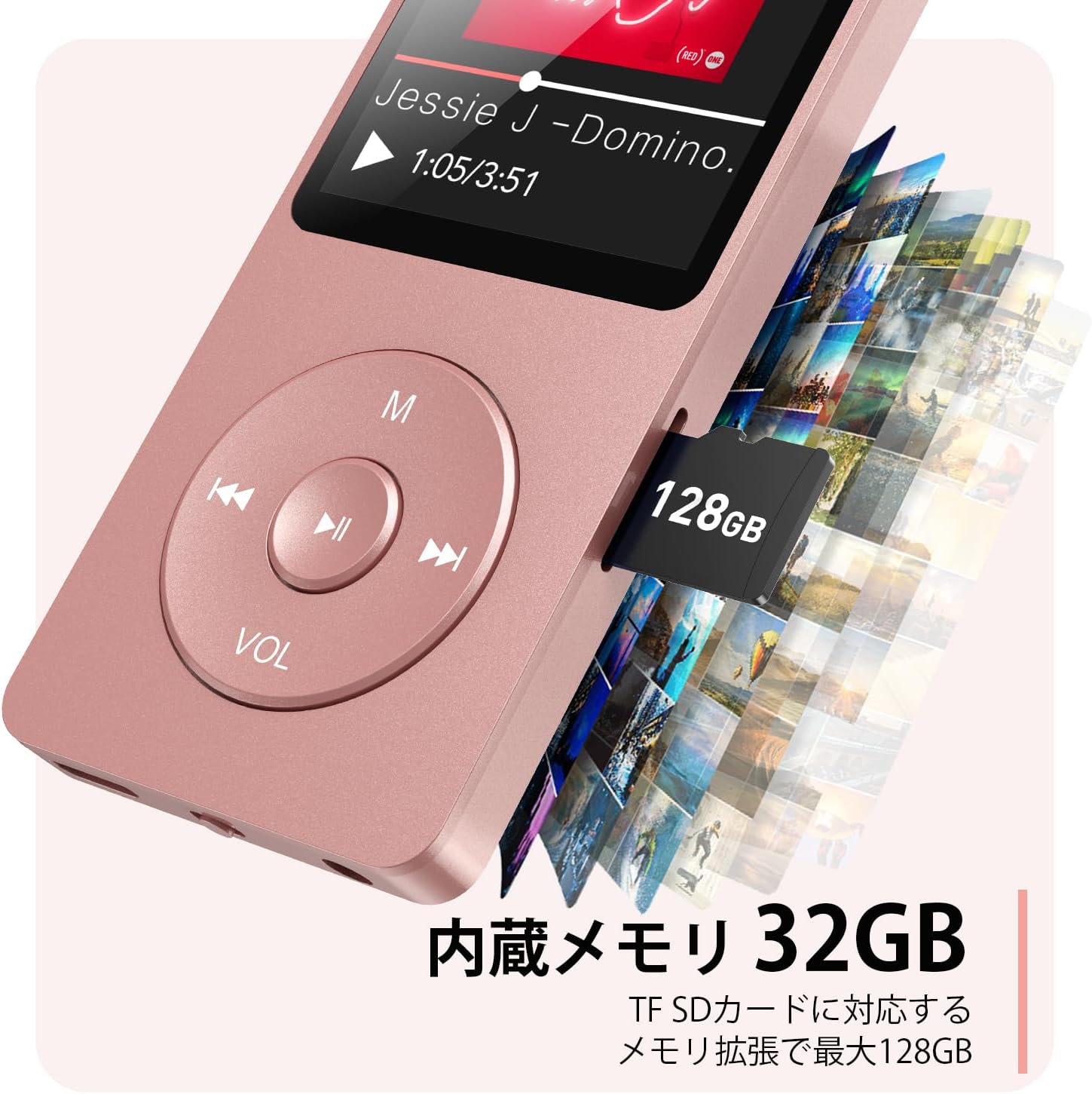
ചിത്രം 2.3: വശം view with microSD card slot.
- യുഎസ്ബി-സി പോർട്ട്: ചാർജിംഗിനും ഡാറ്റ കൈമാറ്റത്തിനും.
- 3.5 എംഎം ഹെഡ്ഫോൺ ജാക്ക്: വയേർഡ് ഓഡിയോ ഔട്ട്പുട്ടിനായി.
- മൈക്രോ എസ്ഡി കാർഡ് സ്ലോട്ട്: 64GB വരെ വികസിപ്പിക്കാവുന്ന സംഭരണത്തിനായി.
3. സജ്ജീകരണം
3.1 ഉപകരണം ചാർജ് ചെയ്യുന്നു
Before first use, fully charge the MP3 player. Connect the provided USB-C cable to the player's USB-C port and the other end to a USB power adapter (not included) or a computer's USB port. The screen will indicate charging status. A full charge takes approximately 2 hours and provides up to 40 hours of music playback.

Figure 3.1: MP3 Player charging indication.
3.2 ഒരു മൈക്രോ എസ്ഡി കാർഡ് ചേർക്കൽ
The player has 32GB of internal storage. To expand storage, insert a microSD card (up to 64GB, not included) into the microSD card slot until it clicks into place. Ensure the card is inserted correctly to avoid damage.
3.3 സംഗീതം കൈമാറൽ Files
- Connect the MP3 player to your computer using the USB-C cable.
- The player will appear as a removable disk on your computer.
- നിങ്ങളുടെ സംഗീതം വലിച്ചിടുക files (MP3, WMA, OGG, WAV, APE, FLAC, AAC, ACELP) into the 'Music' folder on the player or microSD card.
- Safely eject the device from your computer before disconnecting the cable.
4. പ്രവർത്തന നിർദ്ദേശങ്ങൾ
4.1 പവർ ഓൺ/ഓഫ്
- പവർ ഓൺ: Long press the Power button (usually on the side or top edge) until the screen lights up.
- പവർ ഓഫ്: Long press the Power button until the 'Power Off' option appears, then select it.
4.2 അടിസ്ഥാന നാവിഗേഷൻ
Use the navigation buttons (Previous, Next, Play/Pause, M) to move through menus and select options. The Play/Pause button often acts as a 'Confirm' button in menus.

Figure 4.1: Main menu interface with various functions.
4.3 മ്യൂസിക് പ്ലേബാക്ക്
- പ്രധാന മെനുവിൽ നിന്ന്, 'സംഗീതം' തിരഞ്ഞെടുക്കുക.
- Browse by Artist, Album, Songs, Playlists, etc.
- പ്ലേബാക്ക് ആരംഭിക്കാൻ ഒരു ഗാനം തിരഞ്ഞെടുക്കുക.
- Use the Previous/Next buttons to skip tracks, and Play/Pause to control playback.
- Adjust volume using the VOL button.
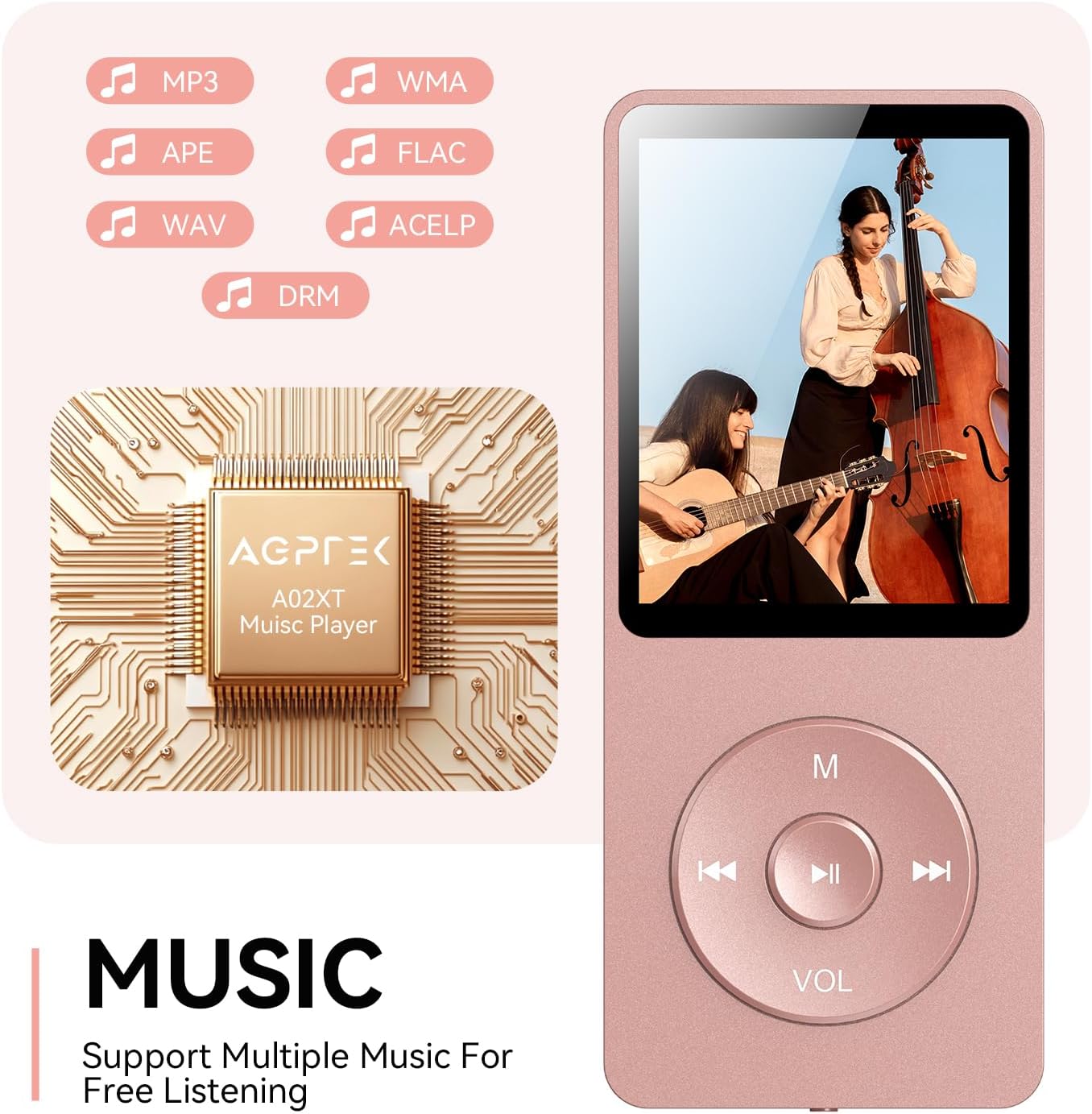
Figure 4.2: Music playback screen and supported formats.
4.4 ബ്ലൂടൂത്ത് കണക്ഷൻ
The A02XT supports Bluetooth 5.3 for wireless audio output to headphones or speakers.
- പ്രധാന മെനുവിൽ നിന്ന്, 'Bluetooth' തിരഞ്ഞെടുക്കുക.
- Turn on Bluetooth on the player.
- നിങ്ങളുടെ ബ്ലൂടൂത്ത് ഹെഡ്ഫോണുകൾ/സ്പീക്കർ പെയറിംഗ് മോഡിലാണെന്ന് ഉറപ്പാക്കുക.
- The player will search for nearby devices. Select your device from the list to pair.
4.5 എഫ്എം റേഡിയോ
- Connect wired earphones to the 3.5mm jack; they act as the antenna.
- പ്രധാന മെനുവിൽ നിന്ന്, 'FM റേഡിയോ' തിരഞ്ഞെടുക്കുക.
- Use the navigation buttons to scan for stations or manually tune.
4.6 വോയ്സ് റെക്കോർഡിംഗ്
- From the main menu, select 'Record'.
- Choose 'Start Voice Recording' to begin.
- Press Play/Pause to stop and save the recording.
4.7 സ്ക്രീൻ ലോക്ക്
To prevent accidental button presses, long press the 'M' button to lock the screen. Repeat the action to unlock.
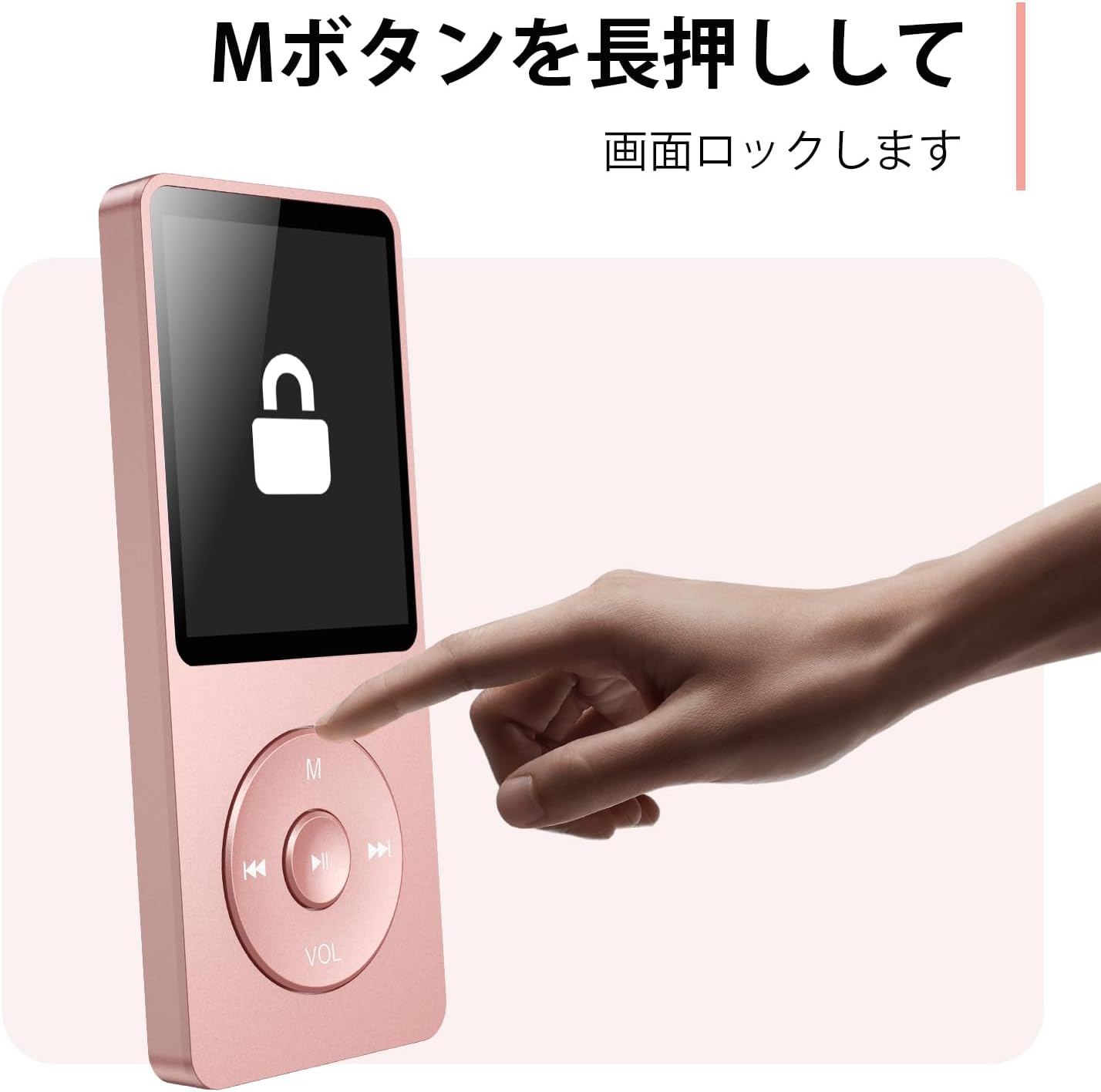
Figure 4.3: Screen lock function using the M button.
5. പരിപാലനം
5.1 വൃത്തിയാക്കൽ
- മൃദുവായ, ഉണങ്ങിയ തുണി ഉപയോഗിച്ച് ഉപകരണം തുടയ്ക്കുക.
- ലിക്വിഡ് ക്ലീനറുകളോ ലായകങ്ങളോ ഉപയോഗിക്കരുത്.
5.2 സംഭരണം
- നേരിട്ടുള്ള സൂര്യപ്രകാശവും കടുത്ത താപനിലയും ഏൽക്കാത്ത തണുത്തതും വരണ്ടതുമായ സ്ഥലത്ത് പ്ലെയർ സൂക്ഷിക്കുക.
- ശക്തമായ ആഘാതങ്ങൾക്ക് ഉപകരണം ഇടുകയോ ഇടുകയോ ചെയ്യുന്നത് ഒഴിവാക്കുക.
5.3 ബാറ്ററി കെയർ
- ബാറ്ററിയുടെ ആരോഗ്യം നിലനിർത്താൻ, ഉപയോഗത്തിലില്ലെങ്കിൽ പോലും, പതിവായി ബാറ്ററി ചാർജ് ചെയ്യുക.
- ബാറ്ററി ഇടയ്ക്കിടെ പൂർണ്ണമായും കളയുന്നത് ഒഴിവാക്കുക.
6. പ്രശ്നപരിഹാരം
6.1 ഉപകരണം ഓണാക്കുന്നില്ല
- ബാറ്ററി ചാർജ്ജ് ചെയ്തിട്ടുണ്ടെന്ന് ഉറപ്പാക്കുക. ഒരു പവർ സ്രോതസ്സിലേക്ക് കണക്റ്റ് ചെയ്ത് വീണ്ടും ശ്രമിക്കുക.
- Perform a hard reset by pressing and holding the power button for 10-15 seconds.
6.2 കൈമാറ്റം ചെയ്യാൻ കഴിയില്ല Files
- Check the USB-C cable connection. Try a different cable or USB port.
- Ensure the device is properly recognized by your computer.
- എന്ന് പരിശോധിക്കുക file format is supported by the player.
6.3 ബ്ലൂടൂത്ത് ജോടിയാക്കൽ പ്രശ്നങ്ങൾ
- Ensure both the player and the Bluetooth device are in pairing mode and within range.
- രണ്ട് ഉപകരണങ്ങളിലും ബ്ലൂടൂത്ത് ഓഫാക്കി ഓണാക്കുക.
- മുമ്പത്തെ ജോടിയാക്കലുകൾ ഇല്ലാതാക്കി വീണ്ടും ജോടിയാക്കാൻ ശ്രമിക്കുക.
6.4 ശബ്ദമില്ല
- വോളിയം ലെവൽ പരിശോധിക്കുക.
- Ensure headphones are properly connected or Bluetooth device is paired.
- Test with different headphones or Bluetooth device.
7 സ്പെസിഫിക്കേഷനുകൾ
| ബ്രാൻഡ് | AGPTEK |
| മോഡലിൻ്റെ പേര് | A02XT |
| മെമ്മറി സ്റ്റോറേജ് കപ്പാസിറ്റി | 32 GB (expandable up to 64 GB via microSD card) |
| നിറം | പിങ്ക് |
| സ്ക്രീൻ വലിപ്പം | 8.9 സെന്റീമീറ്റർ (ഏകദേശം 3.5 ഇഞ്ച്) |
| മീഡിയ തരം | മൈക്രോ എസ്ഡി കാർഡ് |
| ഡിസ്പ്ലേ ടെക്നോളജി | എൽസിഡി |
| പിന്തുണയ്ക്കുന്ന ഓഡിയോ ഫോർമാറ്റുകൾ | MP3, WMA, OGG, WAV, APE, FLAC, AAC, ACELP |
| ബാറ്ററി ലൈഫ് | 40 മണിക്കൂർ വരെ |
| ഇനത്തിൻ്റെ ഭാരം | 130 ഗ്രാം |
8. വാറൻ്റിയും പിന്തുണയും
8.1 വാറൻ്റി വിവരങ്ങൾ
This AGPTEK A02XT MP3 Player comes with a 1 വർഷത്തെ വാറൻ്റി വാങ്ങിയ തീയതി മുതൽ. സാധാരണ ഉപയോഗത്തിലുള്ള നിർമ്മാണ വൈകല്യങ്ങളും തകരാറുകളും ഈ വാറന്റി ഉൾക്കൊള്ളുന്നു. ദുരുപയോഗം, അപകടങ്ങൾ, അനധികൃത പരിഷ്കാരങ്ങൾ, അല്ലെങ്കിൽ സാധാരണ തേയ്മാനം എന്നിവ മൂലമുണ്ടാകുന്ന നാശനഷ്ടങ്ങൾക്ക് ഇത് പരിരക്ഷ നൽകുന്നില്ല.
8.2 ഉപഭോക്തൃ പിന്തുണ
If you encounter any issues or have questions regarding your AGPTEK A02XT MP3 Player, please refer to the troubleshooting section of this manual first. If the problem persists, contact AGPTEK customer support through the official website or your retailer's support channels. Please have your purchase receipt and product model number (A02XT) ready when contacting support.