
1. ആമുഖം
The Retekess TD157S Restaurant Pager System is designed to streamline customer flow and improve service efficiency in various fast-paced environments such as restaurants, food trucks, and ice cream shops. This system features a wide coverage range, multiple call modes, and user-friendly operation to enhance the customer experience.
2. പാക്കേജ് ഉള്ളടക്കം
താഴെ പറയുന്ന ഇനങ്ങൾക്കായി ബോക്സ് ചെക്ക് ചെയ്യുക:
- 1 x Transmitter (Keyboard)
- 10 x പേജറുകൾ
- 1 x പവർ അഡാപ്റ്റർ
- 1 x ഉപയോക്തൃ മാനുവൽ
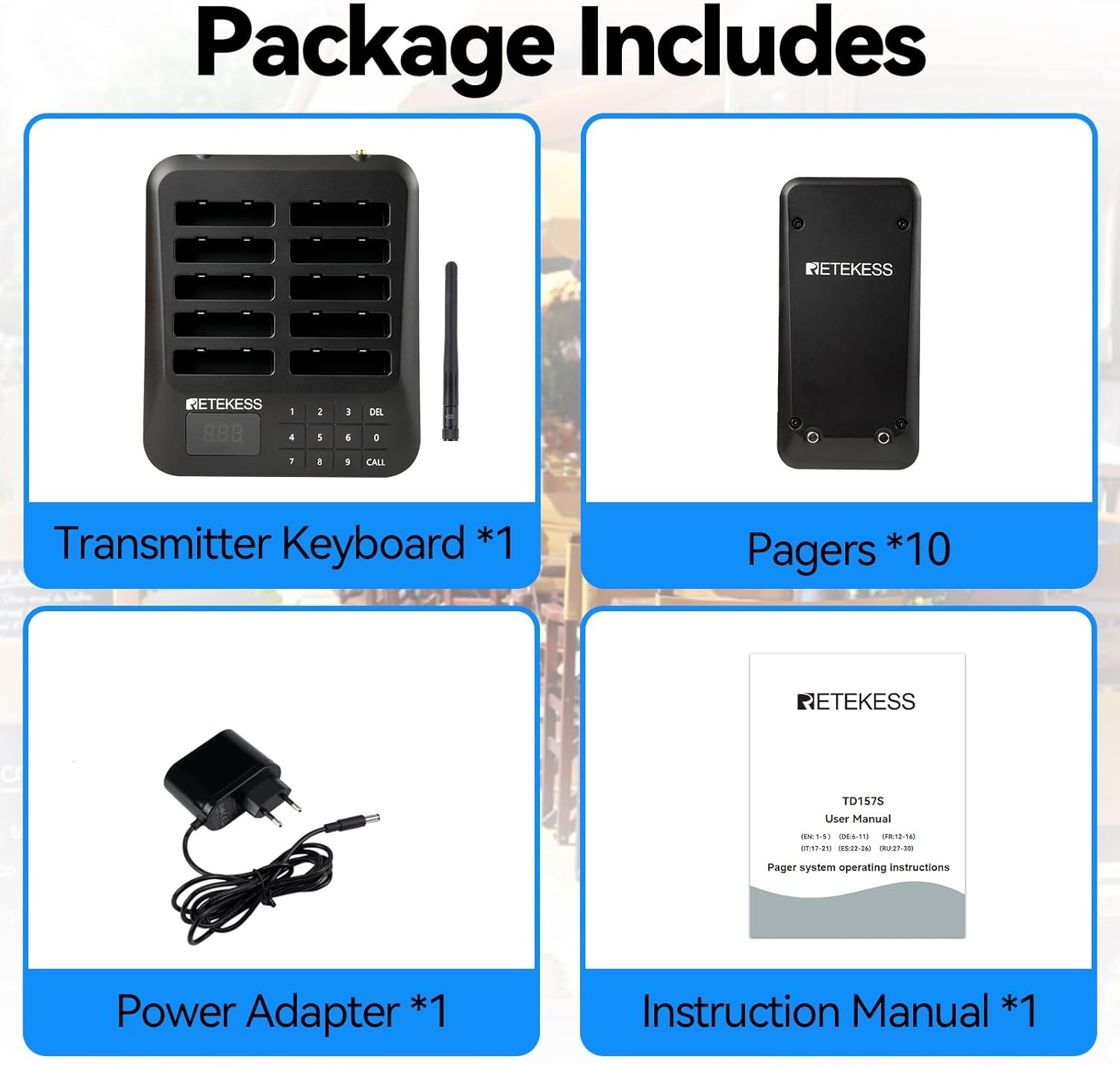
Image: The package contents include one transmitter keyboard, ten pagers, one power adapter, and one instruction manual, neatly arranged on a white background.
3. ഉൽപ്പന്ന സവിശേഷതകൾ
- വിശാലമായ കവറേജ്: Offers a range of 400 meters in open spaces and 100-300 meters indoors, reducing queues and improving customer experience.
- Two Call Modes: Supports vibration + flashing, and beep + flashing + vibration, suitable for both quiet and noisy environments.
- ഉപയോഗിക്കാൻ എളുപ്പമാണ്: Pagers are pre-paired for immediate use. Manual configuration is also straightforward following instructions.
- ഒറ്റ ക്ലിക്ക് ഗ്രൂപ്പ് കോൾ: Call multiple pagers with different IDs using a single button, ideal for notifying several customers simultaneously.
- നീണ്ട കാത്തിരിപ്പ് സമയം: Each pager has a built-in 200mAh battery, providing up to 15 hours of standby time after a full charge. Includes overcurrent protection during charging and discharging.
- ടച്ച് കീബോർഡ്: Gap-free design for easy cleaning and protection against liquid ingress. Laser engraving ensures character durability.
- Adjustable Alert Time: Pager alert duration can be set from 1 to 99 seconds, ensuring customers do not miss calls.
- വികസിപ്പിക്കാവുന്ന സിസ്റ്റം: The wireless calling system can be expanded to support up to 997 pagers as your business grows.
- One-Click Shutdown: All pagers on the charging station can be turned off with a single click, saving time.

Image: The system demonstrates an ultra-long working distance of 400m in open areas, illustrating how customers can wait comfortably while being within range of the pager system.
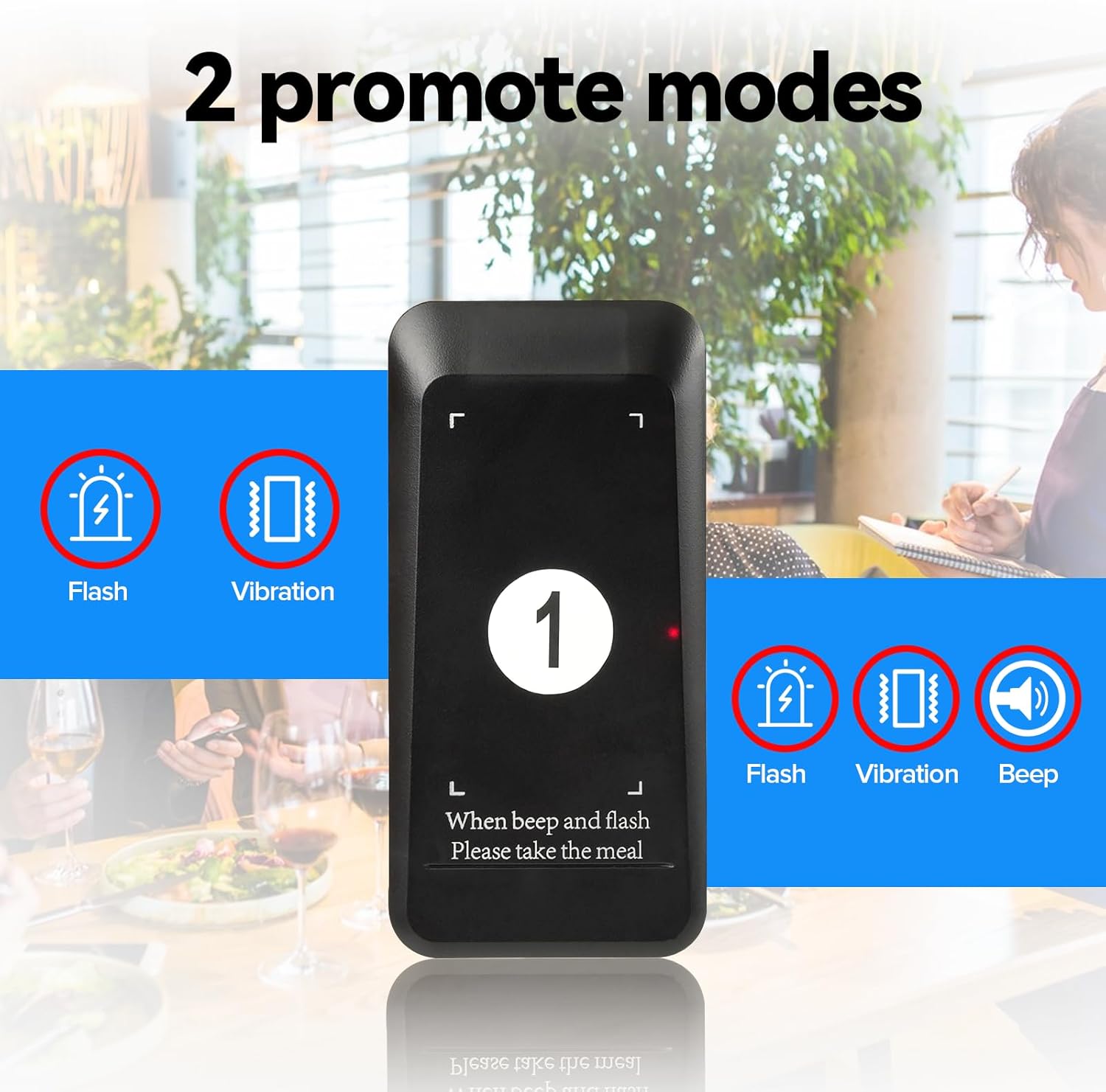
Image: This image highlights the two available call modes: one with flash and vibration, and another with flash, vibration, and an audible beep, catering to different environment noise levels.
4. സജ്ജീകരണ നിർദ്ദേശങ്ങൾ
4.1 പ്രാരംഭ സജ്ജീകരണം
- Connect the power adapter to the transmitter keyboard and plug it into a power outlet.
- Place all pagers into the charging slots on the transmitter. Ensure they are properly seated and charging.
- The system is pre-paired from the factory. You can use it directly.
4.2 Pairing Additional Pagers (if needed)
If you need to pair new pagers or re-pair existing ones, follow these steps:
- On the transmitter keyboard, press the X ഒപ്പം √ buttons simultaneously to enter setting mode. The display will show "F1".
- അമർത്തുക 2 തുടർന്ന് √ to enter F2 mode.
- Enter the desired pager ID number (e.g., 001, 002, etc.) using the numeric keypad.
- Remove the pager from its slot. The pager will flash and vibrate.
- അമർത്തുക √ on the transmitter to confirm the pairing. The pager will stop flashing and vibrating, indicating successful pairing.
Video: This video demonstrates how to pair the TD162 pager system, which uses a similar pairing process to the TD157S. It shows pressing the X and checkmark buttons, entering a number, and confirming the pairing.
5. പ്രവർത്തന നിർദ്ദേശങ്ങൾ
5.1 ഒരു പേജറെ വിളിക്കുന്നു
- Ensure the desired pager is charged and powered on.
- On the transmitter keyboard, enter the ID number of the pager you wish to call.
- അമർത്തുക വിളിക്കുക button. The pager will activate according to its set notification mode (vibration, flash, or beep).
- When the customer returns the pager, place it back into a charging slot.

Image: This image illustrates the typical use case: a customer places an order, receives a pager, waits comfortably, is called when their order is ready, and then collects their food.
5.2 One-Click Group Call
To call multiple pagers simultaneously (if configured):
- Press the designated group call button (refer to your specific configuration, often a pre-programmed number or a special function key).
- All pagers assigned to that group will activate.
5.3 One-Click Shutdown
To turn off all pagers on the charging station:
- Ensure all pagers are placed in their charging slots.
- Press the designated one-click shutdown button (refer to your specific configuration, often a combination of keys or a special function key).
- All pagers will power off, conserving battery life.
Video: This short video demonstrates how a pager can be removed from the bottom of a stack, indicating a design feature for easy handling or maintenance. While not directly about operation, it shows interaction with the pager unit.
5.4 Adjusting Notification Mode (for pagers with customizable modes)
Some pager models allow customization of notification modes (vibration, flash, beep). Refer to the specific pager's instructions or the video below for guidance.
Video: This video, titled "WNKRUN Restaurant Pager-Features", demonstrates features of a restaurant pager, including how to change notification modes (vibration, flash, beep) and set the pager ID. This is relevant for customizing pager behavior.
6. പരിപാലനം
- വൃത്തിയാക്കൽ: The touch keyboard design without gaps makes it easy to clean. Use a soft, damp cloth to wipe down the transmitter and pagers. Avoid harsh chemicals.
- ബാറ്ററി കെയർ: Ensure pagers are regularly charged. The built-in 200mAh battery supports overcurrent protection. Avoid leaving pagers fully discharged for extended periods.
- സംഭരണം: When not in use for extended periods, ensure pagers are fully charged and stored in a cool, dry place.
Video: This video addresses frequently asked questions, including whether the pager sticker can be replaced (no), if replacement pagers can be ordered (yes, just pair them), and if it's waterproof (splash-proof for daily use). It also shows how to turn off all pagers at once by pressing '999' and 'call'.
7. പ്രശ്നപരിഹാരം
| പ്രശ്നം | സാധ്യമായ കാരണം | പരിഹാരം |
|---|---|---|
| പേജർ കോളിനോട് പ്രതികരിക്കുന്നില്ല. |
|
|
| ഹ്രസ്വമായ പ്രവർത്തന ശ്രേണി. |
|
|
| Pagers not charging. |
|
|
8 സ്പെസിഫിക്കേഷനുകൾ
| ഫീച്ചർ | വിശദാംശങ്ങൾ |
|---|---|
| ബ്രാൻഡ് | രെതെകെസ് |
| മോഡൽ നമ്പർ | TD157 |
| Max Range (Open Area) | 400 മീറ്റർ |
| Max Range (Indoor) | 100-300 മീറ്റർ |
| പേജർ ബാറ്ററി | 200mAh (ബിൽറ്റ്-ഇൻ) |
| പേജർ സ്റ്റാൻഡ്ബൈ സമയം | 15 മണിക്കൂർ വരെ |
| ചാർജിംഗ് സമയം | ഏകദേശം 7 മണിക്കൂർ |
| Call Modes | Vibration + Flashing, Beep + Flashing + Vibration |
| പരമാവധി പേജർ ശേഷി | 997 പേജറുകൾ |
| കീബോർഡ് തരം | കീബോർഡ് സ്പർശിക്കുക |
| മാതൃരാജ്യം | ചൈന |

Image: This image provides the product dimensions for both the transmitter keyboard and an individual pager, including height, width, and thickness measurements.
9. വാറൻ്റിയും പിന്തുണയും
Retekess offers a 2 വർഷത്തെ വാറൻ്റി കൂടാതെ എ 30 ദിവസത്തെ കാരണമില്ലാത്ത റിട്ടേൺ നയം. Beyond the warranty period, maintenance services are available, with buyers responsible for associated costs. For support, please contact Retekess via Amazon, and a response will be provided within 12 hours.
For further assistance or inquiries, please visit the official Retekess store on Amazon: റീടെക്സ് ആമസോൺ സ്റ്റോർ.