
1. ആമുഖം
വാങ്ങിയതിന് നന്ദി.asing the LoopTone R08P Vintage AM/FM Bluetooth Radio. This manual provides detailed instructions for the safe operation, setup, and maintenance of your new radio. Please read this manual thoroughly before use and retain it for future reference.

ചിത്രം 1.1: മുൻഭാഗം view of the LoopTone R08P radio, showcasing its wooden cabinet, speaker grille, tuning dial, and control knobs.
2 സുരക്ഷാ വിവരങ്ങൾ
സുരക്ഷിതമായ പ്രവർത്തനം ഉറപ്പാക്കുന്നതിനും കേടുപാടുകൾ തടയുന്നതിനും, ദയവായി ഇനിപ്പറയുന്ന മുൻകരുതലുകൾ പാലിക്കുക:
- മഴ, ഈർപ്പം, അല്ലെങ്കിൽ തീവ്രമായ താപനില എന്നിവയിൽ യൂണിറ്റ് തുറന്നുകാട്ടരുത്.
- റേഡിയേറ്ററുകൾ, ഹീറ്റ് രജിസ്റ്ററുകൾ, സ്റ്റൗകൾ അല്ലെങ്കിൽ മറ്റ് ഉപകരണങ്ങൾ (ഉൾപ്പെടെ) പോലുള്ള താപ സ്രോതസ്സുകൾക്ക് സമീപം യൂണിറ്റ് സ്ഥാപിക്കുന്നത് ഒഴിവാക്കുക. ampലൈഫയറുകൾ) ചൂട് ഉത്പാദിപ്പിക്കുന്നത്.
- നിർമ്മാതാവ് വ്യക്തമാക്കിയ അറ്റാച്ച്മെൻ്റുകൾ/ആക്സസറികൾ മാത്രം ഉപയോഗിക്കുക.
- മിന്നൽ കൊടുങ്കാറ്റുകളുടെ സമയത്തോ ദീർഘകാലത്തേക്ക് ഉപയോഗിക്കാത്ത സമയത്തോ യൂണിറ്റ് അൺപ്ലഗ് ചെയ്യുക.
- എല്ലാ സേവനങ്ങളും യോഗ്യതയുള്ള സേവന ഉദ്യോഗസ്ഥർക്ക് റഫർ ചെയ്യുക. പവർ സപ്ലൈ കോർഡ് അല്ലെങ്കിൽ പ്ലഗ് കേടാകുക, ദ്രാവകം ഒഴുകുകയോ ഉപകരണങ്ങൾ ഉപകരണത്തിലേക്ക് വീഴുകയോ ചെയ്യുക, ഉപകരണം മഴയോ ഈർപ്പമോ സമ്പർക്കം പുലർത്തുക, സാധാരണയായി പ്രവർത്തിക്കാത്തത് എന്നിങ്ങനെയുള്ള ഏതെങ്കിലും വിധത്തിൽ ഉപകരണത്തിന് കേടുപാടുകൾ സംഭവിക്കുമ്പോൾ സേവനം ആവശ്യമാണ്. , അല്ലെങ്കിൽ ഉപേക്ഷിച്ചു.
3. പാക്കേജ് ഉള്ളടക്കം
പാക്കേജിൽ ഇനിപ്പറയുന്ന ഇനങ്ങൾ ഉണ്ടോ എന്ന് പരിശോധിക്കുക:
- LoopTone R08P Radio Unit
- ഉടമയുടെ മാനുവൽ (ഈ പ്രമാണം)
4. ഉൽപ്പന്നം കഴിഞ്ഞുview
4.1 ഫ്രണ്ട് പാനൽ നിയന്ത്രണങ്ങൾ
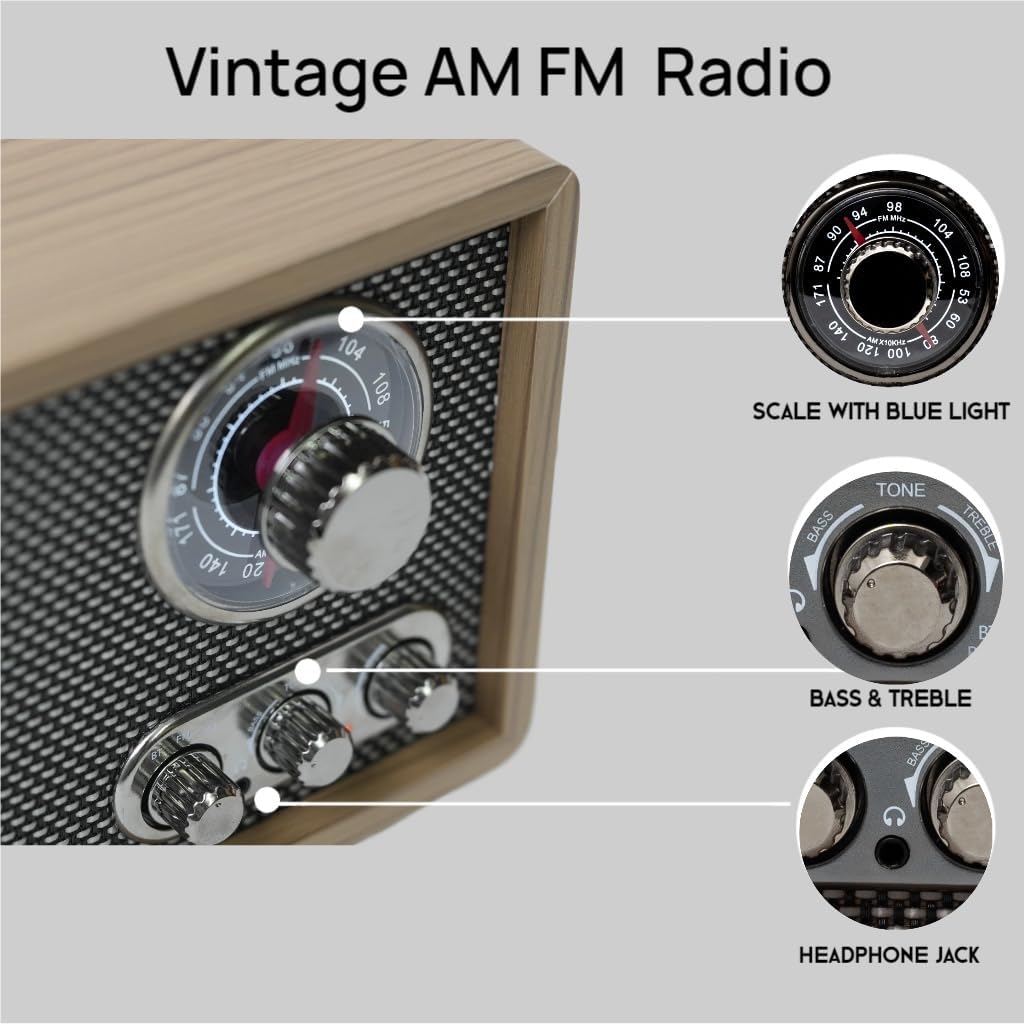
ചിത്രം 4.1: ക്ലോസ്-അപ്പ് view of the tuning dial, mode switch, and control knobs on the front panel.
- ട്യൂണിംഗ് ഡയൽ: Used to select AM or FM radio frequencies. Features a blue backlight for visibility.
- Mode Switch (BT/FM/AM): Selects between Bluetooth, FM radio, and AM radio modes.
- വോളിയം നോബ്: Adjusts the audio output level. Also functions as the power ON/OFF switch.
- Tone Control (Bass/Treble): Adjusts the bass and treble levels for customized sound.
- ഹെഡ്ഫോൺ ജാക്ക്: 3.5mm output for private listening with headphones.
4.2 പിൻ പാനൽ കണക്ഷനുകൾ

ചിത്രം 4.2: പിൻഭാഗം view of the LoopTone R08P radio, showing the FM antenna, AUX IN, BTT switch, and AC power input.
- FM ANT: Telescopic antenna for FM reception.
- ഓക്സ് ഇൻ: ബാഹ്യ ഓഡിയോ ഉപകരണങ്ങൾ ബന്ധിപ്പിക്കുന്നതിനുള്ള 3.5mm ഇൻപുട്ട്.
- BTT ON/OFF Switch: Activates or deactivates the Bluetooth Out function.
- AC~ Power Input: Connects the radio to a standard AC power outlet using the provided power cord.
5. സജ്ജീകരണം
- പവർ കണക്ഷൻ: Connect the AC power cord to the AC~ Power Input on the rear panel of the radio, then plug the other end into a standard wall outlet.
- ആന്റിന ക്രമീകരണം: For optimal FM reception, fully extend the telescopic FM antenna. For AM reception, the internal antenna is generally sufficient, but you may need to rotate the radio for better signal.
6. പ്രവർത്തന നിർദ്ദേശങ്ങൾ
6.1 പവർ ഓൺ/ഓഫ്, വോളിയം നിയന്ത്രണം
തിരിക്കുക വോളിയം നോബ് clockwise to turn the radio ON. Continue rotating clockwise to increase the volume. Rotate counter-clockwise to decrease the volume. Rotate fully counter-clockwise until a click is heard to turn the radio OFF.
6.2 AM/FM റേഡിയോ പ്രവർത്തനം
- Turn the radio ON using the Volume Knob.
- സജ്ജമാക്കുക മോഡ് സ്വിച്ച് to 'FM' or 'AM' as desired.
- തിരിക്കുക ട്യൂണിംഗ് ഡയൽ to select your desired radio station. The dial will illuminate with a blue backlight for easy viewing.
- ക്രമീകരിക്കുക എഫ്എം ആന്റ് for best FM reception. For AM, reposition the radio if needed.
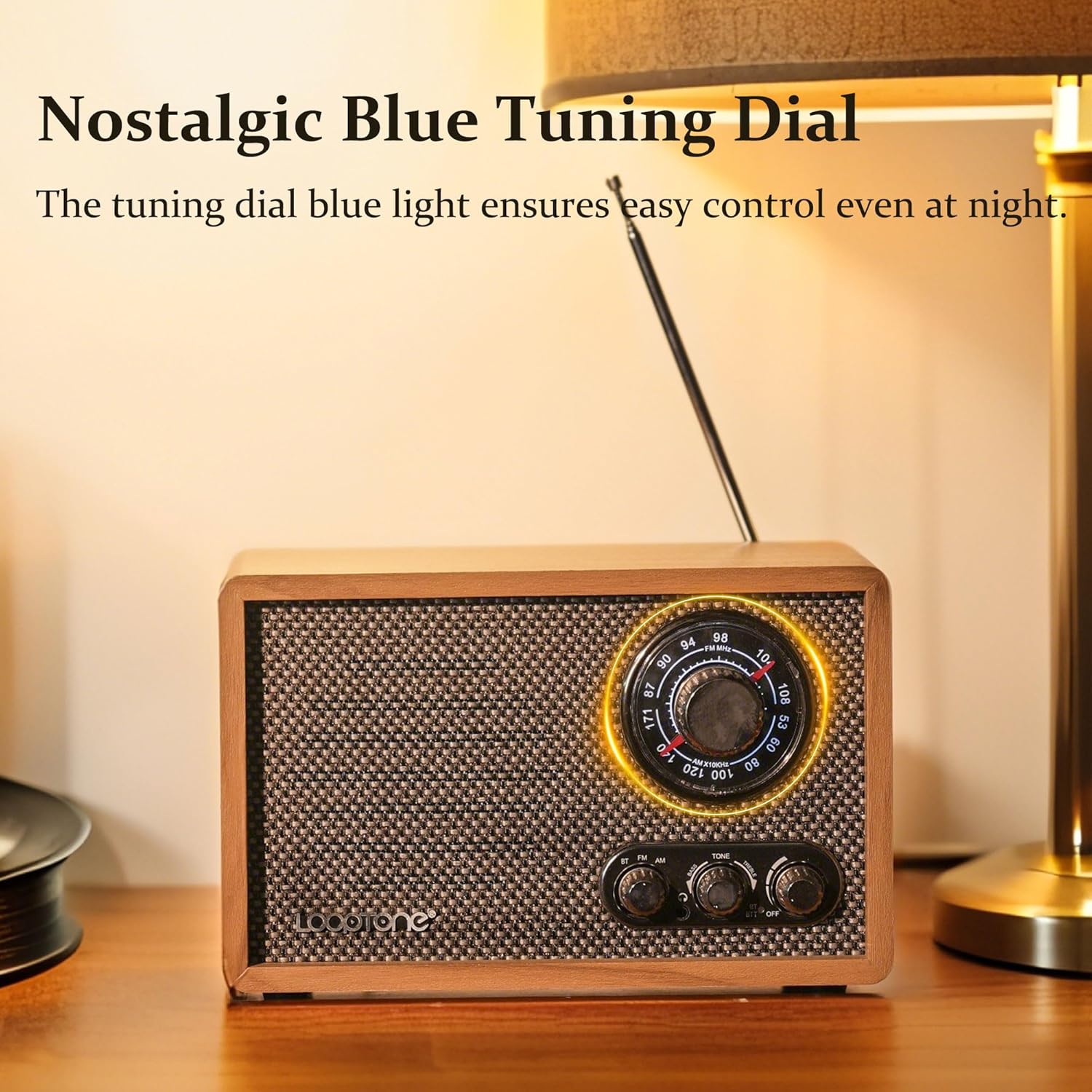
Image 6.1: The radio's tuning dial illuminated with a blue light, indicating ease of use in low-light conditions.
6.3 Bluetooth In (Receiving Audio)
This function allows the radio to receive audio from a Bluetooth-enabled device (e.g., smartphone, tablet).
- റേഡിയോ ഓൺ ചെയ്യുക.
- സജ്ജമാക്കുക മോഡ് സ്വിച്ച് to 'BT'. The radio will enter pairing mode, indicated by a flashing indicator light (if present, refer to product for specific indicator).
- On your Bluetooth device, search for available devices and select "LoopTone R08P" (or similar name).
- ജോടിയാക്കിക്കഴിഞ്ഞാൽ, ഇൻഡിക്കേറ്റർ ലൈറ്റ് സോളിഡ് ആകും, കൂടാതെ റേഡിയോ വഴി നിങ്ങളുടെ ഉപകരണത്തിൽ നിന്ന് ഓഡിയോ പ്ലേ ചെയ്യാനും കഴിയും.
6.4 Bluetooth Out (Transmitting Audio)
This function allows the radio to transmit its audio (AM/FM, AUX) to an external Bluetooth speaker or headphones.
- Turn the radio ON and select your desired audio source (AM, FM, or AUX).
- നിങ്ങളുടെ ബാഹ്യ ബ്ലൂടൂത്ത് സ്പീക്കർ/ഹെഡ്ഫോണുകൾ പെയറിംഗ് മോഡിലാണെന്ന് ഉറപ്പാക്കുക.
- ഫ്ലിപ്പുചെയ്യുക BTT ON/OFF Switch on the rear panel to 'ON'. The radio will begin searching for external Bluetooth devices.
- Once connected, the audio from the radio will be transmitted to your external Bluetooth device.
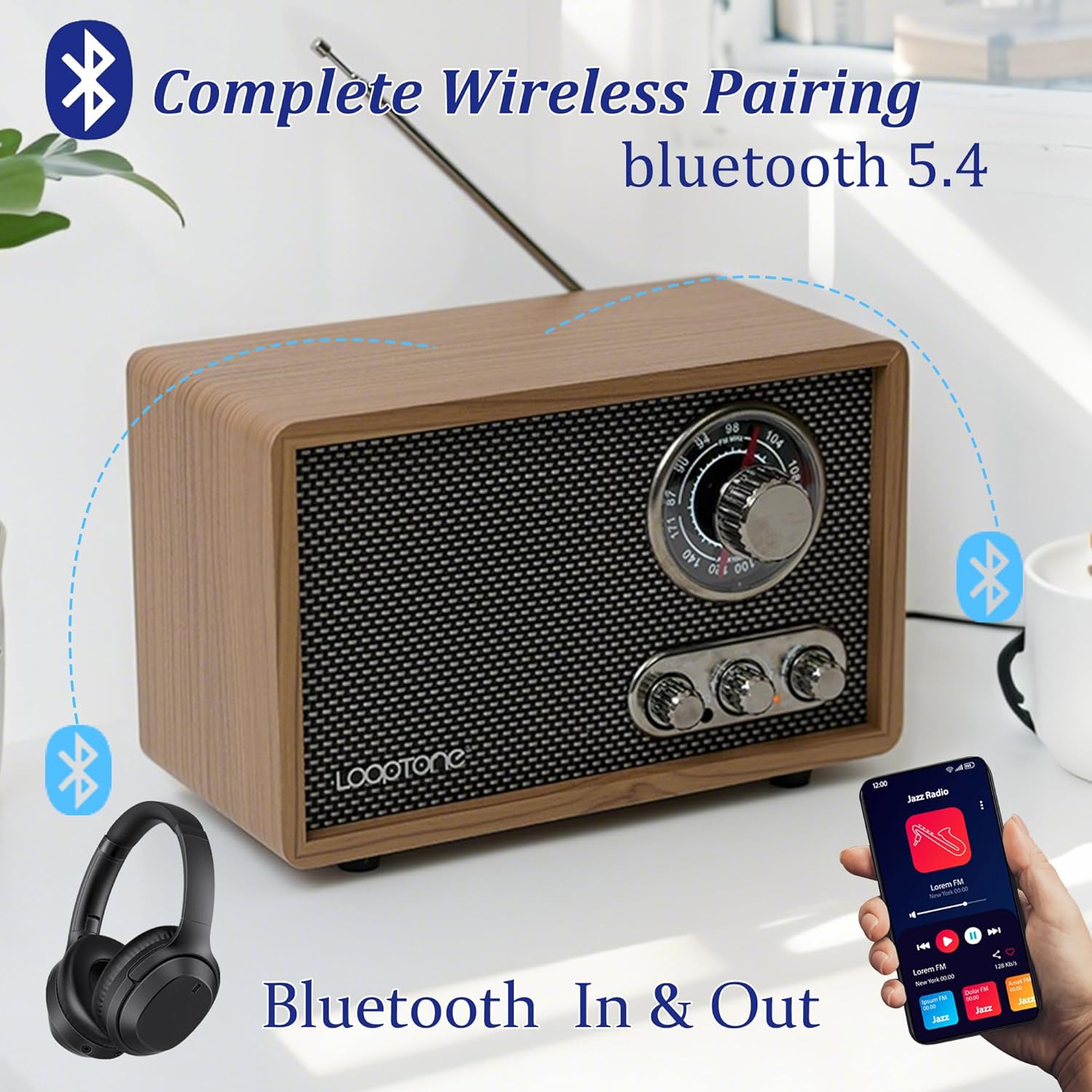
Image 6.2: Visual representation of the radio's dual Bluetooth capabilities, allowing both receiving and transmitting audio.
6.5 AUX ഇൻപുട്ട് പ്രവർത്തനം
Connect an external audio device (e.g., MP3 player, CD player) to the ഓക്സ് ഇൻ jack on the rear panel using a 3.5mm audio cable (not included).
- റേഡിയോ ഓൺ ചെയ്യുക.
- സജ്ജമാക്കുക മോഡ് സ്വിച്ച് to 'BT' (Bluetooth mode also handles AUX input).
- Play audio from your connected external device.
6.6 ഹെഡ്ഫോൺ ജാക്ക്
For private listening, plug any standard 3.5mm headphones into the ഹെഡ്ഫോൺ ജാക്ക് on the front panel. The main speaker will be muted automatically.
7. ഓഡിയോ നിയന്ത്രണം
ദി ടോൺ നിയന്ത്രണം knob allows you to adjust the audio characteristics:
- Rotate towards 'BASS' to enhance low-frequency sounds.
- Rotate towards 'TREBLE' to enhance high-frequency sounds.
Adjust this knob to suit your personal preference and the type of audio content.
8. പരിപാലനം
- വൃത്തിയാക്കൽ: റേഡിയോയുടെ പുറംഭാഗം വൃത്തിയാക്കാൻ മൃദുവായതും ഉണങ്ങിയതുമായ തുണി ഉപയോഗിക്കുക. അബ്രാസീവ് ക്ലീനറുകളോ ലായകങ്ങളോ ഉപയോഗിക്കരുത്.
- സംഭരണം: If storing the radio for an extended period, unplug it from the power outlet and store it in a cool, dry place.
- ആന്റിന കെയർ: വളയുകയോ പൊട്ടുകയോ ചെയ്യാതിരിക്കാൻ ടെലിസ്കോപ്പിക് ആന്റിന സൌമ്യമായി കൈകാര്യം ചെയ്യുക.
9. പ്രശ്നപരിഹാരം
| പ്രശ്നം | സാധ്യമായ കാരണം | പരിഹാരം |
|---|---|---|
| ശക്തിയില്ല | Power cord not connected; outlet not active; volume knob off. | Ensure power cord is securely plugged in. Check the wall outlet. Rotate volume knob clockwise to turn on. |
| മോശം റേഡിയോ സ്വീകരണം | Antenna not extended (FM); radio position (AM); interference. | Fully extend FM antenna. Rotate the radio for better AM signal. Move away from electronic devices causing interference. |
| ബ്ലൂടൂത്ത് ഉപകരണം ജോടിയാക്കുന്നില്ല | Radio not in BT mode; device too far; device already paired. | Set Mode Switch to 'BT'. Ensure device is within range (approx. 10m). Disconnect from other Bluetooth devices. |
| AUX IN-ൽ നിന്ന് ശബ്ദമില്ല. | Cable not connected; radio not in BT mode; external device volume low. | Ensure 3.5mm cable is securely connected. Set Mode Switch to 'BT'. Increase volume on external device. |
10 സ്പെസിഫിക്കേഷനുകൾ
| ഫീച്ചർ | വിശദാംശങ്ങൾ |
|---|---|
| മോഡൽ നമ്പർ | ര്ക്സനുമ്ക്സപ് |
| ഉൽപ്പന്ന അളവുകൾ | 9.45 x 4.65 x 6.3 ഇഞ്ച് (24 x 11.8 x 16 സെ.മീ) |
| ഇനത്തിൻ്റെ ഭാരം | 2.86 പൗണ്ട് (1.3 കി.ഗ്രാം) |
| പവർ ഉറവിടം | Corded Electric (AC 120V/60Hz) |
| റേഡിയോ ബാൻഡുകൾ പിന്തുണയ്ക്കുന്നു | എഎം, എഫ്എം |
| കണക്റ്റിവിറ്റി ടെക്നോളജി | Bluetooth In/Out, Auxiliary (3.5mm) |
| പ്രത്യേക സവിശേഷതകൾ | Headphone Jack, Rotary Knob, Treble Bass Control, Blue Tuning Dial Light |
11. വാറൻ്റിയും പിന്തുണയും
LoopTone products are designed and manufactured to the highest quality standards. For warranty information or technical support, please refer to the warranty card included with your purchase or contact LoopTone customer service through the retailer where the product was purchased.
Please visit the official LoopTone webഏറ്റവും കാലികമായ പിന്തുണാ വിവരങ്ങൾക്കും ബന്ധപ്പെടാനുള്ള വിശദാംശങ്ങൾക്കുമുള്ള സൈറ്റ്.