
ആമുഖം
Thank you for choosing the ANCEL DS160 Bidirectional OBD2 Scanner. This comprehensive diagnostic tool is designed to provide in-depth analysis and maintenance services for various vehicle systems, particularly optimized for Ford vehicles. This manual will guide you through the setup, operation, maintenance, and troubleshooting of your DS160 scanner and its accompanying protective case, ensuring you get the most out of your device.
The ANCEL DS160 is a powerful tool for both professional technicians and automotive enthusiasts, offering full-system diagnostics and a wide range of hot reset services to keep your vehicle running efficiently and safely.
ഉൽപ്പന്നം കഴിഞ്ഞുview
The ANCEL DS160 system includes the diagnostic scanner unit and a durable protective carrying case.

Image: The ANCEL DS160 Bidirectional OBD2 Scanner shown alongside its protective carrying case.
ANCEL DS160 Scanner Features:
- Full-System Scan Tool: Offers comprehensive analysis for all major vehicle systems including Engine, Transmission, ABS, Airbag, SAS, PCM, BCM, ESP, and more.
- 30+ Hot Reset Services: Includes functions like AdBlue Reset, Oil Reset, Steering Angle Reset, ABS Bleeding, Battery Matching, Injector Coding, Electric Throttle Relearn, Brake Reset, Power Balance, Fuel Economy Test, and many others.
- 5 ഇഞ്ച് ടച്ച് സ്ക്രീൻ: Provides an intuitive and user-friendly interface for navigation and operation.
- Efficient Hardware: Equipped with a 1.3 GHz 4-Core CPU, 2GB RAM, 32GB ROM, and a 1500 mAh battery for powerful and fast performance.
- ആജീവനാന്ത സൗജന്യ അപ്ഡേറ്റുകൾ: Ensures your scanner always has the latest software and vehicle coverage.
- ബഹുഭാഷാ പിന്തുണ: Supports 20 languages for global usability.

Image: A visual representation detailing the extensive list of over 30 hot reset services available on the ANCEL DS160 scanner.
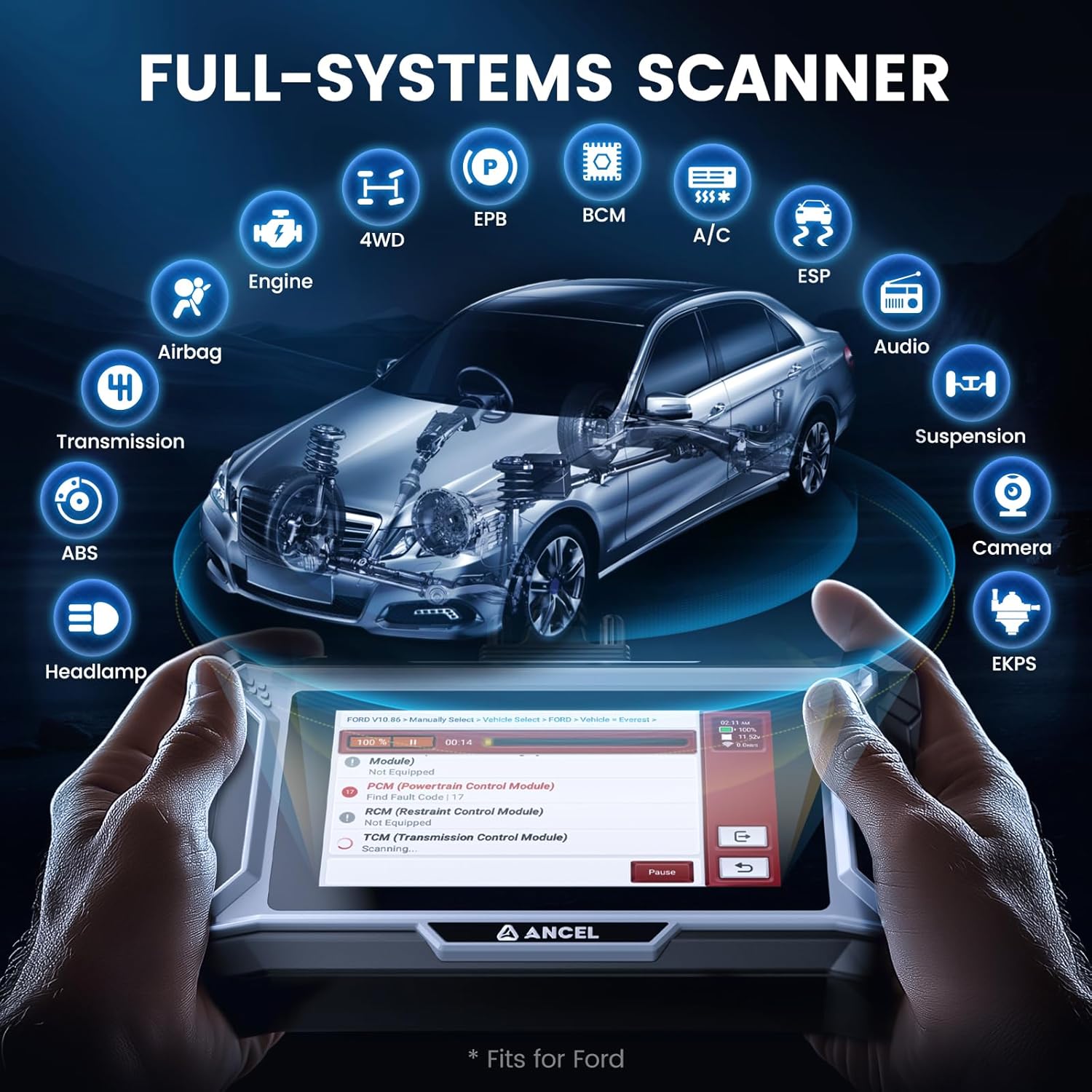
ചിത്രം: ഒരു ചിത്രീകരണ ഡയഗ്രം ഷോasing the ANCEL DS160's ability to scan and diagnose all major vehicle systems, including Engine, Transmission, ABS, Airbag, and more.
Protective Case Features:
- പരിസ്ഥിതി സൗഹൃദ നിർമ്മാണം: Made from EVA rubber and plastic, offering excellent cushioning, shock resistance, heat resistance, moisture resistance, and chemical corrosion resistance. It is non-toxic and non-absorbent.
- മോടിയുള്ള മെറ്റീരിയൽ: Includes polyester fiber for oil resistance, high durability, and abrasion resistance.
- Expanded Accessory Storage: Features an additional interlayer for storing accessories like extension cables.
- അളവുകൾ: Inner dimensions are approximately 7.9 x 5.5 x 2.4 inches.

Image: The ANCEL protective carrying case, designed to safeguard the diagnostic scanner and its accessories.

Image: A diagram illustrating the external dimensions of the ANCEL protective case, showing its compact and portable design.
സജ്ജമാക്കുക
- അൺപാക്ക് ചെയ്യുന്നു: Carefully remove the ANCEL DS160 scanner and its accessories from the protective case. Inspect all components for any signs of damage.
- പവർ ഓൺ: The device typically powers on automatically when connected to a vehicle's OBD-II port. Alternatively, ensure the internal battery is charged if operating independently for initial setup or software updates.
- പ്രാരംഭ കോൺഫിഗറേഷൻ: Upon first use, the device may prompt you to select your preferred language and set up Wi-Fi connectivity. Follow the on-screen instructions to complete these settings. Wi-Fi is essential for software updates.
- OBD-II പോർട്ട് കണ്ടെത്തുക: Identify your vehicle's OBD-II diagnostic port. This port is usually located under the dashboard on the driver's side, though its exact position can vary by vehicle model and year. Refer to your vehicle's owner's manual if you cannot locate it.
- വാഹനവുമായി ബന്ധിപ്പിക്കുക: Plug the diagnostic cable from the ANCEL DS160 scanner firmly into the vehicle's OBD-II port. Ensure a secure connection.
- വാഹന ജ്വലനം: Turn the vehicle's ignition to the 'ON' position (engine off). Some functions may require the engine to be running; the device will prompt you if necessary.
പ്രവർത്തന നിർദ്ദേശങ്ങൾ
Once connected and powered on, the ANCEL DS160 will display its main menu. Use the touch screen to navigate through the various functions.

Image: The main screen interface of the ANCEL DS160 scanner, showing various function icons such as AutoSearch, Diagnose, OBD, Maintenance, and Settings.
Performing a Full-System Scan:
- From the main menu, select the "Diagnose" or "AutoSearch" option.
- The scanner will automatically identify your vehicle's VIN (Vehicle Identification Number) and model, or you may be prompted to manually select the vehicle make, model, and year.
- Once the vehicle is identified, select "Full System Scan" or similar option to initiate a comprehensive diagnostic scan of all available vehicle modules.
- The scanner will display a report of detected Diagnostic Trouble Codes (DTCs) and system statuses. Review the results to identify any issues.
- You can then select specific modules to view live data, freeze frame data, or clear DTCs as needed.
Accessing Hot Reset Services:
- From the main menu, select the "Service" or "Maintenance" icon.
- A list of available hot reset services will be displayed. Select the specific service you wish to perform (e.g., "Oil Reset," "ABS Bleeding," "Battery Matching").
- Follow the on-screen instructions carefully for each service. Some services may require specific vehicle conditions (e.g., engine off, ignition on, brake pedal pressed).
- കുറിപ്പ്: The availability and specific steps for reset functions vary by car model and year. If you encounter difficulties, refer to the device's built-in help or contact support with your vehicle's details.
മെയിൻ്റനൻസ്
- ഉപകരണം വൃത്തിയാക്കുന്നു: Use a soft, dry cloth to clean the scanner's screen and body. Avoid using abrasive cleaners or solvents that could damage the device.
- സോഫ്റ്റ്വെയർ അപ്ഡേറ്റുകൾ: Regularly check for and install software updates via Wi-Fi. The ANCEL DS160 offers lifetime free updates, ensuring compatibility with new vehicle models and improved functionalities. Access the "Update" section from the main menu.
- ബാറ്ററി കെയർ: If the device has an internal battery, ensure it is charged periodically, especially if stored for extended periods, to maintain battery health.
- Protective Case Care: Keep the protective case clean and dry. Its durable materials are designed for longevity, but proper care will extend its lifespan and maintain its protective qualities.
- സംഭരണം: Store the scanner and its accessories in the protective case when not in use to prevent damage from dust, impacts, or spills.
ട്രബിൾഷൂട്ടിംഗ്
| പ്രശ്നം | സാധ്യമായ കാരണം | പരിഹാരം |
|---|---|---|
| ഉപകരണം പവർ ഓണാക്കുന്നില്ല. | Loose OBD-II connection; Vehicle ignition off; Low internal battery. | Ensure cable is securely connected. Turn vehicle ignition to 'ON'. Charge the device if it has an internal battery. |
| വാഹനവുമായി ബന്ധിപ്പിക്കാൻ കഴിയുന്നില്ല. | Incorrect OBD-II port; Damaged cable; Vehicle communication issue. | Verify OBD-II port location. Check cable for damage. Try connecting to another compatible vehicle if possible. |
| Scan failed or incomplete. | Software outdated; Vehicle specific protocol issue; Loose connection. | Perform a software update. Ensure stable connection. Some older or modified vehicles may have compatibility limitations. |
| Hot Reset Service not working. | Service not supported for vehicle; Incorrect procedure followed; Vehicle conditions not met. | Verify service compatibility for your specific vehicle model/year. Carefully follow all on-screen prompts. Ensure vehicle conditions (e.g., engine state) are met. |
If you encounter persistent issues that cannot be resolved with the above steps, please refer to the support section for further assistance.
സ്പെസിഫിക്കേഷനുകൾ
- മോഡൽ: ANCEL DS160
- പ്രോസസ്സർ: 1.3 GHz 4-Core CPU
- റാം: 2 ജിബി
- ROM: 32 ജിബി
- സ്ക്രീൻ: 5 ഇഞ്ച് ടച്ച് സ്ക്രീൻ
- ബാറ്ററി: 1500 mAh
- കണക്റ്റിവിറ്റി: 2.4 GHz വൈഫൈ
- പിന്തുണയ്ക്കുന്ന ഭാഷകൾ: 20
- കേസ് മെറ്റീരിയൽ: EVA റബ്ബർ, പ്ലാസ്റ്റിക്, പോളിസ്റ്റർ ഫൈബർ
- Case Inner Dimensions: ഏകദേശം 7.9 x 5.5 x 2.4 ഇഞ്ച്
വാറൻ്റിയും പിന്തുണയും
For warranty information, please refer to the specific warranty policy provided with your purchase or visit the official ANCEL webസൈറ്റ്. വാറന്റി നിബന്ധനകൾ സാധാരണയായി വാങ്ങിയ തീയതി മുതൽ ഒരു നിശ്ചിത കാലയളവിലേക്ക് നിർമ്മാണ വൈകല്യങ്ങൾ ഉൾക്കൊള്ളുന്നു.
If you require technical assistance, have questions about specific vehicle compatibility, or need help with advanced functions, please contact ANCEL customer support. When contacting support, it is helpful to have your vehicle's details (make, model, year, VIN) and a description of the issue ready.
You can often find support contact information on the ANCEL official website or through the 'Consult' or 'Feedback' sections within the device's software interface.