
1. ആമുഖം
This manual provides comprehensive instructions for the setup, operation, and maintenance of your Beetel F1 4G Fixed Cordless Landline Phone, Model F1K 4G. Please read this manual carefully before using the device to ensure proper functionality and to maximize its features.
2. പാക്കേജ് ഉള്ളടക്കം
പാക്കേജിൽ എല്ലാ ഇനങ്ങളും ഉണ്ടെന്ന് ഉറപ്പാക്കുക:
- Beetel F1K 4G Landline Phone Unit
- ഹാൻഡ്സെറ്റ്
- കോയിൽഡ് ഹാൻഡ്സെറ്റ് കോർഡ്
- പവർ അഡാപ്റ്റർ
- ഉപയോക്തൃ മാനുവൽ
- ആൻ്റിന
3. സജ്ജീകരണ ഗൈഡ്
3.1. ഡിവൈസ് ഓവർview

Image: Beetel F1K 4G Fixed Cordless Landline Phone showing the main unit, handset, and antenna.
3.2. സിം കാർഡ് ഇൻസ്റ്റാളേഷൻ
- ഫോൺ ഓഫാക്കിയിട്ടുണ്ടെന്നും പവർ അഡാപ്റ്ററിൽ നിന്ന് വിച്ഛേദിക്കപ്പെട്ടിട്ടുണ്ടെന്നും ഉറപ്പാക്കുക.
- Locate the SIM card slot, typically found on the back or bottom of the main unit.
- Carefully insert your 4G VoLTE enabled SIM card into the designated slot. Ensure the SIM card is inserted in the correct orientation as indicated by the diagram near the slot.
- സിം കാർഡ് സ്ലോട്ട് കവർ സുരക്ഷിതമായി അടയ്ക്കുക.
3.3. ബാറ്ററി ഇൻസ്റ്റാളേഷൻ
- ഫോണിന്റെ പിൻഭാഗത്തുള്ള ബാറ്ററി കമ്പാർട്ട്മെന്റ് കവർ തുറക്കുക.
- Insert the provided AAA batteries, ensuring correct polarity (+ and -) as marked.
- ബാറ്ററി കമ്പാർട്ട്മെൻ്റ് കവർ അടയ്ക്കുക.
3.4. ആന്റിന അറ്റാച്ച്മെന്റ്
- Locate the antenna port on the main unit.
- Screw the external antenna clockwise into the port until it is firmly attached.
3.5. പവർ കണക്ഷൻ
- Connect the power adapter to the DC input port on the phone.
- പവർ അഡാപ്റ്റർ ഒരു സാധാരണ ഇലക്ട്രിക്കൽ ഔട്ട്ലെറ്റിലേക്ക് പ്ലഗ് ചെയ്യുക.
3.6. പ്രാരംഭ പവർ ഓൺ
- Press and hold the Power button (usually located on the keypad) until the LCD screen illuminates.
- The phone will perform a self-check and attempt to register with the network. Wait for the network signal indicator to appear on the LCD screen.
4. ഫോൺ പ്രവർത്തിപ്പിക്കൽ
4.1. കോളുകൾ ചെയ്യലും സ്വീകരിക്കലും
To make a call, dial the number using the keypad and press the Call/Send button. To receive a call, lift the handset or press the Speakerphone button.
4.2. 4G VoLTE Support

Image: Graphic illustrating the phone's support for 4G VoLTE, LTE, 3G, and 2G networks for voice calls.
The Beetel F1K 4G supports 4G VoLTE technology, ensuring high-quality voice calls over LTE networks. This provides clearer audio and faster call connection times compared to traditional 2G/3G networks. Ensure your SIM card is VoLTE enabled for optimal performance.
4.3. LCD Display with Backlight
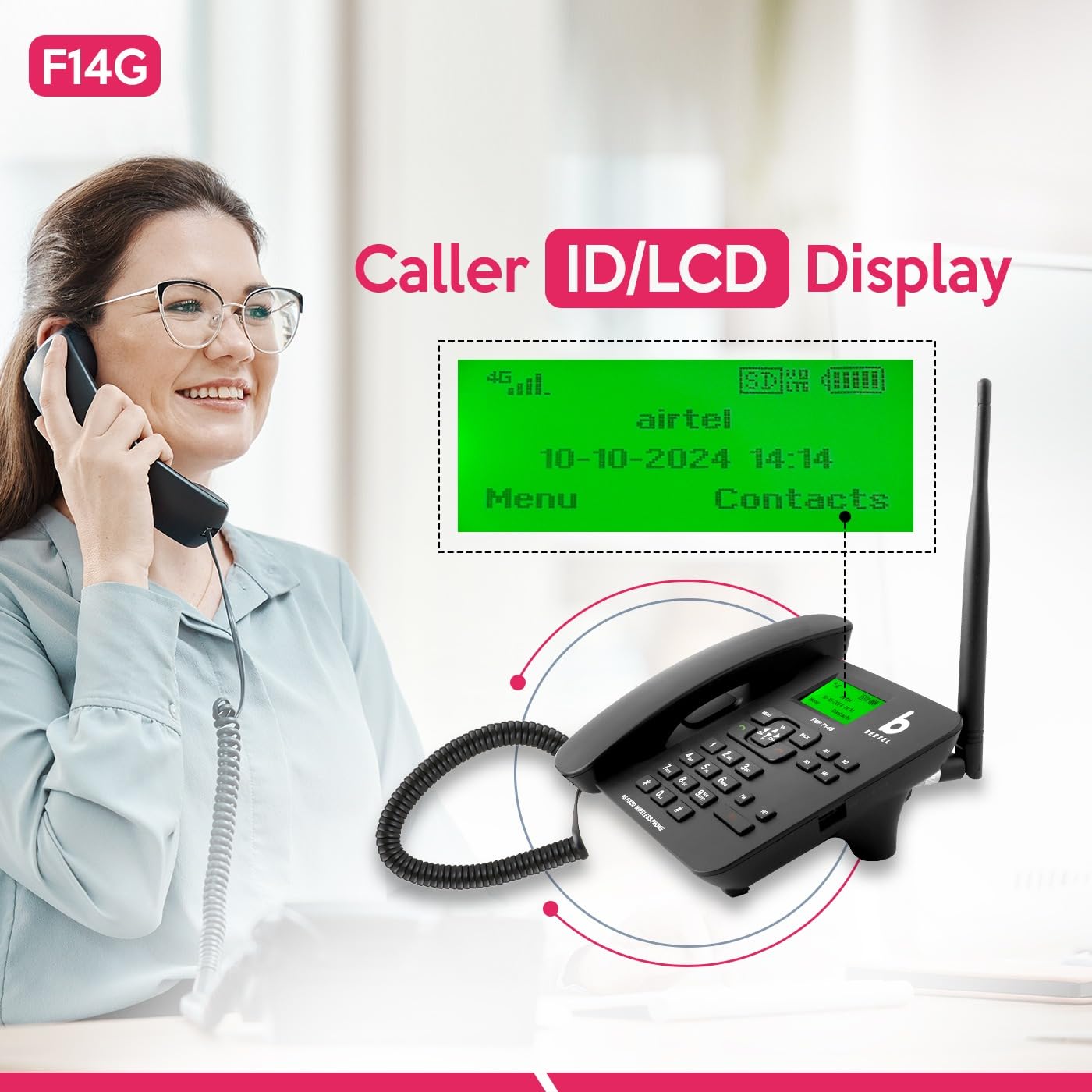
Image: Close-up of the phone's LCD display showing network status, date, time, and menu options.
The backlit LCD screen displays essential information such as network signal strength, battery level, date, time, caller ID, and menu options. The backlight ensures readability in various lighting conditions.
4.4. Two-Way Speakerphone & Adjustable Volume
Activate the speakerphone function by pressing the dedicated Speakerphone button during a call. You can adjust the call volume using the navigation keys (up/down) on the keypad. This feature is ideal for hands-free conversations or group calls.
4.5. സ്പീഡ് ഡയൽ
To set up speed dial, navigate to the phonebook or settings menu. Assign frequently called numbers to specific keys (e.g., 2-9). To use, press and hold the assigned key for a few seconds.
4.6. Direct Memory Keys (M1-M4)

Image: The phone's keypad with the four direct memory keys (M1, M2, M3, M4) clearly indicated.
The phone features four dedicated direct memory keys (M1, M2, M3, M4) for quick access to important contacts. To program these keys, refer to the phone's menu for 'Memory Key Settings' or 'Direct Dial'.
4.7. 3-Way Call Conferencing
To initiate a 3-way call, make the first call, then press the 'Options' or 'Menu' button, select 'Add Call' or 'Conference', dial the second number, and once connected, select 'Merge Calls' or 'Conference'.
4.8. Hotline Function

Image: A person using the Beetel F1K 4G phone, with a graphic highlighting the 'Hotline Function'.
The Hotline function allows you to automatically dial a pre-set number when the handset is lifted or a specific key is pressed. This is useful for emergency contacts or frequently called numbers. Configure this feature in the phone's settings menu.
4.9. MP3 Player and FM Radio
The integrated MP3 player allows you to play audio files stored on a compatible memory card (if supported). The FM radio function enables listening to local radio stations. Access these features through the 'Multimedia' or 'Entertainment' menu.
4.10. SOS പ്രവർത്തനം
The SOS function allows you to quickly dial pre-programmed emergency numbers by pressing a dedicated SOS button (if available) or a specific key combination. Ensure emergency contacts are correctly set up in the phone's settings.
4.11. Sound & Call Recording Function
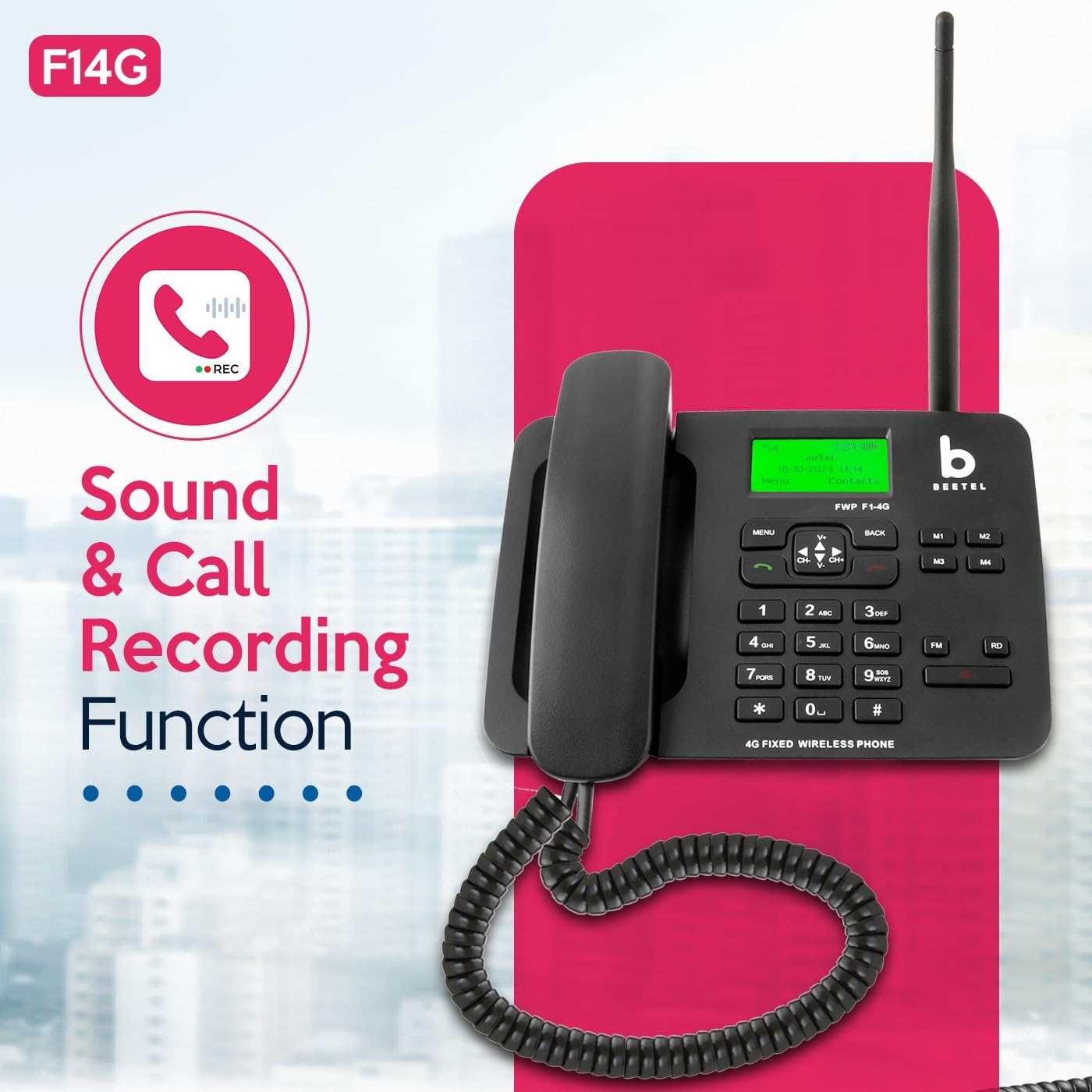
Image: The Beetel F1K 4G phone with a graphic indicating 'Sound & Call Recording Function'.
The phone supports sound and call recording. During an active call, you may have an option to start recording via the menu. Recorded files are typically saved to internal memory or an inserted memory card.
5. പരിപാലനം
5.1. വൃത്തിയാക്കൽ
Use a soft, dry cloth to clean the phone's surface. Avoid using liquid cleaners or abrasive materials, which can damage the device.
5.2. ബാറ്ററി പരിചരണം
To prolong battery life, avoid exposing the phone to extreme temperatures. If the phone will not be used for an extended period, fully charge the battery before storage and recharge periodically.
5.3. സംഭരണം
ഉപയോഗിക്കാത്തപ്പോൾ നേരിട്ട് സൂര്യപ്രകാശം ഏൽക്കാത്തതും ഈർപ്പമുള്ളതുമായ സ്ഥലത്ത് ഫോൺ സൂക്ഷിക്കുക.
6. പ്രശ്നപരിഹാരം
If you encounter issues with your Beetel F1K 4G phone, refer to the following common problems and solutions:
- സിഗ്നൽ ഇല്ല/മോശം സിഗ്നൽ:
Ensure the external antenna is securely attached. Check if the SIM card is properly inserted. Move the phone to an area with better network coverage. - കോളുകൾ വിളിക്കാനോ സ്വീകരിക്കാനോ കഴിയില്ല:
Verify that the SIM card is active and has sufficient balance/plan. Check network signal strength. Restart the phone. - Low Ringtone Volume:
Adjust the ringtone volume through the phone's settings menu. Ensure the phone is not in silent or vibrate-only mode. - ബാറ്ററി ഹോൾഡിംഗ് ചാർജ്ജ്:
Ensure the power adapter is correctly connected and the outlet is functional. If the issue persists, the battery may need replacement. - Low Earpiece Sound:
Adjust the in-call volume using the navigation keys. Ensure the earpiece is clean and free from obstructions. - ഫോൺ ഓണാക്കുന്നില്ല:
Ensure the battery is charged or the phone is connected to the power adapter. Press and hold the power button for several seconds.
7 സ്പെസിഫിക്കേഷനുകൾ
| ഫീച്ചർ | സ്പെസിഫിക്കേഷൻ |
|---|---|
| ഉൽപ്പന്ന അളവുകൾ | 21 x 19 x 6 സെ.മീ |
| ഇനത്തിൻ്റെ ഭാരം | 700 ഗ്രാം |
| ബാറ്ററികൾ | 1 AAA ബാറ്ററികൾ ആവശ്യമാണ് |
| നിറം | കറുപ്പ് |
| ഫോൺ ടോക്ക് ടൈം | 3 മണിക്കൂർ |
| ഫോൺ സ്റ്റാൻഡ്ബൈ സമയം | 50 മണിക്കൂർ |
| ടെലിഫോൺ തരം | Cordless (Fixed Wireless) |
| മെറ്റീരിയൽ | പ്ലാസ്റ്റിക് |
| ഡിസ്പ്ലേ സവിശേഷതകൾ | Wireless, LCD Display with Backlight |
| നെറ്റ്വർക്ക് പിന്തുണ | 4G VoLTE |
8. വാറൻ്റിയും പിന്തുണയും
8.1. വാറൻ്റി വിവരങ്ങൾ
Your Beetel F1K 4G Fixed Cordless Landline Phone comes with a standard manufacturer's warranty. Please refer to the warranty card included in your package for specific terms, conditions, and duration. Keep your purchase receipt as proof of purchase for warranty claims.
8.2. ഉപഭോക്തൃ പിന്തുണ
For technical assistance, service, or warranty inquiries, please contact Beetel customer support. Contact details can typically be found on the manufacturer's official webസൈറ്റ് അല്ലെങ്കിൽ വാറന്റി കാർഡിൽ.