
ആമുഖം
വാങ്ങിയതിന് നന്ദി.asing the SereneLife Automatic Robot Vacuum Cleaner and Mop Combo. This device is designed to provide efficient and convenient cleaning for various floor types, including hardwood, tile, linoleum, and low-pile carpets. Featuring powerful suction, simultaneous vacuuming and mopping capabilities, and smart app control, this robot is an ideal solution for maintaining a clean home or office environment. Please read this manual thoroughly before operating the device to ensure proper use and maintenance.
സുരക്ഷാ വിവരങ്ങൾ
- ഉപകരണം ഉപയോഗിക്കുന്നതിന് മുമ്പ് എല്ലാ നിർദ്ദേശങ്ങളും വായിക്കുക.
- റോബോട്ട് വാക്വം പ്രവർത്തിപ്പിക്കാൻ കുട്ടികളെ അനുവദിക്കരുത്. റോബോട്ട് പ്രവർത്തിക്കുമ്പോൾ കുട്ടികളെയും വളർത്തുമൃഗങ്ങളെയും മേൽനോട്ടം വഹിക്കുക.
- Use only the original charging adapter and docking station provided by the manufacturer.
- പവർ വോളിയം ഉറപ്പാക്കുകtage is compatible with the charging station.
- Do not use the robot in wet environments or near water sources.
- ക്ലീനിംഗ് പാത്തിൽ കുരുങ്ങുകയോ കേടുപാടുകൾ സംഭവിക്കുകയോ ചെയ്യാതിരിക്കാൻ അയഞ്ഞ കേബിളുകൾ, ചെറിയ വസ്തുക്കൾ അല്ലെങ്കിൽ ദുർബലമായ വസ്തുക്കൾ എന്നിവ നീക്കം ചെയ്യുക.
- Do not use the robot to pick up large debris, sharp objects, or liquids.
- ഏതെങ്കിലും അറ്റകുറ്റപ്പണികൾ നടത്തുന്നതിന് മുമ്പ് റോബോട്ട് ഓഫ് ചെയ്ത് ചാർജിംഗ് സ്റ്റേഷൻ അൺപ്ലഗ് ചെയ്യുക.
- Do not attempt to repair or modify the robot yourself. Contact customer support for assistance.
പാക്കേജ് ഉള്ളടക്കം
പാക്കേജിൽ എല്ലാ ഘടകങ്ങളും ഉണ്ടെന്ന് ഉറപ്പാക്കുക:
- സ്മാർട്ട് റോബോട്ട് വാക്വം
- ചാർജിംഗ് അഡാപ്റ്റർ
- ഡോക്കിംഗ് സ്റ്റേഷൻ
- മോപ്പ് പാഡ്
- റിമോട്ട് കൺട്രോൾ
- Side Brushes (Pairs)
- Advanced Filter (HEPA)
- ക്ലീനിംഗ് ടൂൾ
- Water Tank (integrated with Dustbin)

ചിത്രം 1: പാക്കേജ് ഉള്ളടക്കം
ഉൽപ്പന്നം കഴിഞ്ഞുview
The SereneLife Robot Vacuum and Mop Combo is engineered for comprehensive floor cleaning. It features an upgraded battery for extended operation and extreme suction power to effectively remove dust, dirt, and pet hair. The integrated water tank and mop cloth allow for simultaneous vacuuming and mopping, providing a thorough clean on various surfaces.

Figure 2: Ultra Powerful Suction and Upgraded Battery
പ്രധാന സവിശേഷതകൾ:
- Extreme Suction and Mopping: Upgraded power for picking up dust, dirt, and pet hair, combined with a mop cloth and internal water tank for simultaneous wet cleaning.
- ഒന്നിലധികം ക്ലീനിംഗ് മോഡുകൾ: Offers 4 versatile cleaning modes: Auto for full-room cleaning, Spot for concentrated cleaning on stubborn areas, Edge for cleaning along walls and corners, and Zigzag for efficient, back-and-forth coverage.
- സ്വയം ചാർജിംഗ്: The robot automatically returns to its charging station when battery levels are low, ensuring it is always ready for the next cleaning cycle.
- Smart App and Remote Control: Control and schedule cleaning sessions from anywhere using the SereneLife mobile app via Bluetooth, or use the included remote control for direct commands. Monitor cleaning progress in real-time.
- മൾട്ടി-സർഫേസ് ക്ലീനിംഗ്: Designed to clean various floor types, including hardwood, tile, linoleum, and low-pile carpet, adapting to different surfaces for thorough cleaning.
- Anti-Fall and Obstacle Avoidance Sensors: Equipped with sensors to prevent the robot from falling down stairs and to navigate around obstacles, protecting both the robot and your furniture.
- സ്ലിം ഡിസൈൻ: With a height of 2.95 inches, the robot can easily clean under furniture and hard-to-reach areas.
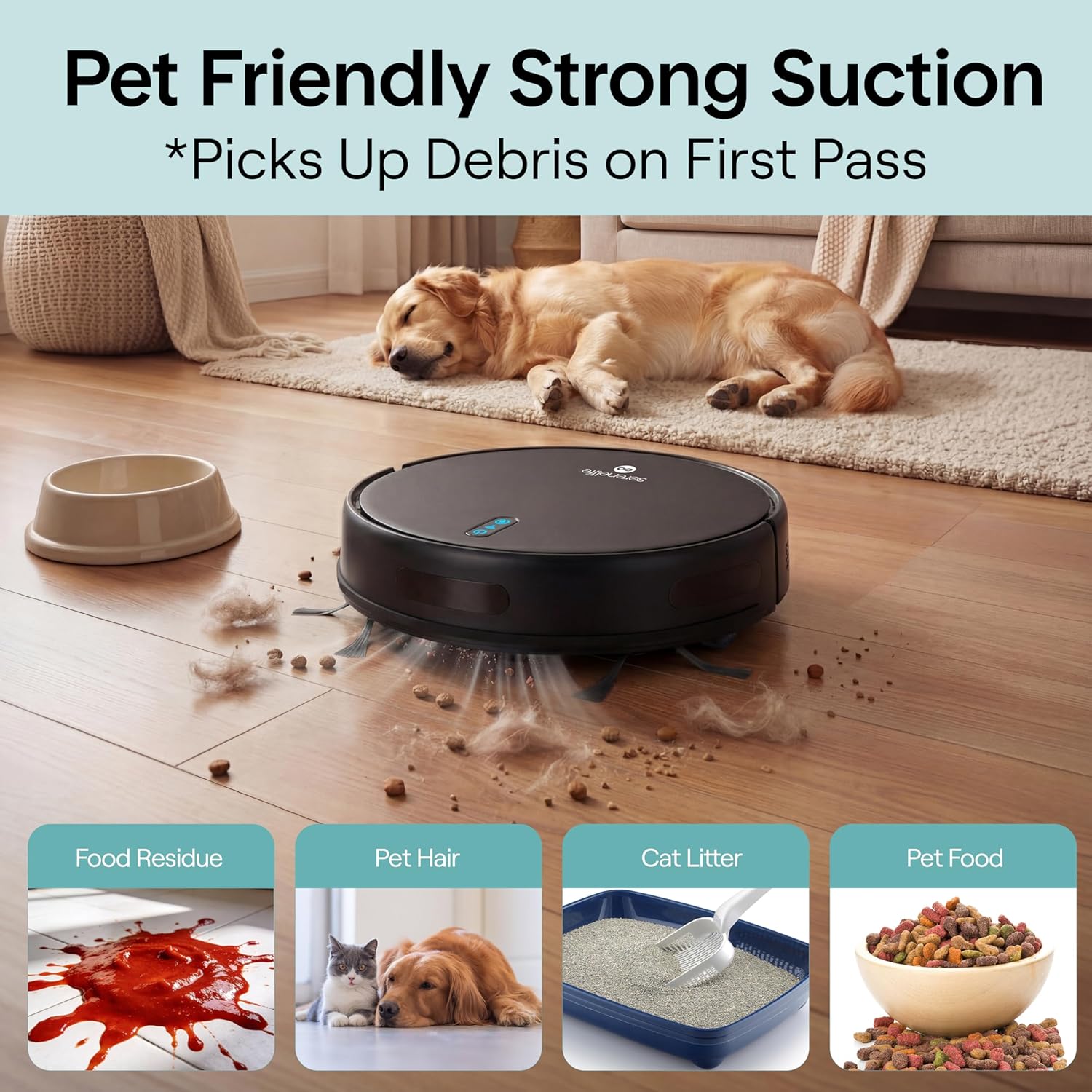
Figure 3: Pet-Friendly Strong Suction

ചിത്രം 4: ഫർണിച്ചറുകൾക്കടിയിൽ വൃത്തിയാക്കൽ

Figure 5: Anti-Fall and Obstacle Avoidance
സജ്ജമാക്കുക
1. സൈഡ് ബ്രഷുകൾ ഇൻസ്റ്റാൾ ചെയ്യുക
Press the side brushes into their respective slots on the bottom of the robot until they click into place.
2. Place the Charging Station
Place the charging station against a wall in an open, uncluttered area. Ensure there is at least 1 meter (3 feet) of clear space on both sides and 2 meters (6 feet) in front of the station. Plug the charging adapter into the station and then into a power outlet.
3. പ്രാരംഭ നിരക്ക്
Place the robot onto the charging station, ensuring the charging contacts align. The indicator lights on the robot will illuminate to show it is charging. For first-time use, charge the robot for at least 6 hours to ensure the battery is fully conditioned.

Figure 6: Automatic Recharge
4. Prepare for Mopping (Optional)
If using the mopping function, fill the water tank with clean water. Attach the mop pad securely to the bottom of the water tank. Insert the water tank/dustbin combo back into the robot.
5. Download the SereneLife App
ഇതിനായി തിരയുക "SereneLife" in your smartphone's app store (iOS or Android) and download the application. Follow the in-app instructions to connect your robot vacuum via Bluetooth. This allows for advanced control and scheduling.

Figure 7: App and Remote Control
പ്രവർത്തിക്കുന്നു
പവർ ഓൺ/ഓഫ്
- To power on, press and hold the power button on the robot or the remote control until the indicator lights illuminate.
- To power off, press and hold the power button until the indicator lights turn off.
ഭാഗം 1 ഒരു ക്ലീനിംഗ് സൈക്കിൾ ആരംഭിക്കുക
- യാന്ത്രിക മോഡ്: Press the 'Auto' button on the remote or the main power button on the robot once. The robot will begin cleaning in a general pattern.
- സ്പോട്ട് മോഡ്: Place the robot near a specific dirty area and press the 'Spot' button on the remote. The robot will clean in a spiral pattern.
- എഡ്ജ് മോഡ്: Press the 'Edge' button on the remote. The robot will clean along the perimeter of the room.
- സിഗ്സാഗ് മോഡ്: Select 'Zigzag' mode via the app or remote for a systematic back-and-forth cleaning pattern.
Scheduling Cleaning
Use the SereneLife mobile app to set up daily or weekly cleaning schedules. You can customize cleaning times and modes for different days. The robot will automatically start cleaning at the scheduled times.
Returning to Charging Station
Press the 'Home' button on the remote control or select the 'Recharge' option in the app. The robot will navigate back to its charging station. It will also return automatically when its battery is low.
മെയിൻ്റനൻസ്
പതിവ് അറ്റകുറ്റപ്പണികൾ ഒപ്റ്റിമൽ പ്രകടനം ഉറപ്പാക്കുകയും നിങ്ങളുടെ റോബോട്ട് വാക്വമിന്റെ ആയുസ്സ് വർദ്ധിപ്പിക്കുകയും ചെയ്യുന്നു.
1. ഡസ്റ്റ്ബിൻ കാലിയാക്കൽ
- Press the release button to remove the dustbin/water tank combo.
- Open the dustbin cover and empty the collected debris into a trash can.
- ആവശ്യമെങ്കിൽ ഡസ്റ്റ്ബിൻ വെള്ളത്തിൽ കഴുകുക, വീണ്ടും ഇടുന്നതിനുമുമ്പ് പൂർണ്ണമായും ഉണങ്ങിയെന്ന് ഉറപ്പാക്കുക.
2. ഫിൽട്ടർ വൃത്തിയാക്കൽ
- HEPA ഫിൽറ്റർ ഡസ്റ്റ്ബിന്നിൽ നിന്ന് നീക്കം ചെയ്യുക.
- പൊടി നീക്കം ചെയ്യാൻ ഫിൽട്ടറിൽ സൌമ്യമായി ടാപ്പ് ചെയ്യുക. HEPA ഫിൽട്ടർ വെള്ളത്തിൽ കഴുകരുത്.
- ഉപയോഗത്തിനനുസരിച്ച് ഓരോ 3-6 മാസത്തിലും ഫിൽട്ടർ മാറ്റിസ്ഥാപിക്കുക.
3. Cleaning the Main Brush and Side Brushes
- പ്രധാന ബ്രഷ് കവർ നീക്കം ചെയ്ത് പ്രധാന ബ്രഷ് ഉയർത്തുക. രോമങ്ങളും അവശിഷ്ടങ്ങളും നീക്കം ചെയ്യാൻ ക്ലീനിംഗ് ടൂൾ ഉപയോഗിക്കുക.
- Pull the side brushes upwards to remove them. Clean any tangled hair or debris.
- Reinstall the brushes, ensuring they click into place. Replace worn side brushes as needed.
4. Cleaning the Water Tank and Mop Pad
- വൃത്തിയാക്കിയ ശേഷം, ടാങ്കിൽ നിന്ന് ശേഷിക്കുന്ന വെള്ളം ഒഴിക്കുക.
- Remove the mop pad and wash it by hand or machine. Allow it to air dry completely.
- Clean the water tank thoroughly and ensure it is dry before storage.
5. സെൻസറുകൾ വൃത്തിയാക്കലും കോൺടാക്റ്റുകൾ ചാർജ് ചെയ്യലും
- Wipe the anti-fall sensors (located on the bottom of the robot) and the charging contacts (on the robot and docking station) with a clean, dry cloth.
- Keep these areas free of dust and debris to ensure proper function.
ട്രബിൾഷൂട്ടിംഗ്
| പ്രശ്നം | സാധ്യമായ കാരണം | പരിഹാരം |
|---|---|---|
| റോബോട്ട് പവർ ഓൺ ചെയ്യുന്നില്ല. | ബാറ്ററി ചാർജ് കുറവാണ്; പവർ ബട്ടൺ ശരിയായി അമർത്തിയിട്ടില്ല. | Charge the robot fully. Press and hold the power button for a few seconds. |
| റോബോട്ട് ചാർജ് ചെയ്യുന്നില്ല. | Charging contacts are dirty; Charging station not powered; Robot not aligned. | Clean charging contacts on both robot and station. Ensure station is plugged in. Reposition robot on station. |
| റോബോട്ട് ഇടയ്ക്കിടെ കുടുങ്ങിപ്പോകാറുണ്ട്. | Obstacles (cables, rugs); Sensors are dirty. | Clear the cleaning area of obstacles. Clean the robot's sensors. |
| മോശം സക്ഷൻ പ്രകടനം. | Dustbin full; Filter clogged; Main brush tangled. | Empty the dustbin. Clean or replace the filter. Clean the main brush and side brushes. |
| മോപ്പിംഗ് പ്രവർത്തനം ഫലപ്രദമല്ല. | Water tank empty; Mop pad dirty or dry. | Fill the water tank. Clean or wet the mop pad. |
| ആപ്പ് കണക്ഷൻ പ്രശ്നങ്ങൾ. | Bluetooth off; Robot not in pairing mode; App outdated. | Ensure Bluetooth is enabled on your phone. Follow app instructions for pairing. Update the SereneLife app. |
സ്പെസിഫിക്കേഷനുകൾ
| ഫീച്ചർ | സ്പെസിഫിക്കേഷൻ |
|---|---|
| ബ്രാൻഡ് | സെറീൻ ലൈഫ് |
| മോഡലിൻ്റെ പേര് | PUCRVACX200BK |
| ഉപരിതല ശുപാർശ | Carpet, Wood, Tile |
| പ്രത്യേക സവിശേഷതകൾ | Anti-Fall, Auto-Docking, Pet Hair Pick Up, Simultaneous Vacuuming & Mopping, Variable Suction Control |
| നിറം | Pro, Black |
| കൺട്രോളർ തരം | ആപ്പ് കൺട്രോൾ, ബട്ടൺ കൺട്രോൾ, റിമോട്ട് കൺട്രോൾ |
| ഫിൽട്ടർ തരം | HEPA |
| ബാറ്ററി ലൈഫ് | 90 മിനിറ്റ് |
| ഡസ്റ്റ്ബിൻ കപ്പാസിറ്റി | 520 മില്ലി ലിറ്റർ |
| പവർ ഉറവിടം | ബാറ്ററി പവർ |
| ഇനത്തിന്റെ അളവുകൾ (L x W x H) | 12"L x 12"W x 2.95"H |
| ഇൻഡോർ ഔട്ട്ഡോർ ഉപയോഗം | ഇൻഡോർ |
| യു.പി.സി | 842893172552 |
വാറൻ്റിയും പിന്തുണയും
വാറൻ്റി വിവരങ്ങൾ
This SereneLife product is covered by a 1 വർഷത്തെ നിർമ്മാതാവിന്റെ വാറന്റി വാങ്ങിയ തീയതി മുതൽ. സാധാരണ ഉപയോഗത്തിലുള്ള മെറ്റീരിയലുകളിലെയും പ്രവർത്തനങ്ങളിലെയും തകരാറുകൾ ഈ വാറന്റി ഉൾക്കൊള്ളുന്നു. ദുരുപയോഗം, അപകടങ്ങൾ, അനധികൃത അറ്റകുറ്റപ്പണികൾ, അല്ലെങ്കിൽ സാധാരണ തേയ്മാനം എന്നിവ മൂലമുണ്ടാകുന്ന നാശനഷ്ടങ്ങൾക്ക് ഇത് പരിരക്ഷ നൽകുന്നില്ല.
ഉപഭോക്തൃ പിന്തുണ
For technical assistance, warranty claims, or general inquiries, please contact SereneLife customer support. Refer to the contact information provided on the official SereneLife website or your product packaging. Please have your model number (PUCRVACX200BK) and proof of purchase ready when contacting support.