1. ആമുഖം
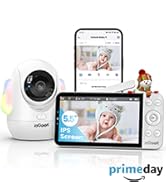
This manual provides comprehensive instructions for the setup, operation, and maintenance of your ieGeek 5.5'' Split-Screen Baby Monitor. This device is designed to offer reliable monitoring of your baby with advanced features for peace of mind.
Key features include a 5.5-inch 2.5K UHD display, dual camera support with split-screen viewing, two-way audio communication, night vision, and intelligent AI detection for prone sleeping, face covering, and crying.
2 സുരക്ഷാ വിവരങ്ങൾ
- കഴുത്ത് ഞെരിച്ച് കൊല്ലുന്ന അപകടം: Keep all cords and cables out of reach of children. Ensure the camera is mounted at least 3 feet (1 meter) away from the crib.
- ശ്വാസംമുട്ടൽ അപകടം: Small parts may be present. Keep all components and packaging materials away from infants and children.
- ഇലക്ട്രിക്കൽ സുരക്ഷ: Use only the provided power adapters. Do not expose the device to water or moisture. Discontinue use if any damage occurs.
- ബാറ്ററി സുരക്ഷ: The monitor unit contains a rechargeable battery. Do not attempt to replace the battery yourself. Dispose of batteries according to local regulations.
- ചൂട് എക്സ്പോഷർ: Do not place the monitor or cameras near heat sources or in direct sunlight.
3. പാക്കേജ് ഉള്ളടക്കം
താഴെ ലിസ്റ്റ് ചെയ്തിരിക്കുന്ന എല്ലാ ഇനങ്ങളും നിങ്ങളുടെ പാക്കേജിൽ ഉൾപ്പെടുത്തിയിട്ടുണ്ടെന്ന് ഉറപ്പാക്കുക:
- ieGeek 5.5'' Monitor Unit
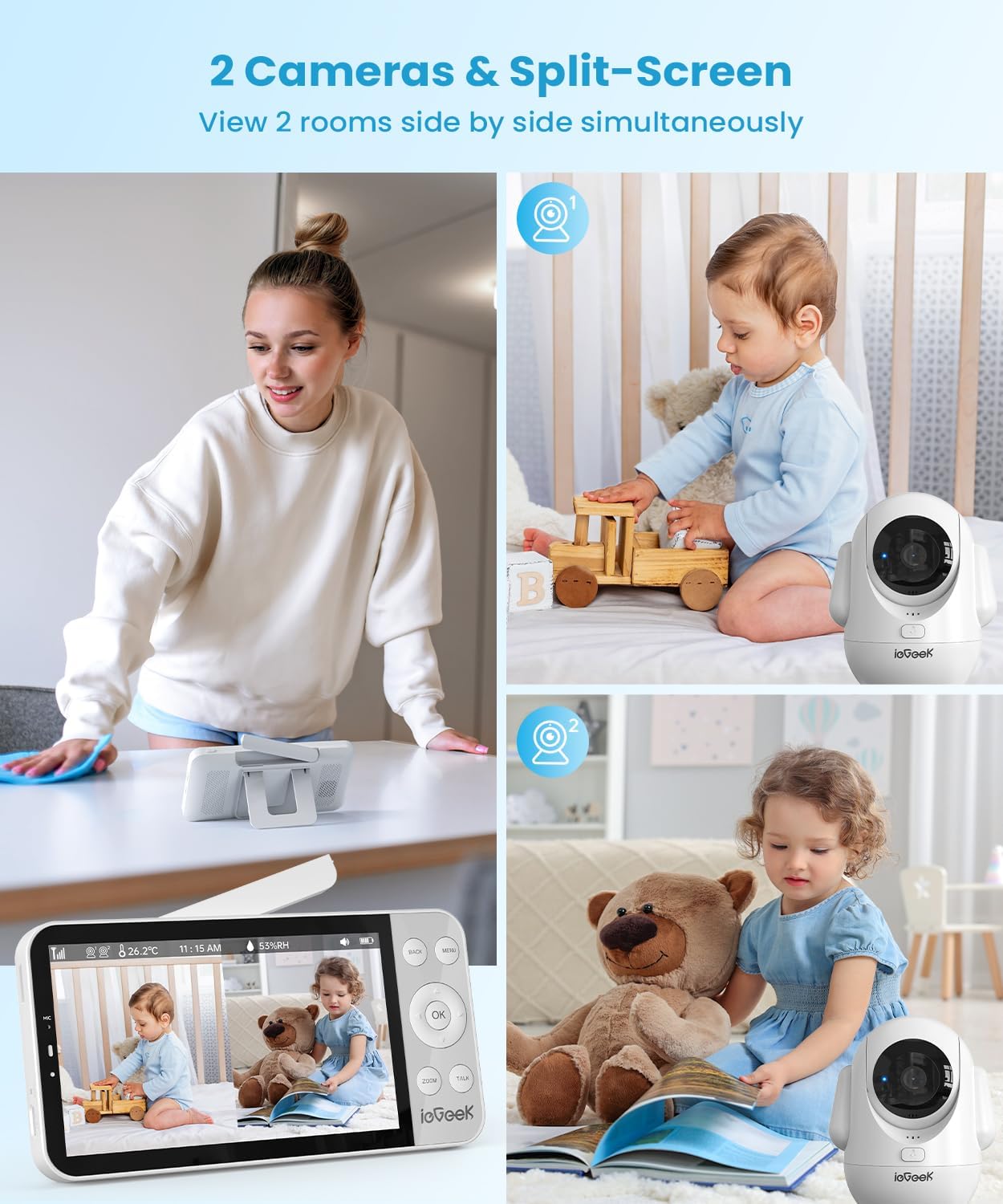
- ieGeek 2.5K UHD Camera Unit (x2)
- പവർ അഡാപ്റ്ററുകൾ (x3)
- USB ചാർജിംഗ് കേബിളുകൾ (x3)
- Wall Mounting Kits (x2)
- ഉപയോക്തൃ മാനുവൽ

4. ഉൽപ്പന്നം കഴിഞ്ഞുview
4.1 മോണിറ്റർ യൂണിറ്റ്
- 5.5-inch 2.5K UHD LCD Screen
- Control Buttons (Menu, OK, Back, Zoom, Talk)
- ബിൽറ്റ്-ഇൻ മൈക്രോഫോണും സ്പീക്കറും
- Antenna for enhanced signal range
- സംയോജിത കിക്ക്സ്റ്റാൻഡ്
4.2 Camera Unit
- 2.5K UHD Camera Lens
- Pan (355°) and Tilt (100°) functionality
- നൈറ്റ് വിഷനുവേണ്ടി ഇൻഫ്രാറെഡ് എൽ.ഇ.ഡി
- Built-in Microphone and Speaker for Two-Way Talk
- Night Light with adjustable colors
- റീസെറ്റ് ബട്ടൺ

5. സജ്ജീകരണം
5.1 പ്രാരംഭ സജ്ജീകരണം
- മോണിറ്റർ ചാർജ് ചെയ്യുക: Connect the monitor unit to a power outlet using the provided USB cable and power adapter. Fully charge the monitor before first use.
- ക്യാമറകൾ പവർ ഓൺ ചെയ്യുക: Connect each camera unit to a power outlet using their respective USB cables and power adapters. The cameras will power on automatically.
- Power On Monitor: Press and hold the power button on the monitor unit until the screen illuminates.
5.2 ക്യാമറ പ്ലെയ്സ്മെന്റ്
Position the camera(s) in a location that provides a clear view of your baby. Ensure the camera is placed at a safe distance from the crib to prevent accidental contact or entanglement with cables.
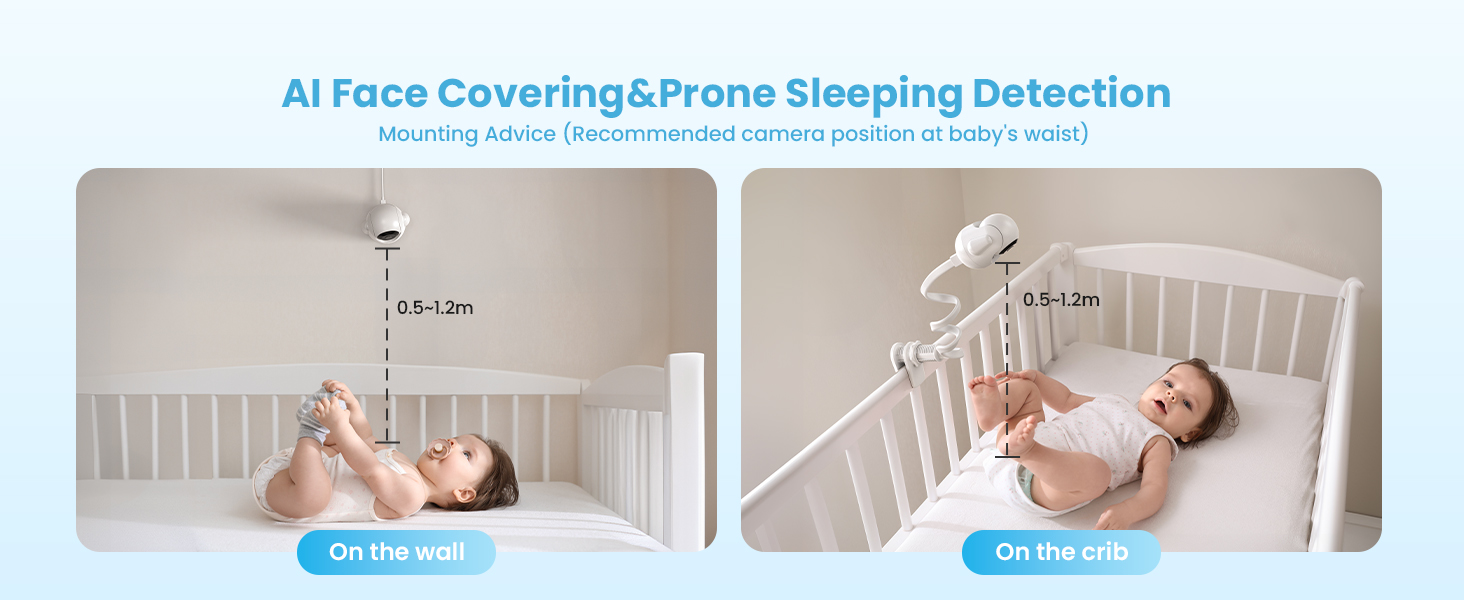
- For optimal AI detection (Face Covering & Prone Sleeping), the recommended camera position is at the baby's waist level, approximately 0.5-1.2 meters (1.6-4 feet) from the crib.
- The camera can be placed on a flat surface, mounted on a wall, or attached to the crib using the provided mounting kits.

5.3 ആപ്പ് ഇൻസ്റ്റാളേഷനും ജോടിയാക്കലും
The ieGeek baby monitor supports both Bluetooth and Wi-Fi connections for smartphone app control. Follow the steps below to connect your camera(s) to the app.
ബ്ലൂടൂത്ത് കണക്ഷൻ (ശുപാർശ ചെയ്യുന്നത്)
- പവർ സ്രോതസ്സിലേക്ക് ക്യാമറ ബന്ധിപ്പിക്കുക.
- Long press the 'Reset' button on the camera until you hear a 'BOOGU' beep.
- After 20-30 seconds, the camera will automatically rotate once. Connection starts after another beep and the red light flashes.
- On your smartphone, ensure Bluetooth, Wi-Fi (2.4GHz or 5GHz), and GPS location are enabled.
- Open the ieGeek app, click the '+' icon, and select the 'baby 5' device from the automatically popped-up list.
- Enter your Wi-Fi password and click 'Next'.
- Wait for the Wi-Fi connection to complete. Device addition is successful.
- To connect a second camera, repeat steps 1-7.
Wi-Fi കണക്ഷൻ
- Open the ieGeek app, click the '+' icon, and select 'Baby Monitor (2.4G or 5G Wi-Fi)'.
- Connect the camera to a power source and click 'Next' in the app.
- Long press the 'Reset' button on the camera until you hear a 'BOOGU' beep. After 20-30 seconds, the camera will automatically rotate once. Connection starts after another beep and the red light flashes. Click 'Next' in the app.
- Enter your Wi-Fi password and click 'Next'.
- Scan the QR code displayed on your phone with the camera lens (distance 5-8 inches). A tone will be heard when successfully scanned. Click 'Next'.
- Wait for the Wi-Fi connection to complete. Device addition is successful.
- To connect a second camera, repeat steps 1-6.
6. പ്രവർത്തന നിർദ്ദേശങ്ങൾ
6.1 മോണിറ്റർ പ്രവർത്തനങ്ങൾ
- സ്പ്ലിറ്റ്-സ്ക്രീൻ Viewing: When two cameras are connected, the monitor can display both camera feeds simultaneously on a single screen.
- പാൻ & ടിൽറ്റ്: Use the directional buttons on the monitor to remotely adjust the camera's 355° horizontal pan and 100° vertical tilt.
- ഡിജിറ്റൽ സൂം: Press the 'ZOOM' button to digitally zoom in up to 4 times for a closer view നിങ്ങളുടെ കുഞ്ഞിൻറെ.
- ദ്വിമുഖ സംസാരം: Press and hold the 'TALK' button on the monitor to speak to your baby through the camera's speaker. Release the button to listen.
- രാത്രി വെളിച്ചവും താരാട്ടുകളും: Access the menu to control the camera's integrated night light (with various colors) and play soothing lullabies to help your baby sleep.


6.2 AI ഡിറ്റക്ഷൻ സവിശേഷതകൾ
The ieGeek baby monitor incorporates advanced AI functions to provide smart care and alerts.
- Face Covering Detection: The monitor can detect if your baby's face is covered while sleeping and send an alert.
- Prone Sleeping Detection: Alerts you if your baby rolls into a prone (face-down) sleeping position.
- Cry & Sound Detection: Notifies you when your baby cries or makes significant sounds.
- മോഷൻ ട്രാക്കിംഗ്: The camera can automatically track movement within its field of view.
- താപനിലയും ഈർപ്പവും കണ്ടെത്തൽ: Monitors the nursery's temperature and humidity levels, providing alerts if they fall outside a set range.
- Danger Zone Detection: Allows you to define specific areas in the room as 'danger zones' and receive alerts if your baby enters them.

7. പരിപാലനം
7.1 വൃത്തിയാക്കൽ
- Wipe the monitor and camera surfaces with a soft, dry cloth.
- ഉരച്ചിലുകളുള്ള ക്ലീനറുകളോ ലായകങ്ങളോ ഉപയോഗിക്കരുത്.
- Ensure devices are unplugged before cleaning.
7.2 ബാറ്ററി കെയർ
- The monitor unit has a 4000mAh battery, providing 11-15 hours in bright mode and up to 7.5 days in sleep mode.
- To prolong battery life, avoid extreme temperatures and fully charge the device regularly.

8. പ്രശ്നപരിഹാരം
- ചിത്രം/ശബ്ദം ഇല്ല: Ensure both the camera and monitor are powered on and within range. Check power connections.
- മോശം സിഗ്നൽ: Reposition the camera and monitor closer to each other. Ensure no large obstructions (e.g., thick walls) are between them. Extend the monitor's antenna.
- ആപ്പ് കണക്ഷൻ പ്രശ്നങ്ങൾ: Verify your smartphone's Bluetooth, Wi-Fi, and GPS are enabled. Ensure you are connected to a 2.4GHz or 5GHz Wi-Fi network. Try resetting the camera and re-pairing.
- AI Detection Not Working: Ensure the camera is positioned correctly according to the mounting advice (Figure 5.1). Check app settings to confirm detection features are enabled.
- Monitor Not Charging: Use the original power adapter and cable. Check for any damage to the cable or charging port.
9 സ്പെസിഫിക്കേഷനുകൾ
| ഫീച്ചർ | സ്പെസിഫിക്കേഷൻ |
|---|---|
| മോഡൽ നമ്പർ | baby 5 |
| സ്ക്രീൻ വലിപ്പം | 5.5 ഇഞ്ച് |
| വീഡിയോ ക്യാപ്ചർ റെസല്യൂഷൻ | 1920p (2.5K UHD) |
| ക്യാമറ പാൻ ആംഗിൾ | 355 ഡിഗ്രി |
| ക്യാമറ ടിൽറ്റ് ആംഗിൾ | 100 ഡിഗ്രി |
| ഒപ്റ്റിക്കൽ സൂം | 4x ഡിജിറ്റൽ സൂം |
| നൈറ്റ് വിഷൻ റേഞ്ച് | 32.81 അടി |
| കണക്റ്റിവിറ്റി ടെക്നോളജി | 2.4G & 5G Wireless, FHSS |
| Monitor Battery Capacity | 4000mAh |
| അനുയോജ്യമായ ഉപകരണങ്ങൾ | iOS/Android |
| ഇനത്തിന്റെ അളവുകൾ (L x W x H) | 2.56 x 2.56 x 5.12 ഇഞ്ച് |
| ഇനത്തിൻ്റെ ഭാരം | 1.54 പൗണ്ട് |
10. വാറൻ്റിയും പിന്തുണയും
ieGeek is committed to providing high-quality products and customer service.
- വാറൻ്റി: ഈ ഉൽപ്പന്നം 2 വർഷത്തെ വാറന്റിയോടെയാണ് വരുന്നത്.
- റിട്ടേണുകൾ: 90 ദിവസത്തെ സൗജന്യ റിട്ടേൺ പോളിസി ആസ്വദിക്കൂ.
- ഗുണനിലവാര പ്രശ്നങ്ങൾ: Replacements are available for quality-related issues.
പിന്തുണയുമായി ബന്ധപ്പെടുക:
- ഫോൺ: +1(202)656-9955 (Mon-Fri 9:00 am-6:00 pm ET)
- ഇമെയിൽ: service@iegeek.com