
1. ആമുഖം
Welcome to the EarFun K4 Kids Bluetooth Headphones. These headphones are designed specifically for children, featuring volume limiting technology to protect young ears, comfortable over-ear design, and fun LED lights. This manual provides essential information for safe and optimal use of your new headphones.
2 സുരക്ഷാ വിവരങ്ങൾ
The EarFun K4 headphones incorporate several safety features to ensure a secure listening experience for children.
- വോളിയം പരിമിതപ്പെടുത്തൽ: The headphones feature adjustable volume limits of 74dBA (Normal Mode), 85dBA (Study Mode), and 94dBA (Travel Mode) to prevent hearing damage.
- Child-Friendly Materials: Constructed with BPA-free materials, certified with Rohs2.0 and CPC standards, ensuring they are safe for children.

Image: EarFun K4 headphones in various colors, highlighting safety certifications.

Image: Visual representation of the safer materials used in EarFun K4 headphones, including RoHS, CPC, and BPA-free certifications.
3. പാക്കേജ് ഉള്ളടക്കം
നിങ്ങളുടെ പാക്കേജിൽ എല്ലാ ഇനങ്ങളും ഉണ്ടോ എന്ന് ദയവായി പരിശോധിക്കുക:
- EarFun K4 കിഡ്സ് ബ്ലൂടൂത്ത് ഹെഡ്ഫോണുകൾ
- USB-C ചാർജിംഗ് കേബിൾ
- 3.5 എംഎം ഓഡിയോ കേബിൾ
- ഉപയോക്തൃ മാനുവൽ (ഈ പ്രമാണം)
4. ഉൽപ്പന്നം കഴിഞ്ഞുview
Familiarize yourself with the components and controls of your EarFun K4 headphones.
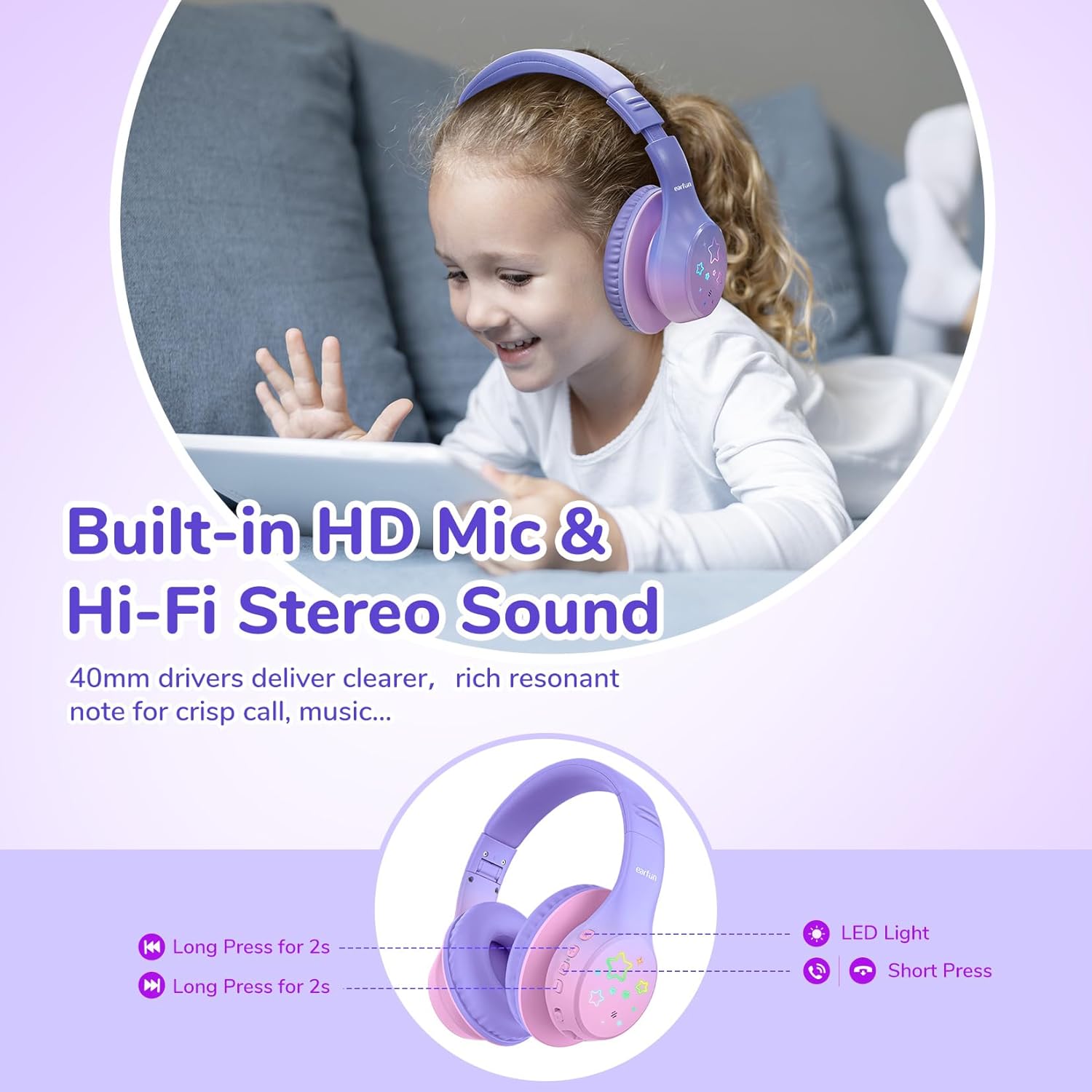
ചിത്രം: വിശദമായത് view of the headphone controls, LED light, and built-in microphone.
- പവർ ബട്ടൺ: Used for powering on/off, play/pause, and call management.
- വോളിയം കൂട്ടുക / അടുത്ത ട്രാക്ക് ബട്ടൺ: ഒരു ചെറിയ പ്രസ്സ് ഉപയോഗിച്ച് വോളിയം വർദ്ധിപ്പിക്കുന്നു, ഒരു നീണ്ട പ്രസ്സ് ഉപയോഗിച്ച് അടുത്ത ട്രാക്കിലേക്ക് പോകുന്നു.
- ശബ്ദം കുറയ്ക്കുക / മുമ്പത്തെ ട്രാക്ക് ബട്ടൺ: Decreases volume with a short press, goes to previous track with a long press.
- LED ലൈറ്റ് മോഡ് ബട്ടൺ: Cycles through different LED light patterns.
- ബിൽറ്റ്-ഇൻ മൈക്രോഫോൺ: ഹാൻഡ്സ് ഫ്രീ കോളുകൾക്കായി.
- USB-C ചാർജിംഗ് പോർട്ട്: ഹെഡ്ഫോണുകൾ ചാർജ് ചെയ്യുന്നതിനായി.
- 3.5mm ഓഡിയോ ജാക്ക്: വയർഡ് കണക്ഷനായി.
- ക്രമീകരിക്കാവുന്ന ഹെഡ്ബാൻഡ്: Ensures a comfortable fit for various head sizes.
- മടക്കാവുന്ന ഘടന: എളുപ്പത്തിലുള്ള സംഭരണത്തിനും പോർട്ടബിലിറ്റിക്കും വേണ്ടി.
- Memory Foam Earcups: Provides enhanced comfort for extended wear.

ചിത്രം: കഴിഞ്ഞുview of comfort features including adjustable headband, foldable design, memory foam, and durable materials.
5. സജ്ജീകരണം
5.1 ഹെഡ്ഫോണുകൾ ചാർജ് ചെയ്യുന്നു
- നൽകിയിരിക്കുന്ന USB-C ചാർജിംഗ് കേബിൾ ഹെഡ്ഫോണുകളിലെ ചാർജിംഗ് പോർട്ടുമായി ബന്ധിപ്പിക്കുക.
- കേബിളിന്റെ മറ്റേ അറ്റം ഒരു USB പവർ അഡാപ്റ്ററുമായി (ഉൾപ്പെടുത്തിയിട്ടില്ല) അല്ലെങ്കിൽ ഒരു കമ്പ്യൂട്ടറിന്റെ USB പോർട്ടുമായി ബന്ധിപ്പിക്കുക.
- The LED indicator will blink red during charging. It will turn off or change color (depending on model) when fully charged.
A 10-minute charge provides approximately 8 hours of playtime. A full charge offers up to 90 hours of wireless playback with LED lights off.
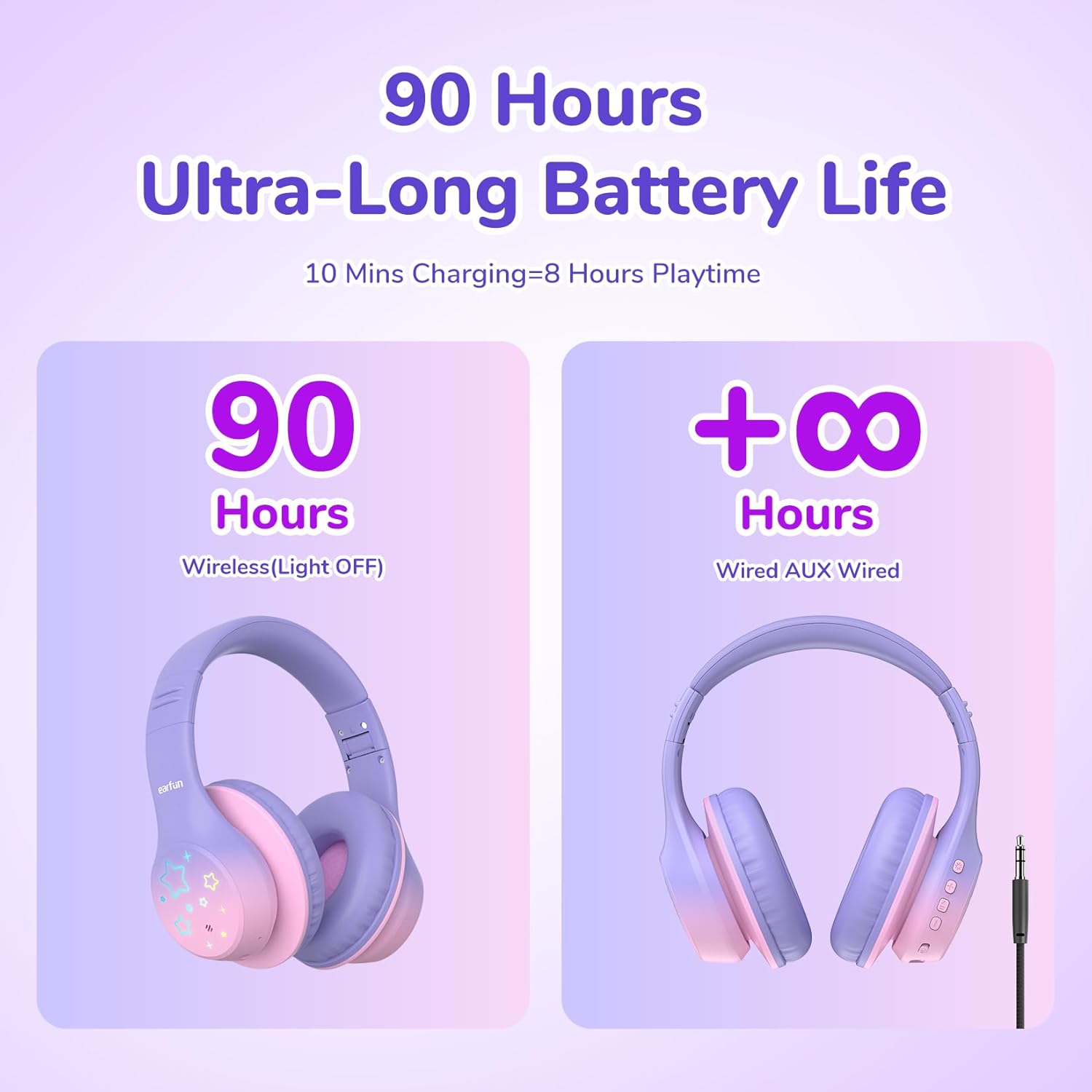
Image: Battery life illustration for wireless and wired modes.
5.2 ബ്ലൂടൂത്ത് ജോടിയാക്കൽ
- ഹെഡ്ഫോണുകൾ ചാർജ്ജ് ചെയ്തിട്ടുണ്ടെന്ന് ഉറപ്പാക്കുക.
- Press and hold the Power button for 3 seconds to turn on the headphones. The LED indicator will flash blue, indicating pairing mode.
- നിങ്ങളുടെ ഉപകരണത്തിൽ (സ്മാർട്ട്ഫോൺ, ടാബ്ലെറ്റ്, ലാപ്ടോപ്പ്), ബ്ലൂടൂത്ത് പ്രവർത്തനക്ഷമമാക്കുക.
- ഇതിനായി തിരയുക "EarFun K4" in the list of available Bluetooth devices and select it to connect.
- കണക്ട് ചെയ്തുകഴിഞ്ഞാൽ, LED ഇൻഡിക്കേറ്റർ കടും നീലയായി മാറും അല്ലെങ്കിൽ സാവധാനം മിന്നും.
5.3 വയേർഡ് മോഡ്
വയർഡ് മോഡിൽ ഹെഡ്ഫോണുകൾ ഉപയോഗിക്കാൻ:
- 3.5mm ഓഡിയോ കേബിളിന്റെ ഒരറ്റം ഹെഡ്ഫോണുകളിലെ ഓഡിയോ ജാക്കുമായി ബന്ധിപ്പിക്കുക.
- മറ്റേ അറ്റം നിങ്ങളുടെ ഉപകരണത്തിന്റെ 3.5mm ഓഡിയോ ഔട്ട്പുട്ടിലേക്ക് ബന്ധിപ്പിക്കുക.
- The headphones will automatically switch to wired mode. Bluetooth functionality will be disabled.
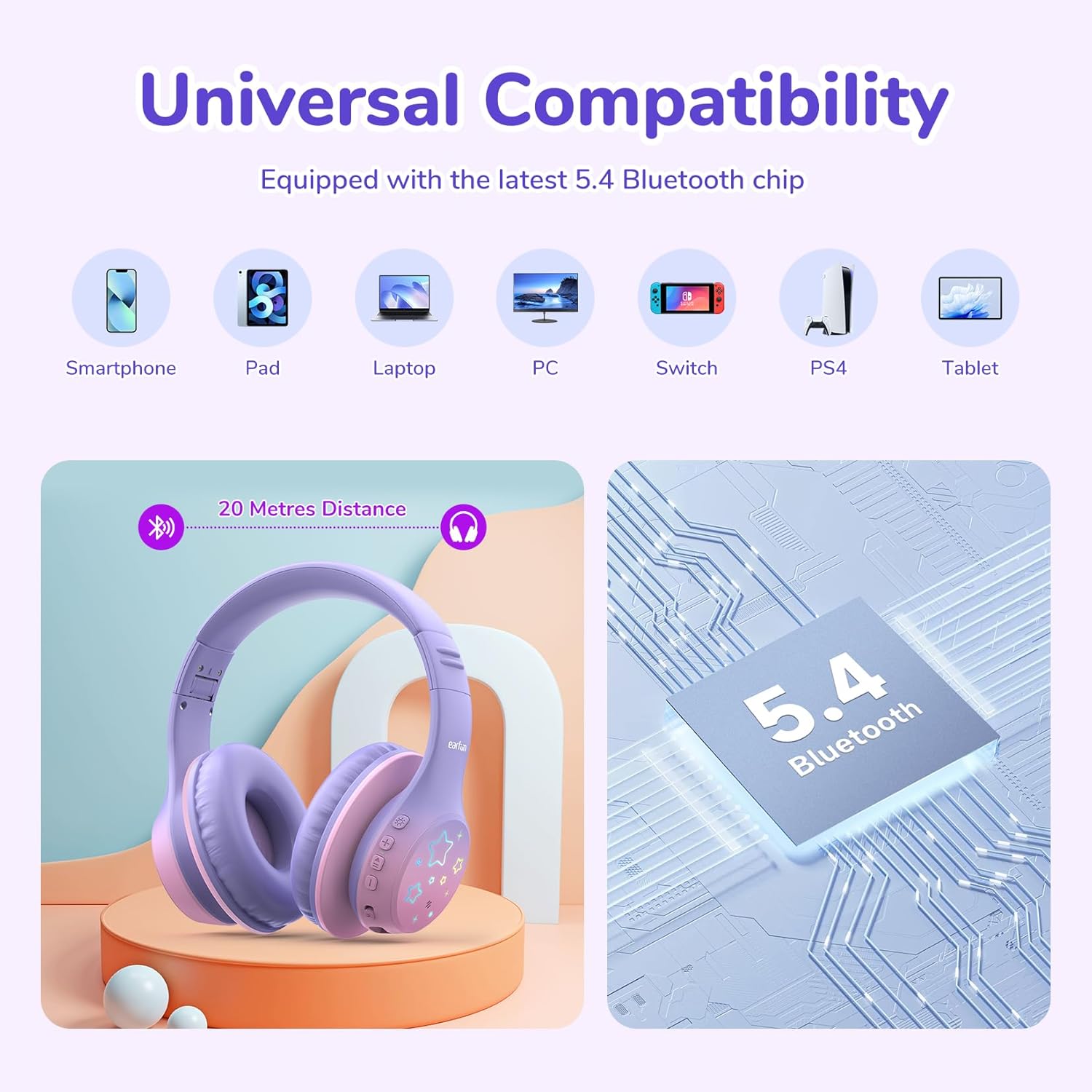
Image: Universal compatibility of EarFun K4 headphones with various devices via Bluetooth 5.4.
6. പ്രവർത്തന നിർദ്ദേശങ്ങൾ
6.1 അടിസ്ഥാന പ്രവർത്തനങ്ങൾ
- പവർ ഓൺ: പവർ ബട്ടൺ 3 സെക്കൻഡ് അമർത്തിപ്പിടിക്കുക.
- പവർ ഓഫ്: പവർ ബട്ടൺ 3 സെക്കൻഡ് അമർത്തിപ്പിടിക്കുക.
- പ്ലേ/താൽക്കാലികമായി നിർത്തുക: പവർ ബട്ടൺ ചെറുതായി അമർത്തുക.
- വോളിയം കൂട്ടുക: വോളിയം അപ്പ് (+) ബട്ടൺ ചുരുക്കി അമർത്തുക.
- വോളിയം താഴേക്ക്: വോളിയം ഡൗൺ (-) ബട്ടൺ ചുരുക്കി അമർത്തുക.
- അടുത്ത ട്രാക്ക്: വോളിയം അപ്പ് (+) ബട്ടൺ ദീർഘനേരം അമർത്തുക.
- മുമ്പത്തെ ട്രാക്ക്: വോളിയം ഡൗൺ (-) ബട്ടൺ ദീർഘനേരം അമർത്തുക.
6.2 കോൾ മാനേജ്മെന്റ്
- ഉത്തരം/അവസാന കോൾ: പവർ ബട്ടൺ ചെറുതായി അമർത്തുക.
- കോൾ നിരസിക്കുക: പവർ ബട്ടൺ ദീർഘനേരം അമർത്തുക.
6.3 LED ലൈറ്റ് മോഡുകൾ
The EarFun K4 headphones feature 5 different LED light modes:
- Static Color 1
- Static Color 2
- Static Color 3
- ഗ്രേഡിയന്റ് ലൈറ്റ്
- ദ്രുത ഫ്ലാഷ്
Short press the LED Light Mode button to cycle through these modes.

Image: Illustration of the five distinct LED lighting modes.
6.4 Volume Limit Modes
The EarFun K4 headphones offer three volume limit settings for different environments:
- 74dBA: സാധാരണ മോഡ്
- 85dBA: പഠന മോഡ്
- 94dBA: യാത്രാ മോഡ്
To switch between these modes, simultaneously press the Volume Up (+) and Volume Down (-) buttons once after the headphones are paired.

Image: Visual guide to the three volume limit modes: Normal (74dB), Study (85dB), and Travel (94dB).

Image: Instructions on how to switch between volume limit modes.
7. പരിപാലനം
- Clean the headphones regularly with a soft, dry cloth. Do not use liquid cleaners.
- ഹെഡ്ഫോണുകൾ തീവ്രമായ താപനിലയിലോ, ഈർപ്പംയിലോ, നേരിട്ടുള്ള സൂര്യപ്രകാശത്തിലോ തുറന്നുകാട്ടുന്നത് ഒഴിവാക്കുക.
- ഉപയോഗിക്കാത്തപ്പോൾ തണുത്തതും ഉണങ്ങിയതുമായ സ്ഥലത്ത് ഹെഡ്ഫോണുകൾ സൂക്ഷിക്കുക.
- ഹെഡ്ഫോണുകൾ ഡിസ്അസംബ്ലിംഗ് ചെയ്യാനോ പരിഷ്ക്കരിക്കാനോ ശ്രമിക്കരുത്, കാരണം ഇത് വാറന്റി അസാധുവാക്കും.
8. പ്രശ്നപരിഹാരം
If you encounter issues with your EarFun K4 headphones, refer to the following common problems and solutions:
| പ്രശ്നം | പരിഹാരം |
|---|---|
| ഹെഡ്ഫോണുകൾ പവർ ഓൺ ചെയ്യുന്നില്ല. | ഹെഡ്ഫോണുകൾ പൂർണ്ണമായും ചാർജ് ചെയ്തിട്ടുണ്ടെന്ന് ഉറപ്പാക്കുക. USB-C കേബിൾ ഉപയോഗിച്ച് ഒരു പവർ സ്രോതസ്സിലേക്ക് കണക്റ്റ് ചെയ്യുക. |
| ബ്ലൂടൂത്ത് വഴി ജോടിയാക്കാൻ കഴിയില്ല. |
|
| ശബ്ദമില്ല അല്ലെങ്കിൽ കുറഞ്ഞ ശബ്ദമില്ല. |
|
| എൽഇഡി ലൈറ്റുകൾ പ്രവർത്തിക്കുന്നില്ല. | Press the LED Light Mode button to activate or cycle through the light patterns. Ensure headphones are powered on. |
9 സ്പെസിഫിക്കേഷനുകൾ
| ഫീച്ചർ | വിശദാംശങ്ങൾ |
|---|---|
| ബ്രാൻഡ് | ഇയർഫൺ |
| മോഡൽ | K4 |
| കണക്റ്റിവിറ്റി | ബ്ലൂടൂത്ത് 5.4, 3.5mm ഓഡിയോ ജാക്ക് |
| ചെവി പ്ലേസ്മെൻ്റ് | ചെവിക്ക് മുകളിൽ |
| ഡ്രൈവർ വലിപ്പം | 40 എംഎം ഡൈനാമിക് ഡ്രൈവർ |
| പ്രതിരോധം | 32 ഓം |
| ഫ്രീക്വൻസി പ്രതികരണം | 20 ഹെർട്സ് - 20 കിലോ ഹെർട്സ് |
| സംവേദനക്ഷമത | 100 ഡി.ബി |
| വോളിയം പരിധി | 74/85/94 dBA |
| ബാറ്ററി ലൈഫ് | Up to 90 hours (wireless, LED lights off) |
| ചാർജിംഗ് പോർട്ട് | USB-C |
| ദ്രുത ചാർജ്ജ് | 8 മണിക്കൂർ കളിക്കാൻ 10 മിനിറ്റ് ചാർജ് ചെയ്യാം |
| ബിൽറ്റ്-ഇൻ മൈക്ക് | അതെ |
| ഭാരം | 213 ഗ്രാം |
| മെറ്റീരിയലുകൾ | തുകൽ, പ്ലാസ്റ്റിക് |
| അധിക സവിശേഷതകൾ | LED Lights, Foldable Structure |
10. വാറണ്ടിയും പിന്തുണയും
EarFun provides an 18-month warranty for every product. If you experience any issues or have questions regarding your EarFun K4 Kids Bluetooth Headphones, please contact EarFun customer support for assistance.
For more information and support, visit the official EarFun webസൈറ്റ് അല്ലെങ്കിൽ നിങ്ങളുടെ ഉൽപ്പന്ന പാക്കേജിംഗിനൊപ്പം നൽകിയിരിക്കുന്ന കോൺടാക്റ്റ് വിശദാംശങ്ങൾ പരിശോധിക്കുക.