
Lexar LSL300001T-RNBNG
Lexar SL300 USB 3.2 Gen 2 Type-C Portable SSD User Manual
Model: LSL300001T-RNBNG
ആമുഖം
The Lexar SL300 USB 3.2 Gen 2 Type-C Portable SSD is a high-performance external storage solution designed for fast and reliable data management. It offers blazing-fast data transfer speeds and robust durability, making it suitable for professionals and casual users alike. This manual provides essential information for setting up, operating, maintaining, and troubleshooting your Lexar SL300 Portable SSD.
ഉൽപ്പന്നം കഴിഞ്ഞുview

ചിത്രം 1: ഫ്രണ്ട് view of the Lexar SL300 Portable SSD, showcasing its sleek black design and the Lexar logo.
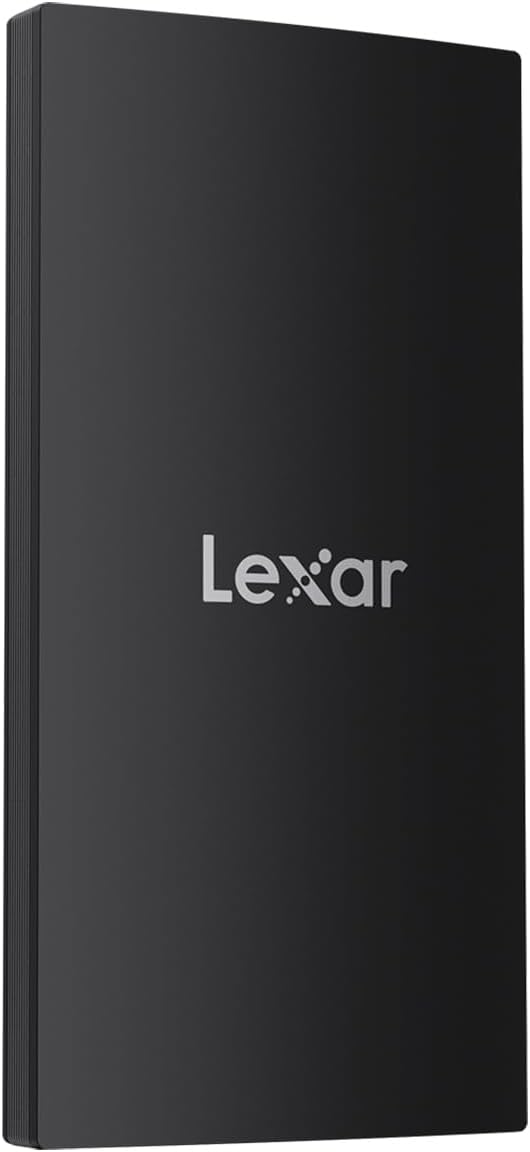
ചിത്രം 2: വശം view of the Lexar SL300 Portable SSD, highlighting its slim profile and textured edges.
The Lexar SL300 is a compact and lightweight device, designed for portability. It features a USB Type-C port for connectivity and comes with a versatile 2-in-1 USB-C/USB-A cable to ensure broad compatibility with various devices.
സജ്ജീകരണ ഗൈഡ്
പാക്കേജ് ഉള്ളടക്കം:
- Lexar SL300 Portable SSD
- 2-in-1 USB-C/USB-A Cable
- ദ്രുത ആരംഭ ഗൈഡ് (ഈ മാനുവലിൽ ഉൾപ്പെടുത്തിയിട്ടില്ല)
SSD ബന്ധിപ്പിക്കുന്നു:
- Identify the correct cable end: Use the USB-C end of the provided 2-in-1 cable for the SSD.
- Connect to the SSD: Insert the USB-C end of the cable into the USB-C port on the Lexar SL300 Portable SSD.
- നിങ്ങളുടെ ഉപകരണത്തിലേക്ക് കണക്റ്റുചെയ്യുക:
- For devices with a USB-C port (e.g., modern laptops, tablets, iPhone 15/16 series), connect the other USB-C end of the cable directly to your device's USB-C port.
- For devices with a USB-A port (e.g., older desktops, laptops), use the USB-A adapter integrated into the cable and connect it to your device's USB-A port.
- ഉപകരണ തിരിച്ചറിയൽ: Your operating system (Windows, macOS, Android, iPadOS) should automatically detect the Lexar SL300 SSD. It may appear as a new drive in 'My Computer' (Windows) or 'Finder' (macOS).
- ഫോർമാറ്റിംഗ് (ആവശ്യമെങ്കിൽ): The SSD comes pre-formatted for general use. If you need to reformat it for a specific operating system or file system (e.g., exFAT, NTFS, APFS), please refer to your operating system's disk management tools. കുറിപ്പ്: ഫോർമാറ്റിംഗ് ഡ്രൈവിലെ എല്ലാ ഡാറ്റയും മായ്ക്കും.
പ്രവർത്തന നിർദ്ദേശങ്ങൾ
ഡാറ്റ കൈമാറ്റം:
Once connected and recognized by your device, the Lexar SL300 operates like any other external drive. You can drag and drop files, copy and paste, or use your system's backup software to transfer data.
- പകർത്തുന്നു Files: തിരഞ്ഞെടുക്കുക files or folders you wish to transfer from your computer, then drag them to the Lexar SL300 drive icon, or right-click and choose "Copy" then "Paste" into the SSD's folder.
- ഇല്ലാതാക്കുന്നു Files: Select unwanted files on the SSD and move them to the Recycle Bin/Trash. Remember to empty the Recycle Bin/Trash to free up space.
- പ്രകടനം: The Lexar SL300 supports USB 3.2 Gen 2, offering read speeds up to 1050MB/s and write speeds up to 1000MB/s. To achieve optimal speeds, ensure your host device also supports USB 3.2 Gen 2 or higher. Connecting to older USB 2.0 or 3.0 ports will result in lower transfer speeds.
സുരക്ഷിതമായ നീക്കം:
Always safely eject the Lexar SL300 SSD before disconnecting it from your computer to prevent data corruption.
- വിൻഡോസ്: Click the "Safely Remove Hardware and Eject Media" icon in the system tray, then select the Lexar SL300. Wait for the "Safe to Remove Hardware" message before disconnecting.
- മാകോസ്: Drag the Lexar SL300 drive icon to the Trash, or right-click the drive icon and select "Eject". Wait for the icon to disappear from the desktop before disconnecting.
പരിപാലനവും പരിചരണവും
The Lexar SL300 Portable SSD is designed for durability and requires minimal maintenance.
- ശാരീരിക സംരക്ഷണം: The SSD features IP54 dust and water resistance and 2m anti-drop protection. While robust, avoid intentional exposure to excessive dust, water, or extreme impacts to prolong its lifespan.
- താപ വിസർജ്ജനം: Built-in double-layer graphite sheets enhance heat dissipation. Ensure the device is not covered or placed in environments with poor ventilation during extended use to maintain optimal performance.
- വൃത്തിയാക്കൽ: Use a soft, dry, lint-free cloth to clean the exterior of the SSD. Do not use liquid cleaners or solvents.
- സംഭരണം: When not in use, store the SSD in a cool, dry place, away from direct sunlight and extreme temperatures.
ട്രബിൾഷൂട്ടിംഗ്
If you encounter issues with your Lexar SL300 Portable SSD, try the following solutions:
- SSD കണ്ടെത്തിയില്ല:
- കേബിൾ SSD-യിലേക്കും നിങ്ങളുടെ ഉപകരണത്തിലേക്കും സുരക്ഷിതമായി ബന്ധിപ്പിച്ചിട്ടുണ്ടെന്ന് ഉറപ്പാക്കുക.
- Try connecting the SSD to a different USB port on your device.
- Test with a different compatible USB-C cable if available.
- നിങ്ങളുടെ കമ്പ്യൂട്ടർ പുനരാരംഭിക്കുക.
- ഡ്രൈവ് തിരിച്ചറിഞ്ഞിട്ടുണ്ടോ, പക്ഷേ ഇനിഷ്യലൈസ് ചെയ്തിട്ടില്ലേ അതോ ഫോർമാറ്റ് ചെയ്തിട്ടില്ലേ എന്നറിയാൻ നിങ്ങളുടെ ഉപകരണത്തിന്റെ ഡിസ്ക് മാനേജ്മെന്റ് (വിൻഡോസ്) അല്ലെങ്കിൽ ഡിസ്ക് യൂട്ടിലിറ്റി (മാകോസ്) പരിശോധിക്കുക.
- മന്ദഗതിയിലുള്ള ട്രാൻസ്ഫർ വേഗത:
- Ensure you are connected to a USB 3.2 Gen 2 (or higher) port on your device. Older USB 2.0 or 3.0 ports will limit speeds.
- നിങ്ങളുടെ ഉപകരണത്തിന്റെ ഡ്രൈവറുകൾ കാലികമാണെന്ന് ഉറപ്പാക്കുക.
- വലിയ ജോലികൾ ചെയ്യുമ്പോൾ ഒന്നിലധികം ആവശ്യപ്പെടുന്ന ആപ്ലിക്കേഷനുകൾ പ്രവർത്തിപ്പിക്കുന്നത് ഒഴിവാക്കുക. file കൈമാറ്റങ്ങൾ.
- Check the health of the SSD using appropriate disk utility software.
- ഡാറ്റ അഴിമതി അല്ലെങ്കിൽ പിശകുകൾ:
- Always safely eject the SSD before disconnecting.
- Run a disk check or error-checking utility on the drive (e.g., 'chkdsk' on Windows, 'First Aid' on macOS Disk Utility).
- നിങ്ങളുടെ ഓപ്പറേറ്റിംഗ് സിസ്റ്റം കാലികമാണെന്ന് ഉറപ്പാക്കുക.
If problems persist, please contact Lexar customer support for further assistance.
സ്പെസിഫിക്കേഷനുകൾ
| ഫീച്ചർ | വിശദാംശങ്ങൾ |
|---|---|
| ബ്രാൻഡ് | ലെക്സർ |
| മോഡൽ നമ്പർ | LSL300001T-RNBNG |
| ഡിജിറ്റൽ സ്റ്റോറേജ് കപ്പാസിറ്റി | 1 TB (Terabyte) |
| ഹാർഡ് ഡിസ്ക് ഇന്റർഫേസ് | USB 3.2 Gen 2 |
| കണക്റ്റിവിറ്റി ടെക്നോളജി | യുഎസ്ബി ടൈപ്പ്-സി |
| വായന വേഗത | 1050MB/s വരെ |
| റൈറ്റ് സ്പീഡ് | 1000MB/s വരെ |
| ഡ്യൂറബിലിറ്റി സവിശേഷതകൾ | IP54 Dust and Water Resistance, 2m Anti-Drop Protection |
| അളവുകൾ (LxWxH) | 4.92 x 3.94 x 1.38 ഇഞ്ച് (ഉൽപ്പന്ന അളവുകൾ) |
| ഇനത്തിൻ്റെ ഭാരം | 0.005 ounces (approx. 0.15 Grams) |
| അനുയോജ്യത | PC, Mac, Tablets, iPads, Android devices, iPhone 15 & 16 series |
വാറൻ്റിയും പിന്തുണയും
Lexar products are designed and manufactured to the highest standards. For specific warranty information regarding your Lexar SL300 Portable SSD, please refer to the warranty card included with your product or visit the official Lexar webസൈറ്റ്.
ഉപഭോക്തൃ പിന്തുണ:
- For technical assistance, troubleshooting beyond this manual, or warranty claims, please visit the official Lexar support page.
- You can typically find support contact information, FAQs, and driver downloads on the Lexar webസൈറ്റ്: www.lexar.com/support (ഇതൊരു പ്ലെയ്സ്ഹോൾഡറാണ് URL, please refer to the actual Lexar support site).
Ask a question about this manual
Ask about setup, troubleshooting, compatibility, parts, safety, or missing instructions. Manuals+ will review the question and use this page’s manual context to help answer it.