
1. ആമുഖം
The GOBOULT Crown R Pro 2 Smartwatch is designed to enhance your daily life with advanced features and health monitoring capabilities. It features a 1.43-inch HD AMOLED display, Bluetooth Calling 5.2, and a comprehensive health suite. This manual provides instructions for setup, operation, and maintenance of your smartwatch.

Image: The GOBOULT Crown R Pro 2 Smartwatch, showcasing അതിന്റെ മിനുസമാർന്ന രൂപകൽപ്പനയും ഊർജ്ജസ്വലമായ ഡിസ്പ്ലേയും.
2. ബോക്സിൽ എന്താണുള്ളത്?
അൺബോക്സിംഗ് ചെയ്യുമ്പോൾ പാക്കേജ് ഉള്ളടക്കങ്ങൾ പരിശോധിക്കുക:
- GOBOULT Crown R Pro 2 Smartwatch
- ചാർജിംഗ് കേബിൾ
- ഉപയോക്തൃ മാനുവൽ
- വാറൻ്റി കാർഡ്
3. ആരംഭിക്കുന്നു
3.1 ഉപകരണം ചാർജ് ചെയ്യുന്നു
Before initial use, fully charge your smartwatch. Connect the magnetic charging cable to the charging points on the back of the watch and plug the USB end into a power adapter (not included) or a computer's USB port.
- Charging Time: Approximately 150 minutes for a full charge.
- Battery Life: Up to 7 days on a single charge, depending on usage.
3.2. പവർ ഓൺ/ഓഫ്
- പവർ ഓൺ: Press and hold the side button for a few seconds until the GOBOULT logo appears.
- പവർ ഓഫ്: സൈഡ് ബട്ടൺ അമർത്തിപ്പിടിക്കുക, തുടർന്ന് സ്ക്രീനിൽ 'പവർ ഓഫ്' ഓപ്ഷൻ തിരഞ്ഞെടുക്കുക.
3.3. ആപ്പ് ഇൻസ്റ്റാളേഷനും ജോടിയാക്കലും
നിങ്ങളുടെ സ്മാർട്ട് വാച്ചിന്റെ മുഴുവൻ സാധ്യതകളും ഉപയോഗപ്പെടുത്താൻ, നിങ്ങളുടെ സ്മാർട്ട്ഫോണിൽ കമ്പാനിയൻ ആപ്ലിക്കേഷൻ ഡൗൺലോഡ് ചെയ്ത് ഇൻസ്റ്റാൾ ചെയ്യുക.
- Scan the QR code in the manual or search for the 'BoultFit' app (or similar, as specified in the included manual) on your smartphone's app store (Google Play Store or Apple App Store).
- ആപ്ലിക്കേഷൻ ഇൻസ്റ്റാൾ ചെയ്ത് ഒരു അക്കൗണ്ട് സൃഷ്ടിക്കുക അല്ലെങ്കിൽ ലോഗിൻ ചെയ്യുക.
- നിങ്ങളുടെ സ്മാർട്ട്ഫോണിൽ ബ്ലൂടൂത്ത് പ്രവർത്തനക്ഷമമാക്കിയിട്ടുണ്ടെന്ന് ഉറപ്പാക്കുക.
- Open the app, navigate to 'Device' or 'Add Device', and select 'GOBOULT Crown R Pro 2' from the list of available devices.
- നിങ്ങളുടെ സ്മാർട്ട്ഫോണിലും സ്മാർട്ട് വാച്ചിലും പെയറിംഗ് അഭ്യർത്ഥന സ്ഥിരീകരിക്കുക.
4. Smartwatch Features and Operation
4.1. Display and Watch Faces
The smartwatch features a 1.43-inch HD AMOLED display with 600 Nits brightness for clear visibility in various lighting conditions.
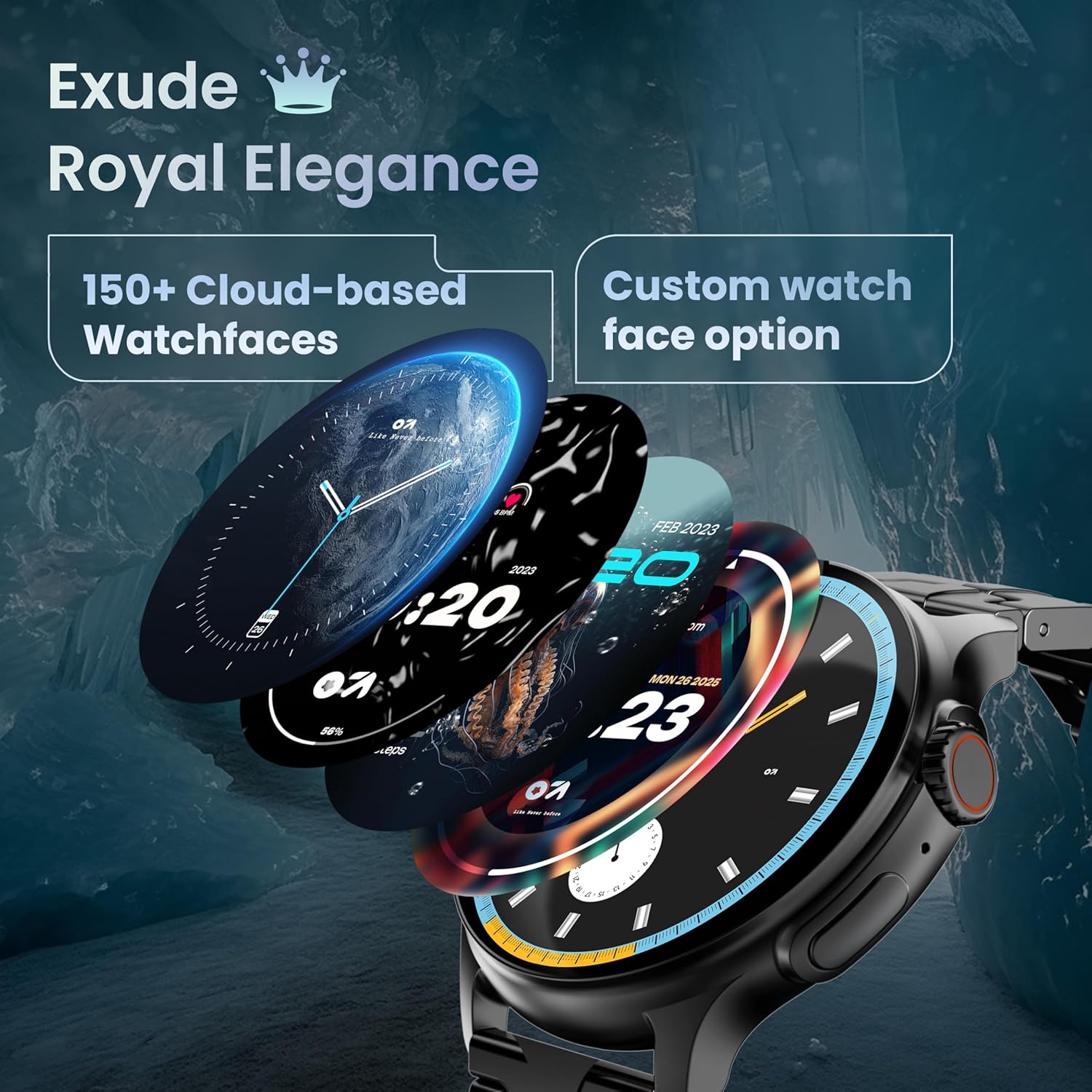
Image: A selection of over 150 watch faces available for customization.
- വാച്ച് മുഖങ്ങൾ മാറ്റുന്നു: Long-press the home screen to access watch face options. Swipe left or right to browse and tap to select. More watch faces are available through the companion app.
4.2. നാവിഗേഷനും നിയന്ത്രണങ്ങളും
Navigate the smartwatch interface using touch gestures and the functional 'Working Crown'.

Image: Detail of the working crown, used for navigation and customization.
- താഴേക്ക് സ്വൈപ്പ് ചെയ്യുക: Access quick settings (e.g., brightness, DND, battery saver).
- മുകളിലേക്ക് നീക്കുക: View അറിയിപ്പുകൾ.
- ഇടത്തേക്ക്/വലത്തേക്ക് സ്വൈപ്പ് ചെയ്യുക: Access widgets and main features (e.g., activity, heart rate, weather).
- വർക്കിംഗ് ക്രൗൺ: Rotate to scroll through menus or lists. Press to return to the home screen or confirm selections.
4.3. ബ്ലൂടൂത്ത് കോളിംഗ്
The smartwatch supports Bluetooth Calling v5.2, allowing you to make and receive calls directly from your wrist.

Image: Illustration of the smartwatch's Bluetooth calling capabilities with integrated microphone and speaker.
- കോളുകൾക്ക് ഉത്തരം നൽകുന്നു: Tap the green phone icon on the screen when a call comes in.
- കോളുകൾ ചെയ്യുന്നു: Access the dial pad or contacts list from the smartwatch menu.
- കോളുകൾ നിരസിക്കുന്നു: Tap the red phone icon.
4.4. സ്പോർട്സ് മോഡുകൾ
Track over 120 sports and fitness activities with detailed analytics.

Image: The smartwatch interface showing active sports tracking and various sports icons.
- Access the 'Sports' menu to select your desired activity.
- The watch will record data such as duration, calories burned, and heart rate during your workout.
4.5. ആരോഗ്യ നിരീക്ഷണം
Monitor key health metrics in real-time.

Image: The health suite features, including heart rate, SpO2, and sleep monitoring.
- ഹൃദയമിടിപ്പ് നിരീക്ഷണം: Provides 24x7 heart rate tracking.
- SpO2 Blood Oxygen Saturation Monitor: രക്തത്തിലെ ഓക്സിജന്റെ അളവ് അളക്കുന്നു.
- ഉറക്ക നിരീക്ഷണം: ഉറക്ക രീതികളും ഗുണനിലവാരവും ട്രാക്ക് ചെയ്യുന്നു.
- സ്ത്രീ ആർത്തവചക്രം ട്രാക്കിംഗ്: Helps track and predict menstrual cycles.
- പ്രവർത്തന ട്രാക്കർ: Records steps, distance, and calories burned throughout the day.
- ശ്വസന പരിശീലനം: വിശ്രമത്തിനായി ഗൈഡഡ് ശ്വസന വ്യായാമങ്ങൾ.
4.6. AI വോയ്സ് അസിസ്റ്റന്റ്
Control your smartwatch hands-free using voice commands.

Image: The AI voice assistant feature, activated by pressing a button for 3 seconds.
- Press the dedicated button (or specified gesture) for 3 seconds to activate the AI voice assistant.
- Use voice commands to ask questions, set reminders, or manage tasks.
4.7. Notifications and Utilities
Receive SMS and push notifications directly on your wrist. The smartwatch also includes useful utilities.

Image: The 'Find My Phone' feature, which causes the connected phone to ring or vibrate.
- അറിയിപ്പുകൾ: Ensure notification permissions are enabled in the companion app for your desired applications.
- കാൽക്കുലേറ്റർ: Access the calculator from the app menu for quick calculations.
- എൻ്റെ ഫോൺ കണ്ടെത്തുക: Use this feature from the smartwatch to make your connected phone ring or vibrate, helping you locate it.
4.8. വെള്ളത്തിനും പൊടിക്കും എതിരായ പ്രതിരോധം (IP67)
The smartwatch is IP67 rated, providing protection against dust and temporary immersion in water.
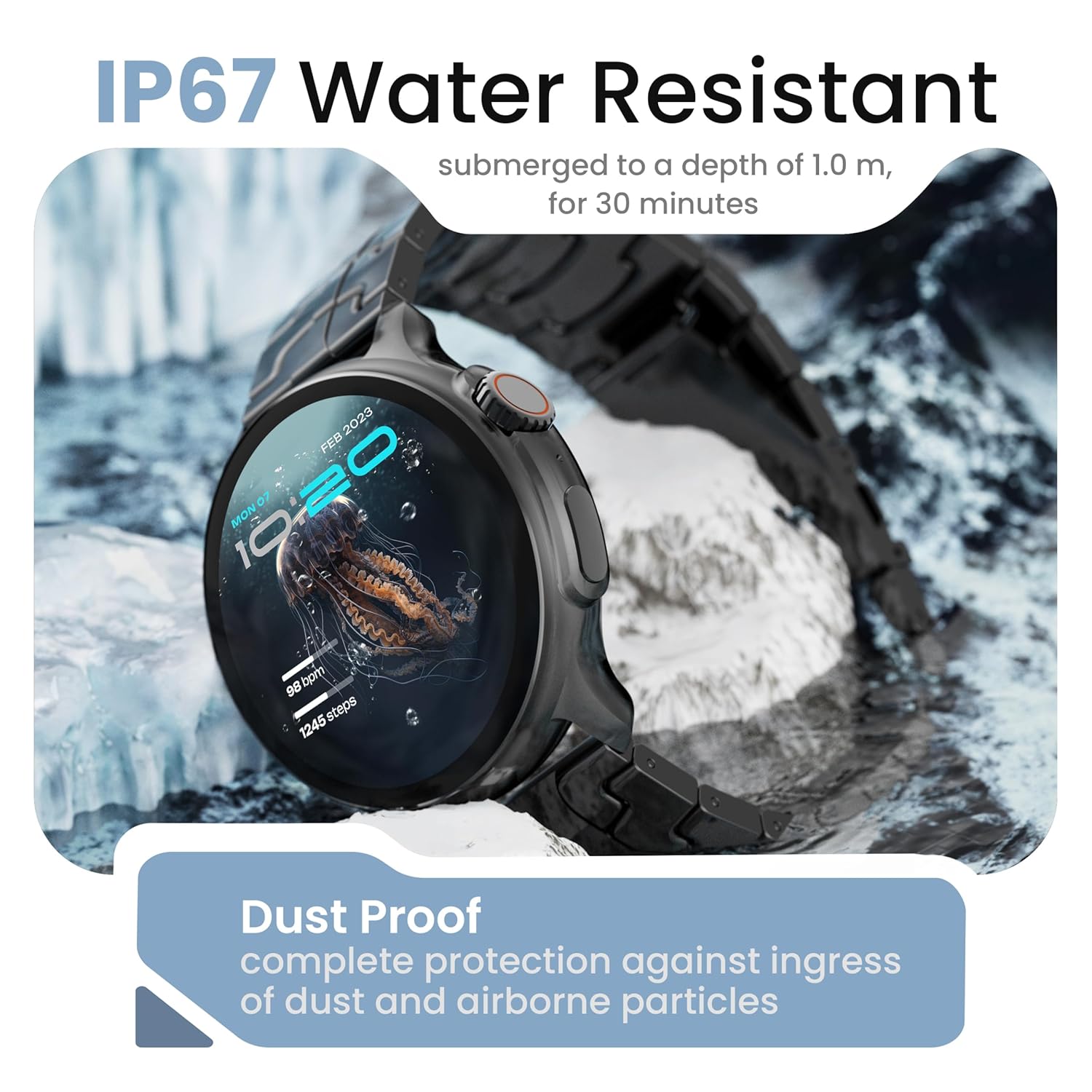
Image: The smartwatch demonstrating its IP67 water resistance, capable of being submerged up to 1 meter for 30 minutes.
- The device is resistant to sweat, splashes, and brief immersion in water up to 1 meter for 30 minutes.
- Avoid using the watch in hot water, saunas, or steam rooms.
- Do not press buttons while the watch is submerged.
5. പരിചരണവും പരിപാലനവും
- വൃത്തിയാക്കൽ: മൃദുവായതും ഉണങ്ങിയതുമായ തുണി ഉപയോഗിച്ച് വാച്ചും സ്ട്രാപ്പും പതിവായി തുടയ്ക്കുക. ആവശ്യമെങ്കിൽ, അല്പം ഡി-ക്ലിപ്പർ ഉപയോഗിക്കുക.amp തുണി നന്നായി ഉണക്കുക.
- രാസവസ്തുക്കൾ ഒഴിവാക്കുക: Do not use harsh chemicals, cleaning solvents, or strong detergents, as these can damage the watch's finish and seals.
- സംഭരണം: സ്മാർട്ട് വാച്ച് ഉപയോഗത്തിലില്ലാത്തപ്പോൾ തണുത്തതും വരണ്ടതുമായ സ്ഥലത്ത് സൂക്ഷിക്കുക.
- ചാർജിംഗ്: നൽകിയിരിക്കുന്ന ചാർജിംഗ് കേബിൾ മാത്രം ഉപയോഗിക്കുക.
6. പ്രശ്നപരിഹാരം
6.1. Smartwatch Not Turning On
- വാച്ച് പൂർണ്ണമായും ചാർജ് ചെയ്തിട്ടുണ്ടെന്ന് ഉറപ്പാക്കുക. കുറഞ്ഞത് 30 മിനിറ്റെങ്കിലും ചാർജറുമായി ബന്ധിപ്പിക്കുക.
- Press and hold the side button for an extended period (10-15 seconds) to force a restart.
6.2. Unable to Pair with Smartphone
- നിങ്ങളുടെ സ്മാർട്ട്ഫോണിലും സ്മാർട്ട് വാച്ചിലും ബ്ലൂടൂത്ത് പ്രവർത്തനക്ഷമമാക്കിയിട്ടുണ്ടെന്ന് ഉറപ്പാക്കുക.
- Make sure the smartwatch is within the Bluetooth range of your phone (typically 10 meters).
- നിങ്ങളുടെ സ്മാർട്ട്ഫോണും സ്മാർട്ട് വാച്ചും പുനരാരംഭിക്കുക.
- നിങ്ങളുടെ ഫോണിലെ ബ്ലൂടൂത്ത് കാഷെ മായ്ക്കുക (ബാധകമെങ്കിൽ) വീണ്ടും ജോടിയാക്കാൻ ശ്രമിക്കുക.
- കമ്പാനിയൻ ആപ്പ് ഏറ്റവും പുതിയ പതിപ്പിലേക്ക് അപ്ഡേറ്റ് ചെയ്തിട്ടുണ്ടെന്ന് ഉറപ്പാക്കുക.
6.3. കൃത്യമല്ലാത്ത ആരോഗ്യ ഡാറ്റ
- വാച്ച് നിങ്ങളുടെ കൈത്തണ്ടയിൽ നന്നായി ധരിക്കുന്നുണ്ടെന്ന് ഉറപ്പാക്കുക, അധികം ഇറുകിയതോ അധികം അയഞ്ഞതോ അല്ല.
- വാച്ചിന്റെ പിൻഭാഗത്തുള്ള സെൻസറുകൾ വൃത്തിയാക്കുക.
- അളക്കുമ്പോൾ അമിതമായ ചലനം ഒഴിവാക്കുക.
- Note that smartwatch health data is for reference only and should not be used for medical diagnosis.
6.4. അറിയിപ്പുകൾ ദൃശ്യമാകുന്നില്ല.
- Check if notification permissions are granted for the companion app and individual applications on your smartphone.
- Ensure the smartwatch is connected to your phone via Bluetooth.
- Disable 'Do Not Disturb' mode on both your phone and smartwatch.
7 സ്പെസിഫിക്കേഷനുകൾ
| ബ്രാൻഡ് | ഗോബോൾട്ട് |
| മോഡലിൻ്റെ പേര് | R Pro 2 |
| ഡിസ്പ്ലേ വലിപ്പം | 1.43 ഇഞ്ച് |
| ഡിസ്പ്ലേ തരം | എച്ച്ഡി അമോലെഡ് |
| തെളിച്ചം | 600 നിറ്റുകൾ |
| ബ്ലൂടൂത്ത് പതിപ്പ് | 5.2 |
| ജല പ്രതിരോധം | IP67 |
| ബാറ്ററി ലൈഫ് (ശരാശരി) | 7 ദിവസം |
| ബാറ്ററി ചാർജ് സമയം | 150 മിനിറ്റ് |
| ഓപ്പറേറ്റിംഗ് സിസ്റ്റം | ആൻഡ്രോയിഡ് (അനുയോജ്യമായത്) |
| ഇനത്തിൻ്റെ ഭാരം | 56.5 ഗ്രാം |
| ഉൾപ്പെടുത്തിയ ഘടകങ്ങൾ | Smartwatch, Charging Cable, User Manual, Warranty Card |
8. വാറൻ്റിയും പിന്തുണയും
8.1. വാറൻ്റി വിവരങ്ങൾ
Your GOBOULT Crown R Pro 2 Smartwatch comes with a standard manufacturer's warranty. Please refer to the included Warranty Card for specific terms, conditions, and duration of the warranty.
8.2. ഉപഭോക്തൃ പിന്തുണ
For any product-related queries, technical assistance, or warranty claims, please contact GOBOULT customer support through the following channels:
- Webസൈറ്റ്: Visit the official GOBOULT webപതിവുചോദ്യങ്ങൾക്കും പിന്തുണാ ഉറവിടങ്ങൾക്കുമുള്ള സൈറ്റ്.
- ഇമെയിൽ: നിങ്ങളുടെ വാറന്റി കാർഡോ ഉദ്യോഗസ്ഥനോ കാണുക webഉപഭോക്തൃ സേവന ഇമെയിൽ വിലാസങ്ങൾക്കായുള്ള സൈറ്റ്.
- ഫോൺ: Contact numbers may be available on the official GOBOULT website or warranty card.
Please have your product model number (R Pro 2) and purchase details ready when contacting support.