
1. ആമുഖം
വാങ്ങിയതിന് നന്ദി.asing the LICAEVEY Video Camera Camcorder. This manual provides essential information for setting up, operating, and maintaining your device. Please read it thoroughly before use to ensure optimal performance and longevity of your camcorder.
2. പാക്കേജ് ഉള്ളടക്കം
നിങ്ങളുടെ പാക്കേജിൽ എല്ലാ ഇനങ്ങളും ഉണ്ടെന്ന് ഉറപ്പാക്കുക:
- 1 x LICAEVEY Video Camera Camcorder
- 1 x USB കേബിൾ
- 1 x ഇൻസ്ട്രക്ഷൻ മാനുവൽ
3. ഉൽപ്പന്നം കഴിഞ്ഞുview
The LICAEVEY Video Camera Camcorder is a portable device designed for capturing high-quality video and photos. It features a 2.4-inch color screen, 1080P video resolution, 16MP photo pixels, and 16x digital zoom. The camcorder includes a front fill light for low-light conditions and supports various functions such as electronic anti-shake, loop recording, and time watermarking.

ചിത്രം 3.1: ഫ്രണ്ട് view of the camcorder, highlighting the 2.4-inch screen, HD 1080P video capability, 16.0 Megapixels, and 16X digital zoom.
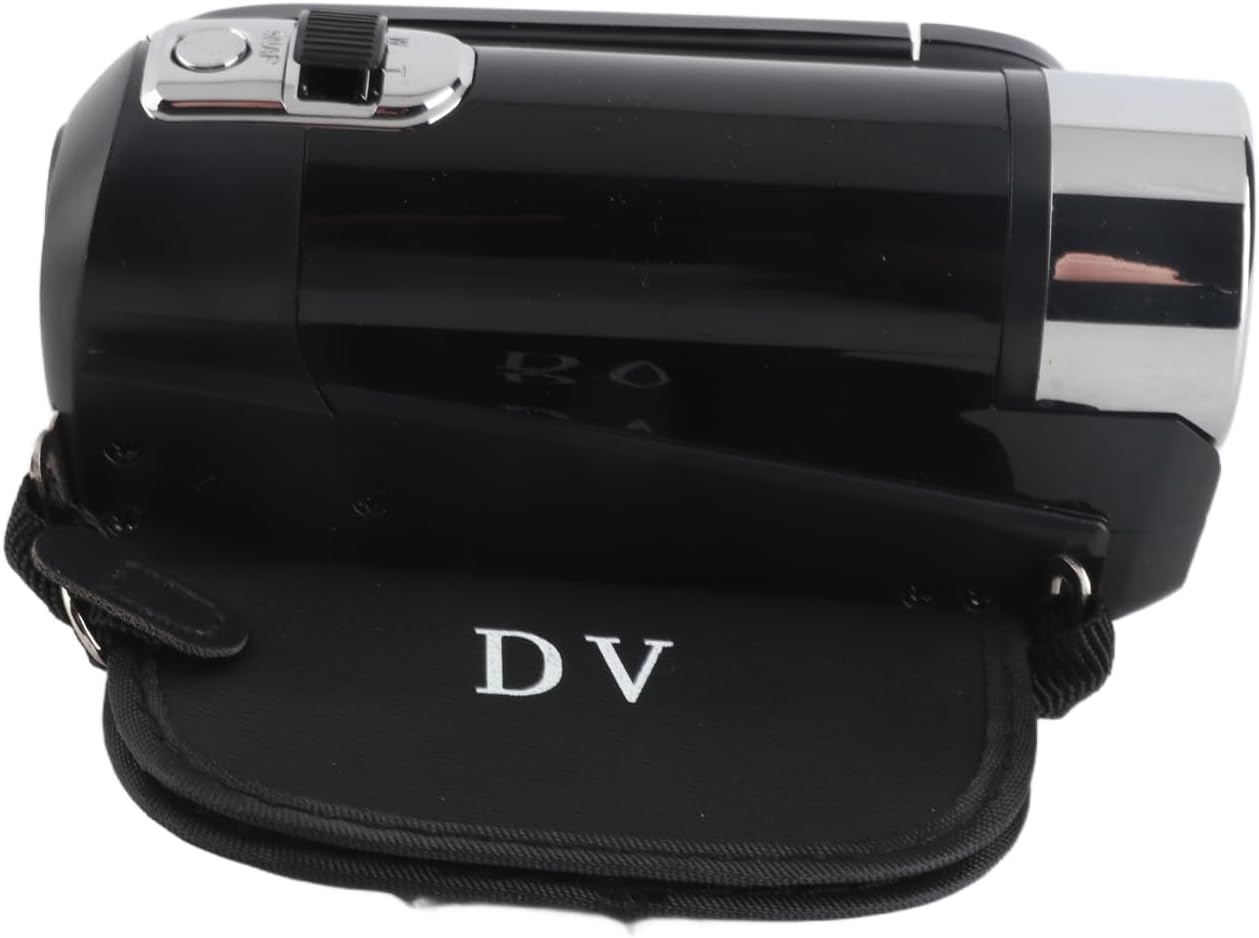
ചിത്രം 3.2: വശം view of the camcorder, showing its compact design and the 'DV' branding on the included protective case.
4. സജ്ജീകരണം
4.1. Inserting the Storage Card
The camcorder requires a storage card (not included) to save videos and photos. It supports storage cards up to 32GB. Ensure the card is inserted correctly before use.
- Locate the storage card slot, typically on the side or bottom of the camcorder.
- Insert the storage card gently until it clicks into place.
- If the camcorder displays "No Card", re-insert the card or try a different compatible card.
4.2. ബാറ്ററി വിവരങ്ങളും ചാർജിംഗും
The camcorder is equipped with a built-in 1020mAh Lithium Battery. To charge the battery, connect the camcorder to a power source using the provided USB cable. The camcorder supports recording while charging.

ചിത്രം 4.1: Camcorder with the screen open, revealing the area where the storage card and battery compartment are typically located.
5. പ്രവർത്തന നിർദ്ദേശങ്ങൾ
5.1. പവർ ഓൺ/ഓഫ്
Locate the power button, usually on the top or side of the camcorder. Press and hold to power on or off the device.
5.2. Basic Recording and Photography
Once powered on, the camcorder is ready to capture video or photos. Use the mode button to switch between video and photo modes. Press the record/shutter button to start/stop recording or take a picture.
5.3. ഡിജിറ്റൽ സൂം
Utilize the zoom controls (often marked 'W' for Wide and 'T' for Telephoto) to adjust the 16x digital zoom during recording or in standby mode.
5.4. വെളിച്ചം നിറയ്ക്കുക
The camcorder features a front fill light. Activate it in low-light environments to enhance illumination for your recordings and photos.
5.5. Multifunctional Features
The camcorder supports several advanced functions:
- Electronic Anti-Shake: Helps stabilize footage, reducing blur from camera movement.
- ലൂപ്പ് റെക്കോർഡിംഗ്: Records video in segments, overwriting the oldest files when the storage card is full.
- Time Watermarking: Adds a date and time stamp നിങ്ങളുടെ റെക്കോർഡിംഗുകളിലേക്ക്.
- വീഡിയോ താൽക്കാലികമായി നിർത്തുക: Allows you to pause and resume video recording within a single file.
- സെൽഫി ഫംഗ്ഷൻ: Utilize the rotating screen for self-recording.

ചിത്രം 5.1: The camcorder's screen displaying various multi-functional capabilities, including electronic anti-shake and loop recording.
5.6. ബാഹ്യ ഉപകരണങ്ങളിലേക്ക് ബന്ധിപ്പിക്കുന്നു
The camcorder offers connectivity options for enhanced usability:
- USB കണക്ഷൻ: Use the provided USB cable to connect the camcorder to a computer. This allows you to transfer and view ഫോട്ടോകളും വീഡിയോകളും.
- ബാഹ്യ മൈക്രോഫോൺ: The camcorder supports an external microphone for improved audio quality (microphone sold separately).
- ട്രൈപോഡ് മൗണ്ടിംഗ്: A 1/4 inch threaded hole on the bottom allows for easy attachment to a tripod or other compatible mounting equipment.

ചിത്രം 5.2: താഴെ view of the camcorder, clearly showing the 1/4 inch threaded hole for tripod mounting.
6. പരിപാലനവും പരിചരണവും
നിങ്ങളുടെ കാംകോർഡറിന്റെ ദീർഘായുസ്സും മികച്ച പ്രകടനവും ഉറപ്പാക്കാൻ, ഈ പരിപാലന മാർഗ്ഗനിർദ്ദേശങ്ങൾ പാലിക്കുക:
- വൃത്തിയാക്കൽ: Use a soft, dry cloth to clean the camcorder body. For the lens and screen, use a specialized lens cleaning cloth and solution. Avoid abrasive materials or harsh chemicals.
- സംഭരണം: Store the camcorder in a cool, dry place away from direct sunlight, extreme temperatures, and high humidity.
- ബാറ്ററി കെയർ: If not using the camcorder for an extended period, fully charge the battery before storage and recharge it periodically to maintain battery health.
- ആഘാതങ്ങൾ ഒഴിവാക്കുക: Protect the camcorder from drops and impacts, which can damage internal components.
7. പ്രശ്നപരിഹാരം
If you encounter issues with your camcorder, refer to the following common problems and solutions:
- "No Card" Error: Ensure a compatible storage card (up to 32GB) is correctly inserted into the card slot. Power off and on the camcorder after inserting the card.
- Camcorder Not Powering On: Check if the battery is charged. Connect the camcorder to a power source using the USB cable to charge it.
- മോശം വീഡിയോ/ഫോട്ടോ നിലവാരം: Ensure the lens is clean. Check lighting conditions and use the fill light if necessary. Verify that the resolution settings are appropriate.
- Cannot Connect to Computer: Ensure the USB cable is securely connected to both the camcorder and the computer. Try a different USB port or cable.
പ്രശ്നം നിലനിൽക്കുകയാണെങ്കിൽ, കൂടുതൽ സഹായത്തിനായി ഉപഭോക്തൃ പിന്തുണയുമായി ബന്ധപ്പെടുക.
8 സ്പെസിഫിക്കേഷനുകൾ
| ഫീച്ചർ | സ്പെസിഫിക്കേഷൻ |
|---|---|
| ബ്രാൻഡ് | LICAEVEY |
| മോഡലിൻ്റെ പേര് | LICAEVEYg5b42qza3t-12 |
| സ്ക്രീൻ വലിപ്പം | 2.4 Inches (Color) |
| പരമാവധി വീഡിയോ റെസല്യൂഷൻ | 1080P |
| Maximum Photo Pixels | 16എംപി |
| ഡിജിറ്റൽ സൂം | 16x |
| Storage Card Support | Up to 32GB (Excluded) |
| ബാറ്ററി വിവരങ്ങൾ | Lithium Battery, 1020mAh (Built-In) |
| ഷട്ടർ | ഇലക്ട്രോണിക് |
| കണക്റ്റിവിറ്റി ടെക്നോളജി | USB |
| പ്രത്യേക സവിശേഷതകൾ | Fill Light, Electronic Anti-Shake, Loop Recording, Time Watermarking, Video Pause, External Microphone Support, 1/4 inch Threaded Hole |
| നിറം | കറുപ്പ് |
9. വാറൻ്റിയും പിന്തുണയും
For warranty information and customer support, please refer to the documentation provided at the time of purchase or contact your retailer. You may also visit the official LICAEVEY brand page on Amazon for additional support and product details: LICAEVEY Amazon Store.