
ആമുഖം
വാങ്ങിയതിന് നന്ദി.asing the RadioShack 240W Retro Style Bluetooth Vintage Speaker. This manual provides essential information for the safe and efficient use of your speaker. Please read it thoroughly before operation and retain it for future reference.

Figure 1: RadioShack Retro Style Bluetooth Vintagഇ സ്പീക്കർ
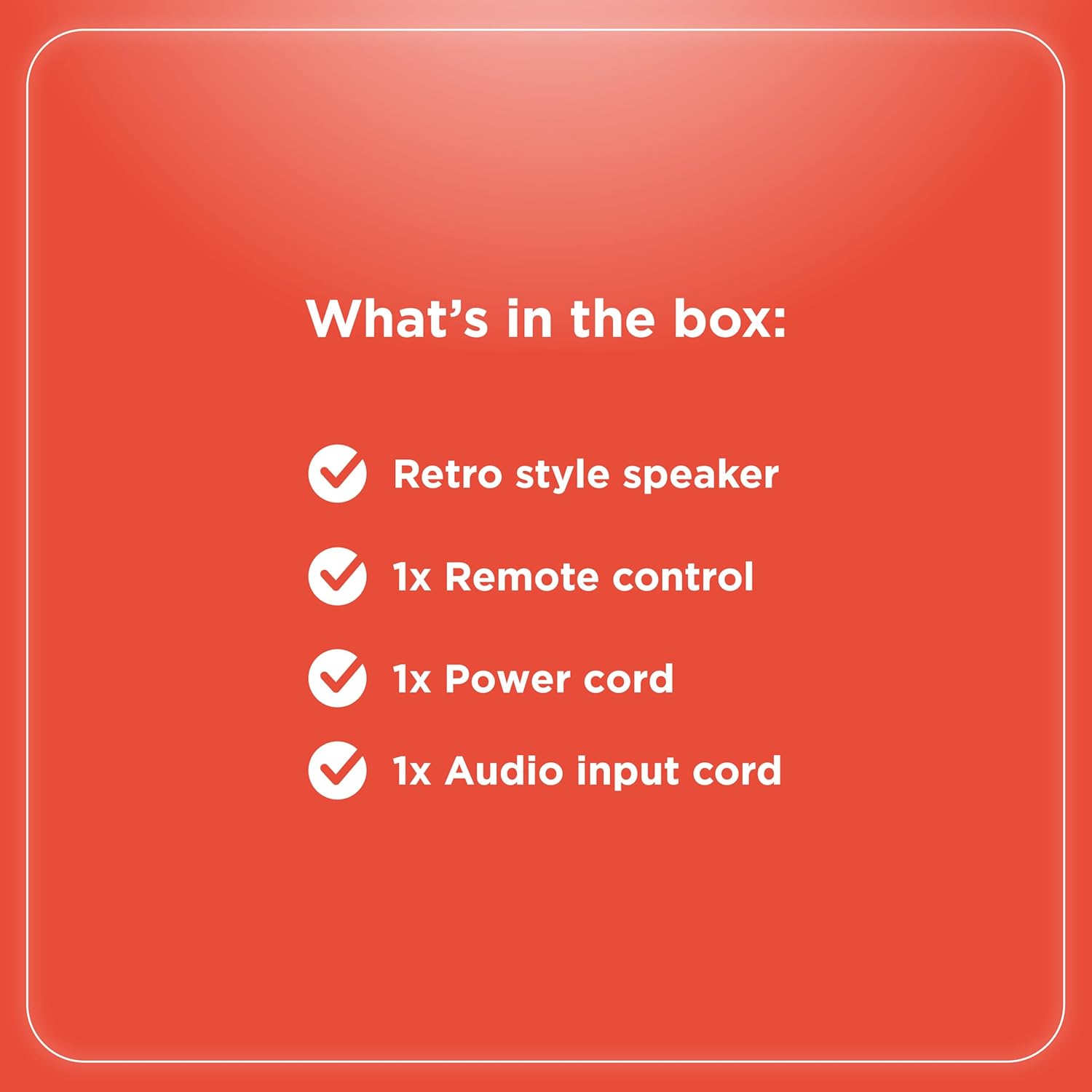
പാക്കേജ് ഉള്ളടക്കം
പാക്കേജിൽ എല്ലാ ഇനങ്ങളും ഉണ്ടെന്ന് ഉറപ്പാക്കുക:
- Retro style speaker
- 1x റിമോട്ട് കൺട്രോൾ
- 1x പവർ കോർഡ്
- 1x Audio input cord

ചിത്രം 2: പാക്കേജ് ഉള്ളടക്കം
സജ്ജമാക്കുക
- പവർ കണക്ഷൻ: Connect the provided power cord to the speaker's power input and then to a standard electrical outlet.
- പ്ലേസ്മെൻ്റ്: സ്പീക്കർ ഒരു സ്ഥിരതയുള്ളതും പരന്നതുമായ പ്രതലത്തിൽ വയ്ക്കുക. യൂണിറ്റിന് ചുറ്റും മതിയായ വായുസഞ്ചാരം ഉറപ്പാക്കുക.
- Antenna (FM Radio): Extend the FM antenna for optimal radio reception.
- ബാഹ്യ ഉപകരണങ്ങൾ ബന്ധിപ്പിക്കുന്നു:
- AUX ഇൻപുട്ട്: Use the included audio input cord to connect devices via the AUX port.
- യുഎസ്ബി ഇൻപുട്ട്: MP3 ഉള്ള ഒരു USB ഡ്രൈവ് ചേർക്കുക fileപ്ലേബാക്കിനായി USB പോർട്ടിലേക്ക് s.
- Optical/ARC Input: Connect compatible devices using an optical cable or HDMI ARC cable (not included) to the respective ports.
ചിത്രം 3: പിൻ പാനൽ കണക്ഷനുകൾ

ചിത്രം 4: കണക്റ്റിവിറ്റി ഓപ്ഷനുകൾ
പ്രവർത്തന നിർദ്ദേശങ്ങൾ
നിയന്ത്രിക്കുന്നുview
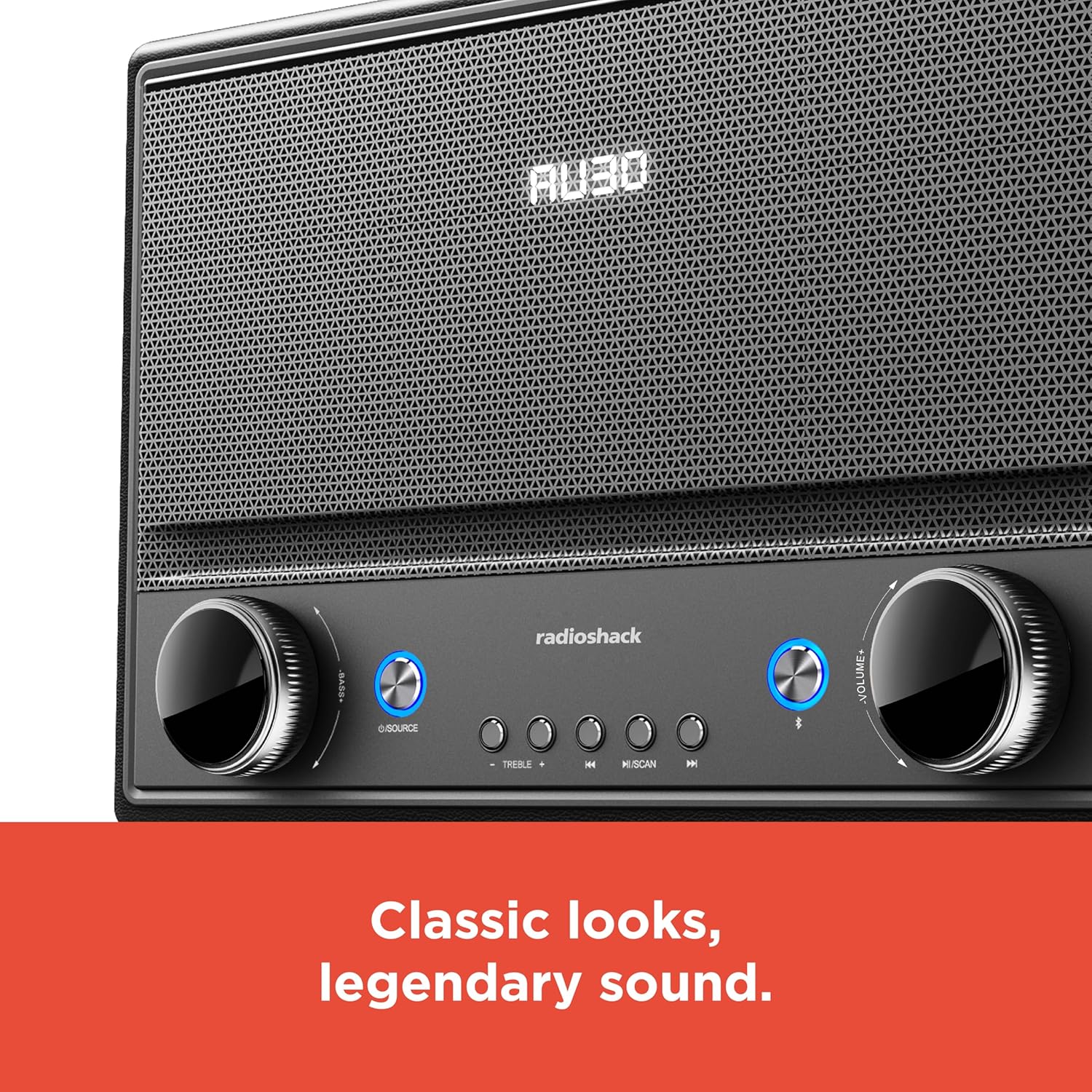
ചിത്രം 5: ഫ്രണ്ട് പാനൽ നിയന്ത്രണങ്ങൾ
- പവർ ഓൺ/ഓഫ്: Press the Power button (usually located on the front panel or remote) to turn the speaker on or off.
- ഉറവിട തിരഞ്ഞെടുപ്പ്: Press the "SOURCE" button repeatedly to cycle through input modes: Bluetooth, FM Radio, USB, AUX, Optical, ARC.
- വോളിയം ക്രമീകരണം: Rotate the "VOLUME" knob clockwise to increase volume and counter-clockwise to decrease it. Alternatively, use the volume buttons on the remote control.
- ടോൺ നിയന്ത്രണം: Use the "BASS" and "TREBLE" knobs to adjust the low and high frequencies of the audio output.
- ബ്ലൂടൂത്ത് ജോടിയാക്കൽ:
- Select Bluetooth mode using the "SOURCE" button. The speaker will enter pairing mode, indicated by a flashing LED.
- On your device (smartphone, tablet, etc.), enable Bluetooth and search for "RadioShack Speaker".
- Select the speaker from the list to pair. A confirmation tone will sound upon successful connection.
- എഫ്എം റേഡിയോ പ്രവർത്തനം:
- Select FM Radio mode.
- Press the "SCAN" button to automatically scan and save available FM stations.
- Use the "PREV" and "NEXT" buttons to navigate between saved stations or manually tune.
- യുഎസ്ബി പ്ലേബാക്ക്:
- MP3 ഓഡിയോ അടങ്ങിയ ഒരു USB ഡ്രൈവ് ഇടുക fileയുഎസ്ബി പോർട്ടിലേക്ക് എസ്.
- Select USB mode. Playback should begin automatically.
- Use the "PLAY/PAUSE", "PREV", and "NEXT" buttons to control playback.

Figure 6: Intuitive Controls
മെയിൻ്റനൻസ്
- വൃത്തിയാക്കൽ: Use a soft, dry cloth to clean the speaker's exterior. Do not use liquid cleaners or abrasive materials, especially on the leather body and metal grill.
- സംഭരണം: ദീർഘനേരം ഉപയോഗിക്കാത്തപ്പോൾ, നേരിട്ടുള്ള സൂര്യപ്രകാശത്തിൽ നിന്നും കടുത്ത താപനിലയിൽ നിന്നും മാറി തണുത്തതും വരണ്ടതുമായ സ്ഥലത്ത് സ്പീക്കർ സൂക്ഷിക്കുക.
- ഈർപ്പം ഒഴിവാക്കുക: Keep the speaker away from water and high humidity to prevent damage to internal components.
ട്രബിൾഷൂട്ടിംഗ്
| പ്രശ്നം | സാധ്യമായ കാരണം | പരിഹാരം |
|---|---|---|
| ശക്തിയില്ല | പവർ കോർഡ് ബന്ധിപ്പിച്ചിട്ടില്ല; ഔട്ട്ലെറ്റ് സജീവമല്ല. | Ensure power cord is securely connected to both speaker and a working power outlet. |
| ശബ്ദമില്ല | ശബ്ദം വളരെ കുറവാണ്; തെറ്റായ ഉറവിടം തിരഞ്ഞെടുത്തു; ഉപകരണം ശരിയായി ബന്ധിപ്പിച്ചിട്ടില്ല. | Increase volume. Select the correct input source. Check all cable connections or Bluetooth pairing. |
| ബ്ലൂടൂത്ത് കണക്റ്റ് ചെയ്യുന്നില്ല | സ്പീക്കർ ജോടിയാക്കൽ മോഡിലല്ല; ഉപകരണം വളരെ അകലെയാണ്; ഇടപെടൽ. | Ensure speaker is in Bluetooth pairing mode. Move device closer to speaker. Disconnect other Bluetooth devices. |
| മോശം എഫ്എം സ്വീകരണം | ആന്റിന നീട്ടിയിട്ടില്ല; ദുർബലമായ സിഗ്നൽ. | Fully extend the FM antenna. Try repositioning the speaker for better signal. |
സ്പെസിഫിക്കേഷനുകൾ
- ബ്രാൻഡ്: റേഡിയോഷാക്ക്
- മോഡൽ നമ്പർ: 4001974
- ഔട്ട്പുട്ട് പവർ: 240 വാട്ട്സ്
- കണക്റ്റിവിറ്റി ടെക്നോളജി: Bluetooth, USB, AUX, FM Radio, Optical, ARC
- ഉൽപ്പന്ന അളവുകൾ (L x W x H): 8.98" x 15.75" x 10.79"
- ഊർജ്ജ സ്രോതസ്സ്: കോർഡഡ് ഇലക്ട്രിക്
- ട്യൂണർ സാങ്കേതികവിദ്യ: FM
- പിന്തുണയ്ക്കുന്ന റേഡിയോ ബാൻഡുകൾ: 2-ബാൻഡ്
- മെറ്റീരിയൽ: Leather, Metal
- പ്രത്യേക സവിശേഷത: റെട്രോ ശൈലി
വാറൻ്റി
The manufacturer's warranty information is not provided in the product details. Please refer to your purchase receipt or contact the retailer for specific warranty terms.
പിന്തുണ
For further assistance or inquiries, please visit the official RadioShack website or contact their customer support. Keep your model number (4001974) handy when seeking support.
Official RadioShack Store: RadioShack Store on Amazon