
1. ആമുഖം
The iflytek AINOTE Air 2 is an 8.2-inch digital note-taking tablet designed to enhance productivity through advanced AI features. This device offers a paper-like writing experience, real-time speech-to-text transcription, multilingual translation, and intelligent summarization capabilities. It is suitable for professionals, students, and anyone seeking an efficient digital note-taking solution.

Figure 1: iflytek AINOTE Air 2 Tablet with Folio Case and Stylus
2. ബോക്സിൽ എന്താണുള്ളത്?
അൺബോക്സിംഗ് ചെയ്യുമ്പോൾ എല്ലാ ഇനങ്ങളും ഉണ്ടെന്ന് ഉറപ്പാക്കുക:
- iflytek AINOTE Air 2 Paper Tablet
- സ്റ്റൈലസ് പേന
- Black Folio Case
- USB-C ചാർജിംഗ് കേബിൾ
- ദ്രുത ആരംഭ ഗൈഡ്
3. പ്രാരംഭ സജ്ജീകരണം
3.1 ഉപകരണം ഓൺ ചെയ്യുന്നു
- Press and hold the power button located on the top edge of the device for approximately 3 seconds until the screen illuminates.
- The device will display the iflytek AINOTE logo during startup.
3.2 Stylus Pen Attachment
The stylus pen magnetically attaches to the side of the AINOTE Air 2 tablet for convenient storage and charging (if applicable).
3.3 Language and Region Selection
- നിങ്ങളുടെ ഇഷ്ടപ്പെട്ട ഭാഷയും പ്രദേശവും തിരഞ്ഞെടുക്കാൻ ഓൺ-സ്ക്രീൻ നിർദ്ദേശങ്ങൾ പാലിക്കുക.
- Confirm your selections to proceed.
3.4 നെറ്റ്വർക്ക് കണക്ഷൻ
- ലഭ്യമായ ലിസ്റ്റിൽ നിന്ന് നിങ്ങളുടെ വൈഫൈ നെറ്റ്വർക്ക് തിരഞ്ഞെടുക്കുക.
- ആവശ്യപ്പെടുകയാണെങ്കിൽ പാസ്വേഡ് നൽകി 'കണക്റ്റ്' ടാപ്പ് ചെയ്യുക.
- A stable internet connection is recommended for optimal performance of AI features and cloud synchronization.
4. പ്രവർത്തന നിർദ്ദേശങ്ങൾ
4.1 Note-Taking and Handwriting Conversion
The AINOTE Air 2 provides a natural, paper-like writing experience with its stylus and E Ink screen.
- To create a new note, navigate to the 'Notes' section and tap the '+' icon.
- Use the stylus to write directly on the screen. The device supports 4,096 pressure levels for varied stroke thickness.
- To convert handwritten notes to text, select the desired text using the stylus and choose the 'Convert to Text' option. The device supports conversion to 85 languages.
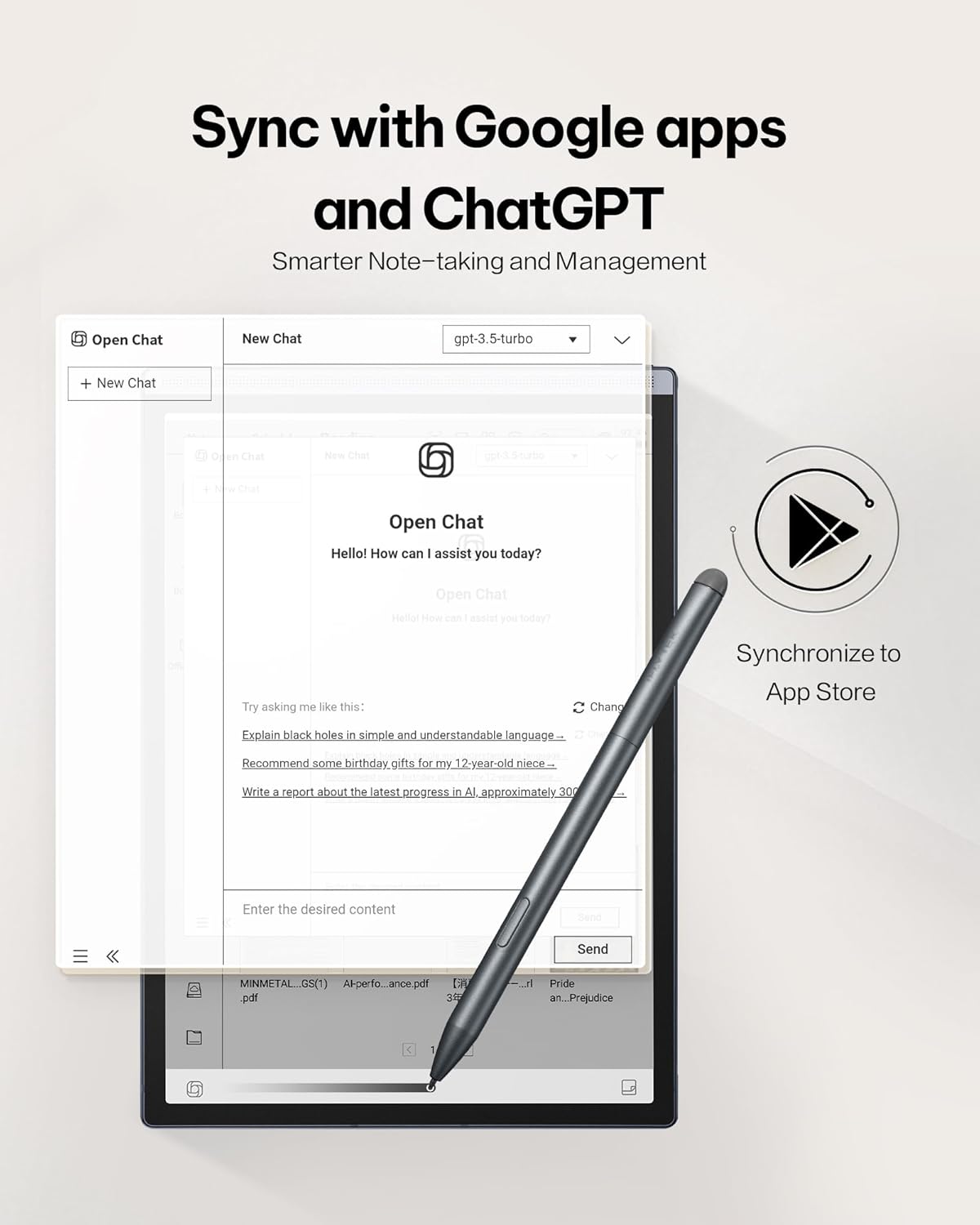
Figure 2: Paper-Like Writing Experience
4.2 Voice-to-Text Transcription
The device can transcribe spoken words into text in real-time, supporting 16 languages.
- In a note or meeting interface, tap the 'Record' button to begin audio capture.
- Speak clearly into the device's microphone. The spoken words will appear as text on the screen.
- To stop recording, tap the 'Finish' button.
Video 1: Demonstration of the iflytek AINOTE Air 2's precise voice-to-text transcription.
4.3 Multilingual Transcription and Translation
The AINOTE Air 2 supports real-time transcription in 16 languages and handwritten note conversion to 85 languages.
- During voice transcription, select the language option to choose from the supported languages.
- For handwritten notes, select the text and choose the translation option to convert to the desired language.
- കുറിപ്പ്: Voice transcription and handwritten text conversion cannot be used simultaneously. Complete one process before starting the other.

Figure 3: Multilingual Transcription Support
4.4 AI Notetaker and Smart Planner
Leverage AI to organize your notes and manage your schedule efficiently.
- The device can generate meeting summaries from transcribed audio. Access this feature from the recording interface.
- Use intuitive AI features to generate to-do lists and manage schedules automatically from your notes.
Video 2: Guide on activating and utilizing ChatGPT features on the iflytek AINOTE Air 2.
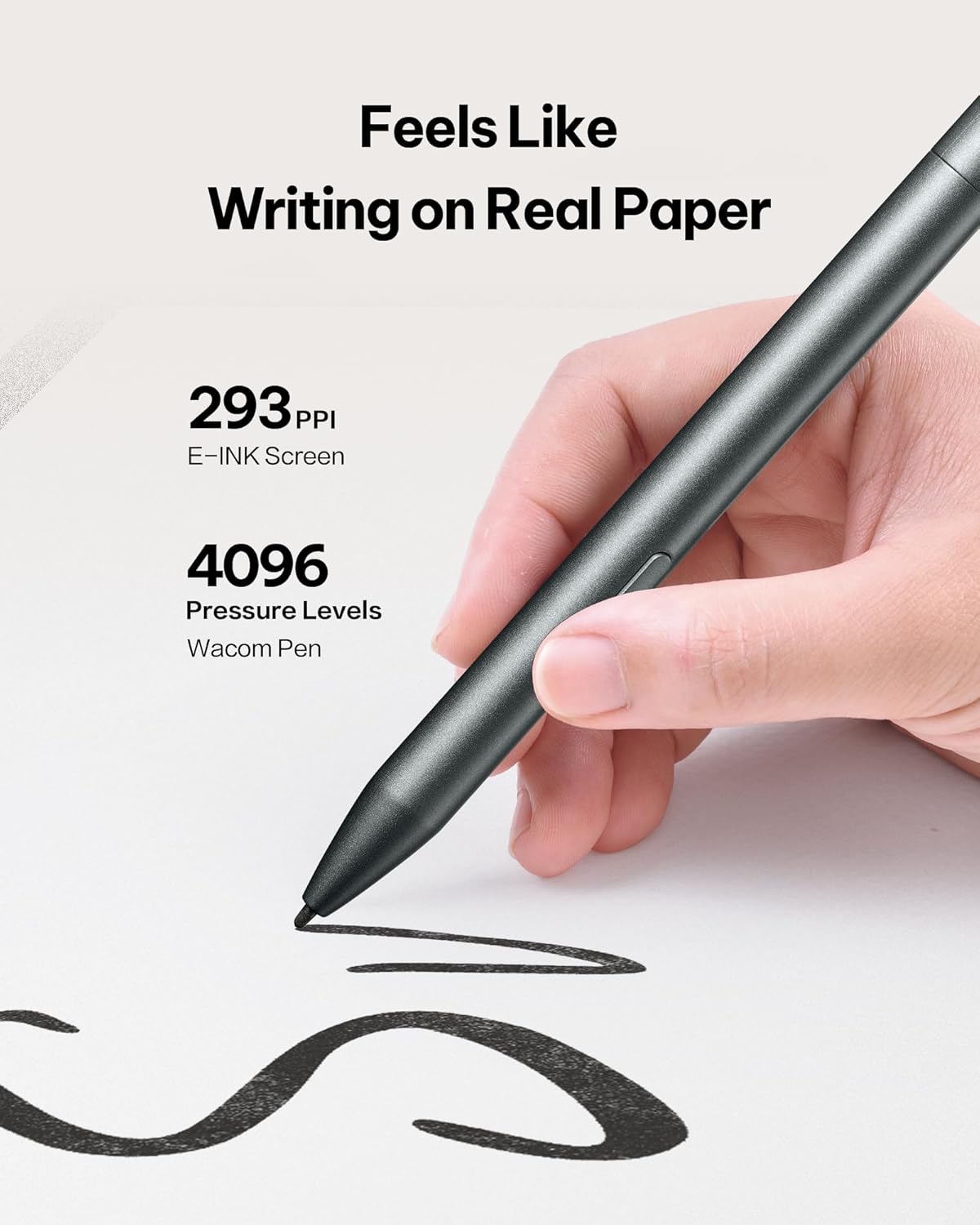
Figure 4: AI Notetaker & Smart Planner
4.5 Reading Documents and E-books
The E Ink display is designed for comfortable reading, similar to physical paper.
- Navigate to the 'Reading' section to access your documents and e-books.
- The dual-color adjustable reading light allows you to customize the display for various lighting conditions, reducing eye strain. Adjust brightness and color temperature via the quick settings menu.
- You can import PDF, EPUB, and other supported formats via Wi-Fi or USB connection.
വീഡിയോ 3: കഴിഞ്ഞുview of the iflytek AINOTE Air 2's reading capabilities and eye-friendly display.

Figure 5: Eye-Friendly Reading with Adjustable Light
4.6 ഡോക്യുമെന്റ് സ്കാനിംഗ്
The integrated 5 MP rear camera can be used for document scanning.
- Open the 'Scanner' application.
- Position the document under the camera and capture the image.
- The device will process the image, allowing you to save it as a PDF or Word document.
5. പരിപാലനം
5.1 ഉപകരണം വൃത്തിയാക്കുന്നു
മികച്ച പ്രകടനവും രൂപഭംഗിയും നിലനിർത്താൻ:
- ഉപകരണത്തിന്റെ സ്ക്രീനും ബോഡിയും മൃദുവായതും ലിന്റ് രഹിതവുമായ ഒരു തുണി ഉപയോഗിച്ച് സൌമ്യമായി തുടയ്ക്കുക.
- കഠിനമായ രാസവസ്തുക്കളോ ഉരച്ചിലുകളോ ഉപയോഗിക്കുന്നത് ഒഴിവാക്കുക.
5.2 ബാറ്ററി കെയർ
The AINOTE Air 2 has an average battery life of 5 weeks. To prolong battery life:
- നൽകിയിരിക്കുന്ന USB-C കേബിൾ ഉപയോഗിച്ച് ഉപകരണം ചാർജ് ചെയ്യുക.
- തീവ്രമായ താപനില ഒഴിവാക്കുക.
5.3 സോഫ്റ്റ്വെയർ അപ്ഡേറ്റുകൾ
Regular software updates are released to improve functionality and performance.
- നിങ്ങളുടെ ഉപകരണം വൈഫൈയിലേക്ക് കണക്റ്റുചെയ്യുക.
- Navigate to 'Settings' > 'System Updates' to check for and install available updates.
6. പ്രശ്നപരിഹാരം
6.1 ഉപകരണം പ്രതികരിക്കുന്നില്ല
- Perform a soft reset by pressing and holding the power button for 10-15 seconds.
- If the issue persists, ensure the device is charged.
6.2 Handwriting Not Registering
- Ensure the stylus tip is clean and not damaged.
- Verify the stylus is properly connected or charged (if applicable).
6.3 വൈ-ഫൈ കണക്റ്റിവിറ്റി പ്രശ്നങ്ങൾ
- Restart your Wi-Fi router and the AINOTE Air 2.
- മറ്റ് ഉപകരണങ്ങൾക്ക് ഒരേ വൈഫൈ നെറ്റ്വർക്കിലേക്ക് കണക്റ്റ് ചെയ്യാൻ കഴിയുമോ എന്ന് പരിശോധിക്കുക.
6.4 ഫാക്ടറി റീസെറ്റ്
If other troubleshooting steps fail, a factory reset may resolve software-related issues. Warning: This will erase all data on your device. Back up important fileതുടരുന്നതിന് മുമ്പ്.
- Navigate to 'Settings' > 'System' > 'Reset options'.
- Select 'Erase all data (factory reset)' and confirm.
7 സ്പെസിഫിക്കേഷനുകൾ
| ഫീച്ചർ | വിശദാംശങ്ങൾ |
|---|---|
| മോഡലിൻ്റെ പേര് | ഐനോട്ട് എയർ 2 |
| സ്ക്രീൻ വലിപ്പം | 8.2 ഇഞ്ച് |
| ഡിസ്പ്ലേ റെസല്യൂഷൻ | 1440 x 1920 പിക്സലുകൾ |
| പ്രോസസ്സർ | 1.8 GHz ക്വാൽകോം |
| മെമ്മറി സ്റ്റോറേജ് കപ്പാസിറ്റി | 32 ജിബി |
| ഫ്ലാഷ് മെമ്മറി വലുപ്പം | 4 ജിബി |
| ഓപ്പറേറ്റിംഗ് സിസ്റ്റം | ആൻഡ്രോയിഡ് |
| വയർലെസ് തരം | 802.11 ഗ്രാം |
| ശരാശരി ബാറ്ററി ലൈഫ് | 5 ആഴ്ച |
| ഇനത്തിൻ്റെ ഭാരം | 1.56 പൗണ്ട് |
| ഉൽപ്പന്ന അളവുകൾ | 7.6 x 5.4 x 0.25 ഇഞ്ച് |
| പിൻഭാഗം Webക്യാം റെസല്യൂഷൻ | 5 എം.പി |
8. വാറൻ്റിയും പിന്തുണയും
8.1 വാറൻ്റി വിവരങ്ങൾ
The iflytek AINOTE Air 2 Bundle comes with a 1 വർഷത്തെ പരിമിത വാറൻ്റി വാങ്ങിയ തീയതി മുതൽ, നിർമ്മാണ വൈകല്യങ്ങൾ ഉൾക്കൊള്ളുന്നു. ദുരുപയോഗം, അപകടങ്ങൾ, അല്ലെങ്കിൽ അനധികൃത പരിഷ്കാരങ്ങൾ എന്നിവ മൂലമുണ്ടാകുന്ന നാശനഷ്ടങ്ങൾക്ക് ഈ വാറന്റി പരിരക്ഷ നൽകുന്നില്ല.
8.2 ഉപഭോക്തൃ പിന്തുണ
For technical assistance, troubleshooting, or warranty claims, please contact iflytek customer support:
- ഓൺലൈൻ പിന്തുണ: Visit the official iflytek website for FAQs, user guides, and online chat support.
- ഇമെയിൽ പിന്തുണ: Refer to your product packaging or quick start guide for the specific email address.
Please have your product model and purchase date ready when contacting support.