
1. ആമുഖം
This manual provides essential information for the safe and effective operation, maintenance, and troubleshooting of your ARCCAPTAIN XK-LY800H Auto Darkening Welding Helmet. Please read this manual thoroughly before using the helmet to ensure proper function and safety.
The ARCCAPTAIN XK-LY800H is designed for various welding and cutting applications, including STICK, MIG, TIG, and plasma cutting. It features a large viewing area, true color technology, 4 arc sensors, and an integrated LED light for enhanced visibility.
2. സുരക്ഷാ മുൻകരുതലുകൾ
മുന്നറിയിപ്പ്: Failure to read, understand, and follow all instructions can result in serious injury, electric shock, or death. Always wear appropriate personal protective equipment (PPE) when welding or performing related tasks.
- Always inspect the helmet before each use for any damage, cracks, or loose parts. Do not use a damaged helmet.
- Ensure the auto-darkening filter (ADF) is clean and free from scratches. Replace scratched or damaged lenses immediately.
- This helmet is designed to protect against harmful UV/IR radiation, sparks, and spatter during welding. It is not suitable for laser welding or overhead welding applications without additional protection.
- Do not immerse the helmet in water or any other liquid.
- Keep the helmet away from heat sources and open flames.
- Ensure proper ventilation in your work area to avoid inhaling welding fumes.
- The helmet's auto-darkening function relies on battery power and solar charging. Ensure the battery is adequately charged before use.
- Do not modify the helmet or its components. Use only genuine ARCCAPTAIN replacement parts.
3. ഉൽപ്പന്ന ഘടകങ്ങൾ
The ARCCAPTAIN XK-LY800H welding helmet includes the following components:
- Welding Helmet (1)
- Auto-Darkening Filter (ADF) with solar panels
- ക്രമീകരിക്കാവുന്ന ഹെഡ്ഗിയർ
- LED Welding Light (USB-powered)
- Replacement Outer Lenses (3)
- CR2450 Lithium Battery (1, pre-installed or included)
- ഉപയോക്തൃ മാനുവൽ (1)

Image: Welding Helmet with included accessories, including replacement lenses and user manual.
4. സജ്ജീകരണവും ക്രമീകരണവും
4.1 Headgear Adjustment
Proper adjustment of the headgear is crucial for comfort and safety. The headgear allows for adjustments in circumference, angle, and distance from the eyes to the lens.
- Head Size Adjustment: Rotate the knob at the back of the headgear to adjust the circumference until the helmet fits snugly and securely on your head.
- Distance Adjustment (Eye-to-Lens): Use the side knobs to adjust the distance between your eyes and the auto-darkening filter. Ensure a comfortable viewing distance without obstruction.
- ആംഗിൾ അഡ്ജസ്റ്റ്മെൻ്റ്: Adjust the angle of the helmet's tilt to ensure the viewing area is optimally positioned for your work.
- Comfort Sponge Cushion: Ensure the comfort sponge cushion is properly positioned for maximum comfort during extended use.
ചിത്രം: വിശദമായത് view of the adjustable headgear, highlighting adjustment points for head size, eye-to-lens distance, and helmet angle.
4.2 Installing the LED Welding Light
The LED welding light comes uninstalled. Attach it to the designated slot on top of the helmet. It is USB-powered and offers two brightness levels.
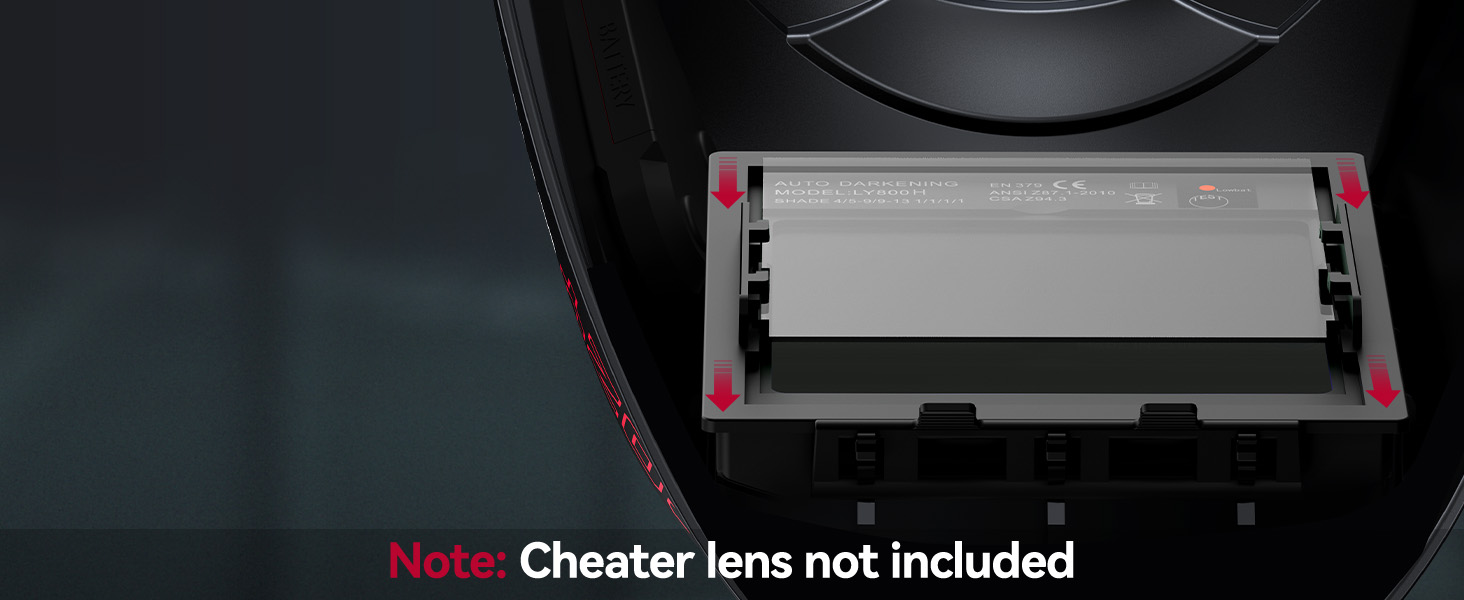
Image: Illustration of the USB charging port and the LED light attachment mechanism on the helmet.
5. പ്രവർത്തന നിർദ്ദേശങ്ങൾ
5.1 Auto-Darkening Filter (ADF)
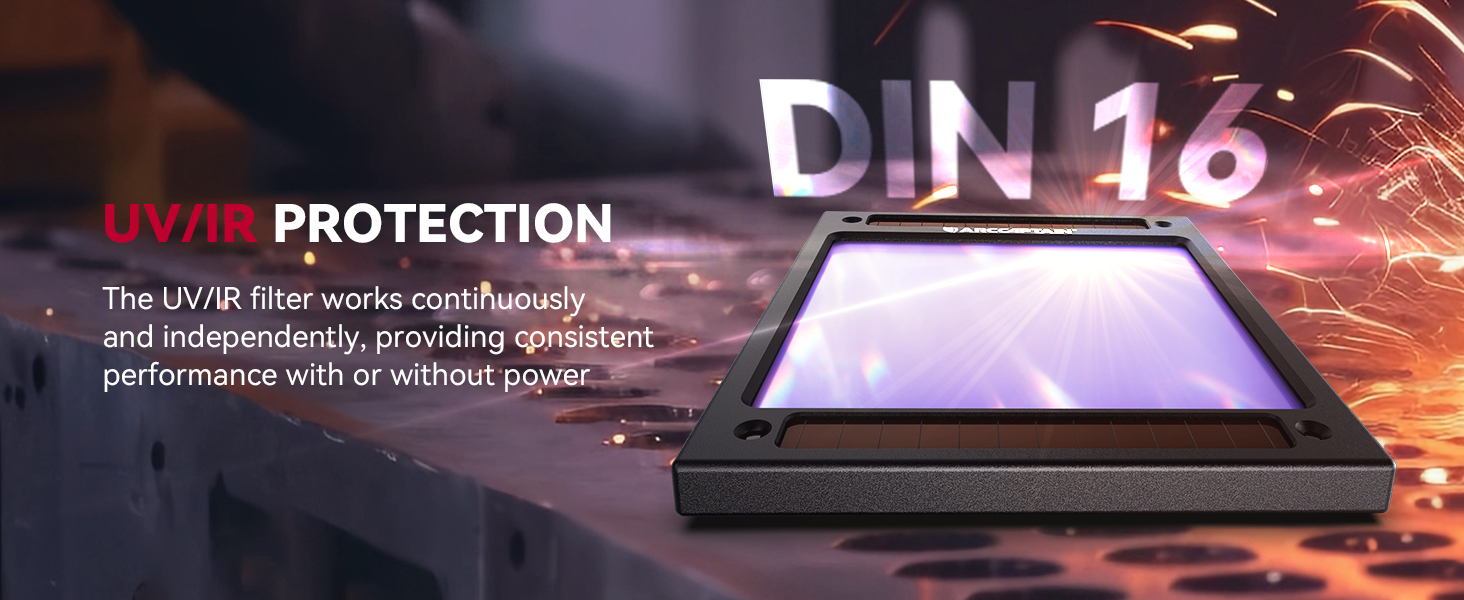
The helmet features a 1/1/1/1 optical clarity true color ADF with 4 arc sensors for rapid darkening. The filter automatically switches from light to dark in 1/25000 seconds when an arc is detected.

Image: The auto-darkening filter, highlighting the four arc sensors and solar panels.
5.2 നിയന്ത്രണ ക്രമീകരണങ്ങൾ
The helmet has external controls for adjusting shade, sensitivity, and delay.
- നിഴൽ നിയന്ത്രണം: Adjust the dark state level according to your welding process.
- Grind Mode: DIN 4
- Cut Mode: DIN 5-9
- Weld Mode: DIN 9-13
- സംവേദനക്ഷമത നിയന്ത്രണം: Adjust the sensitivity to detect the welding arc. Higher sensitivity is suitable for low amperage TIG welding or when the arc is partially obstructed.
- കാലതാമസം നിയന്ത്രണം: Adjust the time it takes for the lens to return from dark to light state (0.1 to 0.8 seconds). A longer delay is useful for high amperage welding to prevent eye fatigue from afterglow.
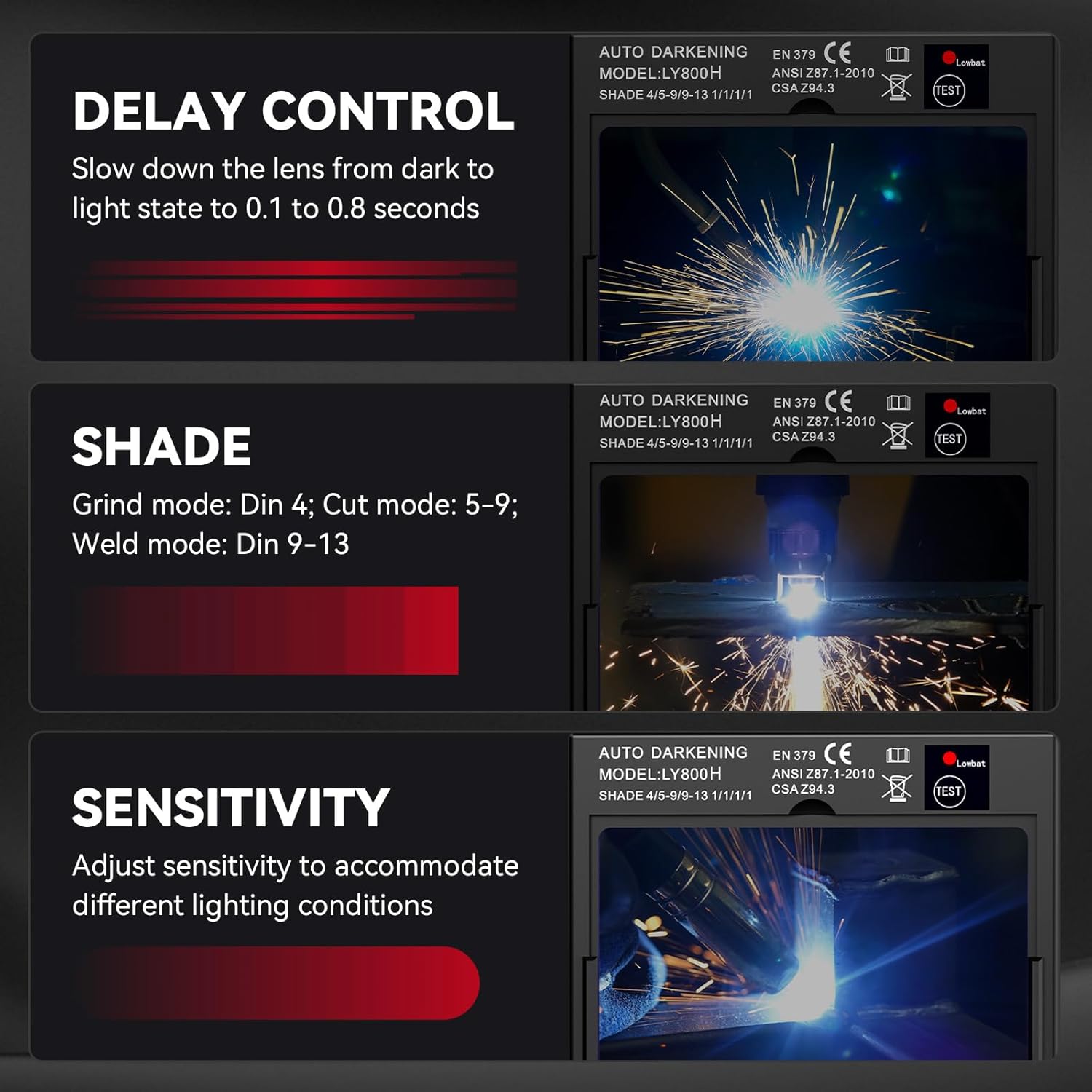
Image: Close-up of the helmet's external control knobs for delay, shade, and sensitivity settings.
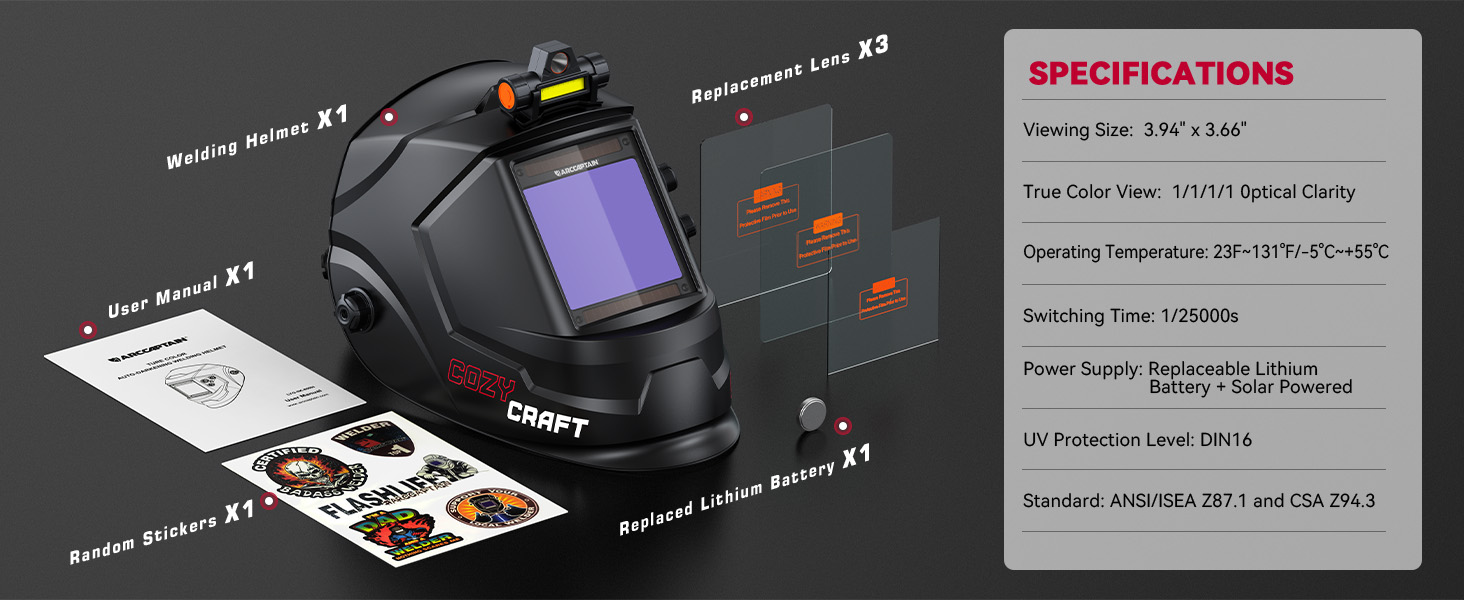
Image: Visual guide for selecting appropriate shade levels for grinding, cutting, and welding modes.
5.3 LED Welding Light Operation
The integrated LED light provides illumination in dark work environments. It has two brightness levels. Press the button on the light to cycle through brightness settings (low, high, off).
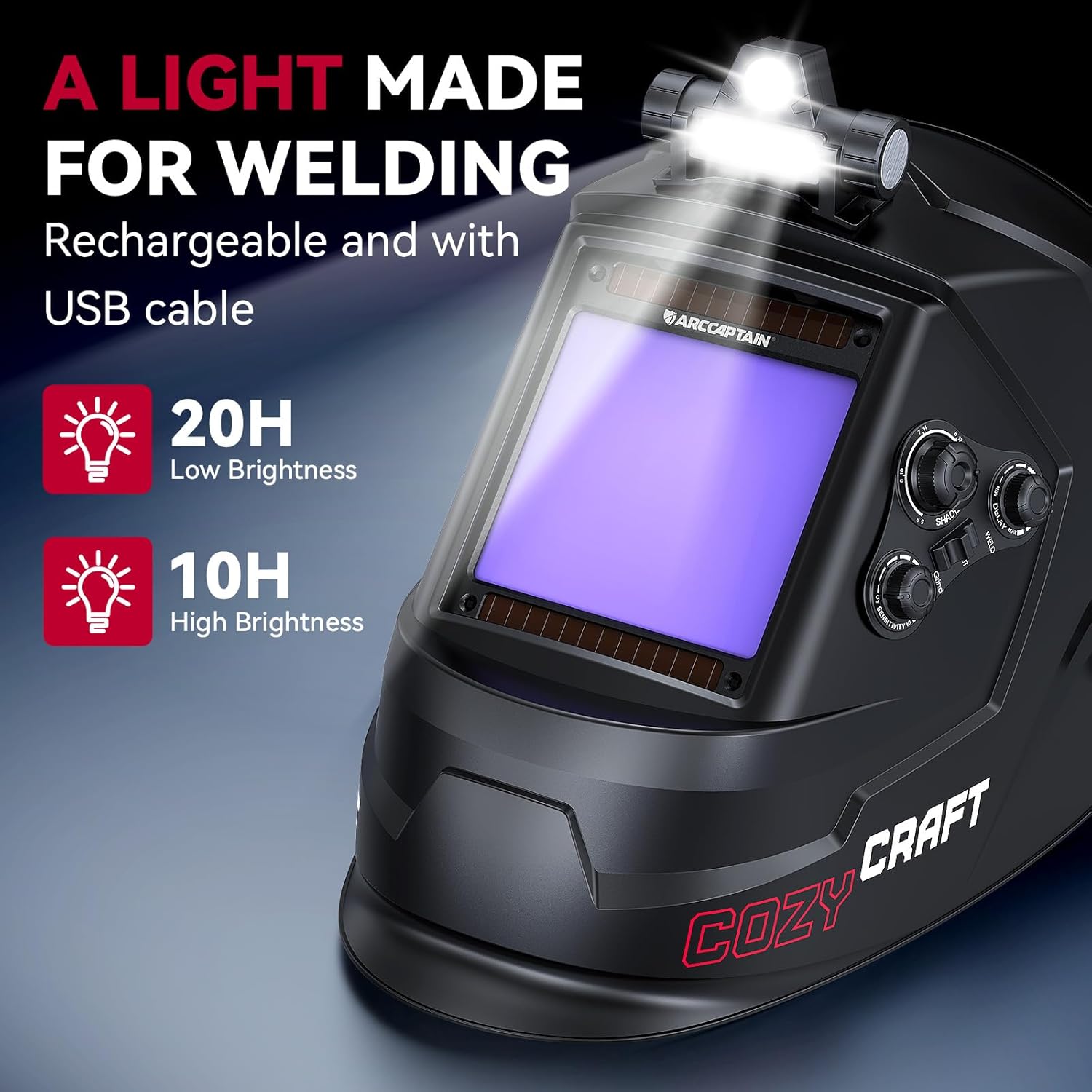
Image: The welding helmet with its LED light active, demonstrating its utility in low-light conditions.
6. പരിപാലനം
6.1 Cleaning the Helmet
- Clean the helmet shell with a mild soap and water solution. Avoid harsh solvents.
- ഓട്ടോ-ഡാർക്കനിംഗ് ഫിൽട്ടറും പ്രൊട്ടക്റ്റീവ് ലെൻസുകളും മൃദുവും വൃത്തിയുള്ളതുമായ തുണി ഉപയോഗിച്ച് തുടയ്ക്കുക. പ്രതലത്തിൽ പോറൽ വീഴ്ത്താൻ സാധ്യതയുള്ള ഉരച്ചിലുകളുള്ള വസ്തുക്കളോ ക്ലീനറുകളോ ഉപയോഗിക്കരുത്.
- Regularly clean the solar panels on the ADF to ensure efficient charging.
6.2 ബാറ്ററി മാറ്റിസ്ഥാപിക്കൽ
The auto-darkening filter is powered by a CR2450 lithium battery, supplemented by solar panels. Replace the battery when the low battery indicator appears or if the auto-darkening function becomes unreliable.
- Locate the battery compartment on the back of the auto-darkening filter.
- Carefully open the compartment and remove the old CR2450 battery.
- ശരിയായ ധ്രുവീകരണം ഉറപ്പാക്കിക്കൊണ്ട് ഒരു പുതിയ CR2450 ബാറ്ററി ചേർക്കുക.
- ബാറ്ററി കമ്പാർട്ട്മെൻ്റ് സുരക്ഷിതമായി അടയ്ക്കുക.

Image: Location of the replaceable CR2450 battery in the auto-darkening filter.
7. പ്രശ്നപരിഹാരം
| പ്രശ്നം | സാധ്യമായ കാരണം | പരിഹാരം |
|---|---|---|
| വെൽഡിംഗ് ചെയ്യുമ്പോൾ ലെൻസ് ഇരുണ്ടുപോകുന്നില്ല. |
|
|
| Lens remains dark after welding. |
|
|
| ലെൻസിലൂടെയുള്ള മോശം ദൃശ്യപരത. |
|
|
| LED ലൈറ്റ് പ്രവർത്തിക്കുന്നില്ല. |
|
|
8 സ്പെസിഫിക്കേഷനുകൾ
| മോഡലിൻ്റെ പേര് | XK-LY800H |
| Viewing വലിപ്പം | 3.94" x 3.66" |
| ഒപ്റ്റിക്കൽ ക്ലാരിറ്റി | 1/1/1/1 True Color |
| ആർക്ക് സെൻസറുകൾ | 4 |
| ലൈറ്റ് സ്റ്റേറ്റ് ഷേഡ് | DIN 4 |
| Dark State Shade | DIN 5-9 / DIN 9-13 (Adjustable) |
| മാറുന്ന സമയം | 1/25000സെ |
| കാലതാമസം നിയന്ത്രണം | Adjustable (0.1 - 0.8s) |
| സംവേദനക്ഷമത നിയന്ത്രണം | ക്രമീകരിക്കാവുന്ന |
| UV/IR സംരക്ഷണം | DIN 16 (Permanent) |
| വൈദ്യുതി വിതരണം | Solar Powered + 1 x CR2450 Lithium Battery (replaceable) |
| പ്രവർത്തന താപനില | -5°C മുതൽ +55°C വരെ (23°F മുതൽ 131°F വരെ) |
| മെറ്റീരിയൽ | പിപി (പോളിപ്രൊഫൈലിൻ) |
| ഇനത്തിൻ്റെ ഭാരം | 230 ഗ്രാം (0.51 പൗണ്ട്) |
| സർട്ടിഫിക്കേഷനുകൾ | ANSI Z87.1, CSA Z94.3, DIN EN 379 |
9. വാറൻ്റി വിവരങ്ങൾ
The ARCCAPTAIN XK-LY800H welding helmet comes with a 180 ദിവസത്തെ വാറൻ്റി from the date of purchase. This warranty covers manufacturing defects and material flaws under normal use. It does not cover damage caused by misuse, unauthorized modifications, accidents, or improper maintenance.
For warranty claims or service, please contact ARCCAPTAIN customer support with your proof of purchase.
10. ഉപഭോക്തൃ പിന്തുണ
For technical assistance, troubleshooting, or general inquiries regarding your ARCCAPTAIN welding helmet, please visit the official ARCCAPTAIN webസൈറ്റ് അല്ലെങ്കിൽ അവരുടെ ഉപഭോക്തൃ സേവന വിഭാഗവുമായി ബന്ധപ്പെടുക.
Webസൈറ്റ്: www.arccaptain.com (Please refer to actual product documentation for correct contact information)
11. നിർദ്ദേശ വീഡിയോകൾ
വീഡിയോ 1: ഉൽപ്പന്നം കഴിഞ്ഞുview (0:30)
വിവരണം: ഒരു സംക്ഷിപ്ത വിവരണംview of the ARCCAPTAIN welding helmet's key features and design.
Video 2: Features Demonstration (0:51)
Description: This video demonstrates various features of the welding helmet, including auto-darkening and controls.