
ആമുഖം
This manual provides detailed instructions for the installation, operation, and maintenance of the LICAEVEY HW-425 Wireless Audio Module. This module is designed for DIY audio projects, offering 4.2 stereo wireless audio with lossless playback capabilities.
ശരിയായ പ്രവർത്തനക്ഷമത ഉറപ്പാക്കാനും കേടുപാടുകൾ തടയാനും ഉൽപ്പന്നം ഉപയോഗിക്കുന്നതിന് മുമ്പ് ദയവായി ഈ മാനുവൽ നന്നായി വായിക്കുക.
ഉൽപ്പന്ന സവിശേഷതകൾ
- Supports 4.2 wireless connectivity with a connection distance of up to 20 meters in open environments.
- Dual channel stereo lossless playback for high-fidelity audio.
- Designed with precise cuts and interfaces for easy integration into various speaker DIY modifications.
- Constructed from durable materials to resist corrosion and wear.
- Utilizes a professional chipset for stable and superior system performance.
പാക്കേജ് ഉള്ളടക്കം
താഴെ ലിസ്റ്റ് ചെയ്തിരിക്കുന്ന എല്ലാ ഇനങ്ങളും പാക്കേജിൽ ഉണ്ടെന്ന് ഉറപ്പാക്കുക:
- HW-425 Wireless Audio Module x 1

Image: The HW-425 Wireless Audio Module, showing its compact design and integrated components.
സ്പെസിഫിക്കേഷനുകൾ
| പരാമീറ്റർ | മൂല്യം |
|---|---|
| ഇനം തരം | മൊഡ്യൂൾ |
| മോഡൽ | HW-425 |
| പേര് | Wireless Audio Module 4.2 Stereo |
| വൈദ്യുതി വിതരണം | ഡിഫോൾട്ട് 5V |
| കണക്ഷൻ ദൂരം | Approx. 20M / 66ft (open environment) |
| അളവുകൾ | 2.36 x 2.36 x 0.39 ഇഞ്ച് (പാക്കേജ്) |
| ഇനത്തിൻ്റെ ഭാരം | 0.071 ഔൺസ് |
സജ്ജീകരണവും ഇൻസ്റ്റാളേഷനും
The HW-425 module is designed for integration into existing audio systems or DIY projects. Follow these steps for proper setup:
- പവർ കണക്ഷൻ: Connect a stable 5V DC power supply to the VCC and GND pins of the module. Ensure correct polarity to prevent damage.
- ഓഡിയോ ഔട്ട്പുട്ട്: Connect the L (Left) and R (Right) pins to your amplifier or audio input of your speakers. The GND pin should also be connected to the audio ground.
- Control Pins (Optional): The module includes MUTE and KEY pins for advanced control. Refer to your project's specific requirements for their use. The MUTE pin can be used to mute the audio output, and the KEY pin can be used for control inputs (e.g., play/pause, next track).

ചിത്രം: മുകളിലും താഴെയും view of the HW-425 module, illustrating the pinout for connections including R, L, GND, VCC, MUTE, and KEY.
മൗണ്ടിംഗ്: The module features precise cuts and interfaces for easy mounting. Secure the module in a suitable position within your enclosure, ensuring it is protected from environmental factors and physical stress.

Image: Close-up of the HW-425 module, highlighting its precise cuts and interfaces for integration.
പ്രവർത്തന നിർദ്ദേശങ്ങൾ
- പവർ ഓൺ: Once the module is correctly wired and powered, it will automatically enter pairing mode.
- ജോടിയാക്കൽ: On your device (e.g., smartphone, tablet), search for available wireless devices. The module will typically appear as "HW-425" or a similar identifier. Select it to pair.
- ഓഡിയോ പ്ലേബാക്ക്: After successful pairing, any audio played on your connected device will be transmitted wirelessly to the HW-425 module and output through its audio pins.
- കണക്ഷൻ ശ്രേണി: Maintain the connected device within approximately 20 meters (66 feet) of the module for optimal performance, especially in open environments. Obstacles may reduce this range.
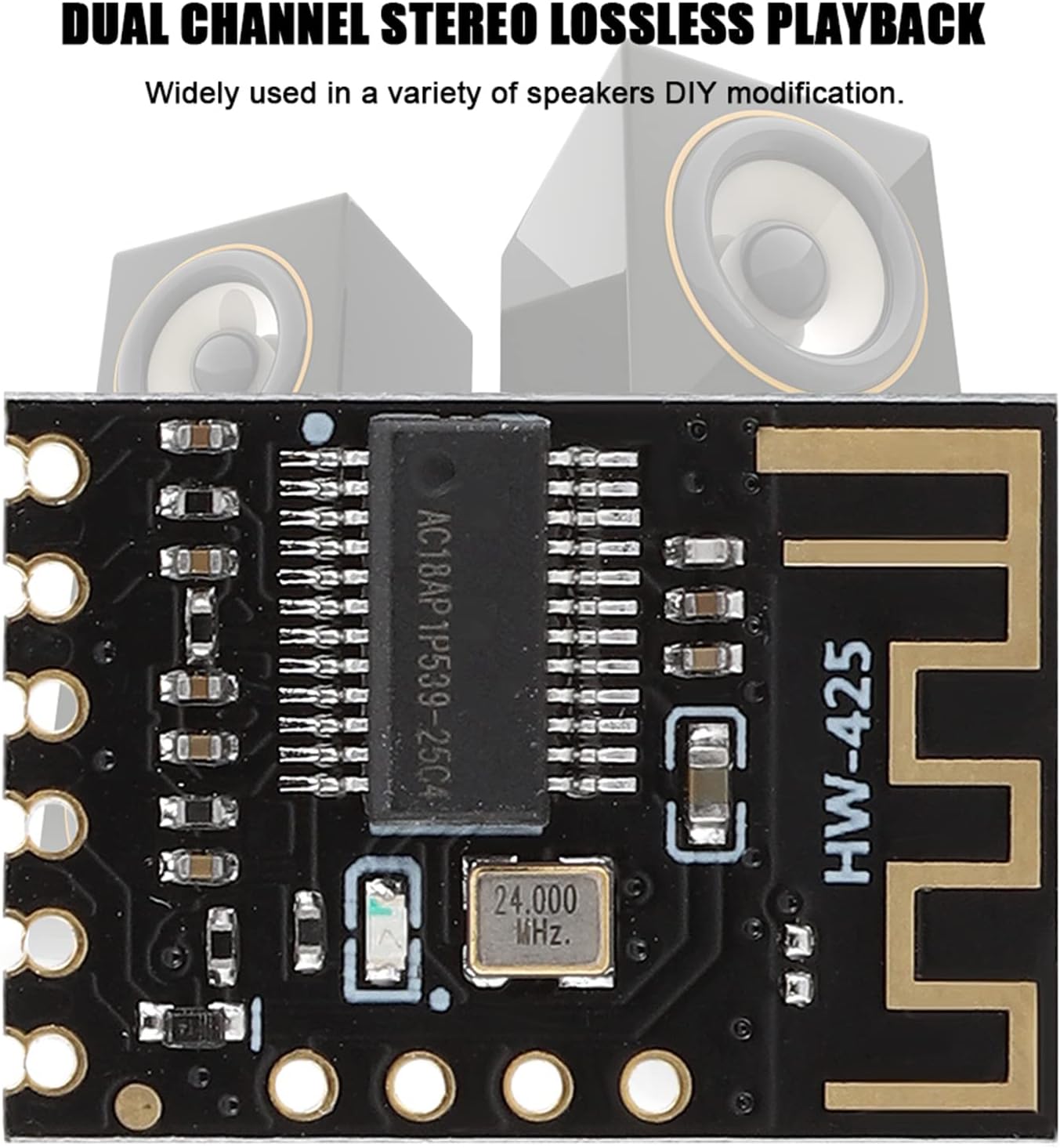
Image: The HW-425 module shown in context with speakers, illustrating its application in dual-channel stereo lossless playback.
മെയിൻ്റനൻസ്
The HW-425 Wireless Audio Module requires minimal maintenance. Follow these guidelines to ensure longevity:
- വൃത്തിയാക്കൽ: Use a dry, soft cloth to gently clean the module if necessary. Avoid using liquids or abrasive cleaners.
- പരിസ്ഥിതി: Operate the module in a dry environment, away from extreme temperatures, humidity, and direct sunlight.
- ശാരീരിക സംരക്ഷണം: Ensure the module is securely mounted and protected from physical impact or excessive vibration.

Image: A close-up of the HW-425 module, emphasizing its construction from high-quality materials designed for durability.
ട്രബിൾഷൂട്ടിംഗ്
| പ്രശ്നം | സാധ്യമായ കാരണം | പരിഹാരം |
|---|---|---|
| ശക്തിയില്ല | തെറ്റായ വൈദ്യുതി വിതരണം വോള്യംtage or polarity; loose connection. | Verify 5V DC power supply. Check VCC and GND connections for correct polarity and secure fit. |
| ഉപകരണവുമായി ജോടിയാക്കാൻ കഴിയില്ല | Module not in pairing mode; device too far; interference. | Ensure module is powered on. Bring device closer to the module. Restart both the module and the device. Check for other wireless devices causing interference. |
| ഓഡിയോ ഔട്ട്പുട്ട് ഇല്ല | Incorrect audio wiring; amplifier/speaker issue; device volume too low. | Check L, R, and GND audio connections to the amplifier/speakers. Ensure amplifier/speakers are powered on and functioning. Increase volume on the connected device. |
| Poor audio quality or disconnections | Device too far; obstacles between device and module; interference. | Reduce distance between device and module. Remove obstacles. Minimize other wireless activity in the area. |
വാറൻ്റിയും പിന്തുണയും
For warranty information or technical support, please contact LICAEVEY customer service through the retailer where the product was purchased. Please have your model number (HW-425) and purchase date available when contacting support.
നിർമ്മാതാവ്: LICAEVEY
മോഡൽ നമ്പർ: LICAEVEYvbo76ygsrq (Internal reference)