
1. ഉൽപ്പന്നം കഴിഞ്ഞുview
The DOOGEE Tab E3+ is a high-performance Android 15 tablet designed for versatile use, from entertainment to productivity. It features a 12-inch FHD+ display, an octa-core processor, ample storage, and a long-lasting battery.
പ്രധാന സവിശേഷതകൾ:
- 12-inch FHD+ IPS Display: 2000x1200 resolution with 90Hz refresh rate for vibrant visuals and smooth scrolling.
- Helio G100 Octa-Core Processor: 2.2GHz, 6nm process for efficient multitasking and gaming.
- 32GB RAM (8GB + 24GB expandable) + 256GB ROM: Expandable up to 2TB via TF card.
- 8800mAh ബാറ്ററി: Up to 14 hours of video playback with 18W fast charging.
- 13MP Rear Camera + 5MP Front Camera: For capturing photos and video calls.
- Dual SIM Connectivity: Supports LTE, Dual-band WiFi (2.4GHz/5GHz), and Bluetooth 5.2.
- Android 15 with Gemini AI: Latest operating system with intelligent features.
- Face Unlock & GPS: Secure access and accurate navigation.

ചിത്രം 1.1: മുൻഭാഗം view of the DOOGEE Tab E3+ Tablet highlighting its key features like Android 15, 32GB RAM, 256GB ROM, and MediaTek G100 processor.
2. ആരംഭിക്കൽ: സജ്ജീകരണം
2.1. പാക്കേജ് ഉള്ളടക്കം
ആരംഭിക്കുന്നതിന് മുമ്പ്, പാക്കേജിൽ എല്ലാ ഇനങ്ങളും ഉണ്ടെന്ന് ഉറപ്പാക്കുക:
- DOOGEE Tab E3+ Tablet
- യുഎസ്ബി ടൈപ്പ്-സി കേബിൾ
- പവർ അഡാപ്റ്റർ
- SIM Ejector Tool (if applicable for Dual SIM models)
- ദ്രുത ആരംഭ ഗൈഡ്
2.2. ടാബ്ലെറ്റ് ചാർജ് ചെയ്യുന്നു
For optimal performance, fully charge the tablet before first use.
- ടാബ്ലെറ്റിന്റെ ചാർജിംഗ് പോർട്ടിലേക്ക് യുഎസ്ബി ടൈപ്പ്-സി കേബിൾ ബന്ധിപ്പിക്കുക.
- കേബിളിൻ്റെ മറ്റേ അറ്റം പവർ അഡാപ്റ്ററുമായി ബന്ധിപ്പിക്കുക.
- ഒരു മതിൽ ഔട്ട്ലെറ്റിലേക്ക് പവർ അഡാപ്റ്റർ പ്ലഗ് ചെയ്യുക.
- ചാർജിംഗ് ഇൻഡിക്കേറ്റർ സ്ക്രീനിൽ ദൃശ്യമാകും.
The tablet supports 18W fast charging.
2.3. പവർ ഓൺ/ഓഫ്
- പവർ ഓണാക്കാൻ: Press and hold the Power button until the DOOGEE logo appears.
- പവർ ഓഫ് ചെയ്യാൻ: പവർ ബട്ടൺ അമർത്തിപ്പിടിക്കുക, തുടർന്ന് സ്ക്രീനിലെ ഓപ്ഷനുകളിൽ നിന്ന് "പവർ ഓഫ്" തിരഞ്ഞെടുക്കുക.
- പുനരാരംഭിക്കാൻ: പവർ ബട്ടൺ അമർത്തിപ്പിടിക്കുക, തുടർന്ന് ഓപ്ഷനുകളിൽ നിന്ന് "പുനരാരംഭിക്കുക" തിരഞ്ഞെടുക്കുക.
2.4. പ്രാരംഭ സജ്ജീകരണ വിസാർഡ്
ആദ്യമായി പവർ-ഓൺ ചെയ്യുമ്പോൾ, ടാബ്ലെറ്റ് പ്രാരംഭ സജ്ജീകരണ പ്രക്രിയയിലൂടെ നിങ്ങളെ നയിക്കും:
- നിങ്ങൾ ഇഷ്ടപ്പെടുന്ന ഭാഷ തിരഞ്ഞെടുക്കുക.
- ഒരു Wi-Fi നെറ്റ്വർക്കിലേക്ക് കണക്റ്റുചെയ്യുക.
- നിങ്ങളുടെ Google അക്കൗണ്ട് ഉപയോഗിച്ച് സൈൻ ഇൻ ചെയ്യുക അല്ലെങ്കിൽ പുതിയൊരെണ്ണം സൃഷ്ടിക്കുക.
- Set up screen lock (PIN, Pattern, Password, or Face Unlock).
- Review നിബന്ധനകളും വ്യവസ്ഥകളും അംഗീകരിക്കുക.
3. ടാബ്ലെറ്റ് പ്രവർത്തിപ്പിക്കൽ
3.1. ഡിസ്പ്ലേയും നാവിഗേഷനും
The 12-inch FHD+ IPS display offers a 2000x1200 resolution and a 90Hz refresh rate for smooth visuals.

Figure 3.1: The tablet's 12-inch FHD+ IPS display, highlighting its 2000x1200 resolution, 5:3 aspect ratio, 87.1% screen-to-body ratio, and 16.7 million screen colors, along with the 90Hz refresh rate.
- സ്പർശന ആംഗ്യങ്ങൾ: നാവിഗേഷനും ഇടപെടലിനും ടാപ്പ് ചെയ്യുക, സ്വൈപ്പ് ചെയ്യുക, പിഞ്ച്-ടു-സൂം ചെയ്യുക.
- ഹോം സ്ക്രീൻ: വിജറ്റുകളും ആപ്പ് കുറുക്കുവഴികളും ഉപയോഗിച്ച് ഇഷ്ടാനുസൃതമാക്കുക.
- അറിയിപ്പ് പാനൽ: അറിയിപ്പുകളും ദ്രുത ക്രമീകരണങ്ങളും ആക്സസ് ചെയ്യാൻ മുകളിൽ നിന്ന് താഴേക്ക് സ്വൈപ്പ് ചെയ്യുക.
3.2. സംഭരണവും പ്രകടനവും
The tablet comes with 256GB of internal storage and 8GB of RAM, expandable by an additional 24GB (total 32GB) through virtual RAM. Storage can be expanded up to 2TB using a TF (microSD) card.
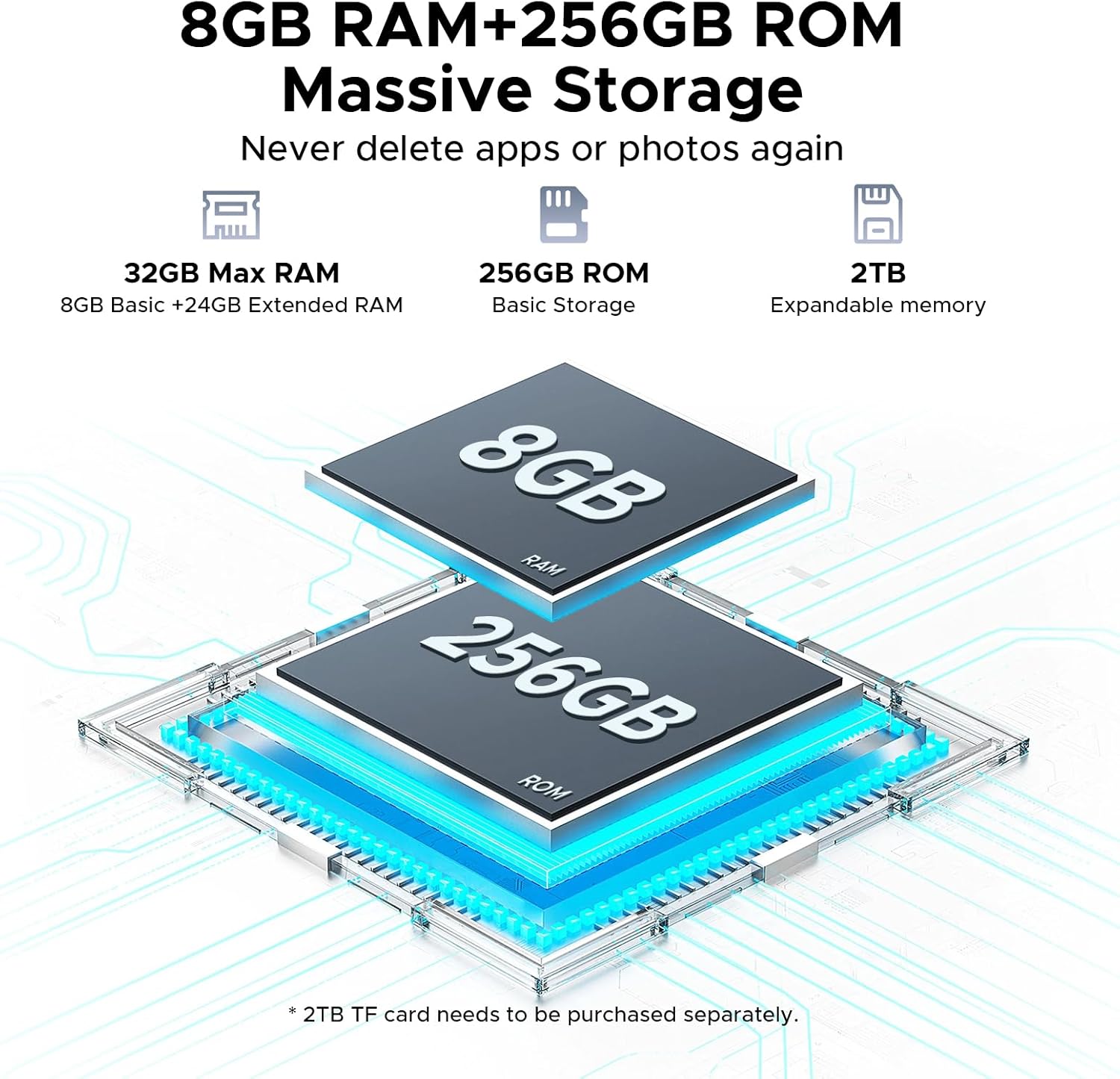
Figure 3.2: Visual representation of the tablet's 32GB Max RAM (8GB Basic + 24GB Extended RAM) and 256GB ROM, with an indication of 2TB expandable memory.
The Helio G100 octa-core processor ensures smooth operation for various tasks.

Figure 3.3: Diagram illustrating the Helio G100 Octa-Core Processor, highlighting its 2.2GHz ultimate frequency and 6nm advanced process technology.
3.3. കണക്റ്റിവിറ്റി
- വൈഫൈ: Connect to 2.4GHz or 5GHz networks for internet access.
- ബ്ലൂടൂത്ത് 5.2: Pair with wireless headphones, speakers, or other Bluetooth devices.
- Dual SIM (LTE): Insert two Nano-SIM cards for mobile data and calls (if supported by your region/model).
- OTG (ഓൺ-ദി-ഗോ): Connect USB peripherals like flash drives, keyboards, or mice. Also supports reverse charging.
- ജിപിഎസ്: Utilize for navigation and location-based services.
3.4. ക്യാമറ പ്രവർത്തനം
The tablet is equipped with a 13MP main rear camera and a 5MP front camera.

ചിത്രം 3.4: ക്ലോസപ്പ് view of the tablet's rear camera module, indicating the 13MP main camera and 5MP front camera, along with example photos taken with the cameras.
- ഹോം സ്ക്രീനിൽ നിന്നോ ആപ്പ് ഡ്രോയറിൽ നിന്നോ ക്യാമറ ആപ്പ് തുറക്കുക.
- ക്യാമറ ഐക്കൺ ഉപയോഗിച്ച് മുൻ ക്യാമറയും പിൻ ക്യാമറയും തമ്മിൽ മാറുക.
- Tap the shutter button to take photos or record videos.
3.5. ഓഡിയോയും മൾട്ടിമീഡിയയും
Experience immersive audio with high-quality quad speakers. A 3.5mm audio jack is also available for wired headphones.
3.6. Android 15 and Gemini AI
The tablet runs on the latest Android 15 operating system, offering enhanced privacy controls, AI optimization, and smart motion sensing.
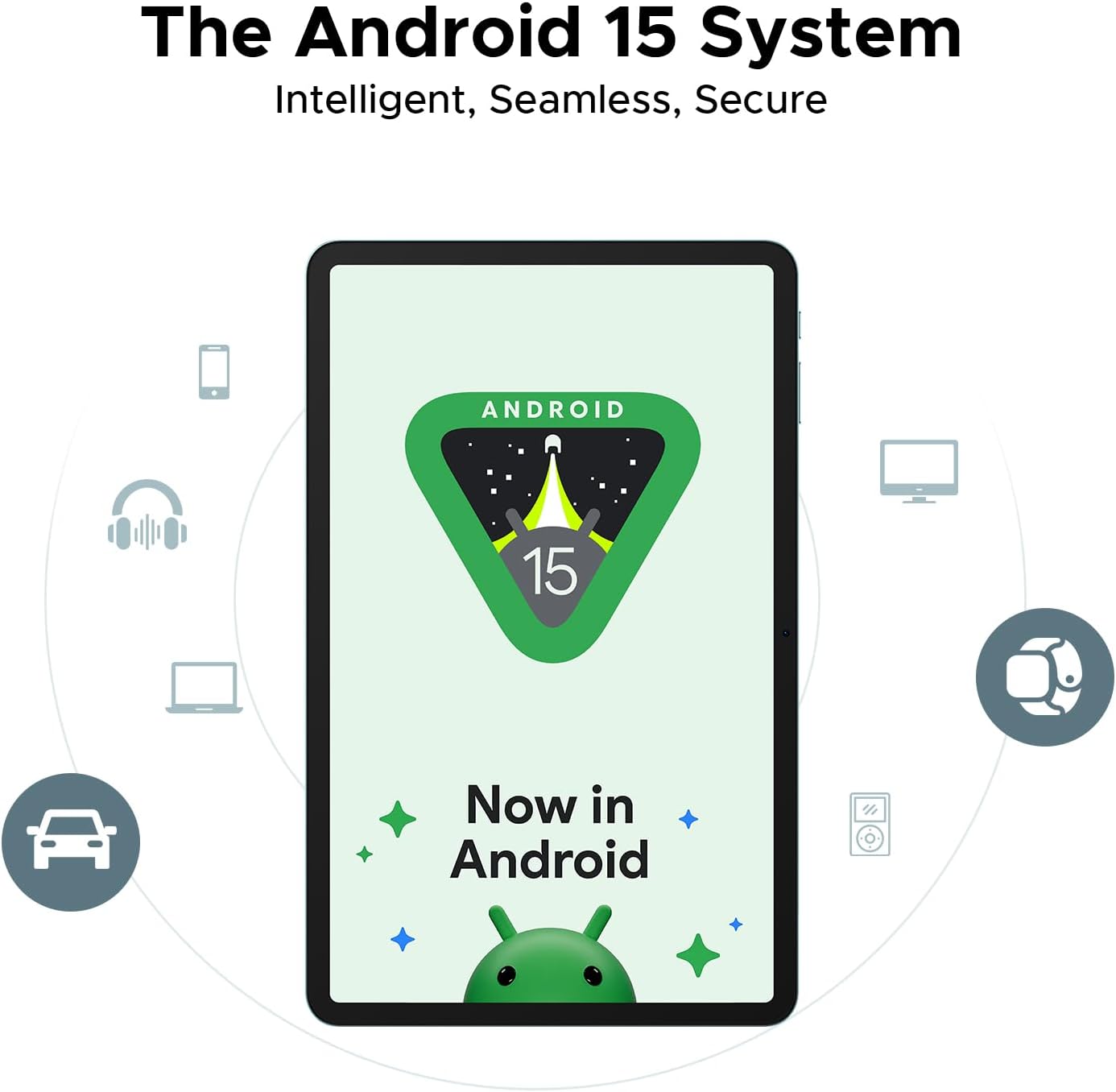
Figure 3.5: Representation of the Android 15 system interface on the tablet, emphasizing its intelligent, seamless, and secure nature.
The integrated Gemini AI assistant helps streamline daily tasks and offers features like content creation, information retrieval, image analysis, and more.

Figure 3.6: Illustration of the built-in Gemini AI, showcasing its capabilities such as content creation, information retrieval & summarization, image analysis, code development, language learning, smart assistant, Gemini Live, and Gemini Deep Research.
4. പരിപാലനവും പരിചരണവും
- വൃത്തിയാക്കൽ: സ്ക്രീനും ബോഡിയും വൃത്തിയാക്കാൻ മൃദുവായ, ലിന്റ് രഹിത തുണി ഉപയോഗിക്കുക. ഉരച്ചിലുകൾ ഉള്ള ക്ലീനറുകളോ ലായകങ്ങളോ ഉപയോഗിക്കുന്നത് ഒഴിവാക്കുക.
- ബാറ്ററി കെയർ: Avoid extreme temperatures. For long-term storage, charge the battery to about 50%.
- സോഫ്റ്റ്വെയർ അപ്ഡേറ്റുകൾ: മികച്ച പ്രകടനവും സുരക്ഷയും ഉറപ്പാക്കാൻ സിസ്റ്റം അപ്ഡേറ്റുകൾ പതിവായി പരിശോധിച്ച് ഇൻസ്റ്റാൾ ചെയ്യുക. പോകുക ക്രമീകരണങ്ങൾ > സിസ്റ്റം > സിസ്റ്റം അപ്ഡേറ്റ്.
- സ്റ്റോറേജ് മാനേജ്മെന്റ്: അനാവശ്യമായത് ഇടയ്ക്കിടെ നീക്കം ചെയ്യുക fileസ്റ്റോറേജ് ഇടം ശൂന്യമാക്കാൻ.
- സംരക്ഷണം: Consider using a screen protector and a protective case to prevent physical damage.
5. പ്രശ്നപരിഹാരം
| പ്രശ്നം | സാധ്യമായ പരിഹാരം |
|---|---|
| ടാബ്ലെറ്റ് ഓണാക്കുന്നില്ല | Ensure the battery is charged. Connect to charger for at least 30 minutes. Try holding the Power button for 10-15 seconds. |
| Slow performance / Lagging | Close background apps. Clear cache. Restart the tablet. Check for system updates. Ensure sufficient storage space. |
| Wi-Fi കണക്ഷൻ പ്രശ്നങ്ങൾ | Restart the tablet and router. Forget and reconnect to the Wi-Fi network. Check router settings. |
| ആപ്പുകൾ ക്രാഷാകുന്നു അല്ലെങ്കിൽ മരവിക്കുന്നു | Clear app cache/data (ക്രമീകരണങ്ങൾ > ആപ്പുകൾ > [ആപ്പ് നാമം] > സംഭരണം). Reinstall the app. Ensure the app is updated. |
| ബാറ്ററി പെട്ടെന്ന് തീരുന്നു | Reduce screen brightness. Disable unused features (Bluetooth, GPS, Wi-Fi). Close background apps. Check battery usage in settings. |
6 സ്പെസിഫിക്കേഷനുകൾ
| ഫീച്ചർ | വിശദാംശങ്ങൾ |
|---|---|
| മോഡലിൻ്റെ പേര് | DOOGEE Tab E3+ |
| ഓപ്പറേറ്റിംഗ് സിസ്റ്റം | ആൻഡ്രോയിഡ് 15 |
| പ്രോസസ്സർ | MediaTek Helio G100 Octa-Core (2.2GHz, 6nm) |
| പ്രദർശിപ്പിക്കുക | 12-inch FHD+ IPS (2000x1200), 90Hz Refresh Rate |
| റാം | 32GB (8GB physical + 24GB extended) |
| ആന്തരിക സംഭരണം | 256GB UFS |
| വികസിപ്പിക്കാവുന്ന സംഭരണം | Up to 2TB via TF card (microSD) |
| പിൻ ക്യാമറ | 13എംപി |
| മുൻ ക്യാമറ | 5എംപി |
| ബാറ്ററി | 8800mAh |
| ചാർജിംഗ് | 18W ഫാസ്റ്റ് ചാർജിംഗ് |
| കണക്റ്റിവിറ്റി | Dual-band Wi-Fi (2.4GHz/5GHz), Bluetooth 5.2, Dual SIM (LTE), GPS, OTG |
| തുറമുഖങ്ങൾ | യുഎസ്ബി ടൈപ്പ്-സി, 3.5 എംഎം ഓഡിയോ ജാക്ക് |
| അളവുകൾ | 7.4mm Ultra-Thin Body |
7. വാറൻ്റിയും പിന്തുണയും
For warranty information and technical support, please refer to the official DOOGEE webസൈറ്റിൽ ബന്ധപ്പെടുക അല്ലെങ്കിൽ അവരുടെ ഉപഭോക്തൃ സേവനവുമായി ബന്ധപ്പെടുക. വാങ്ങിയതിന്റെ തെളിവായി നിങ്ങളുടെ വാങ്ങൽ രസീത് സൂക്ഷിക്കുക.
DOOGEE Official Webസൈറ്റ്: www.doogee.cc
Amazon Seller: Aweihao
For product-related inquiries or issues, it is recommended to first contact the seller through Amazon's messaging system.