
ആമുഖം
This manual provides essential instructions for the safe and efficient use, setup, operation, and maintenance of your Culligan with ZeroWater Technology 32-Cup Water Filter Dispenser. This advanced 5-stage filtration system is designed to provide cleaner, better-tasting water by reducing lead, Total PFAS (forever chemicals), mercury, fluoride, and chlorine.
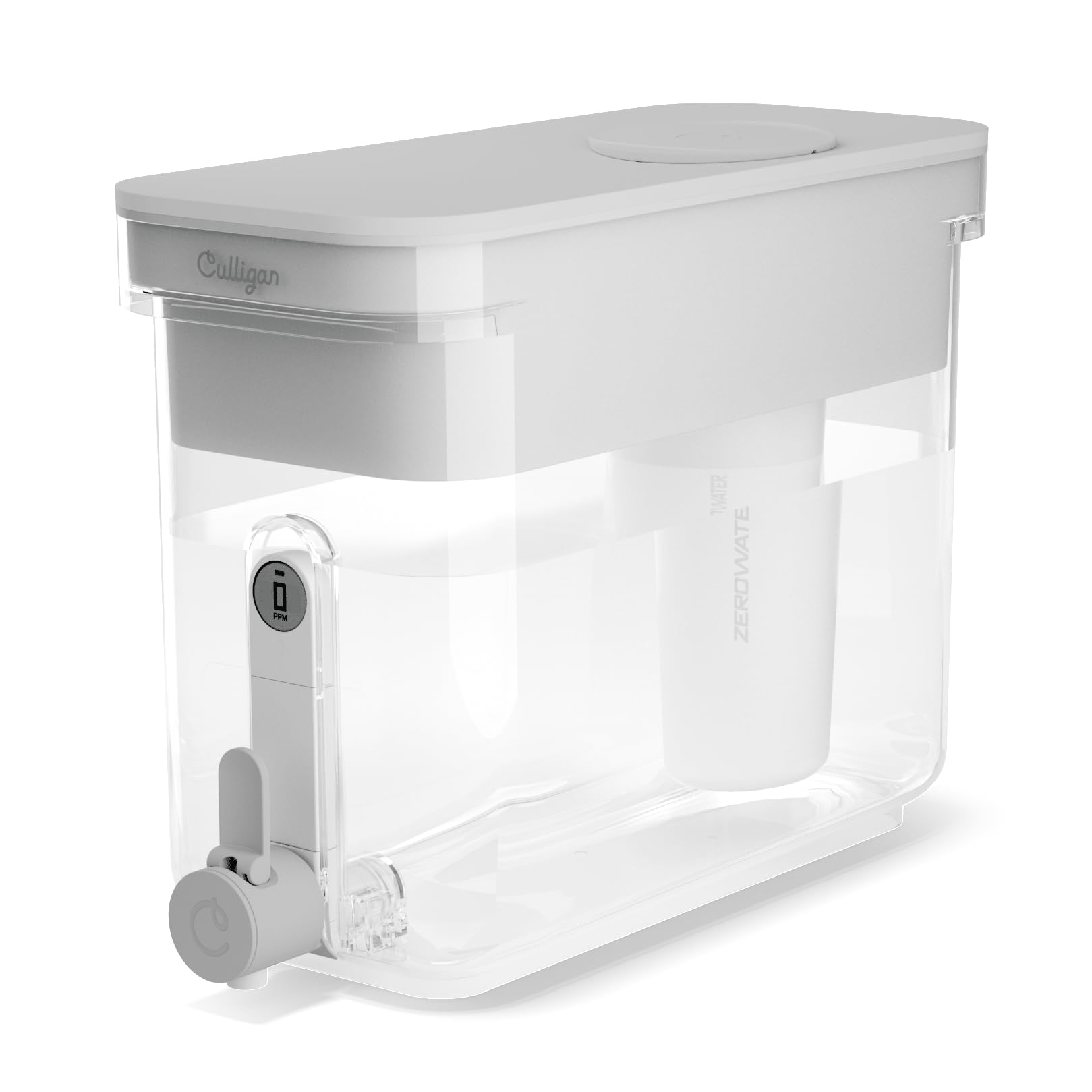
Figure 1: Culligan with ZeroWater Technology 32-Cup Water Filter Dispenser.
സജ്ജമാക്കുക
1. പായ്ക്ക് ചെയ്യലും പ്രാരംഭ വൃത്തിയാക്കലും
Carefully remove all components from the packaging. Wash the dispenser, reservoir, and lid with mild soap and warm water. Rinse thoroughly before first use. Do not wash the filter cartridge with soap.
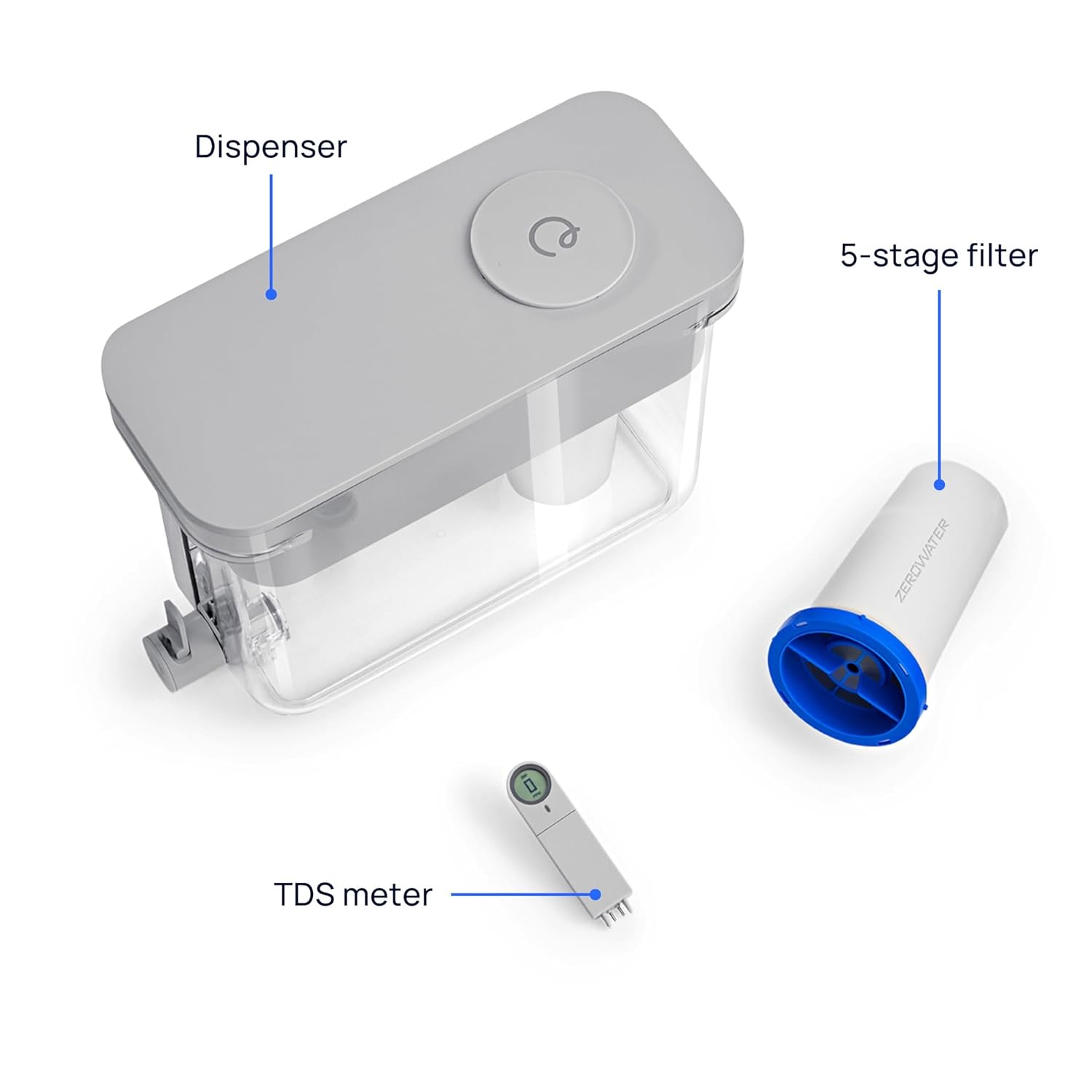
Figure 2: Dispenser components including the main unit, filter, and TDS meter.
2. ഫിൽറ്റർ ഇൻസ്റ്റാളേഷൻ
- Remove the new filter from its protective packaging.
- Rinse the outside shell of the new filter under cool tap water for 30 seconds.
- Insert the filter into the designated opening in the reservoir. Twist clockwise to secure it into position.
- Ensure the filter is firmly seated to prevent unfiltered water from bypassing the system.
Video 1: Step-by-step guide on how to replace the filter in your Culligan with ZeroWater Technology dispenser.

ചിത്രം 3: വിശദമായി view 5-കളിൽtage advanced water filtration technology, showing mesh filter screen, foam distributor, activated carbon, ion-exchange resin, and ultra-fine mesh screen.
പ്രവർത്തന നിർദ്ദേശങ്ങൾ
1. ഡിസ്പെൻസർ നിറയ്ക്കൽ
To fill the dispenser, slide open the circular lid on top of the reservoir. Pour cool or room temperature tap water into the reservoir. The water will slowly filter through the 5-stage filter into the lower chamber.

Figure 4: The sliding lid design allows for effortless refilling of the dispenser.
2. വെള്ളം വിതരണം ചെയ്യുന്നു
Once the water has filtered into the lower chamber, it is ready for consumption. Use the thoughtfully crafted spigot for ergonomic pouring. Simply pull the lever forward to dispense water.

Figure 5: The ergonomic spigot provides convenient and controlled water dispensing.
3. Using the Built-in TDS Meter
The dispenser features a built-in Total Dissolved Solids (TDS) meter. This meter measures the level of dissolved solids in your water instantly. When the meter reads "0 PPM", it indicates that your filter is effectively removing virtually all TDS from your water. The meter will alert you when it's time to change your filter (typically when it reads 6 PPM or above).

Figure 6: The integrated TDS meter provides real-time readings of dissolved solids, ensuring optimal filtration.

Figure 7: Visual comparison demonstrating the effectiveness of Culligan ZeroWater Technology in reducing TDS compared to a standard filter.
മെയിൻ്റനൻസ്
1. ഫിൽട്ടർ മാറ്റിസ്ഥാപിക്കൽ
Replace the filter when the built-in TDS meter reads 6 PPM or above, or when you notice a change in water taste. Refer to the "Filter Installation" steps in the Setup section for detailed instructions on replacing the filter. Use only new Culligan with ZeroWater Technology filters. This dispenser is not compatible with legacy ZeroWater filters.

Figure 8: Ensure to use only new Culligan with ZeroWater Technology filters for optimal performance and compatibility.
2. ഡിസ്പെൻസർ വൃത്തിയാക്കൽ
Regularly clean the dispenser, reservoir, and lid with mild soap and warm water. Rinse all parts thoroughly. Avoid using abrasive cleaners or scrubbers that could scratch the acrylic material. The filter cartridge should not be washed with soap.
ട്രബിൾഷൂട്ടിംഗ്
- സ്ലോ ഫിൽട്രേഷൻ: If water filters slowly, ensure the filter is correctly installed and not clogged. If the filter is old, it may be time for a replacement.
- High TDS Reading (above 0 PPM): If the TDS meter consistently reads above 0 PPM shortly after a filter change, ensure the filter is properly seated and twisted into place. If the issue persists, the filter may be exhausted or defective and requires replacement.
- അസാധാരണമായ രുചി/ഗന്ധം: A change in water taste or odor typically indicates that the filter needs to be replaced.
- ചോർച്ച: Check that all parts are correctly assembled and tightened. Ensure the spigot is fully closed after dispensing.
സ്പെസിഫിക്കേഷനുകൾ
| ഫീച്ചർ | വിശദാംശങ്ങൾ |
|---|---|
| ബ്രാൻഡ് | കുല്ലിഗൻ |
| മോഡലിൻ്റെ പേര് | ZEROD32 |
| ഉൽപ്പന്ന അളവുകൾ | 14.8"L x 6"W x 10.5"H |
| മെറ്റീരിയൽ | അക്രിലിക് |
| ശേഷി | 32-Cup (256 Fluid Ounces) |
| പ്രത്യേക ഫീച്ചർ | Built-in TDS Meter |
| ശുദ്ധീകരണ രീതി | 5-എസ്tage Ion Exchange |
| മലിനീകരണം കുറയ്ക്കൽ | Certified to reduce Lead, Total PFAS, Mercury, Fluoride, Chlorine |
| ഉൾപ്പെടുത്തിയ ഘടകങ്ങൾ | Dispenser, 5-Stage Filter, User Manual |
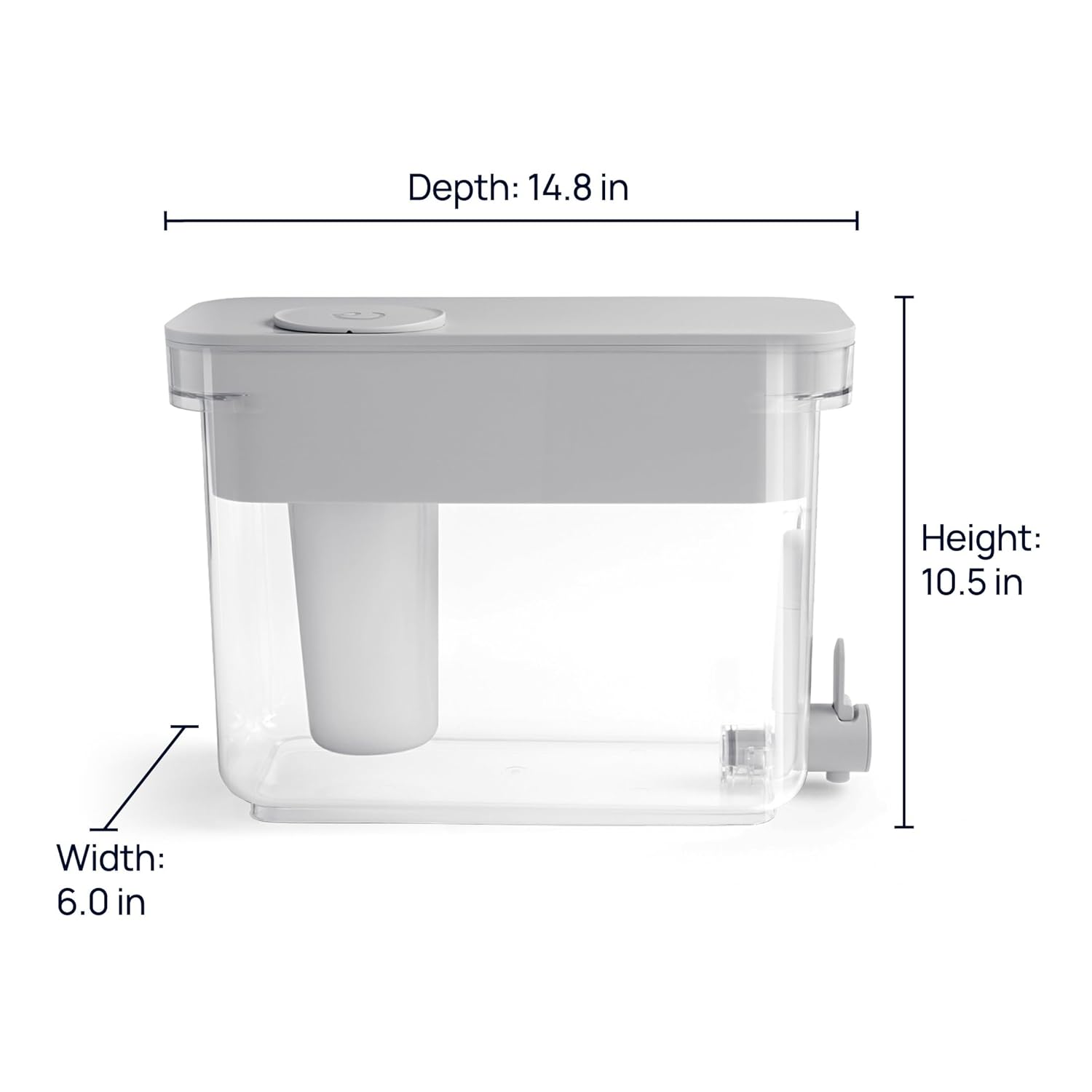
Figure 9: Product dimensions: Depth 14.8 in, Width 6.0 in, Height 10.5 in.
വാറൻ്റിയും പിന്തുണയും
For warranty information, product registration, or technical support, please refer to the official Culligan webസൈറ്റിൽ ബന്ധപ്പെടുക അല്ലെങ്കിൽ അവരുടെ ഉപഭോക്തൃ സേവനവുമായി നേരിട്ട് ബന്ധപ്പെടുക. വാറന്റി ക്ലെയിമുകൾക്കായി നിങ്ങളുടെ വാങ്ങൽ രസീത് സൂക്ഷിക്കുക.
ബന്ധപ്പെടാനുള്ള വിവരങ്ങൾ: ദയവായി സന്ദർശിക്കുക www.culligan.com for the most up-to-date support resources and contact details.