
DOOGEE TABE3MAX-GREEN-HS-UK-AMZ13
DOOGEE Tab E3 Max 14 Inch Tablet User Manual
Model: TABE3MAX-GREEN-HS-UK-AMZ13
1. ആമുഖം
This manual provides detailed instructions for the proper use and maintenance of your DOOGEE Tab E3 Max 14 Inch Tablet. Please read this manual thoroughly before using the device to ensure optimal performance and longevity.

The DOOGEE Tab E3 Max, showcasing its large 14-inch display and sleek design.
2. സജ്ജീകരണം
2.1 പാക്കേജിംഗ് ഉള്ളടക്കം
അൺബോക്സിംഗ് ചെയ്യുമ്പോൾ, എല്ലാ ഇനങ്ങളും ഉണ്ടെന്ന് ഉറപ്പാക്കുക:
- 1* DOOGEE Tab E3 Max Tablet
- 1* ടൈപ്പ്-സി യുഎസ്ബി കേബിൾ
- 1* ചാർജർ
- 1* Card Removal Needle
- 1* പാക്കിംഗ് ബോക്സ്
- 1* ഉപയോക്തൃ മാനുവൽ

All components included in the DOOGEE Tab E3 Max package.
2.2 പ്രാരംഭ ചാർജിംഗ്
Before first use, fully charge the tablet using the provided Type-C USB cable and charger. The 13,500 mAh battery ensures extended usage.

The tablet features a large 13,500 mAh battery for prolonged use.
2.3 പവർ ഓൺ/ഓഫ്
- പവർ ഓണാക്കാൻ: Press and hold the Power button until the DOOGEE logo appears.
- പവർ ഓഫ് ചെയ്യാൻ: പവർ ബട്ടൺ അമർത്തിപ്പിടിക്കുക, തുടർന്ന് ഓപ്ഷനുകളിൽ നിന്ന് 'പവർ ഓഫ്' തിരഞ്ഞെടുക്കുക.
2.4 സിം/ടിഎഫ് കാർഡ് ഇൻസ്റ്റാളേഷൻ
The tablet supports dual SIM cards or one SIM card and one TF (microSD) card for expandable storage up to 2TB. Use the provided card removal needle to open the SIM tray.

The tablet offers flexible connectivity with dual SIM or SIM + TF card options.
2.5 പ്രാരംഭ സിസ്റ്റം സജ്ജീകരണം
Follow the on-screen prompts to complete the initial setup, including language selection, Wi-Fi connection, Google account login, and security settings. The tablet runs on Android 15.

The DOOGEE Tab E3 Max operates on the latest Android 15 system.
3. പ്രവർത്തന നിർദ്ദേശങ്ങൾ
3.1 ഡിസ്പ്ലേ സവിശേഷതകൾ
The Tab E3 Max features a 14-inch 2.1K (2160*1440) IPS eye-protection screen. It is certified to reduce harmful blue light, minimizing eye fatigue. TDDI technology enhances touch responsiveness.
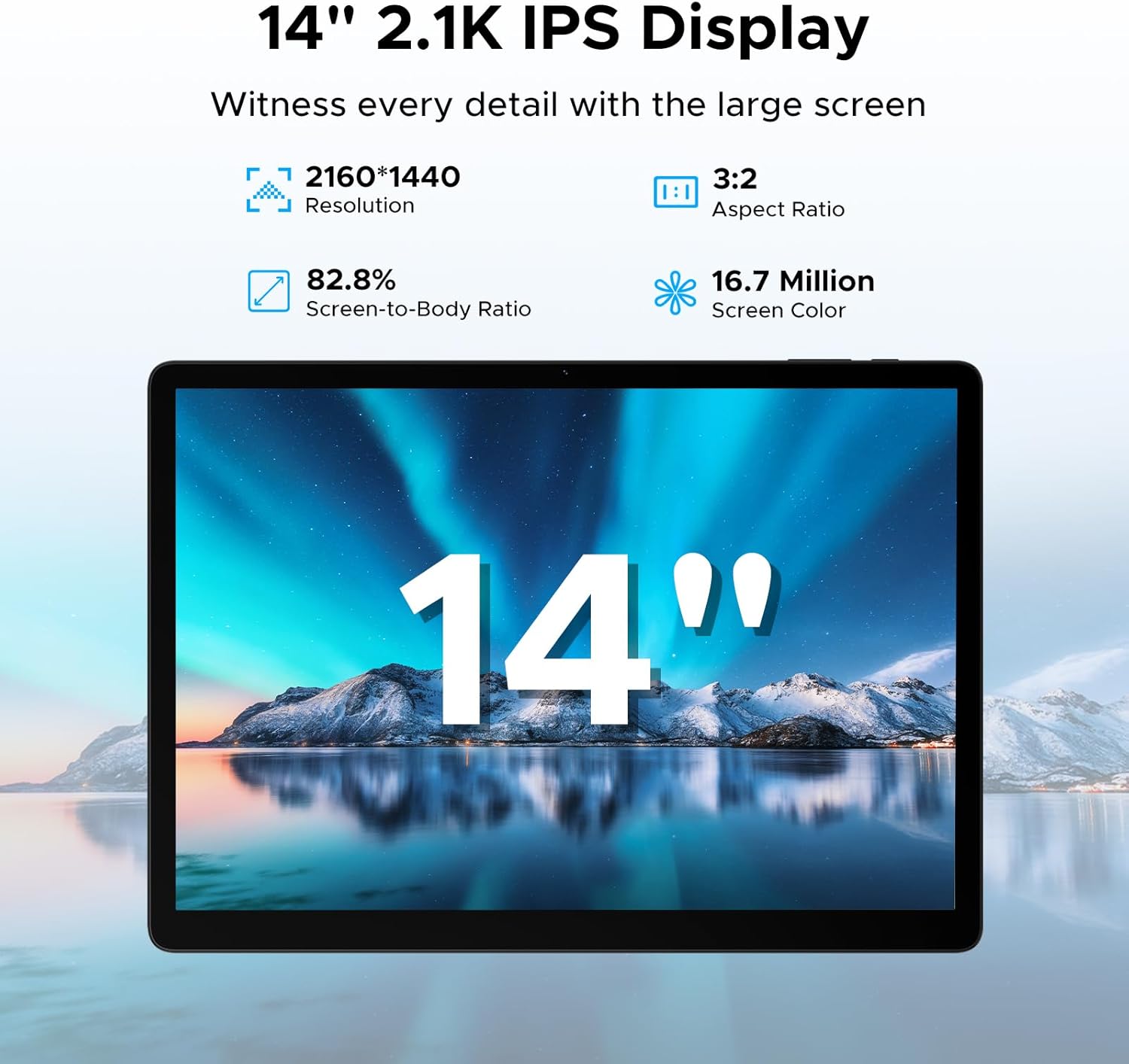
The tablet's 14-inch 2.1K IPS display offers a clear and vibrant visual experience.
3.2 പ്രകടനവും സംഭരണവും
Powered by the MediaTek Helio G100 octa-core processor, the tablet ensures smooth performance for gaming, streaming, and multitasking. It comes with 32GB RAM (8GB basic + 24GB expandable) and 256GB ROM, expandable up to 2TB via TF card (sold separately).

The Helio G100 processor provides powerful and efficient performance.

Ample RAM and ROM ensure smooth operation and storage for all your files.
3.3 കണക്റ്റിവിറ്റി
The tablet supports dual-band Wi-Fi (2.4G/5GHz) for fast internet and 4G LTE for mobile data. Bluetooth connectivity is also available for peripherals.

Enjoy stable and fast wireless connectivity with dual-band Wi-Fi.
3.4 ക്യാമറ ഉപയോഗം
Equipped with a 16MP rear camera, an 8MP front camera, and a 2MP macro camera. The front camera supports high-quality video conferencing and facial unlock.

Capture various moments with the versatile camera system.
3.5 ഓഡിയോ
The tablet features four stereo speakers (Premium 1217 BOX Quad Speakers) for clear and immersive sound, enhancing your entertainment experience.

Experience crystal-clear audio with the tablet's quad speakers.
3.6 ഉൽപ്പാദനക്ഷമത സവിശേഷതകൾ
The tablet comes with built-in WPS Office for document, spreadsheet, and presentation tasks. Efficient split-screen multitasking allows you to use two apps simultaneously.

The tablet is suitable for various tasks, from work to entertainment.

WPS Office is pre-installed for your productivity needs.

Efficient split-screen multitasking enhances productivity.
3.7 ജെമിനി AI ഇന്റഗ്രേഷൻ
The tablet includes built-in Gemini AI, offering features like content creation, information retrieval, image analysis, code development, language learning, and smart assistance. Utilize Gemini Deep Research for in-depth insights.

Gemini AI serves as an intelligent companion for various tasks.
3.8 Security and Navigation
The tablet supports facial recognition for effortless unlocking. It also offers accurate positioning with A-GPS/GPS/BeiDou/GLONASS/Galileo support.

Facial recognition provides quick and secure access.
4. പരിപാലനം
To ensure the longevity and optimal performance of your DOOGEE Tab E3 Max, follow these maintenance guidelines:
- വൃത്തിയാക്കൽ: സ്ക്രീനും ബോഡിയും വൃത്തിയാക്കാൻ മൃദുവായ, ലിന്റ് രഹിത തുണി ഉപയോഗിക്കുക. ഉരച്ചിലുകളുള്ള വസ്തുക്കളോ കഠിനമായ രാസവസ്തുക്കളോ ഒഴിവാക്കുക.
- താപനില: Operate the tablet within recommended temperature ranges (typically 0°C to 35°C). Avoid extreme heat or cold.
- സംഭരണം: When not in use for extended periods, store the tablet in a cool, dry place. Charge the battery to about 50% before long-term storage.
- സോഫ്റ്റ്വെയർ അപ്ഡേറ്റുകൾ: സുരക്ഷയും പ്രകടനവും മെച്ചപ്പെടുത്തുന്നതിന് സിസ്റ്റം അപ്ഡേറ്റുകൾ പതിവായി പരിശോധിച്ച് ഇൻസ്റ്റാൾ ചെയ്യുക.
- ശാരീരിക സംരക്ഷണം: തുള്ളികൾ, പോറലുകൾ എന്നിവയിൽ നിന്ന് സംരക്ഷിക്കാൻ ഒരു പ്രൊട്ടക്റ്റീവ് കേസും സ്ക്രീൻ പ്രൊട്ടക്ടറും ഉപയോഗിക്കുന്നത് പരിഗണിക്കുക.
5. പ്രശ്നപരിഹാരം
നിങ്ങളുടെ ടാബ്ലെറ്റിൽ നിങ്ങൾ നേരിട്ടേക്കാവുന്ന സാധാരണ പ്രശ്നങ്ങൾ ഈ വിഭാഗം അഭിസംബോധന ചെയ്യുന്നു.
5.1 ടാബ്ലെറ്റ് ഓണാക്കുന്നില്ല
- ബാറ്ററി ചാർജ്ജ് ചെയ്തിട്ടുണ്ടെന്ന് ഉറപ്പാക്കുക. ചാർജർ കണക്റ്റ് ചെയ്ത് പവർ ഓൺ ചെയ്യാൻ ശ്രമിക്കുന്നതിന് മുമ്പ് കുറച്ച് മിനിറ്റ് കാത്തിരിക്കുക.
- പുനരാരംഭിക്കാൻ നിർബന്ധിക്കുന്നതിന് പവർ ബട്ടൺ കുറഞ്ഞത് 10-15 സെക്കൻഡ് അമർത്തിപ്പിടിക്കുക.
5.2 മന്ദഗതിയിലുള്ള പ്രകടനം
- ആവശ്യമില്ലാത്ത പശ്ചാത്തല ആപ്ലിക്കേഷനുകൾ അടയ്ക്കുക.
- Clear cache data from apps and system settings.
- ആവശ്യത്തിന് സംഭരണ സ്ഥലം ലഭ്യമാണെന്ന് ഉറപ്പാക്കുക.
- ടാബ്ലെറ്റ് പുനരാരംഭിക്കുക.
5.3 വൈ-ഫൈ കണക്റ്റിവിറ്റി പ്രശ്നങ്ങൾ
- Toggle Wi-Fi off and on.
- നിങ്ങളുടെ വൈഫൈ റൂട്ടർ പുനരാരംഭിക്കുക.
- നെറ്റ്വർക്ക് മറന്ന് വീണ്ടും കണക്റ്റുചെയ്യുക.
- ടാബ്ലെറ്റ് വൈഫൈ സിഗ്നലിന്റെ പരിധിയിലാണെന്ന് ഉറപ്പാക്കുക.
5.4 ആപ്പുകൾ ക്രാഷാകുകയോ മരവിപ്പിക്കുകയോ ചെയ്യുന്നു
- ആപ്പ് നിർബന്ധിച്ച് അടച്ച് വീണ്ടും തുറക്കുക.
- ക്രമീകരണങ്ങൾ > ആപ്പുകൾ എന്നതിൽ ആപ്പിന്റെ കാഷെയും ഡാറ്റയും മായ്ക്കുക.
- ഗൂഗിൾ പ്ലേ സ്റ്റോറിൽ നിന്ന് ആപ്പ് അതിന്റെ ഏറ്റവും പുതിയ പതിപ്പിലേക്ക് അപ്ഡേറ്റ് ചെയ്യുക.
- പ്രശ്നം നിലനിൽക്കുകയാണെങ്കിൽ, ആപ്പ് അൺഇൻസ്റ്റാൾ ചെയ്ത് വീണ്ടും ഇൻസ്റ്റാൾ ചെയ്യുക.
5.5 ബാറ്ററി വേഗത്തിൽ തീർന്നു പോകുന്നു
- സ്ക്രീൻ തെളിച്ചം കുറയ്ക്കുക.
- Disable unused features like Bluetooth, GPS, or Wi-Fi when not needed.
- Identify and close power-intensive applications running in the background.
- പുഷ് അറിയിപ്പുകൾ പരിമിതപ്പെടുത്തുക.
6 സ്പെസിഫിക്കേഷനുകൾ
| ഫീച്ചർ | സ്പെസിഫിക്കേഷൻ |
|---|---|
| മോഡലിൻ്റെ പേര് | Tab E3 Max |
| ഡിസ്പ്ലേ വലിപ്പം | 14 ഇഞ്ച് |
| റെസലൂഷൻ | 2160*1440 പിക്സലുകൾ |
| ഓപ്പറേറ്റിംഗ് സിസ്റ്റം | ആൻഡ്രോയിഡ് 15 |
| പ്രോസസ്സർ | മീഡിയടെക് ഹീലിയോ G100 ഒക്ടാ-കോർ (2 GHz) |
| റാം | 32GB (8GB Basic + 24GB Expandable) |
| ആന്തരിക സംഭരണം | 256 ജിബി |
| വികസിപ്പിക്കാവുന്ന സംഭരണം | 2TB വരെ (TF കാർഡ്) |
| ബാറ്ററി ശേഷി | 13,500 mAh |
| പിൻ ക്യാമറ | 16 എം.പി |
| മുൻ ക്യാമറ | 8 എം.പി |
| കണക്റ്റിവിറ്റി | 4G LTE, 5G WLAN (802.11a/b/g/n/ac), Bluetooth |
| അളവുകൾ | 31.87 x 22.18 x 0.89 സെ.മീ |
| ഭാരം | 992 ഗ്രാം |
| പ്രത്യേക സവിശേഷതകൾ | USB OTG, Fast Charging, Media Card Reader, Gemini AI, Facial Recognition, Quad Speakers |
7. വാറൻ്റിയും പിന്തുണയും
Your DOOGEE Tab E3 Max is covered by a standard manufacturer's warranty. Please refer to the warranty card included in your packaging for specific terms and conditions, including warranty period and coverage details.
For technical support, product inquiries, or warranty claims, please visit the official DOOGEE website or contact their customer service. Keep your purchase receipt as proof of purchase for warranty purposes.
ഓൺലൈൻ പിന്തുണ: www.doogee.cc
Ask a question about this manual
Ask about setup, troubleshooting, compatibility, parts, safety, or missing instructions. Manuals+ will review the question and use this page’s manual context to help answer it.