
DOOGEE Tab E3 Max 14 inch Tablet
DOOGEE Tab E3 Max 14-inch Tablet User Manual
Model: Tab E3 Max 14 inch Tablet
1. ആമുഖം
Welcome to the user manual for your new DOOGEE Tab E3 Max 14-inch Tablet. This device is designed to provide a versatile and powerful experience for both work and entertainment. Featuring a large 14-inch FHD+ IPS display, a robust 13500mAh battery, and powered by the MediaTek Helio G100 octa-core processor with Android 15, this tablet offers exceptional performance and extended usage. This manual will guide you through the setup, operation, and maintenance of your tablet to ensure optimal performance and longevity.
2. പാക്കേജ് ഉള്ളടക്കം
താഴെ ലിസ്റ്റ് ചെയ്തിരിക്കുന്ന എല്ലാ ഇനങ്ങളും നിങ്ങളുടെ പാക്കേജിൽ ഉൾപ്പെടുത്തിയിട്ടുണ്ടെന്ന് ദയവായി പരിശോധിക്കുക:
- 1 x DOOGEE Tab E3 Max Tablet
- 1 x ചാർജർ
- 1 x ടൈപ്പ്-സി യുഎസ്ബി കേബിൾ
- 1 x ബ്ലൂടൂത്ത് കീബോർഡ്
- 1 x ബ്ലൂടൂത്ത് മൗസ്
- 1 x സ്റ്റൈലസ്
- 1 x Leather Protective Cover
- 1 x Screen Protector (Tempered Film)
- 1 x Card Removal Needle
- 1 x ഉപയോക്തൃ മാനുവൽ
- 1 x വാറൻ്റി കാർഡ്

Image: The DOOGEE Tab E3 Max tablet shown with its accompanying accessories, including the Bluetooth keyboard, mouse, and stylus.
3. ഉൽപ്പന്നം കഴിഞ്ഞുview
The DOOGEE Tab E3 Max features a sleek, ultra-thin metal body design, providing both durability and a premium feel. Its large 14-inch display is ideal for immersive viewഉൽപ്പാദനക്ഷമതയും.
ചിത്രം: ഒരു സൈഡ് പ്രോfile of the DOOGEE Tab E3 Max, illustrating its slim 8.9mm thickness and elegant metal construction.
പ്രധാന ഘടകങ്ങൾ:
- ഡിസ്പ്ലേ: 14-inch FHD+ IPS screen (2160*1440 resolution).
- ക്യാമറകൾ: 16MP Main Camera (rear), 8MP Front Camera, 2MP Macro Camera.
- ബട്ടണുകൾ: Power button, Volume up/down buttons.
- തുറമുഖങ്ങൾ: Type-C USB port, 3.5mm Audio Jack.
- കാർഡ് സ്ലോട്ട്: Dual SIM card slot (supports 4G LTE) or 1 SIM + 1 TF card.
- സ്പീക്കറുകൾ: Premium 1217 BOX Quad Speakers.
4. സജ്ജീകരണം
4.1 പ്രാരംഭ ചാർജിംഗ്
Before first use, fully charge your tablet using the provided charger and Type-C USB cable. Connect the cable to the tablet's Type-C port and the charger to a power outlet. The charging indicator will show the charging status.
4.2 പവർ ഓൺ/ഓഫ്
- പവർ ഓണാക്കാൻ: Press and hold the Power button until the DOOGEE logo appears.
- പവർ ഓഫ് ചെയ്യാൻ: പവർ ഓപ്ഷൻ മെനു ദൃശ്യമാകുന്നതുവരെ പവർ ബട്ടൺ അമർത്തിപ്പിടിക്കുക, തുടർന്ന് "പവർ ഓഫ്" തിരഞ്ഞെടുക്കുക.
- പുനരാരംഭിക്കാൻ: പവർ ഓപ്ഷൻ മെനു ദൃശ്യമാകുന്നതുവരെ പവർ ബട്ടൺ അമർത്തിപ്പിടിക്കുക, തുടർന്ന് "പുനരാരംഭിക്കുക" തിരഞ്ഞെടുക്കുക.
4.3 സിം കാർഡും ടിഎഫ് കാർഡും ഇൻസ്റ്റാൾ ചെയ്യൽ
The tablet supports dual SIM cards for 4G LTE connectivity or one SIM card and one TF (microSD) card for expandable storage up to 2TB.
- ടാബ്ലെറ്റിന്റെ വശത്ത് സിം കാർഡ് ട്രേ കണ്ടെത്തുക.
- Insert the provided card removal needle into the small hole next to the tray to eject it.
- Place your Nano-SIM card(s) and/or TF card into the designated slots on the tray, ensuring correct orientation.
- ട്രേ അതിന്റെ സ്ഥാനത്ത് ക്ലിക്കു ചെയ്യുന്നത് വരെ ടാബ്ലെറ്റിലേക്ക് പതുക്കെ തിരികെ തള്ളുക.

Image: Illustration of the dual card slots, demonstrating how to insert SIM cards or a SIM card and a TF card.
4.4 പ്രാരംഭ കോൺഫിഗറേഷൻ
ആദ്യമായി പവർ-ഓൺ ചെയ്യുമ്പോൾ, പ്രാരംഭ സജ്ജീകരണം പൂർത്തിയാക്കാൻ ഓൺ-സ്ക്രീൻ നിർദ്ദേശങ്ങൾ പാലിക്കുക:
- നിങ്ങൾ ഇഷ്ടപ്പെടുന്ന ഭാഷ തിരഞ്ഞെടുക്കുക.
- ഒരു Wi-Fi നെറ്റ്വർക്കിലേക്ക് കണക്റ്റുചെയ്യുക.
- നിങ്ങളുടെ Google അക്കൗണ്ട് ഉപയോഗിച്ച് സൈൻ ഇൻ ചെയ്യുക അല്ലെങ്കിൽ പുതിയൊരെണ്ണം സൃഷ്ടിക്കുക.
- സ്ക്രീൻ ലോക്ക് (പിൻ, പാറ്റേൺ, പാസ്വേഡ് അല്ലെങ്കിൽ മുഖം തിരിച്ചറിയൽ) സജ്ജമാക്കുക.
5. നിങ്ങളുടെ ടാബ്ലെറ്റ് പ്രവർത്തിപ്പിക്കൽ
5.1 പ്രദർശന, ദൃശ്യാനുഭവം
The 14-inch FHD+ IPS display offers a resolution of 2160*1440 pixels, providing clear and vibrant visuals. It features eye-protection technology to reduce blue light and minimize eye fatigue during prolonged use.
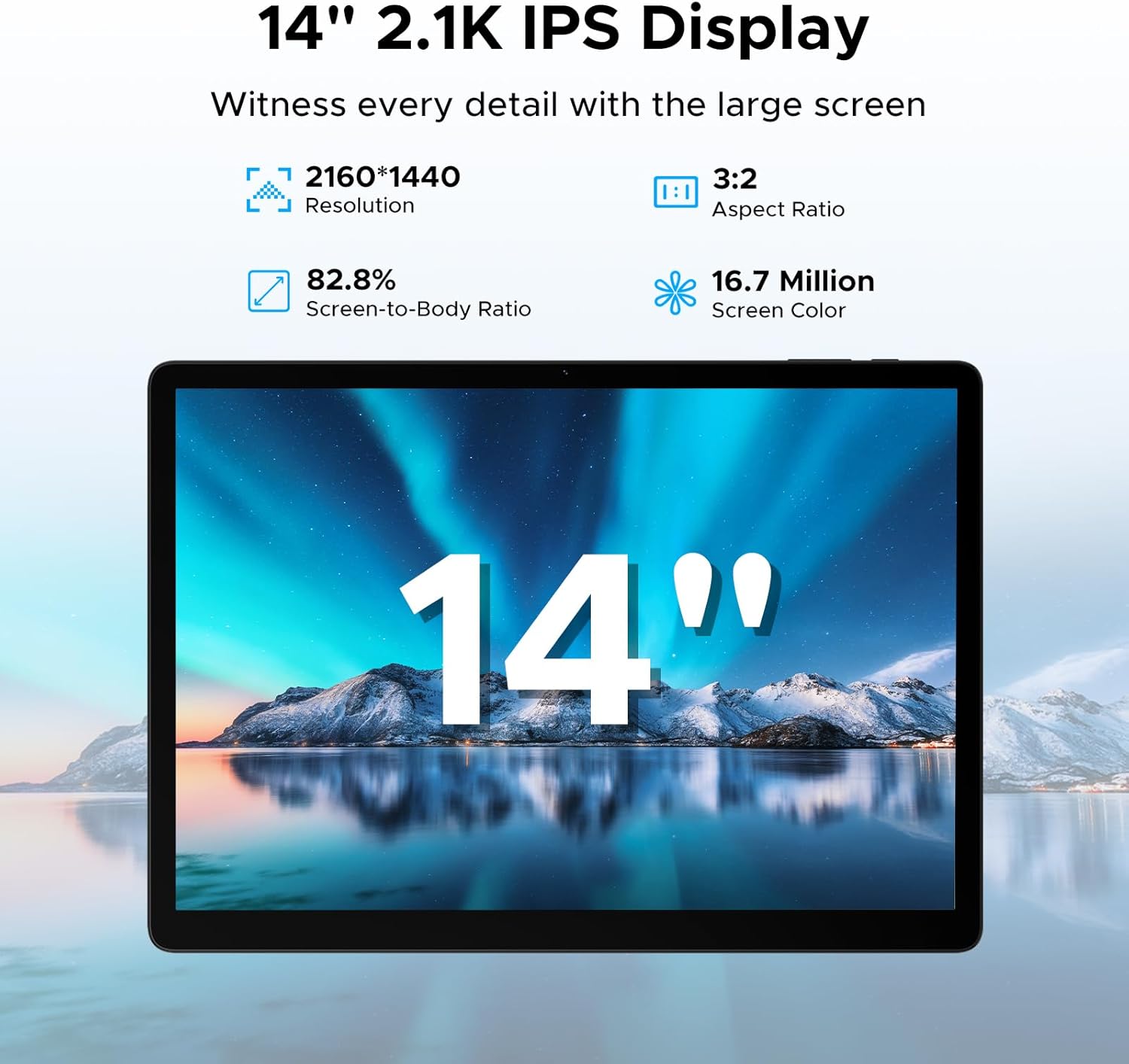
Image: The tablet's 14-inch 2.1K IPS display, highlighting its resolution, aspect ratio, screen-to-body ratio, and color depth.
5.2 പ്രകടനവും സംഭരണവും
Equipped with the MediaTek Helio G100 octa-core processor, the tablet delivers smooth performance for various tasks, from gaming to multitasking. It comes with 32GB of RAM (8GB physical + 24GB expandable) and 256GB of internal storage, expandable up to 2TB with a TF card.

Image: Visual representation of the MediaTek Helio G100 octa-core processor, emphasizing its 2.2GHz ultimate frequency and 6nm advanced process technology.
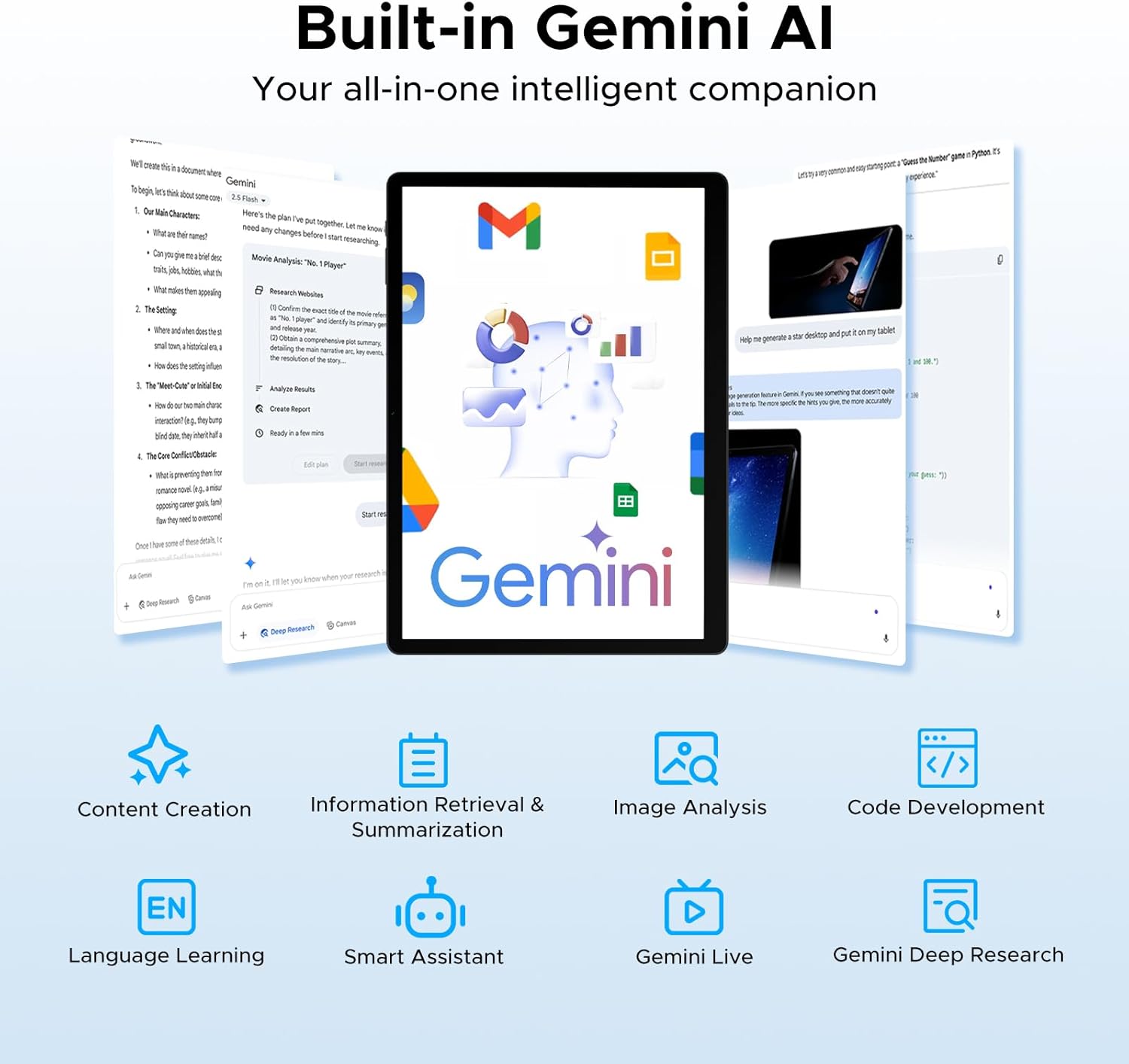
Image: A graphic detailing the tablet's 8GB RAM (expandable to 32GB) and 256GB ROM, with support for up to 2TB expandable memory.
5.3 ബാറ്ററി ലൈഫ്
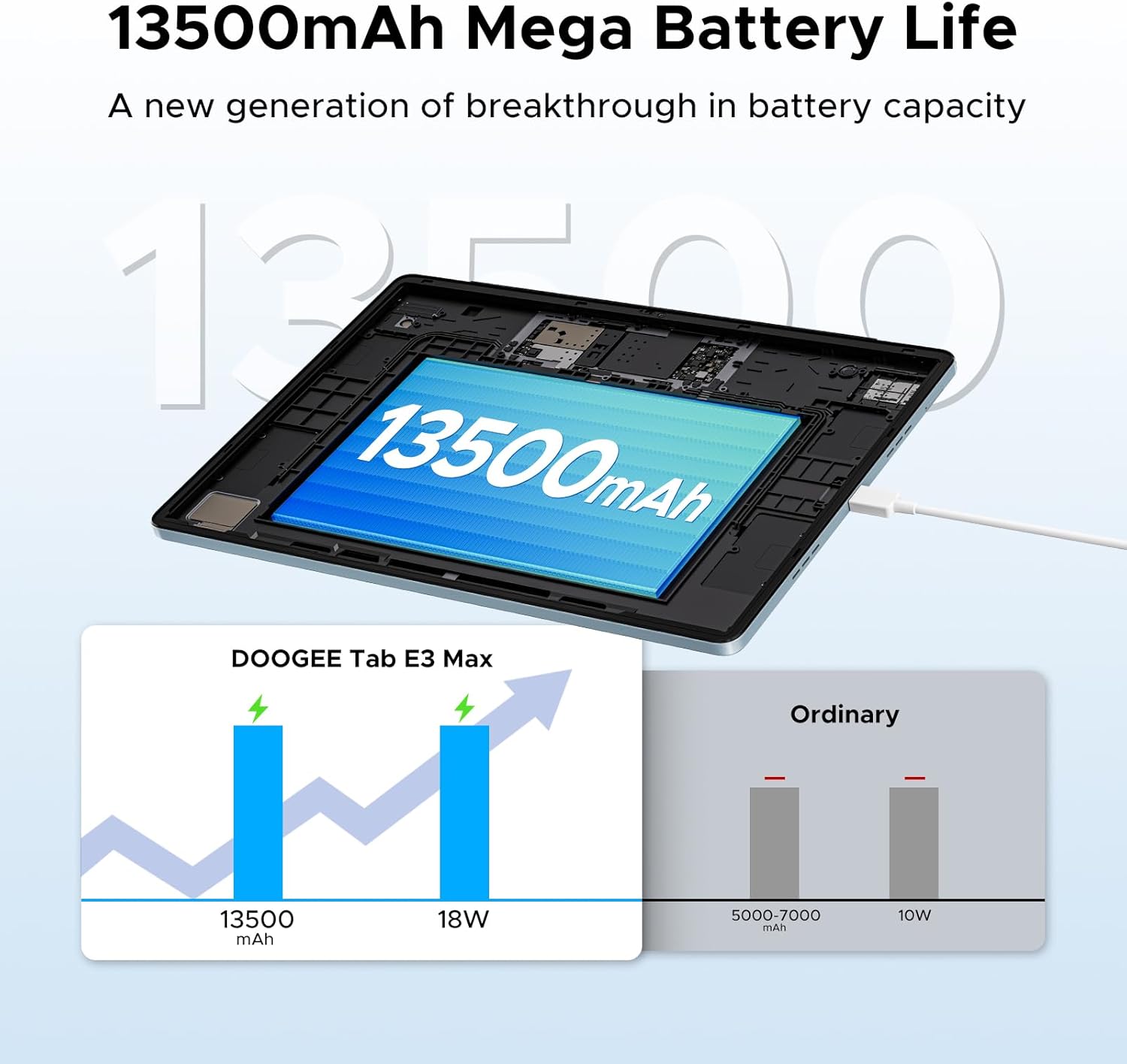
The tablet features a large 13500mAh battery, providing extended usage times for music, movies, web browsing, and calls.
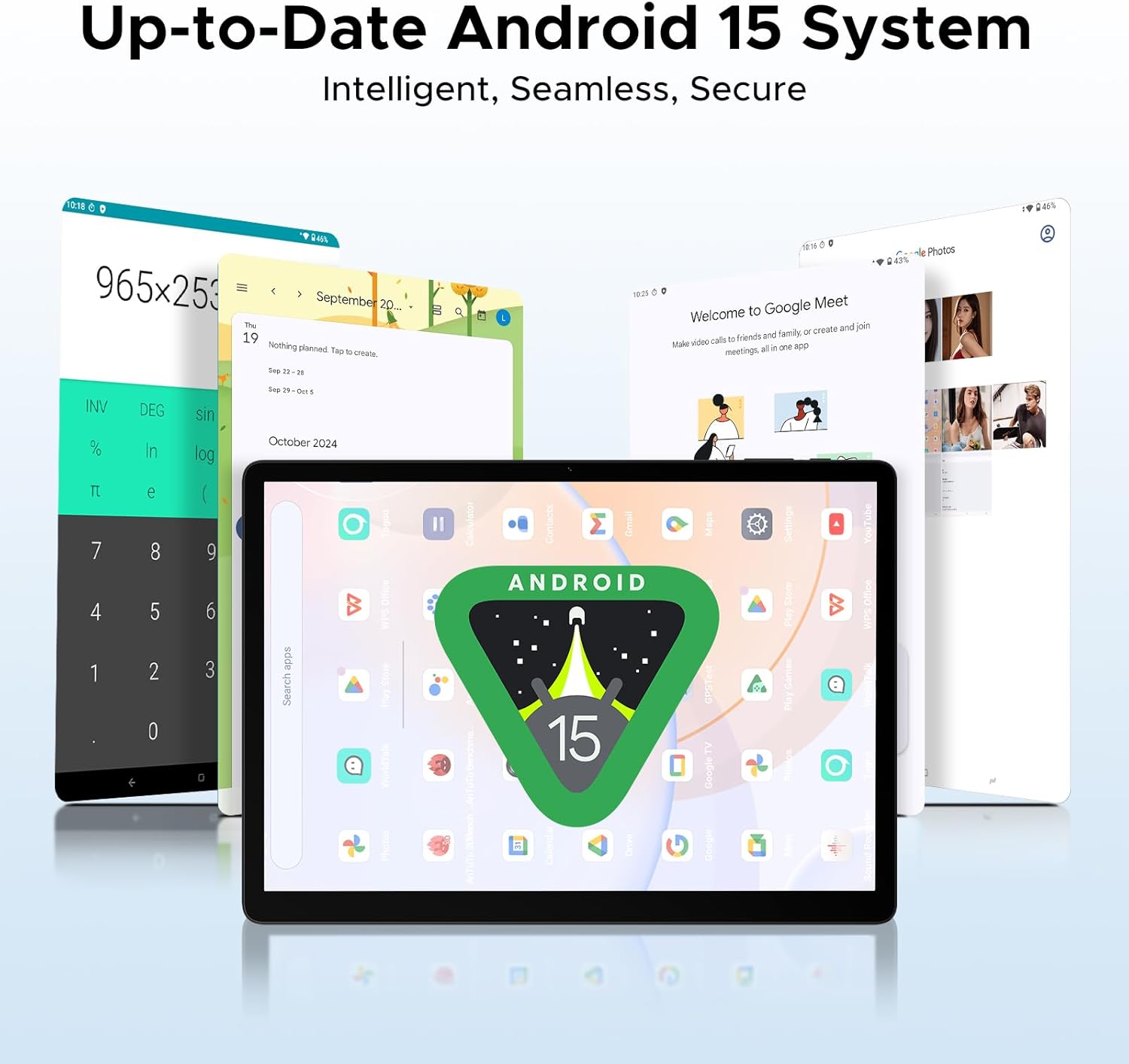
Image: An illustration demonstrating the 13500mAh mega battery life, comparing its capacity and 18W charging to ordinary tablets.
5.4 കണക്റ്റിവിറ്റി
The Tab E3 Max supports dual-band Wi-Fi (2.4G/5GHz) for stable and fast internet access, and 4G LTE for mobile data and calls via dual SIM card support.
5.5 ക്യാമറകൾ
Capture moments with the 16MP rear camera, take clear selfies and make video calls with the 8MP front camera, and explore intricate details with the 2MP macro camera.
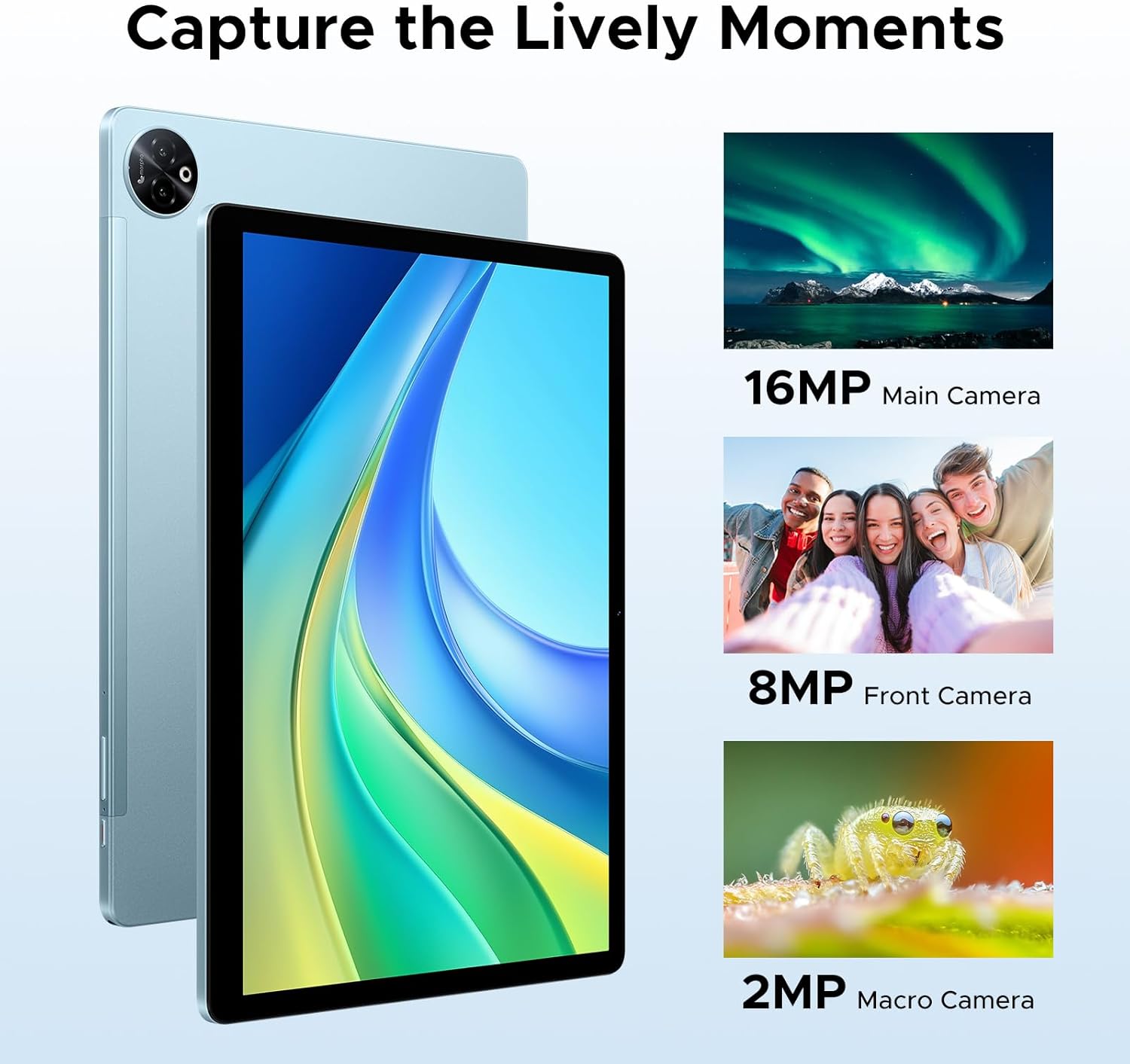
ചിത്രം: വിഷ്വൽ എക്സ്amples of photos taken with the tablet's 16MP main camera, 8MP front camera, and 2MP macro camera.
5.6 Built-in Gemini AI
The integrated Gemini AI enhances your tablet experience with features such as content creation, information retrieval and summarization, image analysis, code development, language learning, and smart assistance. Utilize Gemini Deep Research for in-depth analysis and insights.

Image: Various tablet screens showcasing the capabilities of the built-in Gemini AI, including content creation, information retrieval, and smart assistance.
5.7 Accessories and PC Mode
The included Bluetooth keyboard, mouse, and stylus allow you to transform your tablet into a portable workstation. Effortlessly switch to PC mode for a desktop-like experience, enhancing productivity for tasks like document editing and presentations. The protective case also functions as a stand for comfortable viewഇംഗും ടൈപ്പിംഗും.
5.8 ഓഡിയോ അനുഭവം
The tablet is equipped with four premium 1217 BOX Quad Speakers, delivering crystal-clear sound for an enhanced audio experience. A standard 3.5mm audio jack is also available for private listening with headphones.
6. പരിപാലനം
6.1 വൃത്തിയാക്കൽ
നിങ്ങളുടെ ടാബ്ലെറ്റ് വൃത്തിയാക്കാൻ, മൃദുവായ, ലിന്റ് രഹിത തുണി ഉപയോഗിക്കുക. കഠിനമായ പാടുകൾക്ക്, ചെറുതായി dampen the cloth with water or a screen cleaner designed for electronics. Avoid using harsh chemicals, abrasive materials, or excessive moisture.
6.2 ബാറ്ററി കെയർ
- ടാബ്ലെറ്റ് ഉയർന്ന താപനിലയിൽ (ചൂടോ തണുപ്പോ) തുറന്നുവെക്കുന്നത് ഒഴിവാക്കുക, കാരണം ഇത് ബാറ്ററിയുടെ ആയുസ്സ് കുറയ്ക്കും.
- Do not leave the tablet fully charged or completely drained for extended periods.
- നിങ്ങളുടെ ഉപകരണത്തിനൊപ്പം നൽകിയിരിക്കുന്ന യഥാർത്ഥ ചാർജറും കേബിളും മാത്രം ഉപയോഗിക്കുക.
7. പ്രശ്നപരിഹാരം
പൊതുവായ പ്രശ്നങ്ങളും പരിഹാരങ്ങളും:
| ഇഷ്യൂ | സാധ്യമായ പരിഹാരം |
|---|---|
| ടാബ്ലെറ്റ് ഓണാക്കുന്നില്ല. | ബാറ്ററി ചാർജ്ജ് ചെയ്തിട്ടുണ്ടെന്ന് ഉറപ്പാക്കുക. ചാർജർ കണക്റ്റ് ചെയ്ത് വീണ്ടും പവർ ചെയ്യാൻ ശ്രമിക്കുന്നതിന് മുമ്പ് കുറച്ച് മിനിറ്റ് കാത്തിരിക്കുക. പ്രതികരിക്കുന്നില്ലെങ്കിൽ, റീസ്റ്റാർട്ട് ചെയ്യാൻ നിർബന്ധിതമാക്കാൻ പവർ ബട്ടൺ 10-15 സെക്കൻഡ് അമർത്തിപ്പിടിക്കുക. |
| Wi-Fi-ലേക്ക് കണക്റ്റ് ചെയ്യാൻ കഴിയില്ല. | Check if Wi-Fi is enabled in settings. Restart your Wi-Fi router. Forget the network and reconnect. Ensure you are entering the correct password. |
| മന്ദഗതിയിലുള്ള പ്രകടനം അല്ലെങ്കിൽ ആപ്പുകൾ ക്രാഷാകൽ. | Close unused apps running in the background. Clear cache for problematic apps. Restart the tablet. Ensure sufficient storage space is available. |
| ബ്ലൂടൂത്ത് ആക്സസറികൾ കണക്റ്റുചെയ്യുന്നില്ല. | Ensure Bluetooth is enabled on both the tablet and the accessory. Put the accessory in pairing mode. Restart both devices. Check accessory battery levels. |
| സ്ക്രീൻ പ്രതികരിക്കുന്നില്ല. | ടാബ്ലെറ്റ് പുനരാരംഭിക്കുക. പ്രശ്നം നിലനിൽക്കുകയാണെങ്കിൽ, ഒരു ഫാക്ടറി റീസെറ്റ് നടത്തുക (ശ്രദ്ധിക്കുക: ഇത് എല്ലാ ഡാറ്റയും മായ്ക്കും). |
8 സ്പെസിഫിക്കേഷനുകൾ
| ഫീച്ചർ | വിശദാംശങ്ങൾ |
|---|---|
| മോഡലിൻ്റെ പേര് | Tab E3 Max 14 inch Tablet |
| ഓപ്പറേറ്റിംഗ് സിസ്റ്റം | ആൻഡ്രോയിഡ് 15 |
| ഡിസ്പ്ലേ വലിപ്പം | 14 ഇഞ്ച് |
| ഡിസ്പ്ലേ റെസല്യൂഷൻ | 2160*1440 പിക്സലുകൾ |
| പ്രോസസ്സർ | മീഡിയടെക് ഹീലിയോ G100 ഒക്ടാ-കോർ |
| റാം | 32 GB (8GB physical + 24GB expandable) |
| ആന്തരിക സംഭരണം | 256 ജിബി |
| വികസിപ്പിക്കാവുന്ന സംഭരണം | Up to 2TB via TF card (sold separately) |
| ബാറ്ററി ശേഷി | 13500mAh |
| പിൻ ക്യാമറ | 16എംപി |
| മുൻ ക്യാമറ | 8എംപി |
| മാക്രോ ക്യാമറ | 2എംപി |
| കണക്റ്റിവിറ്റി | 2.4G/5GHz Dual-Band Wi-Fi, 4G LTE (Dual SIM) |
| ഓഡിയോ ജാക്ക് | 3.5 മി.മീ |
| അളവുകൾ (L x W x H) | 12.55 x 0.35 x 8.89 ഇഞ്ച് |
| ഇനത്തിൻ്റെ ഭാരം | 4.6 പൗണ്ട് (ഏകദേശം 992 ഗ്രാം) |
| നിറം | Blue (variant) |
9. വാറൻ്റിയും പിന്തുണയും
DOOGEE is committed to providing excellent customer service and product support.
- 30 ദിവസത്തെ പണം തിരികെ നൽകൽ ഗ്യാരണ്ടി: If you are not satisfied with your purchase, you may be eligible for a refund or return within 30 days.
- 2-വർഷ പരിമിത വാറൻ്റി: Your DOOGEE Tab E3 Max is covered by a 2-year limited warranty against manufacturing defects. Please retain your proof of purchase for warranty claims.
- 24/7 ഓൺലൈൻ പിന്തുണ: For any technical assistance or inquiries, please visit the official DOOGEE support webസൈറ്റ് അല്ലെങ്കിൽ അവരുടെ ഉപഭോക്തൃ സേവന ടീമിനെ ബന്ധപ്പെടുക.
കൂടുതൽ വിവരങ്ങൾക്കും പിന്തുണയ്ക്കും, ദയവായി സന്ദർശിക്കുക Official DOOGEE Store on Amazon.
Ask a question about this manual
Ask about setup, troubleshooting, compatibility, parts, safety, or missing instructions. Manuals+ will review the question and use this page’s manual context to help answer it.