
DOOGEE Tab E3 Pro
DOOGEE Tab E3 Pro User Manual
Model: Tab E3 Pro
ബ്രാൻഡ്: DOOGEE
ആമുഖം
This manual provides essential information for operating and maintaining your DOOGEE Tab E3 Pro tablet. Please read it carefully to ensure proper usage and to maximize the lifespan of your device. This guide covers initial setup, key features, operational instructions, maintenance tips, and troubleshooting common issues.
പാക്കേജ് ഉള്ളടക്കം
Before you begin, please verify that all the following items are present in your DOOGEE Tab E3 Pro package:
- 1* DOOGEE Tab E3 Pro VIP Edition Tablet
- 1* ടൈപ്പ്-സി യുഎസ്ബി കേബിൾ
- 1* ചാർജർ
- 1* Stylus
- 1* Tempered film
- 1* ബ്ലൂടൂത്ത് മൗസ്
- 1* Leather Protective Cover
- 1* ബ്ലൂടൂത്ത് കീബോർഡ്
- 1* SIM Card Remover
- 1* പാക്കിംഗ് ബോക്സ്
- 1* ഉപയോക്തൃ മാനുവൽ

ഉൽപ്പന്നം കഴിഞ്ഞുview
ഡിസ്പ്ലേയും ഡിസൈനും
The DOOGEE Tab E3 Pro features a stunning 13-inch IPS FHD+ screen with a resolution of 1920x1200 pixels, offering an expansive and clear viewing experience. With an 84.6% screen-to-body ratio and a 90Hz refresh rate, it ensures ultra-smooth visuals for all your content, from videos to games and general scrolling. The tablet is encased in a sleek 7.9mm metal body, blending high performance with portability, and weighs approximately 718g.

പ്രകടനം
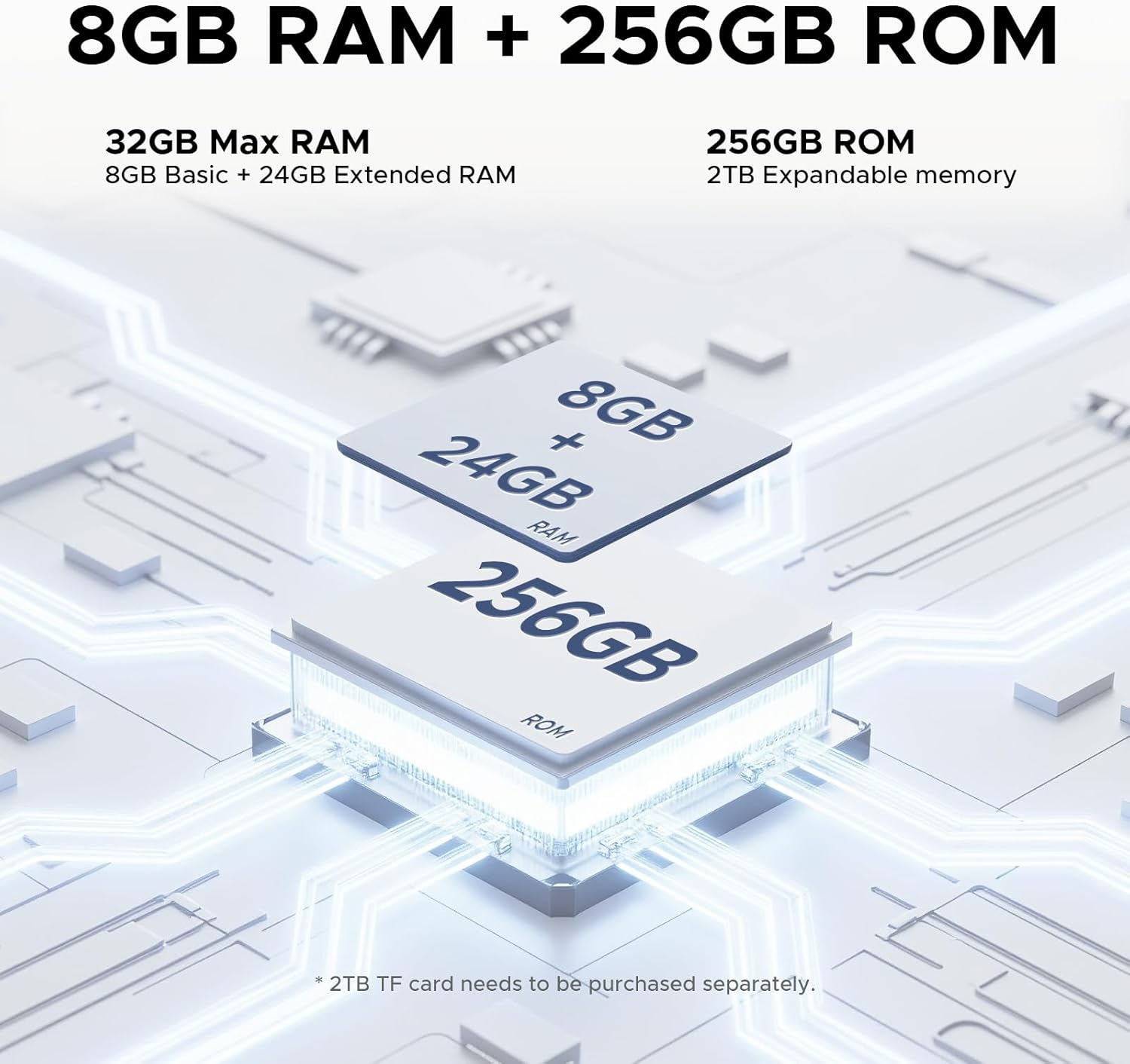
Powered by the latest Android 15 system and an Helio G100 Octa-Core processor clocked at 2.2GHz, the DOOGEE Tab E3 Pro delivers superior data processing and multitasking capabilities. It comes with a massive 32GB RAM (8GB physical + 24GB virtual) for seamless operation and 256GB of internal storage, which can be expanded up to 2TB using a microSD card (sold separately), providing ample space for all your applications, media, and work files.

ബാറ്ററിയും ചാർജിംഗും
The tablet is equipped with a large 11000mAh battery, designed to provide extended hours of streaming, gaming, and work. With 18W fast charging support, you can quickly recharge the device, minimizing downtime. Additionally, OTG (On-The-Go) support enables easy file transfers and reverse charging for other devices.

ക്യാമറകൾ
Capture life's moments with the tablet's dual camera system. It features a 13MP rear camera for detailed photos and an 8MP front camera, perfect for clear video calls and high-quality selfies. The tablet also supports 2K video recording.

ഓഡിയോ
Experience immersive sound with the built-in 1217 BOX quad-speaker system. Each speaker is professionally tuned to deliver balanced and exceptional audio quality. The tablet also includes a built-in FM radio for news and entertainment, and a standard 3.5mm audio jack for private listening.

കണക്റ്റിവിറ്റി
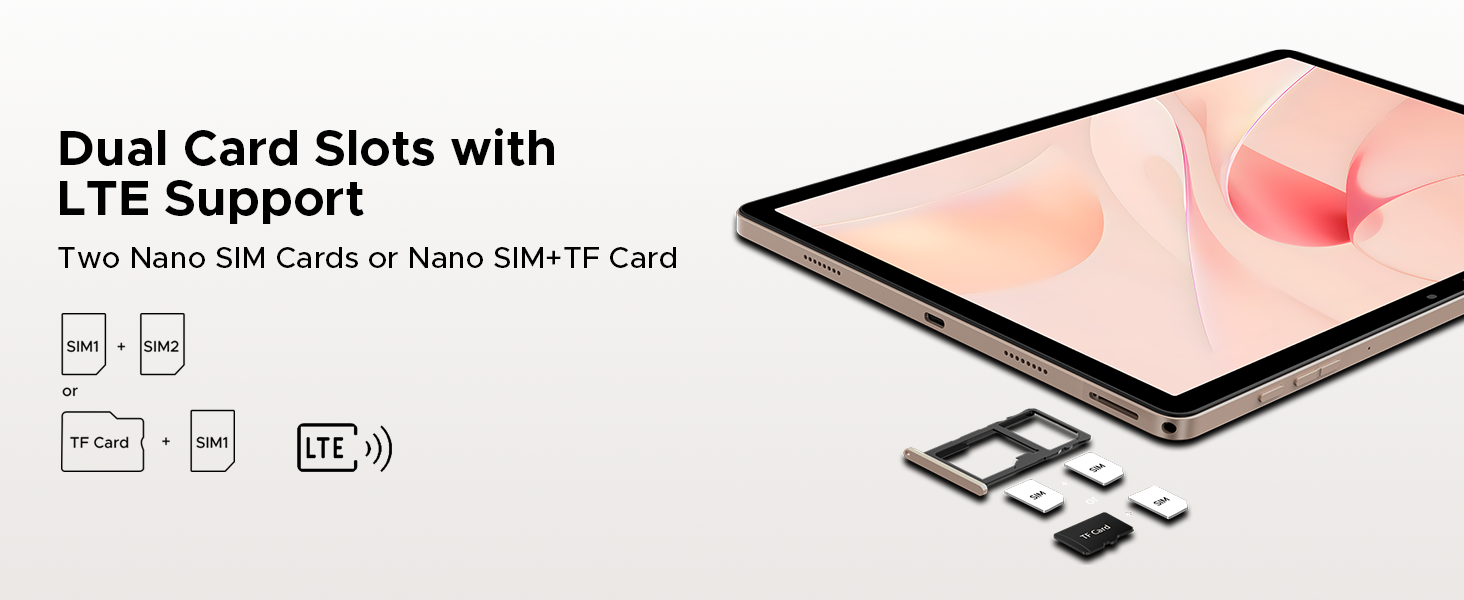
The DOOGEE Tab E3 Pro supports dual SIM cards for versatile cellular connectivity (functionality may vary by region). It features dual-band Wi-Fi (2.4G/5G) for fast and seamless online experiences and Bluetooth 5.0 for stable connections with multiple devices. For navigation, the tablet includes built-in GPS, Beidou, GLONASS, and Galileo systems.
AI സവിശേഷതകൾ
Integrated with Gemini AI, the tablet offers advanced functionalities to enhance your work and life. This includes capabilities for content creation, information retrieval and summarization, image analysis, code development, language learning, and smart assistance. Gemini Live and Gemini Deep Research further boost analysis and insights.

സജ്ജമാക്കുക
പ്രാരംഭ പവർ ഓൺ
To power on your DOOGEE Tab E3 Pro for the first time, press and hold the power button located on the side of the tablet until the DOOGEE logo appears on the screen. Follow the on-screen prompts to complete the initial setup process, which typically includes selecting your language, connecting to a Wi-Fi network, and signing in with your Google account.
ആക്സസറികൾ ബന്ധിപ്പിക്കുന്നു
ബ്ലൂടൂത്ത് കീബോർഡും മൗസും
To pair the included Bluetooth keyboard and mouse, ensure both accessories are charged and in pairing mode (refer to their respective manuals for specific instructions if needed). On your tablet, navigate to ക്രമീകരണങ്ങൾ > ബന്ധിപ്പിച്ച ഉപകരണങ്ങൾ > ബ്ലൂടൂത്ത്. Turn on Bluetooth and select the keyboard or mouse from the list of available devices to complete the pairing process.
സ്റ്റൈലസ്
The included stylus is designed for immediate use and does not require any pairing. Simply use it directly on the tablet screen for navigation, drawing, or writing tasks.
സിം കാർഡ് ഇൻസ്റ്റാളേഷൻ
To install SIM card(s) and/or a microSD card, locate the SIM card tray on the side of the tablet. Use the provided SIM card remover tool to gently eject the tray. Carefully place your Nano SIM card(s) and/or microSD card into the designated slots on the tray, ensuring correct orientation. Once inserted, push the tray back into the tablet until it clicks securely into place.
നിങ്ങളുടെ ടാബ്ലെറ്റ് പ്രവർത്തിപ്പിക്കുന്നു
അടിസ്ഥാന നാവിഗേഷൻ
Your DOOGEE Tab E3 Pro runs on the Android 15 operating system. To access the app drawer, swipe up from the bottom of the screen. Swipe down from the top to reveal the quick settings panel and notifications. The tablet supports intuitive gesture navigation for common actions like going back, returning to the home screen, and viewing recent applications.
പിസി മോഡ്
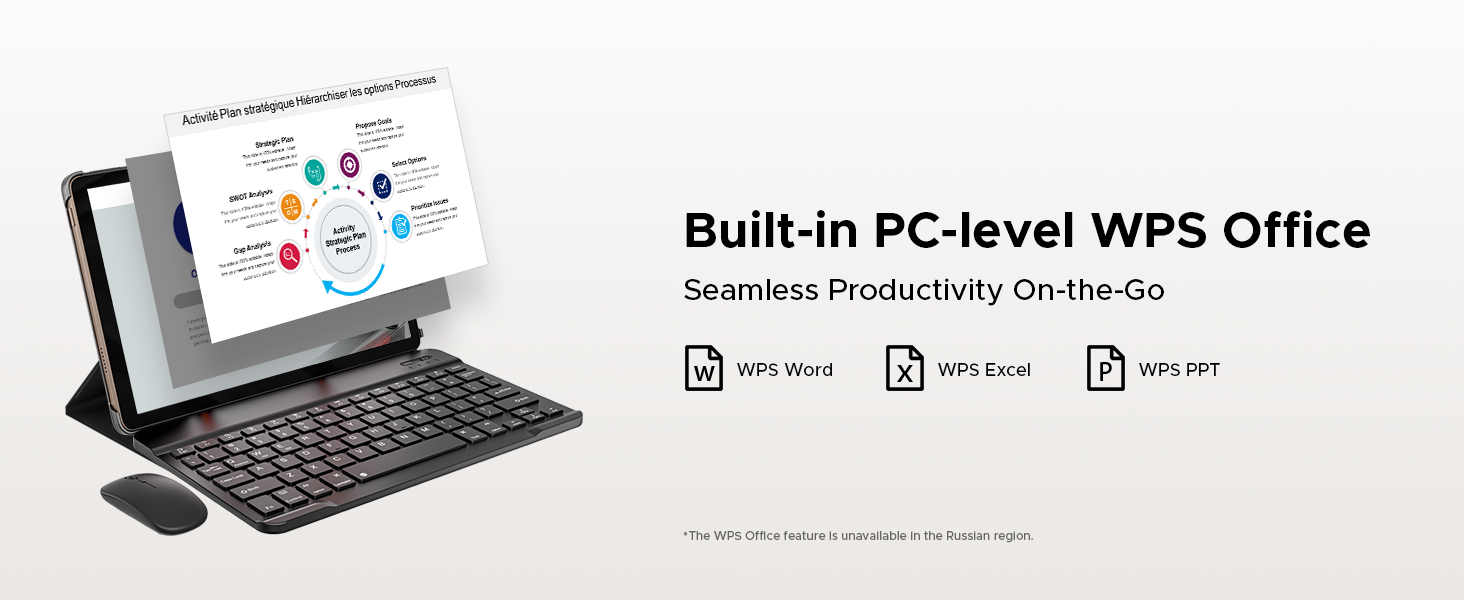
When the Bluetooth keyboard is connected, the tablet can seamlessly transition into a PC-like mode. This optimizes the interface for productivity tasks, allowing you to efficiently use applications like WPS Office (Word, Excel, and PowerPoint) for a desktop-like work experience.
മൾട്ടിമീഡിയ
Leverage the tablet's quad-speaker system for an enhanced audio experience when watching videos or listening to music. For private listening, connect your headphones via the standard 3.5mm audio jack. The 90Hz display ensures a fluid and enjoyable experience for all your multimedia consumption.
ക്യാമറ ഉപയോഗം
Open the pre-installed Camera app to capture photos and videos. The 13MP main camera is ideal for capturing detailed shots, while the 8MP front camera is perfect for clear video calls and selfies. Experiment with various modes, such as Portrait and Beauty, to enhance your photos.

Gemini AI Features
Explore the integrated Gemini AI for a range of intelligent functionalities. This includes assistance with content generation, summarizing information, analyzing images, aiding in code development, facilitating language learning, and providing smart assistance for daily tasks. Refer to the dedicated Gemini AI application on your tablet for detailed usage instructions and available features.
മെയിൻ്റനൻസ്
വൃത്തിയാക്കൽ
To clean your tablet, use a soft, lint-free cloth. For the screen, a microfiber cloth is recommended. Avoid using harsh chemicals, abrasive cleaners, or aerosol sprays, as these can damage the screen and finish. Gently wipe the surfaces to remove dust and smudges.
ബാറ്ററി കെയർ
To maximize the lifespan of your tablet's battery, avoid exposing it to extreme temperatures (very hot or very cold). It is generally recommended to keep the battery charge between 20% and 80% for optimal longevity. Avoid leaving the tablet fully charged or fully depleted for extended periods.
സോഫ്റ്റ്വെയർ അപ്ഡേറ്റുകൾ
Regularly check for and install system updates to ensure your tablet has the latest features, performance enhancements, and security patches. You can typically find system update options in ക്രമീകരണങ്ങൾ > സിസ്റ്റം > സിസ്റ്റം അപ്ഡേറ്റ്.
സ്റ്റോറേജ് മാനേജ്മെൻ്റ്
ആനുകാലികമായി റീview and manage your tablet's storage. Uninstall unused applications, delete unnecessary files, and clear app caches to free up space and maintain optimal performance. Utilize the microSD card slot for additional storage of media and documents.
നേത്ര സംരക്ഷണം
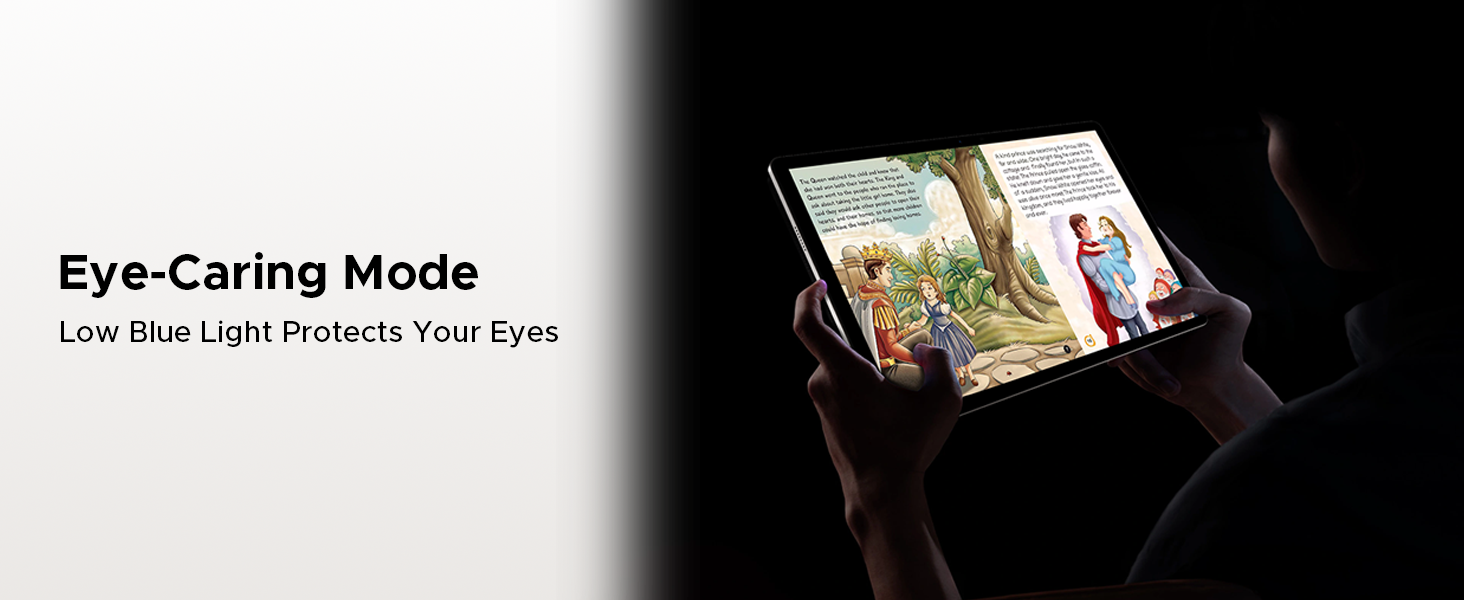
The tablet includes features designed to reduce eye strain. Utilize the Eye-Caring Mode ഒപ്പം Reduced Blue Light Setting, accessible through the display settings, especially during prolonged reading or use in low-light conditions.
ട്രബിൾഷൂട്ടിംഗ്
This section addresses common issues you might encounter with your DOOGEE Tab E3 Pro and provides potential solutions.
Tablet Not Turning On
- Ensure the battery is sufficiently charged. Connect the charger and allow it to charge for at least 15-30 minutes before attempting to power on again.
- Perform a forced restart by pressing and holding the power button for approximately 10-15 seconds until the device vibrates or the logo appears.
മന്ദഗതിയിലുള്ള പ്രകടനം
- Close all unnecessary applications running in the background.
- Clear the cache and data for frequently used apps in ക്രമീകരണങ്ങൾ > ആപ്പുകൾ.
- Check for and install any available system updates.
- If performance issues persist, consider a factory reset (ensure you back up all important data first).
വൈഫൈ കണക്റ്റിവിറ്റി പ്രശ്നങ്ങൾ
- നിങ്ങളുടെ വൈഫൈ റൂട്ടറും ടാബ്ലെറ്റും പുനരാരംഭിക്കുക.
- In tablet settings, forget the problematic Wi-Fi network and then reconnect to it.
- Ensure you are within the effective range of your Wi-Fi signal.
Bluetooth Pairing Problems
- Ensure both the tablet and the Bluetooth accessory are in pairing mode and within close proximity.
- Toggle Bluetooth off and on again on your tablet.
- Remove any previously paired devices that are no longer in use from your tablet's Bluetooth settings.
സ്ക്രീൻ പ്രതികരിക്കുന്നില്ല
- പവർ ബട്ടൺ അമർത്തിപ്പിടിച്ചുകൊണ്ട് ടാബ്ലെറ്റ് പുനരാരംഭിക്കുക.
- If the screen remains unresponsive after a restart, contact customer support for further assistance.
ക്യാമറ പ്രവർത്തിക്കുന്നില്ല
- Ensure the camera app has all necessary permissions enabled in ക്രമീകരണങ്ങൾ > ആപ്പുകൾ > ക്യാമറ > അനുമതികൾ.
- ടാബ്ലെറ്റ് പുനരാരംഭിക്കുക.
- Check for any pending system updates that might include camera driver fixes.
സ്പെസിഫിക്കേഷനുകൾ
| ഫീച്ചർ | വിശദാംശങ്ങൾ |
|---|---|
| ബ്രാൻഡ് | ഡോഗി |
| മോഡലിൻ്റെ പേര് | Tab E3 Pro |
| സ്റ്റാൻഡിംഗ് സ്ക്രീൻ ഡിസ്പ്ലേ വലുപ്പം | 13 ഇഞ്ച് |
| സ്ക്രീൻ റെസല്യൂഷൻ | 1920 x 1200 പിക്സലുകൾ |
| പരമാവധി സ്ക്രീൻ റെസല്യൂഷൻ | 2560 x 1440 പിക്സലുകൾ |
| പുതുക്കിയ നിരക്ക് | 90Hz |
| പ്രോസസ്സർ | Helio G100 Octa-Core (2.2 GHz) |
| ഓപ്പറേറ്റിംഗ് സിസ്റ്റം | ആൻഡ്രോയിഡ് 15 |
| റാം | 32GB (8GB ഫിസിക്കൽ + 24GB വെർച്വൽ) |
| ഫ്ലാഷ് മെമ്മറി വലുപ്പം (റോം) | 256 ജിബി |
| വികസിപ്പിക്കാവുന്ന സംഭരണം | Up to 2TB (microSD, sold separately) |
| ബാറ്ററി ശേഷി | 11000mAh |
| ഫാസ്റ്റ് ചാർജിംഗ് | 18W |
| പിൻ ക്യാമറ | 13എംപി |
| മുൻ ക്യാമറ | 8എംപി |
| ഓഡിയോ | 1217 BOX Quad Speakers, 3.5mm Audio Jack, FM Radio |
| കണക്റ്റിവിറ്റി | Dual SIM, Dual-band Wi-Fi (2.4G/5G), Bluetooth 5.0 |
| നാവിഗേഷൻ | GPS, Beidou, GLONASS, Galileo |
| ഇനത്തിൻ്റെ ഭാരം | 14.7 ഔൺസ് (ഏകദേശം 416 ഗ്രാം) |
| ഉൽപ്പന്ന അളവുകൾ | 11.89 x 7.7 x 0.31 ഇഞ്ച് (302.1 x 197.5 x 7.9 മിമി) |
| നിറം | കറുപ്പ് |
വാറൻ്റിയും പിന്തുണയും
വാറൻ്റി വിവരങ്ങൾ
The DOOGEE Tab E3 Pro comes with a 2-Year Limited Warranty. This warranty covers manufacturing defects and malfunctions under normal use. Please retain your original purchase receipt or proof of purchase, as it will be required for any warranty claims. For detailed terms and conditions of the warranty, please refer to the warranty card included in your package or visit the official DOOGEE webസൈറ്റ്.
കസ്റ്റമർ സർവീസ്
For technical assistance, troubleshooting beyond this manual, or any other support inquiries, please contact DOOGEE customer service. Online support is available 24/7 to assist you with your product. You can find contact information and additional resources on the official DOOGEE webസൈറ്റ് അല്ലെങ്കിൽ അവരുടെ ആമസോൺ സ്റ്റോർ പേജ് വഴി.
Visit the DOOGEE Store on Amazon: DOOGEE Store

Ask a question about this manual
Ask about setup, troubleshooting, compatibility, parts, safety, or missing instructions. Manuals+ will review the question and use this page’s manual context to help answer it.