
1. ആമുഖവും അവസാനവുംview
The Ulefone Armor 28 Ultra Thermal is a cutting-edge 5G AI rugged smartphone designed for durability and high performance. It features advanced thermal imaging capabilities, a powerful MediaTek Dimensity 9300+ processor, a unique dual-screen design, and a robust camera system. This manual provides essential information for setting up, operating, maintaining, and troubleshooting your device.
This device is built to withstand harsh environments, meeting IP68/IP69K and MIL-STD 810G standards for water, dust, and shock resistance. Its 10600mAh battery with 120W fast charging ensures extended usage and quick power-ups.
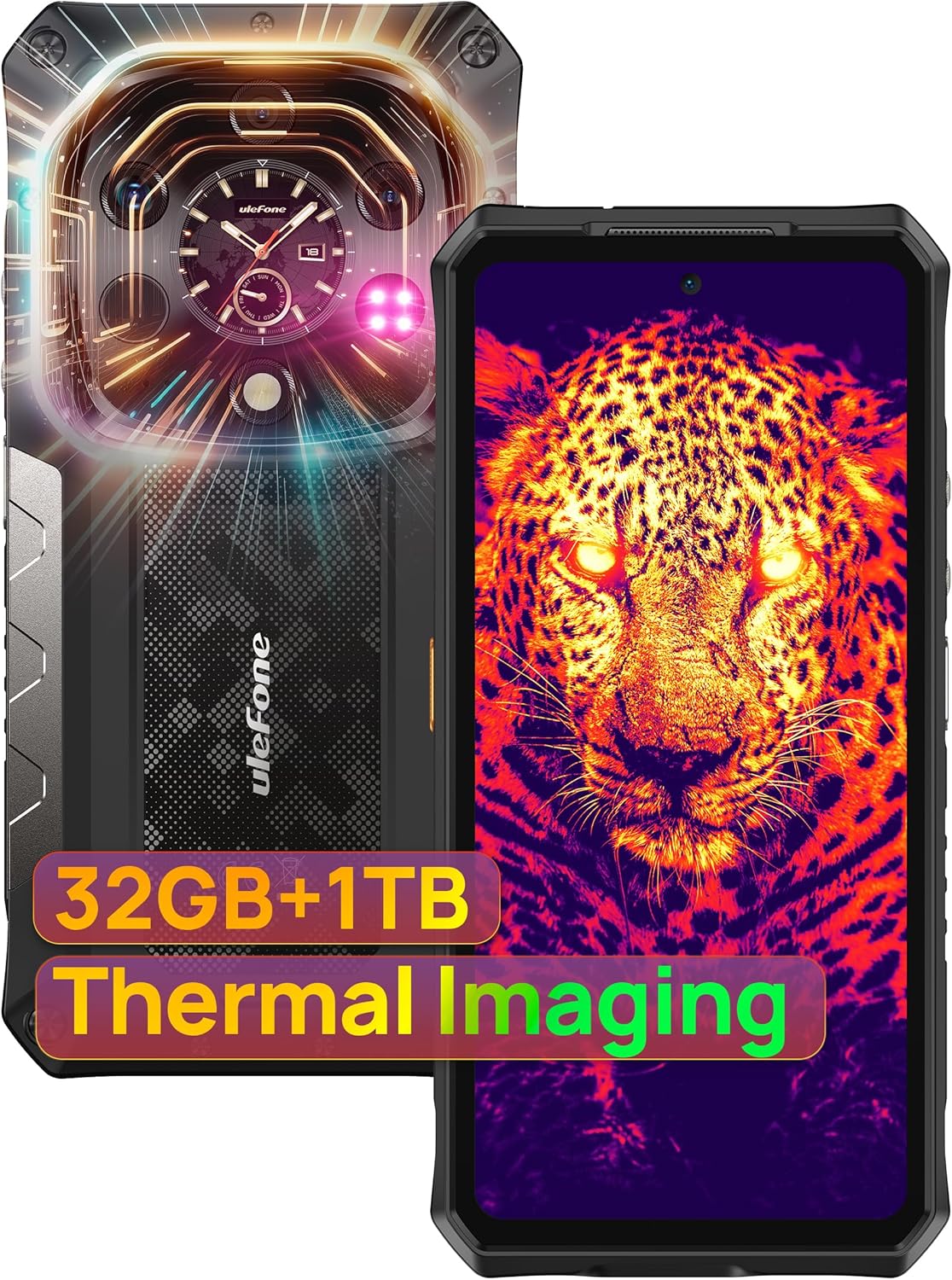
Figure 1.1: Ulefone Armor 28 Ultra Thermal - Front and Rear View
2. ബോക്സിൽ എന്താണുള്ളത്?
നിങ്ങളുടെ ഉൽപ്പന്ന പാക്കേജിൽ ഇനിപ്പറയുന്ന എല്ലാ ഇനങ്ങളും ഉൾപ്പെടുത്തിയിട്ടുണ്ടെന്ന് ഉറപ്പാക്കുക:
- Ulefone Armor 28 Ultra Thermal Phone
- AC power charger (100~240V)
- Type-C to Type-C Data cable (100cm)
- സ്ക്രീൻ പ്രൊട്ടക്ടർ (മുൻകൂട്ടി പ്രയോഗിച്ചതോ ഉൾപ്പെടുത്തിയതോ)
- സിം ട്രേ എജക്ടർ
- ലാനിയാർഡ്
- ഉപയോക്തൃ മാനുവൽ & വാറൻ്റി കാർഡ്

ചിത്രം 2.1: പാക്കേജ് ഉള്ളടക്കം
3. സജ്ജീകരണം
3.1 പ്രാരംഭ പവർ ഓൺ
- Press and hold the Power Key (located on the right side of the phone) until the Ulefone logo appears.
- Follow the on-screen prompts to complete the initial setup, including language selection and network connection.
3.2 സിം കാർഡ് & സ്റ്റോറേജ് എക്സ്പാൻഷൻ
- ഉപകരണത്തിന്റെ വശത്ത് സിം/ടിഎഫ് കാർഡ് സ്ലോട്ട് കണ്ടെത്തുക.
- ട്രേ തുറക്കാൻ നൽകിയിരിക്കുന്ന സിം ട്രേ എജക്റ്റർ ടൂൾ ഉപയോഗിക്കുക.
- Insert your Nano-SIM cards and/or a microSD card (up to 2TB) into the designated slots.
- ഉപകരണത്തിൽ ക്ലിക്കുചെയ്യുന്നത് വരെ ട്രേ മെല്ലെ തിരികെ ഉപകരണത്തിലേക്ക് തള്ളുക.
3.3 നെറ്റ്വർക്ക് കണക്ഷൻ
- For Wi-Fi: Go to ക്രമീകരണങ്ങൾ > നെറ്റ്വർക്കും ഇൻ്റർനെറ്റും > വൈഫൈ. Select your desired network and enter the password if required.
- For Mobile Data (5G): Ensure your SIM card is active and mobile data is enabled in ക്രമീകരണങ്ങൾ > നെറ്റ്വർക്കും ഇൻ്റർനെറ്റും > മൊബൈൽ നെറ്റ്വർക്ക്.
3.4 സുരക്ഷാ സജ്ജീകരണം
- Set up Fingerprint Unlock: Go to ക്രമീകരണങ്ങൾ > സുരക്ഷയും സ്വകാര്യതയും > ഫിംഗർപ്രിൻ്റ് അൺലോക്ക്. Follow the instructions to register your fingerprint on the side-mounted sensor.
- Set up Face Unlock: Go to ക്രമീകരണങ്ങൾ > സുരക്ഷയും സ്വകാര്യതയും > ഫേസ് അൺലോക്ക്. Follow the instructions to register your face.
വീഡിയോ 3.1: കഴിഞ്ഞുview of the Armor 28 Ultra Thermal Version, including setup and features.
4. പ്രവർത്തന നിർദ്ദേശങ്ങൾ
4.1 ഡിസ്പ്ലേ സവിശേഷതകൾ
The Ulefone Armor 28 Ultra Thermal features a 6.67-inch flexible AMOLED Main Display with 120Hz responsiveness, reaching up to 2200 nits peak brightness. It also includes a 1.04-inch flexible AMOLED Sub-Display on the rear.
- പ്രധാന ഡിസ്പ്ലേ: Enjoy vibrant colors and smooth scrolling.
- Sub-Display: Offers touch controls, an always-on view for notifications, music control, and quick selfies. Customize your watch face to suit your style.

Figure 4.1: Main Display Capabilities

Figure 4.2: Rear Sub-Display Customization
Video 4.1: Demonstration of the Ulefone Armor 28 Ultra Sub-Display.
4.2 ക്യാമറ സിസ്റ്റം
The device boasts a versatile camera setup:
- പ്രധാന ക്യാമറ: 50MP with 1-inch type IMX989 sensor, capable of 8K video recording.
- Ultra-wide Macro Lens: 50MP with JN1 sensor, 117° field of view.
- രാത്രി കാഴ്ച ക്യാമറ: 64MP with OV64B sensor and NightEif Uitra 3.0 algorithm, enhanced with 4 infrared LEDs.
- മുൻ ക്യാമറ: ഉയർന്ന നിലവാരമുള്ള സെൽഫികൾക്ക് 50MP.
Utilize the Custom Key for quick access to camera functions, including underwater camera mode.

Figure 4.3: Ultra-High Resolution Imaging System

Figure 4.4: 50MP Main Camera with IMX989 1" Largest Sensor

Figure 4.5: 50MP Ultra-wide Macro Camera

Figure 4.6: 64MP Night Vision Camera

Figure 4.7: 50MP Ultra Front Camera

Figure 4.8: 8K Video Recording
4.3 Thermal Imaging
The device integrates AI-powered thermal imaging with the ThermoVue T2 chip, offering a 640 x 512 resolution and 25Hz high refresh rate for accurate and clear thermal images. It supports various modes and color palettes for diverse applications.
- Access the ThermoVue Pro app to utilize thermal imaging.
- Explore modes like PIP (Picture-in-Picture) and SPO (Spot) for enhanced information management and heat source detection.
- Generate professional PDF reports from thermal data.
- Applications include pipe blockages inspection, mechanical and electrical maintenance, building science, hidden camera searching, and wildlife monitoring.

Figure 4.9: AI-Powered Thermal Imaging

Figure 4.10: Thermal by ThermoVue T2

Figure 4.11: Thermal Imaging Modes and Palettes

Figure 4.12: Thermal Imaging Applications
Video 4.2: Showcase of Ulefone Armor 28 Ultra Thermal imaging capabilities.
4.4 Performance & Storage
Powered by the 4nm MediaTek Dimensity 9300+ processor (up to 3.4GHz), the Armor 28 Ultra ensures robust and efficient performance. It features up to 32GB RAM (16GB physical + 16GB virtual) and 1TB ROM, expandable up to 2TB via SD card.

Figure 4.13: MediaTek Dimensity 9300+ & AI Engine

Figure 4.14: MediaTek Dimensity 9300+ 5G AI SoC
4.5 Battery & Charging
The 10600mAh large battery provides up to 576 hours of standby time, 58 hours of talk time, and 14 hours of video playback. It supports 120W fast charging (40% in 10 minutes), 50W wireless charging, and wireless reverse charging.

Figure 4.15: 10600mAh Mega Battery

Figure 4.16: 10600mAh Mega Battery Performance
4.6 Connectivity & Other Features
- Global 5G Network: Supports dual SIM dual standby.
- Wi-Fi 7: For ultra-fast wireless connections.
- ബ്ലൂടൂത്ത് 5.4: For seamless accessory pairing.
- NFC: Supports Google Pay for convenient transactions.
- യുഎസ്ബി 3.2 ജെൻ 2: Up to 10Gbps transfer speeds, supports screen casting.
- ഐആർ ബ്ലാസ്റ്റർ: അനുയോജ്യമായ വീട്ടുപകരണങ്ങൾ നിയന്ത്രിക്കുക.
- ജിപിഎസ്: GPS + GLONASS + Beidou + Galileo for precise navigation.
- uSmart എക്സ്പാൻഷൻ കണക്റ്റർ: Compatible with professional accessories like endoscopes and microscopes (sold separately).
- AI Toolbox: Features AI removal, AI background, AI digital human, and AI photography.
- ഇഷ്ടാനുസൃത കീ: Programmable button for quick access to functions.
- വൈഡ്വൈൻ എൽ1: For high-definition streaming content.

Figure 4.17: More Additional Functionalities

Figure 4.18: Comprehensive Additional Features

Figure 4.19: uSmart Expansion Connector
5. പരിപാലനം
5.1 പൊതു പരിചരണം
- ഒരു സോഫ്റ്റ്, ഡി ക്ലീനർ ഉപയോഗിച്ച് ഉപകരണം പതിവായി വൃത്തിയാക്കുക.amp തുണി. കഠിനമായ രാസവസ്തുക്കളോ ഉരച്ചിലുകളോ ഉള്ള വസ്തുക്കൾ ഒഴിവാക്കുക.
- Ensure all port covers are securely closed to maintain IP68/IP69K water and dust resistance.
- ഉപകരണം ദീർഘനേരം തീവ്രമായ താപനിലയിൽ (ചൂടോ തണുപ്പോ) തുറന്നുകാട്ടുന്നത് ഒഴിവാക്കുക.
5.2 ബാറ്ററി ആയുസ്സ്
- മികച്ച ബാറ്ററി ലൈഫിന്, ബാറ്ററി ഇടയ്ക്കിടെ പൂർണ്ണമായും ഡിസ്ചാർജ് ചെയ്യുന്നത് ഒഴിവാക്കുക.
- Ulefone അംഗീകൃത ചാർജറുകളും കേബിളുകളും മാത്രം ഉപയോഗിക്കുക.
6. പ്രശ്നപരിഹാരം
If you encounter issues with your Ulefone Armor 28 Ultra Thermal, try the following steps:
- ഉപകരണം പ്രതികരിക്കുന്നില്ല: Press and hold the Power Key for about 10-15 seconds to force a restart.
- നെറ്റ്വർക്ക് കണക്റ്റിവിറ്റി പ്രശ്നങ്ങൾ: Toggle Wi-Fi or Mobile Data off and on. Restart the device. Check your SIM card.
- ചാർജിംഗ് പ്രശ്നങ്ങൾ: Ensure the charging cable and adapter are securely connected. Try a different charger and cable. Clean the charging port if necessary.
- ആപ്പ് ക്രാഷുകൾ/ഫ്രീസുകൾ: ആപ്പ് അടച്ച് വീണ്ടും തുറക്കുക. ആപ്പിന്റെ കാഷെയും ഡാറ്റയും മായ്ക്കുക ക്രമീകരണങ്ങൾ > ആപ്പുകൾ.
- Thermal imaging not working: Ensure the ThermoVue Pro app has all necessary permissions. Check for app updates.
For persistent issues, refer to the detailed user manual available on the device or contact Ulefone customer support.
7 സ്പെസിഫിക്കേഷനുകൾ
| ഫീച്ചർ | സ്പെസിഫിക്കേഷൻ |
|---|---|
| മോഡലിൻ്റെ പേര് | Armor 28 Ultra Thermal |
| ഓപ്പറേറ്റിംഗ് സിസ്റ്റം | ആൻഡ്രോയിഡ് 14 (ആൻഡ്രോയിഡ് 15 ലേക്ക് അപ്ഗ്രേഡ് ചെയ്യാവുന്നതാണ്) |
| സിപിയു | MediaTek Dimensity 9300+ (4nm, 3.4 GHz) |
| റാം | 32 ജിബി (16 ജിബി ഫിസിക്കൽ + 16 ജിബി വെർച്വൽ) |
| സംഭരണം | 1024 GB (1TB), expandable up to 2TB |
| പ്രധാന ഡിസ്പ്ലേ | 6.67 Inches AMOLED, 120 Hz Refresh Rate, 2200 nits Peak Brightness |
| ഉപ-പ്രദർശനം | 1.04 ഇഞ്ച് AMOLED |
| പിൻ ക്യാമറ | 50MP (Main) + 50MP (Ultra-wide Macro) + 64MP (Night Vision) |
| മുൻ ക്യാമറ | 50എംപി |
| വീഡിയോ റെസല്യൂഷൻ | 8K വരെ |
| തെർമൽ ഇമേജിംഗ് | ThermoVue T2 chip, 640 x 512 resolution, 25Hz |
| ബാറ്ററി ശേഷി | 10600 mAh |
| ഫാസ്റ്റ് ചാർജിംഗ് | 120W |
| വയർലെസ് ചാർജിംഗ് | 50W (supports reverse wireless charging) |
| ഈട് | IP68/IP69K, MIL-STD 810G, Corning Gorilla Glass 5 |
| കണക്റ്റിവിറ്റി | 5G, Wi-Fi 7, Bluetooth 5.4, NFC, USB 3.2 Gen 2, IR Blaster, GPS |
| അളവുകൾ | 6.86 x 3.29 x 0.76 ഇഞ്ച് |
| ഭാരം | 15.9 ഔൺസ് (450 ഗ്രാം) |
8. വാറൻ്റിയും പിന്തുണയും
Ulefone provides a 12-month manufacturer warranty service in the US for the Armor 28 Ultra Thermal. For any questions or support regarding your product, please contact Ulefone customer service.
For further assistance, you may visit the official Ulefone website or contact their support channels. Keep your purchase receipt and warranty card for service claims.