
TOPUTURE TOPUTURE Walking Pad with Incline
TOPUTURE Walking Pad with Incline User Manual
Model: TOPUTURE Walking Pad with Incline
1. ആമുഖം
This manual provides essential information for the safe and effective operation, maintenance, and troubleshooting of your TOPUTURE Walking Pad with Incline. Designed for home and office use, this compact treadmill offers a versatile fitness solution with adjustable incline and smart app integration.
2 സുരക്ഷാ വിവരങ്ങൾ
Please read all instructions carefully before using the walking pad. Keep this manual for future reference.
- വാക്കിംഗ് പാഡ് പരന്നതും സ്ഥിരതയുള്ളതുമായ ഒരു പ്രതലത്തിൽ സ്ഥാപിച്ചിട്ടുണ്ടെന്ന് ഉറപ്പാക്കുക.
- പ്രവർത്തന സമയത്ത് ഉപകരണങ്ങളിൽ നിന്ന് കുട്ടികളെയും വളർത്തുമൃഗങ്ങളെയും അകറ്റി നിർത്തുക.
- വാക്കിംഗ് പാഡ് കേടായാലോ തകരാറിലായാലും അത് ഉപയോഗിക്കരുത്.
- ഉപയോഗ സമയത്ത് ഉചിതമായ അത്ലറ്റിക് പാദരക്ഷകൾ ധരിക്കുക.
- Do not exceed the maximum weight capacity of 130KG (300LBS).
- Always unplug the walking pad when not in use or before cleaning/maintenance.
- ഏതെങ്കിലും പുതിയ വ്യായാമ പരിപാടി ആരംഭിക്കുന്നതിന് മുമ്പ് ഒരു ഡോക്ടറെ സമീപിക്കുക.
3. ഘടകങ്ങളുടെ പട്ടിക
The following components are included with your TOPUTURE Walking Pad:
- TOPUTURE Walking Pad with Incline
- റിമോട്ട് കൺട്രോൾ
- പവർ കോർഡ്
- ഉപയോക്തൃ മാനുവൽ
- ടൂൾ കിറ്റ്
4. സജ്ജീകരണം
Your TOPUTURE Walking Pad features an installation-free design, allowing for immediate use upon unboxing.
4.1 ചരിവ് ക്രമീകരണം
The walking pad offers a 9% incline to enhance your workout. This is a manual adjustment:
- Carefully lift the front side of the walking pad.
- Pull out the bolt and turn the slope block to the desired position (either flat or 9% incline).
- Insert the bolt into the upper hole to secure the incline.


4.2 Initial Power On and Remote Control
Connect the power cord to the walking pad and a suitable power outlet. Use the included remote control to power on the device and begin operation. The remote control features a magnetic back for convenient storage on the treadmill itself.

5. പ്രവർത്തന നിർദ്ദേശങ്ങൾ
5.1 LED Display and Data Tracking
The integrated LED display provides real-time tracking of your exercise data, including Distance, Speed, Time, and Calories burned.
5.2 Speed and Modes
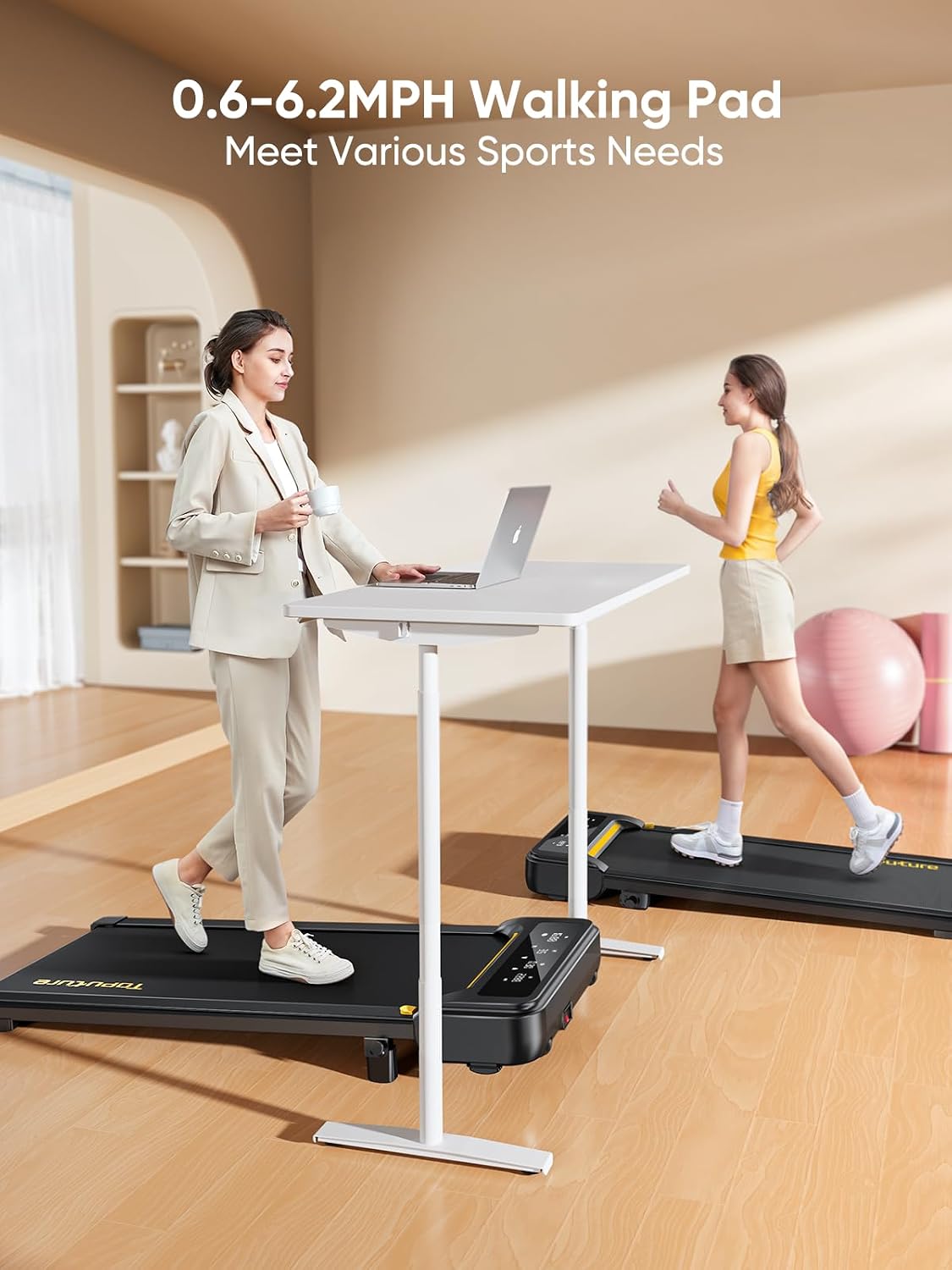
The walking pad offers a speed range of 0.6 to 6.2 MPH (1-10 km/h) and includes 12 preset sports modes. Adjust the speed using the remote control to suit your walking, jogging, or running needs.
5.3 സ്മാർട്ട് ആപ്പ് ഇന്റഗ്രേഷൻ
Connect your walking pad to the Sport APP via Bluetooth for enhanced control and data tracking. The app allows you to record exercise data, access professional training programs, and share your progress.

5.4 ഉപയോഗ സാഹചര്യങ്ങൾ
The compact design allows for versatile use, including under a desk for active working or as a standalone unit for walking and jogging.

6. പരിപാലനം
6.1 ലൂബ്രിക്കേഷൻ
The walking pad features unique lubrication holes for easy maintenance. Regular lubrication of the running belt is recommended to ensure smooth operation and prolong the lifespan of the equipment. Refer to the specific instructions in the included tool kit for lubrication frequency and procedure.
6.2 വൃത്തിയാക്കലും സംഭരണവും
പരസ്യം ഉപയോഗിച്ച് വാക്കിംഗ് പാഡ് തുടയ്ക്കുകamp cloth after each use. Store the compact and portable walking pad under a bed, sofa, or upright against a wall to save space.


6.3 Running Belt and Shock Absorption
The walking pad features a 5-layer anti-slip belt and a double shock absorption system with 8 silicone shock absorbers and 2 soft rubber pads. This design reduces joint stress and protects your knees during use.

7. പ്രശ്നപരിഹാരം
If you encounter any issues with your TOPUTURE Walking Pad, please refer to the following common troubleshooting tips:
- **No Power:** Ensure the power cord is securely plugged into both the walking pad and a working electrical outlet. Check the power switch on the unit.
- **Belt Slipping/Sticking:** The running belt may require lubrication or adjustment. Refer to the maintenance section for lubrication instructions.
- **Unusual Noise:** Check for any loose parts or foreign objects under the belt. If the noise persists, discontinue use and contact customer support.
- **Remote Control Not Responding:** Ensure the remote control batteries are not depleted. Re-pair the remote control with the walking pad if necessary (refer to the quick start guide for pairing instructions).
- **App Connectivity Issues:** Ensure Bluetooth is enabled on your device and the walking pad is powered on. Try restarting both the app and the walking pad.
For issues not covered here, please contact TOPUTURE customer support.
8 സ്പെസിഫിക്കേഷനുകൾ
| ഫീച്ചർ | സ്പെസിഫിക്കേഷൻ |
|---|---|
| ബ്രാൻഡ് | TOPUTURE |
| മോഡൽ | TOPUTURE Walking Pad with Incline |
| ഉൽപ്പന്ന അളവുകൾ | 103 x 15 x 59 സെ.മീ (40.5 x 5.9 x 23.2 ഇഞ്ച്) |
| പായ്ക്ക് ചെയ്ത വലുപ്പം | 120 x 52 x 12.8 സെ.മീ (47.2 x 20.5 x 5.0 ഇഞ്ച്) |
| ഇനത്തിൻ്റെ ഭാരം | 21 കി.ഗ്രാം (46.3 പൗണ്ട്) |
| ഫ്രെയിം മെറ്റീരിയൽ | അലോയ് സ്റ്റീൽ |
| കുതിരശക്തി | 2.5 എച്ച്.പി |
| പരമാവധി വേഗത | 6.2 MPH (10 km/h) |
| പരമാവധി ചരിവ് ശതമാനംtage | 9% (Manual Adjustment) |
| ഉപരിതലത്തിൽ പ്രവർത്തിക്കുന്നു | 100 x 40 സെന്റീമീറ്റർ (40 x 16 ഇഞ്ച്) |
| ഭാരം ശേഷി | 130 കിലോഗ്രാം (300 പൗണ്ട്) |
| പ്രോഗ്രാമുകളുടെ എണ്ണം | 12 |
| മീറ്റർ ഡിസ്പ്ലേ | Speed, Calories Burned, Time, Distance |
| അസംബ്ലി ആവശ്യമാണ് | No (Installation-Free) |
9. വാറൻ്റിയും പിന്തുണയും
TOPUTURE offers a standard warranty for this product. Additionally, you may be eligible for an extended warranty by registering your product. Please refer to the warranty card included in your package or visit the official TOPUTURE website for detailed warranty terms and conditions, and for customer support contact information.
For any inquiries or assistance, please contact TOPUTURE customer service through their official channels.
Ask a question about this manual
Ask about setup, troubleshooting, compatibility, parts, safety, or missing instructions. Manuals+ will review the question and use this page’s manual context to help answer it.