
1. ഉൽപ്പന്നം കഴിഞ്ഞുview
The Potensic ATOM 2 is a compact and lightweight 3-axis gimbal GPS drone designed for aerial photography and videography. This Fly More Combo includes the drone, remote control, multiple batteries, and a 128GB Micro Memory Card, providing an extended flight experience and ample സംഭരണം.
പ്രധാന സവിശേഷതകൾ:
- വിപുലമായ ക്യാമറ സിസ്റ്റം: Equipped with a 1/2'' Sony CMOS sensor, capable of capturing 48MP photos and recording 4K/30fps HDR stable videos. The F1.8 aperture and 4-in-1 pixels enhance low-light performance, detail, and color accuracy.
- ഭാരം കുറഞ്ഞ ഡിസൈൻ: Weighing under 249g, the ATOM 2 does not require FAA or Remote ID registration in many regions, offering greater operational flexibility.
- വിപുലീകൃത ട്രാൻസ്മിഷൻ ശ്രേണി: Features a newly upgraded remote control with a directional antenna and PixSync 4.0 technology, providing excellent anti-interference capabilities and a control range of up to 10 km with 1080p/30fps live view പകർച്ച.
- ഇന്റലിജന്റ് ഫ്ലൈറ്റ് മോഡുകൾ: Powered by an AI model, the drone includes object locking and imagery technology with tracking modes such as Spotlight, Follow, and Parallel. It also supports vertical shooting and clear video capture in low-light conditions.
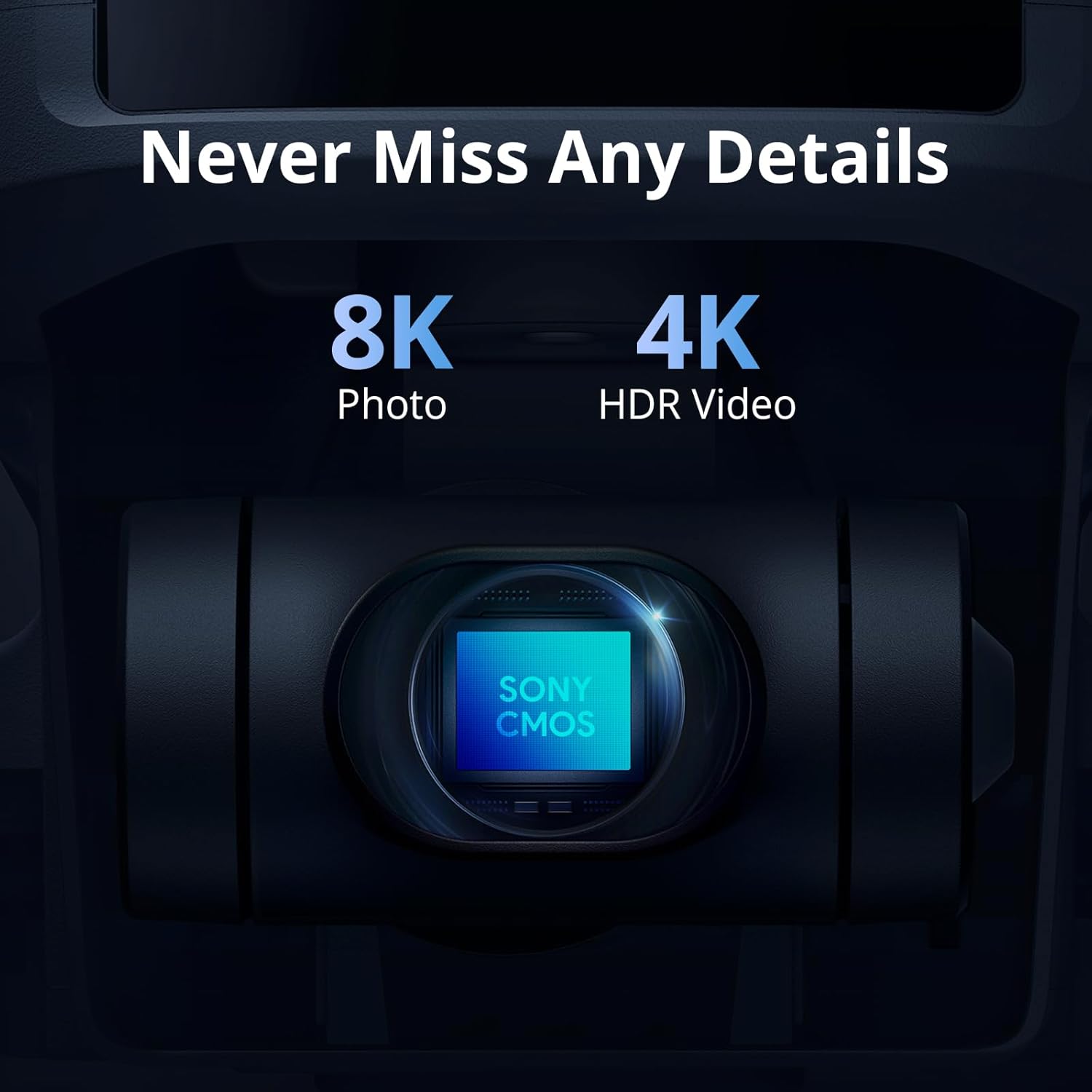
Image: The ATOM 2 camera module, featuring a Sony CMOS sensor for high-resolution photos and videos.

Image: The Potensic ATOM 2 drone held in a hand, illustrating its compact size and light weight.
2. സജ്ജീകരണ ഗൈഡ്
2.1 അൺബോക്സിംഗും പ്രാരംഭ പരിശോധനയും
Carefully unpack all components from the box. Verify that all items listed in the package contents are present and undamaged. If any items are missing or damaged, contact customer support.
2.2 ബാറ്ററി ചാർജിംഗ്
Before first use, fully charge all drone batteries and the remote control. Use the provided 60W Fast Parallel Charging Hub for efficient charging of multiple drone batteries.
- Connect the charging hub to a power source.
- Insert the drone batteries into the charging hub.
- Monitor the charging indicator lights; they will typically change color or turn off when charging is complete.

Image: Illustration of battery charging and flight duration for the Fly More Combo versus the Standard Kit.
2.3 പ്രൊപ്പല്ലർ ഇൻസ്റ്റലേഷൻ
Ensure propellers are correctly installed on the corresponding motor arms. Match the propeller type (A or B) with the markings on the motor base. Secure them firmly according to the instructions in the quick start guide.
2.4 റിമോട്ട് കൺട്രോൾ തയ്യാറാക്കൽ
Charge the remote control. Attach your smartphone to the remote control holder. Connect the remote control to your smartphone using the appropriate cable.
2.5 അപ്ലിക്കേഷൻ ഇൻസ്റ്റാളേഷൻ
Download and install the official Potensic flight application on your smartphone from your device's app store. Follow the in-app instructions for initial setup and drone pairing.
2.6 മൈക്രോ എസ്ഡി കാർഡ് ചേർക്കൽ
Insert the included 128GB Micro Memory Card into the drone's designated slot. Ensure it is inserted correctly and securely to enable photo and video recording.

Image: The Potensic 128GB High-Speed microSD Card, essential for storing drone footage.

Image: The Potensic microSD card is widely compatible with various devices, including drones.
3. പ്രവർത്തന നിർദ്ദേശങ്ങൾ
3.1 പ്രീ-ഫ്ലൈറ്റ് ചെക്ക്ലിസ്റ്റ്
- ഡ്രോണിന്റെയും റിമോട്ട് കൺട്രോളിന്റെയും ബാറ്ററികൾ പൂർണ്ണമായും ചാർജ് ചെയ്തിട്ടുണ്ടെന്ന് ഉറപ്പാക്കുക.
- പ്രൊപ്പല്ലറുകൾക്ക് എന്തെങ്കിലും കേടുപാടുകൾ സംഭവിച്ചിട്ടുണ്ടോ എന്ന് പരിശോധിച്ച് അവ സുരക്ഷിതമായി ഘടിപ്പിച്ചിട്ടുണ്ടെന്ന് ഉറപ്പാക്കുക.
- Verify the Micro SD card is inserted.
- Confirm GPS signal acquisition before takeoff (indicated in the app).
- Check for clear flight path and suitable weather conditions.
3.2 ടേക്ക് ഓഫും ലാൻഡിംഗും
Follow the in-app prompts for automatic takeoff and landing. Manual takeoff and landing procedures are detailed in the full user manual available on the Potensic webസൈറ്റ്.
3.3 ഫ്ലൈറ്റ് നിയന്ത്രണം
Use the remote control joysticks to maneuver the drone. Refer to the app interface for real-time flight data, camera view, and control settings. The drone offers a maximum transmission range of 10 km.

Image: Drone operation with remote control, displaying the 10KM transmission capability.
3.4 ഇൻ്റലിജൻ്റ് ഫ്ലൈറ്റ് മോഡുകൾ
Access AI-powered tracking modes through the Potensic app:
- സ്പോട്ട്ലൈറ്റ്: Keeps the camera focused on a subject while you control the drone's flight.
- പിന്തുടരുക: The drone automatically follows a designated subject.
- സമാന്തരം: The drone flies parallel to the subject at a set distance.

Image: The ATOM 2 drone utilizing its AI Track feature to follow a subject.
3.5 ക്യാമറ പ്രവർത്തനം
Use the dedicated buttons on the remote control or the app interface to capture 48MP photos and record 4K HDR videos. The 3-axis gimbal ensures stable footage. The drone also supports vertical shooting, optimized for social media content.

Image: The vertical shooting mode interface, demonstrating its utility for social media platforms.
4. പരിപാലനം
4.1 വൃത്തിയാക്കൽ
- Regularly clean the drone body with a soft, dry cloth.
- Use a lens cleaning cloth for the camera lens to avoid scratches.
- Ensure no dust or debris accumulates in the motor areas.
4.2 പ്രൊപ്പല്ലർ പരിശോധനയും മാറ്റിസ്ഥാപിക്കലും
- Inspect propellers before each flight for cracks, bends, or chips.
- Replace damaged propellers immediately using the provided spare parts and tools.
4.3 ബാറ്ററി കെയർ
- നേരിട്ടുള്ള സൂര്യപ്രകാശത്തിൽ നിന്ന് അകലെ തണുത്തതും വരണ്ടതുമായ സ്ഥലത്ത് ബാറ്ററികൾ സൂക്ഷിക്കുക.
- ബാറ്ററികൾ അമിതമായി ചാർജ് ചെയ്യുകയോ ഡിസ്ചാർജ് ചെയ്യുകയോ ചെയ്യരുത്.
- ദീർഘനേരം സൂക്ഷിക്കുകയാണെങ്കിൽ, ബാറ്ററികൾ ഏകദേശം 50-60% ശേഷി വരെ ചാർജ് ചെയ്യുക.
4.4 സംഭരണം
When not in use, store the drone and its accessories in the provided carrying case to protect them from dust and physical damage.
5. പ്രശ്നപരിഹാരം
5.1 No GPS Signal
- Ensure you are flying in an open outdoor area away from tall buildings or strong magnetic interference.
- Wait for the app to indicate sufficient GPS satellites before attempting takeoff.
5.2 Connection Issues (Drone/Remote/App)
- Restart the drone, remote control, and the Potensic app.
- Ensure your smartphone's Wi-Fi and Bluetooth are enabled and connected to the remote control.
- Re-pair the drone with the remote control if necessary, following the instructions in the app.
5.3 മോശം ഇമേജ്/വീഡിയോ നിലവാരം
- ക്യാമറ ലെൻസ് വൃത്തിയാക്കുക.
- Ensure the Micro SD card is properly inserted and has sufficient free space.
- Check camera settings in the app (resolution, frame rate).
- Verify the gimbal is functioning correctly and is not obstructed.
5.4 Drone Not Responding to Controls
- Check battery levels of both the drone and remote control.
- Ensure the drone and remote control are properly paired and within range.
- Calibrate the remote control and drone sensors as instructed in the app.
6 സ്പെസിഫിക്കേഷനുകൾ
| ഫീച്ചർ | സ്പെസിഫിക്കേഷൻ |
|---|---|
| ബ്രാൻഡ് | പൊട്ടൻസിക് |
| മോഡലിൻ്റെ പേര് | Potensic ATOM 2 |
| നിറം | വെള്ള |
| വീഡിയോ ക്യാപ്ചർ റെസല്യൂഷൻ | 6K (4K/30fps HDR for stable video) |
| ഫലപ്രദമായ സ്റ്റിൽ റെസല്യൂഷൻ | 48 എം.പി |
| കണക്റ്റിവിറ്റി ടെക്നോളജി | Wi-Fi, RF |
| വീഡിയോ ക്യാപ്ചർ ഫോർമാറ്റ് | MP4 |
| റിമോട്ട് കൺട്രോൾ ടെക്നോളജി | RF |
| നിയന്ത്രണ തരം | റിമോട്ട് കൺട്രോൾ |
| പരമാവധി പരിധി | 10 km (32808.4 Feet) |
| വയർലെസ് കമ്മ്യൂണിക്കേഷൻ ടെക്നോളജി | Wi-Fi, RF |
| ബാറ്ററി സെൽ കോമ്പോസിഷൻ | ലിഥിയം പോളിമർ |
| ബാറ്ററികൾ ഉൾപ്പെടുത്തിയിട്ടുണ്ടോ? | അതെ |
| പിന്തുണയ്ക്കുന്ന ഇമേജ് ഫോർമാറ്റ് | JPEG |
| വീഡിയോ put ട്ട്പുട്ട് മിഴിവ് | 6144 പിക്സലുകൾ |
| Includes Remote? | അതെ |
| ഒപ്റ്റിക്കൽ സെൻസർ ടെക്നോളജി | CMOS |
| റീചാർജ് ചെയ്യാവുന്ന ബാറ്ററി ഉൾപ്പെടുന്നു | അതെ |
| മീഡിയ തരം | മൈക്രോ SDXC |
| മെറ്റീരിയൽ | പ്ലാസ്റ്റിക് |
7. വാറൻ്റിയും പിന്തുണയും
7.1 വാറൻ്റി വിവരങ്ങൾ
For detailed warranty information, please refer to the warranty card included in your product packaging or visit the official Potensic webസൈറ്റ്. വാറന്റി സാധാരണയായി വാങ്ങിയ തീയതി മുതൽ ഒരു നിശ്ചിത കാലയളവിലേക്ക് നിർമ്മാണ വൈകല്യങ്ങൾ ഉൾക്കൊള്ളുന്നു.
7.2 ഉപഭോക്തൃ പിന്തുണ
If you encounter any issues or have questions regarding your Potensic ATOM 2 drone, please contact Potensic customer support. Contact details can be found on the official Potensic webസൈറ്റ് അല്ലെങ്കിൽ നിങ്ങളുടെ ഉൽപ്പന്ന ഡോക്യുമെന്റേഷനിൽ.
- ഓൺലൈൻ പിന്തുണ: സന്ദർശിക്കുക Potensic Support for FAQs, troubleshooting guides, and contact forms.
- ഇമെയിൽ പിന്തുണ: Refer to your product manual for the dedicated support email address.