
LEVOIT LPF-R432S-AUS
Levoit Standing Smart Fan User Manual
Model: LPF-R432S-AUS
1. ആമുഖം
Thank you for choosing the Levoit Standing Smart Fan. This fan is designed to provide powerful, even cooling and air circulation for various room sizes, offering advanced features like smart control, multiple operating modes, and adjustable oscillation. Please read this manual thoroughly before use and retain it for future reference.
2 സുരക്ഷാ വിവരങ്ങൾ
പ്രധാന കുറിപ്പുകൾ:
- The fan direction automatically resets to default upon power-on.
- The fan's housing may become warm during use. This is normal and complies with safe temperature standards.
- Always place the fan on a stable, level surface.
- Do not insert fingers or foreign objects into the grille when the fan is operating.
- വൃത്തിയാക്കുന്നതിനോ അറ്റകുറ്റപ്പണികൾ നടത്തുന്നതിനോ മുമ്പ് ഫാൻ അൺപ്ലഗ് ചെയ്യുക.
3. ഉൽപ്പന്നം കഴിഞ്ഞുview
പ്രധാന സവിശേഷതകൾ:
- Powerful 1,451 CFM airflow for large rooms.
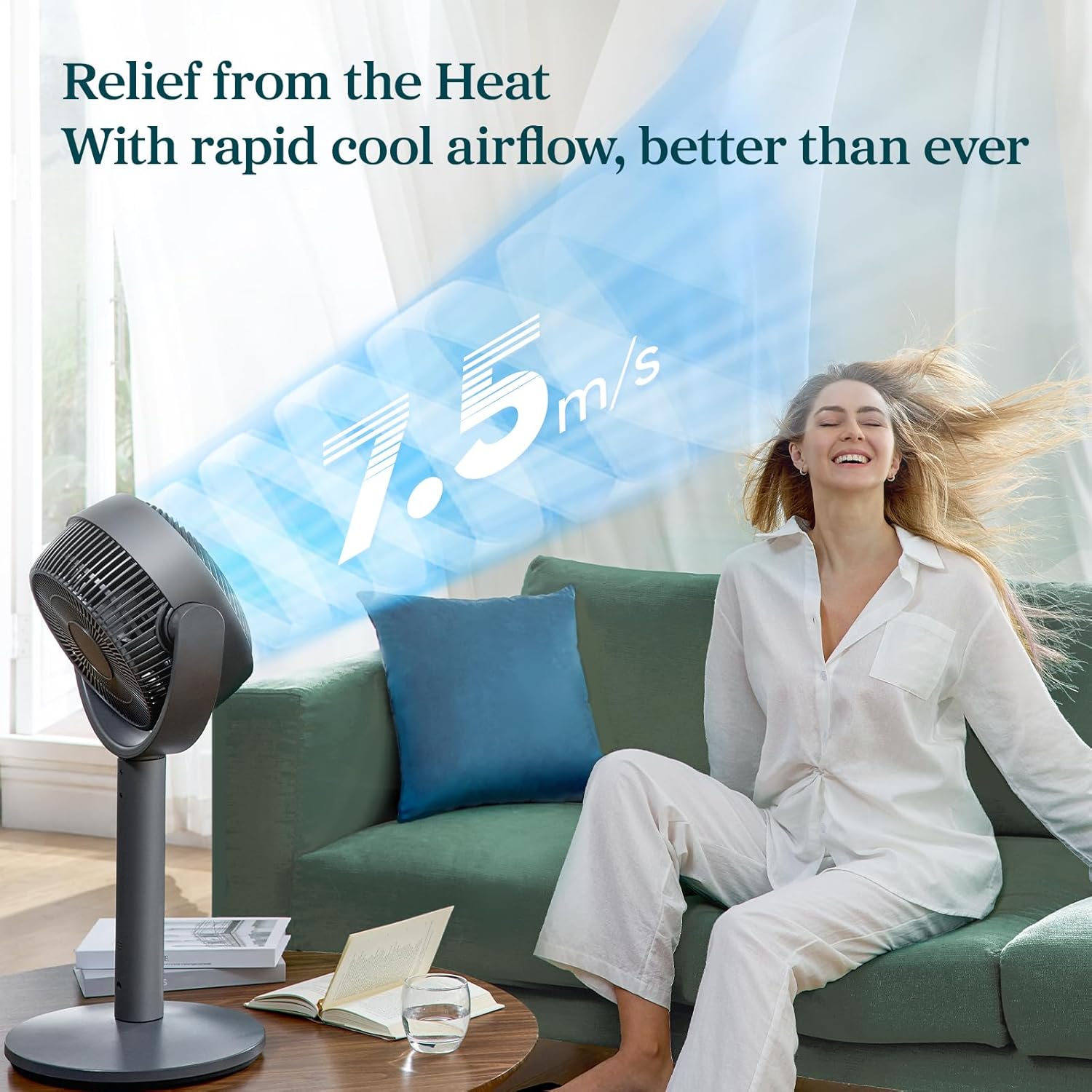
- 12 fan speeds with a maximum wind speed of 7.5 m/s.
- Air throw distance up to 98 ft for wide coverage.
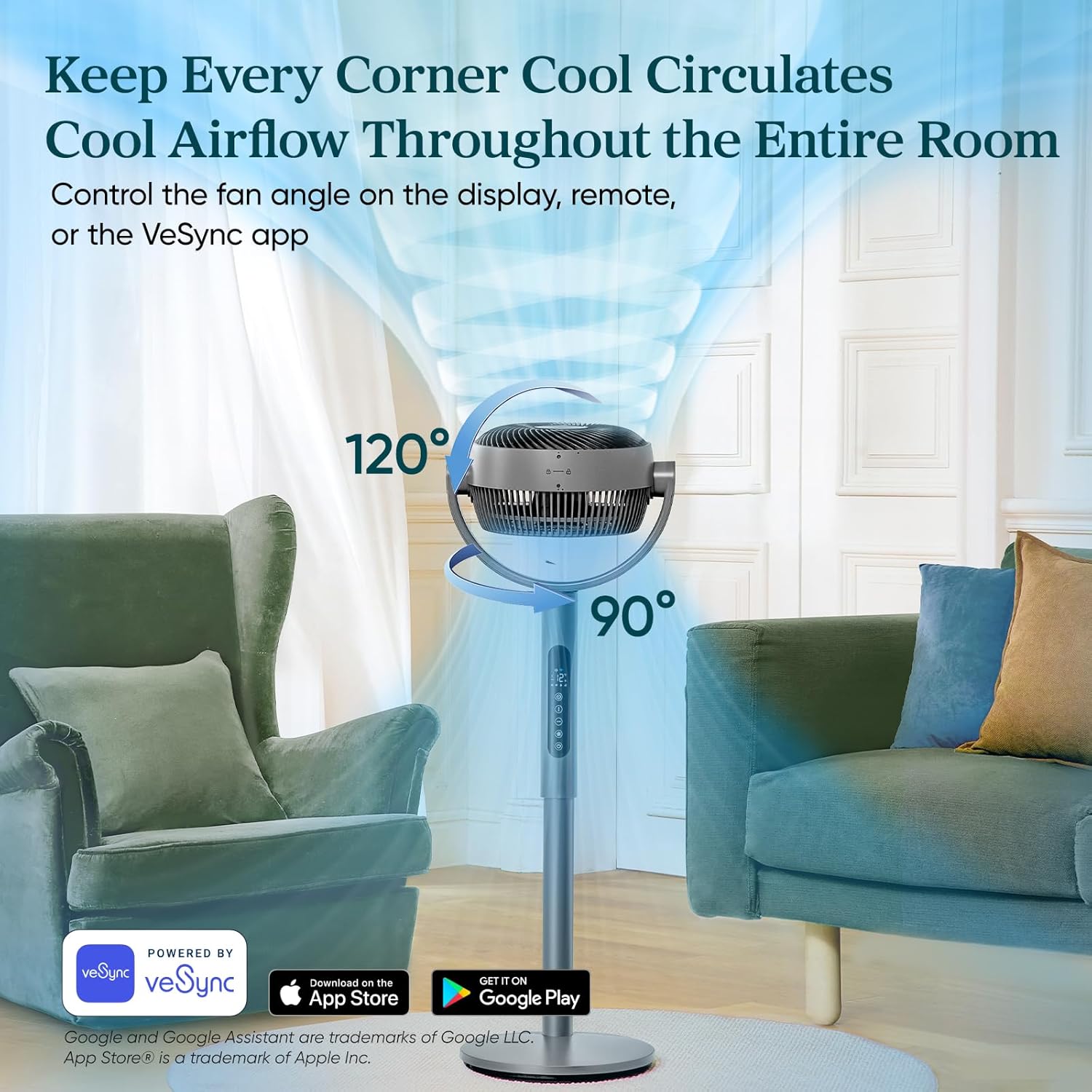
- Auto 120° vertical and 90° horizontal oscillation.
- Quiet operation with noise levels as low as 20dB in Sleep Mode.
- Smart control via VeSync app and voice assistants.
- Adjustable height for 2-in-1 pedestal and tabletop use.
- 12-മണിക്കൂർ ടൈമർ പ്രവർത്തനം.
ഘടകങ്ങളും നിയന്ത്രണങ്ങളും:




4. സജ്ജീകരണം
The Levoit Smart Fan offers versatile 2-in-1 functionality, allowing it to be used as both a pedestal fan and a tabletop fan. Assembly is straightforward and requires no special tools.
അസംബ്ലി നിർദ്ദേശങ്ങൾ:
- എല്ലാ ഘടകങ്ങളും അൺപാക്ക് ചെയ്ത് എല്ലാ ഭാഗങ്ങളും ഉണ്ടെന്ന് ഉറപ്പാക്കുക.
- To assemble as a pedestal fan, securely attach the main fan body to the extension pole and then to the base. Ensure all connections are firm.
- For tabletop use, detach the extension pole and connect the main fan body directly to the base.
- ഫാൻ ഒരു സ്ഥിരതയുള്ളതും പരന്നതുമായ പ്രതലത്തിൽ വയ്ക്കുക.
- അനുയോജ്യമായ ഒരു ഇലക്ട്രിക്കൽ ഔട്ട്ലെറ്റിലേക്ക് പവർ അഡാപ്റ്റർ പ്ലഗ് ചെയ്യുക.
5 ഓപ്പറേറ്റിംഗ് മോഡുകൾ
The Levoit Smart Fan features four distinct operating modes to suit your cooling needs:
- സാധാരണ മോഡ്: Customize airflow with 12 speed settings (1=gentle, 12=powerful).
- ECO മോഡ്: Automatically adjusts fan speed based on room temperature to save energy. Speed increases by 1 level if temperature rises by 2°F, and decreases by 1 level if temperature drops by 2°F.
- ടർബോ മോഡ്: Designed for rapid air circulation, especially effective when used with air conditioning. The fan automatically starts oscillating and operates at fan speed 12.
- സ്ലീപ്പ് മോഡ്: Optimized for all sleep stages. The display turns off after 5 seconds, selection tones are disabled, and fan speed auto-adjusts based on nighttime temperature changes for quiet operation (as low as 20dB).
6. ആന്ദോളനം നിയന്ത്രണം
The fan offers adjustable oscillation to circulate air throughout the entire room:
- ലംബ ആന്ദോളനം: Up to 120° automatically.
- തിരശ്ചീന ആന്ദോളനം: Up to 90° automatically.
Control fan angles using the display panel, the included remote controller, or the VeSync app.
7. ടൈമർ ഫംഗ്ഷൻ
Set a timer for the fan to automatically turn off after a specified duration, up to 24 hours. This feature can be controlled via the display, remote, or the VeSync app.
8. VeSync App & Voice Control
For enhanced control and smart features, download the VeSync app. With the app and compatible third-party voice assistants (e.g., Amazon Alexa, Google Assistant), you can:
- Effortlessly switch between Normal, Eco, Turbo, and Sleep modes.
- Set timers up to 24 hours.
- Choose between 12 fan speeds.
- Adjust oscillation angles.
9. പരിപാലനം
Regular cleaning ensures optimal performance and longevity of your fan. The fan is fairly easy to wipe down and clean.
- വൃത്തിയാക്കുന്നതിന് മുമ്പ് എല്ലായ്പ്പോഴും ഫാൻ അൺപ്ലഗ് ചെയ്യുക.
- ഒരു സോഫ്റ്റ് ഉപയോഗിക്കുക, ഡിamp പുറംഭാഗങ്ങൾ തുടയ്ക്കാൻ തുണി.
- ഉരച്ചിലുകളുള്ള ക്ലീനറുകളോ കഠിനമായ രാസവസ്തുക്കളോ ഉപയോഗിക്കരുത്.
- For detailed cleaning of the fan blades, refer to the specific instructions in the full product manual (if applicable).
10. പ്രശ്നപരിഹാരം
If you encounter any issues with your Levoit Smart Fan, please refer to the following common troubleshooting tips:
- ഫാൻ ഓണാകുന്നില്ല: Ensure the power cord is securely plugged into a working outlet. Check if the power button on the fan or remote has been pressed.
- ദുർബലമായ വായുപ്രവാഹം: Increase the fan speed setting. Ensure the fan grille is not obstructed by dust or debris.
- Oscillation not working: Verify that the oscillation function is enabled via the control panel, remote, or VeSync app.
- ഫാൻ അസാധാരണമായ ശബ്ദം പുറപ്പെടുവിക്കുന്നു: Check for any foreign objects caught in the fan blades. Ensure the fan is placed on a stable, flat surface to prevent vibrations.
- റിമോട്ട് കൺട്രോൾ പ്രവർത്തിക്കുന്നില്ല: Replace the remote control battery (1 12V battery included). Ensure there are no obstructions between the remote and the fan.
- VeSync app connectivity issues: നിങ്ങളുടെ വൈഫൈ നെറ്റ്വർക്ക് സ്ഥിരതയുള്ളതാണെന്നും ഫാൻ പരിധിക്കുള്ളിലാണെന്നും ഉറപ്പാക്കുക. ആപ്പിന്റെ ജോടിയാക്കൽ നിർദ്ദേശങ്ങൾ ശ്രദ്ധാപൂർവ്വം പാലിക്കുക.
For further assistance, please contact Levoit Customer Support.
11 സ്പെസിഫിക്കേഷനുകൾ
| സ്പെസിഫിക്കേഷൻ | മൂല്യം |
|---|---|
| ബ്രാൻഡ് | LEVOIT |
| മോഡലിൻ്റെ പേര് | Levoit Smart Pedestal Circulator Fan |
| ഇനം മോഡൽ നമ്പർ | എൽപിഎഫ്-ആർ432എസ്-എയുഎസ് |
| യു.പി.സി | 810123675661 |
| ഉൽപ്പന്ന അളവുകൾ | 12.5"D x 14.5"W x 43.7"H |
| ഇനത്തിൻ്റെ ഭാരം | 12.7 പൗണ്ട് |
| പരമാവധി വായുപ്രവാഹം | 1451 CFM |
| Max Air Throw | 98 അടി |
| പരമാവധി കാറ്റിന്റെ വേഗത | 24.6 അടി/സെക്കൻഡ് (7.5 മീ/സെ) |
| കുറഞ്ഞ ശബ്ദ നില | 20 ഡി.ബി |
| വേഗതകളുടെ എണ്ണം | 12 |
| ഓസിലേഷൻ | Auto 120° Vertical + 90° Horizontal |
| ടൈമർ | 24 മണിക്കൂർ വരെ |
| പവർ ഉറവിടം | ഡിസി മോട്ടോർ |
| വാട്ട്tage | 30 വാട്ട്സ് |
| ഉൾപ്പെടുത്തിയ ഘടകങ്ങൾ | Remote, Power Adapter |
| ബാറ്ററികൾ | 1 12V ബാറ്ററി (ഉൾപ്പെടുത്തിയിരിക്കുന്നു) |
12. വാറൻ്റിയും പിന്തുണയും
The Levoit Standing Smart Fan comes with a 2-year warranty, as mentioned in customer reviews. For warranty claims, technical support, or any questions regarding your product, please contact Levoit Customer Support directly. Refer to the product packaging or the official Levoit webഏറ്റവും കാലികമായ ബന്ധപ്പെടാനുള്ള വിവരങ്ങൾക്കായി സൈറ്റ്.
നിങ്ങളുടെ സംതൃപ്തിയാണ് ഞങ്ങളുടെ മുൻഗണന.
Ask a question about this manual
Ask about setup, troubleshooting, compatibility, parts, safety, or missing instructions. Manuals+ will review the question and use this page’s manual context to help answer it.