
1. പ്രധാന സുരക്ഷാ നിർദ്ദേശങ്ങൾ
Please read all instructions carefully before using this battery. Failure to follow these safety guidelines may result in fire, electric shock, or injury.
- ചാർജിംഗ്: Use only the charger specified by the vacuum cleaner manufacturer. Do not use a damaged charger or battery.
- താപനില: Do not charge or store the battery in extreme temperatures. Optimal charging temperature is between 0°C and 45°C (32°F and 113°F).
- നാശം: Do not use the battery if it shows any signs of damage, swelling, or leakage.
- വേർപെടുത്തുക: ബാറ്ററി പായ്ക്ക് ഡിസ്അസംബ്ലിംഗ് ചെയ്യാനോ തുറക്കാനോ സർവീസ് ചെയ്യാനോ ശ്രമിക്കരുത്.
- ഷോർട്ട് സർക്യൂട്ട്: Do not short-circuit the battery terminals. Keep the battery away from metal objects that could cause a short circuit.
- നീക്കം ചെയ്യൽ: Dispose of used batteries according to local regulations. Do not dispose of in household waste or fire.
2. ഉൽപ്പന്നം കഴിഞ്ഞുview
This xbvxzvbn lithium-ion battery is designed as a replacement or spare for the Jimmy H9Pro T-DC49D F28.8V cordless vacuum cleaner, providing reliable power and extended run time.
പ്രധാന സവിശേഷതകൾ:
- 28.8V Rechargeable Li-ion Battery.
- 2500mAh large capacity for extended cleaning sessions.
- Built-in protection circuits against over-current, over-charge, over-voltage, over-temperature, and short-circuit.
- Designed for strong power and long battery life.
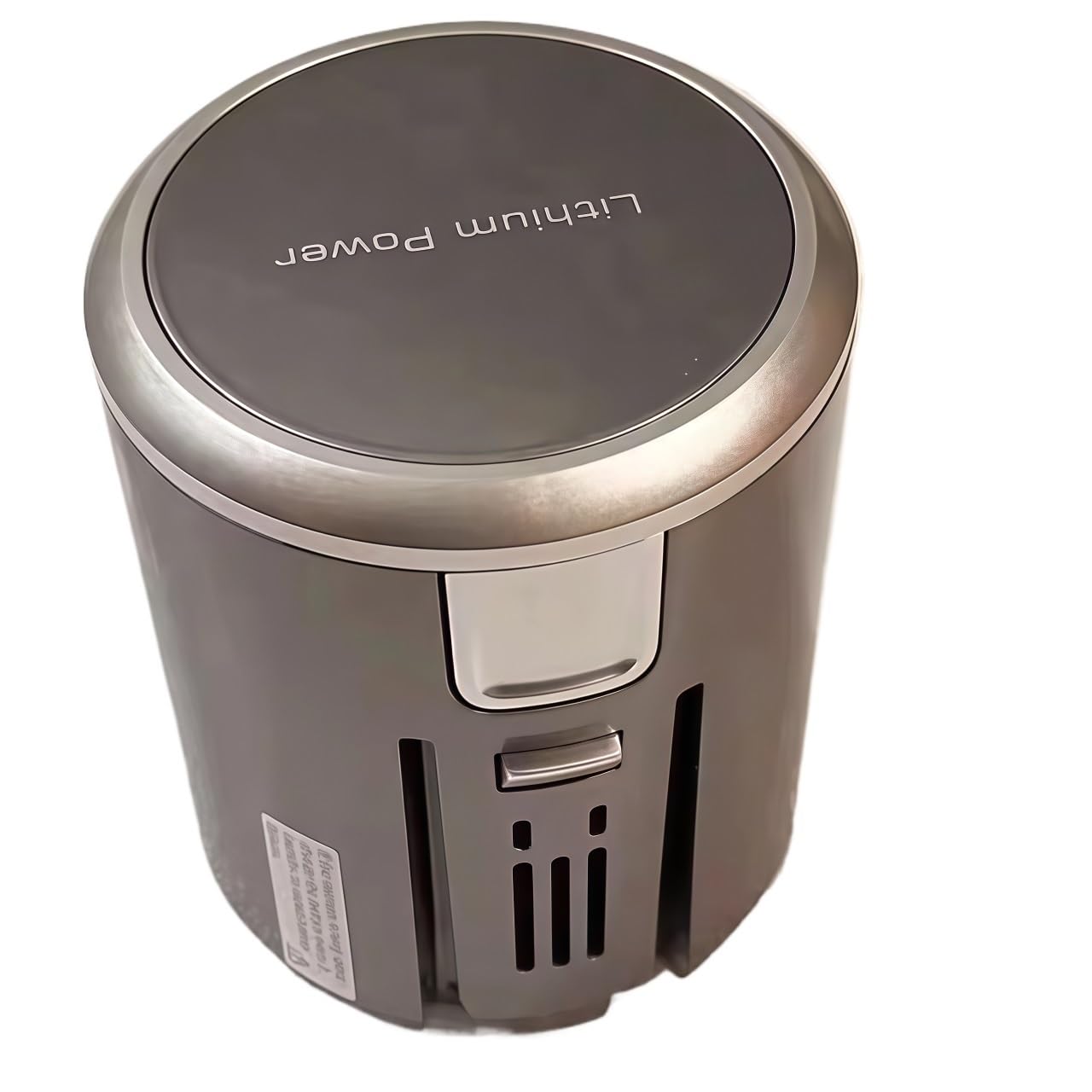
ചിത്രം 1: ഫ്രണ്ട് view of the xbvxzvbn lithium battery. This image displays the cylindrical battery unit with 'Lithium Power' branding on the top cap and ventilation slots on the side.

ചിത്രം 2: കോണാകൃതിയിലുള്ളത് view of the xbvxzvbn lithium battery. This image provides a different perspective of the battery, highlighting its grey and silver casing and connection points.
3 സ്പെസിഫിക്കേഷനുകൾ
| ഫീച്ചർ | സ്പെസിഫിക്കേഷൻ |
|---|---|
| മോഡൽ അനുയോജ്യത | Jimmy H9Pro T-DC49D F28.8V |
| ബാറ്ററി തരം | ലിഥിയം-അയൺ (ലി-അയൺ) |
| വാല്യംtage | 28.8V |
| ശേഷി | 2500mAh |
| ബ്രാൻഡ് | xbvxzvbn |
4. ഇൻസ്റ്റലേഷൻ
Follow these steps to install the replacement battery into your Jimmy H9Pro T-DC49D F28.8V cordless vacuum cleaner:
- പവർ ഓഫ്: Ensure the vacuum cleaner is completely powered off and unplugged from any charging source.
- ബാറ്ററി കമ്പാർട്ട്മെന്റ് കണ്ടെത്തുക: Identify the battery compartment on your vacuum cleaner. Refer to your vacuum cleaner's original manual if unsure.
- പഴയ ബാറ്ററി നീക്കം ചെയ്യുക: Depending on your vacuum model, you may need to press a release button or unlatch a cover to remove the existing battery. Carefully pull out the old battery.
- പുതിയ ബാറ്ററി ഇടുക: Align the new xbvxzvbn battery with the compartment and slide it in until it clicks securely into place. Ensure it is fully seated.
- സുരക്ഷിത കമ്പാർട്ട്മെന്റ്: Close any covers or latches to secure the battery compartment.
5. ചാർജിംഗ്
Proper charging ensures optimal battery performance and longevity.
- പ്രാരംഭ ചാർജ്: For first-time use, fully charge the battery before operation.
- ചാർജിംഗ് പ്രക്രിയ: Connect your vacuum cleaner (with the new battery installed) to its original charging dock or adapter. The charging indicator on your vacuum cleaner will typically show the charging status.
- Cool-down Period: After heavy or prolonged use, allow the battery to cool down for 15-30 minutes before initiating a charge. This helps maintain battery health and performance.
- ഓവർചാർജ് പരിരക്ഷണം: The battery features built-in overcharge protection, but it is generally recommended to disconnect the charger once the battery is fully charged.
6. ഓപ്പറേഷൻ
Once installed and charged, the battery powers your vacuum cleaner as usual.
- സാധാരണ ഉപയോഗം: Operate your vacuum cleaner according to its original instruction manual.
- ബാറ്ററി ലൈഫ്: The 2500mAh capacity provides extended run time. Actual run time may vary based on vacuum cleaner mode (e.g., eco, standard, max) and surface type.
- കുറഞ്ഞ ബാറ്ററി: When the battery is low, the vacuum cleaner's indicator will signal this. Recharge the battery promptly to avoid deep discharge.
7. പരിപാലനവും സംഭരണവും
Proper care and storage extend the life of your battery.
- വൃത്തിയാക്കൽ: Keep the battery terminals clean and free from dust or debris. Use a dry, soft cloth to wipe the battery surface.
- ദീർഘകാല സംഭരണം: If storing the battery for an extended period (more than one month), charge it to approximately 50-60% capacity. Store it in a cool, dry place away from direct sunlight and extreme temperatures. Recharge every 3-6 months to prevent deep discharge.
- തീവ്രമായ താപനില ഒഴിവാക്കുക: Do not expose the battery to temperatures below 0°C (32°F) or above 60°C (140°F) for prolonged periods.
8. പ്രശ്നപരിഹാരം
If you encounter issues with your battery, try the following solutions:
- ബാറ്ററി ചാർജുചെയ്യുന്നില്ല:
- Ensure the battery is correctly installed and seated in the vacuum cleaner.
- Verify the charger is properly connected to both the vacuum and a working power outlet.
- Check for any visible damage to the battery or charger.
- Allow the battery to cool down if it was recently used heavily.
- Short Run Time:
- ഉപയോഗിക്കുന്നതിന് മുമ്പ് ബാറ്ററി പൂർണ്ണമായി ചാർജ്ജ് ചെയ്തിട്ടുണ്ടെന്ന് ഉറപ്പാക്കുക.
- Operating the vacuum in 'Max' or 'Turbo' mode will consume battery power faster.
- Over time, all rechargeable batteries experience a decrease in capacity. If the battery is old, replacement may be necessary.
- വാക്വം ഓണാക്കുന്നില്ല:
- ബാറ്ററി പൂർണ്ണമായി ചാർജ്ജ് ചെയ്തിട്ടുണ്ടെന്ന് സ്ഥിരീകരിക്കുക.
- Re-install the battery to ensure a proper connection.
- Check the vacuum cleaner's main power switch.
പ്രശ്നങ്ങൾ നിലനിൽക്കുകയാണെങ്കിൽ, ദയവായി ഉപഭോക്തൃ പിന്തുണയുമായി ബന്ധപ്പെടുക.
9. വാറൻ്റി വിവരങ്ങൾ
This product is subject to the warranty terms provided by the seller at the time of purchase. Please retain your proof of purchase for any warranty claims. For specific details regarding warranty coverage and duration, refer to the documentation provided with your purchase or contact the seller directly.
A 30-day return policy is typically offered by the seller. Additionally, protection plans may be available for purchase separately to extend coverage beyond the standard warranty period.
10. ഉപഭോക്തൃ പിന്തുണ
For technical assistance, troubleshooting not covered in this manual, or warranty inquiries, please contact the seller or manufacturer through the platform where the product was purchased.
പിന്തുണയുമായി ബന്ധപ്പെടുമ്പോൾ, ദയവായി ഇനിപ്പറയുന്ന വിവരങ്ങൾ തയ്യാറാക്കി വയ്ക്കുക:
- ഉൽപ്പന്നം ASIN: B0F127KL26
- വാങ്ങൽ തീയതി
- പ്രശ്നത്തിന്റെ വിവരണം