
ആമുഖം
Thank you for choosing the Pro Breeze 25L Smart Dehumidifier. This appliance is designed to efficiently remove excess moisture from your indoor environment, helping to prevent mold, mildew, and dampness. Featuring smart Wi-Fi connectivity, a digital display, and multiple operating modes, this dehumidifier offers advanced control and convenience. Please read this manual thoroughly before operation to ensure safe and optimal performance.
പ്രധാനപ്പെട്ട സുരക്ഷാ നിർദ്ദേശങ്ങൾ
തീ, വൈദ്യുതാഘാതം, പരിക്കുകൾ എന്നിവ കുറയ്ക്കുന്നതിന് വൈദ്യുത ഉപകരണങ്ങൾ ഉപയോഗിക്കുമ്പോൾ എല്ലായ്പ്പോഴും അടിസ്ഥാന സുരക്ഷാ മുൻകരുതലുകൾ പാലിക്കുക.
- വൈദ്യുതി വിതരണം വോള്യവുമായി പൊരുത്തപ്പെടുന്നുണ്ടെന്ന് ഉറപ്പാക്കുകtagഇ റേറ്റിംഗ് ലേബലിൽ വ്യക്തമാക്കിയിരിക്കുന്നു.
- കേടായ ചരടോ പ്ലഗോ ഉപയോഗിച്ച് ഡീഹ്യൂമിഡിഫയർ പ്രവർത്തിപ്പിക്കരുത്.
- Keep the appliance at least 20 cm (8 inches) away from walls and other objects to ensure proper airflow.
- യൂണിറ്റ്, പവർ കോർഡ്, പ്ലഗ് എന്നിവ വെള്ളത്തിലോ മറ്റ് ദ്രാവകങ്ങളിലോ മുക്കരുത്.
- Unplug the dehumidifier before cleaning, maintenance, or when not in use.
- ഈ ഉപകരണം ഇൻഡോർ ഉപയോഗത്തിന് മാത്രമുള്ളതാണ്.
- എയർ ഇൻലെറ്റ് അല്ലെങ്കിൽ letട്ട്ലെറ്റ് തടയരുത്.
- കുട്ടികളെ മേൽനോട്ടം വഹിക്കുകയും അവർ ഉപകരണവുമായി കളിക്കുന്നില്ലെന്ന് ഉറപ്പാക്കുകയും ചെയ്യുക.
- യൂണിറ്റ് സ്വയം നന്നാക്കാനോ പരിഷ്കരിക്കാനോ ശ്രമിക്കരുത്. യോഗ്യതയുള്ള സേവന ഉദ്യോഗസ്ഥരെ ബന്ധപ്പെടുക.
ഉൽപ്പന്ന സവിശേഷതകൾ

Image: The Pro Breeze 25L Smart Dehumidifier, showcasing its compact design and highlighting features such as Wi-Fi compatibility, 25L extraction rate, energy efficiency, and laundry mode. Dimensions are also indicated.
- ശക്തമായ ഡീഹ്യുമിഡിഫിക്കേഷൻ: Extracts up to 25 liters of moisture per day, effectively combating persistent humidity, mold, and condensation in large rooms.
- വലിയ വാട്ടർ ടാങ്ക്: Features a 5.5-liter water tank with automatic shut-off when full. A drainage hose is included for continuous operation.
- ഊർജ്ജ കാര്യക്ഷമത: Utilizes a high-performance compressor, 24-hour timer, and automatic stop system to reduce energy consumption.
- ശാന്തമായ പ്രവർത്തനം: Designed with silent technology, making it suitable for use in bedrooms, living rooms, offices, and other quiet environments.
- ആപ്പ് വഴിയുള്ള സ്മാർട്ട് നിയന്ത്രണം: Manage all functions remotely using the free Pro Breeze app or voice commands with Alexa and Google Home (compatible with iPhone and Android).
- Digital Display & Humidity Sensor: An intuitive LED screen allows selection of fan speed and humidity levels between 30% and 80%. The smart sensor displays real-time humidity and automatically stops the dehumidifier once the target is reached.
- ഒന്നിലധികം ഓപ്പറേറ്റിംഗ് മോഡുകൾ: Includes a 24-hour timer and 4 operating modes, including a dedicated അലക്കു ഉണക്കൽ മോഡ്. Also features a ചൈൽഡ് ലോക്ക്, Automatic Defrost Mode, ഒപ്പം രാത്രി പ്രദർശനം.

Image: The Pro Breeze dehumidifier positioned next to a large 25-liter water bottle, visually representing its daily moisture extraction capacity and the benefit of fewer tank emptying cycles.
പാക്കേജ് ഉള്ളടക്കം
താഴെ പറയുന്ന ഇനങ്ങൾക്കായി ബോക്സ് ചെക്ക് ചെയ്യുക:
- Pro Breeze 25L Smart Dehumidifier Unit
- തുടർച്ചയായ ഡ്രെയിനേജ് ഹോസ്
- ഉപയോക്തൃ മാനുവൽ
സജ്ജമാക്കുക
- അൺപാക്ക് ചെയ്യുന്നു: ഡീഹ്യൂമിഡിഫയർ അതിന്റെ പാക്കേജിംഗിൽ നിന്ന് ശ്രദ്ധാപൂർവ്വം നീക്കം ചെയ്യുക. ഭാവിയിലെ സംഭരണത്തിനോ ഗതാഗതത്തിനോ വേണ്ടി പാക്കേജിംഗ് സൂക്ഷിക്കുക.
- പ്ലേസ്മെൻ്റ്: Place the dehumidifier on a firm, level surface. Ensure there is at least 20 cm (8 inches) of clear space around the air inlet and outlet to allow for efficient airflow. Avoid placing it near heat sources or in direct sunlight.
- പവർ കണക്ഷൻ: പവർ കോർഡ് ഒരു ഗ്രൗണ്ടഡ് ഇലക്ട്രിക്കൽ ഔട്ട്ലെറ്റിലേക്ക് പ്ലഗ് ചെയ്യുക. വോള്യം ഉറപ്പാക്കുകtage യൂണിറ്റിന്റെ ആവശ്യകതകളുമായി പൊരുത്തപ്പെടുന്നു.
- വാട്ടർ ടാങ്ക് സ്ഥാപിക്കൽ: Ensure the water tank is correctly inserted into the unit. The dehumidifier will not operate if the tank is not properly seated or is full.
- തുടർച്ചയായ ഡ്രെയിനേജ് (ഓപ്ഷണൽ): For continuous operation without emptying the tank, connect the provided drainage hose to the continuous drainage port on the back of the unit. Route the hose to a suitable drain, ensuring it is sloped downwards to allow water to flow freely.
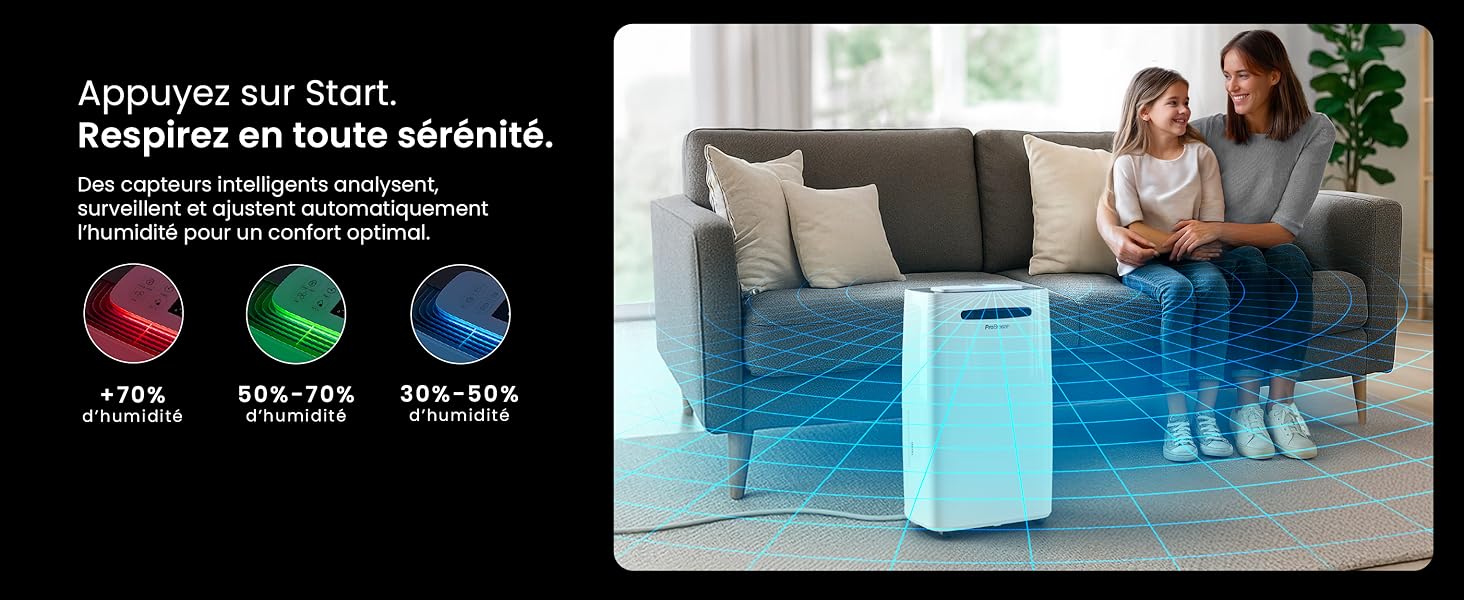
Image: The dehumidifier shown in different environments such as a garage, home office, and laundry room, illustrating its versatility and suitability for various spaces. Icons for continuous drainage and automatic defrost are also present.
പ്രവർത്തന നിർദ്ദേശങ്ങൾ
നിയന്ത്രണ പാനൽ ഓവർview

ചിത്രം: വിശദമായ ഒരു ചിത്രം view of the dehumidifier's illuminated digital control panel, showing buttons for power, mode, fan speed, timer, child lock, and humidity settings, along with the LED display.
The intuitive LED display and touch controls allow for easy operation.
- പവർ ബട്ടൺ: യൂണിറ്റ് ഓണാക്കാനോ ഓഫാക്കാനോ അമർത്തുക.
- മോഡ് ബട്ടൺ: ലഭ്യമായ ഓപ്പറേറ്റിംഗ് മോഡുകളിലൂടെ സൈക്കിൾ ചെയ്യുക: സാധാരണ, Laundry Drying, ഒപ്പം രാത്രി മോഡ്.
- ഫാൻ സ്പീഡ് ബട്ടൺ: Adjust the fan speed between താഴ്ന്നത് ഒപ്പം ഉയർന്നത്.
- Humidity Setting (SET %): Use the up/down arrows to set your desired humidity level (30% - 80%). The unit will operate until this level is reached.
- ടൈമർ ബട്ടൺ: Set a 24-hour timer for automatic power ON or OFF.
- ചൈൽഡ് ലോക്ക് ബട്ടൺ: Press and hold to activate/deactivate the child lock, preventing accidental changes to settings.
- ഡിസ്പ്ലേ ബട്ടൺ: Turn the LED display lights ON or OFF, useful for night mode.
Wi-Fi and App Control

Image: A user interacting with the Pro Breeze mobile application on a smartphone, demonstrating remote control capabilities for the dehumidifier. The app shows current humidity and temperature settings.
The Pro Breeze 25L Smart Dehumidifier can be controlled remotely via the Pro Breeze app. Download the app from your smartphone's app store and follow the in-app instructions to connect your device to your home Wi-Fi network. Once connected, you can control all functions, set schedules, and monitor humidity levels from anywhere.
The unit is also compatible with Amazon Alexa and Google Home for voice control. Refer to the app's help section for detailed instructions on integrating with these smart home platforms.
മെയിൻ്റനൻസ്
വാട്ടർ ടാങ്ക് കാലിയാക്കുന്നു
When the water tank is full, the dehumidifier will automatically shut off and an indicator light will illuminate. Carefully remove the water tank from the unit, empty the collected water, and reinsert the tank securely. The unit will resume operation.
എയർ ഫിൽട്ടർ വൃത്തിയാക്കുന്നു
A clogged filter can reduce efficiency. It is recommended to clean the air filter every two weeks or more frequently depending on usage and air quality.
- ഡീഹ്യൂമിഡിഫയർ ഓഫ് ചെയ്ത് പവർ ഔട്ട്ലെറ്റിൽ നിന്ന് അത് ഊരിമാറ്റുക.
- Locate and remove the air filter (usually on the back or side of the unit).
- ഒരു വാക്വം ക്ലീനർ ഉപയോഗിച്ച് ഫിൽട്ടർ വൃത്തിയാക്കുക അല്ലെങ്കിൽ ചൂടുള്ള, സോപ്പ് വെള്ളത്തിൽ സൌമ്യമായി കഴുകുക.
- നന്നായി കഴുകി, യൂണിറ്റിലേക്ക് വീണ്ടും ചേർക്കുന്നതിന് മുമ്പ് ഫിൽട്ടർ പൂർണ്ണമായും വായുവിൽ ഉണങ്ങാൻ അനുവദിക്കുക.
പുറംഭാഗം വൃത്തിയാക്കൽ
ഡീഹ്യൂമിഡിഫയറിന്റെ പുറംഭാഗം മൃദുവായ, ഡി ഉപയോഗിച്ച് തുടയ്ക്കുകamp തുണി. കഠിനമായ രാസവസ്തുക്കളോ, അബ്രസീവ് ക്ലീനറുകളോ, ലായകങ്ങളോ ഉപയോഗിക്കരുത്, കാരണം ഇവ ഉപരിതലത്തിന് കേടുവരുത്തും.
സംഭരണം
If storing the unit for an extended period, ensure the water tank is empty and clean, and the filter is clean and dry. Store the dehumidifier in a cool, dry place, preferably in its original packaging.
ട്രബിൾഷൂട്ടിംഗ്
| പ്രശ്നം | സാധ്യമായ കാരണം | പരിഹാരം |
|---|---|---|
| ഡീഹ്യൂമിഡിഫയർ ഓണാക്കുന്നില്ല. | No power; water tank full or incorrectly inserted; ambient temperature too low. | Check power connection; empty and reinsert water tank; ensure room temperature is above 5°C (41°F). |
| യൂണിറ്റ് പ്രവർത്തിക്കുന്നുണ്ട്, പക്ഷേ വെള്ളം ശേഖരിക്കുന്നില്ല. | Humidity level too low; air filter clogged; room temperature too low; unit size too small for space. | Adjust desired humidity setting lower; clean air filter; ensure room temperature is adequate; consider if unit is appropriate for room size. |
| യൂണിറ്റ് ശബ്ദമയമാണ്. | Unit not on a level surface; air filter clogged; internal components vibrating. | Place on a flat, stable surface; clean air filter; if noise persists, contact support. |
| വൈഫൈ കണക്ഷൻ പ്രശ്നങ്ങൾ. | Incorrect Wi-Fi password; unit too far from router; router issues; app issues. | Verify Wi-Fi password; move unit closer to router; restart router; reinstall Pro Breeze app. |
| Frost appears on coils. | കുറഞ്ഞ അന്തരീക്ഷ താപനില. | യൂണിറ്റിന് ഒരു ഓട്ടോമാറ്റിക് ഡീഫ്രോസ്റ്റ് ഫംഗ്ഷൻ ഉണ്ട്. മഞ്ഞ് തുടരുകയാണെങ്കിൽ, മുറിയിലെ താപനില വർദ്ധിപ്പിക്കുക. |
സ്പെസിഫിക്കേഷനുകൾ
| സ്പെസിഫിക്കേഷൻ | വിശദാംശങ്ങൾ |
|---|---|
| മോഡൽ നമ്പർ | PB-D-37W-W-EU |
| ബ്രാൻഡ് | പ്രോ ബ്രീസ് |
| Moisture Extraction Capacity | 25 ലിറ്റർ/ദിവസം |
| വാട്ടർ ടാങ്ക് കപ്പാസിറ്റി | 5.5 ലിറ്റർ |
| അളവുകൾ (L x W x H) | 38.6 സെ.മീ x 26 സെ.മീ x 50 സെ.മീ |
| ഭാരം | 15.1 കിലോഗ്രാം |
| ഫാൻ വേഗത | 2 |
| പ്രത്യേക സവിശേഷതകൾ | Adjustable Humidity Control, Night Mode, Continuous Drainage, Wi-Fi Connectivity, Digital Display, 24h Timer, Laundry Drying Mode, Child Lock, Automatic Defrost |
| ശുപാർശ ചെയ്യുന്ന തറ വിസ്തീർണ്ണം | Up to 322 sq ft (30 m²) |

Image: The Pro Breeze dehumidifier highlighting its elegant and discreet design, along with its dimensions (50cm H, 38.6cm L, 26cm P) and four easy-to-move caster wheels.
വാറൻ്റിയും പിന്തുണയും
Pro Breeze products are manufactured to the highest standards. This product comes with a standard manufacturer's warranty. For specific warranty details, please refer to the warranty card included in your package or visit the official Pro Breeze webസൈറ്റ്.
If you encounter any issues or have questions regarding your dehumidifier, please contact Pro Breeze customer support. Contact information can typically be found on the Pro Breeze webസൈറ്റ് അല്ലെങ്കിൽ ഉൽപ്പന്ന പാക്കേജിംഗിൽ.