
1. ആമുഖം
This manual provides essential instructions for the safe and effective use of your ARCCAPTAIN HSH-S800-Alien Auto-Darkening Welding Helmet. Please read this manual thoroughly before operation and retain it for future reference. This helmet is designed to protect your eyes and face from sparks, spatter, and harmful radiation under normal welding conditions.
2. സുരക്ഷാ മുൻകരുതലുകൾ
ഇനിപ്പറയുന്ന സുരക്ഷാ മാർഗ്ഗനിർദ്ദേശങ്ങൾ എല്ലായ്പ്പോഴും പാലിക്കുക:
- Ensure the helmet is properly assembled and adjusted before each use.
- Do not use the helmet if any parts are damaged or missing.
- Protect the auto-darkening filter from liquid and dirt.
- Do not use the helmet for laser welding or cutting applications.
- Always wear appropriate personal protective equipment (PPE) in addition to the welding helmet.
- The helmet is compliant with ANSI Z87.1/EN379 CE/CSA Z94.3 standards.
3. ഉൽപ്പന്ന ഘടകങ്ങൾ
Your ARCCAPTAIN HSH-S800-Alien Welding Helmet package includes:
- 1x ARCCAPTAIN Welding Helmet (HSH-S800-Alien)
- 1x ഉപയോക്തൃ മാനുവൽ
- 3x Replacement Lenses
- 1x Random Cool Stickers (Note: Stickers are for aesthetic purposes and do not affect helmet function.)

4. സജ്ജീകരണവും ക്രമീകരണവും
Proper adjustment of your welding helmet is crucial for comfort and protection.
4.1 Headgear Adjustment
The helmet features an adjustable headgear designed for all-day comfort. It includes breathable padding to ensure a secure and comfortable fit.
- Place the helmet on your head.
- Use the adjustment knob at the back of the headgear to tighten or loosen the fit until it is snug but comfortable.
- ഹെൽമെറ്റ് നിങ്ങളുടെ തലയിൽ ശരിയായി സ്ഥാപിക്കുന്നതിന് മുകളിലെ സ്ട്രാപ്പ് ക്രമീകരിക്കുക, ഉറപ്പാക്കുക viewing area is aligned with your eyes.
- The side pivots allow you to adjust the angle of the helmet when in the up position.

4.2 Lens Installation and Replacement
The helmet is compatible with cheater lenses/magnifying lenses. Replacement lenses are included.
- To replace the outer protective lens, carefully unclip the frame holding it in place.
- Remove the old lens and insert a new one, ensuring it sits flush within the frame.
- Clip the frame back into position securely.
- For inner protective lenses or magnifying lenses, follow similar steps to insert them into the designated slots behind the auto-darkening filter.

5. പ്രവർത്തന നിർദ്ദേശങ്ങൾ
Your ARCCAPTAIN welding helmet features advanced auto-darkening technology for optimal eye protection.
5.1 Auto-Darkening Function
The helmet is equipped with 4 premium arc sensors that switch from light to dark in 1/25000 seconds, protecting your eyes instantly upon arc strike. The dark state level is adjustable from 4/9-13.

5.2 Shade and Sensitivity Adjustment
External knobs allow for easy adjustment of shade and sensitivity without removing the helmet.
- ഷേഡ് അഡ്ജസ്റ്റ്മെൻ്റ്: Use the knob on the side of the helmet to select the appropriate shade level (DIN 9-13) for your welding application.
- സെൻസിറ്റിവിറ്റി അഡ്ജസ്റ്റ്മെന്റ്: Use the other side knob to adjust the filter's sensitivity to ambient light and arc intensity. This prevents false triggering in bright environments or ensures proper darkening with low amperage വെൽഡിംഗ്.
5.3 Weld and Grind Modes
The helmet supports both welding and grinding modes.
- Weld Mode: The auto-darkening filter is active, providing protection during welding.
- ഗ്രൈൻഡ് മോഡ് (DIN 4): Activate this mode for grinding operations. The filter remains in a light state (DIN 4) to provide clear vision while protecting against grinding sparks and debris. Ensure to switch back to weld mode before striking an arc.

5.4 True Color Technology
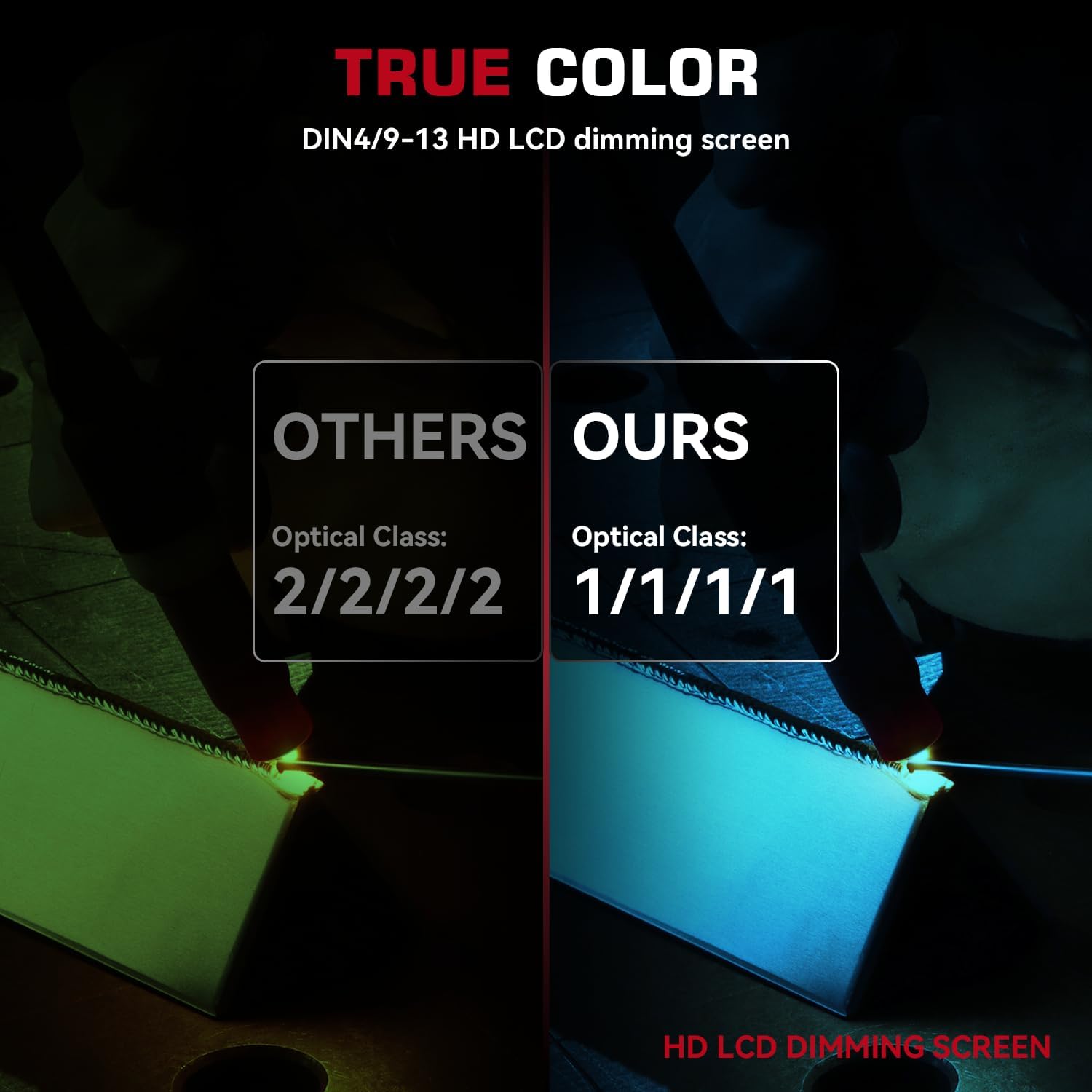
The 1/1/1/1 optical clarity lens with advanced true color technology provides a clearer and more realistic view of your work area, enhancing efficiency and precision.

5.5 വ്യാപകമായ പ്രയോഗം
This helmet is suitable for various welding processes including TIG, MIG, and ARC welding, as well as grinding and cutting applications.
6. പരിപാലനം
6.1 വൃത്തിയാക്കൽ
Regularly clean the helmet and lenses to ensure optimal performance and visibility.
- Wipe the helmet shell with a soft, damp തുണി. കഠിനമായ രാസവസ്തുക്കൾ ഒഴിവാക്കുക.
- Clean the auto-darkening filter and protective lenses with a soft, lint-free cloth and a mild lens cleaning solution.
- Do not use abrasive cleaners or solvents on any part of the helmet.
6.2 ബാറ്ററി മാറ്റിസ്ഥാപിക്കൽ
The helmet is powered by solar cells and replaceable CR2450 lithium batteries.
- If the auto-darkening function becomes unreliable or the low battery indicator illuminates, replace the CR2450 battery.
- Locate the battery compartment, typically on the auto-darkening filter unit.
- Carefully open the compartment, remove the old battery, and insert a new CR2450 battery with the correct polarity.
- ബാറ്ററി കമ്പാർട്ട്മെൻ്റ് സുരക്ഷിതമായി അടയ്ക്കുക.
7. പ്രശ്നപരിഹാരം
| പ്രശ്നം | സാധ്യമായ കാരണം | പരിഹാരം |
|---|---|---|
| ആർക്ക് അടിക്കുമ്പോൾ ഫിൽട്ടർ ഇരുണ്ടതായിരിക്കില്ല. |
|
|
| Filter remains dark after arc stops. |
|
|
| മോശം ദൃശ്യപരത. |
|
|
8 സ്പെസിഫിക്കേഷനുകൾ
| ഫീച്ചർ | വിശദാംശങ്ങൾ |
|---|---|
| ഒപ്റ്റിക്കൽ ക്ലാരിറ്റി | 1/1/1/1 |
| ആർക്ക് സെൻസറുകൾ | 4 |
| Response Time (Light to Dark) | 1/25000 സെ |
| Dark State Level | ഡിൻ 4/9-13 |
| UV/IR സംരക്ഷണം | DIN 16 (Automatic) |
| Viewing വലിപ്പം | 3.86" x 1.69" |
| പവർ ഉറവിടം | Solar cells & replaceable CR2450 Lithium batteries |
| മെറ്റീരിയൽ | PA |
| ഭാരം | 8.1 ഔൺസ് |
| മാനദണ്ഡങ്ങൾ പാലിക്കൽ | ANSI Z87.1/EN379 CE/CSA Z94.3 |
9. ഉൽപ്പന്ന വീഡിയോകൾ
Video: Everything you need to know about this Welding Helmet...
ഈ വീഡിയോ ഒരു സമഗ്രമായ ഓവർ നൽകുന്നുview of the ARCCAPTAIN HSH-S800-Alien Welding Helmet, detailing its features, benefits, and general usage. It covers aspects like the auto-darkening function, comfort, and durability, offering a visual guide to the product's capabilities.
Video: Demo + sparks fly
This video demonstrates the ARCCAPTAIN HSH-S800-Alien Welding Helmet in action, showcasing the auto-darkening feature during live welding with visible sparks. It provides a practical view of the helmet's immediate response and protective capabilities in a real-world scenario.
10. വാറൻ്റിയും പിന്തുണയും
For warranty information, product support, or to purchase replacement parts, please visit the official ARCCAPTAIN store or contact customer service. Protection plans are available for extended coverage.