
1. ആമുഖം
The MEETION DirectorD-KB is a wireless ergonomic keyboard designed for comfortable and natural typing. It features a scientific wave key design and a built-in firm wrist rest to support your hands during extended use. This keyboard offers broad compatibility with Windows and macOS devices through a 2.4GHz wireless connection.

Image: The MEETION DirectorD-KB Wireless Ergonomic Keyboard positioned on a wooden desk, showcasing its wave-curved design and integrated wrist rest.
2. പാക്കേജ് ഉള്ളടക്കം
പാക്കേജിൽ എല്ലാ ഇനങ്ങളും ഉണ്ടെന്ന് ഉറപ്പാക്കുക:
- 1 x MEETION DirectorD-KB Wireless Ergonomic Keyboard
- 1 x ഉപയോക്തൃ മാനുവൽ
- 1 x USB-A 2.4GHz Wireless Receiver
- 1 x USB-C അഡാപ്റ്റർ
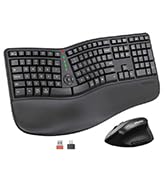
Image: Contents of the MEETION DirectorD-KB package, including the keyboard, user manual, USB-A receiver, and USB-C adapter.
3. സജ്ജീകരണ നിർദ്ദേശങ്ങൾ
3.1. ബാറ്ററി ഇൻസ്റ്റാളേഷൻ
- കീബോർഡിന്റെ അടിഭാഗത്ത് ബാറ്ററി കമ്പാർട്ട്മെന്റ് കണ്ടെത്തുക.
- ബാറ്ററി കമ്പാർട്ട്മെൻ്റ് കവർ തുറക്കുക.
- Insert two AAA batteries (not included) into the compartment, ensuring correct polarity.
- ബാറ്ററി കമ്പാർട്ട്മെൻ്റ് കവർ സുരക്ഷിതമായി അടയ്ക്കുക.

Image: The underside of the keyboard showing the battery compartment for two AAA batteries and details on power saving features.
3.2. റിസീവർ ബന്ധിപ്പിക്കുന്നു
- Locate the USB-A 2.4GHz wireless receiver, typically found in the slot inside the keyboard's battery compartment or in the accessory pouch.
- For devices with a USB-A port: Plug the USB-A receiver directly into an available USB-A port on your computer.
- For devices with a USB-C port: Attach the provided USB-C adapter to the USB-A receiver, then plug the combined unit into an available USB-C port on your computer.
- The keyboard is plug-and-play and should connect automatically.
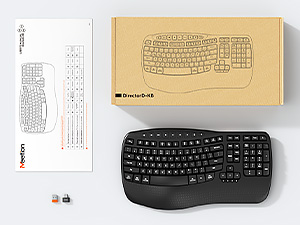
Image: Step-by-step guide on connecting the USB-A receiver with the USB-C adapter to a computer's USB-C port.
3.3. പവർ ചെയ്യുന്നു
After installing batteries and connecting the receiver, slide the power switch on the keyboard to the 'ON' position. The keyboard is now ready for use.
4. പ്രവർത്തന നിർദ്ദേശങ്ങൾ
4.1. Ergonomic Design and Wrist Rest
The keyboard features a wave-shaped key layout and a firm, integrated wrist rest. This design guides your hands and wrists into a natural, relaxed typing position, reducing strain during long typing sessions.

Image: A user's hands resting comfortably on the integrated wrist rest while typing on the ergonomic keyboard.
4.2. ക്രമീകരിക്കാവുന്ന ടിൽറ്റ്
Utilize the adjustable tilt legs on the underside of the keyboard to find your preferred typing angle. Different angles can further enhance comfort and reduce wrist fatigue.

ചിത്രം: സൈഡ് പ്രോfiles of the keyboard demonstrating three different adjustable tilt angles for personalized comfort.
4.3. Dual System Layout (Windows/macOS)
The keyboard supports both Windows and macOS layouts. To switch between operating systems:
- അമർത്തുക FN + Q വിൻഡോസ് ലേഔട്ടിനായി.
- അമർത്തുക FN + W for macOS layout.
4.4. മൾട്ടിമീഡിയ കീകൾ
The keyboard includes dedicated and combined multimedia keys for quick access to functions like volume control, media playback, and more.
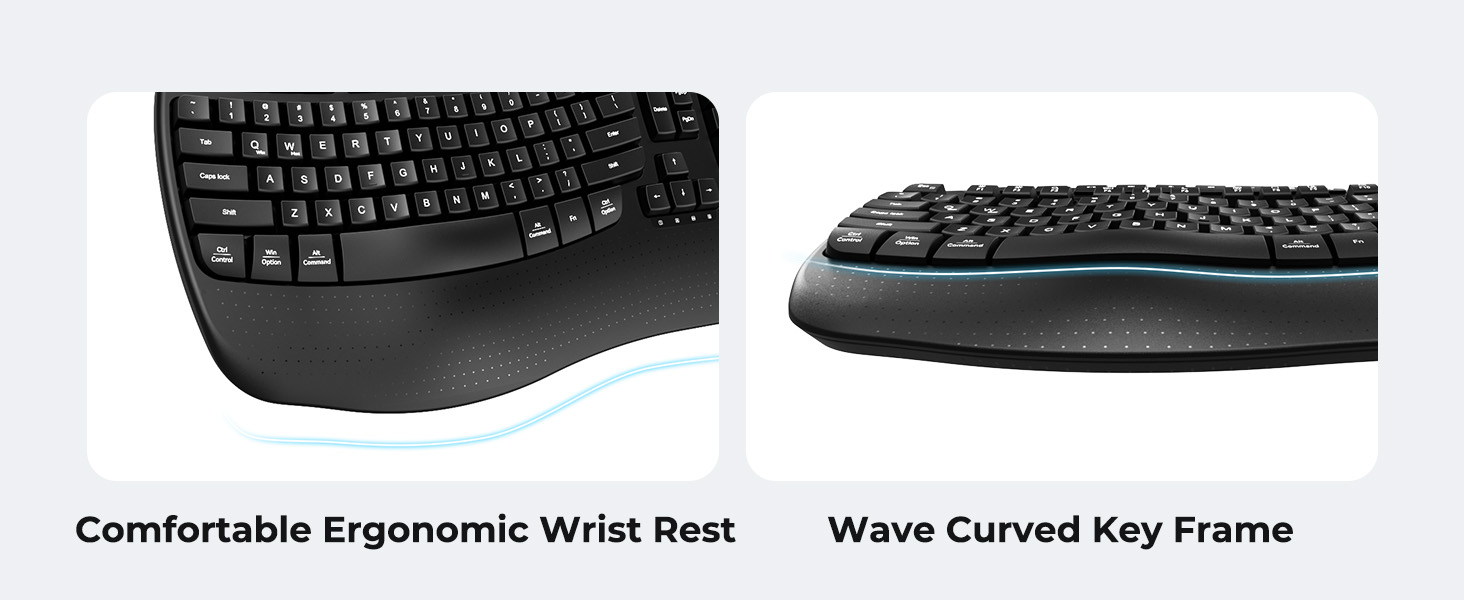
Image: A visual representation of the independent and combined multimedia keys available on the keyboard.
4.5. Intelligent Power Saving
The keyboard features an auto-sleep mode to conserve battery life. After 20 minutes of inactivity, it will enter hibernation. To wake it up, simply press any key.

Image: Close-up of the keyboard's indicator lights, showing status for Num Lock, Caps Lock, FN Lock, and low battery warning.
5. പരിപാലനം
നിങ്ങളുടെ കീബോർഡിന്റെ ദീർഘായുസ്സും ഒപ്റ്റിമൽ പ്രകടനവും ഉറപ്പാക്കാൻ, ഈ പരിപാലന മാർഗ്ഗനിർദ്ദേശങ്ങൾ പാലിക്കുക:
- വൃത്തിയാക്കൽ: Use a soft, dry cloth to wipe the surface of the keyboard. For deeper cleaning, a slightly damp cloth with mild soap can be used, ensuring no liquid enters the keycaps or internal components.
- ദ്രാവകങ്ങൾ ഒഴിവാക്കുക: Do not expose the keyboard to excessive moisture or spill liquids on it.
- സംഭരണം: നേരിട്ടുള്ള സൂര്യപ്രകാശവും കടുത്ത താപനിലയും ഏൽക്കാത്ത തണുത്തതും വരണ്ടതുമായ സ്ഥലത്ത് കീബോർഡ് സൂക്ഷിക്കുക.
- ബാറ്ററി മാറ്റിസ്ഥാപിക്കൽ: സ്ഥിരമായ പ്രകടനം നിലനിർത്തുന്നതിന് കുറഞ്ഞ ബാറ്ററി സൂചകം ദൃശ്യമാകുമ്പോൾ ബാറ്ററികൾ ഉടൻ മാറ്റിസ്ഥാപിക്കുക.
6. പ്രശ്നപരിഹാരം
If you encounter issues with your MEETION DirectorD-KB keyboard, refer to the following common solutions:
- കീബോർഡ് പ്രതികരിക്കുന്നില്ല:
- കീബോർഡ് ഓണാണോ എന്ന് പരിശോധിക്കുക.
- Ensure the batteries are correctly installed and not depleted. Replace if necessary.
- Verify that the USB receiver is securely plugged into your computer's USB port (or via the USB-C adapter).
- റിസീവർ മറ്റൊരു യുഎസ്ബി പോർട്ടിലേക്ക് പ്ലഗ് ചെയ്യാൻ ശ്രമിക്കുക.
- നിങ്ങളുടെ കമ്പ്യൂട്ടർ പുനരാരംഭിക്കുക.
- കാലതാമസം അല്ലെങ്കിൽ ഇടവിട്ടുള്ള കണക്ഷൻ:
- Ensure the keyboard is within the effective range of the receiver (typically up to 10 meters).
- Minimize interference from other wireless devices by moving them further away.
- വലിയ ലോഹ വസ്തുക്കളുടെ സമീപം റിസീവർ വയ്ക്കുന്നത് ഒഴിവാക്കുക.
- കീകൾ ശരിയായി പ്രവർത്തിക്കുന്നില്ല:
- Check for any physical obstructions under the keycaps.
- Ensure the correct operating system layout (Windows/macOS) is selected using FN+Q or FN+W.
7 സ്പെസിഫിക്കേഷനുകൾ
| ഫീച്ചർ | വിശദാംശങ്ങൾ |
|---|---|
| ബ്രാൻഡ് | മീറ്റിംഗ് |
| മോഡൽ നമ്പർ | DirectorD-KB |
| കണക്റ്റിവിറ്റി ടെക്നോളജി | 2.4G Wireless (USB-A, USB-C Adapter) |
| അനുയോജ്യമായ ഉപകരണങ്ങൾ | Laptop, PC (Windows XP/7/8/10/11 & macOS X 10.6 or later) |
| കീബോർഡ് ലേഔട്ട് | QWERTY |
| കീകളുടെ എണ്ണം | 113 |
| പ്രത്യേക സവിശേഷതകൾ | Ergonomic, Hotkeys and Media Keys, Integrated Stand, Wave Keys, Wrist Rest |
| ഉൽപ്പന്ന അളവുകൾ (L x W x H) | 17.39" x 9.43" x 1.81" |
| മെറ്റീരിയൽ | പ്ലാസ്റ്റിക് |
| പവർ ഉറവിടം | ബാറ്ററി പവർ (2 x AAA, ഉൾപ്പെടുത്തിയിട്ടില്ല) |
8. ഔദ്യോഗിക ഉൽപ്പന്ന വീഡിയോ
വീഡിയോ: ഒരു ഔദ്യോഗിക ഉൽപ്പന്ന വീഡിയോ പ്രദർശനംasing the features and ergonomic design of the MEETION DirectorD-KB Wave Ergonomic Wireless Keyboard. (Duration: 0:39)
9. വാറൻ്റിയും പിന്തുണയും
This MEETION DirectorD-KB Wireless Ergonomic Keyboard comes with a 1-year manufacturer's warranty.
For further assistance, troubleshooting, or warranty claims, please visit the official MEETION store or contact customer support.
Official MEETION Store: MEETION Store on Amazon