1. ഉൽപ്പന്നം കഴിഞ്ഞുview
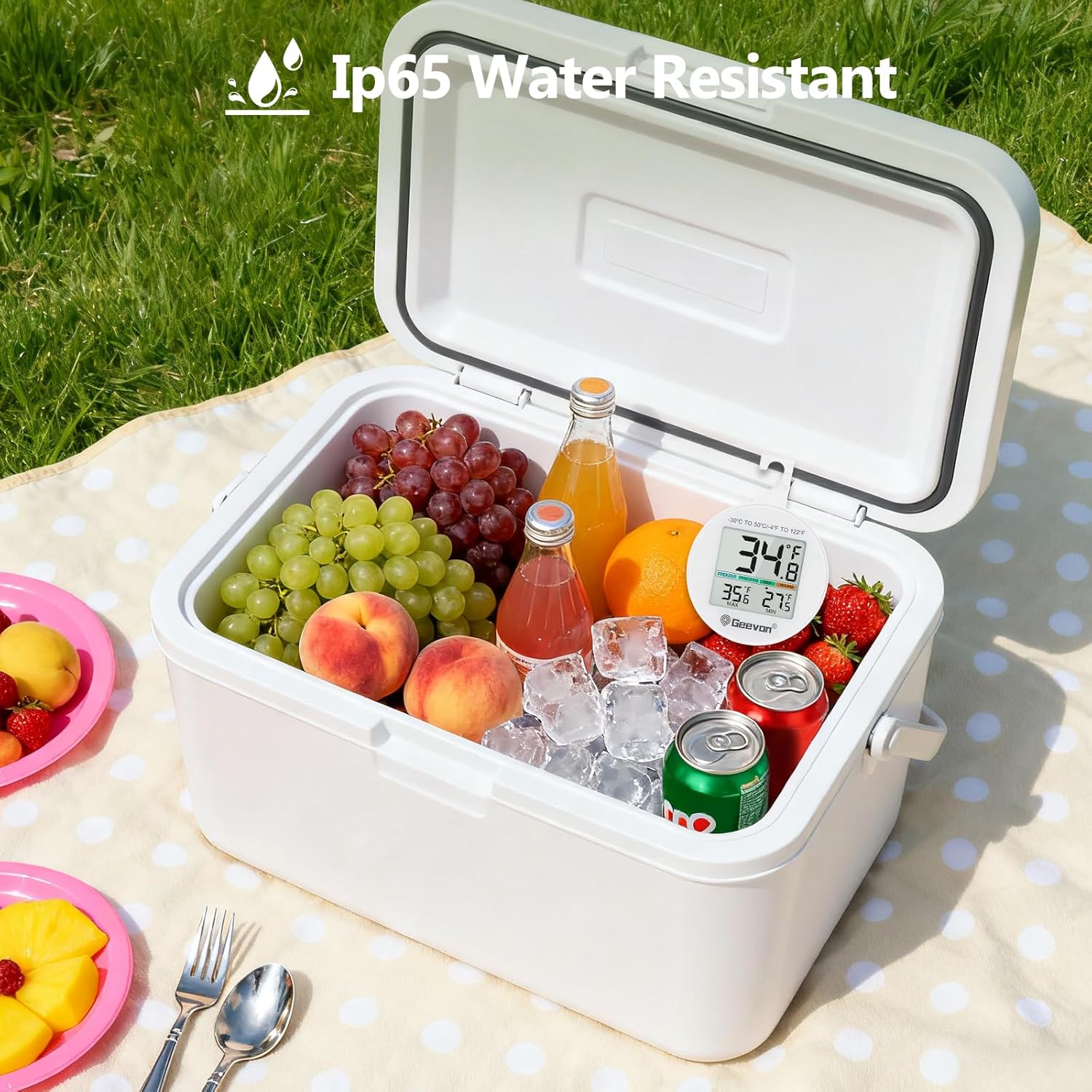
The Geevon Digital Refrigerator Thermometer Model 8724 provides accurate temperature monitoring for refrigerators and freezers. Designed for both commercial and home use, it features an easy-to-read LCD screen, Max/Min record function, and a durable IP65 waterproof construction. Its versatile design allows for multiple placement options, ensuring optimal temperature control for food safety and preservation.

Image: The Geevon Digital Refrigerator Thermometer showing a temperature of 34.8°F inside a refrigerator, indicating different temperature zones for freezer, freezing, refrigeration, and warm conditions.
പ്രധാന സവിശേഷതകൾ:
- Reliable Temperature Accuracy: Measures temperatures from -22℉ to 122℉ (-30℃ to 50℃) with an accuracy of ±2℉, ensuring safe storage conditions.
- Clear and Readable Display: High-definition LCD screen with switchable Celsius/Fahrenheit units for easy temperature monitoring.
- വാട്ടർപ്രൂഫ് ഡിസൈൻ: IP65 waterproof construction ensures durability and reliable performance in wet or humid environments.
- ബഹുമുഖ മൗണ്ടിംഗ്: Equipped with a magnetic back, sturdy stand, and convenient hook for flexible placement in various settings.
- ലളിതമായ പ്രവർത്തനം: Features three intuitive buttons for power on/off, unit toggle, and Max/Min record reset.
2. സജ്ജീകരണം
2.1 ബാറ്ററി ഇൻസ്റ്റാളേഷൻ
The thermometer requires one C battery (included). To install or replace the battery:
- തെർമോമീറ്ററിൻ്റെ പിൻഭാഗത്ത് ബാറ്ററി കമ്പാർട്ട്മെൻ്റ് കണ്ടെത്തുക.
- Use a coin to open the back cover by turning it anti-clockwise.
- Remove the old battery (if any) and insert the new C battery, ensuring correct polarity.
- Replace the back cover and turn it clockwise to secure.

ചിത്രം: പിൻഭാഗം view of the Geevon Digital Refrigerator Thermometer, highlighting the battery compartment, power button, Celsius/Fahrenheit switch, and Max/Min reset button.
2.2 പ്രാരംഭ പ്ലേസ്മെന്റ്
The thermometer offers three convenient placement options:
- മാഗ്നെറ്റിക് ബാക്ക്: Attach the thermometer directly to any metallic surface, such as a refrigerator door or freezer wall.
- സംയോജിത സ്റ്റാൻഡ്: Fold out the stand on the back to place the thermometer upright on a shelf or flat surface.
- ഹാംഗിംഗ് ഹുക്ക്: Use the built-in hook to hang the thermometer from a shelf or rack inside your appliance.

Image: Demonstrates the three portable placement methods for the thermometer: hanging from a shelf, standing on a surface, and attaching via its magnetic back.
3. പ്രവർത്തന നിർദ്ദേശങ്ങൾ
3.1 പവർ ഓൺ/ഓഫ്
- അമർത്തുക ഓൺ/ഓഫ് button (power symbol) on the back of the thermometer to turn it on or off.
3.2 Switching Temperature Units (℃/℉)
- അമർത്തുക / button on the back to switch between Celsius and Fahrenheit temperature displays.
3.3 Max/Min Record Function
The thermometer automatically records the maximum and minimum temperatures detected since the last reset.
- The current temperature is displayed prominently.
- The maximum (MAX) and minimum (MIN) recorded temperatures are shown below the current temperature.
- To reset the Max/Min records, long-press the ക്ലിയർ button (trash can symbol) on the back of the thermometer.

Image: The front display of the Geevon Digital Refrigerator Thermometer, clearly showing the current temperature, along with the recorded maximum and minimum temperatures.
3.4 Temperature Indicator Function
The display includes a visual indicator that categorizes the current temperature into different zones:
- ഫ്രീസർ: -22.0℉ to -0.2℉ (-30.0℃ to -17.9℃)
- മരവിപ്പിക്കൽ: -0.1℉ to 31℉ (-17.8℃ to -0.1℃)
- REF (Refrigerator): 32℉ മുതൽ 39℉ വരെ (0.0℃ മുതൽ 4.4℃ വരെ)
- യുദ്ധം: 40℉ മുതൽ 122℉ വരെ (4.5℃ മുതൽ 50℃ വരെ)
4. പരിപാലനം
4.1 വൃത്തിയാക്കൽ
- Wipe the thermometer clean with a soft, damp തുണി. അബ്രാസീവ് ക്ലീനറുകൾ ഉപയോഗിക്കരുത് അല്ലെങ്കിൽ ഉപകരണം വെള്ളത്തിൽ മുക്കരുത്.
4.2 ബാറ്ററി മാറ്റിസ്ഥാപിക്കൽ
When the display becomes dim or the thermometer stops functioning, it is time to replace the battery. Follow the battery installation steps in Section 2.1.
5. പ്രശ്നപരിഹാരം
| പ്രശ്നം | സാധ്യമായ കാരണം | പരിഹാരം |
|---|---|---|
| ഡിസ്പ്ലേ ഇല്ല അല്ലെങ്കിൽ മങ്ങിയ ഡിസ്പ്ലേ | കുറഞ്ഞ അല്ലെങ്കിൽ ഡെഡ് ബാറ്ററി | Replace the C battery (refer to Section 2.1). |
| തെറ്റായ താപനില വായന | Thermometer not placed correctly or exposed to extreme conditions outside its operating range. | Ensure the thermometer is placed in a stable environment within its operating range. Allow time for the temperature to stabilize. |
| Max/Min records not resetting | CLEAR button not pressed long enough. | Long-press the CLEAR button on the back of the thermometer until the Max/Min values reset. |
6 സ്പെസിഫിക്കേഷനുകൾ
- ബ്രാൻഡ്: ഗീവൺ
- മോഡലിൻ്റെ പേര്: Geevon Fridge and Freezer Thermometer
- മോഡൽ നമ്പർ: 8724
- താപനില പരിധി: -22℉ മുതൽ 122℉ വരെ (-30℃ മുതൽ 50℃ വരെ)
- കൃത്യത: ±2℉
- ഡിസ്പ്ലേ തരം: ഡിജിറ്റൽ എൽസിഡി
- വാട്ടർപ്രൂഫ് റേറ്റിംഗ്: IP65
- ഊർജ്ജ സ്രോതസ്സ്: 1 x C Battery (included)
- പ്രതികരണ സമയം: 10 സെക്കൻഡ്
- മെറ്റീരിയൽ: പ്ലാസ്റ്റിക്
- നിറം: വെള്ള
- Dimensions (Item Length): 2.55 ഇഞ്ച്
- പ്രത്യേക സവിശേഷതകൾ: Fast Reading System, Fast Refresh, High Accuracy, Large Display, Max/Min Record Function, Temperature Indicator Function
7. വാറണ്ടിയും പിന്തുണയും
7.1 വാറൻ്റി വിവരങ്ങൾ
For specific warranty details, please refer to the documentation included with your product or contact Geevon customer support directly. Warranty terms typically cover manufacturing defects for a specified period from the date of purchase.
7.2 ഉപഭോക്തൃ പിന്തുണ
If you encounter any issues or have questions regarding your Geevon Digital Refrigerator Thermometer, please contact Geevon customer support through their official webസൈറ്റ് അല്ലെങ്കിൽ നിങ്ങളുടെ ഉൽപ്പന്ന പാക്കേജിംഗിൽ നൽകിയിരിക്കുന്ന ബന്ധപ്പെടാനുള്ള വിവരങ്ങൾ.
8. ഉൽപ്പന്ന മാധ്യമങ്ങൾ
8.1 Additional Product Images