
HSP3124-L1DT
Optical Fiber Module Instruction Manual
Model: HSP3124-L1DT
ബ്രാൻഡ്: ജനറിക്
ആമുഖം
This manual provides essential information for the installation, operation, and maintenance of the HSP3124-L1DT Optical Fiber Module. This module is designed as a spare part for Locor DTF Printers, specifically compatible with the Locor i3200 A3 Inkjet Printer series. Please read this manual thoroughly before use to ensure proper function and longevity of the product.
ഉൽപ്പന്നം കഴിഞ്ഞുview
The HSP3124-L1DT is a high-quality optical fiber module critical for data transmission within compatible printing systems. It ensures reliable communication between printer components, contributing to the overall performance of your Locor DTF Printer.

ചിത്രം 1: ഫ്രണ്ട് view of the HSP3124-L1DT Optical Fiber Module. This image displays the primary appearance of the module, highlighting its compact design and connector interface.
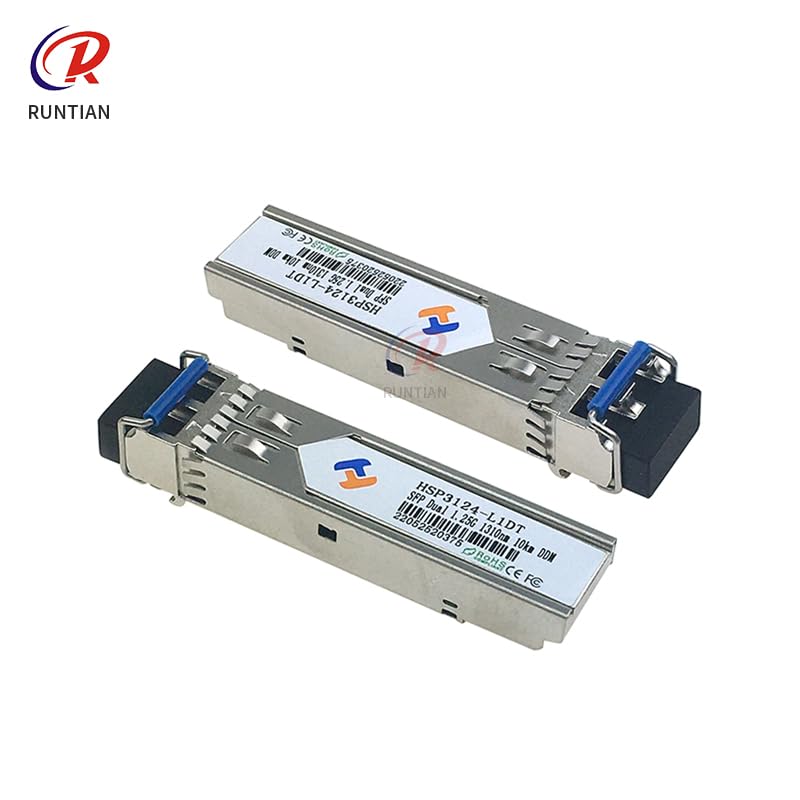
ചിത്രം 2: Dimensions of the HSP3124-L1DT Optical Fiber Module. The module measures approximately 60mm in length, 13mm in width, and 8mm in height, as indicated in the diagram.
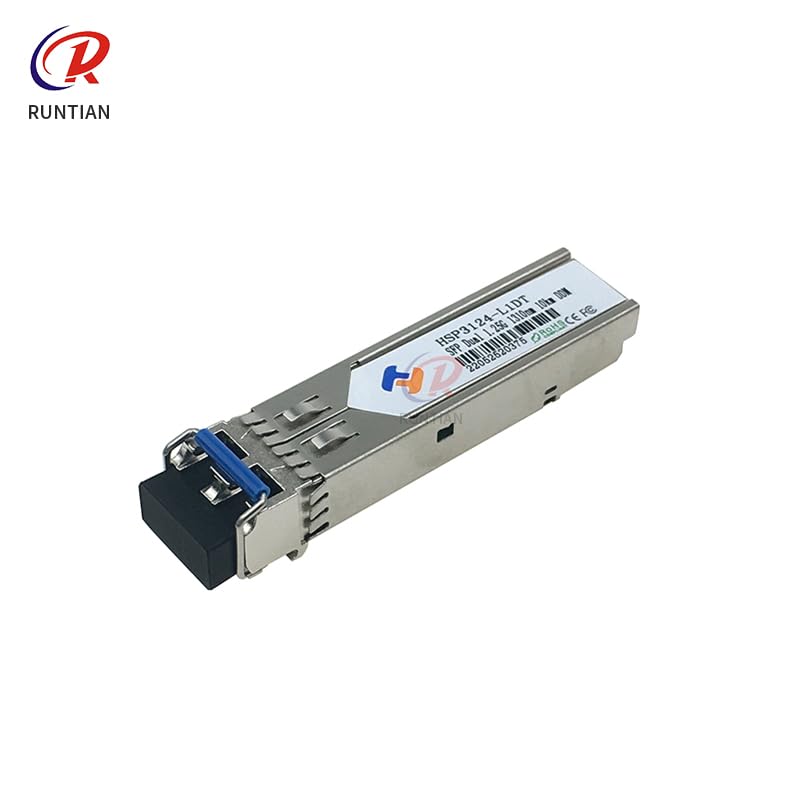
ചിത്രം 3: Two HSP3124-L1DT Optical Fiber Modules shown side-by-side. This view provides a comparative perspective of the module's form factor.
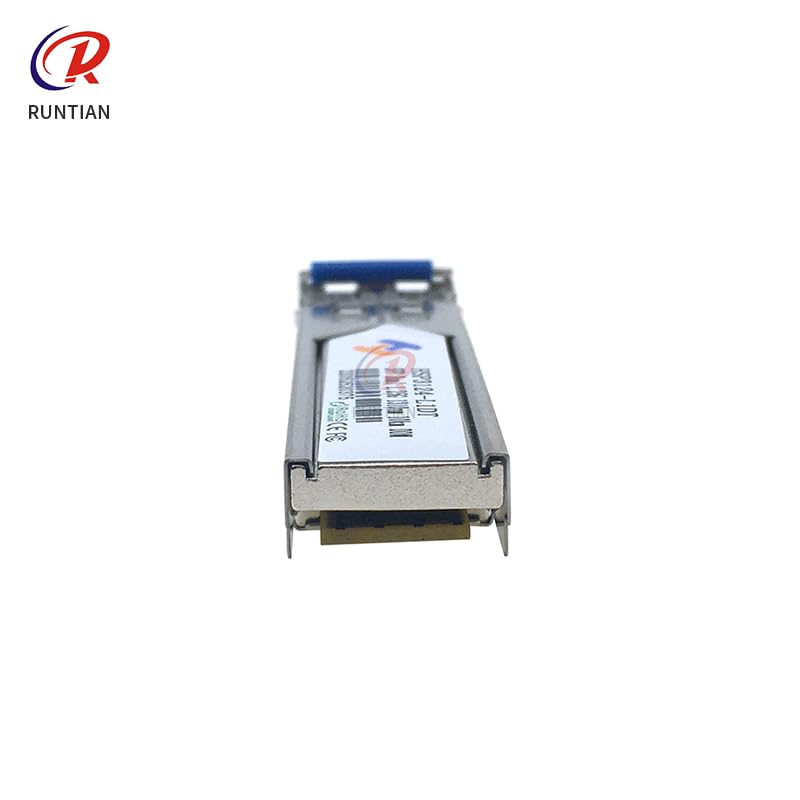
ചിത്രം 4: വശം view of the HSP3124-L1DT Optical Fiber Module. This angle highlights the profile and connection points of the module.
സജ്ജീകരണവും ഇൻസ്റ്റാളേഷനും
The HSP3124-L1DT Optical Fiber Module is designed for straightforward installation as a replacement or upgrade component within compatible Locor DTF Printers. Always ensure the printer is powered off and disconnected from the main power supply before beginning any installation procedures.
ഇൻസ്റ്റലേഷൻ ഘട്ടങ്ങൾ:
- പവർ ഓഫ്: Disconnect the Locor DTF Printer from all power sources.
- Access Module Bay: Refer to your specific Locor DTF Printer's service manual to locate and access the optical fiber module bay. This may involve removing covers or panels.
- പഴയ മൊഡ്യൂൾ നീക്കം ചെയ്യുക (ബാധകമെങ്കിൽ): Carefully disconnect any existing optical fiber cables and gently unlatch or unscrew the old module from its slot. Store it safely if it's a spare.
- Insert New Module: Align the HSP3124-L1DT module with the designated slot. Gently push it into place until it clicks or is securely seated. Ensure the module is fully inserted to establish proper electrical and optical connections.
- കേബിളുകൾ ബന്ധിപ്പിക്കുക: Reconnect the optical fiber cables to the new module. Ensure the connectors are clean and properly seated. Avoid bending or kinking the fiber optic cables.
- സുരക്ഷിതമാക്കി വീണ്ടും കൂട്ടിച്ചേർക്കുക: Secure the module if there are screws or latches. Reassemble any covers or panels removed during the process.
- പവർ ഓൺ: Reconnect the printer to the power supply and power it on. Monitor the printer's startup sequence for any error messages related to the new module.
കുറിപ്പ്: If you are unsure about any step, consult a qualified technician or the official Locor DTF Printer service manual for detailed, model-specific instructions.
ഓപ്പറേഷൻ
The HSP3124-L1DT Optical Fiber Module operates automatically once correctly installed within the Locor DTF Printer system. Its primary function is to facilitate high-speed data transfer between critical components, ensuring the printer's various functions, such as print head control and data processing, work seamlessly.
- യാന്ത്രിക പ്രവർത്തനം: The module begins operation immediately upon printer power-up, provided it is correctly installed and recognized by the printer's firmware.
- ഡാറ്റ സമഗ്രത: It maintains the integrity and speed of optical data signals, which is crucial for precise printing operations.
- സിസ്റ്റം ഇൻ്റഗ്രേഷൻ: The module is an integral part of the printer's communication network and does not require direct user interaction during normal operation.
Any operational issues related to data communication or printer performance after module installation should be addressed by consulting the printer's main user manual or troubleshooting guide.
മെയിൻ്റനൻസ്
The HSP3124-L1DT Optical Fiber Module is a sealed component and generally requires no routine user maintenance. However, proper care of the surrounding environment and connections can prolong its lifespan and ensure optimal performance.
പൊതുവായ ശുപാർശകൾ:
- കണക്ഷനുകൾ വൃത്തിയായി സൂക്ഷിക്കുക: Periodically inspect the optical fiber connectors for dust or debris. Use specialized fiber optic cleaning tools (e.g., lint-free wipes and isopropyl alcohol) if cleaning is necessary. Never touch the optical ends with bare hands.
- ശാരീരിക സമ്മർദ്ദം ഒഴിവാക്കുക: Ensure that optical fiber cables connected to the module are not bent sharply, pinched, or subjected to excessive tension, as this can damage the fibers and impair data transmission.
- പരിസ്ഥിതി നിയന്ത്രണം: Operate the printer in a clean, dry environment within the recommended temperature and humidity ranges specified by the printer manufacturer. Excessive dust or moisture can negatively impact electronic and optical components.
- ശ്രദ്ധയോടെ കൈകാര്യം ചെയ്യുക: When handling the module, always hold it by its body and avoid touching the optical interface or pins.
If the module appears damaged or is not functioning correctly, it should be replaced by a qualified technician.
ട്രബിൾഷൂട്ടിംഗ്
If you experience issues with your Locor DTF Printer after installing the HSP3124-L1DT Optical Fiber Module, consider the following common troubleshooting steps. Note that many issues related to optical modules are often due to improper installation or cable issues rather than module failure itself.
| പ്രശ്നം | സാധ്യമായ കാരണം | പരിഹാരം |
|---|---|---|
| Printer not recognizing module / Communication errors | Module not fully seated; Damaged optical cable; Dirty optical connectors; Incorrect module type. |
|
| Intermittent printing issues / Data corruption | Loose connection; Environmental interference; Module overheating. |
|
| No power to module (if applicable) | Printer power issue; Module fault. |
|
For complex issues or if the problem persists, contact the printer manufacturer's technical support or a certified service technician.
സ്പെസിഫിക്കേഷനുകൾ
| ഫീച്ചർ | വിശദാംശങ്ങൾ |
|---|---|
| ഉൽപ്പന്നത്തിൻ്റെ പേര് | ഒപ്റ്റിക്കൽ ഫൈബർ മൊഡ്യൂൾ |
| മോഡൽ നമ്പർ | HSP3124-L1DT |
| അനുയോജ്യത | Locor DTF Printer, Locor i3200 A3 Inkjet Printer series |
| അളവുകൾ (ഏകദേശം.) | 60mm (നീളം) x 13mm (വീതി) x 8mm (ഉയരം) |
| നിറം | As shown (Metallic with black connector) |
| ASIN | B0F23PYK66 |
| നിർമ്മാതാവ് | ജനറിക് |
| ആദ്യ തീയതി ലഭ്യമാണ് | 21 മാർച്ച് 2025 |
Specifications are subject to change without notice. Please refer to the product packaging or official documentation for the most current information.
വാറൻ്റിയും പിന്തുണയും
As a spare part, the HSP3124-L1DT Optical Fiber Module typically falls under the warranty terms provided by the original seller or the printer manufacturer for replacement parts. Please retain your proof of purchase for any warranty claims.
വാറൻ്റി വിവരങ്ങൾ:
- പരിമിത വാറൻ്റി: This product is covered by a limited warranty against defects in materials and workmanship. The duration and terms of the warranty may vary.
- വാങ്ങിയതിൻ്റെ തെളിവ്: A valid receipt or proof of purchase is required for all warranty services.
- ഒഴിവാക്കലുകൾ: The warranty typically does not cover damage resulting from improper installation, misuse, accident, unauthorized repair, or normal wear and tear.
സാങ്കേതിക സഹായം:
For technical assistance regarding the installation or function of this module within your Locor DTF Printer, it is recommended to contact the technical support of your printer manufacturer or the vendor from whom you purchased the module. They can provide specific guidance tailored to your printer model.
For general inquiries about the product, you may also refer to the product listing on Amazon or contact the seller directly.
Ask a question about this manual
Ask about setup, troubleshooting, compatibility, parts, safety, or missing instructions. Manuals+ will review the question and use this page’s manual context to help answer it.