
1. ആമുഖം
The PGST PG519-CW WiFi Wireless Home Alarm System is designed to provide reliable security for your home, apartment, garage, or office. This system operates wirelessly and connects to your home WiFi network, allowing remote control and monitoring via a smartphone application. It integrates with smart home platforms like Amazon Alexa and Google Assistant for enhanced convenience.

Image 1.1: PGST PG519-CW WiFi Wireless Home Alarm System components.
2. പാക്കേജ് ഉള്ളടക്കം
നിങ്ങളുടെ പാക്കേജിൽ എല്ലാ ഇനങ്ങളും ഉണ്ടെന്ന് ഉറപ്പാക്കുക:
- 1 x Audible and Visual Alarm (Main Unit/Siren)
- 1 x Motion Detector (PIR Sensor)
- 1 x Door/Window Sensor
- 2 x റിമോട്ട് കൺട്രോളുകൾ
- 1 x സ്ക്രൂ പാക്കേജ് (മൌണ്ട് ചെയ്യുന്നതിന്)
- 1 x Charger Set (Power Adapter and USB-C Cable)
- 1 x ഇൻസ്ട്രക്ഷൻ മാനുവൽ

Image 2.1: Contents of the PGST PG519-CW alarm system package.
3. ഉൽപ്പന്നം കഴിഞ്ഞുview
3.1 Main Alarm Unit (Siren)
The main unit serves as the central hub for your alarm system. It features an audible siren and visual alerts. It is powered via a Type-C cable and includes a backup battery for continued operation during power outages.

Image 3.1: Main Alarm Unit (Siren) with Type-C power input and internal battery.
3.2 Motion Detector (PIR Sensor)
This sensor detects movement within its range, triggering an alarm when the system is armed. It is designed for indoor use.

Image 3.2: Motion Detector (PIR Sensor).
3.3 ഡോർ/വിൻഡോ സെൻസർ
This two-part sensor detects the opening and closing of doors or windows. When separated, it triggers an alarm if the system is armed.

Image 3.3: Door/Window Sensor.
3.4 റിമോട്ട് കൺട്രോളുകൾ
The remote controls allow for convenient arming, disarming, and SOS functions from a distance.
4. സജ്ജീകരണവും ഇൻസ്റ്റാളേഷനും
4.1 പ്രധാന യൂണിറ്റിന് പവർ നൽകുന്നു
- Connect the provided USB-C cable to the main alarm unit and the power adapter.
- പവർ അഡാപ്റ്റർ ഒരു സാധാരണ ഇലക്ട്രിക്കൽ ഔട്ട്ലെറ്റിലേക്ക് പ്ലഗ് ചെയ്യുക.
- Ensure the main unit powers on. The backup battery will charge automatically.
4.2 ആപ്പ് ഡൗൺലോഡും രജിസ്ട്രേഷനും
The system works with the "Tuya" or "Smart Life" applications. Download one of these apps from your smartphone's app store.
- Download and install the "Tuya" or "Smart Life" app.
- ഒരു പുതിയ അക്കൗണ്ടിനായി രജിസ്റ്റർ ചെയ്യുക അല്ലെങ്കിൽ നിങ്ങൾക്ക് ഇതിനകം ഒന്ന് ഉണ്ടെങ്കിൽ ലോഗിൻ ചെയ്യുക.
4.3 Connecting to Mobile App (WiFi)
The alarm system connects via 2.4GHz WiFi. Ensure your phone is connected to a 2.4GHz WiFi network during the setup process.
- നിങ്ങളുടെ ഫോൺ 2.4GHz വൈഫൈ നെറ്റ്വർക്കിലേക്ക് കണക്റ്റ് ചെയ്ത് ബ്ലൂടൂത്ത് ഓണാക്കുക.
- Open the app, press and hold the SOS button on the main alarm unit for 10 seconds until the green LED flashes quickly. In the app, select "Add to Favorite" or similar option to add a device.
- ഇതിനായി തിരയുക the device in the app and select "Alarm (WiFi)".
- Input your 2.4GHz WiFi password and proceed.
- Wait for the connection to be successful, then tap "Done".
- Press the SOS button on the main unit to receive an alarm push notification, confirming successful connection.

Image 4.1: Simplified steps for connecting the alarm system to the mobile app.

Image 4.2: Detailed steps for mobile app connection.
4.4 Alarm Host Installation
The main alarm unit can be mounted on a wall using the provided screws.
- Fix and screw the mounting base to the desired wall location.
- Align the alarm unit with the base and rotate it clockwise to secure.
- Ensure it is fixed properly and stable.

Image 4.3: Steps for convenient alarm host installation.
4.5 സെൻസർ ഇൻസ്റ്റാളേഷൻ
Place sensors strategically to cover entry points and critical areas. The system offers a transmission range of up to 100 meters (328 feet).
- വാതിൽ/ജനൽ സെൻസറുകൾ: Mount the two parts of the sensor on the door/window frame and the moving part, ensuring they are aligned and within 0.7 inches (1.8 cm) of each other when closed. Use the adhesive backing for easy installation.
- Motion Detectors: Install motion detectors in corners or areas with clear lines of sight to cover rooms. Ensure they are placed at an appropriate height to detect movement effectively.

ചിത്രം 4.4: ഉദാample of complete coverage with sensors.
5. ഓപ്പറേഷൻ
5.1 ആയുധമാക്കലും നിരായുധീകരണവും
You can arm or disarm the system using the mobile app or the remote controls.
- കൈ (എവേ മോഡ്): Activates all sensors. Any detected intrusion will trigger the alarm.
- നിരായുധമാക്കുക: Deactivates the alarm system.
- Home (Stay Mode): Activates perimeter sensors (e.g., door/window sensors) while allowing free movement inside the property.
5.2 നുഴഞ്ഞുകയറ്റം കണ്ടെത്തൽ
When an intrusion is detected while armed, the system will:
- Emit a loud siren sound (over 100dB).
- Send real-time notifications to your smartphone via the app.
- Potentially make a call or send an SMS to pre-set phone numbers (check app settings for this feature).

Image 5.1: Intrusion detection with door sensor and siren activation.

Image 5.2: Infrared motion detection triggering an alarm notification.
5.3 എസ്ഒഎസ് പ്രവർത്തനം
In case of emergency, press the SOS button on the remote control or within the app to trigger an immediate alarm and send alerts to designated contacts.

Image 5.3: Elderly protection and SOS remote functionality.
6. വിപുലമായ സവിശേഷതകൾ
6.1 Timing Arm and Disarm
You can schedule specific times for the system to automatically arm or disarm, eliminating the need for manual operation daily.

ചിത്രം 6.1: ഉദാamples of timing arm and disarm schedules.

Image 6.2: Setting up a schedule for arming and disarming via the app.
6.2 Multi-Modes for Sensors
Configure different modes for individual sensors. For example, in "Home" mode, you can set certain sensors (like door sensors) to be active while others (like motion sensors in frequently used areas) are disarmed.

Image 6.3: Multi-modes for sensors and alarm settings.
6.3 സ്മാർട്ട് ഹോം ഇന്റഗ്രേഷൻ
The system works with Amazon Alexa and Google Assistant. You can use voice commands to arm or disarm your system.
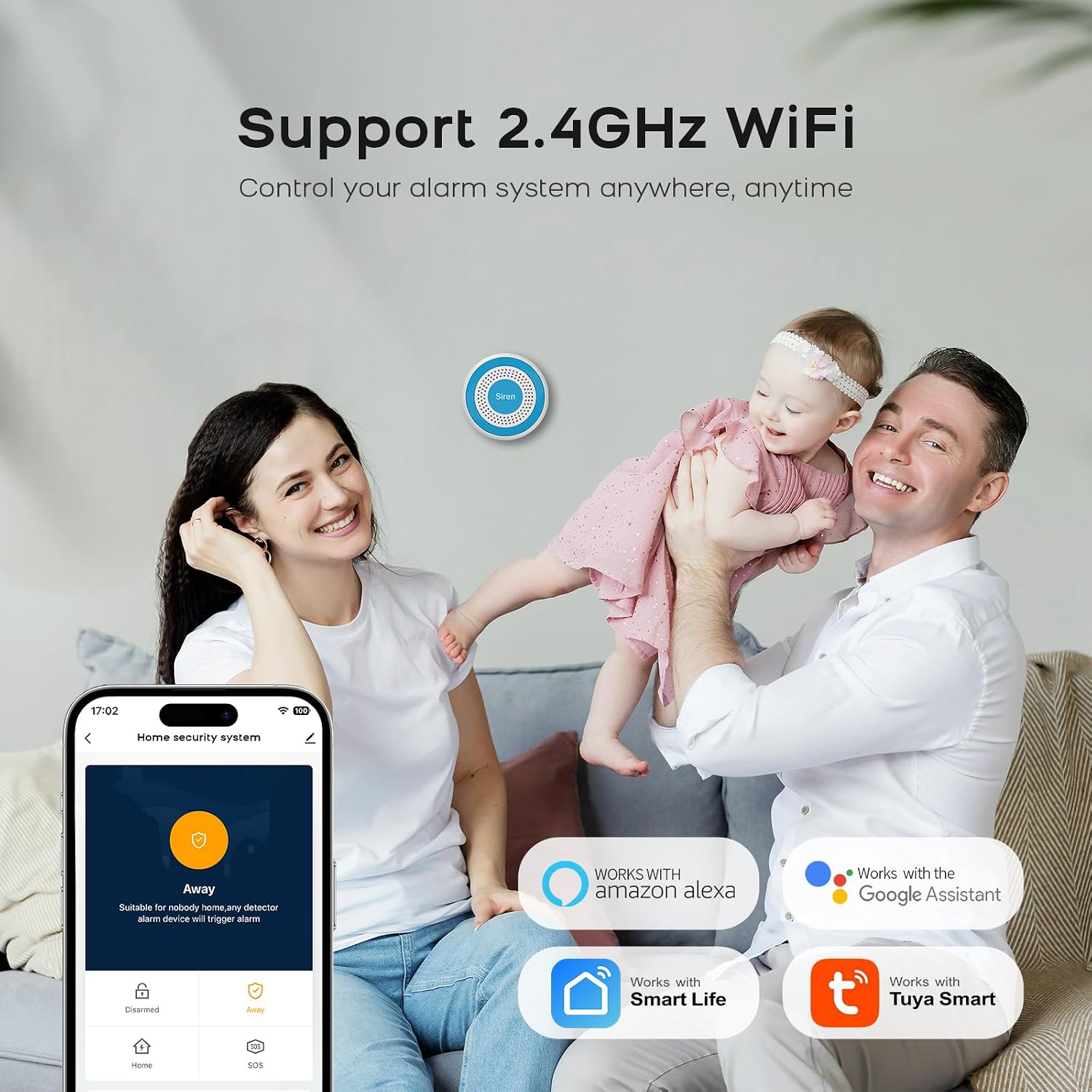
Image 6.4: Compatibility with Alexa and Google Assistant.
6.4 Real-Time Alerts and Family Sharing
Receive instant notifications on your smartphone. You can also share control of the alarm system with multiple family members via the app.

Image 6.5: Real-time alerts on the mobile app.

Image 6.6: Sharing alarm system control with family members.
7. പരിപാലനം
- വൃത്തിയാക്കൽ: മൃദുവായതും ഉണങ്ങിയതുമായ തുണി ഉപയോഗിച്ച് ഉപകരണങ്ങൾ തുടയ്ക്കുക. കഠിനമായ രാസവസ്തുക്കളോ ഉരച്ചിലുകളുള്ള ക്ലീനറുകളോ ഉപയോഗിക്കുന്നത് ഒഴിവാക്കുക.
- ബാറ്ററി: The main unit has a backup battery. Ensure it remains connected to power for optimal performance and to keep the backup battery charged. Sensors are typically battery-powered; replace batteries as indicated by the app or device indicators.
- കണക്റ്റിവിറ്റി: Periodically check your WiFi connection to ensure the alarm system remains online and responsive.
8. പ്രശ്നപരിഹാരം
- System not connecting to WiFi: Ensure your router is broadcasting a 2.4GHz network. The system does not support 5GHz WiFi. Check WiFi password and signal strength.
- ആപ്പ് അറിയിപ്പുകളൊന്നുമില്ല: Verify that app notifications are enabled in your smartphone settings and within the alarm app itself. Check internet connectivity.
- തെറ്റായ അലാറങ്ങൾ: Ensure motion sensors are not placed near heat sources, direct sunlight, or areas with pets that might trigger them. Check door/window sensors for proper alignment and secure mounting.
- റിമോട്ട് കൺട്രോൾ പ്രവർത്തിക്കുന്നില്ല: Check the battery in the remote control. Ensure you are within the operational range of the main unit.
- സൈറൺ മുഴങ്ങുന്നില്ല: Check if the main unit is powered on and connected. Verify alarm settings in the app.
9 സ്പെസിഫിക്കേഷനുകൾ
| ഫീച്ചർ | സ്പെസിഫിക്കേഷൻ |
|---|---|
| ബ്രാൻഡ് | പി.ജി.എസ്.ടി |
| മോഡൽ നമ്പർ | PG519-CW |
| ഇനത്തിന്റെ അളവുകൾ (LxWxH) | 16 x 10 x 6 സെ.മീ |
| അലാറം തരം | ഓഡിയോയും ചലനവും |
| ബാറ്ററി കോമ്പോസിഷൻ | ലിഥിയം അയോൺ |
| കണക്റ്റിവിറ്റി | 2.4GHz വൈഫൈ |
| അപ്ലിക്കേഷൻ അനുയോജ്യത | തുയ, സ്മാർട്ട് ലൈഫ് |
| സ്മാർട്ട് ഹോം ഇൻ്റഗ്രേഷൻ | ആമസോൺ അലക്സ, ഗൂഗിൾ അസിസ്റ്റൻ്റ് |
10 സുരക്ഷാ വിവരങ്ങൾ
- ഉപകരണങ്ങളെ തീവ്രമായ താപനിലയിലോ, നേരിട്ടുള്ള സൂര്യപ്രകാശത്തിലോ, ഈർപ്പത്തിലോ തുറന്നുകാട്ടരുത്.
- Keep devices away from children and pets.
- നൽകിയിരിക്കുന്ന പവർ അഡാപ്റ്ററും കേബിളുകളും മാത്രം ഉപയോഗിക്കുക.
- ഉപകരണങ്ങൾ സ്വയം വേർപെടുത്താനോ നന്നാക്കാനോ ശ്രമിക്കരുത്. സഹായത്തിനായി ഉപഭോക്തൃ പിന്തുണയുമായി ബന്ധപ്പെടുക.
- Ensure proper ventilation for the main unit.
11. വാറൻ്റിയും പിന്തുണയും
For warranty information and technical support, please refer to the documentation included with your product or visit the official PGST website. Specific warranty terms and support contact details are not provided in this manual.