
1. ഉൽപ്പന്നം കഴിഞ്ഞുview
The GATEXPERT TUYA WIFI CONTROL module is designed to provide smart control capabilities for your 24VDC sliding gate opener or swing gate opener. This module allows you to operate your gate remotely using the TUYA or SMART LIFE mobile applications, enhancing convenience and accessibility.
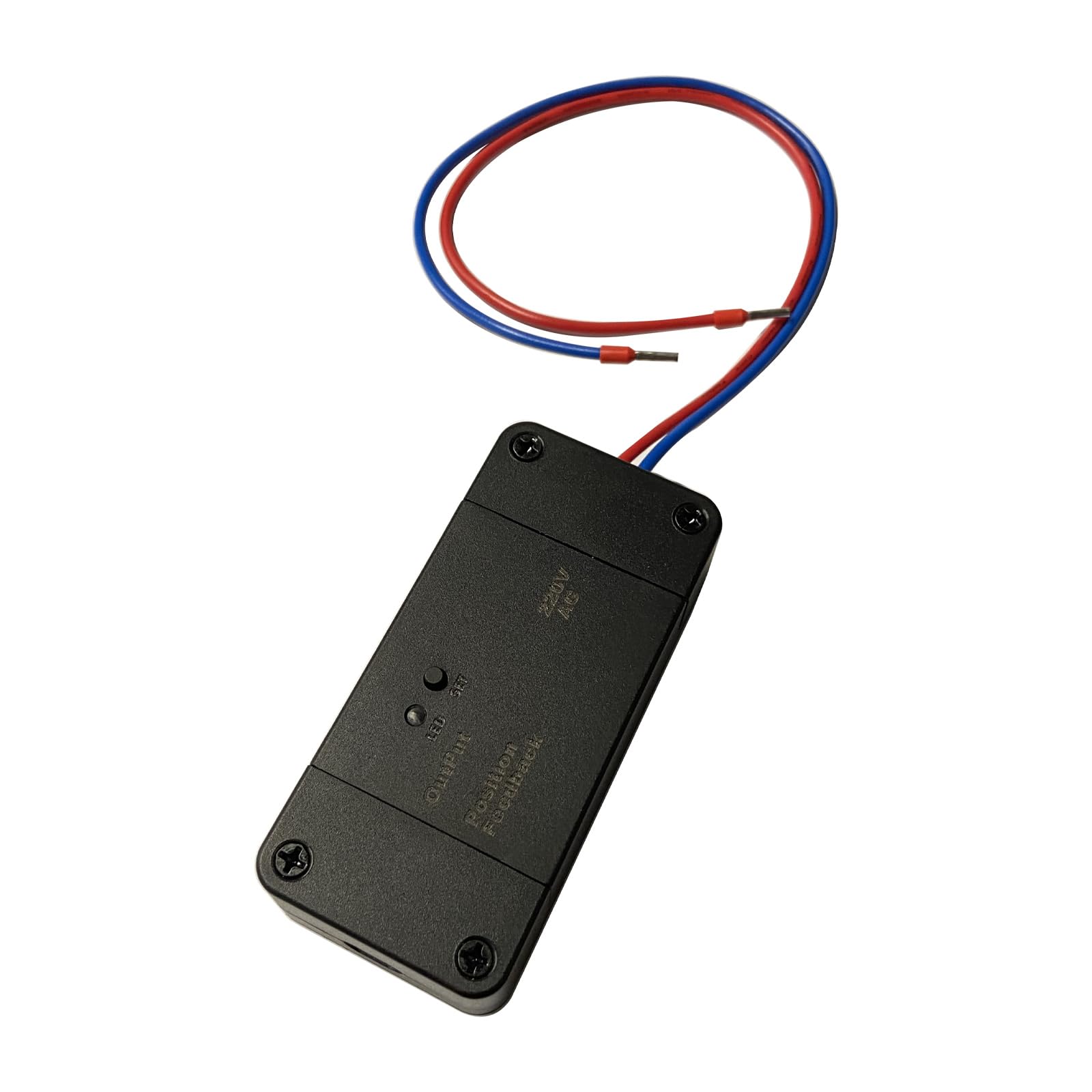
Image 1.1: The GATEXPERT TUYA WIFI CONTROL module with its connecting wires.
2 സുരക്ഷാ വിവരങ്ങൾ
Please read and understand all safety instructions before installation and operation. Failure to follow these instructions may result in injury or damage to the product.
- Ensure power is disconnected from the gate opener system before performing any wiring or installation.
- ഇലക്ട്രിക്കൽ വയറിംഗിനെക്കുറിച്ച് നിങ്ങൾക്ക് ഉറപ്പില്ലെങ്കിൽ, യോഗ്യതയുള്ള ഉദ്യോഗസ്ഥർ ഇൻസ്റ്റാളേഷൻ നടത്തണം.
- പ്രവർത്തന സമയത്ത് കുട്ടികളെയും വളർത്തുമൃഗങ്ങളെയും ഗേറ്റ് ഏരിയയിൽ നിന്ന് അകറ്റി നിർത്തുക.
- Do not attempt to modify the module or its components.
- പവർ പുനഃസ്ഥാപിക്കുന്നതിനുമുമ്പ് എല്ലാ കണക്ഷനുകളും സുരക്ഷിതവും ശരിയുമാണെന്ന് ഉറപ്പാക്കുക.
3. പാക്കേജ് ഉള്ളടക്കം
പാക്കേജിൽ എല്ലാ ഇനങ്ങളും ഉണ്ടെന്ന് ഉറപ്പാക്കുക:
- 1pc of 24V Tuya WiFi Control Module
4. സജ്ജീകരണവും ഇൻസ്റ്റാളേഷനും
4.1 ഘടകം തിരിച്ചറിയൽ

ചിത്രം 4.1: മുകളിൽ view of the control module showing LED, SET button, Output, and Position Feedback labels.
4.2 വയറിംഗ് നിർദ്ദേശങ്ങൾ
The GATEXPERT TUYA WIFI CONTROL module is compatible with GateXpert 24VDC sliding gate openers and swing gate openers. Follow these steps to connect the module to your gate opener's control board:
- പവർ വിച്ഛേദിക്കുക: Ensure the main power supply to your gate opener system is completely disconnected before beginning any wiring.
- കണക്ഷനുകൾ തിരിച്ചറിയുക: Locate the appropriate 24VDC power output and control input terminals on your gate opener's main control board. Refer to your gate opener's manual for specific terminal identification.
- പവർ ബന്ധിപ്പിക്കുക: Connect the power wires from the TUYA WIFI CONTROL module to the 24VDC power output terminals on your gate opener's control board. Observe polarity if specified.
- കൺട്രോൾ വയറുകൾ ബന്ധിപ്പിക്കുക: Connect the control wires from the TUYA WIFI CONTROL module to the designated control input terminals on your gate opener's control board. These terminals typically trigger the open/close function.
- സുരക്ഷിത കണക്ഷനുകൾ: Ensure all wire connections are tight and secure to prevent accidental disconnections or short circuits.
- പവർ പുന ore സ്ഥാപിക്കുക: Once all connections are verified, restore power to your gate opener system.

ചിത്രം 4.2: ഉദാample wiring of the TUYA WIFI CONTROL module to a gate opener control board.
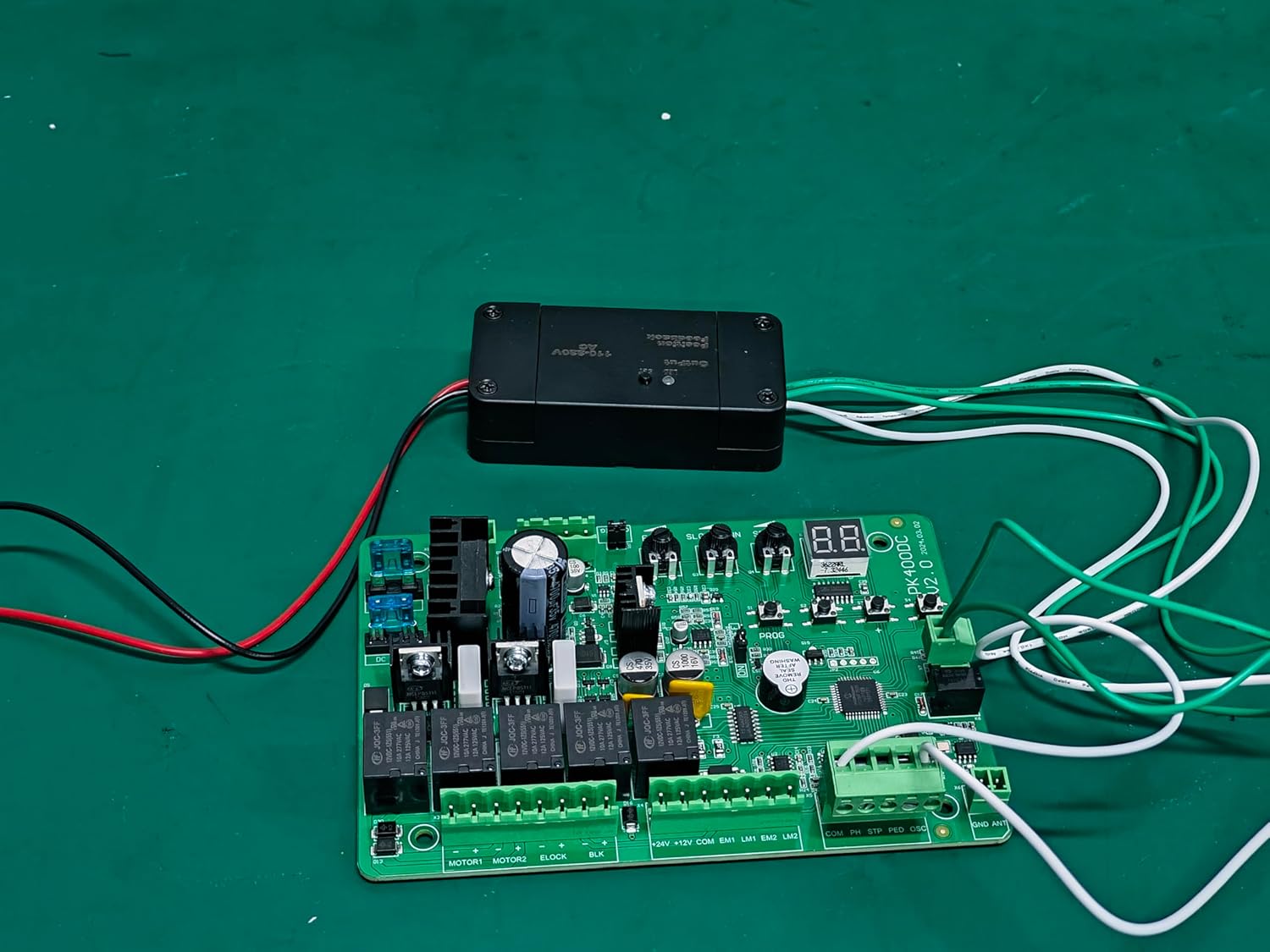
ചിത്രം 4.3: മറ്റൊന്ന് view of the TUYA WIFI CONTROL module connected to a gate opener control board.
4.3 Video: Wiring Demonstration
Video 4.1: A short demonstration showing the connection of the 12-24V Tuya WiFi module to an SL500DC control board. This video provides a visual guide for the wiring process.
4.4 App Integration (Tuya / Smart Life)
To control your gate opener via your smartphone, you need to integrate the module with the Tuya or Smart Life app:
- അപ്ലിക്കേഷൻ ഡൗൺലോഡുചെയ്യുക: Download and install the 'Tuya Smart' or 'Smart Life' app from your mobile device's app store (Google Play Store for Android, Apple App Store for iOS).
- രജിസ്റ്റർ ചെയ്യുക/ലോഗിൻ ചെയ്യുക: ആപ്പ് തുറന്ന് പുതിയൊരു അക്കൗണ്ടിനായി രജിസ്റ്റർ ചെയ്യുക അല്ലെങ്കിൽ നിങ്ങൾക്ക് ഇതിനകം ഒരു അക്കൗണ്ട് ഉണ്ടെങ്കിൽ ലോഗിൻ ചെയ്യുക.
- ഉപകരണം ചേർക്കുക: Follow the in-app instructions to add a new device. Typically, you will select 'Add Device' or the '+' icon, then choose the appropriate device category (e.g., 'Gate Opener' or 'Switch').
- ജോടിയാക്കൽ മോഡ്: Put the GATEXPERT TUYA WIFI CONTROL module into pairing mode. This usually involves pressing and holding the 'SET' button on the module until the LED indicator blinks rapidly. Refer to the module's specific instructions for pairing mode activation.
- വൈഫൈയിലേക്ക് കണക്റ്റുചെയ്യുക: The app will guide you through connecting the module to your home 2.4GHz Wi-Fi network. Ensure your phone is connected to the same Wi-Fi network during the pairing process.
- ഉപകരണത്തിന്റെ പേരുമാറ്റൽ: Once successfully added, you can rename the device within the app for easier identification (e.g., "Front Gate").
5. പ്രവർത്തന നിർദ്ദേശങ്ങൾ
After successful setup and app integration, you can control your gate opener using the Tuya Smart or Smart Life app:
- Open/Close Gate: Open the app and select your gate opener device. You will typically see a button or toggle to open or close the gate.
- സ്റ്റാറ്റസ് മോണിറ്ററിംഗ്: The app may provide real-time status of your gate (e.g., open, closed, opening, closing), depending on the gate opener's capabilities and feedback integration.
- ഷെഡ്യൂളിംഗ്: Utilize the app's scheduling features to set automatic open/close times for your gate.
- ശബ്ദ നിയന്ത്രണം: If integrated with smart home assistants (e.g., Amazon Alexa, Google Assistant), you can use voice commands to operate your gate.
6. പരിപാലനം
The GATEXPERT TUYA WIFI CONTROL module requires minimal maintenance. Follow these general guidelines:
- Keep the module clean and free from dust and moisture.
- സുരക്ഷിതമായി നിലകൊള്ളുന്നുവെന്ന് ഉറപ്പാക്കാൻ എല്ലാ വയറിംഗ് കണക്ഷനുകളും ഇടയ്ക്കിടെ പരിശോധിക്കുക.
- Ensure your Wi-Fi network is stable for consistent operation.
- Keep the app updated to the latest version for optimal performance and security.
7. പ്രശ്നപരിഹാരം
If you encounter issues with your GATEXPERT TUYA WIFI CONTROL module, refer to the following common troubleshooting steps:
- മൊഡ്യൂൾ പ്രതികരിക്കുന്നില്ല: Check if the module has power. Verify all wiring connections are correct and secure.
- Wi-Fi-ലേക്ക് കണക്റ്റുചെയ്യാൻ കഴിയില്ല: Ensure your Wi-Fi network is 2.4GHz. Check your Wi-Fi password. Move the module closer to your Wi-Fi router if signal strength is weak. Restart your router and try pairing again.
- ആപ്പ് നിയന്ത്രണ പ്രശ്നങ്ങൾ: Ensure your mobile device has an active internet connection. Check if the app is updated. Try restarting the app or your phone.
- Gate Not Operating: Verify that the gate opener itself is functioning correctly when operated manually or with its original remote. Ensure the control wires from the module are correctly connected to the gate opener's input terminals.
- LED ഇൻഡിക്കേറ്റർ സ്വഭാവം: Consult the module's specific LED indicator patterns (e.g., solid, slow blink, rapid blink) to diagnose its status.
8 സ്പെസിഫിക്കേഷനുകൾ
| നിർമ്മാതാവ് | ഗേറ്റ് എക്സ്പർട്ട് |
| ഇനം മോഡൽ നമ്പർ | TUYA WIFI CONTROL |
| ഉൽപ്പന്ന അളവുകൾ | 1.65 x 3.54 x 0.98 ഇഞ്ച് |
| ഇനത്തിൻ്റെ ഭാരം | 3.2 ഔൺസ് |
| നിറം | കറുപ്പ് |
| ഉൾപ്പെടുത്തിയ ഘടകങ്ങൾ | 1pc of 24V tuya wifi control |
| ബാറ്ററികൾ ആവശ്യമുണ്ടോ? | ഇല്ല |
| ആദ്യ തീയതി ലഭ്യമാണ് | 26 മാർച്ച് 2025 |
9. വാറൻ്റിയും പിന്തുണയും
For warranty information and technical support, please refer to the GATEXPERT official webസൈറ്റിൽ ബന്ധപ്പെടുക അല്ലെങ്കിൽ അവരുടെ ഉപഭോക്തൃ സേവനവുമായി നേരിട്ട് ബന്ധപ്പെടുക. വാറന്റി ക്ലെയിമുകൾക്കായി നിങ്ങളുടെ വാങ്ങൽ രസീത് സൂക്ഷിക്കുക.