
ആമുഖം
The Aula Hero 84 HE is a high-performance 75% compact mechanical gaming keyboard designed for precision and speed. Featuring proprietary magnetic switches, Hall Effect technology, and an 8000Hz polling rate, it offers rapid response times crucial for competitive gaming. This manual provides detailed instructions for setting up, operating, maintaining, and troubleshooting your keyboard to ensure optimal performance and longevity.

Figure 1: The Aula Hero 84 HE Mechanical Gaming Keyboard, showcasing അതിന്റെ ഒതുക്കമുള്ള രൂപകൽപ്പനയും RGB ലൈറ്റിംഗും.
സജ്ജമാക്കുക
1. കീബോർഡ് ബന്ധിപ്പിക്കുന്നു
The Aula Hero 84 HE keyboard connects via a wired USB-C connection. Locate the USB-C port on the left side of the keyboard and connect the provided USB-C cable. Plug the other end of the cable into an available USB port on your computer (PC or Laptop).

Figure 2: Connecting the USB-C cable to the Aula Hero 84 HE keyboard.
2. Web-Based Driver Configuration
This keyboard utilizes a convenient web-based driver, eliminating the need for software installation. To access the configuration tool:
- നിങ്ങളുടെ തുറക്കുക web ബ്രൗസർ.
- എന്നതിലേക്ക് നാവിഗേറ്റ് ചെയ്യുക URL: bit.ly/m/AULA
- ന് webpage, select "HERO 68/84 HE" from the list of models.
- You can now customize key mappings, create macros, adjust lighting effects, and more directly from your browser.
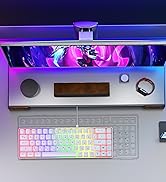
Figure 3: Screenshot showing the model selection interface on the web-അധിഷ്ഠിത ഡ്രൈവർ.
പ്രവർത്തന നിർദ്ദേശങ്ങൾ
1. Magnetic Switches and Rapid Trigger Mode
The Aula Hero 84 HE features advanced Hall Effect magnetic switches with an ultra-low actuation distance of 0.01mm. This technology enables lightning-fast response times and the Rapid Trigger mode, allowing you to release and repeatedly press keys at an accelerated rate for competitive gaming.

Figure 4: Illustration of the Hall Effect technology and its ultra-low actuation distance.

Figure 5: Visual representation of the Rapid Trigger mode, highlighting adjustable actuation.
2. RGB Lighting System
The keyboard features a versatile RGB backlighting system with 20 preset lighting effects and 16 million color options. The top-mounted light box also supports independent control. You can customize all lighting aspects, including effects, speed, and brightness, using the web-അധിഷ്ഠിത ഡ്രൈവർ.

Figure 6: The Aula Hero 84 HE showcasing its vibrant RGB backlighting and light box.
3. പ്രോഗ്രാം ചെയ്യാവുന്ന കീകളും മാക്രോകളും
ഉപയോഗിക്കുക web-based driver to fully program your keyboard. You can customize key mappings and create complex macros to streamline your workflow and enhance your gaming performance. The driver allows for dynamic keystrokes, switching triggers, and quick trigger functions.

Figure 7: The comprehensive interface of the web-based driver for key and macro customization.
4. Compact 75% Design
The 75% layout of the HERO 84 HE provides a space-saving design while retaining essential function keys (F1-F12), direction keys, and editing keys. This compact form factor is ideal for optimizing desk space and improving ergonomics during long gaming or work sessions.

Figure 8: The 75% compact layout of the Aula Hero 84 HE, demonstrating its space-saving design.
5. Full-Key Hot-Swappable PBT Double Shot Keycaps
The keyboard features full-key hot-swappable PBT double shot keycaps, allowing for easy replacement of switches and keycaps. This enables personalization and extends the lifespan of your keyboard. PBT keycaps offer high wear resistance and a frosted hand feeling.
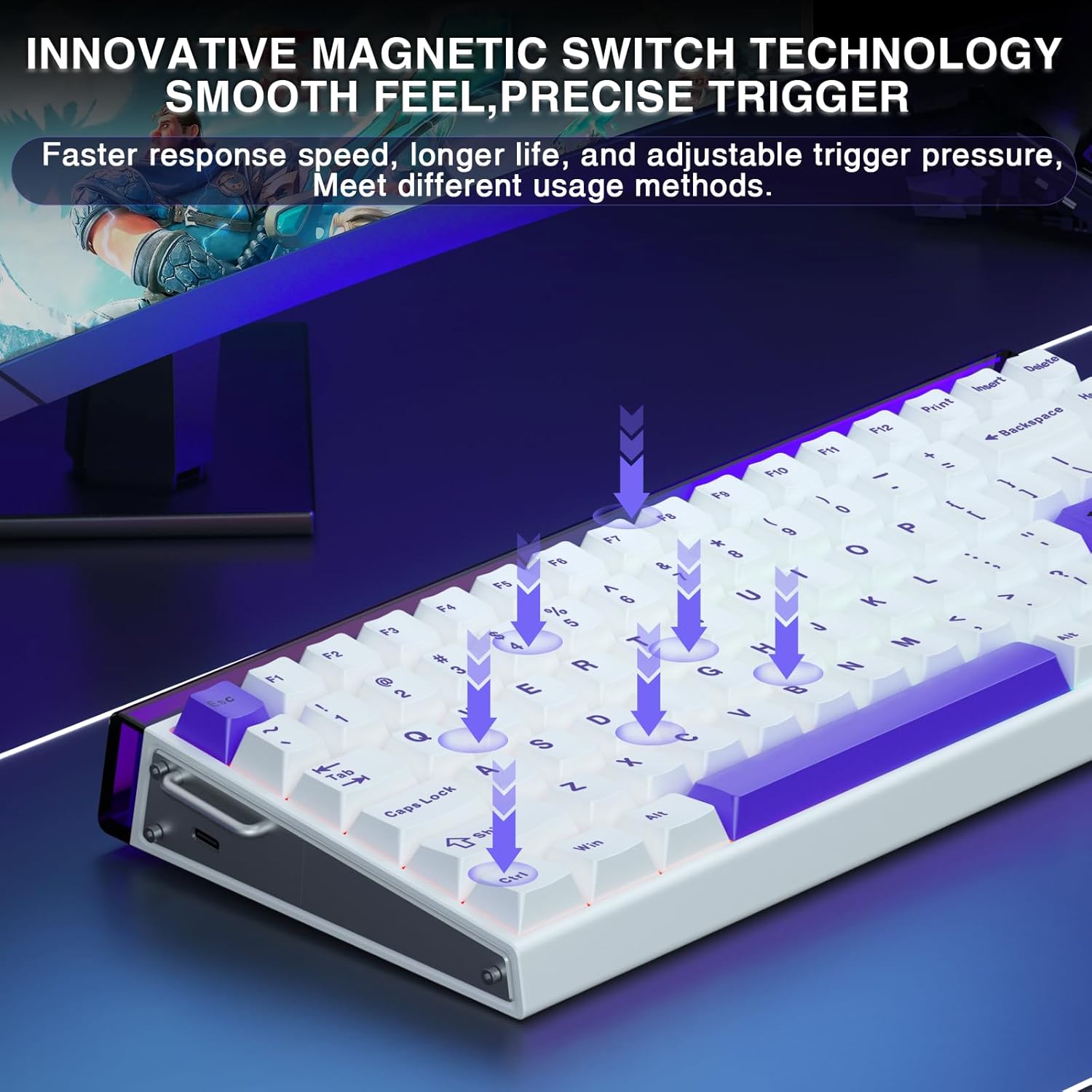
Figure 9: The hot-swappable design of the Aula Hero 84 HE, showing removable keycaps and switches.
മെയിൻ്റനൻസ്
1 ജനറൽ ക്ലീനിംഗ്
- വൃത്തിയാക്കുന്നതിനുമുമ്പ് നിങ്ങളുടെ കമ്പ്യൂട്ടറിൽ നിന്ന് കീബോർഡ് വിച്ഛേദിക്കുക.
- കീക്യാപ്പുകൾക്കിടയിൽ നിന്ന് പൊടിയും അവശിഷ്ടങ്ങളും നീക്കം ചെയ്യാൻ ഒരു കംപ്രസ് ചെയ്ത വായു ക്യാൻ ഉപയോഗിക്കുക.
- Wipe the surface of the keycaps and keyboard body with a soft, slightly damp, ലിന്റ് രഹിത തുണി. കഠിനമായ രാസവസ്തുക്കളോ ഉരച്ചിലുകളോ ഉള്ള വസ്തുക്കൾ ഉപയോഗിക്കുന്നത് ഒഴിവാക്കുക.
2. കീക്യാപ്പും സ്വിച്ചും മാറ്റിസ്ഥാപിക്കൽ
Thanks to the hot-swappable design, you can easily remove and replace keycaps and switches. Use the included keycap puller to gently remove keycaps. For switches, use the switch puller to carefully extract them. Ensure proper alignment when reinserting to avoid damage.
ട്രബിൾഷൂട്ടിംഗ്
- കീബോർഡ് പ്രതികരിക്കുന്നില്ല:
Ensure the USB-C cable is securely connected to both the keyboard and your computer. Try a different USB port or a different USB-C cable if available. Restart your computer.
- കീകൾ രജിസ്റ്റർ ചെയ്യുന്നില്ല അല്ലെങ്കിൽ പറ്റിപ്പിടിക്കുന്നില്ല:
Clean around and under the affected keycap using compressed air. If the issue persists, carefully remove the keycap and switch (refer to Maintenance section) and re-seat them. For persistent issues, check the web-based driver for any accidental remappings or profile issues. Some users have reported temporary shift key sticking on boot-up, which can often be resolved by a hard reset of the computer.
- RGB ലൈറ്റിംഗ് പ്രശ്നങ്ങൾ:
ആക്സസ് ചെയ്യുക web-based driver (bit.ly/m/AULA) to verify lighting settings. Ensure brightness is not set to minimum. Check for any conflicting software that might be controlling RGB.
- Web-Based Driver Access Issues:
Ensure you have an active internet connection. Double-check the URL for typos. Try clearing your browser's cache and cookies, or use a different browser. Ensure you select "HERO 68/84 HE" correctly on the site.
- പ്രൊഫfile മാറുന്നു:
പ്രോ മാറാൻfiles, hold down the Function (Fn) key and press V for Profile 1, B for Profile 2, and N for Profile 3.
സ്പെസിഫിക്കേഷനുകൾ
| ഫീച്ചർ | വിശദാംശങ്ങൾ |
|---|---|
| ഉൽപ്പന്ന അളവുകൾ | 12.6 x 5.47 x 1.67 ഇഞ്ച് |
| ഇനത്തിൻ്റെ ഭാരം | 2.9 പൗണ്ട് |
| നിർമ്മാതാവ് | ഔല |
| ഇനം മോഡൽ നമ്പർ | HERO 84HE |
| കണക്റ്റിവിറ്റി ടെക്നോളജി | USB-C, Wired |
| കീബോർഡ് വിവരണം | Magnetic Switches Hall Effect Keyboard |
| പ്രത്യേക സവിശേഷതകൾ | Backlit, Hall Effect Keyboard, Magnetic Switches, Programmable Keys |
| നിറം | White&Purple (RGB Backlighting) |
| കീകളുടെ എണ്ണം | 84 |
| പോളിംഗ് നിരക്ക് | 8000Hz |
| ആക്ച്വേഷൻ ദൂരം | Adjustable from 0.01mm |
വാറൻ്റിയും പിന്തുണയും
CORBOBO is committed to your satisfaction. For any questions about the HERO 84 HE or if you need assistance, please contact customer support. We aim to respond within 24 hours.
വാറൻ്റി വിവരങ്ങൾ:
Enjoy peace of mind with our 2 വർഷത്തെ പരിമിത വാറൻ്റി covering manufacturing defects and hardware malfunctions under normal use. Please note that the warranty does not cover damage caused by misuse, unauthorized modifications, or normal wear and tear.
For support, visit the CORBOBO Store on Amazon: CORBOBO Store